How to Secure Your WeChat Account: A Complete Step-by-Step Guide
This guide covers essential steps to secure your WeChat account, including registration, verification, payment protection, and account management.

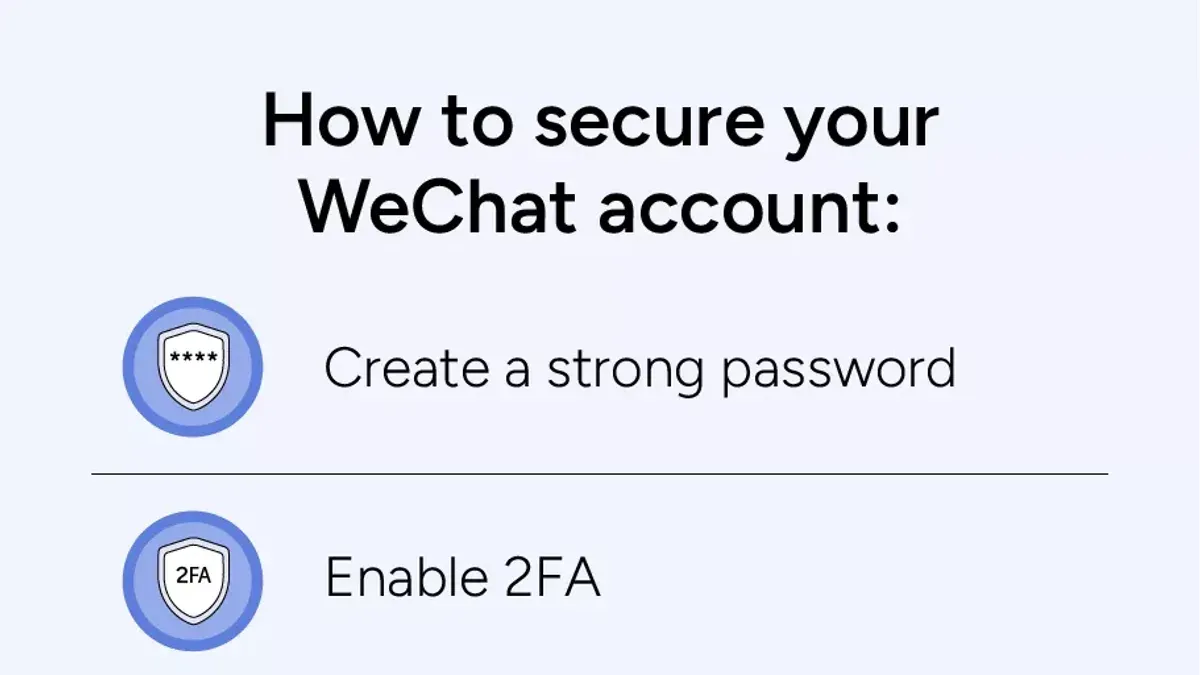
This guide explains how to secure your WeChat account for both personal use and business management, covering essential security steps and practical tips.
Securing a WeChat account begins with strong registration practices, including using a unique password and enabling two-step verification in Settings > Account Security. Account verification through real-name authentication adds a vital layer of protection against unauthorized access. For business users, managing official accounts requires assigning proper admin rights and regularly reviewing login activity under Official Accounts > Account Settings.
Payment security is critical; users should activate payment password protection and verify transactions via biometric or SMS confirmation. In cases of account restrictions, timely recovery through WeChat’s built-in unrestriction process helps restore access securely. This step-by-step guide ensures comprehensive coverage of how to secure your WeChat account, from setup to ongoing management.
Before You Start: What Is Needed to Secure a WeChat Account
Securing a WeChat account begins with having the right tools and information in place. First, a smartphone or compatible device is essential. WeChat supports iOS, Android, and Windows devices, so ensure the device runs a supported operating system and has sufficient storage to install and update the app regularly.
An active phone number or email address is mandatory for account registration and verification. This contact point is used for receiving verification codes and notifications related to account security. Without access to these, account recovery and verification become difficult.
Basic familiarity with WeChat’s core features and terms of service helps avoid common errors during registration and setup. Many users fail to complete verification correctly or misunderstand security settings, leading to account restrictions or vulnerabilities.
If using WeChat Pay, access to linked payment methods such as a valid bank card or supported payment service is required. This access enables setting up payment authentication, crucial for securing transactions and preventing unauthorized use.
- Prepare a compatible device with internet access. The WeChat app should be downloadable from official app stores. Success shows the app icon on the home screen.
- Ensure availability of an active phone number or email for verification. When entering this information during registration, a verification code should be received promptly.
- Review WeChat’s user agreement and privacy policy. This builds understanding of account responsibilities and security features.
- For WeChat Pay users, have bank card or payment details ready for linking. The app should confirm successful binding of these payment methods.
Tip: Double-check that the phone number or email used is accessible during setup to avoid delays or account lockouts.
How to Create and Register a WeChat Account
- Download the official WeChat app from a trusted source such as the Apple App Store or Google Play Store. After installation, open the app to begin registration.
- On the welcome screen, tap "Sign Up" to start the account creation process. The app will prompt for either a phone number or email address to use for registration.
- Enter a valid phone number or email address. Ensure the number is active and accessible since WeChat will send a verification code to this contact method. Tap "Next" after inputting the information.
- Input the verification code received via SMS or email. This confirms ownership of the contact information. Successful verification will allow moving forward to set up the account.
- Create a strong password combining letters, numbers, and symbols. The password must be at least 8 characters. Confirm the password by entering it a second time to prevent typos.
- Fill in the basic profile details such as nickname, profile picture, and region settings. These can be adjusted later but provide a personalized start to the account.
- Complete any additional prompts to agree to WeChat’s terms of service and privacy policy. Upon completion, the account will be ready for login and use.
Tip: Use a phone number over email for faster verification and improved security during registration.
How to Verify a WeChat Account for Enhanced Security
Verification confirms the identity of a WeChat user, significantly reducing the risk of account restrictions or suspensions. The main methods include phone verification, email verification, and friend verification, each with varying success rates and reliability. Phone verification is the most direct and commonly successful, as it uses a linked mobile number to authenticate the user. Email verification adds a secondary layer of security but is less often accepted alone. Friend verification requires assistance from trusted contacts and can be slower but useful if other methods are unavailable.
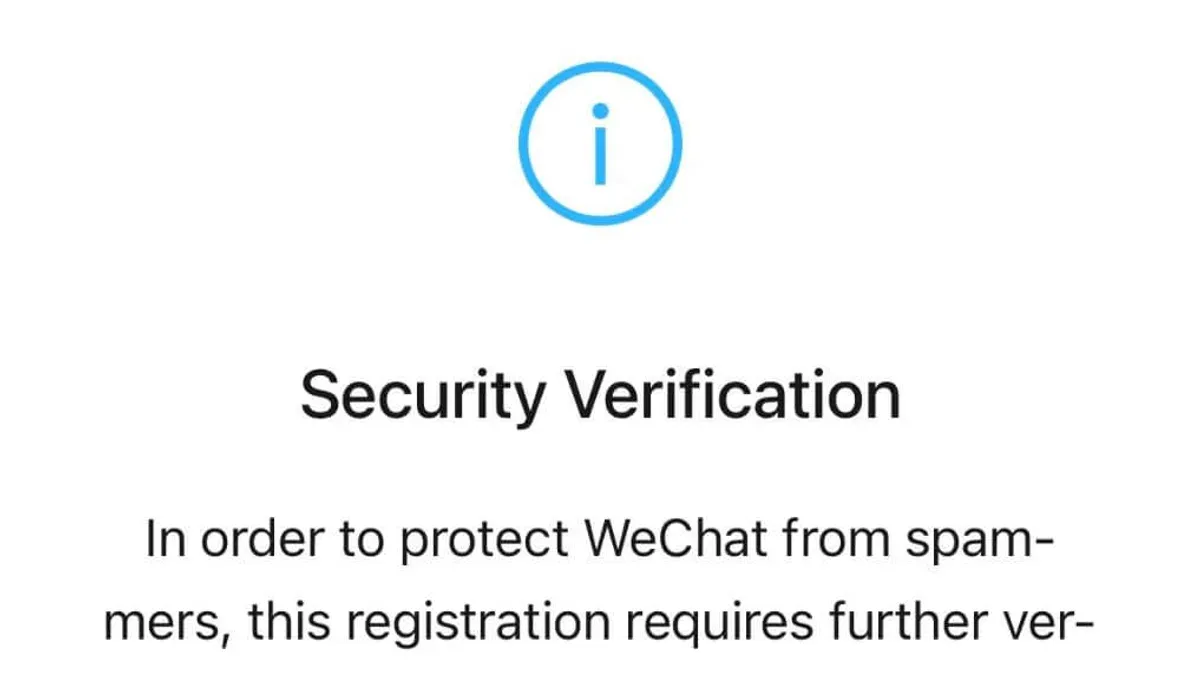
Verified accounts are less likely to face sudden restrictions and can access advanced features such as WeChat Pay and official account management. In contrast, unverified accounts risk limited functionality or temporary lockouts during security checks. Common pitfalls include entering incorrect verification codes, using inactive contact info, or attempting friend verification without available contacts. These failures often cause delays or denial of verification.
Tip: Always use an active phone number linked to the account for the highest success rate in verification.
- Open WeChat and go to Me > Settings > Account Security > Verify Identity. A verification options screen appears.
- Select Phone Verification. Enter the active phone number linked to the account and submit. A code is sent via SMS.
- Input the received SMS code. Upon success, a confirmation message appears, showing the account as verified.
- If phone verification is unavailable, choose Email Verification. Enter a valid email address and confirm via the link sent to the inbox.
- For friend verification, select Friend Verification and follow prompts to request help from verified contacts. Await confirmation from them to complete the process.
How to Login to WeChat Securely Using Password and Other Methods
Secure login prevents unauthorized access and protects personal and business data on WeChat. Password-based login remains the primary method; it requires a strong, unique password combining letters, numbers, and symbols. Avoid using easily guessable passwords like birthdays or common words, as weak passwords are a frequent cause of account breaches across platforms.
Alternative login methods include QR code scanning and SMS verification. QR code login is convenient for desktop users, requiring the WeChat mobile app to scan a code displayed on the computer screen. SMS verification sends a one-time code to the registered phone number, providing an additional security layer during login.
Tip: Regularly update passwords and avoid reusing them across multiple services to reduce breach risk.
Enabling Two-Factor Authentication (2FA)
Two-factor authentication adds a crucial security step by requiring a verification code after password entry. WeChat offers this feature through its login security settings under Me > Settings > Account Security > Two-step Verification. When enabled, after entering the password, the user must enter a code received via SMS or generated by an authenticator app before access is granted.
This layered approach significantly decreases the chances of unauthorized access, even if the password is compromised. A typical secure login flow with 2FA is: enter username and password, receive a verification code on the registered device, input the code, and gain access.
Recognizing and Responding to Suspicious Login Attempts
WeChat notifies users of login attempts from new devices or locations via push notifications and emails. If an unrecognized login appears, immediately change the account password and review active sessions under Me > Settings > Account Security > Device Management. Remove unknown devices and enable 2FA if not already active.
Frequent monitoring of login activity and swift action upon alerts helps maintain account security and prevents potential breaches.
How to Use and Secure WeChat Pay for Transactions
Setting up WeChat Pay begins by linking a bank card within the WeChat app under Me > Wallet > Cards > Add a Bank Card. Enter card details and complete identity verification through SMS or bank authentication. Once linked, activate the payment password by navigating to Me > Wallet > Payment Settings > Set Payment Password. This password guards every transaction and must be distinct from the login password.
To make a payment, open the chat or merchant page, tap the 24 icon or Scan QR Code, enter the amount, and confirm by entering the payment password or using biometric authentication (fingerprint or facial recognition) if enabled. A successful transaction displays a "Payment Successful" message with transaction details.
WeChat Pay’s security features include mandatory payment passwords and optional biometric authentication, making unauthorized payments difficult. Compared to other mobile wallets, WeChat Pay combines these with real-time transaction notifications and device-based security checks to enhance protection.
Detecting and avoiding payment fraud involves scrutinizing unexpected payment requests, verifying merchant accounts, and never sharing the payment password or verification codes. Users should enable notifications for every transaction and promptly report suspicious activity to WeChat support.
- Link a bank card via Me > Wallet > Cards > Add a Bank Card; successful linking shows the card on the Wallet main page.
- Set a distinct payment password at Me > Wallet > Payment Settings > Set Payment Password; confirmation appears once set.
- Enable biometric authentication in Payment Settings if the device supports it; the option will show as enabled.
- Initiate a payment by scanning a merchant QR code or selecting the 24 icon in chat; enter the amount and tap Pay.
- Confirm the payment with the payment password or biometrics; a "Payment Successful" message confirms completion.
Tip: Always verify the recipient's identity or merchant credentials before confirming payment to avoid scams.
How to Unrestrict a WeChat Account and Recover Access
WeChat accounts are commonly restricted due to security concerns such as suspicious login attempts or violations of WeChat's terms of service. Typical reasons include sending spam, using unauthorized plugins, or engaging in behavior flagged by automated systems. Users usually receive clear notifications or messages within the app explaining the restriction and its cause.
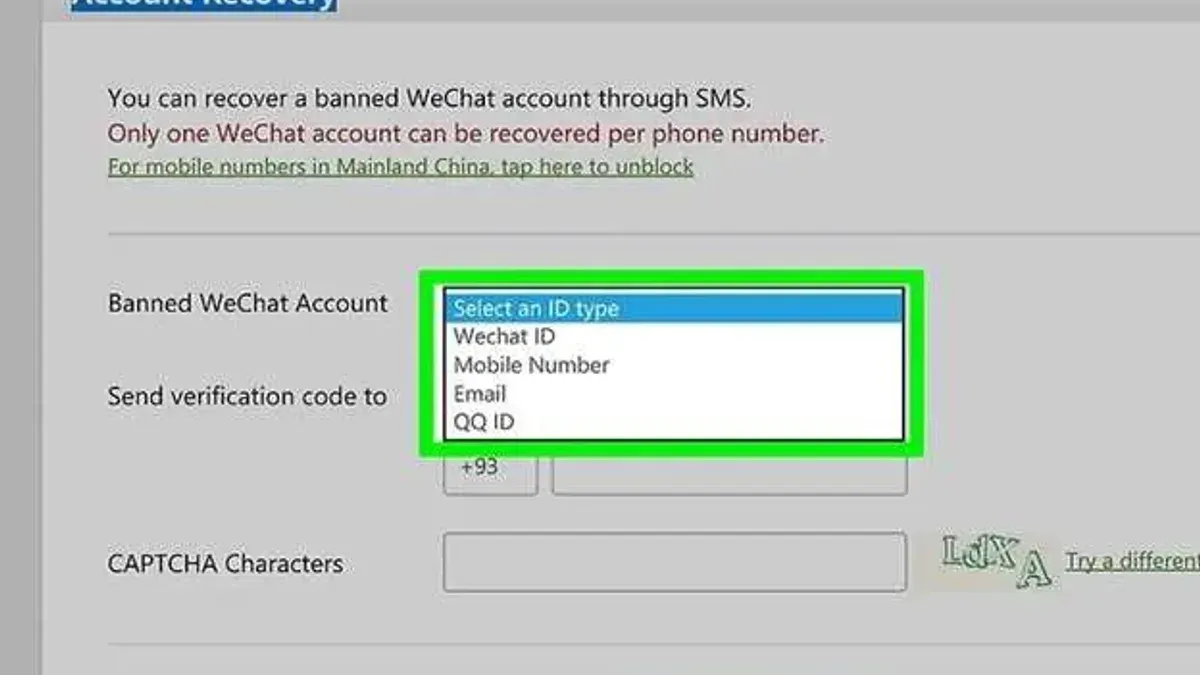
To regain full account functionality, users must follow a verification or appeal process. The app prompts for identity confirmation through linked phone numbers, email, or government-issued ID. Responding promptly to these requests is crucial for successful recovery.
- Open the WeChat app and locate the restriction notification on the main screen or login page. This message typically outlines the reason for restriction and provides an option to appeal or verify identity.
- Tap the appeal or verify button. This leads to a page requesting verification methods such as SMS code to the linked phone number or photo submission of ID documents.
- Complete the requested verification steps accurately. After submission, a confirmation message should appear indicating the appeal is under review or verification is successful.
- Wait for the review process. This may take several hours to a few days. Successful verification will restore full account access, confirmed by a notification when logging in.
- If the appeal fails, follow the prompts to retry verification or contact WeChat support through the app's help center for further assistance.
Tip: Avoid repeated login attempts while restricted, as this can extend the restriction period.
Preventive measures to avoid future restrictions include adhering to WeChat’s usage policies, avoiding third-party plugins, and enabling two-factor authentication. Frequent account restrictions are not widespread but occur often enough to warrant careful compliance and proactive security practices.
Case studies show that users who promptly respond to verification requests and follow the outlined appeal process typically regain account access within days, confirming the effectiveness of these procedures.
How to Manage WeChat Official Accounts: Rights and Security
WeChat official accounts come in two primary types: Service accounts and Subscription accounts. Service accounts offer advanced features for businesses, including API access, WeChat Pay integration, and customer management tools. Subscription accounts focus on content dissemination, allowing daily messaging but with less interaction capability. Understanding these distinctions helps in selecting the right account type for business needs.
| Feature | Service Account | Subscription Account |
|---|---|---|
| Message Frequency | 4 messages/month | 1 message/day |
| API Access | Full access | Limited access |
| WeChat Pay Integration | Supported | Not supported |
| Visibility | Messages appear in chat list | Messages appear in subscription folder |
Official accounts require dedicated security settings beyond personal accounts. Pin security is crucial: set up a unique, strong password specifically for the official account and enable two-factor authentication (2FA) via WeChat’s Security Center. Assign role-based permissions carefully to restrict access only to trusted administrators. Regularly review login activity and connected devices from the account management panel.
Tip: Use WeChat Work (WeCom) to manage communication with customers securely; it integrates with official accounts and offers enhanced encryption and audit logs.
Best practices to protect official accounts include avoiding shared login credentials, promptly updating security settings after staff changes, and monitoring for phishing attempts. There have been cases where official accounts were compromised due to weak passwords or careless permission grants, leading to impersonation or unauthorized message sending. Proactive management and multi-layered security reduce these risks significantly.
Frequently asked questions
How to verify wechat account?
To verify a WeChat account, open the app and go to Me > Settings > Account Security > Real-name Verification. Follow the prompts to submit identification such as a passport or government-issued ID. Verification boosts security and enables access to WeChat Pay and other features.
How to pay using wechat?
Set up WeChat Pay by linking a bank card under Me > WeChat Pay > Wallet > Cards. To pay, scan the recipient’s QR code or show your own for them to scan. Confirm the transaction with your payment password or biometric authentication.
How to use wechat?
WeChat enables messaging, voice and video calls, social sharing via Moments, and payments. Start by adding contacts through phone number, WeChat ID, or QR code scanning. Use the app’s tabs to switch between chats, social feed, and wallet functions.
How to make wechat account?
Download the WeChat app and open it. Tap Sign Up with Phone Number, enter a valid number, and complete the SMS verification. Set a secure password and add a profile photo to finish the setup.
How to register wechat account?
Registration uses the phone number and requires SMS verification to confirm identity. After verification, set up a username and password. Additional steps include linking a bank card for payments and optionally verifying identity for enhanced security.
What This Guide Does Not Cover and When to Seek Expert Help
This guide does not cover advanced cybersecurity threats such as state-sponsored hacking, zero-day exploits, or large-scale data breaches. Users handling highly sensitive personal or business data should consider consulting specialized cybersecurity professionals. For organizations with complex IT infrastructures, dedicated security teams or external experts are necessary to implement tailored protective measures beyond standard WeChat account security features.
For the majority of individual users and small business owners, following the outlined steps will significantly reduce risks related to unauthorized access and fraudulent transactions on WeChat. However, when suspicious activity persists despite these precautions, seeking professional assistance is advised to perform thorough account audits and mitigation.
Start by enabling two-factor authentication within WeChat’s Settings under Account Security and regularly reviewing authorized devices and login history. This single step provides a strong foundation for ongoing account protection and quick detection of unauthorized access.
See also: How to Log Out of WeChat on All Devices: Step-by-Step Guide · How to Secure Your Viber Account: Step-by-Step Guide · How to Secure Your Signal Account: A Complete Step-by-Step Guide · How to Secure Your Messenger Account: Step-by-Step Guide