How to Secure Your Quora Account: A Step-by-Step Guide
This guide offers clear, actionable steps to secure your Quora account by managing privacy settings, login methods, and security features.

This guide explains how to secure your Quora account with clear, actionable steps focused on Quora’s unique settings and features. Securing a Quora account involves more than a strong password; it requires understanding login methods, privacy controls, and managing business-related activity safely. This article covers the essentials from creating an account securely to adjusting privacy preferences and handling account deletion.
Quora’s sign-in options include email, Google, and Facebook integration, each with specific security considerations. Adjusting settings under Settings > Privacy can limit profile visibility and control data sharing. Business users benefit from distinct practices to keep professional information protected while engaging effectively on the platform.
Following this step-by-step approach addresses common user mistakes, like neglecting two-factor authentication or leaving default visibility open. Clear instructions prevent oversights that could expose personal information or lead to account compromise.
Before you start: What is needed to secure a Quora account
Securing a Quora account requires gathering all relevant access credentials and understanding the platform’s security features. The primary login credentials include the account’s email address, password, and any linked Google or Facebook accounts. Access to the registered email or phone number is vital for receiving verification codes and password reset links. Without these, account recovery and security updates become difficult or impossible.
A basic familiarity with Quora’s interface and settings is necessary to navigate security options effectively. Quora’s settings menu, found under the profile icon dropdown, houses privacy controls, account security features, and notification preferences. Knowing where these controls are located expedites the security process.
Users must also be aware of common security risks specific to social Q&A platforms. Account hijacking attempts often occur via phishing, where fake login pages or messages mimic Quora’s communications to steal credentials. Another risk involves unauthorized access through reused or weak passwords. Social engineering targeting personal information shared in Q&A answers or messages can also expose accounts.
Tip: Always confirm URLs before entering login details and avoid clicking suspicious links claiming to be from Quora.
- Gather login credentials: email, password, and linked accounts. Successful step: access to login information is confirmed.
- Verify access to the registered email or phone number. Successful step: ability to receive verification or reset codes is ensured.
- Familiarize with Quora’s settings menu by logging in and locating the profile icon dropdown. Successful step: user can open and browse the settings interface.
- Understand common threats such as phishing and weak passwords. Successful step: user can identify suspicious messages or login attempts.
How to create a new Quora account securely
- Visit Quora.com and select “Sign Up.” Choose to sign up with an email address or a Google account. Using a Google sign-in can streamline the process but verify the security of the Google account first. Upon successful signup, a confirmation prompt or welcome screen will appear.
- When creating a password, choose a strong, unique combination using at least 12 characters including uppercase, lowercase, numbers, and symbols. Avoid common words or personal information such as birth dates. Password strength checkers like those from reputable password managers can help assess password quality. After entry, Quora will either accept the password or prompt for a stronger one.
- Enable two-factor authentication (2FA) immediately after account creation by navigating to Settings > Privacy & Security > Two-Factor Authentication. Activating 2FA requires a second verification step during login, which significantly lowers the risk of account breaches. Once enabled, the user will be prompted to set up via SMS or an authenticator app.
- Refrain from adding easily guessable personal information in profile fields during initial setup. This reduces exposure to social engineering attacks. Instead, limit profile details to what is necessary and consider using pseudonyms if privacy is a priority.
- After account creation, go to Settings > Privacy and review default privacy settings. Adjust options like “Who can see your content” and “Who can follow you” to restrict visibility according to preference. Confirm changes by saving settings; the updated privacy configuration ensures stronger control over personal data.
Tip: Enabling 2FA can reduce account breach risk by a substantial margin compared to password-only protection.
How does Quora sign-in work and how to sign in securely
Quora offers several login methods: traditional email and password, Google account sign-in, and passwordless options like magic links sent via email. Each method provides different security levels and convenience. Selecting the appropriate method depends on balancing ease of access with protection from unauthorized entry.
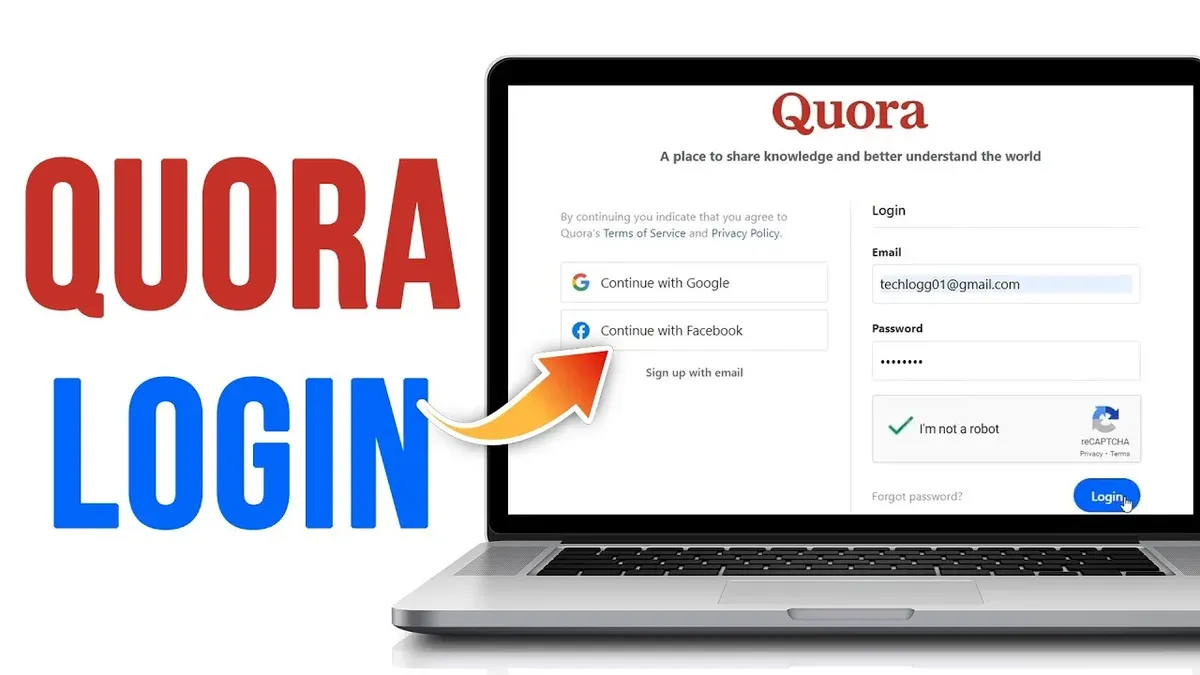
To sign in securely via the Quora login page, always ensure the URL begins with "https://www.quora.com" and displays a valid SSL certificate. Phishing attacks targeting login credentials are common; attackers use fake login pages to steal information. Avoid clicking login links from unsolicited emails or messages. Instead, navigate to Quora directly or use a trusted bookmark.
Tip: Enable browser security features and consider using password managers that can detect phishing sites.
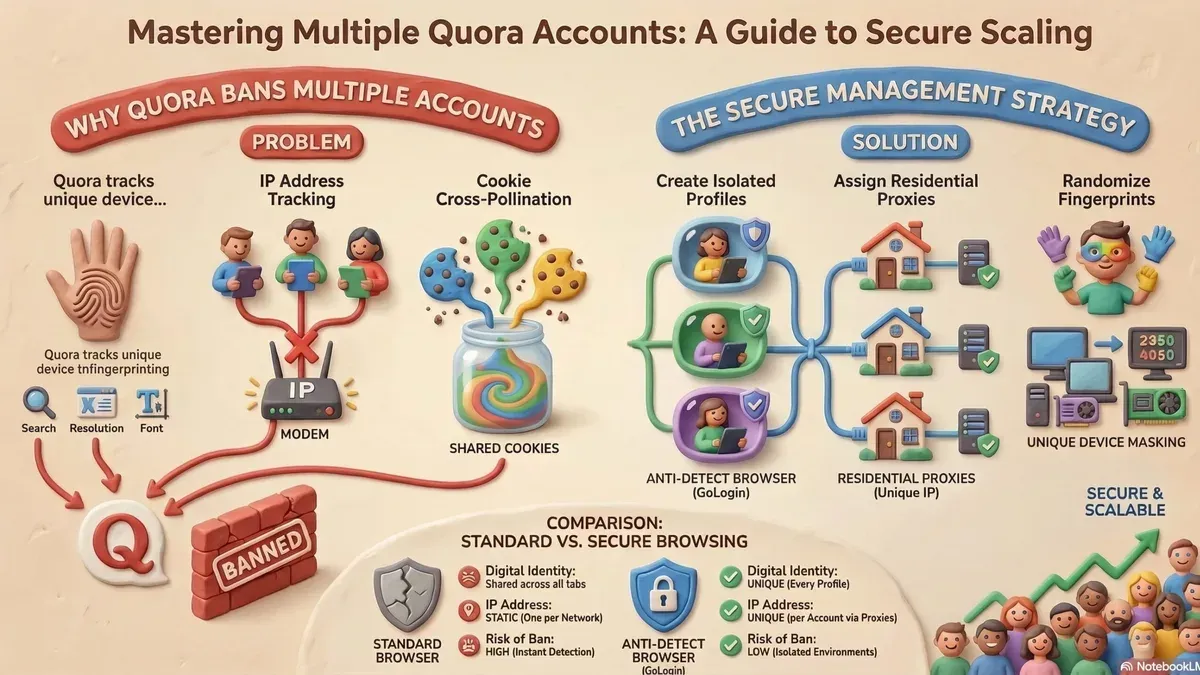
For users managing multiple Quora accounts, use separate browsers or profiles to keep sessions isolated. This practice reduces the risk of accidental cross-account data exposure and session hijacking.
The passwordless sign-in feature, which sends a one-time link to the registered email, reduces password reuse risks and phishing vulnerability. However, securing the linked email account with two-factor authentication is critical to prevent unauthorized access through this method.
- Navigate to the official Quora login page at https://www.quora.com.
Expected result: The login form appears with options to enter email and password or use Google sign-in. - Choose a login method: enter email and password, select "Continue with Google," or click "Send magic link" for passwordless sign-in.
Expected result: Depending on the method, the system either prompts for password, redirects to Google authentication, or sends an email with a sign-in link. - If using passwordless sign-in, open the received email and click the provided magic link.
Expected result: Quora opens and logs into the account without requiring a password. - Verify account access and review recent activity for any unauthorized logins.
Expected result: The user is logged in; recent activity shows only recognized sessions. - Log out from all devices periodically via Settings > Account > Manage Sessions.
Expected result: All sessions end except the current one, reducing risk from forgotten open sessions.
How to adjust Quora main privacy settings for better security
- Log in to Quora and click on the profile icon at the top right corner; select Settings from the dropdown menu. The Settings page will load with multiple tabs on the left side.
- Click the Privacy tab to access privacy controls. Here, adjust Profile Visibility to limit who can view the profile details. Set this to Only Me or People You Follow to reduce exposure of personal information.
- Scroll to Content Sharing settings under the same tab. Disable options like Allow Search Engines to Index Your Profile to prevent your Quora content from appearing in external search results.
- Navigate to the Security & Data section within Settings. Review Data Usage Permissions and revoke access from any unnecessary third-party apps or integrations listed under Connected Apps. This limits external access to Quora account data.
- Enable notifications for suspicious activities by toggling on Login Alerts and Unrecognized Device Alerts in the Security tab. This triggers emails if there are sign-ins from new devices or unusual locations.
Tip: Regularly revisit these settings after any platform updates, as Quora occasionally adds new privacy features or changes defaults.
Adjusting these settings effectively controls who sees profile information, what content is shared externally, and how third-party apps interact with the account. Enabling alerts further enhances security by providing immediate warnings of potential unauthorized access.
How to use Quora safely for business purposes
Managing a business presence on Quora requires a clear separation between personal and business accounts. Creating a dedicated business profile or page ensures that sensitive personal information remains private. Use a strong, unique password for the business account and enable two-factor authentication under Settings > Security to protect access.
When engaging with users, avoid sharing confidential business data such as financial figures, client details, or unpublished strategies. Focus on providing value by answering questions related to industry expertise and linking to publicly available resources, maintaining professionalism without risking sensitive exposure.
Leverage Quora’s features like Spaces and promoted answers to build brand reputation while monitoring interactions closely. Regularly review connected apps and permissions via Settings > Apps & Websites to prevent unauthorized access. Respond promptly to any suspicious notifications and report abuse according to Quora’s policies.
Quora’s Business Policy outlines acceptable use, emphasizing transparency and truthful representation. Violations such as fake reviews or spam can lead to penalties, including account suspension. Businesses that comply with these policies and prioritize account security maintain credibility and benefit from Quora’s targeted audience.
For example, a marketing agency successfully used Quora Spaces to share insights without revealing client identities, combining strict access controls with consistent content moderation. Their approach minimized security risks while enhancing visibility.
How to cancel or delete your Quora account permanently
Quora offers a permanent deletion option distinct from temporary deactivation or cancellation. Deactivation only hides the account and can be reversed by logging back in, while cancellation typically refers to stopping active use but does not erase data. Permanent deletion removes the account and associated personal data from Quora's servers after a retention period.
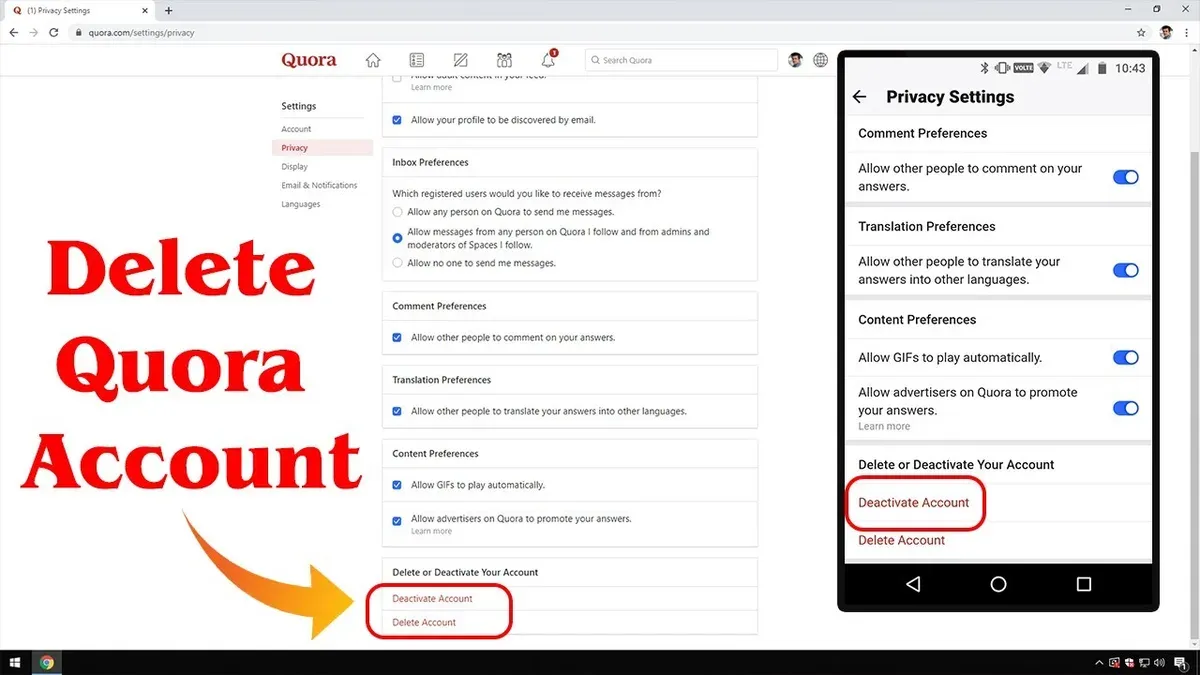
- Log in to the Quora account intended for deletion and navigate to Settings > Privacy. You should see the Delete Account option near the bottom of the privacy settings page.
- Click Delete Account. Quora will prompt a confirmation dialog explaining that account deletion is permanent and cannot be undone. It will also remind to download any data backups before proceeding.
- Confirm the deletion request by entering the account password if prompted. Upon confirmation, the account status will change to "pending deletion," and an email confirmation will be sent to the registered address.
- Quora retains user data for a limited period to allow for account recovery in case of accidental deletion. After this retention window, typically several weeks, all personal information and content will be permanently erased from Quora's servers.
- Before deletion, users should unlink any third-party accounts or connected apps and download any important data via the Settings > Privacy > Download Your Data feature, as recovery after deletion is not possible.
Tip: Review connected services and remove linked accounts before initiating deletion to prevent access issues elsewhere.
Common troubleshooting steps for Quora account security issues
Login failures and forgotten passwords are frequent issues. To reset a password, use the “Forgot Password?” link on the sign-in page, enter the registered email, and follow the password reset instructions sent. Successful reset presents a confirmation message and access to the account.
Suspicious login alerts indicate potential unauthorized access. Immediately review recent activity under Settings > Privacy > Account Activity. If unknown devices or locations appear, change the password and enable two-factor authentication if not already active.
Recovering a hacked or compromised account involves prompt action. Begin by attempting password reset. If access is blocked, use Quora’s Help Center contact form selecting “Account Recovery” to report the issue. Include details like last successful login and suspicious activity. Quora support typically responds within a few days with recovery steps.
Contacting Quora support for security problems requires navigating to the Help Center, selecting “Security and Privacy” issues, and submitting a detailed request. Common requests include account lockouts, unauthorized content changes, and suspected phishing attempts. Maintain evidence such as screenshots or email headers to expedite resolution.
Tip: Regularly monitor account activity logs and update recovery information to reduce downtime during security incidents.
Frequently asked questions
How to delete your quora account?
To delete a Quora account, navigate to Settings > Privacy > Delete Account. Follow the prompts to confirm the deletion. The process includes a 14-day waiting period during which the account can be recovered by logging back in.
How to delete quora account permanently?
Permanent deletion starts after the 14-day grace period following the initial delete request. During this time, avoid signing in to prevent automatic reactivation. Afterward, all personal data and content are removed from the platform.
How to cancel quora account?
Canceling a Quora account is performed by requesting account deletion through Settings > Privacy > Delete Account. This initiates the deletion process, effectively canceling the account after the waiting period. There is no separate cancel option outside of deletion.
Is quora a safe site?
Quora uses standard security measures like HTTPS encryption and offers two-factor authentication to protect accounts. However, users should manage privacy settings carefully and avoid sharing sensitive personal information to maintain security.
Can i use quora for business?
Quora can be used for business by creating a professional profile, participating in relevant topics, and sharing expert knowledge. Businesses should adhere to Quora's policies, avoid overt advertising, and focus on building trust through genuine engagement.
What this guide does not cover and who should seek additional help
This guide focuses on user-side security measures but cannot guarantee protection against all sophisticated attacks or platform-wide breaches. It does not cover enterprise-level security solutions, advanced threat detection, or legal recourse in case of account compromise. Users handling highly sensitive business information or those subject to regulatory compliance should consult cybersecurity professionals or legal advisors. Additionally, this advice does not replace general cybersecurity hygiene like securing devices or networks outside Quora.
Tip: Regularly update passwords and use distinct credentials across different platforms to reduce risk.
Securing a Quora account starts with enabling two-factor authentication and reviewing privacy settings under Settings & Privacy > Privacy. The single most useful next step is to activate two-factor authentication immediately, as it significantly reduces the chance of unauthorized access even if passwords are compromised.
See also: How to Secure Your Pinterest Account: Step-by-Step Guide · How to Secure Your LinkedIn Account: Step-by-Step Guide · How to Secure Your Discord Account: A Step-by-Step Guide