How to Recover an X (Twitter) Account Without a Phone Number
This guide shows how to recover an X (Twitter) account without a phone number using email, username verification, and support options.

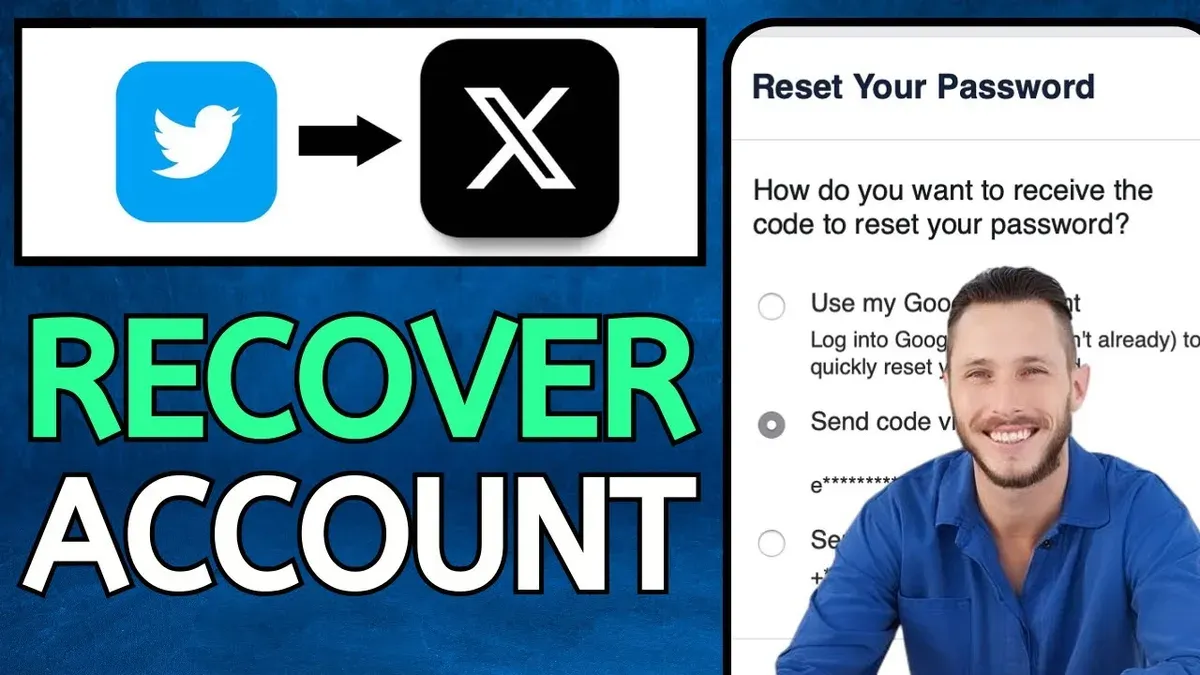
This article explains how to recover X (Twitter) account without phone number by using alternative methods beyond SMS verification. Losing access to the phone number linked to an X account can block the standard recovery path, but email access, username confirmation, and contacting Twitter Support offer other options. Recovery depends on prior account setup, such as having a verified email address and remembering precise account details.
Users must verify ownership using available credentials or submit a support request through Twitter’s Help Center. This guide outlines step-by-step instructions for email-based recovery, username verification, engaging with support channels, and troubleshooting common hurdles. It also clarifies when recovery is unlikely without phone verification, helping set realistic expectations.
Before you start: What’s needed to recover an X account without a phone number?
Recovering an X account without access to the phone number linked to it requires certain prerequisites. The primary method involves having access to the email address associated with the account. This is crucial because most recovery communications and verification links are sent there. Without the linked email, recovery options narrow significantly.
Knowing the exact Twitter username or the email address tied to the account is essential. This information helps identify the account during recovery attempts. Additionally, if backup codes were generated earlier or an authentication app was set up, these can provide alternative verification routes.
It is important to understand that if the phone number is unavailable or never linked, recovery relying on SMS will fail. Many users link both phone numbers and emails, but some rely solely on email. This means email-based recovery is often the most practical option when phone verification is not possible.
- Confirm the email address linked to the X account. When identified correctly, recovery emails can be received.
- Have the exact Twitter username or associated email ready. This helps locate the correct account during recovery.
- Check for any saved backup codes or authentication apps connected to the account. These can bypass phone verification.
- Accept that phone number recovery is not an option and focus on alternative methods.
Tip: Verify access to the linked email before starting recovery to avoid delays or dead ends.
How to use email-based recovery to regain access
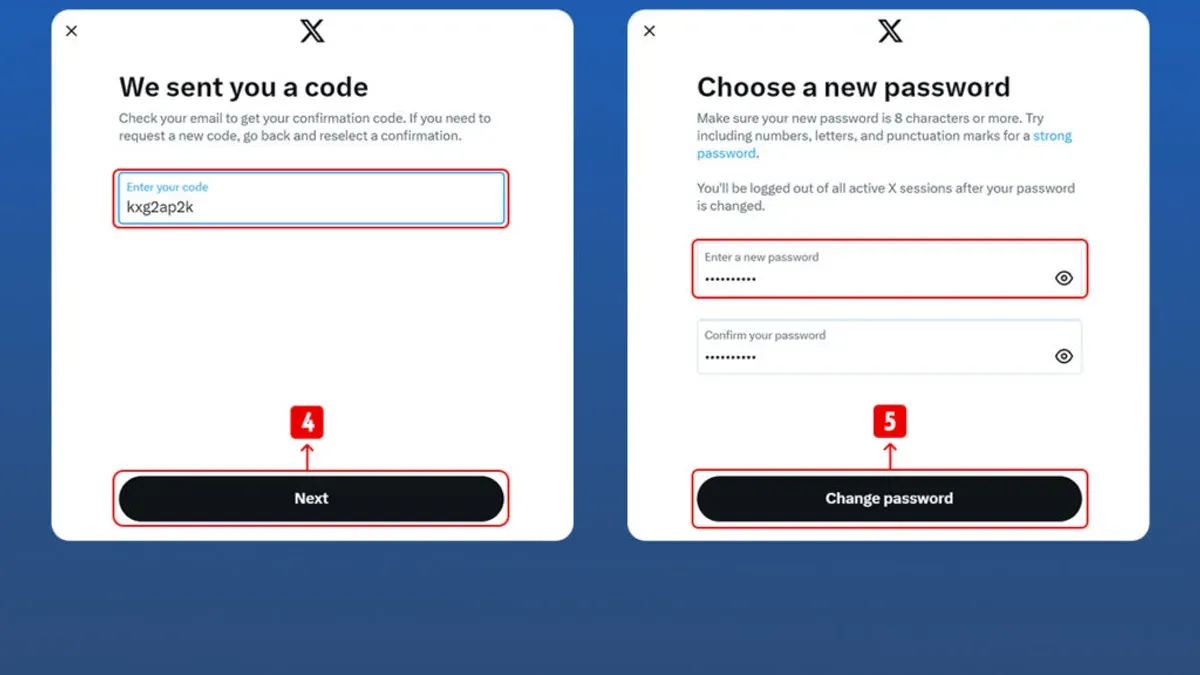
- Go to the X login page and click the Forgot password? link beneath the sign-in fields. This opens the account recovery interface.
- Enter the username or the email address linked to the account, then click Search. X will identify the account and present recovery options.
- Select the option to receive a password reset link via the registered email address. Confirmation that the email was sent should appear on screen.
- Check the inbox of the registered email for the reset message. If it is not visible in the main inbox, examine the spam, junk, or promotions folders to ensure it was not misdirected.
- Open the email and click the password reset link. This will direct to a secure X page prompting entry of a new password.
- Set a strong new password and confirm it according to the instructions. Successful reset will usually redirect to the login page with a confirmation message.
Tip: If the reset email does not arrive within a few minutes, repeat the process or verify the email address entered is correct.
How to verify identity with username and other account details
When phone number and email access are unavailable, Twitter may request additional account information to verify identity. This can include the account creation date or the last login details. Providing accurate responses to these prompts increases the likelihood of successful verification.
If the account was linked to third-party services like Google or Apple ID, attempt logging in via those options. This bypasses the need for phone or email verification and can restore access immediately if credentials are correct.
In cases where automated methods fail, submitting a support request with official identification may be necessary. Twitter's support form allows users to upload government-issued ID to confirm ownership. Note that this process can take several days and has a lower success rate compared to standard recovery, but it remains a viable last resort.
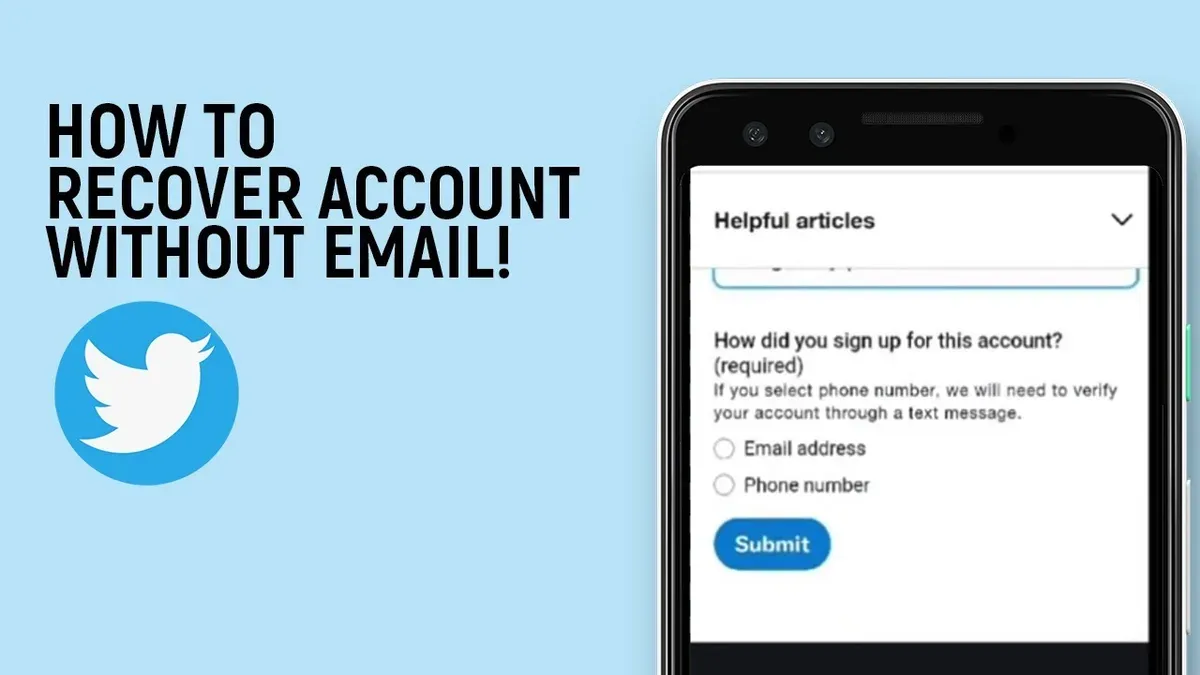
- Navigate to the Twitter login page and select “Forgot password?”
- Enter the username and select “Try another way” if phone and email options are unavailable; provide requested account details like creation date when prompted.
- If third-party login was set up, select the Google or Apple sign-in option and enter associated credentials; successful login will redirect to the account.
- If verification details are insufficient, access Twitter’s Help Center and submit an identity verification request with a scanned government ID; confirmation of receipt will be visible on submission.
Tip: Keep answers to account history questions precise, as vague or incorrect information reduces chances of verification success.
How to contact Twitter Support for account recovery without phone number
- Visit Twitter's official Help Center at help.twitter.com and navigate to the "Fix a problem" section, then select "Unable to access my account." This directs users to verified support forms designed for account recovery issues.
- Complete the account access form by clearly describing the issue, specifying the lack of phone number access, and including the username, linked email address, and any other relevant account details. Providing precise information increases the chances of a successful manual review.
- Submit the form and await a response, which typically arrives within a few days, though response times can vary. Twitter may request additional verification or provide instructions to regain account access.
- Follow any instructions carefully and respond promptly to any additional requests from Twitter Support. Multiple follow-ups might be necessary for identity confirmation.
- Avoid third-party websites or services claiming to recover accounts for a fee, as these are often scams. Always use official Twitter channels to protect personal information and account security.
Tip: Keep all communication through official Twitter support forms and emails from @twitter.com addresses to ensure authenticity.
Troubleshooting common problems when recovering without a phone number
When the recovery email is inaccessible, try alternative email addresses that might be linked to the account or use Twitter’s support form to explain the situation. If password reset emails are not received, check the spam or junk folder, and ensure the email address on the account is correct. Sometimes, email delays occur; waiting up to an hour can help.
For accounts locked due to suspicious activity or security blocks, follow on-screen instructions carefully. Twitter may require additional verification steps or a wait period before access is restored. Attempting multiple password resets rapidly can trigger further locks, so proceed methodically.
In cases where accounts are hacked and contact information has been changed, immediately submit a report through Twitter’s hacked account form. Provide all known account details, including previous email addresses and usernames. Recovery may take longer, but supplying accurate information increases the chance of success.
- Verify alternative emails or linked accounts for reset options; successful if reset link arrives.
- Check spam folders and wait up to an hour for reset emails; reset page should load after clicking link.
- Follow security prompts carefully on locked accounts; access returns after completing steps.
- Report hacked accounts via official form with detailed info; wait for Twitter’s manual review response.
Tip: Avoid repeated reset attempts in a short time to prevent additional account locks.
What to do if recovery isn’t possible without a phone number
Twitter’s account recovery process has strict limits to prevent unauthorized access. If all alternative methods fail, including email reset, username verification, and contacting Support, recovery may not be possible. Official policy states that without verified contact information, accounts cannot always be restored, especially when suspicious activity is involved.
When recovery is impossible, creating a new account is the most practical step. Secure the new account by linking a verified email and enabling two-factor authentication with an authenticator app rather than SMS. This reduces the risk of future lockouts due to lost phone access.
For critical accounts holding sensitive or business information, consider legal advice regarding data ownership or privacy rights. Some jurisdictions allow formal requests for account access or data recovery, but these are complex and not guaranteed to succeed.
Tip: Treat account recovery failure as a warning to implement strong, multi-layered security on all new accounts to avoid repeated loss.
Frequently asked questions
Can an X account be recovered without access to the registered email or phone number?
Recovering an X account without access to both the registered email and phone number is difficult and often not possible through automated means. Users can try contacting X Support directly with as much account information as possible, but success depends on proving ownership through other details and is not guaranteed.
Is it possible to recover a hacked X account without a phone number?
Yes, recovery without a phone number is possible if the registered email address is still accessible. Users should initiate the password reset process via email. If email access is lost too, contacting X Support with detailed account information is the next step, although the process may be lengthy and has no assured outcome.
How long does it typically take to recover an X account via email?
Recovery via email is usually immediate or takes only a few minutes after requesting a password reset link. However, if additional verification is required or support intervention is needed, the process can take several days depending on response times and case complexity.
What should be done if the recovery email is no longer accessible?
If the recovery email is inaccessible, the primary option is to contact X Support through their help center and submit a ticket. Providing as much proof of ownership as possible, like past usernames, linked accounts, or previous passwords, increases the chances of recovery. Without access to email or phone, however, account recovery is often unlikely.
What this advice does not cover and when to seek alternatives
This guide does not cover recovery methods that require phone number verification or the use of third-party apps that depend on phone authentication. Users who have lost access to both their registered email address and phone number, or who cannot provide any proof of account ownership, may not be able to recover their account using the steps outlined here. In these cases, recovery options are severely limited and often unavailable.
For accounts tied to business or verified profiles, or if the account holds significant value, contacting Twitter Support directly remains the most viable route. However, be prepared to provide as much identifying information as possible, such as previous passwords, account creation details, or linked email addresses.
The single most useful next step is to attempt email-based recovery immediately by navigating to the X login page, selecting the "Forgot password?" option, and entering the account's username or registered email address. This method avoids phone verification and offers the clearest chance to regain access if phone recovery is not an option.
See also: How to Recover a WhatsApp Account Without a Phone Number · How to Recover a TikTok Account Without a Phone Number · How to Recover a Threads Account Without a Phone Number · How to Recover Telegram Account Without Phone Number: Step-by-Step Guide