How to Recover a Threads Account Without a Phone Number
This guide explains how to recover a Threads account without a phone number using email, Instagram, or Meta support for easy access restoration.

This article explains how to recover Threads account without phone number, focusing on practical alternatives when SMS verification is unavailable. Losing access to the phone number linked to a Threads account can block the usual recovery method, but Threads offers other ways to verify identity and regain control.
Users can rely on email verification, linked Instagram accounts, or direct support requests to Meta for recovery. This guide provides clear steps for each method, ensuring users can attempt multiple approaches if needed. It also covers common issues and expected timelines for account recovery.
Before You Start: What’s Needed to Recover a Threads Account
Recovering a Threads account without access to the linked phone number requires preparation. A valid email address associated with the Threads account is essential, as it serves as an alternative verification method. Access to any linked Instagram account can help confirm identity, since Threads is integrated with Instagram and may allow account recovery through that connection.
Basic knowledge of the account’s login credentials—such as the username or the email address used to sign up—is necessary to initiate recovery. Users should be aware that Threads’ current recovery options prioritize linked contact methods and identity verification through associated accounts. The official Meta Help Center outlines these requirements, emphasizing that without a verified contact method, recovery options may be limited.
- Confirm the email address registered with the Threads account. When correct, recovery options using email will be presented during login attempts.
- Verify access to the Instagram account linked to Threads. Successful verification will allow identity confirmation via Instagram credentials.
- Gather the username or email used for the Threads login. Entering these accurately will trigger the appropriate recovery workflow.
- Review Threads’ account recovery policy on Meta’s Help Center to understand current limitations and procedures.
Tip: If unsure about the linked email or Instagram account, check any related account settings or past communications from Threads before starting recovery.
How to Use Email Verification to Recover a Threads Account
- Open the Threads login screen and select the option to recover the account or reset the password; this usually appears as "Forgot password?" or "Trouble logging in?". The system will prompt for the email address linked to the Threads account. Enter the full email address exactly as registered.
- After submitting the email, check the inbox of that email account for a recovery message from Meta or Threads. The message typically contains a verification code or a link to reset the password. Confirm the sender's address to ensure it is an official source, such as "@meta.com" or "@threads.net".
- If the recovery email does not arrive within a few minutes, check the spam, junk, and promotions folders. Sometimes email filters misclassify recovery messages. If still not received, resend the recovery request from the Threads login screen, ensuring the email address entered is accurate.
- Follow the instructions in the recovery email precisely. If it contains a code, enter it on the Threads verification page when prompted. If it includes a reset link, click it to set a new password. Successful verification will restore access to the Threads account without needing phone number authentication.
Tip: Use a desktop or laptop email client for easier management of recovery emails and to avoid missing messages buried in spam or other folders.
How to Recover Through Linked Instagram Account
Threads accounts are tightly integrated with Instagram, allowing users to leverage their Instagram credentials for recovery without needing phone number access. To begin, open the Threads app and select the option to log in with Instagram. Enter the Instagram username and password linked to the Threads account. Successful authentication here confirms identity and grants access.
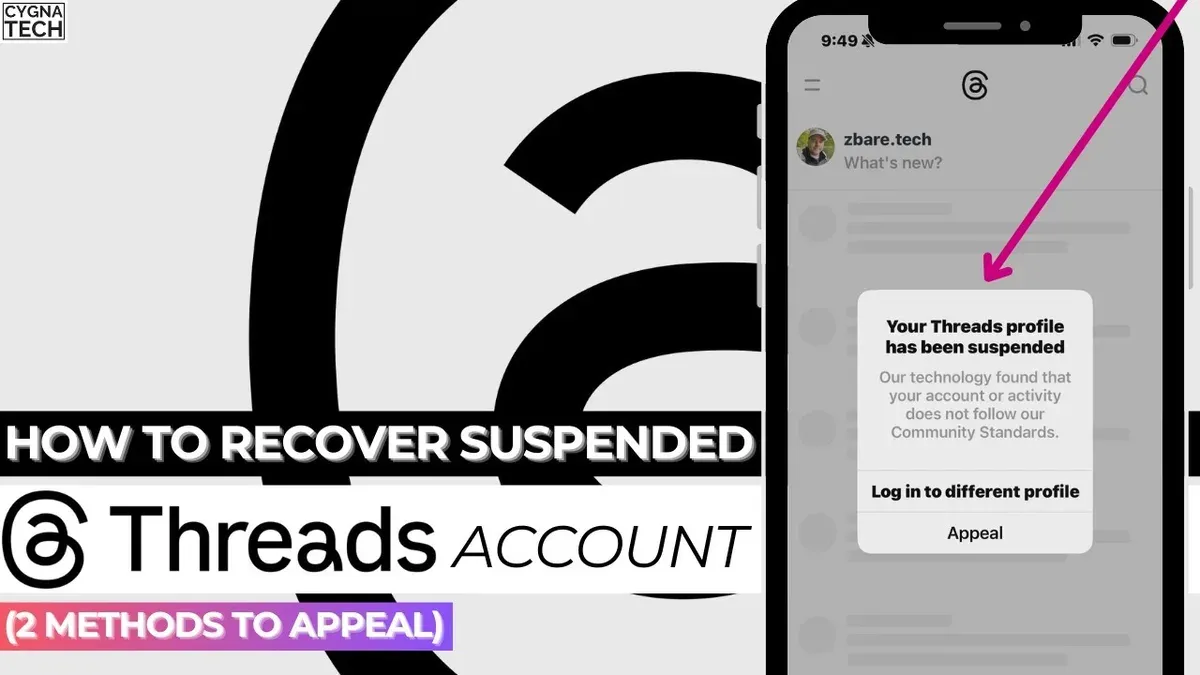
If login fails, use Instagram's account recovery features. On the Instagram login screen, tap "Forgot password?" and follow prompts using the registered email or username. This can reset Instagram credentials, which in turn restores Threads access due to their linked nature.
Note that if the Instagram account is also inaccessible, recovery becomes more complex and may require submitting a support request to Meta. Recovery success rates tend to be higher when using Instagram credentials compared to email alone, since Instagram verification offers a more direct proof of account ownership.
- Open Threads app and select "Login with Instagram". A login screen appears.
- Enter Instagram username and password. Successful login redirects to Threads home.
- If Instagram login fails, tap "Forgot password?" on Instagram login screen.
- Follow Instagram's recovery prompts using registered email or username. A reset link or code is sent.
- Reset Instagram password and return to Threads app to log in with updated Instagram credentials.
How to Submit a Support Request to Meta for Account Recovery
If self-service recovery options fail, submitting a support request to Meta is the next step. Begin by visiting the Meta Help Center specifically for Threads or Instagram issues at facebook.com/help/instagram. Locate the section for account access problems and choose the option to report a login issue.
- Complete the form with the registered email address, username, and a detailed description of the problem; this confirms the identity and explains the issue clearly.
Success: A confirmation message appears indicating the request was received. - Attach supporting documentation such as a government-issued ID or any proof of account ownership, following the instructions on the form.
Success: Upload confirmation shows files are received. - Submit the request and monitor the registered email for updates from Meta’s support team.
Success: An acknowledgment email arrives within 24-48 hours.
Response times vary but typically fall within a few days to a week. User reports indicate that success rates depend heavily on the accuracy and completeness of the information provided. Follow any additional instructions promptly to avoid delays.
Tip: Use clear, concise language in the description to improve the chances of a swift resolution.
Troubleshooting Common Recovery Failures
Recovery emails may fail to arrive due to spam filtering or incorrect email settings. Check the spam, junk, and promotions folders for missed messages. Adding Meta’s email domains, such as @meta.com or @threads.net, to the email account’s whitelist or safe sender list can prevent filtering issues. Some users report that switching to a different email client or accessing the recovery email from a web interface resolves delivery delays.
If the registered email is outdated or unlinked, the recovery process will not initiate. Confirm the email address associated with the Threads account through Instagram settings, if linked. Without access to this email, recovery options become limited and submitting a support request to Meta becomes necessary.
When Instagram account verification fails, common errors include "Incorrect password" or "Account not linked." Double-check Instagram login credentials and confirm the Instagram account is actively linked to Threads. Resetting the Instagram password and reattempting verification often resolves this issue. Persistent failures may indicate account linkage problems that only Meta support can address.
Consider creating a new Threads account if multiple recovery attempts over several days fail, especially when no access to linked email or Instagram exists. This avoids prolonged lockout periods and allows immediate use of the platform, though prior data will not be recoverable.
- Check spam and junk folders for recovery emails; if found, mark as “Not Spam” to ensure future delivery.
- Add Meta’s email domains (e.g., @meta.com) to the email whitelist; then request recovery again to confirm email arrival.
- Verify the email linked to the Threads account via Instagram settings; if outdated, proceed to submit a support request.
- Attempt Instagram login separately to confirm credentials; reset password if login fails, then retry account verification.
- If recovery attempts fail repeatedly, evaluate the option to create a new account to regain platform access promptly.
How Long Does Account Recovery Usually Take?
Recovery times for Threads accounts vary depending on the method used. Email-based recovery is generally the fastest, often completing within minutes to a few hours after submitting the verification code or link. This process relies on immediate access to the linked email and prompt action to enter the received information.
Recovery via a support request to Meta typically takes longer. Response times can range from several days up to a couple of weeks, influenced by the volume of requests and the complexity of verifying account ownership. Providing detailed information and any requested documentation upfront can help speed the process.
Delays may occur if additional account verification steps are required, such as confirming identity or resolving discrepancies in account details. Tracking recovery progress through email updates or the Meta Help Center is advised to stay informed.
Tip: Avoid submitting multiple support requests for the same issue, as this can slow down response times.
Frequently asked questions
Can Threads accounts be recovered without any linked email or phone number?
Recovering a Threads account without a linked email or phone number is extremely difficult. Threads relies primarily on these contact methods for identity verification. Without them, users must resort to submitting a support request to Meta with proof of account ownership, but success is not guaranteed.
What should be done if both phone number and email access are lost?
If access to both phone number and email is lost, the best option is to use a linked Instagram account for recovery. If Instagram is also inaccessible, submitting a detailed support request to Meta's help center is necessary, including any identifying information like usernames or past activity. Promptness and accuracy in the request improve chances of recovery.
Is it possible to recover a Threads account using only a username?
Recovering a Threads account using only a username is not supported. Usernames alone do not verify ownership. Additional verification such as linked Instagram accounts, email addresses, or phone numbers is required to confirm identity during recovery.
How secure is the recovery process when not using phone verification?
The recovery process without phone verification depends on alternative methods like email verification and linked Instagram accounts. These methods maintain strong security through multi-factor authentication and Meta’s internal checks. However, without phone verification, recovery may involve more manual review to prevent unauthorized access.
What This Guide Does Not Cover
This guide does not cover recovery scenarios where access to both the email and Instagram account linked to Threads is lost. In such cases, recovery options are very limited because Threads relies heavily on these linked accounts for verification. Users without access to any linked contact methods may not be able to regain their account without direct intervention from Meta, which is rarely granted without sufficient proof of ownership.
Tip: Always keep recovery information up to date in Threads and Instagram settings to avoid this situation.
Next Step to Regain Access
The single most effective next step is to submit a detailed support request through Meta’s Help Center. Include all relevant account information, such as username, linked email, and any proof of ownership available. Prompt, clear communication increases the chance of a successful recovery when automated methods fail.
See also: How to Recover Telegram Account Without Phone Number: Step-by-Step Guide · How to Recover Snapchat Account Without Phone Number or Email · How to Recover a Reddit Account Without a Phone Number: Step-by-Step Guide · How to Log Out of Threads on All Devices: Clear Step-by-Step Guide