How to Recover a WhatsApp Account Without a Phone Number
This guide explains practical methods to recover your WhatsApp account without access to the original phone number or SIM.

This article explains how to recover WhatsApp account without phone number and details practical methods to regain access when the original phone number or SIM is unavailable. WhatsApp relies heavily on phone number verification, making account recovery without it challenging but not impossible. Understanding what is required before starting the recovery process helps avoid common pitfalls and wasted effort.
WhatsApp does not provide direct alternatives to phone number verification, but backup restoration, linked devices, and support requests offer viable paths. This guide covers step-by-step instructions for standard and WhatsApp Business accounts, including troubleshooting frequent failure points during recovery attempts.
Before you start: What is needed to recover a WhatsApp account without a phone number
WhatsApp accounts are fundamentally linked to phone numbers, making the standard recovery process reliant on access to the original number. Without this, options are highly limited. WhatsApp’s verification system requires a code sent via SMS or call to the registered number, which cannot be bypassed.
Alternative recovery methods depend on whether two-step verification was enabled with a linked email address. This email can be used to reset the PIN associated with two-step verification, providing a secondary access route. Additionally, having a backup of chat data on Google Drive or iCloud can assist in restoring conversations once the account is re-verified on a new device or number.
Understanding WhatsApp’s security policies is crucial to avoid futile attempts. The app does not support recovery through identity documents or customer support for lost numbers. Preparing a new phone number to migrate the account to is often necessary if the original cannot be restored.
- Confirm possession of the original phone number. If unavailable, proceed to step 2.
- Check if two-step verification with a recovery email was set. If yes, use the email to reset the PIN during login.
- Locate any chat backups on Google Drive or iCloud tied to the account’s phone number.
- Prepare a new phone number for account migration to receive the verification code.
- Review WhatsApp’s official recovery guidelines to ensure all prerequisites are met before attempting recovery.
Tip: Without access to the original phone number or recovery email, account recovery is generally not possible due to WhatsApp’s strict security measures.
How to recover WhatsApp account without phone number and email
WhatsApp’s primary method for account recovery is phone number verification. The app sends a verification code via SMS or call to the registered phone number, making this step mandatory. Email is not used for account recovery; it only serves to reset the two-step verification PIN if that feature is enabled. Without access to both the phone number and the email linked to two-step verification, official recovery options are nearly nonexistent.
The WhatsApp Help Center confirms that account ownership verification requires the phone number. If neither the phone number nor the recovery email is accessible, the only remaining option is to contact WhatsApp Support directly. This requires providing proof of identity and ownership, such as a government-issued ID and details about the account usage. Even then, success is not guaranteed because WhatsApp prioritizes security and phone number verification.
Users should prepare for the possibility that the account may be unrecoverable without the registered phone number or recovery email. Creating a new account with a new phone number might be the only viable solution if recovery attempts fail.
- Open the WhatsApp Support contact form on the official website or email [email protected].
- Submit a detailed request including the registered phone number with country code, last seen date, and proof of identity like a scanned ID.
- Wait for a response from WhatsApp Support confirming receipt of the request.
- If WhatsApp requests additional verification, provide the requested information promptly.
- Receive a final decision from WhatsApp Support; if denied, proceed with a new account setup.
Tip: Keep all correspondence with WhatsApp Support organized and respond quickly to improve chances of recovery.
How to retrieve WhatsApp account without phone number
- Contact the mobile carrier to request SIM swapping or reactivation of the old phone number. Success in this step means receiving SMS or calls on the old number for WhatsApp verification.
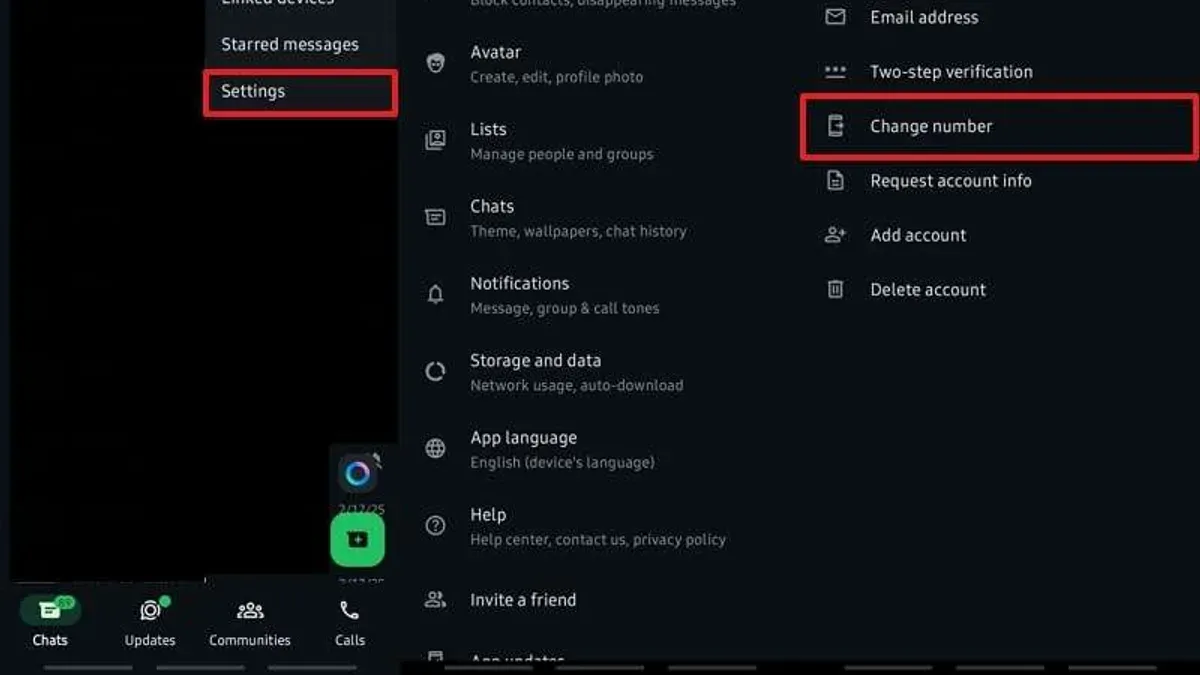
- If the WhatsApp account is still accessible on an old device, use the Change Number feature: go to Settings > Account > Change Number. Enter the old number and the new number, then follow prompts to migrate the account. A successful change shows chat history and contacts moved to the new number.
- Set up WhatsApp on a new device with a new phone number. During setup, restore chat backup from Google Drive or iCloud if available. Restoration success is confirmed by chat history appearing after verification.
- If two-step verification PIN was set previously, enter it when prompted during setup. Correct PIN entry grants access beyond phone number verification.
- If none of the above works, contact WhatsApp Support via the app or website. Provide proof of ownership such as screenshots of account info or payment receipts for WhatsApp Business. Successful contact may lead to account recovery assistance.
Tip: Using the Change Number feature on a device where the account is still logged in is the most straightforward way to retrieve the account without the old phone number.
How to recover WhatsApp account without old phone number
When the original phone number is no longer accessible, recovering a WhatsApp account mainly depends on backup restoration and account migration options. Restoring chat history from Google Drive (Android) or iCloud (iPhone) backups linked to the account is the most effective recovery method. Without a backup, recovery options are severely limited.
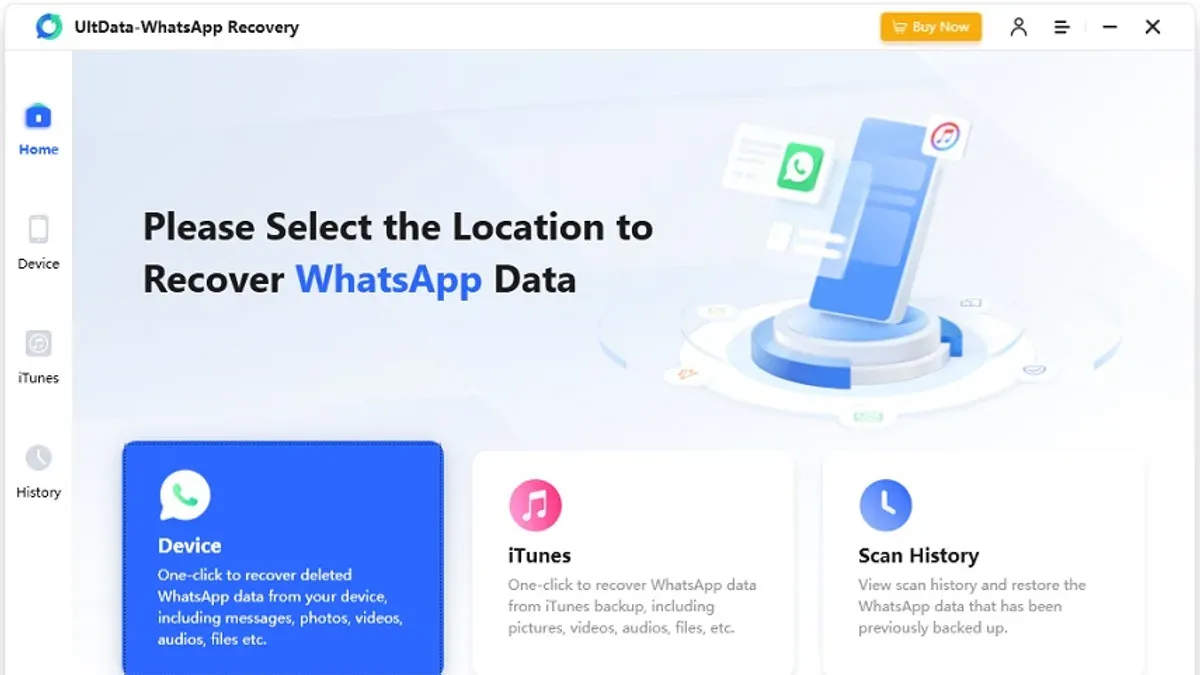
- Install WhatsApp on the new device and verify with the new phone number. A prompt should appear to restore from the available backup if one exists.
- Tap Restore to retrieve chat history. Successful restoration will display chats as they were at the time of the last backup.
- If the old device still has WhatsApp logged in, use the Change Number feature: go to Settings > Account > Change Number. Enter the old and new phone numbers to migrate the account and chat history.
- Notify contacts about the new number to maintain communication, as WhatsApp does not automatically notify them.
Two-step verification adds complexity; if enabled, the two-step PIN is required during setup regardless of number change. Without this PIN, account access can be blocked even with backup restoration.
Tip: Recovery success rates are significantly higher when a recent backup exists and the two-step verification PIN is known.
How to recover WhatsApp Business account without old phone number
WhatsApp Business users face added pressure to retain profile data and chat history, as losing access can disrupt customer relations. To recover without the old number, first check if the business email linked to the account or the Facebook Business Manager connected to WhatsApp Business is accessible. These provide alternative recovery pathways and support channels tailored for business needs.
Steps to migrate WhatsApp Business to a new number require careful preparation to avoid data loss. Using the Change Number feature within WhatsApp Business settings helps transfer profile, settings, and chat history to a new SIM and phone number, assuming the account is still logged in on a device. If access is lost, restoring from a cloud backup tied to the new number is essential.
Contacting WhatsApp Business support through the official help center or via the Facebook Business support portal is advisable when other methods fail. Response times vary but are generally faster for verified business accounts. Prepare proof of business ownership and account details to streamline support requests.
- Open WhatsApp Business on the logged-in device and go to Settings > Account > Change Number. The screen will prompt for the old and new phone numbers.
- Enter the old phone number (even if inactive) and the new number, then tap Next. A notification about the migration will appear.
- Verify the new phone number via SMS or call; successful verification leads to the migration of profile and chat data.
- If not logged in, install WhatsApp Business on a new device, register with the new phone number, and restore the latest cloud backup linked to that number. The restored chats and profile data should appear.
- If backups are unavailable or verification fails, contact WhatsApp Business support with business registration documents and previous account details. Await their guidance and potential manual recovery options.
Tip: Regularly enable and update Google Drive or iCloud backups to prevent irreversible data loss in business account recovery scenarios.
How can I recover my WhatsApp account without SIM
Losing access to the SIM card linked to a WhatsApp account complicates verification but does not always block recovery. The primary option is to request a SIM replacement from the mobile carrier to regain the original phone number. Most carriers require identity verification and may charge a fee. Once the replacement SIM is active, users can receive the WhatsApp verification code and restore the account as usual.
If SIM replacement is not possible, using a new SIM with the same phone number is essential, as WhatsApp verification depends on that number. Without the original number, WhatsApp will not send the verification code, preventing account recovery this way.
In cases where the number cannot be recovered, chat history restoration depends on existing backups tied to the WhatsApp account. Users can register WhatsApp on a new number and restore backup data from Google Drive or iCloud if available. However, the original account cannot be verified without the phone number.
- Contact the mobile carrier to request a SIM replacement for the lost or inactive number. Success is indicated by receiving a new SIM card with the original phone number activated.
- Insert the replacement SIM into the phone and open WhatsApp. Proceed to verify the account using the SMS or call verification code sent to the restored number.
- If SIM replacement is unavailable, insert a new SIM with the original number if possible. Attempt WhatsApp verification to determine if the number is active and can receive codes.
- If the original number cannot be recovered, install WhatsApp on a device with a new phone number. During setup, choose to restore from a cloud backup if one exists. This restores chat history but creates a new account tied to the new number.
Tip: Contacting the carrier promptly after losing the SIM increases the chance of regaining the original number and simplifying WhatsApp recovery.
How to retrieve WhatsApp account without old number and verification code
WhatsApp requires the verification code sent to the registered phone number to activate the account on a new device. Without this code, account activation is blocked to protect user security. The verification code is mandatory and cannot be bypassed by any alternative method.
If two-step verification is enabled and the PIN is forgotten, recovery depends on a linked email address set during setup. WhatsApp allows resetting the PIN via an email link; without this email set, the PIN cannot be recovered, and account access remains locked.
Without the verification code and the two-step verification PIN (if enabled), it is impossible to recover the WhatsApp account. This is by design to prevent unauthorized access. Attempts to circumvent this protection have consistently failed in documented user cases.
As a last resort, contacting WhatsApp Support is an option. However, support typically cannot override verification requirements without phone number access or backup proofs. The chance of successful recovery through support alone is very low.
- Attempt to receive the verification code via SMS on the registered phone number. If successful, enter the code to activate the account.
- If two-step verification is enabled and the PIN is forgotten, select the “Forgot PIN?” option on the verification screen. Follow the prompt to receive a reset link via the registered email address.
- If no reset email was set or the phone number is inaccessible, prepare to contact WhatsApp Support through the app or website. Provide proof of account ownership such as old backups or business documents if applicable.
- Await support response. Understand that without phone number verification or two-step verification reset, account recovery may not be granted.
Troubleshooting common failure points in WhatsApp account recovery without phone number
Failure to receive the verification code is a frequent obstacle. This often results from loss of the original number or carrier-related delays and restrictions on SMS delivery. Checking network status and contacting the mobile provider can help confirm if the issue lies outside WhatsApp.
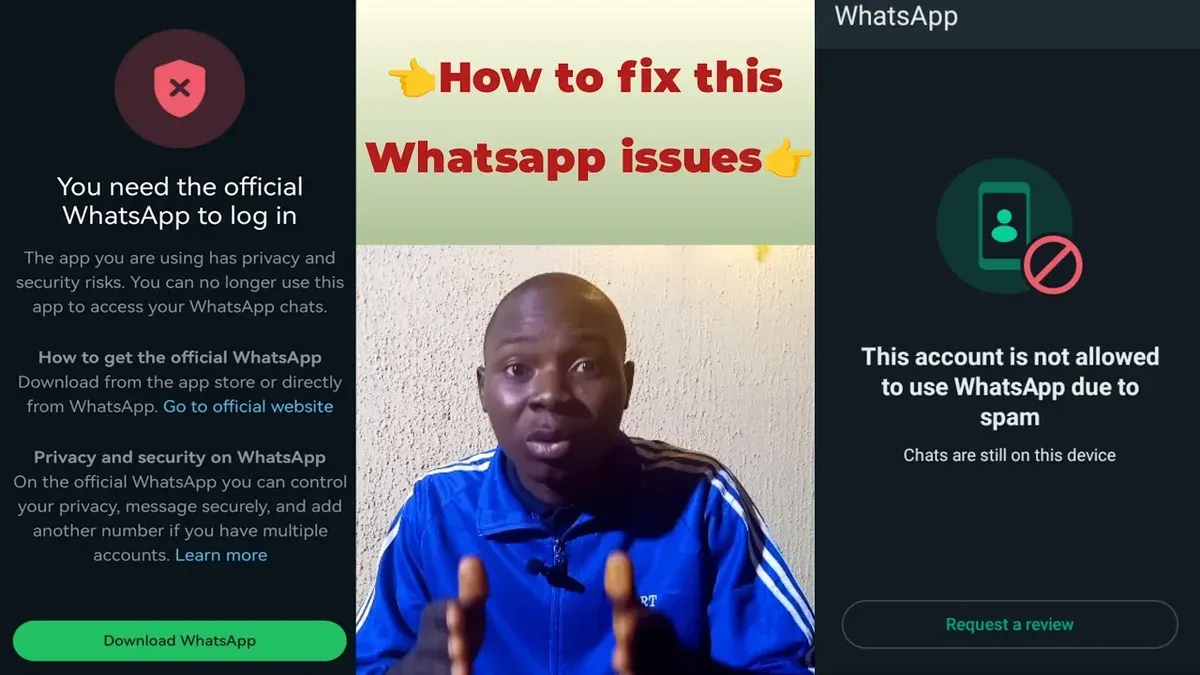
Another common failure point is forgetting the two-step verification PIN without having set an email address for reset. Without this email, the account remains inaccessible after the PIN timeout period ends, making recovery impossible through standard methods.
Backups tied to a different Google or Apple ID prevent restoration on a new device or number. Users must ensure the same account credentials used for backup are applied during restoration to avoid backup mismatch errors.
Repeated failed login attempts trigger temporary or permanent account lockouts. WhatsApp enforces these locks to protect users, but they prolong recovery time and complicate access. Patience and following lockout duration guidance are necessary before retrying.
Scams and phishing attempts increase during recovery attempts. Fraudsters impersonate WhatsApp support or send fake verification codes. Users should never share verification codes or personal data with unverified contacts and only use official WhatsApp channels.
- Verify the mobile network coverage and SMS functionality; success is indicated by receiving the verification code.
- Confirm the two-step verification reset email is accessible; if not set, recognize that recovery options are limited.
- Ensure the Google Play Services or iCloud account matches the backup account; the restore option should then be available.
- Wait out any account lockout periods following multiple failed attempts; the app will allow retry only after this time.
- Use official WhatsApp support channels and avoid sharing codes or passwords with others; this minimizes scam risks.
Frequently asked questions
How to get back whatsapp account without phone number?
Recovering a WhatsApp account without the original phone number is challenging because WhatsApp verifies accounts via SMS or call to that number. Without access to the phone number, the standard verification process cannot be completed. If the WhatsApp account is linked to a verified email for two-step verification, resetting that can help. Otherwise, contacting WhatsApp support with proof of account ownership is the only alternative, but success is not guaranteed.
How to retrieve whatsapp without phone number?
WhatsApp requires phone number verification for account access, so retrieving an account without the number is not directly supported. Using the same phone with the SIM card inserted allows automatic verification. If the SIM is lost, replacing the SIM with the same number through the mobile carrier is essential before attempting recovery. No official WhatsApp method bypasses phone number verification.
How to recover old whatsapp account without verification code?
The verification code is mandatory to access an old WhatsApp account. If unavailable, wait for the SMS or call option to resend the code. Two-step verification may allow recovery via a registered email address if enabled. Without the code or email, account recovery is not possible.
How to recover WhatsApp account without phone number and email
Without both the phone number and the email linked to two-step verification, recovering a WhatsApp account is nearly impossible. WhatsApp relies on these verification methods for security. The only option is to contact WhatsApp support with proof of identity, but chances of recovery remain slim.
How to get back WhatsApp account without phone number
The only way to regain access without the phone number is to obtain a replacement SIM with the original number from the service provider. Once the number is active on a device, WhatsApp verification can proceed. Without the number or verification code, recovery is not feasible through official channels.
What this advice does not cover
This guide does not cover bypassing WhatsApp’s mandatory phone number verification or hacking accounts. WhatsApp requires phone number verification as a core security measure, and there is no legitimate way to skip this step. Users who have lost access to the original phone number and cannot receive verification codes through SMS or calls may not be able to recover their account without restoring access to that phone number or SIM. This includes users who cannot verify via two-step verification PIN or linked email address. Attempting unauthorized access risks account suspension or legal consequences.
The most effective next step is to regain access to the original phone number or SIM card, either by contacting the mobile carrier for a replacement SIM or porting the number to a new device. This restores the ability to receive verification codes, which is essential for account recovery. Without this, WhatsApp’s security framework prevents account recovery through alternative means.
See also: How to Recover Telegram Account Without Phone Number: Step-by-Step Guide · How to Recover a Messenger Account Without Phone Number or Email · How to Recover Snapchat Account Without Phone Number or Email · How to Recover a TikTok Account Without a Phone Number