How to Recover Telegram Account Without Phone Number: Step-by-Step Guide
This guide explains practical steps to recover your Telegram account without a phone number by leveraging linked devices and support options.

This article explains how to recover Telegram account without phone number, focusing on realistic steps given Telegram’s strict phone-based security model. Telegram requires phone verification for account access and recovery, making it difficult to regain control without the original number. However, some practical options exist depending on the situation, such as using Telegram's linked devices, email login if set up, or contacting support in specific cases.
Understanding what is needed before starting recovery attempts is crucial. Telegram does not use passwords or email by default, so lacking the phone number severely limits recovery options. This guide covers step-by-step instructions and addresses common user scenarios, including old, deleted, or inaccessible accounts.
Before you start: What is needed to recover a Telegram account
Telegram accounts rely almost exclusively on phone numbers for user identification and verification. Without access to the original phone number, recovering an account becomes challenging and is often limited to specific scenarios. Email addresses are not used for account recovery, so relying on email verification is not an option.
Recovery options improve significantly if the user has access to linked devices where the Telegram account remains logged in. Active sessions on desktop or mobile devices can allow resetting security settings or changing the linked phone number. Telegram Passport, a feature storing verified personal data, may also assist in some recovery cases.
It is crucial to distinguish between losing access to a phone number and having the account deleted. Deleted accounts are generally unrecoverable, while lost access to a phone number may still allow recovery if other factors align.
Statistics show that the majority of Telegram users depend solely on their phone numbers without active sessions on other devices. A smaller portion maintains active sessions, which increases recovery chances.
- Confirm whether the Telegram account is still active or has been deleted. A successful login attempt or active session indicates the account is active.
- Check all devices (phones, tablets, desktops) for existing active Telegram sessions under Settings > Devices. Presence of sessions allows proceeding with recovery steps.
- Identify if Telegram Passport is set up by visiting Settings > Privacy & Security > Telegram Passport. This may provide additional verification options.
- Prepare the original phone number or a linked device for verification during recovery attempts. Without either, recovery chances are minimal.
How to recover Telegram account without phone number and email
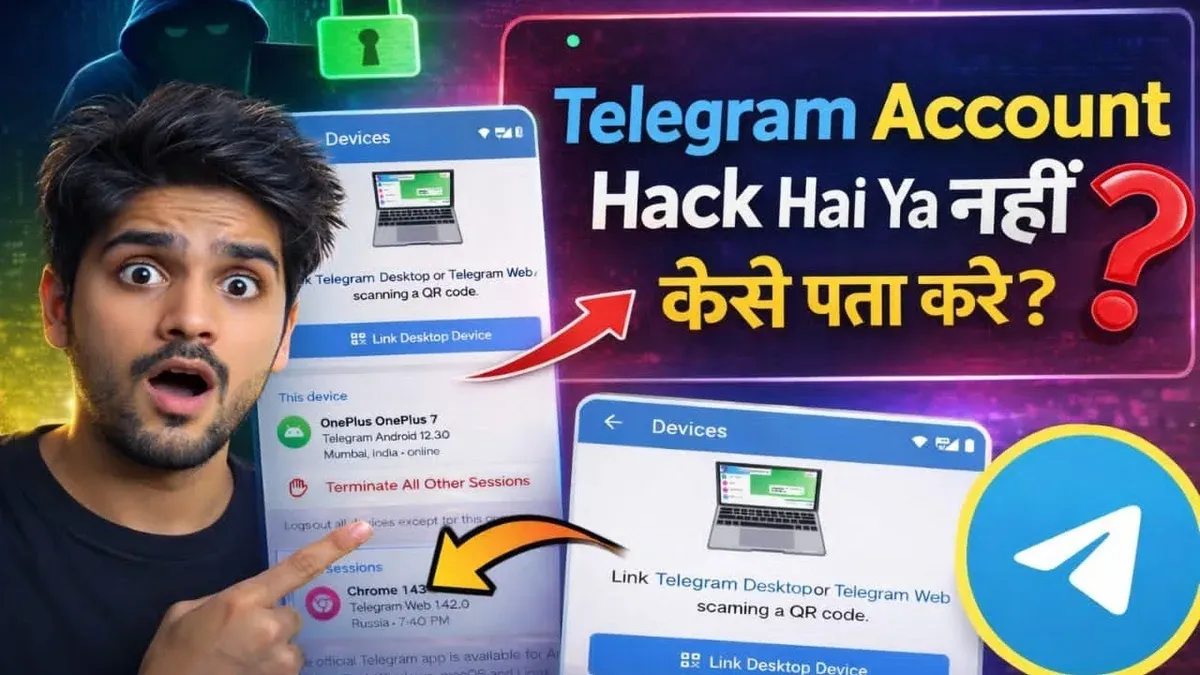
- Check for active Telegram sessions on other devices such as desktop apps, tablets, or the web version. Open Telegram on a logged-in device and navigate to Settings > Devices to view all active sessions. Seeing active sessions confirms access to the account without needing the phone number.
- Use an active session to update the account's phone number. In the Telegram app, go to Settings > Privacy and Security > Phone Number. From there, select the option to change the phone number and enter a new one. A confirmation code will be sent to the new number, enabling future access through that number.
- If two-step verification is enabled, use the password set during that process to regain access. After confirming the new phone number, Telegram may prompt for the two-step verification password as an additional security layer. Successfully entering this password grants full control of the account.
- If no devices are logged in and both phone number and email are inaccessible, contact Telegram support via the in-app support option or through the Telegram FAQ page. Prepare to provide proof of identity, such as a screenshot of the last active session or payment receipts if Premium was subscribed. Note that Telegram's policy prioritizes phone verification, so account recovery without phone access is often limited.
- Understand that Telegram does not use email for account recovery, and without an active session or phone number, chances of recovering the account are slim. The process strongly relies on phone verification, unlike other services with email-based recovery.
Example: A user logged into Telegram on desktop but lost access to their old phone number and email. They opened the desktop app, went to Settings > Privacy and Security > Phone Number, and changed the number to a new active one. Telegram sent a confirmation code to the new number. After entering the code, the user regained full access and updated their recovery options.
How to recover Telegram account without phone number reddit users recommend
Reddit users commonly emphasize checking for active Telegram sessions on other devices or web apps as the primary recovery method. Access to any logged-in session allows updating the phone number directly in Settings > Privacy and Security > Two-Step Verification. Without this, recovery chances drop significantly.
Two-step verification recovery is another frequently mentioned strategy. If the password set in Two-Step Verification is remembered, users can log in without the phone number. However, many report losing access to both the phone and verification password, complicating recovery.
Warnings against third-party recovery tools appear repeatedly in Reddit threads. Users strongly advise avoiding unofficial apps or services claiming to recover Telegram accounts, citing scams and data theft. Telegram’s security model relies on phone verification, limiting external recovery solutions.
Contacting Telegram support is suggested as a last resort. Successful cases often involve providing detailed proof of account ownership, such as previously used phone numbers, usernames, linked devices, or payment receipts for Telegram Premium. Nonetheless, many users report minimal or no response from support.
Patience and persistence are key. Several Reddit posts describe multiple attempts over weeks or months before regaining access or accepting permanent loss. Community consensus stresses realistic expectations about recovery and caution against shortcuts.
How to reset Telegram account without phone number
If recovering the original Telegram account is impossible without the phone number, the only option is to reset by creating a new account with a new phone number. This means starting fresh, as Telegram does not support account recovery without phone verification or active sessions.
To avoid confusion, first delete the old account if it can still be accessed from another device. This prevents others from contacting the old account and clarifies the transition.
- Open Telegram on a linked device where the old account is active.
- Go to Settings > Privacy and Security > Delete My Account at the bottom.
- Follow the prompts to delete the account permanently; a confirmation message will appear once done.
- Register a new account using a new phone number via the Telegram app; the app will prompt for the number and verification code.
- Set up two-step verification and save recovery email if prompted to secure the new account.
Resetting means losing all previous chat history, contacts, groups, and channels linked to the old account. There is no way to transfer these to the new account.
Tip: Notify important contacts manually about the new number and account to maintain communication.
This reset approach contrasts with account recovery, which preserves data and contacts. Resetting should be a last resort due to its irreversible data loss and the need to rebuild connections.
How to recover old or deleted Telegram account without phone number
Telegram permanently deletes accounts that remain inactive for six months or after manual deletion by the user. Once deleted, the account data, including chats and contacts, cannot be recovered. However, the username linked to the deleted account may become available for registration again.
Old accounts without access to the original phone number and no active sessions cannot be restored. Telegram’s policy does not allow account recovery without phone verification or active device sessions. This means if the phone number is lost and there are no logged-in devices, recovery is not possible.
To avoid losing important data before deletion, users should export chats and back up contacts through Telegram’s desktop app or linked devices. Exported data can be saved locally for future reference.
If the username of a deleted account is available, it is possible to create a new account using the same username after registering with a new phone number. This allows users to reclaim their identity on Telegram, although previous messages and contacts will not be restored.
- Download and install the Telegram app on a device.
- Register a new account with a new phone number.
- In Settings, go to “Edit profile” and set the desired username, if available.
- Verify the username availability and confirm the change.
Tip: Regularly export chat history and contacts to prevent data loss if the account is deleted or inaccessible.
How to recover Telegram account with phone number without verification
Not receiving the SMS or call verification code is a common obstacle when trying to access a Telegram account. Causes include network issues, carrier restrictions, incorrect phone number format, or Telegram server delays. Sometimes, SMS delivery can fail temporarily due to overloaded networks or international carrier filtering.
Use Telegram desktop or web apps if previously logged in on any device; these sessions can grant access without requiring a new code. If two-step verification is enabled, the password set there can be used to log in after entering the phone number, bypassing the need for the code.
If the verification code still doesn’t arrive, first confirm the phone number is entered in international format, then restart the device and check network signal strength. Checking for Telegram service outages on official channels can clarify if delays are server-side.
- Open Telegram desktop or web and see if an active session exists; if yes, access the account without a code.
- Attempt login on mobile; enter the phone number correctly; if prompted for two-step verification password, enter it to proceed.
- If no active sessions and no code received, contact the mobile carrier to verify SMS delivery status and unblock Telegram messages if needed.
- Contact Telegram support through the app or website, explain the issue, and provide proof of ownership; wait for their response.
Tip: Using a stable Wi-Fi connection can improve SMS and call reliability during verification.
How to restore Telegram account without phone number
Restoring a Telegram account without access to the original phone number is largely restricted by Telegram’s strict security model. The only reliable restoration methods involve either active sessions on linked devices or the two-step verification password. These provide direct access to the account settings where the phone number can be updated or removed securely.
Using Telegram Passport or a linked email for recovery is rare and limited to specific cases, as Telegram primarily relies on phone-based verification. Contacting Telegram support for account restoration without phone verification is possible but seldom successful, reflecting Telegram’s prioritization of account security over convenience.
Compared to other messaging apps that may offer email or security questions for recovery, Telegram’s approach is more rigid, minimizing unauthorized access risk but also reducing recovery options.
To avoid future lockouts, enabling two-step verification is crucial. It acts as a fallback when the phone number is unavailable. If no active sessions or two-step verification exist, account recovery is unlikely, and the best course is to create a new account with a new phone number and inform contacts manually.
- Check all linked devices and active sessions via Telegram desktop or web clients. Success: access to account settings and ability to change phone number.
- If active sessions are unavailable, try logging in with the two-step verification password after receiving the code on a new device. Success: access granted without original phone number.
- Contact Telegram support with proof of identity if neither step works. Success: very rare account restoration.
- If none succeed, accept account loss and create a new Telegram account with a new phone number. Success: new account setup, but old data lost.
Troubleshooting common failure points in Telegram account recovery
Verification codes often fail to arrive due to incorrect number format, network issues, or carrier filtering. Confirm the number uses the international format, e.g., +1 for US numbers, and check mobile signal and SMS blocking settings. If the code still does not arrive, try requesting it after a 5-minute wait to avoid rate limits.
Forgotten two-step verification passwords block recovery if active sessions are unavailable. Telegram does not offer password reset for this feature, so the only solution is to wait the 7-day recovery period Telegram enforces before allowing account reset, which deletes all data linked to the account.
Lost access to all devices and the phone number leaves no direct recovery options. Users report that contacting Telegram support with identity proof rarely leads to account restoration. This scenario often results in permanent loss of access.
Scams promise Telegram account recovery without phone access but frequently steal credentials or money. Avoid third-party tools and unofficial services. Official channels only offer recovery through phone verification or active session access.
Telegram automatically deletes accounts after six months of inactivity tied to the phone number. Users attempting recovery after this period find their accounts permanently removed. This policy is a common cause of unsuccessful recovery attempts.
Tip: Double-check the phone number format and network status first, as these are the most common hurdles in receiving the verification code.
Frequently asked questions
How to recover my telegram account without phone number?
Telegram requires phone number verification as a core part of its authentication process. Without access to the registered phone number, direct recovery options are very limited. Users can try to regain access by restoring the phone number with their carrier or contacting Telegram support with proof of identity, but success is rare. Alternative methods like email or username recovery are not supported by Telegram.
How to recover old telegram account without phone number?
Recovering an old Telegram account without the linked phone number is generally not possible unless the phone number can be reactivated. Telegram does not offer password or email-based recovery for accounts. If the phone number is permanently lost or deactivated, creating a new account is usually the only option.
How to recover deleted telegram account without phone number?
Deleted Telegram accounts cannot be recovered once the deletion process completes, as all data is permanently removed from Telegram's servers. Losing the phone number further prevents any recovery attempts. Users must register a new account with a different phone number.
How to recover lost telegram account without phone number?
For lost accounts without phone number access, options are severely restricted. Recovering the original phone number through the mobile carrier is the most practical step. Contacting Telegram support may help in exceptional cases, but Telegram’s security model does not support account recovery without phone verification.
Can you recover telegram account without phone number?
Telegram does not support account recovery without phone number verification due to its security design. The phone number is the primary authentication factor, so without it, account access cannot be restored through standard means. Attempting to recover the phone number or contacting Telegram support with valid identification are the only potential paths.
What this advice does not cover and who should seek alternatives
Telegram’s account recovery is fundamentally tied to phone number verification. Accounts without access to the original phone number or any active Telegram sessions generally cannot be recovered through official means. This guide does not cover hacking, unauthorized access methods, or any illegal activities, which are both unethical and against Telegram’s policies. Users who do not have any linked devices logged in or have forgotten their two-step verification password should be prepared for the possibility that recovery may be impossible.
For those unable to regain access by following the outlined steps, creating a new Telegram account and updating contacts is often the most practical solution. Retaining backups of important chats or media outside Telegram can help mitigate data loss in such cases.
Tip: Keep your phone number active and enable two-step verification to avoid recovery issues in the future.
The single most useful next step is to check all devices where Telegram might still be logged in and use any active sessions to change account settings or add recovery options before the account becomes inaccessible.
See also: How to Recover Snapchat Account Without Phone Number or Email · How to Recover a Reddit Account Without a Phone Number: Step-by-Step Guide · How to Recover a Messenger Account Without Phone Number or Email · How to Recover Instagram Account Without Phone Number