Is dllhost.exe a Virus? Understanding Its Role and Risks
This article explains if dllhost.exe is a virus and how to distinguish the legitimate process from harmful imitations.

This article clarifies the question "is dllhost.exe a virus" by explaining the nature and function of the legitimate dllhost.exe process and how to distinguish it from malicious copies. Dllhost.exe is a core Windows system file associated with COM (Component Object Model) services, primarily facilitating the hosting of DLL files that run in the background to support various applications.
While dllhost.exe itself is not a virus, malware authors sometimes disguise harmful programs under the same name to avoid detection. Identifying a genuine dllhost.exe involves checking its typical file location in the System32 folder, verifying its digital signature, and observing its behavior during system operation.
The following sections explore the role of dllhost.exe, how to detect threats masquerading as it, reasons for crashes, and safe ways to manage the process without risking system stability.
What is dllhost.exe and what does it do?
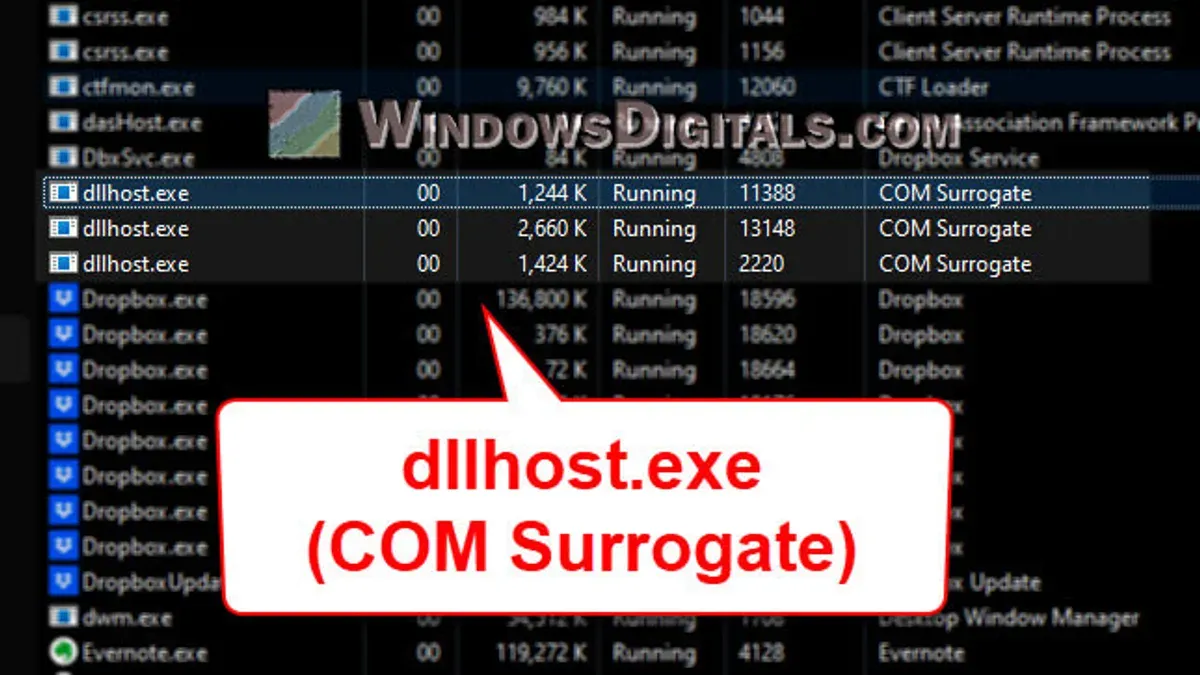
dllhost.exe is a legitimate Windows system process known as the COM Surrogate. Its primary function is to host Dynamic Link Library (DLL) files, enabling software components to run separately from the main application. This separation isolates potentially unstable or risky code, preventing it from causing system-wide crashes.
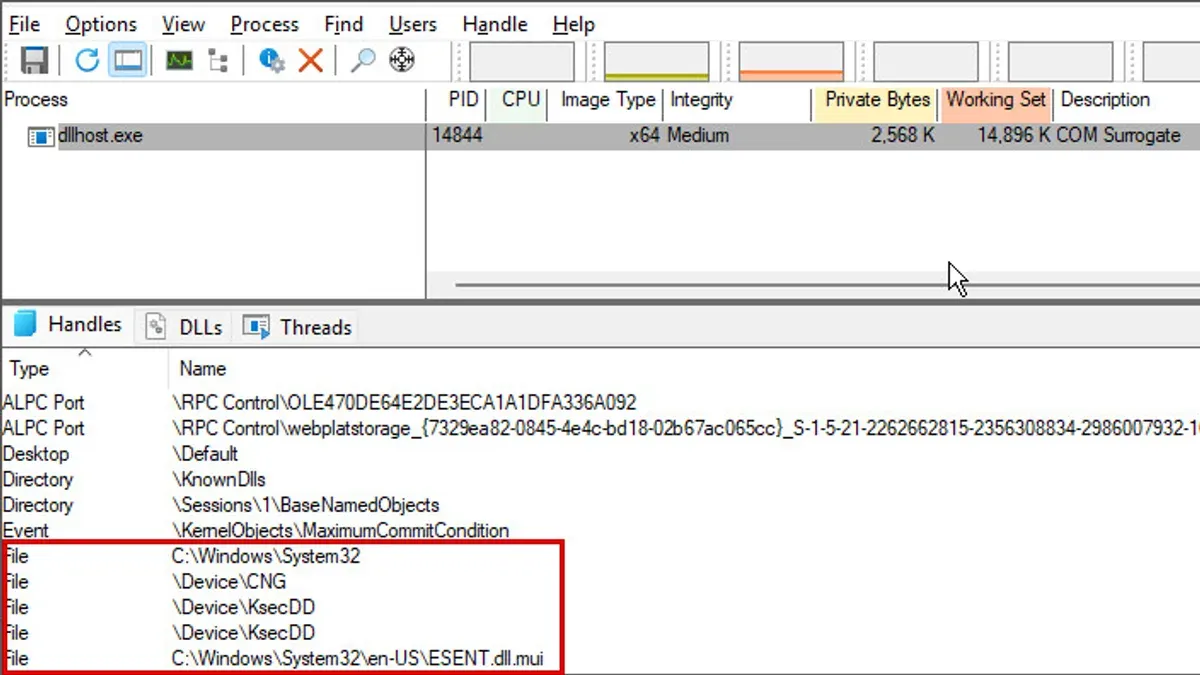
By running these components in a separate process, dllhost.exe helps maintain system stability and security. It is a standard file included in Windows operating systems and is typically located in the System32 or SysWOW64 directories, depending on the system architecture.
Microsoft documentation describes dllhost.exe as essential for managing Component Object Model (COM) objects, which many Windows applications rely on to extend functionality. This role makes dllhost.exe a core part of how Windows handles modular software components.
Is dllhost.exe a virus or can it be infected?
The original dllhost.exe is not a virus; it is a legitimate Windows system file. However, malware can impersonate dllhost.exe by placing infected copies in unauthorized locations or using similar file names to evade detection.
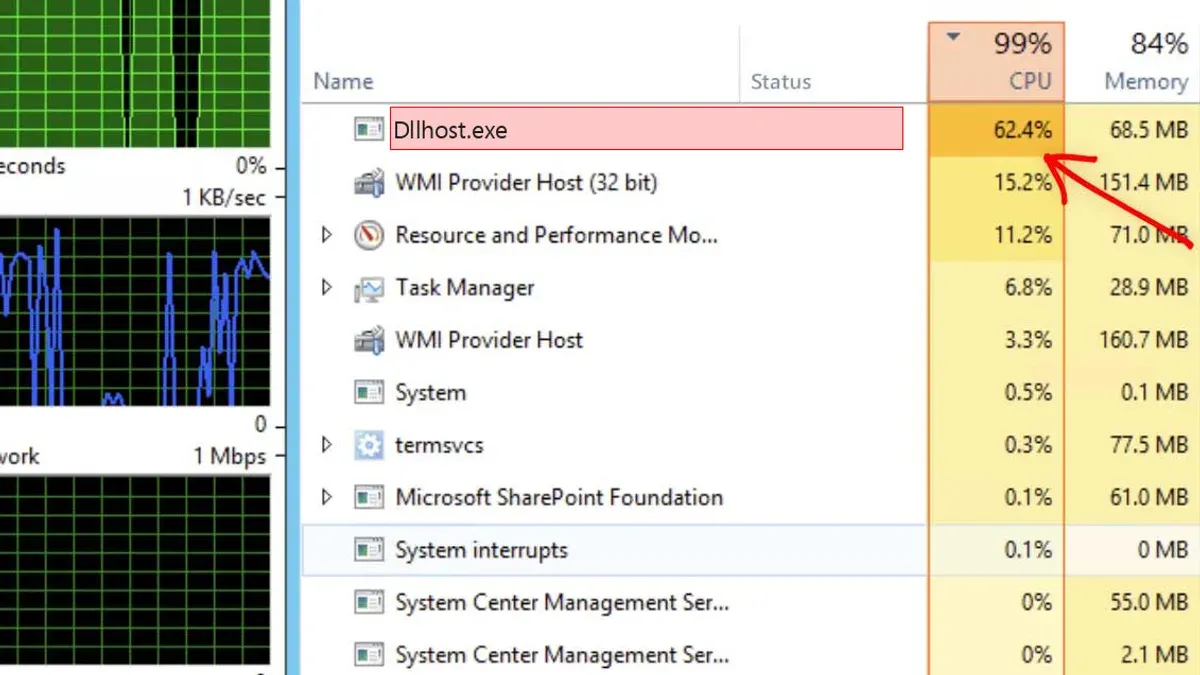
Typical signs of a malicious dllhost.exe include unusually high CPU or memory usage, network activity when none is expected, or the process running from folders outside the standard C:\Windows\System32 or C:\Windows\SysWOW64 directories.
To verify authenticity, users can check the file location via Task Manager's "Open file location" option and confirm the digital signature by right-clicking the file, selecting Properties > Digital Signatures tab, and ensuring it is signed by Microsoft Windows. Legitimate files have consistent version details and file sizes, whereas suspicious copies often differ.
Examples of malware variants that mimic dllhost.exe include certain Trojan and spyware strains that exploit the name to blend in. Distinguishing between the genuine and fake dllhost.exe requires careful inspection of file properties and behavior.
Tip: Use antivirus software to scan any dllhost.exe not located in the system folders or exhibiting unusual activity.
Why does dllhost.exe crash and how to fix errors?
Dllhost.exe crashes often result from corrupted DLL files, outdated device drivers, or conflicts with recently installed software. Common error messages include “dllhost.exe has stopped working” or “dllhost.exe application error,” which signal these underlying issues.
To troubleshoot, start by running the System File Checker tool: open Command Prompt as administrator and enter sfc /scannow. This scans for and repairs corrupted system files. Next, ensure Windows is up to date by navigating to Settings > Update & Security > Windows Update and installing all available updates.
Cleaning temporary files can also help. Use Disk Cleanup by typing “Disk Cleanup” in the Start menu, selecting the system drive, and removing temporary files and caches that might interfere with processes.
If errors persist, check for driver updates via Device Manager, especially for graphics and chipset drivers, which can impact system stability. Finally, run a full antivirus scan to exclude malware impersonating dllhost.exe as a cause.
Tip: When troubleshooting, avoid ending dllhost.exe processes in Task Manager unless instructed, as this can cause system instability.
Can I end the dllhost.exe process safely?
Ending the dllhost.exe process is generally not safe because many programs rely on it to run COM components properly. Terminating it can cause those applications to crash or behave unpredictably, disrupting normal system functionality. For example, programs that depend on background services hosted by dllhost.exe may freeze or close unexpectedly if the process is stopped.
However, there are situations where ending dllhost.exe might be necessary, such as when it is consuming excessive CPU or memory resources due to malware impersonation. In those cases, abruptly stopping the process can temporarily free resources but may not resolve the underlying issue.
Safer alternatives include restarting the computer to reset all related processes or running a thorough antivirus scan to detect and remove malicious software. These methods address the root cause without risking system instability caused by killing dllhost.exe.
Tip: Use Task Manager's Details tab to check the file location of dllhost.exe before ending the process—legitimate instances reside in the System32 folder.
Further reading
- Types of Cyber Attacks: A Comprehensive Explainer Guide
- Types of Encryption: A Clear Guide to Algorithms and Applications
- How to Check If an Email Sender Is Legit: Step-by-Step Guide
- How to Check If a Website Is Legit: A Step-by-Step Guide
Frequently asked questions
What is dllhost.exe windows 11?
Dllhost.exe in Windows 11 is a system process called the COM Surrogate. It acts as a host for COM objects, allowing Windows to run software components that use the Component Object Model without directly affecting the main process. This helps improve system stability by isolating potentially unstable code.
What does dllhost.exe do?
Dllhost.exe manages and runs COM objects, which are pieces of code used by various applications and Windows features. It enables these components to function properly by acting as an intermediary, ensuring that if one COM object crashes, it does not bring down the entire system or application.
Is dllhost exe a virus?
Dllhost.exe itself is not a virus; it is a legitimate Windows system file located in the System32 folder. However, malware can disguise itself using the same filename, especially if found outside the standard file path or exhibiting unusual behavior such as high CPU usage or network activity.
Can i end dllhost exe process?
Ending the dllhost.exe process is generally not recommended, as it may cause system instability or disrupt running applications that rely on COM objects. If it is causing problems, it is safer to identify and address the underlying issue rather than terminating the process directly.
What is dllhost.exe Windows 11?
Dllhost.exe in Windows 11 refers to the COM Surrogate process that hosts COM components for various system and application functions. It is essential for running certain Windows features smoothly and is a normal part of the operating system’s operation.
Limits of this guidance
This article does not cover advanced malware removal techniques or detailed system administration commands that require expert knowledge. Users facing persistent or complex issues with dllhost.exe, especially those involving suspected malware infections, should consult professional cybersecurity services or experienced IT support. Additionally, troubleshooting system stability beyond dllhost.exe may require specialized diagnostic tools and skills not addressed here.
The most practical next step for users concerned about dllhost.exe is to verify the file location and digital signature through the Task Manager and File Explorer. Ensure the process originates from the legitimate System32 folder and check its properties for a valid Microsoft signature. This verification often distinguishes safe system activity from malicious imitations without risking system stability.