How to Recognize, Report, and Recover a Hacked YouTube Account
This article explains how to recognize, report, and recover a hacked YouTube account with practical steps to protect your channel and data.

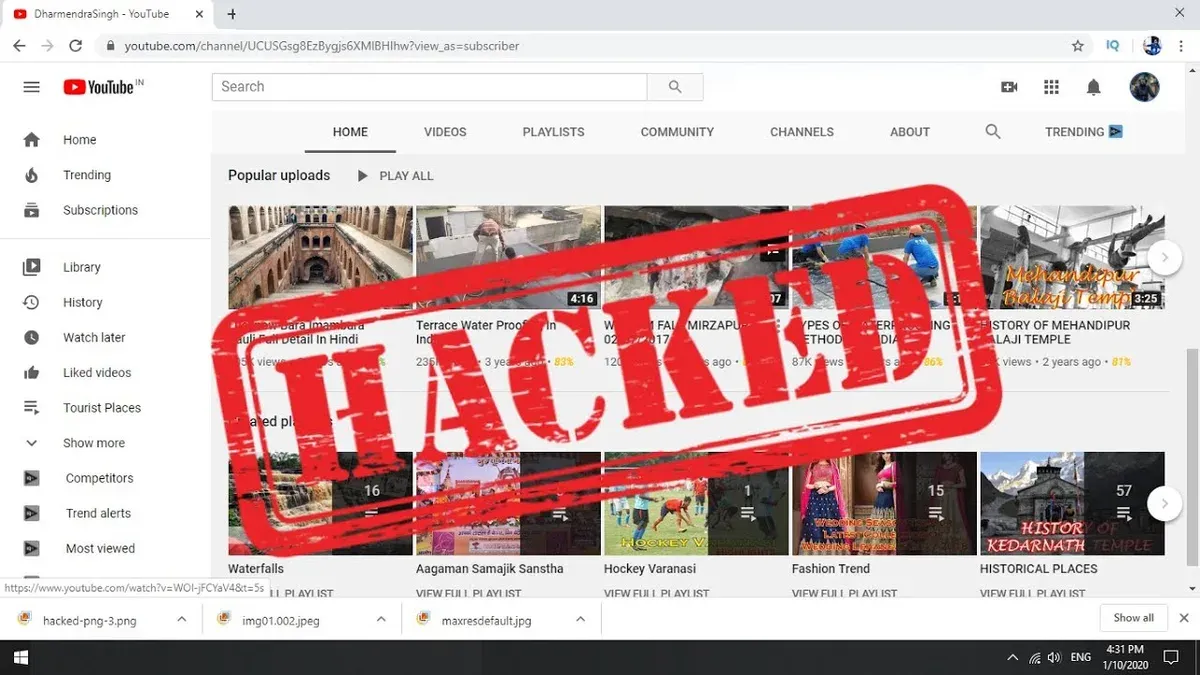
This article explains how to recognize, report, and recover a hacked YouTube account, providing practical steps tailored to the platform’s unique environment. When a YouTube account is hacked, unauthorized users may gain control, potentially uploading inappropriate content, changing channel details, or accessing personal information linked to Google services.
Recognizing a YouTube account hacked scenario involves spotting unusual activity such as unexpected emails, altered passwords, or unfamiliar videos and comments. Immediate action is crucial to limit damage and begin recovery.
What it means when a YouTube account is hacked
A hacked YouTube account involves unauthorized access or control by someone other than the legitimate owner. This breach can occur through methods such as phishing, where attackers trick users into revealing login credentials; credential stuffing, which uses stolen username-password pairs from other data leaks; or malware that captures sensitive information from a device.
When hackers gain control, they can manipulate or delete videos, change channel settings, or even monetize the channel for their own benefit. This loss of control threatens the creator’s content, reputation, and subscriber trust. Additionally, because YouTube accounts are tied to Google services, a breach may expose personal data beyond the channel itself.
YouTube accounts are attractive targets due to their potential revenue streams, large subscriber bases, and integration with Google products like Gmail and Google Drive. For example, an attacker who hijacks a channel with thousands of subscribers might post misleading videos or ads, harming the original owner's brand and income.
Cybersecurity reports commonly highlight phishing and credential reuse as leading causes of YouTube account compromises. A typical scenario might involve a user receiving a seemingly legitimate email prompting them to log in, unknowingly handing over credentials to an attacker.
How to know if your YouTube account is hacked
Recognizing a hacked YouTube account often begins with noticing unusual activity notifications from Google or YouTube. These alerts may mention sign-ins from unfamiliar devices or locations, prompting immediate review of recent account activity.
Check account details for unexpected changes, such as alterations to the recovery email, password, or phone number. For example, if the recovery email was switched without notification, this is a clear sign of compromise.
Suspicious uploads, comments, or messages sent from the account that the user did not authorize strongly indicate unauthorized access. Imagine a user who finds a video uploaded overnight promoting unrelated content or spam comments posted in their name.
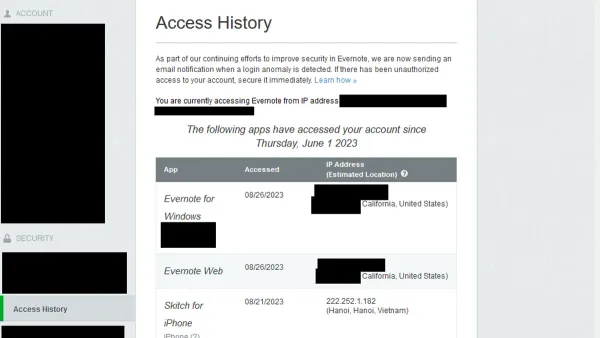
Difficulty logging in despite using the correct credentials can occur if the password has been changed by an intruder. Additionally, reviewing the Google Account's security section under 'Recent security activity' or 'Devices' can reveal unfamiliar login attempts or devices. For instance, a login from a foreign country or a device the user does not recognize is a red flag.
Tip: Regularly reviewing the "Security Checkup" page in Google Account settings helps identify suspicious activity early.
How to report a hacked YouTube account
Start by using the Google Account Recovery process at accounts.google.com/signin/recovery. Enter the email or phone number linked to the compromised YouTube account and follow the prompts to verify identity. This may include answering security questions, entering verification codes sent to recovery email or phone, and confirming account details. Success here allows regaining access without needing to report further.
If recovery attempts fail or the account is still compromised, submit a report through the YouTube Help Center at support.google.com/youtube/answer/2802168. Use the “Hacked account” section where users can fill out forms describing the issue. Provide precise information such as the last successful login date, associated email addresses, and any suspicious activity noticed.
For example, if a user notices unauthorized videos uploaded after they lost access, they should mention this in the form and attach screenshots of suspicious activity or notifications received. Accurate and detailed information helps YouTube’s support team verify the claim and prioritize recovery.
If immediate recovery and reporting do not resolve the issue, escalate by contacting Google Support through official channels linked in the Help Center or via verified social media accounts. Keep records of all communications and responses for reference.
Tip: Avoid submitting multiple reports with conflicting information to prevent delays in processing.
How to get back a hacked YouTube account
Regaining control of a hacked YouTube account begins with securing the linked Google account. Start by resetting the Google account password through the Google Account Recovery page, ensuring the new password is strong and unique. Completing Google’s identity verification steps, such as confirming recovery email or phone number and answering security questions, is essential to prove ownership.
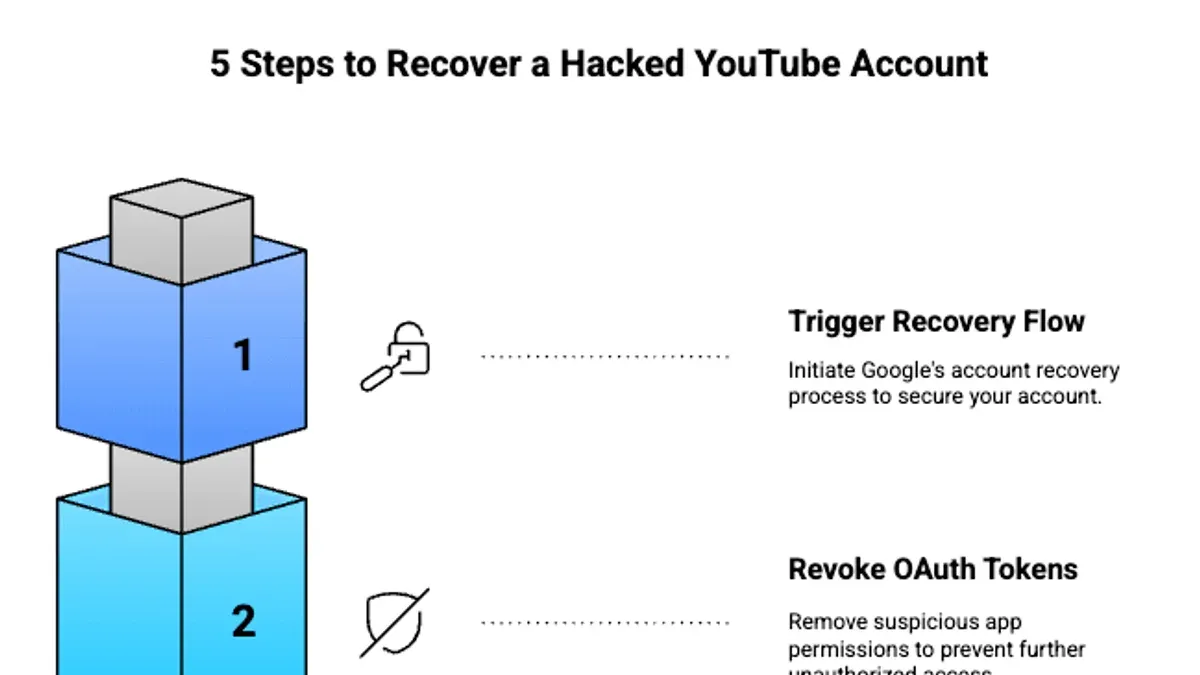
After regaining access, review and remove any unauthorized third-party apps or devices via Google Account settings under Security > Your devices and Security > Third-party apps with account access. This step prevents further unauthorized access.
Restoring channel settings and content depends on the extent of changes made during the hack. Users can check YouTube Studio for deleted videos or altered playlists and use the “Restore” option where available. However, full restoration is not guaranteed if content was permanently deleted.
If the account was suspended or deleted following the hack, submitting an appeal through YouTube’s Account Issues form is necessary. Describing the hack and providing evidence of account ownership improves chances of reinstatement.
For example, a creator who lost access due to credential theft successfully recovered their channel by promptly resetting their Google password, verifying identity through phone verification, removing suspicious devices, and appealing suspension with detailed information. While many users regain access through these steps, success varies based on timely action and account recovery setup.
What to do if your YouTube account is hacked and suspended
YouTube may suspend an account if suspicious activity from hacking violates its Community Guidelines or Terms of Service. In such cases, the suspension is intended to protect the platform and other users, but it can lead to temporary or permanent loss of access for the rightful owner.
To address a suspension caused by hacking, the account owner should file an appeal through YouTube’s Account Suspension page. This process requires submitting a detailed explanation of the hack, including dates, suspicious activity noticed, and steps taken to recover the Google account. Supporting evidence such as screenshots of unauthorized changes or communications with Google can strengthen the appeal.
For example, a creator whose channel was suspended after hackers posted inappropriate content successfully regained access by proving they had promptly reported the hack and secured their Google credentials. However, appeals can take time, and not all are granted if YouTube suspects repeated violations.
If the appeal is unsuccessful, alternatives include creating a new channel and informing subscribers through other social media, but original content and subscriber counts often cannot be recovered. Preventing permanent loss depends heavily on prompt action and clear communication during the appeal.
Tip: Use the "Submit an Appeal" link found in the suspension notification email or YouTube Studio dashboard under "Account Status" to start the appeal process promptly.
Can someone hack your YouTube account and how safe is YouTube from hackers
YouTube benefits from Google’s robust security infrastructure, including multi-factor authentication (MFA), suspicious activity detection, and encrypted data transmission. Google regularly conducts security audits and updates to safeguard accounts, reducing the likelihood of direct platform breaches.
However, many vulnerabilities stem from user behavior rather than YouTube’s system itself. Common attack methods include phishing emails impersonating YouTube or Google support, social engineering tactics to extract credentials, and malware targeting stored passwords. For example, a user clicking a convincing fake security alert link may unwittingly provide login details to an attacker.
Tip: Enabling two-step verification via Google Account settings under "Security" > "2-Step Verification" adds a critical layer of protection.
While YouTube’s security is strong, no platform is impervious. The real risk lies in the combination of sophisticated phishing attempts and lapses in personal security hygiene. Users who reuse passwords, ignore update prompts, or fail to monitor account activity are more vulnerable.
Experts emphasize that realistic risk assessment must acknowledge that platform defenses can be circumvented, making user vigilance essential. The trade-off involves balancing strong platform security with user education and proactive security habits.
Why you might not be able to make a YouTube account
Creating a YouTube account requires first setting up a Google account, and several factors can prevent this process. Google may restrict or ban accounts due to previous violations of its terms of service, such as repeated policy infringements or suspicious activity. For instance, if an IP address is linked to multiple account suspensions, Google might block new account creation from that address.
Technical errors can also interfere, including browser compatibility issues, outdated app versions, or connectivity problems. A common overlooked step is verifying the phone number during sign-up, which Google uses to confirm identity and prevent spam. Failure to complete this step can halt account creation.
Age restrictions apply: Google requires users to be at least 13 years old (varies by country), and geographic limitations may block sign-ups in regions where YouTube or certain services are not available due to local laws or sanctions.
Example: A person attempting to create a YouTube account from a country with strict internet regulations may find the sign-up process blocked, or may be prompted to use a verified phone number that cannot be obtained locally, preventing account creation.
Tip: Review Google's account creation policies and ensure all verification steps are completed; clearing browser cache or trying a different device can resolve many technical issues.
Mistakes to avoid when dealing with a hacked YouTube account
One common mistake is ignoring early warning signs such as unexpected password changes or unfamiliar devices listed under Google Account activity. Delaying action increases the risk of permanent data loss or further unauthorized access.
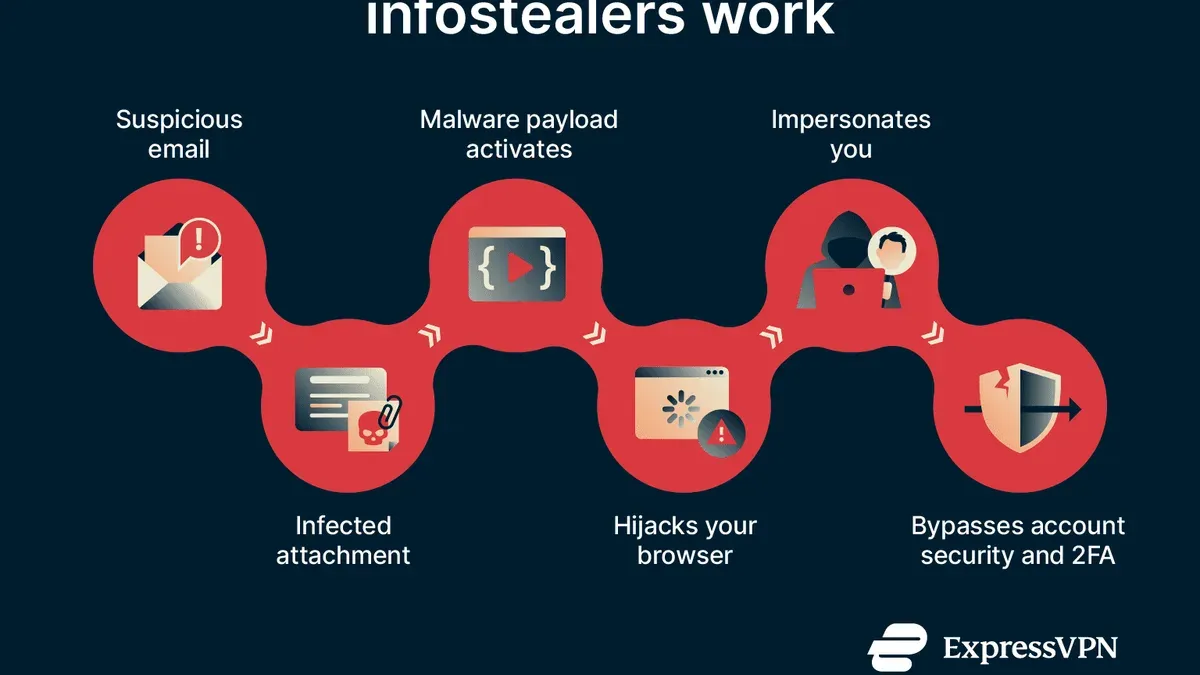
Using unofficial third-party recovery tools or services is another frequent pitfall. These can be scams aiming to steal information or worsen the breach. Official Google Account Recovery is the safest and most reliable method.
Sharing account details or verification codes with others, even those claiming to help, compromises security. For example, a user who shared a two-factor authentication code with a supposed support agent lost access to their account entirely after the code was misused.
Failing to update security settings after regaining control allows hackers to maintain hidden access. It is crucial to change passwords, review connected apps via Google Account > Security > Third-party apps with account access, and enable two-step verification.
Overlooking linked Google services such as Gmail or Google Drive can leave sensitive data exposed. Attackers often exploit these to reset passwords or access personal information, complicating recovery efforts.
Best practices to protect a YouTube account from being hacked
Enabling two-factor authentication (2FA) is one of the most effective protections available. Activating 2FA through the Google Account settings (Security > 2-Step Verification) adds a second verification step, significantly reducing the chance of unauthorized access even if passwords are compromised. Accounts without 2FA have a notably higher risk of breach compared to those with it enabled.
Using strong, unique passwords for the Google Account linked to YouTube is essential. Password managers can generate and store complex passwords, avoiding reuse across sites. A common mistake is relying on easily guessable passwords or reusing credentials from other services, which increases vulnerability.
Regularly reviewing account activity and permissions helps detect suspicious behavior early. Within Google Account settings, users can check recent security events and third-party app access. For example, spotting an unfamiliar device login prompt can enable timely response before damage occurs.
Avoiding phishing scams by not clicking suspicious links or sharing verification codes is critical. Phishing emails often mimic official YouTube or Google communications but contain subtle URL differences or requests for personal data.
Keeping devices and software updated ensures protection against known security flaws. Outdated browsers or operating systems can be exploited to bypass account security measures.
Tip: After enabling 2FA, users should keep backup codes in a safe place to regain access if the primary authentication method is unavailable.
Further reading
- How to Delete Your YouTube Account Permanently: Step-by-Step Guide
- How to Identify, Report, and Recover a Hacked TikTok Account
- How to Secure, Recover, and Manage a Twitch Account After Hacking
- How Reddit Accounts Get Hacked and How to Protect Yourself
Frequently asked questions
How do i know if my youtube account is hacked?
Signs of a hacked YouTube account include unexpected changes to channel details, unfamiliar videos uploaded, or sudden loss of access. Additionally, receiving notifications of password changes or login attempts from unknown devices can indicate unauthorized access. Checking the account’s recent activity and login history within Google Account settings can help confirm suspicions.
Can your youtube account be hacked?
Yes, YouTube accounts can be hacked, typically through compromised Google credentials since YouTube uses Google accounts for login. Attackers may use phishing, weak passwords, or breached data from other services. While Google has strong security measures, no system is completely immune to hacking attempts.
What happened to my youtube tv account?
Issues with a YouTube TV account may result from billing problems, subscription cancellations, or regional restrictions. Sometimes, account suspension due to policy violations or compromised security can also affect access. Reviewing account status in the YouTube TV settings and checking email notifications from Google can clarify the situation.
Why can't i make a youtube account?
Creating a YouTube account requires a valid Google account; restrictions include age limits, regional laws, or previous account suspensions. Errors during signup may stem from incomplete information, conflicting accounts, or network issues. Ensuring compliance with Google's terms and verifying identity when prompted usually resolves these problems.
Is youtube safe from hackers?
YouTube employs multiple security layers, including two-factor authentication, suspicious activity monitoring, and encryption to protect user accounts. However, user behavior often determines security effectiveness; weak passwords or phishing attacks can compromise accounts despite platform safeguards. Staying vigilant and following best security practices enhances overall safety.
Limits of this advice and when to seek additional help
This advice does not cover recovery from hacking incidents involving compromised email accounts linked to YouTube, which often require separate recovery processes through the email provider. Not all hacked accounts can be fully recovered, especially if hackers have deleted content or if the account has been permanently suspended by YouTube for violating policies. Additionally, this article does not address corporate or brand YouTube accounts managed through third-party platforms or agencies, which may have different recovery protocols and support channels.
The most useful next step is to immediately visit the YouTube Account Recovery page via the Google Account Help Center and follow the step-by-step process to verify ownership. Promptly initiating this process helps maximize chances of regaining access and securing the account before further unauthorized actions occur.