How to Secure, Recover, and Manage a Twitch Account After Hacking
This guide explains how to secure, recover, and manage a Twitch account after hacking to protect your content and personal information.

This article explains how to secure, recover, and manage a Twitch account after a hacking incident, addressing both basic and advanced aspects of account protection. When a Twitch account hacked situation arises, swift and informed action is essential to regain control and minimize potential damage.
Understanding what a Twitch account entails and why it holds value is the foundation of effective security. From setting up accounts with strong, unique passwords to recognizing common hacking methods such as phishing and credential stuffing, this guide covers critical steps.
Beyond immediate recovery, the article explores ongoing management strategies, including two-factor authentication settings, authorized app reviews, and linked account monitoring. It also discusses why Twitch accounts cannot be deleted outright and offers alternatives for users seeking to disengage. Additionally, interconnected platform risks, such as Twitter account compromises following Twitch breaches, receive attention to provide a comprehensive security perspective.
What a Twitch account is and why it matters
Twitch is a live streaming platform primarily focused on video gaming, but it also hosts streams related to music, art, and general entertainment. A Twitch account serves as a gateway to this ecosystem, enabling users to broadcast content, participate in chat rooms, follow favorite channels, and subscribe to creators for exclusive benefits.
Having a Twitch account allows interaction with a community of millions, including over a million active streamers. These accounts often hold personal information and are linked to payment methods for subscriptions, donations, and merchandise purchases. Account security is therefore critical to protect social connections, financial transactions, and creative output.
For example, a streamer who loses control of their account may find their broadcast interrupted, their followers misled by unauthorized messages, or their earnings diverted. Such misuse can damage reputation and result in financial loss, illustrating why Twitch accounts must be safeguarded carefully.
Beyond content creation, account features like chat moderation, custom emotes, and follower notifications rely on secure access. Without control of an account, users cannot fully benefit from Twitch's interactive environment or maintain trust with their audience.
How to create and get a Twitch account safely
Creating a Twitch account begins by visiting Twitch.tv and clicking the “Sign Up” button at the top right. The registration form requires selecting a username, setting a password, providing a valid email address, and entering a date of birth. Usernames must be unique and can include letters, numbers, and underscores. After filling out these details, Twitch issues a verification prompt, typically via email, to confirm the provided address.
For example, after submitting the form, Twitch sends a verification email with a link or code. Clicking the link or entering the code on Twitch completes the verification process, allowing full platform access. This step helps prevent fraudulent or automated account creation.
Twitch accounts are free and grant access to features such as live streaming, following channels, chatting, and customizing profiles. Users do not need subscriptions to create accounts or participate in basic platform activities. Subscriptions and additional features are optional and paid.
Each Twitch account has a unique URL based on the username, for example, https://www.twitch.tv/username. This link can be shared to direct others to the profile or channel. However, some accounts might be difficult to find or appear missing due to privacy settings that restrict visibility or because the user changed their username. In these cases, the old link becomes inactive, and only the new username URL works.
Tip: Choose a memorable yet secure username during signup and verify the email promptly to avoid account access delays.
How Twitch accounts get hacked and common attack methods
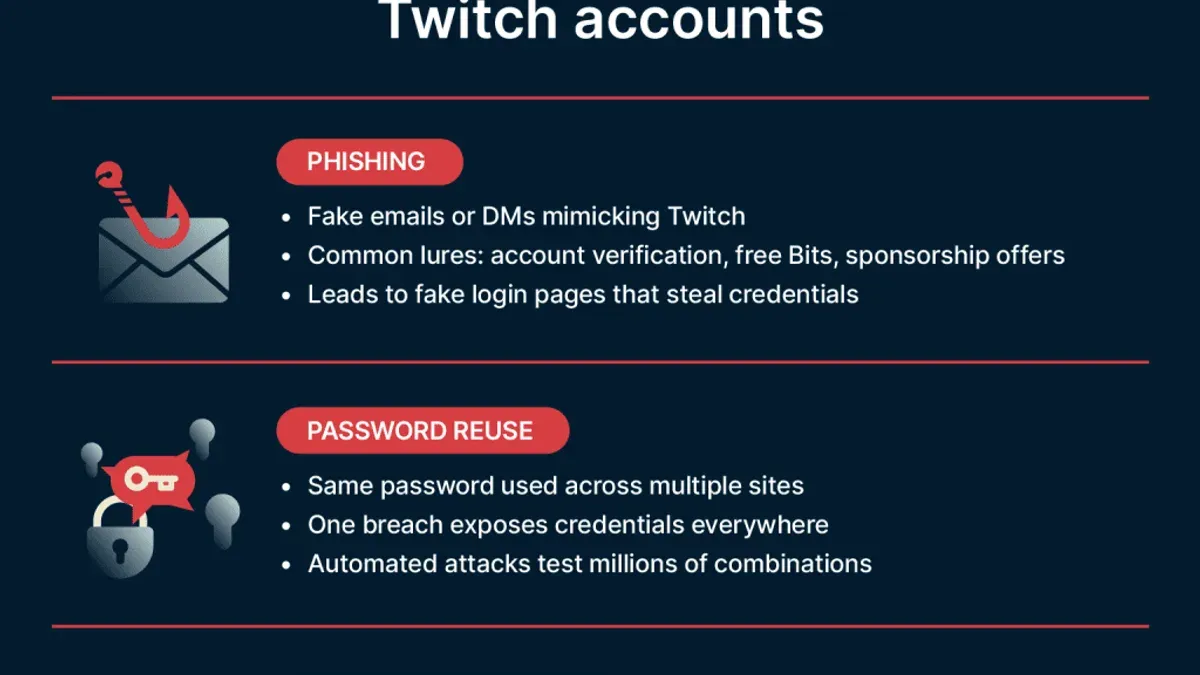
Twitch accounts are prime targets for hackers due to their connection to personal information, financial details, and social influence. A primary tactic involves phishing scams, where attackers send fake login pages or deceptive emails prompting users to enter their Twitch credentials. These scams often mimic official Twitch communications, making them difficult to spot.
Another widespread method is credential stuffing, exploiting leaked passwords from other platforms. If a user reuses passwords across sites, hackers automate login attempts on Twitch using stolen credentials. This method relies on the prevalence of password reuse and can be highly effective without direct interaction with the victim.
Malware and keyloggers installed on a user’s device also pose significant risks. These malicious programs capture keystrokes, including Twitch usernames and passwords, and transmit them to attackers. Often, malware is introduced through downloads or unsafe websites unrelated to Twitch itself.
Social engineering attacks target users by manipulating them or their contacts to change account recovery information, such as the registered email address or phone number. Once control over recovery methods is gained, hackers can reset passwords and lock out legitimate owners.
One notable case involved a prominent Twitch streamer whose account was hacked via credential stuffing, leading to unauthorized broadcasts and eventual platform ban due to violation of Twitch’s terms. This example highlights how compromised accounts can suffer both security breaches and reputational damage.
Tip: Avoid password reuse across platforms and be cautious of unexpected emails requesting login details.
Steps to recover a hacked Twitch account effectively
Recognizing a hacked Twitch account typically involves noticing unexpected login alerts, unfamiliar broadcast activity, or changes to profile details. Immediate action improves chances of successful recovery.
Begin recovery by using Twitch's official password reset feature found under "Forgot your password?" on the login page. Enter the registered email address to receive a reset link. If access to the email is compromised, securing that email account first is critical by changing its password and enabling two-factor authentication (2FA).
If the hacker changed the email or phone number linked to the Twitch account, use Twitch Support's Contact Us form specifying the issue as "Compromised Account." Provide identifying information such as previous passwords, linked payment details, and account creation date to verify ownership. Response times vary, so persistence is necessary.
For example, a user who detected unauthorized stream activity immediately reset their password and secured their email within an hour, regaining full control in two days. Conversely, a delayed response of several weeks resulted in permanent loss of email access and extended recovery time, highlighting the importance of prompt action.
Report suspicious behavior to Twitch through the "Report a User" option and review linked payment methods in the Settings under "Subscriptions" and "Payments" to block unauthorized charges. Consider contacting your bank if fraudulent transactions appear.
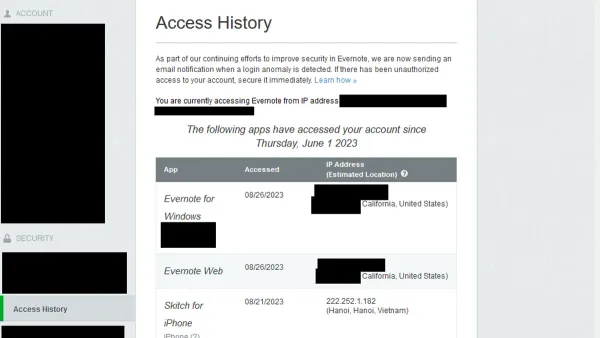
Tip: Keep a backup authentication method and regularly review Twitch login history under Settings > Security to spot unauthorized access early.
How to secure a Twitch account to prevent future hacks
Enabling two-factor authentication (2FA) significantly reduces the risk of unauthorized access by requiring a second verification step beyond the password. Twitch users can activate 2FA by navigating to Settings > Security and Privacy > Security > Enable Two-Factor Authentication, then following the prompts to link an authentication app or phone number. Accounts with 2FA enabled experience fewer successful hacking attempts compared to those relying solely on passwords.
Using a strong, unique password for Twitch is another critical defense. A password manager can help generate and store complex passwords, avoiding reuse across platforms. For example, a password like “H!3x#7wL9qP2” is far more secure than “password123” or a reused email password, which hackers often guess through credential stuffing.
Vigilance against phishing links and suspicious communications is essential. Avoid clicking links in unsolicited messages and verify sender authenticity before entering login details. Twitch never requests passwords via email or direct message.
Regularly reviewing connected devices and active sessions helps identify unauthorized access. This can be done under Settings > Security and Privacy > Devices and Sessions, where users can log out of unknown devices remotely.
Finally, securing associated email and social media accounts with similar measures like 2FA and strong passwords closes common backdoors for hackers. If an email or linked Twitter account is compromised, hackers may regain Twitch access despite other precautions.
Tip: Enabling 2FA and using a password manager together can reduce the likelihood of account breaches by a significant margin, making these two steps foundational to Twitch account security.
Why a Twitch account can’t be deleted and what alternatives exist
Twitch does not offer a straightforward option to permanently delete an account. According to Twitch's official support documents, users can disable or deactivate accounts but cannot fully erase all account data immediately. This policy aims to balance user control with platform integrity and regulatory compliance.
To limit account visibility, users can disable their account by navigating to Settings > Profile > Disable Account. This action hides the profile and prevents login but retains data on Twitch’s servers. Financial information can be unlinked by removing payment methods through Settings > Security and Privacy > Payment Methods. Users should also manually revoke any saved login credentials and disconnect linked third-party accounts to reduce risks.
Since complete deletion is not possible, one alternative is to secure the account thoroughly before abandoning it. For example, changing the password to a strong, unique one and enabling two-factor authentication helps prevent unauthorized access if the account is no longer actively used. Another approach is to contact Twitch Support with a deletion request, though many users report that such requests result in account disabling rather than full deletion.
Example: A user wanting to leave Twitch removes all linked payment methods, disables their account to hide the profile, changes their password, and disconnects linked social accounts. This effectively removes their presence without data being permanently deleted.
Dealing with associated platform hacks like Twitter when Twitch is compromised
Twitch accounts linked to other platforms, such as Twitter, face increased risks if those accounts are hacked. Attackers gaining access to a Twitter account connected via shared credentials or recovery information can use it to reset Twitch passwords or change account emails, making recovery more difficult.
A common scenario involves hackers compromising a Twitter account first, then using the linked email or phone number to request password resets on Twitch. Once control is gained, they may change the Twitch account’s registered email, locking out the rightful owner.
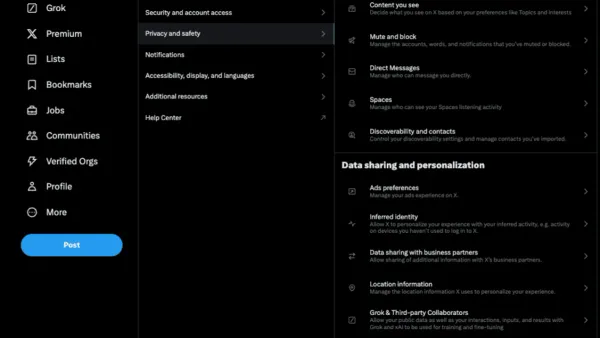
Fixing a hacked Twitter account typically requires immediate password changes, revoking third-party app access, enabling two-factor authentication (2FA), and reviewing account recovery options via Settings & Privacy > Your Account > Security and Account Access. Users should also check for unauthorized tweets or direct messages that could spread malicious links.
Security experts advise securing all connected accounts simultaneously because a breach on one platform often cascades to others. For instance, if Twitter credentials were reused on Twitch, both accounts should have unique, strong passwords and 2FA enabled.
Example: A Twitch streamer’s Twitter was hacked due to a phishing attack, allowing the hacker to reset the Twitch account email. Because the streamer had not secured their Twitch account with 2FA independently, the hacker quickly took full control, deleted streams, and locked the original user out. Recovery required coordinated efforts with both platforms’ support teams.
Tip: Regularly audit and update recovery emails and phone numbers on all linked accounts to prevent unauthorized takeovers.
Common mistakes to avoid when handling a hacked Twitch account
Ignoring early warning signs such as unusual login notifications or unexpected password change emails often allows hackers more time to deepen their access. Promptly investigating suspicious alerts can prevent further damage.
Using the same password across Twitch and other platforms significantly increases vulnerability. If a linked service is compromised, attackers can exploit credential reuse to infiltrate Twitch accounts.
Phishing attempts frequently escalate during account recovery, with attackers sending fake password reset links or impersonating Twitch support. Falling for these scams can worsen the breach, as attackers gain direct access to recovery credentials.
Sharing account details or recovery codes with anyone outside verified Twitch communication channels risks exposing sensitive information. Even well-intentioned helpers can unintentionally facilitate unauthorized access.
Delaying recovery efforts, such as postponing password resets or ignoring support contact, can lead to irreversible consequences including permanent account loss or platform-imposed bans for suspicious activity.
Example: A user received an unusual login alert but ignored it, then reused the same password across Twitch and an unrelated forum that was later breached. During recovery, they clicked a phishing link disguised as Twitch support, handing attackers full account control. Immediate recovery attempts were delayed by several days, resulting in loss of Twitch channel access and difficulties restoring the account.
Tip: Act immediately on any suspicious activity alerts and always verify recovery communications directly through Twitch's official website or app.
Further reading
- How to Identify, Report, and Recover a Hacked TikTok Account
- How to Recover and Protect a Hacked Snapchat Account
- How Reddit Accounts Get Hacked and How to Protect Yourself
- How to Identify, Respond to, and Recover from a LinkedIn Account Hacked
Frequently asked questions
How to make twitch account?
To make a Twitch account, visit twitch.tv and select the "Sign Up" button on the top right corner. Enter a unique username, a valid email address, a secure password, and your date of birth. Complete the CAPTCHA verification and agree to the terms of service to finalize the registration.
How to get a twitch account?
Getting a Twitch account involves signing up on the Twitch website or app by providing your email, creating a username and password, and confirming your account through email verification. This process is free and allows access to Twitch’s streaming and chat features.
How to make your twitch account online?
A Twitch account is online once successfully created and verified via email. To maintain it online, ensure a stable internet connection, log into the Twitch app or website, and configure your profile settings under "Settings" > "Profile". Streaming or chatting also requires the account to be logged in and active.
How to create a twitch account?
Creating a Twitch account requires navigating to the Twitch homepage, clicking "Sign Up," and filling out the required fields: username, password, date of birth, and email address. After completing the CAPTCHA and agreeing to Twitch’s policies, verify the email link sent to confirm the account.
What is twitch account?
A Twitch account is a user profile on the Twitch platform that enables streaming, viewing live content, chatting, following channels, and engaging with the community. It stores user information, preferences, and history, serving as the gateway to Twitch’s interactive features.
Limits of this advice and when to seek professional help
This article focuses on general guidance for securing, recovering, and managing a Twitch account after unauthorized access. It does not cover recovery for accounts involved in fraudulent activity, previous bans, or violations unrelated to hacking. In such cases, professional legal advice or direct assistance from Twitch Support may be necessary to address complex issues or appeal account restrictions.
For the majority of users, the essential next step after suspecting a hack is to immediately reset the Twitch account password using the official password reset page, then enable two-factor authentication via the Security & Privacy settings. This action halts most unauthorized access and establishes a stronger defense against future breaches.