How to Log Out of Reddit on All Devices: Clear Step-by-Step Guide
This guide shows how to log out of Reddit on all devices to maintain account security and control active sessions across platforms.

This guide explains how to log out of Reddit on all devices, ensuring complete control over active sessions and enhancing account security. Many users overlook Reddit’s session management options, which allow remote logout beyond simply signing out on one device. Knowing how to manage these settings prevents unauthorized access and resolves persistent login issues.
Reddit session behavior varies between the app and web browser, making it necessary to follow device-specific steps. This article covers logging out on iOS and Android apps, browsers on PC, and remotely logging out from other devices linked to the account. Understanding these methods is essential for maintaining account integrity and privacy.
Before you start: What is needed to log out of Reddit on all devices
To log out of Reddit on all devices, an active Reddit account with valid username and password credentials is essential. Access to either the Reddit app on iOS or Android, or a web browser on a PC or mobile device, is required to navigate account settings properly. Logging out from one device alone does not affect other active sessions; a targeted action is necessary to terminate all sessions simultaneously.
Reddit’s security documentation and user reports indicate that session durations can vary widely, with users often logged in on multiple devices such as phones, tablets, and desktops. The total number of active devices may be several, especially for users who access Reddit from work and personal devices. Awareness of this helps ensure comprehensive session management.
Changing the account password is a reliable way to force logout from all devices, as Reddit invalidates active sessions following a password update. However, this step should be deliberate since it requires re-authentication on all devices afterwards.
- Confirm the Reddit account login credentials (username and password) are available and correct. Successful login leads to access to the Reddit homepage or app main screen.
- Ensure access to the Reddit app or a web browser where account settings can be accessed. Upon entering settings, options for managing active sessions become visible.
- Understand that logging out manually on a single device only ends that session. To log out on all devices, either use the session management options or change the password. The device list or session management interface should display all active sessions if supported.
How to log out of Reddit app on iOS and Android
Logging out of the Reddit app on iOS and Android involves accessing the account settings within the app. The interface is similar on both platforms, but slight differences exist in menu placement. On iOS, the profile icon is in the bottom-right corner, while on Android, it typically appears in the top-left or bottom-right depending on the version.
- Open the Reddit app and tap the profile icon (bottom-right on iOS; bottom-right or top-left on Android). A menu with account options will appear.
- Tap Settings from the menu. On iOS, this is near the bottom; on Android, it may be labeled as Account Settings or simply Settings.
- Scroll down to find the Log Out button. On some versions, this appears at the very bottom of the settings list.
- Tap Log Out. A confirmation prompt will appear. Confirm to proceed. The app returns to the login screen, indicating logout success.
- To verify logout, close and reopen the app. The login screen should appear without auto-filling credentials.
The Reddit app does not automatically log out from other devices when logging out from one. Confirming logout on the app only affects the current device.
Tip: If the app logs back in automatically after logout, check for saved login credentials in the device's password manager or app settings and remove them.
How to log out of Reddit on PC using a web browser
- Open Reddit in the preferred web browser (Chrome, Firefox, Edge) and ensure the user is logged in. The top-right corner should display the username or profile icon.
- Click on the profile icon or username to open the account menu. A dropdown with options such as Profile, User Settings, and Log Out will appear.
- Select the Log Out option from the dropdown menu. This action should immediately log the user out, redirecting to Reddit’s homepage or login screen.
- Verify the logout by checking that the login or sign-up buttons replace the username/profile icon in the top-right corner. This confirms the session has ended on that browser.
Browser session persistence on Reddit depends on cookies storing login information. Chrome, Firefox, and Edge handle these cookies similarly, meaning logging out clears the session cookie and prevents automatic re-login. However, if cookies are preserved or if the browser is configured to sync sessions across devices, sessions may persist or reappear.
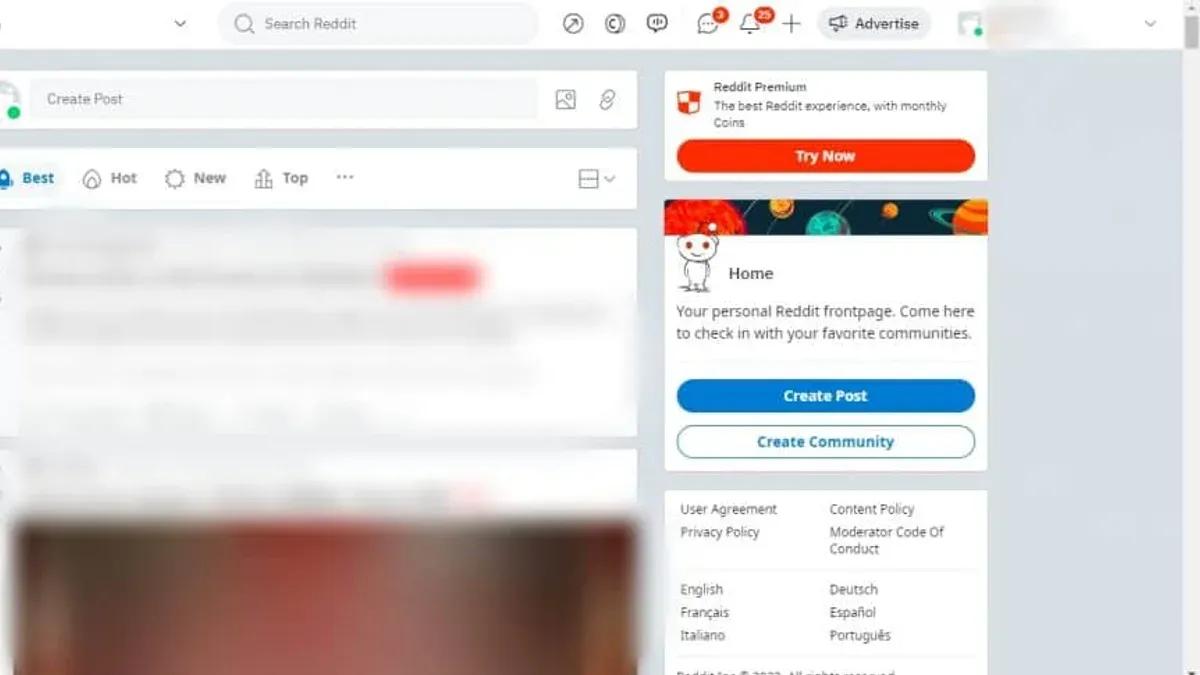
Tip: Clearing browser cookies manually after logout can ensure no residual session data remains, especially on shared or public computers.
How to log out of Reddit on other devices remotely
Reddit allows users to manage active sessions through their account security settings, enabling remote logout from all devices except the current one. This is crucial for securing the account when unauthorized access is suspected or when devices are lost. However, Reddit does not offer a direct "log out from all devices" button, so revoking sessions must be done individually or by changing the password.
- Open Reddit and click the profile icon in the top-right corner to access the dropdown menu.
- Select "User Settings" from the menu, then navigate to the "Privacy & Security" tab.
- Scroll down to the "Active Sessions" section where all logged-in devices and locations are listed.
- Review the listed sessions carefully. Identify devices or locations that should be revoked.
- Click the "Log Out" button next to each session to terminate access remotely; the current device cannot be logged out this way.
- If many sessions are active or individual logout is impractical, change the account password in the "Account Settings" section.
- Changing the password forces Reddit to log out all devices except the one where the password was changed, immediately securing the account.
Tip: After changing the password, revisit the "Active Sessions" page to confirm all unwanted sessions are terminated.
Community feedback highlights that session lists may not update instantly, so allow a few minutes for changes to propagate. This manual session management is the most reliable method to control device access on Reddit.
How to access and view Reddit without logging in
Reddit allows browsing its public posts and communities without requiring an account or login. Visitors can explore most subreddits, read posts, and view comments freely. This makes it possible to consume content without creating an account or dealing with session persistence issues.
However, the experience differs significantly from logged-in users. Without logging in, interactive features like voting, commenting, posting, and subscribing to subreddits are disabled. The interface also lacks personalized feeds, and some content restricted by subreddit rules or age verification may not be accessible.
To browse Reddit anonymously, follow these steps:
- Open a web browser and go to reddit.com. The homepage will show popular posts from various communities.
- Use the search bar at the top to find specific subreddits or topics. Clicking a subreddit name opens its feed of posts without login prompts.
- Click any post title to view its content and comments. Comments are visible but interaction buttons like upvote or reply will be inactive or prompt for login.
This approach is useful when avoiding login prompts, troubleshooting account issues, or simply reading content without saving session data. It prevents any session cookies or login states from being created, reducing potential login-related complications.
Why does the Reddit app keep logging me out?
Unexpected logouts on the Reddit app can stem from multiple factors including app bugs, corrupted cache, unstable network connections, or security triggers linked to the account. Users on Reddit help forums frequently report that app glitches and cache buildup cause repeated logouts, which often resolve after clearing the app's cache or reinstalling the app.
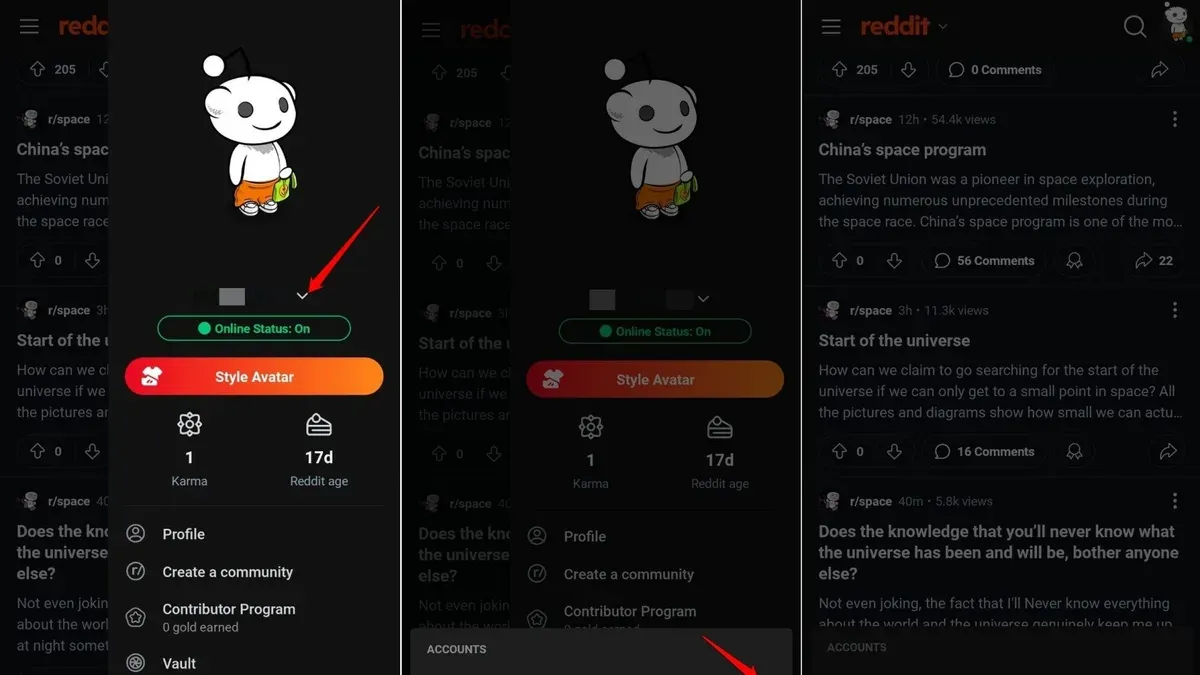
Clearing the cache removes temporary files that may interfere with login persistence. Reinstalling the app replaces corrupted files and updates the app to the latest version, which can fix bugs causing session drops. Network interruptions, especially on mobile data or unstable Wi-Fi, can also prompt the app to log out as it fails to maintain a consistent connection with Reddit’s servers.
Account security issues represent another cause. If Reddit detects suspicious login activity or multiple failed login attempts, it may log out all sessions to protect the account. Users suspecting compromise should immediately change their password and enable two-factor authentication to secure access.
Steps to fix persistent logout problems:
- Open device Settings and navigate to Apps or Application Manager, then select Reddit. Clear cache and data. When done correctly, the app will start fresh without login persistence issues.
- Uninstall the Reddit app. Reinstall the latest version from the official app store. On successful reinstallation, the app should maintain stable login sessions.
- Switch to a reliable Wi-Fi network or stable mobile connection. Confirm network stability by loading web pages or other apps.
- If logout issues continue, visit Reddit’s password reset page and change the password. After resetting, log in again and check if sessions persist.
Tip: Frequent unexpected logouts often indicate account security measures triggering; reviewing account activity regularly helps identify unauthorized access early.
Troubleshooting login problems and session persistence on Reddit
When login attempts fail despite entering correct credentials, common error messages include "Incorrect username or password," "Too many login attempts," or "Two-factor authentication failed." Start by verifying the username and password outside the app, such as on the Reddit website. If credentials are correct, clear the browser or app cache and cookies, as corrupted or outdated data can block session establishment.
Two-factor authentication (2FA) issues often arise from time synchronization errors between the authentication app and Reddit's servers or from lost backup codes. Ensure the device clock is accurate and try regenerating backup codes through the account settings if 2FA tokens are not accepted.
Session persistence depends heavily on cookies and cache stored by browsers or the Reddit app. Clearing cookies removes session tokens, forcing a new login but can fix stuck sessions or repeated logouts. Be aware that some browser privacy settings or extensions may block cookies, causing session instability.
If login or logout issues persist after these steps, contacting Reddit support is advisable. Provide detailed information including error messages and steps already taken. Support can address problems related to account lockouts, suspicious activity flags, or backend issues affecting session management.
- Clear browser/app cache and cookies; then reload Reddit to check if login prompts appear correctly.
- Verify device time settings and resynchronize if using 2FA; enter a fresh authentication code when prompted.
- Attempt login on a different device or browser to isolate the problem.
- If errors continue, use the Reddit Help Center to submit a support request, including screenshots of error messages.
Tip: Regularly updating the Reddit app and browser ensures compatibility with the latest session management protocols and security features.
Frequently asked questions
How to log out of reddit pc?
To log out of Reddit on a PC, click on the user icon in the top-right corner of the screen. From the drop-down menu, select "Log Out." This action immediately signs the account out of the current browser session.
How to log out of reddit account?
Logging out of a Reddit account depends on the device used. On mobile apps, tap the profile icon, then the settings gear, and choose "Log Out." On a web browser, access the user menu and select "Log Out." To completely log out from all devices, use the account settings to end all active sessions remotely.
How to sign out of reddit app?
In the Reddit app, tap the profile icon at the top left or right corner, open "Settings," scroll down to the bottom, and tap "Log Out." Confirm the action to sign out of the app on that device only.
How to access reddit without logging in?
Reddit content is mostly public and can be accessed without an account by visiting the website or app and browsing posts. However, certain features like voting and commenting require logging in. Simply navigate to reddit.com or open the app and use it without entering login credentials.
How to view reddit without logging in?
Viewing Reddit without logging in is possible by accessing any subreddit or post directly via the homepage or search. The interface may limit some interactions, but basic browsing, reading posts, and viewing comments remain available without an account.
What this advice does not cover and limitations
Reddit does not currently offer a one-click 'log out of all devices' feature directly through its interface. Therefore, the most reliable method to force logout on all devices is to change the account password, which invalidates active sessions. This guide does not address scenarios involving third-party Reddit clients, as they may manage sessions differently and require separate logout procedures. Additionally, some device sessions might persist temporarily due to caching or network delays even after following logout steps.
For users with concerns about unauthorized access or persistent sessions, changing the account password immediately is the single most effective next step. This action forces all devices to require re-authentication, providing a clean reset of active logins and enhancing overall account security.
See also: How to Log Out of Quora on All Devices: Complete Step-by-Step Guide · How to Log Out of LinkedIn on All Devices: Clear Step-by-Step Instructions · How to Log Out of Instagram on All Devices: Complete Step-by-Step Guide · How to Log Out of Discord on All Devices: Clear Step-by-Step Guide