Can You Get a Virus from a USB Drive? Essential Security Facts
Discover how you can get a virus from a USB drive, the risks involved, and the best ways to stay protected against modern USB threats.

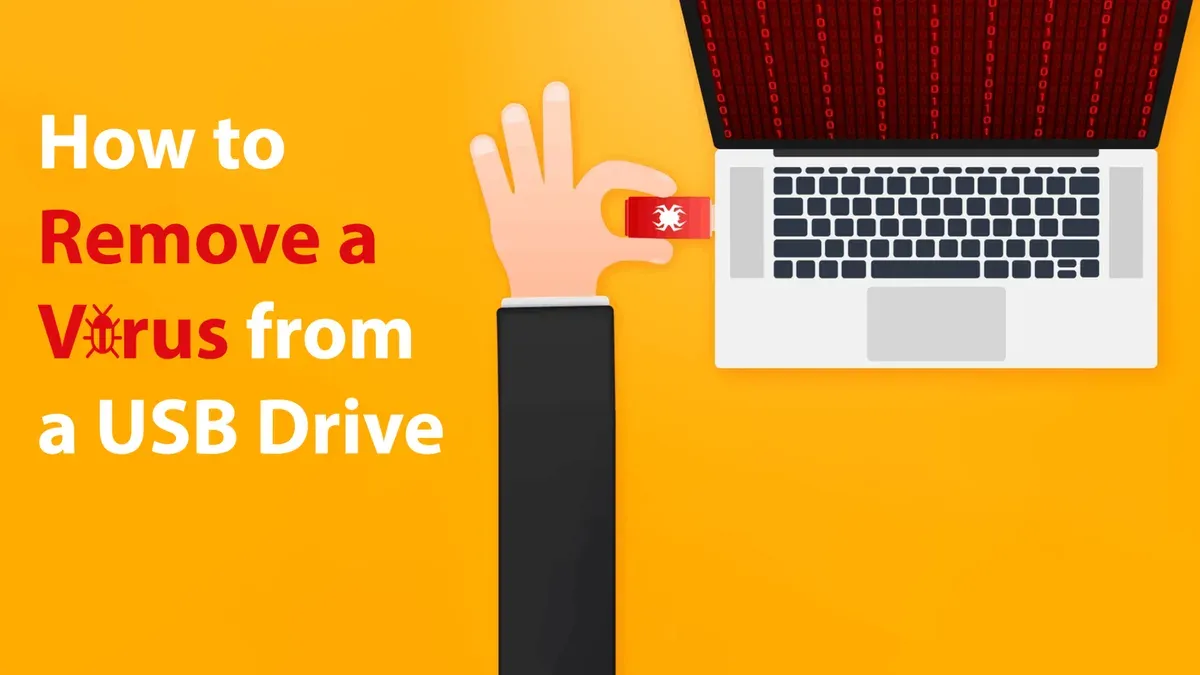
Understanding can you get a virus from a USB drive remains crucial. USB devices still pose risks, but modern threats and defenses have evolved beyond simple file infections. This article explains how USB viruses work today, how operating systems protect you, and best practices for safe use.
How USB Drives Can Carry Viruses: Beyond Simple File Infection
USB drives can harbor malware in different ways. Traditionally, viruses spread through infected files stored on the drive. These file-based infections rely on users opening malicious documents or executables. However, more sophisticated threats target the USB device's firmware itself.
File-based viruses vs. firmware/rootkit infections
- File-based viruses infect files on the USB drive, activating when opened on a computer.
- Firmware infections reside within the USB's internal controller software, making them harder to detect and remove.
Firmware attacks, often called BadUSB attacks, reprogram the USB controller to impersonate trusted devices like keyboards or network adapters. This allows them to inject commands or redirect network traffic silently.
Historically, autorun and autoplay features on Windows allowed USB malware to execute automatically when plugged in. These features are mostly disabled by default across major operating systems, reducing infection vectors.
Example of a BadUSB infection chain:
- USB drive firmware is maliciously reprogrammed.
- When plugged into a computer, the USB masquerades as a keyboard.
- It injects commands that download malware onto the host system.
- The malware then establishes persistence and spreads internally.
While USB-borne malware infections have decreased compared to earlier decades, firmware-level threats remain a growing concern due to their stealth and difficulty in detection.
How Modern Operating Systems and Security Software Protect Against USB Viruses
Operating systems and security tools have implemented strong defenses against USB-borne infections.
Default OS settings
- Windows 11 and later: Autorun is disabled for non-optical USB devices by default. A common oversight is not checking the "AutoPlay" settings in the Control Panel under "Hardware and Sound," where users can verify or disable autoplay for all devices. Enabling device permissions requires navigating to "Settings > Privacy > USB" and managing app access, which is often missed.
- macOS Ventura and newer: USB devices require explicit user approval before mounting or interaction, with system prompts that must be acknowledged to prevent automatic access.
- Linux distributions: Autorun is disabled by default in most distros; however, automount behavior depends on the desktop environment and settings under "Removable Media" preferences, which users should verify to avoid automatic execution.
Antivirus and endpoint protection solutions scan USB drives automatically on insertion, detecting known file-based malware and suspicious behaviors. However, firmware infections remain challenging to identify because they operate below the file system level.
Advanced security features include:
- USB device whitelisting: Only preapproved USB devices are allowed to connect, typically managed through group policies or endpoint management software in enterprise environments.
- Hardware authentication: USB drives with built-in cryptographic support verify device integrity before use, though this requires compatible hardware and software support, which may limit usability.
While antivirus products effectively detect most file-based USB malware, their ability to detect firmware-level threats is limited, requiring additional specialized security measures.
Safe Practices When Using USB Drives to Minimize Virus Risks
Users can take practical steps to reduce the risk of infection from USB drives.
Key recommendations:
- Avoid plugging in USB drives from unknown or untrusted sources.
- Manually scan USB drives with up-to-date antivirus software before opening any files.
- Verify that autorun and autoplay features are disabled on your operating system by checking the specific settings panels (e.g., Windows AutoPlay settings in Control Panel).
- Prefer encrypted USB drives with hardware security features, especially for sensitive data, recognizing that these may require additional setup or software.
Step-by-step USB scanning example (Windows 11):
- Insert the USB drive and wait for it to appear in File Explorer.
- Right-click the USB drive icon.
- Select "Scan with Microsoft Defender" or your installed antivirus software.
- Review scan results carefully; do not open any files if threats are detected.
These steps help mitigate risks, but users should remain cautious as no method guarantees complete protection.
When USB Drive Virus Advice May Not Be Enough: Specialized Threats and High-Risk Scenarios
Some environments require heightened vigilance beyond general safe usage guidelines.

Who faces higher risk? Government agencies, corporate IT environments, and security-sensitive roles are more likely targets for firmware-level USB attacks due to their valuable data and targeted threat actors.
Limitations of antivirus software become apparent against sophisticated USB malware embedded in firmware. Such threats can evade traditional scanning and persist even after reformatting or replacing files.
Advanced countermeasures include:
- Consulting cybersecurity experts for threat assessments and tailored defenses.
- Using specialized hardware solutions that verify USB firmware integrity, such as USB firewalls or hardware tokens.
- Implementing strict USB device management policies and whitelisting enforced through endpoint management tools.
In these high-risk settings, standard antivirus defenses alone are insufficient; layered security approaches are necessary.
Limitations and Caveats
This article does not address physical tampering risks or hardware implants beyond typical USB malware. Users with highly sensitive roles should seek professional cybersecurity advice tailored to their specific threat models.
Frequently Asked Questions
Can a USB drive infect my computer just by plugging it in?
Generally, just plugging in a USB drive does not infect your computer automatically. Operating systems disable autorun features by default. However, firmware-level malware can act as a disguised device (e.g., a keyboard) and inject malicious commands when connected, although such attacks are rare and typically targeted.
Is it safe to use found or shared USB drives?
No, using found or shared USB drives is risky. Unknown devices can carry malware or compromised firmware. Always avoid using USB drives from untrusted sources to minimize infection risk.
How do I know if my USB drive is infected with a virus?
Signs of infection include unexpected behavior when using the USB or your computer acting strangely after connection. Running a full antivirus scan on the USB drive is recommended. However, firmware infections may not be detected without specialized tools designed to analyze USB controller firmware.
Can antivirus software detect all types of USB-borne malware?
Antivirus software is effective against most file-based malware on USB drives. It generally cannot detect or remove firmware-level USB malware, which requires advanced technical solutions such as firmware analysis or hardware-based security.