How to See Where You're Logged Into Reddit: Step-by-Step Guide
This guide explains how to check where you're logged into Reddit, review sessions, and manage account security through simple steps.

This article explains how to see where you're logged into Reddit and provides a complete guide to reviewing login sessions, checking account activity, and managing Reddit access. Understanding the locations and devices where a Reddit account is active helps maintain security and control over personal information. The process involves navigating specific settings within Reddit’s user interface to view active sessions and login history.
Additionally, instructions cover how to log into Reddit securely, access Reddit content without logging in, and find other Reddit users. This concise guide addresses common questions about Reddit account security and session management, making it easier to monitor and protect account access.
Before you start: What is needed to check your Reddit login sessions
Accessing login sessions on Reddit requires an active account with valid credentials. Ensure the username and password are at hand to sign in. The process can be done through either the Reddit mobile app or a desktop web browser, with both offering access to account settings but differing in interface layout.
Using the mobile app, available for iOS and Android, provides a streamlined way to manage sessions via the user profile menu. The desktop web browser version offers a broader view with more detailed account options accessible from the top-right user icon dropdown. Both methods require a stable internet connection for real-time data retrieval.
If two-factor authentication (2FA) is enabled, have the authentication method ready, such as an authenticator app or SMS code, since some account security features may prompt for it. Users should also consider privacy implications when reviewing login locations, especially on shared or public devices, to avoid exposing sensitive information.
- Prepare Reddit login credentials; successful login leads to the homepage/dashboard.
- Decide whether to use the mobile app or desktop browser; opening either should display the main Reddit interface.
- Confirm internet connectivity; the interface should load without error messages.
- If 2FA is active, have the authentication tool ready; entering the correct code grants access to protected account areas.
How to see where you're logged in on Reddit
- Log in to Reddit via a web browser or the official Reddit mobile app. Successful login directs to the Reddit homepage or app feed.
- Navigate to the user profile icon in the top-right corner (browser) or bottom menu (app) and select Settings. This opens the settings menu.
- Within the Settings menu, locate and tap Privacy & Security or Security & Privacy depending on the interface version. This section contains account security options.
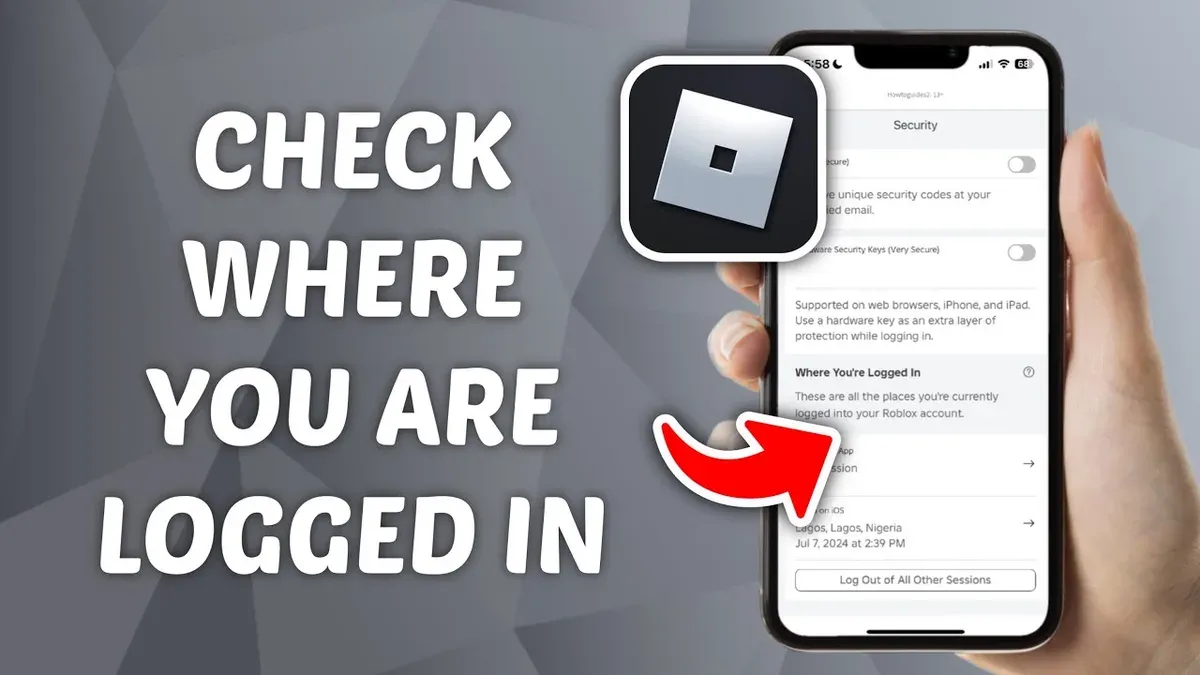
- Scroll to the Active Sessions or Where You're Logged In section. Here, a list appears showing all devices currently logged into the account.
- Review session details, which typically include device type (e.g., desktop, iPhone), browser or app, approximate IP-based location, and last active time. This helps identify familiar or unfamiliar sessions.
- If any session looks suspicious or unrecognized, select the option to Log Out or Sign Out from that device remotely. Confirm the action to end that session.
Tip: Regularly checking active sessions can help quickly spot unauthorized access and secure the account.
Below the active sessions list, some interfaces may offer a Log Out of All Sessions button to end every session except the current one, which is useful when multiple suspicious logins occur.
How to see Reddit login history
Reddit does not offer a detailed, comprehensive login history log within its platform as some other services do. While users can view active session data under account settings, this information is limited to currently active sessions and does not provide a historical record of all past logins. Active sessions typically display device type, approximate location, and last activity time, but only for sessions that have not been terminated.
To track login events beyond active sessions, users can rely on email notifications sent by Reddit when a new login occurs from an unrecognized device or location. These alerts include information such as the IP address and device type, which can help identify unauthorized access. Checking the email inbox associated with the Reddit account regularly is a practical way to monitor login activity, especially if account security is a concern.
As an alternative, third-party security applications that monitor network activity or browser history can supplement Reddit’s limited login data. Reviewing browser history for Reddit login pages and timestamps may provide clues about previous access times, though this method is not exhaustive or officially supported by Reddit.
Example: Reddit’s security notification emails typically have subject lines like "New login to Reddit" and contain details about the device and approximate location. Official Reddit documentation confirms that session information is retained only for active sessions and does not include a full login history archive.
How to log into Reddit
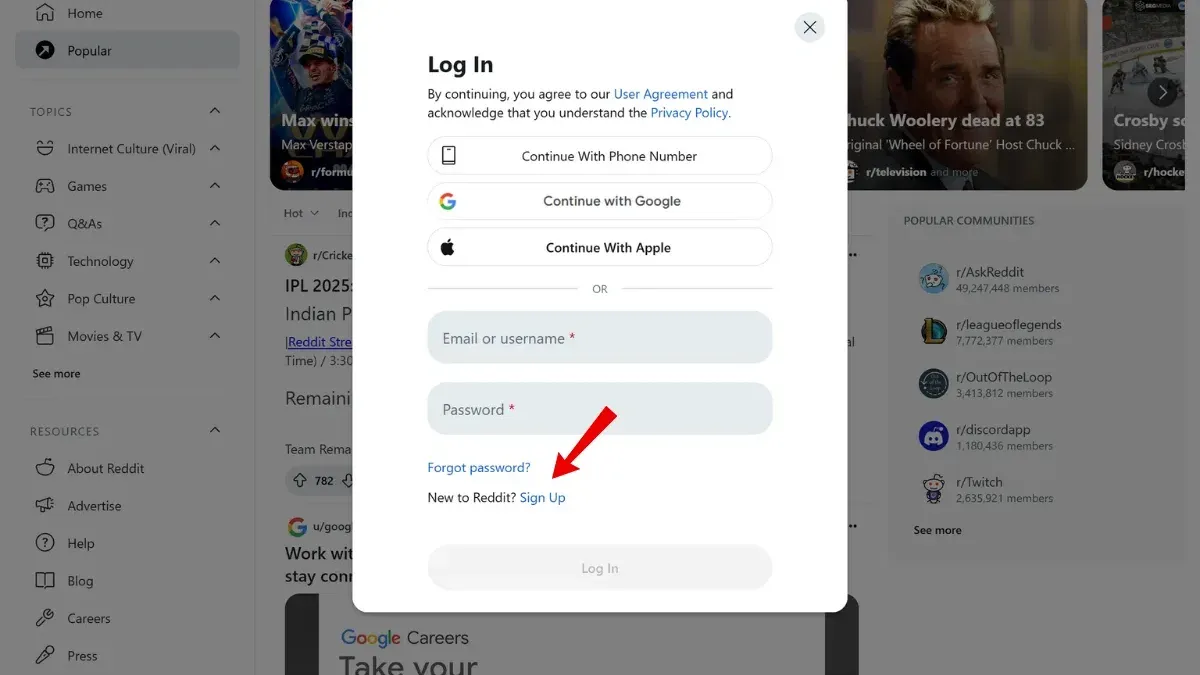
- Open the official Reddit website at https://www.reddit.com or launch the Reddit app on a mobile device. The homepage or app landing screen will appear, showing options to log in or sign up.
- Click or tap the "Log In" button, usually located at the top right on the website or on the welcome screen in the app. A login form requesting credentials will appear.
- Enter the Reddit username or email address and the associated password into their respective fields. Selecting "Continue" or "Log In" submits the credentials. Successful login directs to the Reddit homepage or user feed.
- Alternatively, choose a social login option such as Google or Apple, if available, to authenticate via a linked account. This bypasses entering a Reddit-specific password and redirects after authentication.
- To increase account security, set up two-factor authentication (2FA) by accessing "User Settings" > "Privacy & Security" > "Two-Factor Authentication." Follow prompts to link an authenticator app or receive SMS codes. A successful setup shows a confirmation and backup codes.
- If login fails due to a forgotten password, use the "Forgot Password?" link on the login screen. Enter the registered email address to receive a password reset link. Follow the link to create a new password and then log in with updated credentials.
Tip: Enabling 2FA provides an extra layer of protection, especially when using public or shared devices.
How to view Reddit without logging in
Users can access most Reddit content without an account by visiting the site through any web browser. Public subreddits and posts are visible and can be browsed freely, making Reddit accessible for casual reading or research. However, certain features such as posting, commenting, or voting require login credentials and are unavailable to logged-out users.
Using private browsing or incognito mode allows anonymous viewing without storing cookies or login sessions. This method is useful for users who want to avoid tracking or don’t want their browsing saved locally. Keep in mind that some content may be restricted based on Reddit’s NSFW filters, which are automatically applied and cannot be manually adjusted without logging in.
Additionally, some subreddits may be set to private or banned, and these will not be accessible without membership or permissions. Compared to logged-in users, those browsing without an account experience limited interaction options and cannot customize their feed or save posts.
- Open a web browser and navigate to reddit.com. The homepage with popular posts should appear.
- Browse subreddits by entering their URLs directly or using the search function; posts and comments will be visible but without interaction options.
- To maintain anonymity, open the browser’s menu and select “New Incognito Window” or “Private Window” before navigating to Reddit.
- Note any NSFW content will be blurred or hidden, and private subreddits will show access restrictions.
Tip: Use incognito mode for temporary, anonymous browsing that leaves no cookies or login data behind.
How to find a Reddit user
Locating a Reddit user begins with Reddit’s internal search bar. Enter the exact username preceded by "u/" (e.g., "u/exampleuser") to filter results. When successful, the user’s profile will appear at the top of the search results. If the username is common, additional posts or comments by users with similar names may show, requiring careful selection.
Another method involves direct profile URL access. Typing "reddit.com/user/username" into the browser’s address bar leads directly to the user’s profile page if the username exists. For example, "reddit.com/user/exampleuser" will open that user’s page, showing their posts, comments, and karma summary, unless their profile is private.
Third-party user search tools and directories provide an alternative to Reddit’s native search. These tools often index user activity and can reveal accounts that might be harder to find via Reddit’s search bar, especially if the username is atypical or partially remembered. However, these tools rely on publicly available information and may not display users with strict privacy settings.
Privacy settings affect profile visibility. Users can set their profiles to private, limiting what others can see. In such cases, the profile may appear in search results but show minimal or no content. Understanding these limitations helps manage expectations when searching for other users.
- Go to Reddit’s homepage and locate the search bar at the top.
- Type "u/" followed by the exact username and press Enter; the user’s profile should appear if it exists.
- If step 2 fails, enter "reddit.com/user/username" directly into the browser’s address bar; a profile page confirms the user’s existence.
- Use a reputable third-party Reddit user search tool by entering the username; review any available public data.
- Note if the profile shows limited information, indicating privacy restrictions.
Tip: Exact username spelling is critical; even small variations prevent successful searches.
How to see my activity on Reddit
Access the user profile page by clicking the avatar icon in the top-right corner and selecting "Profile" from the dropdown. The profile displays several tabs: Overview, Posts, and Comments. These tabs organize all visible user activity in one place.
- Click the Overview tab to view a combined list of posts and comments. This tab provides a chronological feed of all public interactions.
- Switch to the Posts tab to see only the submitted posts. Each entry shows the title, subreddit, score, and timestamp.
- Go to the Comments tab to review all comments made. Comments are listed with context, including the parent post and subreddit.
Reddit does not show voting history publicly or privately, and deleted posts or comments will not appear in the profile. Votes remain anonymous by design. For deeper analysis of activity trends, third-party tools exist but should be used cautiously due to privacy and security risks.
Tip: Regularly checking the Overview tab ensures all recent activity is monitored, including any unexpected posts or comments.
Troubleshooting common issues when checking login sessions or accessing Reddit
If no active sessions appear despite being logged in, first refresh the page or restart the app to rule out temporary glitches. Clearing cache and cookies or trying another browser can resolve display issues. If the problem persists, ensure the account is fully authenticated; incomplete login processes can prevent session data from showing.
Account lockouts or password reset failures often show error messages like "Incorrect password" or "Reset link expired." To resolve, request a new password reset email via the login page and follow the link promptly. Check spam folders for reset emails. If two-factor authentication blocks access, use backup codes or disable 2FA temporarily through account recovery options.
IP address inaccuracies or VPN interference can cause unusual session data or block access. Disable VPNs or proxies and reconnect to a stable network. If login activity seems inconsistent, verify the device time and location settings, as Reddit may flag mismatches as suspicious.
Contact Reddit support when problems persist after troubleshooting, especially for unresolved security concerns like suspected account breaches or inability to regain access. Use the "Help Center" or "Contact Us" links on Reddit’s site, providing detailed descriptions and error messages to expedite assistance.
Frequently asked questions
How to get on reddit?
Getting on Reddit requires creating an account via the Reddit website or app. Visit reddit.com or download the official app, then select "Sign Up" to register using an email address or third-party account like Google or Apple. After completing the registration and verifying the email, the account is ready for use.
How to access reddit?
Access Reddit by opening the Reddit website or launching the Reddit app on a device. Logging in with a username and password grants access to personalized content and settings. Without logging in, Reddit can still be browsed but with limited features.
How to see where you are logged in on reddit?
To view active login sessions, open Reddit and go to User Settings > Security > Active Sessions. This page lists devices, locations, and login times where the account is currently logged in. From here, sessions can be reviewed and logged out individually for security.
How to access reddit without logging in?
Reddit allows browsing without an account by visiting the website or using the app without signing in. However, posting, commenting, and subscribing require login. Anonymous access lets users read posts and comments freely.
How to see reddit login history
Reddit does not provide a detailed login history beyond current active sessions. The Active Sessions page shows recent logins tied to devices and locations but does not archive past login times extensively. For thorough tracking, external account activity monitoring tools are necessary.
What this advice does not cover
Reddit does not provide a comprehensive login history log. The session data visible through account settings is limited to current active sessions and email alerts about new logins. Users cannot access a full detailed record of past login locations or times beyond what is actively shown. For concerns about unauthorized access or detailed account activity logs, contacting Reddit support or using third-party security monitoring tools may be necessary.
Tip: Regularly reviewing active sessions and enabling two-factor authentication enhances account security more effectively than relying on limited login history data.
To maintain account security, the single most useful next step is to routinely check the active login sessions found under User Settings > Account > Active Sessions, and promptly revoke any unfamiliar devices. This ensures immediate control over where the account is accessible and helps prevent unauthorized access.
See also: How to See Where You're Logged Into Quora: Step-by-Step Guide · How to See Where You're Logged Into Pinterest: A Clear Step-by-Step Guide · How to See Where You're Logged Into Messenger: Step-by-Step Guide