How to Respond When a Shopify Account Is Hacked
Discover essential steps to recover and secure your Shopify account after a hack to prevent further damage and protect your business.


Store owners face risks including unauthorized financial transactions, altered staff permissions, and data theft. The real threat escalates when attackers modify payment settings or install malicious apps, actions that can disrupt business and damage customer trust.
This security measure adds a crucial barrier that hackers must overcome to access funds, but it does not prevent all breaches.
Proper response involves swift password resets, removal of unauthorized passkeys, and thorough audits of account settings and permissions.
Every limit and setting name below comes from Shopify Help Center, ROIhacks.com, Proactivo Commerce (full list at the end), as of November 2026.
What happens when a Shopify account is hacked
When a Shopify account is compromised, attackers immediately aim to lock the legitimate owner out. They typically change the store password and the email address linked to the account. This blocks normal access and hinders recovery attempts.
Fraudsters change bank or payment details within Shopify Payments to channel funds into their accounts. Since Shopify requires two-step authentication for payment gateways, attackers often target these settings early to bypass security. Additionally, malicious apps may be installed through the app store or directly via the admin panel. These apps can siphon customer data, disrupt store operations, or inject harmful code.
Attackers download email lists, addresses, and order histories for phishing, identity theft, or resale. One example shows a hacked store where the attacker first changed the primary email, then added a staff account with full permissions before installing a data-stealing app. By the time the owner detected the breach, payouts were rerouted and customer records extracted.
Immediate recovery must begin with password changes on both Shopify and the associated email account. Unknown passkeys and unused staff accounts must be removed. Activating or resetting two-step authentication is critical before inspecting financial and staff settings. Skipping or reversing this order risks attackers regaining control or continuing unauthorized transactions. This sequence is essential to contain damage and reclaim the store safely. More details.
Can a Shopify store be hacked through the platform itself?
Attackers targeted vulnerabilities in third-party apps installed on individual stores to redirect shoppers to fraudulent checkout pages. This means the Shopify backend, infrastructure, and native features remained secure throughout the attack.
Customers who entered card details directly on these manipulated checkout pages were vulnerable.
If that app was compromised, visitors entering payment information there could have their data intercepted. Meanwhile, stores not using the affected apps or customers paying through Shopify’s integrated payment gateways remained unaffected.
Owners should audit installed third-party apps regularly and remove any that lack recent updates or come from unverified developers. This reduces the risk that app vulnerabilities could become entry points for attackers, as Shopify’s own platform security cannot be assumed to cover external code.
In summary, the platform itself provides a secure foundation; breaches arise when external apps with weak security are exploited. Focusing on app integrity and cautious app management is essential to prevent similar attacks.
Was Shopify hacked in the past and what were the causes?
Shopify's core platform has remained secure against direct breaches. However, third-party apps integrated with Shopify stores have exposed vulnerabilities leading to significant security incidents. The app suffered a major breach due to an unsecured backend server, which leaked sensitive data including admin credentials and Facebook ad tokens for hundreds of stores.
This event underscores the risk inherent in integrating external apps without thorough security vetting.
Store owners should understand that even though Shopify enforces strong platform protections, the security of the entire store environment depends on every connected component. Third-party apps can become entry points if their servers or APIs are not properly secured.
How to check if a Shopify account has been hacked
Detecting a Shopify account breach requires a precise review of specific settings and records. Start by verifying whether the store password or registered email has changed unexpectedly, as attackers often alter these to block owner access. Next, inspect the staff accounts under Settings → Users and Permissions. Look for unknown or unauthorized staff members who might have been added to maintain access or conduct malicious actions.
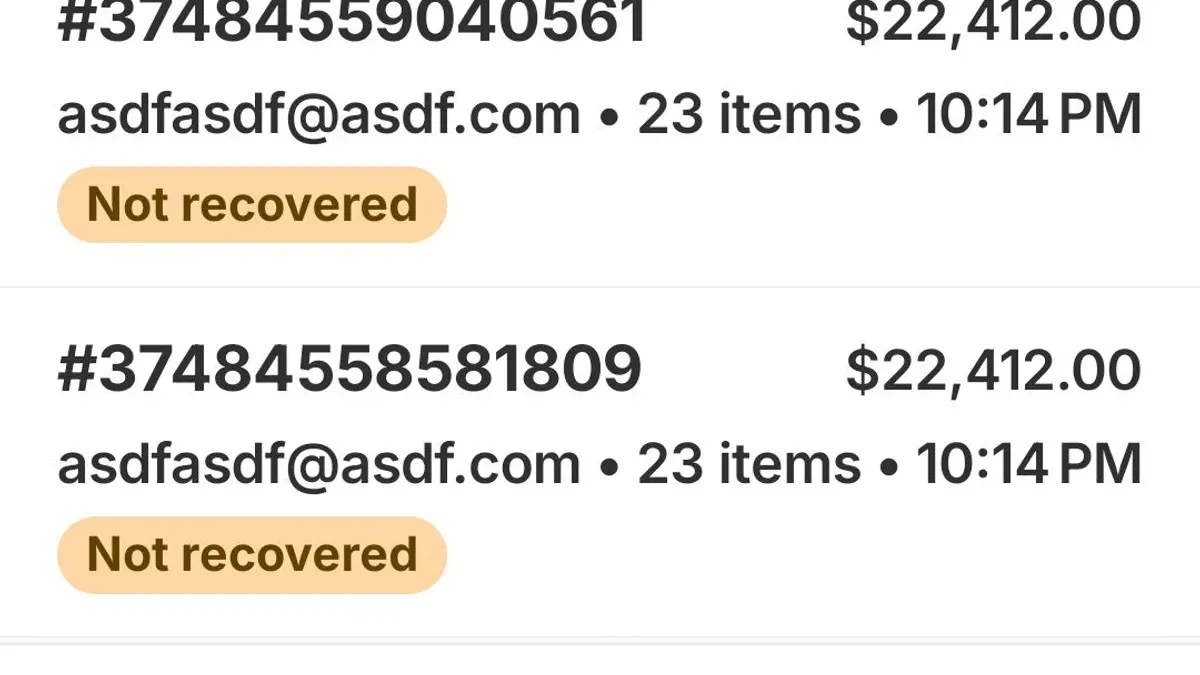
Check the installed apps by navigating to Apps → Installed apps. Attackers frequently install unauthorized or malicious apps to extract data or interfere with store operations. Removing any unfamiliar app is critical to regaining control. Additionally, review payout and payment settings for any suspicious modifications, such as rerouted payments or altered gateway details, which can lead to financial loss.
These alerts should never be ignored as they may indicate an ongoing or recent compromise. For instance, spotting a new staff account named “Admin Support” that was not created by the store owner is a red flag. Such accounts can be used to change settings stealthily, export customer data, or manipulate orders.
- Confirm no password or email changes were made without authorization.
- Review Settings → Users and Permissions → Staff accounts for unknown users.
- Audit Apps → Installed apps for unauthorized additions.
- Verify payout and payment settings remain unchanged.
- Respond promptly to Shopify’s risk or fraud alerts.
Failing to remove suspicious staff accounts allows attackers to maintain access, undermining recovery efforts. Regularly performing this checklist helps detect compromises early and limits damage from unauthorized access. Common attacker actions post-breach illustrate these points clearly.
How to recover a hacked Shopify account: step-by-step
Begin recovery by changing both the Shopify account password and the associated email password immediately. This step cuts off attackers’ ongoing access. Next, remove any unknown passkeys and reset the two-step authentication from Settings → Security → Two-step authentication. Failing to do this early leaves the account vulnerable despite password changes.
Then, proceed to Settings → Users and Permissions → Staff accounts to review and delete any unauthorized staff users. Avoid sharing the Shopify password with staff; instead, create unique staff accounts to limit risk. After that, verify payment settings at Settings → Payments → Shopify Payments setup. Because Shopify Payments requires two-step authentication, ensure it is intact to prevent payout redirection.
Inspect installed apps under Apps → Installed apps. Remove any suspicious or unknown apps that attackers could exploit or use to maintain backdoor access. Next, audit theme code via Online Store → Themes → Edit code for unauthorized modifications, which can inject malicious scripts or hidden redirects.
Finally, don’t overlook connected services such as the account’s email provider and domain registrar. Attackers often compromise these to regain access or manipulate store operations. Securing these external accounts is essential to complete recovery and prevent repeated breaches.
This order matters: changing passwords first disables immediate attacker access; resetting two-step authentication prevents bypass; cleaning staff accounts and apps removes unauthorized users and tools; then auditing themes and external services seals all remaining vulnerabilities. Skipping or reordering these steps risks persistent compromise or payment theft. A comprehensive recovery guide details these steps precisely.
Why reusing passwords and sharing login credentials increase risk
Reusing passwords or relying on weak variations across different accounts is a critical vulnerability. If attackers compromise one set of credentials elsewhere, they can quickly regain access to a Shopify account by trying the same or similar passwords. This makes the initial breach only the first step in a prolonged attack, allowing adversaries to repeatedly infiltrate the store.
Sharing a Shopify password among team members instead of creating separate staff accounts reduces accountability and weakens security. Unique staff accounts provide clear tracking of actions and can be individually disabled if compromised. When everyone uses the same login, it’s impossible to identify who caused a security breach or to revoke access for a single user, allowing attackers to maintain persistent entry points unnoticed.
Leaving unknown or unauthorized staff accounts active compounds these risks. Such accounts serve as hidden backdoors for attackers to continue operations even after passwords are changed or main credentials are secured. Regular audits of all staff accounts are essential to remove any unauthorized users and block ongoing unauthorized access.
Phishing emails targeting Shopify users often contain malicious links or attachments that can infect devices with malware or steal login credentials. Clicking these links or opening attachments is a common way attackers gain initial entry. Vigilance against phishing attempts is necessary to prevent credential theft and subsequent store compromise.
For instance, a store owner sharing one password with staff found that after a breach elsewhere, attackers used the same password to log in, then added unauthorized staff accounts. Because the shared password was reused, removing one point of entry failed to secure the account fully until all unknown accounts were deleted and fresh credentials were established.
- Never reuse passwords across platforms.
- Create unique staff accounts with individual credentials.
- Regularly review and remove unauthorized staff accounts.
- Do not click suspicious links or attachments in emails.
How to strengthen Shopify account security against hacking
This requirement adds a critical layer of protection by demanding a second verification step during login. To set this up, navigate to Settings → Security → Two-step authentication in the Shopify admin panel. Activating this feature reduces the risk of unauthorized access even if a password is compromised.
Authenticator apps generate time-based one-time passwords locally, eliminating vulnerabilities associated with SMS interception or SIM swapping. Popular authenticator apps include Google Authenticator and Authy.
Passkeys provide an even more secure alternative to passwords and code-based authentication. These use device-level biometric or PIN authentication, such as fingerprint or face recognition, to log in without entering a password. Passkeys are phishing-resistant and simplify login while boosting protection.
Never share the primary Shopify login credentials. Instead, create individual staff accounts and assign only the permissions necessary for each role. This practice limits the damage potential in case a staff member’s credentials are compromised and aligns with Shopify Support’s policy of never requesting passwords.
Confirm that emails come from official Shopify domains before clicking any links or entering credentials. Attackers often mimic Shopify communications to steal login details. A concrete example: a store owner receives an email claiming to be from Shopify Support asking to reset the password through a provided link. Verifying the domain and using direct login to Shopify’s admin panel instead of the link avoids credential theft.
- Activate two-step authentication: Settings → Security → Two-step authentication
- Prefer authenticator apps over SMS for multi-factor authentication
- Use passkeys for phishing-resistant login
- Create individual staff accounts with minimal permissions
- Verify Shopify emails come from official domains before acting
Can you have multiple Shopify accounts and how does it affect security?
Each account functions independently, with its own login credentials and security settings. Managing several accounts means setting up two-step authentication separately for each, doubling the security tasks and potential vulnerabilities if not handled carefully.
Shopify explicitly advises against sharing passwords with anyone, including staff. Instead, the recommended approach is to create individual staff accounts with distinct credentials and permissions. This practice limits exposure and maintains accountability, making it easier to track changes and isolate breaches.
For example, a store owner managing two Shopify accounts for different brands should ensure each has its own two-step authentication enabled and distinct staff accounts. If one account is compromised due to shared credentials, the other remains protected. Conversely, sharing passwords across accounts or users creates a domino effect where a single breach can spread widely.
Without strict adherence to security protocols, the risk of overlooked settings, outdated passwords, or unauthorized access rises. Regular audits of staff accounts and authentication methods for each Shopify account are necessary to maintain strong security.
- Create separate staff accounts for each Shopify store instead of sharing login information.
- Enable two-step authentication on every account independently.
- Regularly review and remove unused or suspicious staff accounts.
Following these practices ensures that managing multiple Shopify accounts does not multiply security risks unnecessarily but rather keeps control clear and incidents contained. This approach aligns with Shopify’s security best practices and reduces the chance of compromise through credential sharing or mismanagement. Source.
Shopify Account Security Recovery Checklist
References
- Account security best practices — Shopify Help Center
- How To Secure A Shopify Account After Being Hacked: A 2026 Recovery And Prevention Guide - ROIhacks.com — ROIhacks.com
- Was Shopify Hacked? The October 2026 Checkout Hijack — Proactivo Commerce
- Consentik Breach Exposes Hundreds of Shopify Stores to Admin Takeovers and Data Theft - Security Spotlight — Daily Security Review
- Protect your account against phishing, vishing, and smishing — Shopify Help Center
See also: How to Identify, Respond to, and Recover from a PayPal Account Hack · How to Recover and Secure a Hacked SHEIN Account · How to Detect, Respond to, and Prevent an eBay Account Hack · How to Respond When Your KuCoin Account Is Hacked