How to Recover and Secure Your Temu Account After a Hack
Discover effective steps to recover your Temu account hacked and secure it against future unauthorized access quickly and safely.

If you search for "Temu account hacked," you’ll find many users stuck at this step, unable to regain access through normal means.
This method accounts for about one third of account takeovers, making reused passwords a critical risk factor.
Temu provides no official phone or email support for account recovery. Instead, you must use the app’s chat, website chat, or verified social media channels to get help.
What you need to know at a glance
- Changing email or phone on Temu blocks normal password resets; use Temu’s special recovery flow.
- Temu customer service is only reachable through app chat, website chat, or verified social media DMs.
- Immediate steps after suspected hacking include changing passwords, signing out other sessions, and removing unknown linked apps.
Settings, menu paths and limits here were checked against PersProtect, wikiHow, BleepingComputer in November 2026.
Why Temu accounts are vulnerable to credential stuffing attacks
This happens because users often reuse the same password across multiple sites, including Temu.
When a password leaks from one platform, attackers test it on Temu accounts tied to the same email address. If you use the same password on Temu as on a breached site, your account becomes an easy target. For instance, if a hacker obtains passwords from a hacked social media site where you use the same credentials as Temu, they can try those credentials on Temu and take over your account.
This risk grows significantly with password reuse. Each leaked password from other sites becomes a key for attackers to attempt entry on Temu accounts automatically.
Learn more about Temu account takeovers
How to regain access if you can still log into your Temu account
Start by changing your password to a long, unique one that you have never used before. This blocks further unauthorized access with old credentials.
Next, sign out all other sessions to disconnect any devices the attacker might be using. On the Temu mobile app or website, go to Account Settings → Security Settings and select Sign out all other sessions. This step ensures no lingering access remains elsewhere.
Then, verify and update your recovery email and phone number. Attackers often change these to intercept reset codes. Confirm they are correct and belong solely to you.
Check for any linked third-party apps or devices you do not recognize. Removing unknown links prevents attackers from maintaining indirect access.
Finally, activate two-factor authentication. This adds a second verification step beyond your password, greatly reducing the risk of further takeover attempts. Each login will require a code from your phone, making unauthorized entry much harder.
Then confirm recovery data and enable two-factor authentication to fortify your account.
Taking these steps promptly locks down your Temu account and stops attackers from continuing their control. Follow the path Account Settings → Security Settings carefully to complete this process.
More details on these recovery steps
What to do if you are locked out because the attacker changed your email or phone number
This happens because reset instructions are sent to the attacker’s contact details, not yours, effectively locking you out.
In this situation, attempting to reset your password only helps the attacker maintain control. Instead, you must use Temu’s dedicated account recovery flow designed specifically for these cases.
This special recovery process requires you to verify your identity through original signup information, previously used passwords, linked devices, or by submitting government-issued ID with a selfie. These steps ensure that only the rightful owner can regain access, even when email and phone contacts have been altered.
For example, if you notice that password reset emails are going to an unfamiliar email address or phone number, do not proceed with the reset. Instead, start the Temu recovery flow, which will prompt you to supply details such as your original signup email, device information, or identity documents to confirm your ownership.
Follow the instructions carefully to reclaim your account securely without exposing recovery data to the hacker.
Use Temu’s dedicated recovery flow rather than the normal password reset if you find yourself locked out due to changed email or phone details. This approach is the only effective way to regain control when contact information has been compromised. Learn more here.
How to contact Temu customer service when your account is hacked
To contact support through the Temu mobile app, tap the You icon on the bottom bar, then tap the headphones icon in the top right corner, and select Contact Us. This opens a chat window where you can explain your issue directly to Temu’s support team.
If you prefer using a web browser, sign in to your Temu account on their website, then navigate to the Support link in the top menu. From there, choose Chat with Temu to start a live chat session. This method requires you to be signed in for access.
Alternatively, you can send direct messages to Temu’s verified social media accounts. The official handles include @shoptemu on X (Twitter) and Facebook, and @temu on Instagram, TikTok, and YouTube. These platforms can offer additional ways to report issues or get guidance, especially if chat options are temporarily unavailable.
Unofficial contacts are not guaranteed to connect you with legitimate support and may lead to scams or delays in resolving your account problems.
For example, if you notice suspicious orders or cannot log in, open the app, tap You at the bottom, then the headphones icon, and choose Contact Us. This ensures your request goes directly to Temu’s authorized support team and speeds up your recovery process.
What to do about fraudulent orders, unknown payment methods, and attacker-added delivery addresses
Attackers who gain control of your Temu account often place unauthorized orders or add unfamiliar delivery addresses to reship goods without your knowledge. This misuse can include bulk purchases of cheap items funded by Temu credits earned from games or promotions, which attackers exploit as a low-cost way to acquire merchandise.
Cancel any orders you did not place. Then, check your payment methods and delivery addresses under account settings. Remove any payment methods or addresses you do not recognize to stop further misuse.
Report all suspicious transactions and added payment details through Temu’s official support channels, such as the in-app chat or verified website chat. Avoid using phone or email contact, as Temu does not offer official support via those methods.
If you see unauthorized charges on your linked payment cards, contact your card issuer promptly to dispute those charges. This additional step helps protect you financially beyond the Temu platform.
Without prompt cancellation and removal of these addresses and payment methods, you remain liable for those transactions and the hassle of resolving them.
Taking these steps quickly limits the damage attackers can cause and helps you regain control of your Temu account’s financial activity. For detailed guidance on cancellation and reporting, refer to this resource.
Common pitfalls that worsen Temu account hacks and how to avoid them
Reusing passwords across multiple sites remains one of the most critical mistakes. If a password leaks from another breach, attackers can use it to access your Temu account through automated credential stuffing. Imagine using the same password for your email and Temu; if the email password leaks, your Temu account is at immediate risk.
Clicking on links in fake 'new login' alerts can also jeopardize your account. Attackers send messages mimicking Temu’s login notifications to trick you into entering credentials on phishing sites. This hands over your password and recovery details directly to them, making account takeover much easier.
If your attacker has changed your email or phone number, trying the usual password reset only worsens the situation. Reset links and codes are sent to the attacker’s contact info, blocking your recovery attempts entirely. In this case, only Temu’s specialized recovery process that verifies your identity can restore access.
Ignoring unknown payment methods or delivery addresses added by the attacker allows fraudulent orders to continue. Attackers exploit Temu credits from games or promotions to purchase items and ship them to addresses they control. Cancel unknown payments and remove unfamiliar addresses immediately to prevent further misuse.
Each of these pitfalls directly aids attackers or reduces your chances of recovery. Staying vigilant about these points is essential to protect your Temu account and minimize damage from a hack. More details here.
How to check if you have a Temu account or if your email was involved in breaches
Start by verifying if your email address appears in any known data breaches. Use reliable breach scanner tools online to input your email and see if it has been exposed. If your email shows up, it means your credentials might have been compromised elsewhere, putting your Temu account at risk of unauthorized access.
Next, reduce your exposure to social engineering attacks by removing your personal details from data-broker websites. These brokers collect and sell your information, making it easier for attackers to guess security questions or impersonate you. Follow opt-out guides that cover around 190 data brokers to systematically remove your data and lower this risk.
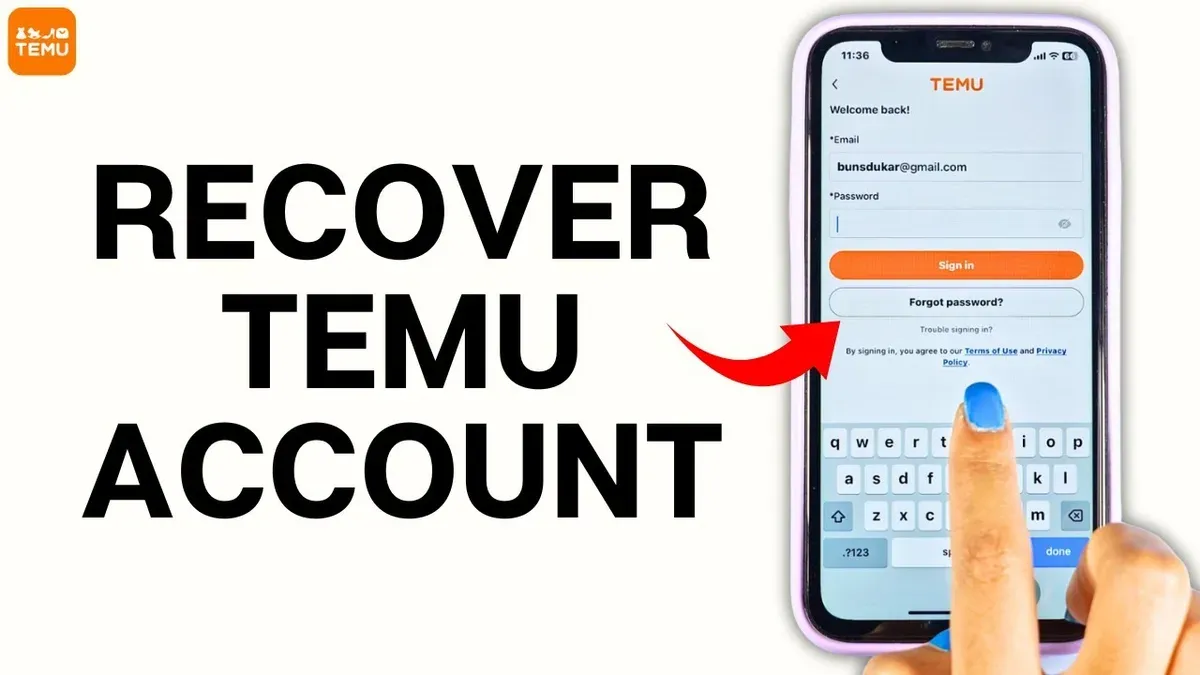
To confirm whether you have a Temu account, visit Temu’s official app or website login pages and attempt to recover your password using your email. If the system recognizes your email, you likely have an account registered. However, be cautious and don’t proceed with password reset links unless you initiated the request, as attackers may attempt to trick you.
If you discover your email has been compromised or you do not recall creating an account, consider setting up a new Temu account with a unique, strong password that you have not used elsewhere. This step helps prevent credential stuffing attacks, which often target reused passwords across multiple sites.
For ongoing protection, regularly check breach scanner services and maintain data-broker opt-outs. This proactive approach helps you stay ahead of potential threats and secures your access to Temu and other online services.
For detailed breach scanning and data-broker removal guides, see this resource.
How to create a new Temu account safely after losing access or deleting old one
Start by registering with an email address that has never been used for Temu or other major services. This eliminates risks linked to reused credentials, which attackers often exploit via credential stuffing.
Create a strong, unique password that you do not use anywhere else online. Avoid passwords that you have used before on any site to prevent attackers from accessing your new account through previously leaked breaches.
Complete the signup process using accurate and current personal information. Providing correct details helps if you need to verify your identity or recover your account later.
Once your account is active, immediately configure all available security features. This includes setting a robust password, verifying your email, and enabling any additional authentication or recovery options Temu offers.
For example, if you create a new account using a unique email like [email protected] and a complex password distinct from previous ones, you reduce the chance an attacker can guess or reuse stolen credentials. Filling out your profile with accurate contact info ensures Temu can confirm your identity if issues arise.
Maintaining these best practices prevents attackers from leveraging old vulnerabilities and strengthens your overall account security from the start. This approach is critical to avoid repeating the same risks that led to your previous account being compromised.
What to do after you have recovered or secured your Temu account
Once you have regained control of your Temu account, staying vigilant is essential to prevent further issues. Begin by regularly checking your order history for unauthorized purchases, unknown payment methods, and delivery addresses added without your consent. Promptly cancel or report any suspicious activity through Temu’s official support channels.
Keep monitoring your email for alerts about unusual activity linked to your Temu account. Fraudsters sometimes use compromised email accounts to initiate account recovery or place orders. If you notice unexpected password reset emails or notifications, act quickly to secure both your email and Temu accounts.
Periodically review your recovery information and linked devices within the Temu app settings. Ensure the email address and phone number are accurate and belong to you. Remove any devices or applications you do not recognize to minimize unauthorized access risks.
Stay informed about security updates, warnings, and policy changes related to Temu. Following verified Temu channels on social media or subscribing to official notifications helps you respond promptly to new threats or recovery tool enhancements.
For example, one week after recovering your account, revisit the settings to confirm no unknown payment methods have reappeared and verify that two-factor authentication remains active. This ongoing maintenance reduces the chance of repeat compromises and keeps your account secure over time.
Regularly using breach scanners for your email and removing personal data from data broker sites further strengthens your defense against social engineering attempts that could target your Temu account.
These steps form a continuous security routine post-recovery. Neglecting them risks losing your account again or facing financial losses through fraudulent orders. More detailed guidance is available to help you maintain control.
After regaining control of your Temu account, revisit your account details within a day to confirm no unauthorized changes remain. Monitor your email and app notifications for any suspicious activity over the following week. Regularly update your password and review linked payment methods to ensure they are accurate and secure. Undo any temporary security measures, like additional verification steps, only once you are confident your account is stable and safe.
Sources checked
- Temu Account Hacked? What to Do Now — PersProtect
- How to Contact Temu Customer Service & Get Help — wikiHow
- Temu denies breach after hacker claims theft of 87 million data records — BleepingComputer