How to Create and Use a Rollback Plan if New Software Fails
This guide explains how to create and use a rollback plan if new software fails, ensuring quick recovery and minimal disruption.

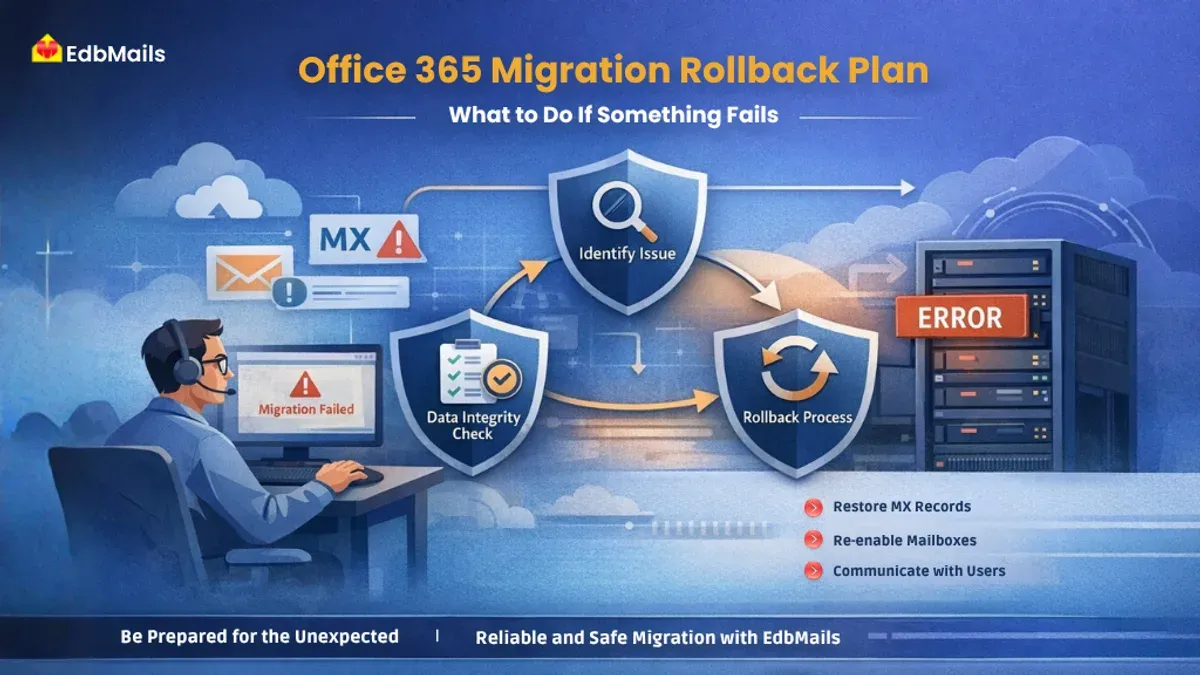
It outlines the exact steps to revert to a stable system state swiftly, minimizing user disruption and operational risk. This plan hinges on thorough pre-deployment testing, verified backups, and clear documentation of the current system state to ensure every rollback step is reliable and repeatable.
Failures often stem from unclear rollback triggers, missing backup artifacts, or undocumented procedures, leaving teams scrambling when speed and precision matter most. Deployment models vary widely—from manual rollbacks prone to human error to automated CI/CD tools like GitHub Actions that revert changes instantly, or advanced blue-green and canary deployments that switch traffic without downtime.
It provides a detailed comparison of rollback strategies and a clear, actionable sequence to guide your rollback process effectively.
Checked in November 2026 against Manifestly, AgileSeekers; details like these change, so the date matters.
What is rollback plan
It serves as a safeguard in software deployment, ensuring that disruptions are minimized and normal operations resume quickly.
Communication must be structured, with real-time coordination through collaboration tools, status updates to users, and thorough documentation of the incident for later analysis.
Imagine deploying a software update to a production server; if the new version causes outages, having backups and a documented procedure lets you quickly revert to the last stable version, keeping downtime short and users informed.
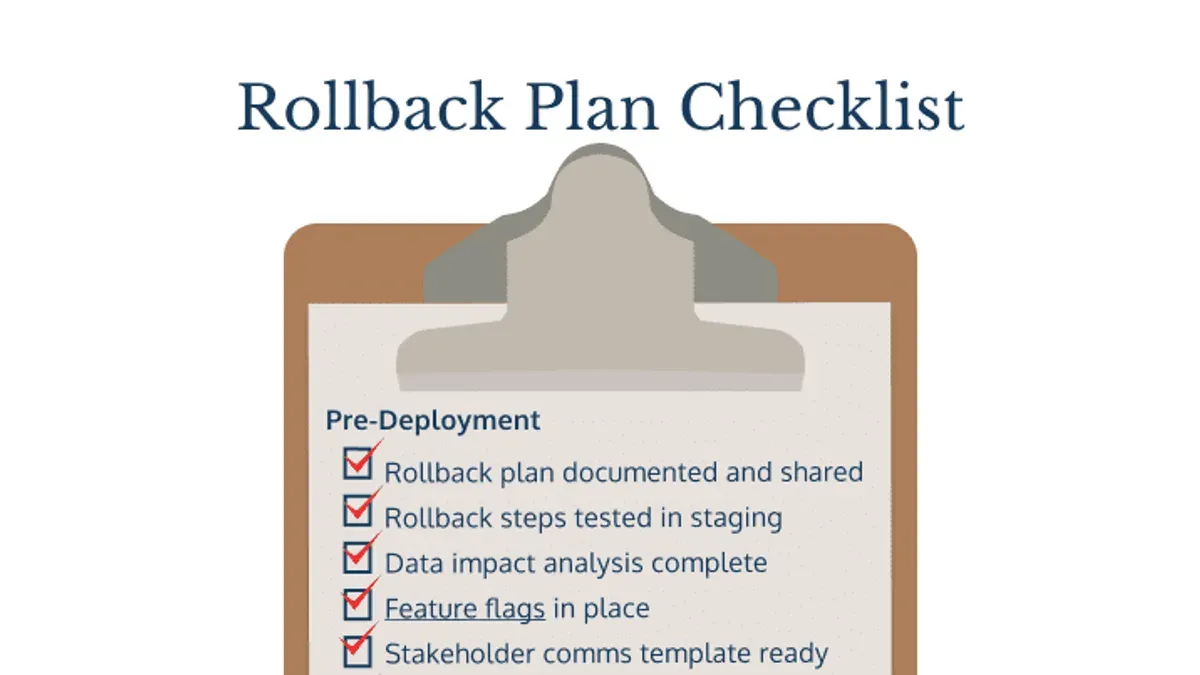
This checklist of backup, documentation, communication, monitoring, logging, and verification forms the backbone of rollback planning and is critical for any deployment strategy to succeed.See rollback plan checklist.
How to do a system rollback
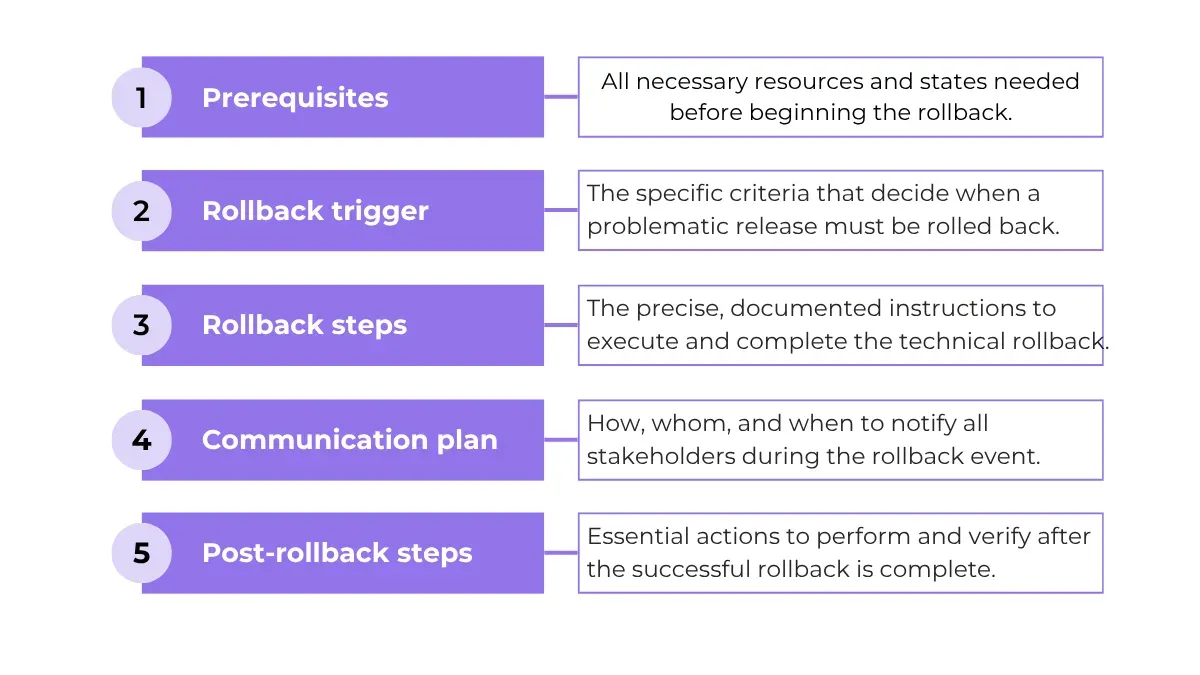
Complete all relevant testing stages—unit, integration, system, acceptance, and load tests—to confirm the update’s readiness. Then back up critical data and system states with integrity checks to enable restoration if needed. Document the exact system configuration before applying changes.
Communication must include clear status updates to users and real-time coordination among your team to avoid confusion. Follow your documented rollback steps precisely; skipping or reordering steps can cause data loss or incomplete restoration.
Log all changes made during rollback and document the incident comprehensively for future reviews. A common failure is unclear rollback triggers causing hesitation—define these triggers in advance to act decisively. For example, if a new update causes service outages, you must notify your team and users promptly, roll back to the last known stable state, then confirm full functionality before resuming normal operations.
Comprehensive rollback checklists emphasize the importance of order and communication in avoiding failure.
How to rollback an update
Manual rollback is slow and prone to errors, making it risky when speed and precision matter. Automated rollback triggered by CI/CD systems like GitHub Actions or Jenkins offers faster recovery by detecting failures through monitoring tools and reverting changes immediately.
Advanced models like blue-green deployment maintain two identical environments, allowing you to switch user traffic back to the stable version instantly. Canary releases deploy updates to a subset of users, limiting impact and enabling partial rollback without affecting everyone. Feature flags let you toggle features on or off without redeploying, offering near-instant rollback capability.
Database rollbacks require special handling with migration tools such as Flyway or Liquibase, which manage schema changes safely and avoid data loss through forward-compatible scripts.
| Rollback Method | Pros | Cons | Typical Use Case |
|---|---|---|---|
| Manual | Simple to start | Slow, error-prone, high downtime | Small-scale or emergency fix |
| Automated CI/CD (GitHub Actions, Jenkins) | Fast, consistent, integrates with monitoring | Requires setup and testing | Frequent deployments with monitoring |
| Blue-Green Deployment | Instant switch, low risk | Higher infrastructure cost | Critical systems needing zero downtime |
| Canary Releases | Limits impact, tests in production | Complex traffic management | Gradual rollout for new features |
| Feature Flags (LaunchDarkly, Split.io) | Instant rollback without redeploy | Flag management overhead | Feature toggling, A/B testing |
In contrast, manual rollback would take more time and increase risk of error.
What is windows rollback
It typically uses restore points or keeps the previous version of the OS to revert changes.
Another frequent issue is rollback triggers not activating automatically, leaving the system stuck in a failed update state.
This targeted approach minimizes downtime but requires the update to be identified as a known issue by Microsoft. For example, if a security update breaks a feature, Microsoft may push a known issue rollback that disables only that update component, rather than reverting the entire system.
If rollback fails, check disk space and system logs for errors. Automated rollback in Windows is less flexible than CI/CD rollback tools, so pre-deployment testing and backup remain critical.
Common mistakes that undermine rollback success
Not defining clear rollback triggers often causes hesitation or premature decisions when problems arise. Without explicit criteria—such as specific error rates or performance drops—you risk delaying rollback or acting too soon, both harming system stability.
Lack of documented rollback procedures creates confusion under pressure. If you do not have step-by-step instructions detailing rollback commands, artifact locations, and verification steps, your team can waste critical time figuring out what to do, increasing downtime.
Insufficient backup or artifact storage is a major roadblock. Without reliable storage of previous stable versions, rollback is impossible. For example, failing to archive deployment packages or database snapshots prevents restoring to a known good state.
Ignoring communication and monitoring during rollback execution further undermines success. Keeping stakeholders informed and tracking rollback progress helps detect issues early and coordinate responses effectively.
Imagine a deployment team facing a failed update with no clear rollback trigger defined. Hesitation ensues while errors escalate. Simultaneously, team members scramble because rollback steps were undocumented, and backups are incomplete. This scenario leads to extended outages that could have been avoided by addressing these common pitfalls.
Address these errors proactively to ensure your rollback plan is reliable and effective. More details
Deciding which rollback strategy fits your deployment
Choosing the right rollback strategy depends on your deployment environment and goals. If minimizing user impact and downtime is critical, opt for blue-green deployment or canary releases. These methods limit exposure by switching traffic between environments or rolling out changes to a subset of users, allowing quick recovery with minimal disruption.
When you need instant rollback without redeploying code, feature flags offer a powerful solution. They let you toggle features on or off immediately, avoiding full redeployments and cutting rollback time drastically. This is ideal for fast-paced environments where feature control must be agile.
Manual rollback suits simple or low-risk systems but is slower and prone to errors. It requires careful coordination and can increase downtime, so reserve it for straightforward cases without complex dependencies.
Database rollbacks require specialized handling with rollback scripts or migration tools like Flyway or Liquibase. These tools ensure safe reversal of schema changes and avoid data corruption, which standard application rollback strategies do not cover.
| Your deployment situation | Recommended rollback strategy | Key reason |
|---|---|---|
| You prioritize minimal downtime and user impact | Blue-green deployment or canary releases | Limits rollback blast radius by traffic management |
| You need instant rollback of features without redeployment | Feature flags | Toggle features immediately without code changes |
| Your environment is simple with low risk | Manual rollback | Less complexity but slower and error-prone |
| You must rollback database changes safely | Rollback scripts or migration tools (Flyway, Liquibase) | Handles schema changes distinctly from app code |
For example, if you run a web service that cannot afford extended downtime, deploy updates with canary releases targeting a small user segment. If issues arise, rollback affects only that subset. In contrast, a small internal tool with infrequent usage might only require manual rollback due to its limited complexity.
Match your rollback approach to your deployment’s complexity and impact tolerance to avoid costly mistakes and downtime.
What this article does not cover and when to seek specialized help
In such cases, rollback actions must be meticulously documented and approved to meet legal and industry standards.
Handling complex database rollbacks demands specialized knowledge. When schema changes involve intricate dependencies or large data volumes, you should engage database administrators or migration experts. Tools like Flyway or Liquibase assist safe migration, but their correct use requires skill to avoid data loss or corruption.
For large-scale enterprise deployments, common CI/CD tools and generic rollback scripts might not suffice. Customized automation solutions tailored to your infrastructure and workflows are often necessary. For example, if you maintain multiple interdependent services across distributed environments, a bespoke rollback orchestration system ensures coordinated recovery without service disruption.
Before deployment, thorough testing—including unit, integration, system, acceptance, and load tests—plus backup procedures with data integrity checks are mandatory. If you recognize your situation demands beyond-basic rollback, consulting professionals ensures your plan aligns with operational complexity and compliance needs.
- How to Plan and Run a Pilot Program for New Technology
- How to Create and Use a Timeline in Canva: Complete Implementation Guide
- Canvas Rollout Plan for After-School Programs: Enrollment and Unenrollment Explained
Frequently asked questions
How do I avoid rollbacks when updating software?
To minimize the need for rollbacks, ensure thorough testing of updates in staging environments that mimic production closely. Use gradual rollout strategies like canary releases or feature flags to limit exposure and detect issues early. Maintain full backups and monitor system health continuously during deployment to catch and address problems before a rollback becomes necessary.
What is the difference between a backout plan and a rollback plan?
A rollback plan specifically outlines steps to revert software to a previous stable version after a failed update, while a backout plan is broader and includes all measures to halt or reverse any part of a deployment process if issues arise. The rollback plan is a subset focused on code or configuration reversal, whereas the backout plan may involve stopping services or disabling new features without necessarily reverting code.
How can I test rollback plans to ensure they work?
Testing rollback plans involves simulating failure scenarios in a controlled environment to verify each step executes correctly and restores system stability. Automate rollback procedures where possible within CI/CD pipelines to validate timing and dependencies. Document all outcomes and update plans based on any unexpected behaviors encountered during these drills.
Common mistakes that undermine rollback success
- Skipping backup verification: Failing to verify backups before rollback leads to data loss or partial recovery. Always test backup integrity and restoration capability before initiating rollback.
- Reversing rollback steps order: Performing rollback steps out of sequence can cause system instability or incomplete recovery. Follow the precise order: halt new software services, restore previous version, validate system state, then resume operations.
- Ignoring deployment model specifics: Using a generic rollback approach without considering the deployment type—manual, blue-green, canary, or feature flags—may result in inconsistent states. Tailor rollback procedures to match your deployment model's workflow.
- Overlooking user communication: Neglecting to notify users about rollback actions increases confusion and support tickets. Plan and execute clear communication alongside rollback steps.
- Underestimating automated rollback limits: Relying solely on automated CI/CD rollback without manual checks can miss nuanced failures. Combine automation with manual verification for critical systems.
When to seek specialized rollback support
This article focuses on typical software rollback scenarios and does not cover specialized rollback needs for compliance-heavy or highly customized environments. Complex regulatory requirements or bespoke system architectures often require tailored rollback plans crafted by experienced professionals.
If your deployment involves strict audit trails, encrypted data restoration, or intricate interdependent services, consult experts who can design rollback strategies that meet those demands and ensure compliance.
Pages this guide relies on
- Rollback Plan Checklist — Manifestly
- Handling Rollback Strategies for Failed Product Deployments — AgileSeekers
- Rollback Plan Checklist — Manifestly