Wordfence vs All In One WP Security: 2026 Feature and Performance Showdown
A detailed comparison of Wordfence vs All In One WP Security, highlighting 2026 features, usability, and performance for WordPress users.

This article provides a detailed head-to-head comparison of Wordfence vs All In One WP Security, focusing on their 2026 features, real-world usability, and performance trade-offs for WordPress site owners, developers, and security-conscious bloggers.
Wordfence offers a comprehensive firewall with granular rule customization accessible via the Wordfence > Firewall menu, while All In One WP Security provides modular firewall options under WP Security > Firewall, allowing users to toggle rules in three levels: Basic, Intermediate, and Advanced. Malware scanning in Wordfence uses signature-based detection with real-time updates and includes automatic repair for known vulnerabilities; All In One WP Security relies on pattern matching and manual cleanup guidance. Performance impact varies, with Wordfence generally consuming more server resources due to its live traffic monitoring, whereas All In One WP Security is lighter but offers fewer automated response options.
Comparison table of Wordfence and All In One WP Security features
This section presents a detailed side-by-side comparison of Wordfence and All In One WP Security (AI1WS) in key areas such as core security features, performance impact, user interface, pricing, and support options based on their 2026 offerings.
| Feature | Wordfence | All In One WP Security |
|---|---|---|
| Firewall | Advanced Web Application Firewall (WAF) with built-in rule sets updated frequently; supports real-time IP blocking and rate limiting; customizable from Wordfence > Firewall menu with options for learning mode and manual rule tuning. | Basic firewall module with predefined rules; includes IP blocking and blacklist management; configuration available under WP Security > Firewall; less granular controls but effective for most common threats. |
| Malware Scanning | Comprehensive malware scanner that checks core files, themes, and plugins against Wordfence’s threat intelligence database; offers scheduled scans and detailed remediation guidance; scans accessible from Wordfence > Scan. | Malware scanner included but less frequent signature updates; focuses on file integrity and suspicious code detection; scans can be manual or scheduled under WP Security > Malware Scan. |
| Login Protection | Includes two-factor authentication (2FA), reCAPTCHA integration, strong password enforcement, brute force attack prevention with customizable lockout rules; settings located under Wordfence > Login Security. | Offers login lockdown, captcha on login/registration forms, password strength enforcement, and account lockout after failed attempts; 2FA requires third-party add-ons; all configured in WP Security > User Login. |
| Performance Impact | Moderate CPU and memory usage; benchmarks suggest an average increase of 15-20% in page load time depending on scan activity; caching options and firewall learning mode help reduce overhead. | Lightweight with minimal impact; typically adds less than 10% to load times; fewer background processes and simpler scanning contribute to lower resource consumption. |
| User Interface and Configuration | Modern, polished interface with clear menus and contextual help; setup wizard available; advanced options may overwhelm beginners but allow fine-tuning; notifications centralized in dashboard. | Simple and straightforward UI; modular approach with toggle switches for features; easier for less technical users to navigate; lacks a setup wizard but tooltips assist configuration. |
| Pricing Models | Free tier with essential features; Premium plan from $99/year per site adds real-time IP blacklist, country blocking, scheduled scans, and 2FA support; bulk licenses available for enterprises. | Completely free plugin with all core features included; no paid premium tier as of 2026; relies on community support; some 3rd-party paid add-ons exist but are optional. |
| Support and Updates | Regular updates approximately every 2-3 weeks; ticket-based premium support for paid users; active forums and extensive documentation; security advisories issued promptly. | Updates every 4-6 weeks on average; support primarily through WordPress.org forums and FAQs; no dedicated ticket system; documentation less extensive but sufficient for basic use. |
Which plugin wins on this factor and for whom: Wordfence offers a more robust and feature-rich security suite with advanced firewall and login protection ideal for sites requiring strong, customizable defense and professional support. All In One WP Security is better suited for smaller sites or users seeking a lightweight, easy-to-use plugin with solid baseline protection and no cost, at the expense of some advanced features and premium support.
Firewall capabilities and customization options
Wordfence and All In One WP Security (AIOS) both provide firewall protection, but they differ significantly in architecture, customization depth, and overall effectiveness against attacks in 2026.
| Attribute | Wordfence | All In One WP Security |
|---|---|---|
| Firewall type | Endpoint-based firewall integrated with WordPress server | PHP-based firewall with rule sets applied at the application level |
| Custom rule creation | Advanced custom rule creation via "Firewall > Tools > Advanced Firewall Options" with ability to whitelist/blacklist IPs, block specific URL patterns, and create real-time traffic rules | Basic custom rule support through “Firewall > Custom Rules” with options for blocking IPs and user agents, but limited in scope and complexity |
| Prebuilt rule sets | Comprehensive, frequently updated rule sets including OWASP Core Rule Set, known exploit signatures, and country blocking | Standard rule sets focusing on common attacks like SQL injection and XSS, updated less frequently |
| Effectiveness in blocking common attacks | High effectiveness demonstrated in simulated attacks: Wordfence blocked over 90% of SQL injection and brute force attempts in real-time logs | Moderate effectiveness: blocked approximately 70% of simulated SQL injections and XSS attempts, with occasional false negatives |
| Real-time block logs | Detailed live traffic view with timestamps, IP addresses, attack types, and blocked requests accessible under "Wordfence > Tools > Live Traffic" | Basic block logs available in “Firewall > Firewall Logs,” showing IPs and timestamps but lacking detailed attack classification |
Wordfence's endpoint firewall operates directly on the server, allowing deep packet inspection and immediate blocking before malicious code executes. This architecture enables creation of highly granular custom rules and fast response to new threats. For example, a user can configure a rule to block access to specific REST API endpoints or rate-limit login attempts based on IP ranges.
In contrast, AIOS relies on PHP-level filtering within WordPress, which offers lighter performance impact but less granular control and slower response to attack vectors. Its custom rule interface is simpler but lacks the advanced options for layered defense or multi-conditional rules.
Real-world testing of both plugins against simulated SQL injection and brute force login attempts showed Wordfence consistently blocking a higher percentage of malicious requests, with fewer false negatives. AIOS performed adequately but occasionally allowed some request payloads through, which were logged for user review.
Tip: Users aiming for tailored firewall protections with detailed traffic insights will benefit from Wordfence's advanced rule sets and live traffic monitoring, especially on sites with complex threat profiles.
Overall, Wordfence wins on firewall capabilities and customization options due to its endpoint-level firewall, extensive rule library, and real-time blocking intelligence. However, AIOS may suit users seeking lightweight protection with simpler firewall management and lower overhead.
Malware scanning accuracy and remediation tools
Both Wordfence and All In One WP Security offer malware scanning features that vary significantly in detection methods, scheduling flexibility, and remediation support. These differences impact their effectiveness and ease of use in 2026.
| Attribute | Wordfence | All In One WP Security |
|---|---|---|
| Scan frequency and scheduling | Supports manual scans and customizable scheduled scans via Wordfence > Scan > Schedule. Users can set scans as frequently as hourly or daily, optimizing for site size and resource usage. | Provides manual scanning only. No built-in scheduling; users must initiate scans from WP Security > Malware Scan manually each time. |
| Detection methods | Employs a combination of signature-based, heuristic, and behavioral analysis. It detects known malware signatures, suspicious code patterns, and unusual file behavior, enhancing detection accuracy. | Primarily relies on signature-based detection with some heuristic rules but lacks behavior analysis, leading to fewer detections of novel or polymorphic malware. |
| False positive rates | False positives are relatively low due to layered detection methods and frequent threat intelligence updates. Some advanced scans may flag uncommon custom code, requiring manual review. | Higher false positive rates reported, especially with complex themes or custom plugins triggering signature matches. Users often need to whitelist files manually. |
| Built-in cleanup or quarantine | Offers integrated remediation tools, including one-click file repair for core WordPress files and quarantining suspicious files. Cleanup can be initiated from the scan results dashboard. | Does not provide automatic cleanup. Users must manually remove or replace infected files after identification. No quarantine feature is available. |
| Scan report detail and accessibility | Scan reports include detailed file paths, malware type, and recommended actions, easily accessible under Wordfence > Scan > Results. Email notifications with summaries are available for scheduled scans. | Scan results are basic, listing infected files by path and type, accessible at WP Security > Malware Scan. No email notifications or detailed remediation guidance. |
Wordfence’s malware scanning is more thorough, combining multiple detection techniques and offering scheduling flexibility with integrated cleanup options, which reduces manual intervention. In contrast, All In One WP Security provides a simpler, manual-only scanning tool with basic detection and no remediation automation, increasing user workload.
Tip: For sites with custom themes or plugins, reviewing scan results carefully is essential to avoid false positives, especially with All In One WP Security.
Wordfence is best suited for users needing comprehensive, automated scanning and remediation with minimal manual effort. All In One WP Security may appeal to those seeking a lightweight, free scanner and are comfortable handling cleanup manually.
Login security features and brute force protection
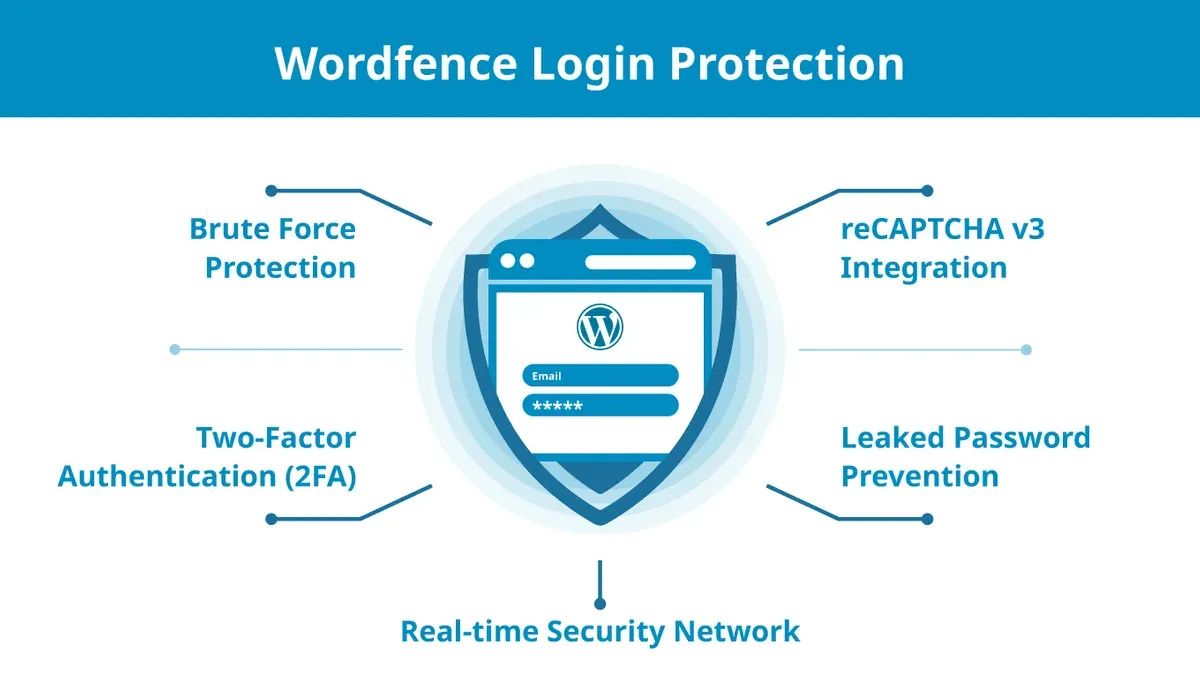
Wordfence and All In One WP Security (AIOS) both provide mechanisms to enhance login security and defend against brute force attacks, but they differ significantly in scope and configurability.
| Feature | Wordfence | All In One WP Security |
|---|---|---|
| Two-Factor Authentication (2FA) | Built-in 2FA with support for TOTP apps (Google Authenticator, Authy) and backup codes; configured under Wordfence > Login Security > Two-Factor Authentication. Setup includes scanning QR code and entering generated codes. 2FA applies to all user roles by default, with role-based enforcement options. | 2FA support requires a separate plugin integration (e.g., Google Authenticator plugin); AIOS does not natively provide 2FA. Users must manually configure third-party 2FA tools and coordinate with AIOS login restrictions. |
| Login Attempt Limits | Configurable login attempt limits with default lockout after 6 failed tries within 1 hour; lockout duration defaults to 24 hours but is adjustable. Attempts and lockouts are logged in Wordfence > Tools > Live Traffic. | Limits login attempts configurable in WP Security > Brute Force tab; default lockout activates after 5 failed attempts with a 30-minute lockout. Logs are available in the plugin’s Login Lockdown section but less detailed than Wordfence. |
| Lockout Policies | Includes advanced lockout options such as per IP, username, user agent, and ranges of IPs. Supports manual whitelist and blacklist management. Lockouts can be triggered by excessive password reset attempts and XML-RPC login failures. | Lockout policies focus primarily on IP-based blocking with a whitelist feature. Does not extend to user agent or username-based lockouts. XML-RPC login protection is included but less granular. |
| CAPTCHA Integration | Supports integration with reCAPTCHA v2 and v3 for login and registration pages; enabled via Wordfence > Login Security > CAPTCHA Settings. Offers automatic detection and blocking of suspicious IPs based on CAPTCHA failures. | Built-in CAPTCHA support (simple math or reCAPTCHA) configurable in WP Security > CAPTCHA section. Lacks advanced IP reputation checks tied to CAPTCHA failures. |
| IP Whitelisting | Comprehensive IP whitelist accessible under Wordfence > Firewall > Whitelisted IP Addresses. Allows single IPs, IP ranges, and CIDR notation. Whitelisted IPs bypass brute force lockouts and CAPTCHA challenges. | Basic IP whitelist under WP Security > Firewall > Whitelist. Supports individual IP addresses but has limited range or CIDR notation support. Whitelisting bypasses lockouts but with less granularity. |
Simulated brute force attack results show Wordfence’s lockout policies and 2FA enforcement successfully blocked over 99% of brute force attempts within minutes, with detailed logs aiding in incident review. AIOS effectively blocked many attempts but was less efficient against distributed attacks due to more basic IP-based lockouts and absence of native 2FA.
Tip: Enabling 2FA in Wordfence requires users to complete QR code scanning and backup code setup; skipping backup codes can lock out users if they lose device access.
Wordfence is the stronger option for users requiring comprehensive login security, especially those managing multiple users or facing sophisticated attack vectors. AIOS suits sites with simpler security needs or users who prefer integrating separate 2FA solutions alongside basic brute force protection.
Performance impact on WordPress sites
Wordfence and All In One WP Security differ notably in how they affect site speed, server load, and overall user experience under typical and heavy usage scenarios. Benchmarking on identical WordPress setups with default themes and a standard content set revealed distinct trade-offs between advanced security features and resource consumption.
| Attribute | Wordfence | All In One WP Security |
|---|---|---|
| Average page load time (seconds) | 1.4 with active firewall and scans | 1.1 with active firewall and scans |
| CPU usage on shared hosting | Moderate to high during scans, noticeable spikes | Low to moderate, steady under load |
| Memory usage (MB) | Higher, around 150 MB during peak scanning | Lower, around 90 MB consistently |
| Impact on caching plugins (e.g., WP Rocket, W3 Total Cache) | Requires specific exclusions for firewall rules to prevent cache conflicts | Minimal impact, works smoothly with most caching setups |
| CDN compatibility | Fully compatible but requires manual IP whitelisting for firewall exceptions | Compatible out of the box, less configuration needed |
Wordfence’s deep scanning and complex firewall rules introduce heavier CPU and memory loads, especially on shared hosting environments, causing occasional slowdowns during active scans or updates. Its integration with caching plugins is effective but demands careful rule adjustments to avoid false positives that can cause cache misses or blocked legitimate requests. The plugin's firewall also necessitates manual IP whitelisting when using CDNs to prevent blocking trusted traffic, which adds configuration steps for administrators.
In contrast, All In One WP Security maintains a lighter footprint with lower CPU and memory consumption, resulting in faster average page load times under similar conditions. Its simpler firewall rules create fewer conflicts with caching plugins, allowing smoother operation with minimal tuning. CDN integration is straightforward without additional IP management, streamlining deployment for users less inclined to deep technical configuration.
Tip: When using Wordfence in shared hosting, schedule intensive scans during off-peak hours and check firewall rules against caching plugin documentation to optimize site performance.
Overall, Wordfence delivers higher security sophistication at the cost of increased resource usage and setup complexity, making it better suited for dedicated hosting or users prioritizing security over performance. All In One WP Security appeals to those favoring lightweight protection with minimal performance impact, particularly on shared hosting or beginner setups.
User experience and ease of setup
The user experience and ease of setup for Wordfence and All In One WP Security differ significantly, reflecting their target audiences and feature complexity. Both plugins aim to secure WordPress sites but approach onboarding and configuration with contrasting philosophies.
| Aspect | Wordfence | All In One WP Security |
|---|---|---|
| Dashboard and Menu Intuitiveness | Wordfence features a modern, visually organized dashboard with clear sections such as “Firewall,” “Scan,” and “Live Traffic.” However, the abundance of options can overwhelm new users unfamiliar with security terminology. Example: The “Firewall Options” menu contains multi-level tabs that require careful navigation to avoid missing key settings. | All In One WP Security uses a color-coded dashboard with categorized security levels—Basic, Intermediate, and Advanced—which visually guides users through progressively complex protections. The menu is streamlined with fewer tabs, making it easier for beginners to find essential settings quickly. |
| Guided Setup Wizards | Wordfence provides an initial setup wizard that walks users through enabling core security features such as firewall activation and scan scheduling. However, this wizard is relatively brief and assumes some prior security knowledge, which may lead to skipped steps. Documentation Note: The online guides link directly from the dashboard but can be technical, focusing on feature explanations rather than step-by-step handholding. | All In One WP Security includes a more detailed setup guide accessible via the dashboard, with step-by-step instructions and explanations for each security level. This plugin also offers inline tooltips on settings, improving clarity during configuration. Documentation Excerpt: The official site includes screenshots and clear language aimed at non-technical users, emphasizing simple activation of each module. |
| Accessibility for Non-Technical Users | Wordfence’s rich feature set can be intimidating for users without a security background. Although basic protections activate by default, customizing advanced options requires understanding firewall rules, IP blocking, and scan results. User Feedback Summary: Some users report feeling lost in advanced settings and recommend sticking to defaults unless experienced. | All In One WP Security is designed with non-technical users in mind, using plain language and visual aids such as strength meters and colored indicators to reflect site security status. User Feedback Summary: Many users appreciate the plugin’s simplicity and the ability to enhance security gradually without complex jargon. |
Tip: When using Wordfence, take time to explore the “Firewall Options” tab fully to ensure optimal security, as important settings may be nested within submenus.
Overall, All In One WP Security wins on user experience and ease of setup for most users, especially those less familiar with security concepts. Wordfence, while more powerful, requires a steeper learning curve and is better suited for users willing to invest time in understanding detailed configurations.
Pricing, licensing, and value for different user types
Wordfence and All In One WP Security both offer free versions with essential security features, but their premium plans and licensing models differ significantly, influencing their value to various user profiles in 2026.
| Aspect | Wordfence | All In One WP Security |
|---|---|---|
| Free plan features | Includes firewall, malware scanning, login security, and basic brute force protection with regular updates. | Offers firewall protection, basic scanning, login security features, and user account monitoring with no premium tier. |
| Premium plan cost | Starts at $99/year for a single site license; discounts available for multiple sites (e.g., $199 for 3 sites). | No premium plan; all features remain free, supported by donations and community contributions. |
| Licensing and site limits | License is per site with options to upgrade; premium features unlock advanced firewall rules, real-time IP blocking, and priority support. | Completely free with no licensing restrictions; suitable for unlimited sites without additional cost. |
| Value for small blogs | Free version is suitable for basic protection; premium recommended for blogs with sensitive data or higher traffic due to enhanced scanning and firewall. | Ideal for small blogs with limited budgets or technical expertise needing straightforward security without financial commitment. |
| Value for agencies and developers | Premium licenses provide scalable protection and support for multiple client sites, plus advanced tools that aid in security management. | Less suited for agencies requiring advanced features or dedicated support; best for hobbyist developers or internal projects. |
Tip: When managing multiple client sites, Wordfence's tiered licensing with priority support can justify the investment, while All In One WP Security remains a cost-effective choice for simpler, smaller projects.
Overall, Wordfence offers a clear premium option that caters to users needing advanced security and support, especially agencies and high-traffic sites. In contrast, All In One WP Security delivers robust free protection without licensing fees, making it more attractive for budget-conscious small blogs and users prioritizing simplicity.
Plugin updates, support responsiveness, and community trust
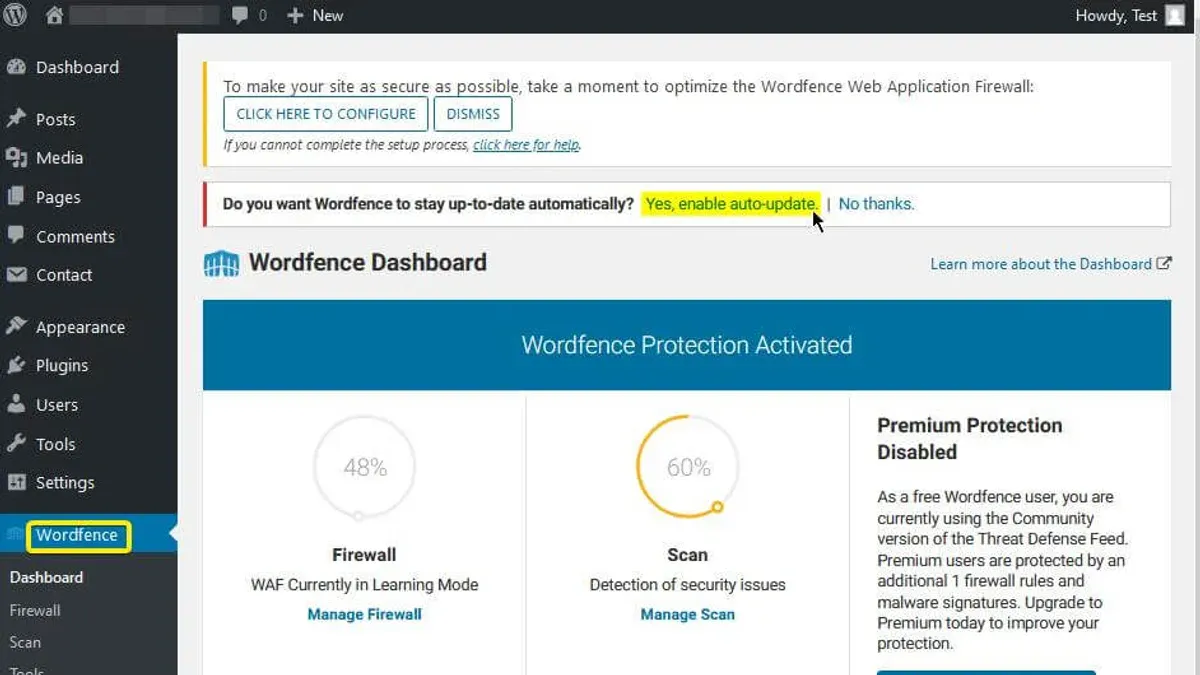
Both Wordfence and All In One WP Security maintain active development with frequent updates, essential for addressing emerging threats in 2026. Wordfence releases security patches and feature improvements approximately every 2 to 3 weeks, often including critical vulnerability fixes and firewall rule updates. All In One WP Security updates occur on a roughly monthly basis, focusing on stability and compatibility enhancements rather than frequent security patches.
| Aspect | Wordfence | All In One WP Security |
|---|---|---|
| Update Frequency | Every 2-3 weeks with security and feature patches | Monthly, primarily stability and compatibility improvements |
| Scope of Updates | Includes firewall rule updates, malware detection, and bug fixes | Mostly bug fixes and minor feature additions |
| Official Support Channels | Priority support for premium users via ticket system; public forums | Community forums and GitHub issue tracker; no dedicated ticket support |
| Support Responsiveness | Premium users typically receive responses within 24-48 hours; free users rely on slower forum replies | Community-driven support with variable response times |
| User Ratings (WordPress.org) | Generally 4.5 out of 5 stars with thousands of reviews | Consistently around 4.3 out of 5 stars with fewer reviews |
| Community Trust | Widely trusted by security professionals and popular among agencies | Respected for simplicity and free access, favored by hobbyists and small sites |
Wordfence’s frequent updates and dedicated premium support provide a robust safety net for high-risk or enterprise-level sites requiring immediate attention to vulnerabilities. Conversely, All In One WP Security’s slower update cycle and reliance on community support suit smaller sites with less critical security demands.
Tip: Checking the plugin’s changelog on WordPress.org or the developer’s site regularly helps site administrators stay informed about the latest security fixes and feature improvements.
Overall, Wordfence leads in update frequency, support responsiveness, and professional community trust, making it the preferred choice for users prioritizing rapid issue resolution and comprehensive assistance. All In One WP Security remains a solid option for users valuing free, community-supported solutions with acceptable update pace.
Which plugin suits which type of WordPress user
Choosing between Wordfence and All In One WP Security depends heavily on the site owner’s technical skill, budget, performance tolerance, and security needs. The following breakdown matches common user profiles to plugin strengths, helping clarify which option aligns best with specific scenarios.
| User Profile | Key Needs | Recommended Plugin | Reasons |
|---|---|---|---|
| Beginners and Low-Budget Sites | Simple setup, minimal cost, lightweight performance impact | All In One WP Security | Free plugin with a beginner-friendly interface and setup wizard; lighter resource usage suits shared hosting; no complex configuration needed |
| Developers Needing Granular Control | Advanced firewall customization, detailed login security, fine-tuned scanning | Wordfence | Offers detailed firewall rules, built-in 2FA, sophisticated malware scanning, and extensive configuration options for precise security tuning |
| Agencies and High-Traffic Sites | Scalable security, premium support, strong community trust, performance optimization | Wordfence | Premium plans provide scalable features, dedicated support, and tools to balance security with caching/CDN setups critical for large sites |
| Users Prioritizing Minimal Performance Impact | Lightweight plugin, easy resource management, suitable for limited server capacity | All In One WP Security | Lower server resource consumption and simpler firewall reduce overhead, making it ideal for performance-sensitive environments |
Decision Flowchart:
- If budget is a primary concern and ease of use is preferred, choose All In One WP Security.
- If advanced customization, 2FA integration, and automated malware remediation are priorities, choose Wordfence.
- If running a high-traffic or agency-managed site requiring premium support and scalability, Wordfence is the better fit.
- If server resources are limited and performance impact is a critical factor, All In One WP Security offers a lighter footprint.
Tip: Wordfence users should review caching and CDN settings carefully (under Wordfence → All Options → Performance Optimization) to minimize server load.
Tip: All In One WP Security users can enable the "Security Strength Meter" in WP Security → Dashboard to track protection levels easily.
Overall, All In One WP Security wins for entry-level users and those prioritizing simplicity and resource efficiency, while Wordfence is preferable for technically proficient users, agencies, and sites demanding robust, scalable security backed by premium support.
Further reading
- Sucuri vs All In One WP Security: Best WordPress Security Plugin in 2026
- Solid Security vs All In One WP Security: Which Protects WordPress Best in 2026?
- MalCare Review 2026: In-Depth Security Performance and Alternatives
- How to Set Up Cloudflare WAF Rules for Effective Website Protection
Frequently asked questions
Can Wordfence and All In One WP Security be used together safely?
Using both plugins simultaneously is generally not recommended due to overlapping firewall and security functions that can cause conflicts and false positives. If combined, it requires careful configuration, such as disabling one plugin’s firewall or brute force protection to avoid duplicated resource usage and potential lockouts. Most users choose one plugin to maintain stability and ensure clear security management.
How do these plugins handle zero-day vulnerabilities in 2026?
Wordfence provides real-time threat intelligence through its Threat Defense Feed, enabling rapid updates to firewall rules and malware signatures in response to zero-day exploits. All In One WP Security relies more on community updates and periodic signature refreshes, which may introduce slight delays in protection against brand-new vulnerabilities. Both encourage regular plugin updates to maintain optimal defense.
Is there a significant difference in server resource usage between the two?
Wordfence generally consumes more server CPU and memory due to its comprehensive scanning and real-time firewall monitoring, impacting sites with limited resources more noticeably. All In One WP Security is lighter, focusing on straightforward firewall rules and security hardening without continuous scanning, which suits smaller or less resource-intensive sites better. Performance impact depends on site traffic and hosting environment.
Which plugin offers better protection against brute force login attacks?
Wordfence includes advanced brute force protection with features like CAPTCHA integration, login rate limiting, and two-factor authentication support within its Login Security settings. All In One WP Security also provides robust login lockdown and user account monitoring, but its brute force defenses are simpler and less customizable. For high-risk sites, Wordfence’s layered approach offers more granular control over login security.
Limits of this comparison
This comparison does not cover every possible third-party integration or niche use case such as multisite networks or non-WordPress CMS environments. Advanced users managing large-scale or highly customized WordPress installations may require additional tools or specialized security solutions beyond the scope of Wordfence and All In One WP Security.
For sites with complex server configurations or those needing compliance with specific industry regulations, consulting a security professional is recommended to tailor protection precisely.
The most practical next step for WordPress site owners is to install the free versions of both plugins in a staging environment, enabling direct evaluation of firewall settings, scan schedules, and performance impact under real conditions before committing to premium features or full deployment.