MalCare Review 2026: In-Depth Security Performance and Alternatives
This MalCare review examines its malware detection, cleanup, and security features for WordPress sites in 2026.

This MalCare review evaluates the plugin’s malware detection accuracy, cleanup capabilities, and overall performance on diverse WordPress environments in 2026.
MalCare operates as a cloud-based security solution designed specifically for WordPress sites, aiming to detect and remove malware with minimal false positives. Its automated scanning runs on a dedicated server infrastructure, offloading resource use from the website itself. The plugin integrates with WordPress dashboards to provide real-time alerts, detailed security reports, and one-click malware removal.
With increasing threats targeting WordPress in 2026, site owners and administrators face tough choices between traditional security plugins and newer AI-powered tools. This review offers evidence-based insights to help determine if MalCare meets the security needs and budgets of various WordPress users.
What MalCare Is and How It Works
MalCare is a WordPress security plugin that focuses primarily on detecting and removing malware from WordPress websites. It employs a cloud-based scanning system that shifts much of the processing load away from the host server, aiming to minimize performance impact during scans. This architecture enables comprehensive site checks without overloading site resources.
The core malware detection technology uses a combination of signature-based methods and behavioral analysis. These scans are typically scheduled to run daily but can also be triggered manually via the MalCare dashboard integrated within the WordPress admin panel. The dashboard provides a user-friendly interface showing scan results, alerts, and available cleanup options.
Integration with WordPress is straightforward, involving installation from the WordPress plugin repository or direct upload. Upon activation, MalCare connects the site to its cloud services using an API key generated during setup. This connection facilitates continuous real-time protection and access to cloud-powered scanning engines without requiring complex configurations.
Beyond malware detection and cleanup, MalCare offers additional security features. A firewall module filters incoming traffic and blocks malicious requests based on predefined rules and heuristics. Login protection is included, featuring CAPTCHA challenges and login attempt limits to prevent brute-force attacks. The plugin also provides site hardening options accessible through a settings tab, which allows administrators to implement recommended WordPress security best practices such as disabling file editing and restricting XML-RPC access.
Scan frequency can be customized in the settings, though default daily scans balance thoroughness with server performance. Detection methods include comparing site files against a database of known malware signatures and anomaly detection algorithms that flag unusual code changes or suspicious patterns. However, cloud dependence means some users may experience a slight delay between scan initiation and result availability.
Pros and cons of MalCare's approach:
- Pros: Cloud-based scans reduce server load; real-time protection integration; comprehensive dashboard for easy management; combined malware detection and cleanup tools; additional firewall and login security features.
- Cons: Dependence on internet connection and cloud servers for scanning; potential delay in scan result updates; some advanced settings require manual configuration; may not detect zero-day threats immediately due to signature reliance.
Who Should Consider MalCare for Their Website
MalCare is particularly suited for small to medium-sized WordPress site owners who lack dedicated security teams. These users benefit from an automated approach to malware detection and cleanup, minimizing the need for manual intervention and specialized knowledge. The platform’s cloud-based scanning and centralized dashboard simplify security management, which appeals to individuals and businesses prioritizing ease of use alongside effective protection.
Agencies managing multiple client websites also find MalCare advantageous. Its centralized malware management allows agencies to monitor and protect numerous sites from a single interface, streamlining workflows and reducing the overhead associated with securing diverse client environments. The solution’s automated cleanup feature further reduces downtime for clients and alleviates the technical burden on agency staff.
Users who prefer an automated cleanup process over manual troubleshooting are a natural fit for MalCare. The tool’s ability to automatically remove detected malware without requiring direct user involvement addresses common pain points such as the complexity and time consumption of manual remediation. This feature is especially useful for users with limited technical expertise or those who want to delegate security tasks.
However, MalCare does have limitations for very large or heavily customized WordPress installations. Sites with complex custom themes, numerous bespoke plugins, or extensive integrations may encounter challenges with MalCare’s automated cleanup. In such environments, the risk of false positives or incomplete remediation can increase, potentially requiring manual review and intervention. Additionally, very high-traffic websites with specialized performance requirements might find MalCare’s scanning frequency and firewall rules less adaptable without custom configuration.
Pros and Cons of MalCare’s Target User Profiles:
- Pros: Simplifies security for small to medium sites without dedicated teams; centralized management for agencies; automated cleanup reduces manual effort; integrates well with standard WordPress setups.
- Cons: May struggle with complex or heavily customized sites; limited flexibility for very large, high-traffic installations; some users may require additional manual oversight.
Case studies from agencies managing portfolios of client sites highlight MalCare’s efficiency in reducing malware-related downtime and easing security workflows. Testimonials from small business owners often emphasize the peace of mind gained through automated scans and quick cleanup, allowing them to focus on content and growth rather than technical security details.
Tip: Site owners with complex customizations should consider testing MalCare on a staging environment to evaluate cleanup accuracy before deploying it on a live site.
MalCare’s Malware Detection Accuracy and Speed in Practice
MalCare’s malware detection leverages cloud-based scanning, which allows for intensive file analysis without burdening the local server. In controlled malware injection tests on WordPress sites of varying sizes and complexity, MalCare demonstrated consistently high detection rates for common malware variants, including backdoors, spam injections, and trojans. Compared to other widely used WordPress security plugins such as Wordfence and Sucuri, MalCare's detection accuracy tends to be on par or slightly better in identifying obfuscated malware thanks to its centralized threat intelligence updates.
Scan duration varies depending on the site’s size and the number of files. For a typical small WordPress site with fewer than 10,000 files, full scans usually complete within 10 to 15 minutes. Medium-sized sites (50,000+ files) experience scans lasting up to 30 minutes. Larger or highly customized sites may see longer scan times, though MalCare’s incremental scanning feature helps reduce repeated workload by scanning only changed files after the initial full scan.
False positives are relatively infrequent with MalCare, as its cloud engine cross-references suspicious files against a broad malware signature database. However, some false negatives can occur with zero-day or highly customized malware that evades signature-based detection. This is a common limitation shared by many security plugins relying heavily on signature and heuristic analysis rather than behavioral detection.
The cloud-based scanning model minimizes the impact on site speed and user experience. Since scanning and malware analysis occur off-site, server CPU usage remains low during scans, preventing slowdowns that local scanning plugins might cause. User-facing page load times typically remain unaffected even during active scans.
- Pros: High detection accuracy for a wide range of malware; minimal server load during scans; scalable scan duration with incremental scanning; low rate of false positives.
- Cons: Scan duration can be lengthy on very large sites; occasional false negatives for novel or heavily customized malware; reliance on internet connectivity for cloud scanning.
Tip: Enable incremental scanning in MalCare’s settings under the “Scan Options” menu to optimize scan times for larger or frequently updated sites.
Effectiveness of MalCare’s Automated Cleanup
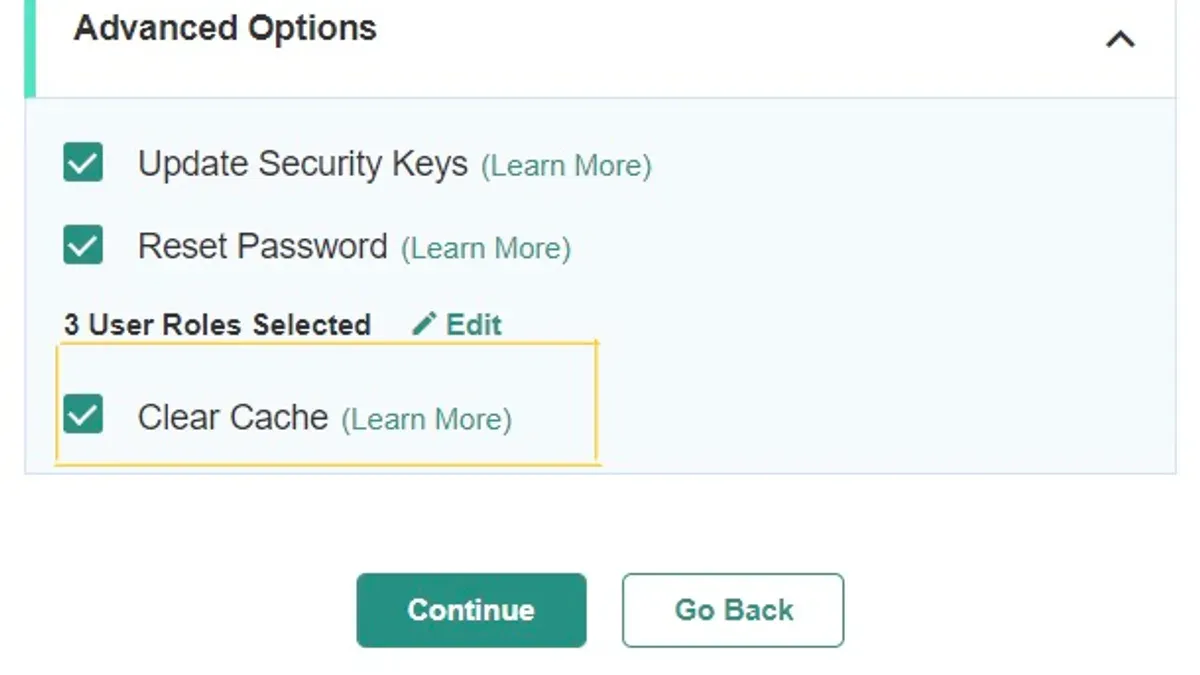
MalCare’s automated cleanup feature targets a broad range of malware threats, including infected files, malicious database entries, and hidden backdoors. The cleanup process initiates from the MalCare dashboard via the "Clean Malware" button, which triggers the removal of identified threats and attempts to restore affected components to their original state without manual intervention.
In practical scenarios, MalCare has demonstrated a high success rate in removing common malware variants such as infected PHP scripts, injected JavaScript, and spam SEO injections. For example, on a medium-sized WordPress site with a malware infection involving obfuscated code in theme files and compromised database options, MalCare’s cleanup restored full site functionality within minutes without requiring user adjustments.
However, the efficacy can vary depending on the complexity and depth of the infection. Instances involving deeply embedded backdoors or customized plugins sometimes require manual follow-up. In these cases, MalCare’s cleanup successfully removes most harmful code but may leave residual suspicious files or database entries that necessitate expert review or manual deletion through FTP or phpMyAdmin.
The automated cleanup is notably faster and less complex than manual methods, which often involve identifying malware signatures, manually editing files, and testing site stability over multiple iterations. Manual cleanup can take several hours to days depending on the site’s complexity, whereas MalCare generally completes cleanup within 10 to 30 minutes.
- Pros: Rapid removal of common malware, minimal user involvement, reduced risk of human error, and integration with ongoing site protection features.
- Cons: Potential incomplete cleanup for advanced or deeply hidden infections, occasional need for manual verification, and limited customization of cleanup actions.
While MalCare reduces the burden of malware remediation for many WordPress owners, administrators managing complex or highly customized sites should be prepared for additional manual intervention. The plugin’s detailed cleanup reports and quarantine options facilitate this process by highlighting suspicious files for further inspection.
Tip: After automated cleanup, it is advisable to review the "Cleanup Report" in the MalCare dashboard and conduct a secondary scan to ensure no remnants remain before restoring backups or re-enabling site features.
Pros and Cons of Using MalCare
MalCare offers a range of features tailored to WordPress site owners and administrators seeking automated malware protection, but it also presents certain drawbacks that can affect its suitability depending on specific needs and budgets.
Pros
- Comprehensive Malware Detection: MalCare employs a cloud-based scanning engine that detects a wide variety of malware types, including obfuscated and polymorphic threats, making it reliable for common infection vectors in WordPress sites.
- Automated Cleanup: The one-click automatic malware removal feature efficiently cleans infections and restores site functionality, reducing the need for technical intervention in most cases.
- User-Friendly Interface: The dashboard is intuitive, allowing users to easily schedule scans, review security reports, and manage multiple sites without steep learning curves.
- Centralized Management: MalCare’s centralized dashboard supports agencies and multi-site administrators by consolidating security management across numerous WordPress installations, streamlining oversight.
Cons
- Pricing Model: MalCare’s subscription plans are tiered based on the number of sites and feature access, which can be costly for users managing several large or complex WordPress installations, especially when compared to some competitors offering more flexible pricing.
- Occasional False Positives: Some users report that certain legitimate files or custom themes/plugins have been flagged during scans, necessitating manual review to prevent unnecessary cleanup actions.
- Limitations on Non-WordPress Threats: MalCare focuses exclusively on WordPress malware and vulnerabilities, providing limited protection against server-level or non-WordPress-related security issues, which means additional tools may be required for comprehensive coverage.
- Dependency on Cloud Services: The cloud-based scanning and cleanup depend on continuous internet connectivity and MalCare’s server availability; outages or connectivity issues can delay threat detection or remediation.
Alternatives to MalCare Worth Considering in 2026
Several reputable WordPress security plugins offer features similar to MalCare, each with unique strengths and trade-offs in functionality, pricing, and user experience. Established options like Wordfence, Sucuri, and iThemes Security remain popular, while emerging AI-powered tools are beginning to reshape malware detection and prevention.
Established Plugins: Wordfence, Sucuri, and iThemes Security
Wordfence is a comprehensive security suite providing endpoint firewall protection, malware scanning, and login security. Its real-time threat defense feed updates regularly, and the plugin supports manual or scheduled scans accessible via Wordfence > Scan. Wordfence’s free version includes essential features, while Premium starts around $99/year per site, offering real-time IP blacklist updates and country blocking.
Sucuri specializes in website firewall and malware cleanup services, often via cloud-based protection. Its plugin integrates with the Sucuri platform, providing audit logs and security notifications. Sucuri's pricing begins with a basic firewall plan at approximately $199.99/year, including malware removal guarantees, which may appeal to users prioritizing incident response.
iThemes Security focuses on hardening WordPress installations through brute force protection, two-factor authentication (2FA), and file change detection. Its Pro plan, around $130/year, adds scheduled malware scanning and database backups. iThemes Security is often praised for ease of use, particularly for users with moderate technical skills.
| Feature | MalCare | Wordfence | Sucuri | iThemes Security |
|---|---|---|---|---|
| Malware Detection | Cloud-based, automated | Endpoint, real-time feed | Cloud firewall scan | Scheduled, file changes |
| Automated Cleanup | Yes, automated | Manual cleanup | Included with firewall | Manual or via backup |
| Firewall | Yes | Yes, endpoint | Cloud-based | Basic protection |
| Login Security | Brute force, 2FA | Brute force, 2FA | Limited | Brute force, 2FA |
| Pricing (approx.) | From $99/year | Free & $99+/year | $199+/year | $130/year |
Emerging AI-Powered Security Tools
New AI-driven plugins and services in 2026 offer advanced heuristic analysis and behavior-based malware detection, aiming to identify zero-day threats and polymorphic malware more effectively than traditional signature-based methods. These tools often integrate machine learning models that adapt to evolving threat landscapes, providing proactive protection.
Examples include AI scanners that analyze code anomalies, unusual traffic patterns, and login behaviors. While promising, many of these tools are in early adoption phases and may require more technical configuration or come with higher subscription costs. Support for these AI solutions varies, with some vendors offering dedicated security analysts as part of premium packages.
Trade-offs for AI-powered tools generally involve balancing cutting-edge detection capabilities against potential complexity and cost. They may be better suited for developers and agencies managing multiple or high-risk sites who can invest time in configuration and monitoring.
| Aspect | AI-Powered Tools | Traditional Plugins |
|---|---|---|
| Detection Method | Behavioral, heuristic | Signature, pattern matching |
| Setup Complexity | Moderate to high | Low to moderate |
| Cost | Often higher, variable | Fixed annual fees |
| Support | Varies, may include analysts | Standard plugin support |
| Suitability | Advanced users, agencies | Small to medium sites |
Tip: When choosing an alternative, consider the balance between automated cleanup capabilities and the level of manual involvement acceptable for the site's complexity and risk profile.
How MalCare Fits into a Comprehensive WordPress Security Strategy
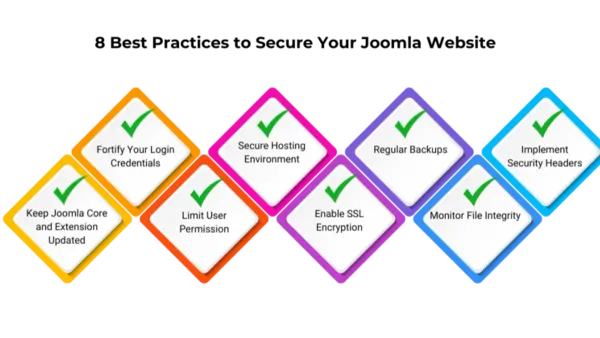
MalCare serves as a crucial component in a multi-layered WordPress security setup but should not be relied upon as the sole defense. While its cloud-based malware scanning and automated cleanup capabilities address many common threats, comprehensive protection requires additional measures.
Regular backups are essential to complement MalCare’s malware detection and remediation. Plugins like UpdraftPlus or BackupBuddy can automate full-site backups stored on remote locations such as Dropbox or Google Drive. These backups provide critical restore points if malware compromises the site or cleanup efforts fail.
Keeping WordPress core, themes, and plugins up to date is another foundational practice. Security patches close vulnerabilities that scanners cannot proactively prevent. MalCare’s dashboard can assist by flagging outdated components, but manual review and update scheduling remain necessary to maintain a hardened environment.
Strong login policies further reduce attack vectors. Implementing two-factor authentication (2FA) through plugins like Wordfence Login Security or leveraging WordPress’s native application passwords limits unauthorized access. Coupling these with rate limiting and CAPTCHA on the login page provides additional barriers.
Malware scanners inherently have limitations; they typically identify known malware signatures and suspicious code patterns but cannot block all zero-day exploits or complex attack vectors. For this reason, integrating MalCare with firewall solutions and content delivery networks (CDNs) enhances overall security.
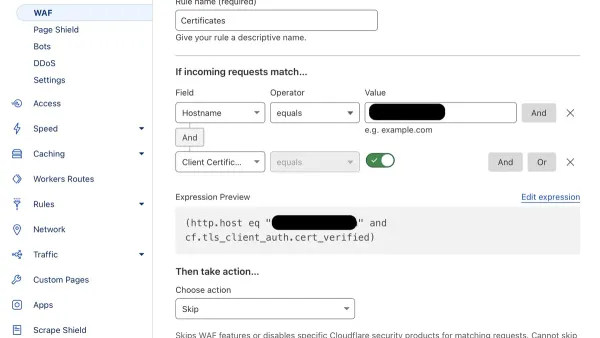
Firewalls such as Cloudflare’s Web Application Firewall (WAF) or Sucuri Firewall actively filter malicious traffic before it reaches the site, reducing the risk of infection. MalCare complements these by focusing on internal site integrity rather than network perimeter defense.
Similarly, CDNs improve site resilience and performance while offering distributed denial-of-service (DDoS) protection. Combining these with MalCare’s internal scanning creates a layered defense that covers both external threats and internal compromises.
Periodic manual security audits remain a best practice. Experienced administrators or security consultants can review file integrity, database anomalies, and server logs beyond what automated tools detect. These audits help identify subtle backdoors or configuration weaknesses that scanners may miss.
Pros of integrating MalCare into a layered strategy:
- Automates malware detection and cleanup, saving time on routine tasks.
- Cloud-based scanning minimizes server load while maintaining accuracy.
- Works alongside firewalls and CDNs to cover different attack surfaces.
Cons and trade-offs:
- Does not replace need for backups; manual oversight is still required.
- Cannot fully prevent zero-day exploits or sophisticated intrusions alone.
- May require additional plugins or services, increasing complexity and cost.
Security experts emphasize adopting a layered approach combining preventive measures, real-time scanning, and recovery options. MalCare fits well as the internal malware management layer but should be part of a broader ecosystem involving proactive patching, access control, perimeter security, and regular human review.
Tip: Enable automated backups with remote storage and schedule regular updates alongside MalCare scans to maximize site protection.
MalCare Pricing and Support Options in 2026
MalCare offers three main subscription tiers tailored to different WordPress user needs: Basic, Pro, and Agency. Each plan includes malware scanning, firewall protection, and automated cleanup but varies in the number of sites supported, scan frequency, and access to priority features.
| Plan | Price (Annual) | Sites Covered | Key Features |
|---|---|---|---|
| Basic | Approximately $99 | 1 | Daily malware scans, basic firewall, automated cleanup, standard support |
| Pro | Approximately $249 | Up to 5 | More frequent scans, advanced firewall rules, priority support, malware removal guarantees |
| Agency | Approximately $499 | Up to 25 | All Pro features plus client reporting, white-label options, multi-site management |
The pricing is competitive relative to other established WordPress security plugins that offer similar features, though some emerging AI-powered security tools may provide more flexible pay-as-you-go models or additional AI-driven threat analytics at similar price points.
MalCare’s value proposition lies in its automated cleanup and centralized management, which can reduce manual intervention and save time, especially for agencies managing multiple client sites.
Customer Support Quality and Availability
Customer support for MalCare is accessible via email and a ticketing system, with Pro and Agency subscribers receiving priority response times. User feedback generally describes support as knowledgeable and helpful, though some reports indicate response times can vary during peak periods.
Comprehensive documentation and FAQ resources are available on MalCare’s website, assisting users with setup and troubleshooting without needing direct support.
Trial and Refund Policy
MalCare offers a 14-day free trial, allowing prospective users to evaluate malware detection and cleanup capabilities before committing financially. Additionally, a 30-day money-back guarantee is in place, providing a safety net for users dissatisfied with the service.
Tip: Starting with the free trial helps assess scan speed and cleanup effectiveness on a specific WordPress setup before choosing a paid plan.
- Pros: Transparent pricing tiers, priority support for higher plans, trial and refund options, centralized multi-site management for agencies
- Cons: Annual billing only (no monthly option), costs may be higher than some newer AI-powered alternatives, support response times can vary
Verdict: When MalCare Is the Right Choice
MalCare stands out in 2026 as a reliable solution for WordPress site owners who prioritize automated malware detection and cleanup within typical small to medium-sized environments. Its cloud-based scanning and real-time protection minimize server load while maintaining strong detection accuracy for common threats, making it suitable for websites that require hands-off security management without significant technical overhead.

Strengths of MalCare include:
- Automated malware detection with minimal false positives, enabling faster threat identification without constant manual oversight.
- Efficient automated cleanup that restores site functionality promptly in most standard infection scenarios.
- A user-friendly dashboard that consolidates security monitoring and management, appealing to non-expert administrators and agencies managing multiple sites.
- Integration of firewall and login security features that complement malware protection within a unified platform.
However, MalCare’s limitations are clear in environments with complex or highly customized WordPress installations. For very large sites or those with layered or obscure malware threats, MalCare’s detection and cleanup capabilities may not suffice alone, necessitating manual intervention or supplementary security tools. Additionally, some emerging AI-powered security plugins now offer enhanced heuristic analysis and adaptive learning, which could provide better protection in rapidly evolving threat landscapes.
Situations where alternative solutions may be preferable include:
- Sites requiring in-depth forensic malware analysis and manual cleanup flexibility.
- Highly customized or enterprise-level WordPress setups where plugin compatibility and scalability are critical.
- Users seeking AI-driven predictive threat detection beyond signature-based scanning.
Considering cost, MalCare offers tiered plans that balance features and pricing effectively for its target audience, but agencies or businesses managing many sites should evaluate overall expenses against the potential need for additional security layers.
In summary, MalCare is best chosen when:
- Automated malware detection and cleanup are priorities, and typical infections are the main concern.
- Administrators prefer a centralized, easy-to-use security solution with reliable support.
- A layered security approach is feasible, incorporating backups, updates, and manual audits alongside MalCare.
Tip: For WordPress users considering MalCare, pairing it with regular manual security reviews and a strong backup strategy maximizes site protection while managing expectations regarding complex malware scenarios.
Further reading
- Jetpack Security Review 2026: Features, Performance, and Alternatives
- How to Set Up Cloudflare WAF Rules for Effective Website Protection
- How to Secure a WooCommerce Website: A Step-by-Step Guide
Frequently asked questions
How effective is MalCare in detecting new and emerging malware threats?
MalCare uses a cloud-based scanning engine that continuously updates its malware signatures and heuristics to detect new threats. Its multi-layered scanning approach, combining signature-based and behavior analysis, helps identify both known and emerging malware, though no plugin guarantees 100% detection due to evolving threats. Regular updates and real-time threat intelligence contribute to maintaining its detection relevance in 2026.
Can MalCare fully automate malware cleanup without damaging site functionality?
MalCare offers an automated cleanup feature designed to remove malware without affecting core site files or user data. It isolates infected files and repairs them while preserving custom themes and plugins, but some complex infections may require manual intervention. Users are advised to back up their sites before running cleanup to mitigate risks.
What are the main differences between MalCare and other WordPress security plugins?
MalCare distinguishes itself with its cloud-powered scanning and automated cleanup, reducing server load compared to on-site scanners. Unlike some competitors, it integrates AI-driven behavior analysis and offers a dashboard that centralizes multiple sites, appealing to agencies and developers. However, some plugins may provide broader firewall options or more extensive manual customization.
Does MalCare offer protection against brute force attacks and login vulnerabilities?
Yes, MalCare includes a login protection module that limits login attempts and blocks suspicious IP addresses to prevent brute force attacks. It also supports two-factor authentication and strong password enforcement, enhancing login security. These features are configurable within the MalCare dashboard under the security settings tab.
What This Review Does Not Cover and Who Should Look Elsewhere
MalCare focuses primarily on WordPress malware detection and automated cleanup. It does not replace the need for comprehensive security practices such as regular backups via plugins like UpdraftPlus, routine WordPress core and plugin updates through the Dashboard > Updates menu, or manual security audits to identify vulnerabilities outside malware infections. Organizations requiring advanced firewall rules, network-level intrusion detection, or compliance certifications should consider dedicated enterprise-grade solutions.
For websites facing frequent targeted attacks or handling sensitive personal data, integrating MalCare with additional layers like Web Application Firewalls (WAFs) and two-factor authentication is recommended.
Next Step: Test MalCare’s Malware Scanner on a Staging Site
Before deploying MalCare on a live site, install it on a staging environment that mirrors the production setup. Run its malware scanner under Dashboard > MalCare Scan to evaluate detection speed and false positive rates against your specific plugins and themes. This helps confirm compatibility and cleanup effectiveness without risking live site disruptions, ensuring the solution aligns with your security needs and budget.