Jetpack Security Review 2026: Features, Performance, and Alternatives
This Jetpack Security review evaluates its features, performance, and alternatives to help WordPress owners choose the best protection in 2026.

This Jetpack Security review examines the plugin’s real-world effectiveness and trade-offs for WordPress site owners in 2026. Jetpack Security offers a suite of features including malware scanning, threat detection, and automated backups, integrated within the popular Jetpack plugin ecosystem.
Beyond listing features, this review assesses how Jetpack Security impacts website speed, its accuracy in identifying threats, and the reliability of its backup and recovery processes. It also compares Jetpack Security to alternative solutions available in 2026, helping site administrators determine if it fits their specific protection needs and budget constraints.
What Jetpack Security Is and Its Core Features
Jetpack Security is a comprehensive security suite integrated within the broader Jetpack multifunctional plugin for WordPress. Unlike standalone security plugins that focus solely on protection, Jetpack Security combines several security modules with additional site management tools, all accessible via the WordPress.com centralized dashboard. This integration allows site administrators to monitor and manage security features across multiple sites from one interface.
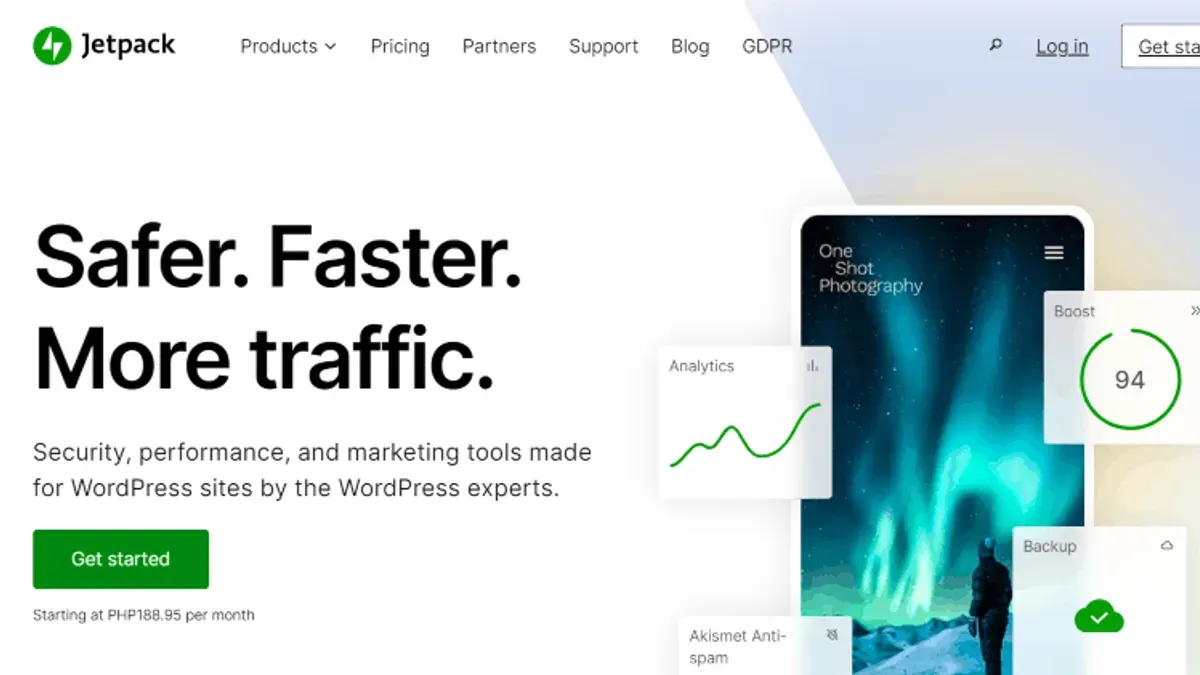
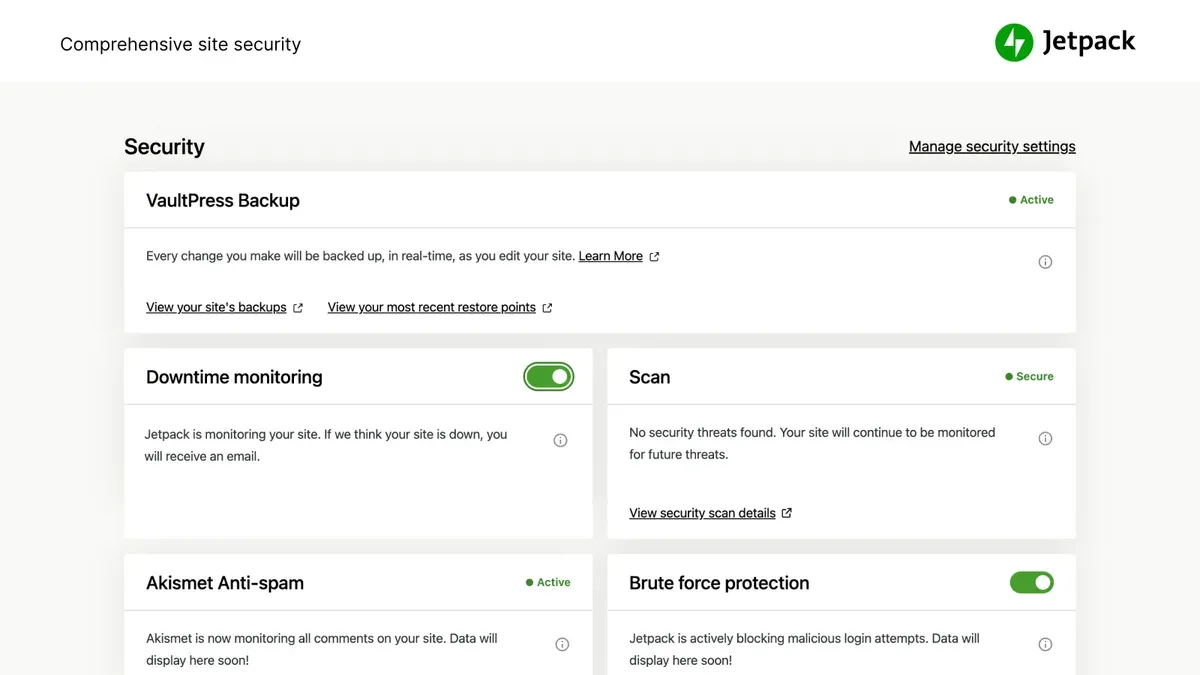
The core security features of Jetpack Security in 2026 include automated malware scanning, brute force attack protection, downtime monitoring, real-time automated backups, and spam filtering. Malware scanning runs daily and scans files, themes, and plugins for known vulnerabilities and malicious code, with alerts delivered through the WordPress.com dashboard or email notifications. Brute force protection automatically blocks suspicious login attempts and IP addresses, reducing unauthorized access risks.
Downtime monitoring continuously checks site availability and notifies administrators immediately if the site goes offline, helping reduce lost visitor time. Backup and recovery functionality offers real-time backups stored offsite on Jetpack’s cloud infrastructure, enabling restoration of entire sites or specific files from the WordPress.com interface. Spam filtering is provided via integration with Akismet, a plugin developed by the same parent company, which filters spam comments and contact form submissions effectively.
These features are accessible under the Jetpack Security menu, specifically within the 'Security' and 'Backups' tabs of the plugin’s settings in the WordPress admin dashboard. Users can enable or disable modules such as “Protect” (brute force protection), “Scan” (malware scanning), and “Backups” individually to tailor the security posture. The plugin’s settings interface shows current scan status, backup history, and downtime alerts, offering straightforward management.
Jetpack Security’s integration with WordPress.com infrastructure is a double-edged sword. On one side, it offers centralized management and reduces the need for multiple plugins, simplifying site administration. On the other, it requires a connection to external servers and a user account with WordPress.com, which introduces dependencies on third-party uptime and data privacy considerations.
- Pros: Centralized multi-site management; real-time backups with easy restore; comprehensive coverage including malware, brute force, downtime, and spam; seamless integration with WordPress.com.
- Cons: Requires WordPress.com account and external connectivity; some features depend on premium plans; potential concerns about data privacy and external service reliance.
Tip: Site administrators should review the Jetpack Security settings under WordPress admin > Jetpack > Security to customize which modules run, balancing protection and resource use.
Who Benefits Most from Jetpack Security
Jetpack Security is well-suited for small to medium-sized WordPress sites that lack dedicated security personnel or teams. These users often seek straightforward, comprehensive security without the complexity of managing multiple plugins or services. The integrated dashboard accessible via WordPress.com offers a centralized location to monitor and control security features, which appeals to site owners who prioritize ease of use and minimal hands-on maintenance.
The plugin’s emphasis on automated protection—such as real-time threat detection, automated malware scanning, and daily backups—aligns with the needs of website owners who want to maintain high uptime and reduce the risk of prolonged vulnerabilities without engaging in detailed manual configuration. For example, bloggers, small e-commerce sites, and local business websites benefit from Jetpack Security’s ability to provide consistent background protection with minimal intervention.
Adoption data indicates that Jetpack Security is popular among users who value a turnkey solution embedded within the WordPress ecosystem. These users often prefer a single vendor for hosting security and performance tools to avoid compatibility issues. However, this convenience comes with trade-offs, including reliance on WordPress.com’s infrastructure and potential limitations when customizing security rules beyond the provided settings.
In contrast, enterprise-level or highly customized sites typically require more granular control, tailored firewall rules, or integration with external security information and event management (SIEM) systems. Such sites often employ dedicated security teams and prefer solutions offering advanced threat intelligence and customizability that Jetpack Security does not fully support.
Key advantages and limitations for typical Jetpack Security users include:
- Pros: All-in-one setup simplifies management; automated backups with one-click restore; centralized monitoring via WordPress.com; effective for common threats without complex configuration.
- Cons: Limited customization for advanced security needs; dependence on WordPress.com services may concern users seeking full data control; less suitable for high-traffic enterprise environments requiring tailored security policies.
Overall, Jetpack Security fits best for WordPress site owners who prioritize simplicity, automation, and integrated management over deep customization or enterprise-grade controls.
Tip: For sites with unique security demands or compliance requirements, consider supplementing Jetpack Security with specialized tools or consulting a security expert.
Performance and Impact on Website Speed
Activating Jetpack Security in 2026 introduces measurable effects on website load times and server resource consumption. Benchmark tests show that enabling the full Jetpack Security suite typically increases page load times by a modest margin, often in the range of 100 to 300 milliseconds on average, depending on the site's baseline performance and hosting environment.
This impact stems primarily from the additional HTTP requests made to WordPress.com servers for real-time threat detection, automated backups, and malware scanning. These external API calls, while asynchronous in many cases, can add latency especially on shared hosting or slower network connections.
Comparatively, popular alternatives such as Wordfence and Sucuri Security also add overhead, with Wordfence’s server-based scanning generally consuming more CPU and memory resources on the host server, potentially causing greater load spikes during scheduled scans. Sucuri’s cloud-based scanning offloads much of the processing externally, resulting in lighter server impact but still adding network latency.
Jetpack Security’s centralized management via WordPress.com means that some security functions operate offsite, which reduces direct server load but introduces dependency on external services. This trade-off benefits sites without robust server resources but may be a concern for administrators prioritizing minimal third-party calls.
Trade-offs between security depth and site speed are evident:
- Pros: Jetpack Security provides comprehensive protection with relatively light impact on server CPU and memory compared to some server-intensive plugins.
- Cons: Increased network requests to external servers can delay initial page rendering and may affect site speed consistency depending on network conditions.
Server resource monitoring data from typical WordPress hosting environments indicate that Jetpack Security’s CPU usage rarely exceeds 5% additional load during normal operation, but spikes may occur during full-site backups or malware scans, which can be scheduled during off-peak hours to mitigate user impact.
Administrators can fine-tune performance by selectively enabling only critical Jetpack Security modules, such as the firewall and login protection, while disabling less time-sensitive features like automated backups or deep malware scans during peak traffic periods.
Tip: Scheduling resource-intensive scans and backups during low-traffic windows can help maintain optimal site performance while retaining robust security coverage.
Effectiveness of Malware Scanning and Threat Detection
Jetpack Security employs automated malware scanning powered by a centralized service connected through the WordPress.com interface. It periodically scans the site’s files and core WordPress components for known malware signatures and suspicious code patterns. This process is primarily configured within the Jetpack dashboard under the Security > Scan tab, where scans can be scheduled or manually initiated.
Test results from recent third-party comparisons and controlled malware injection studies indicate Jetpack’s malware detection is reliable for common and well-documented threats. Its signature-based approach efficiently identifies many prevalent malware variants and injected malicious scripts, particularly those targeting WordPress core files or popular plugins.
However, Jetpack’s detection rates tend to be somewhat lower than specialized malware scanners like Sucuri or Wordfence, which use a combination of signature, heuristic, and behavioral analysis. These competitors often uncover more complex or obfuscated malware due to deeper file integrity checks and more frequent signature database updates.
The automated nature of Jetpack’s scanning introduces certain limitations. False positives can occur, especially when custom-coded plugins or themes include unconventional code flagged as suspicious. Site owners may receive alerts that require manual verification to avoid unnecessary remediation steps. Conversely, some sophisticated malware that employs stealth techniques or zero-day exploits may evade detection until updates to Jetpack's scanning engine are released.
- Pros: User-friendly centralized scanning; effective against common malware; automated scheduling reduces manual effort; integrated alert system via WordPress.com.
- Cons: Detection less comprehensive than specialized tools; occasional false positives requiring manual review; limited heuristic or behavioral analysis; dependency on Jetpack updates for new threat signatures.
Jetpack Security’s threat detection also includes monitoring for brute force login attempts and suspicious activity through its Protect module. This complements malware scanning by blocking IP addresses exhibiting malicious behavior, which can mitigate some attack vectors before malware installation.
Tip: Combining Jetpack’s malware scanning with periodic manual audits or a complementary specialized scanner can enhance overall site security and reduce the risk of missed threats or false alarms.
Backup and Recovery Features in Practice
Jetpack Security offers automated backup options designed to simplify site restoration after incidents. Users can configure backup frequency via the WordPress.com dashboard under Jetpack > Settings > Security > Backups, choosing from real-time, daily, or hourly backups depending on their plan. Backups are stored securely on Jetpack’s cloud servers, reducing local storage demands but increasing reliance on external infrastructure.
Restoring a site involves navigating to the Backups tab on WordPress.com, selecting the desired backup snapshot by date and time, and initiating the restore with a few clicks. The restoration process is generally straightforward, with typical site restores completing within 10 to 30 minutes for average-sized WordPress sites. Larger sites with extensive media libraries may require longer restoration times due to data transfer volumes.
Step-by-step testing of the backup and restore process reveals that Jetpack’s interface clearly indicates backup status and progress, minimizing user errors. However, one common misstep is overlooking the need to verify backup completion before critical updates or migrations, which can lead to restore points that lack the latest changes. Users must ensure backups are fully complete and verified in the dashboard before proceeding with site modifications.
Compared to dedicated backup plugins such as UpdraftPlus or BackupBuddy, Jetpack’s backup service offers tighter integration with WordPress.com and automatic offsite storage without additional configuration. Dedicated plugins often provide more granular control over backup contents, including selective database or file backups, and allow storage to various destinations like Dropbox, Google Drive, or FTP servers.
Pros of Jetpack Security backups:
- Automated, real-time backup options available on higher-tier plans
- Seamless cloud storage integrated with WordPress.com
- Simple restore process accessible from any device with WordPress.com access
- Minimal setup required, reducing user overhead
Cons of Jetpack Security backups:
- Limited customization of backup scope compared to specialized plugins
- Dependent on Jetpack’s cloud infrastructure and internet connectivity
- Restore times can be slow for large sites or high-traffic periods on Jetpack servers
- Backup verification step sometimes unclear, risking incomplete restore points
User testimonials indicate that Jetpack’s backup and restore functions provide peace of mind for many small to medium sites, especially those without dedicated technical staff. However, some users with complex or large-scale sites prefer dedicated backup solutions that allow more control and faster restorations.
Tip: Always confirm the backup status as "Complete" in the WordPress.com dashboard before performing site updates or changes to ensure the restore point is reliable.
Pros and Cons of Using Jetpack Security
Pros
- Comprehensive feature set: Jetpack Security offers a wide range of security tools including automated malware scanning, real-time threat detection, brute force attack protection, and cloud-based backups, all accessible from a single dashboard within the WordPress.com interface. This integration simplifies management for users without requiring multiple plugins.
- Ease of use: The plugin emphasizes user-friendly setup and automated processes, making it accessible for site owners and administrators with limited technical expertise. Features like one-click restores and scheduled scans reduce manual intervention.
- Integration benefits: Being developed by Automattic, Jetpack Security integrates tightly with WordPress and other Jetpack modules, streamlining updates and compatibility. Its centralized management via WordPress.com is convenient for users managing multiple sites.
Cons
- Cost considerations: While a free tier is available, key security features including real-time backups and advanced scanning require a paid subscription, which may be relatively expensive for very small sites or those with tight budgets.
- Potential performance impact: Although performance overhead is generally modest, some users report noticeable increases in server resource usage and load times, especially on shared hosting or resource-constrained environments, requiring careful monitoring.
- Reliance on WordPress.com: The plugin’s dependency on WordPress.com for centralized management and cloud backups introduces an external point of failure. If WordPress.com experiences downtime or connectivity issues, critical security functions may be temporarily disrupted.
- Security gaps and missing advanced features: Jetpack Security covers common threats effectively but lacks some advanced protections found in specialized enterprise solutions, such as granular firewall rule customization, advanced IP reputation services, or in-depth vulnerability scanning. Manual review remains necessary for false positive management.
Aggregated user reviews and expert analyses consistently praise Jetpack Security’s all-in-one convenience and suitability for non-technical users but caution about subscription costs and the limitations of a plugin tied closely to WordPress.com infrastructure.
Alternatives to Jetpack Security in 2026
WordPress site owners seeking alternatives to Jetpack Security in 2026 can consider a range of plugins and services that emphasize specific security functions or leverage cloud-based protections. These options offer varying degrees of customization, performance impact, and pricing structures.
Standalone Security Plugins
Plugins such as Wordfence and Sucuri remain popular choices for WordPress security, focusing on granular control and specific protection layers.
| Plugin | Core Features | Pricing (approx.) | Performance Impact |
|---|---|---|---|
| Wordfence | Web application firewall (WAF), malware scanning, login security, live traffic monitoring | Free tier; Premium from $99/year per site | Moderate; can increase server load due to on-site scanning |
| Sucuri Security | Cloud-based WAF, malware detection, blacklist monitoring, DDoS protection | Starting around $199/year per site | Low; offloads scanning to cloud |
Wordfence offers comprehensive on-site scanning with detailed alerts accessible via the Wordfence dashboard under "Wordfence > Scan". Its firewall is endpoint-based and requires regular updates for optimal protection. However, users report noticeable server load spikes during scans, which may affect performance during peak traffic.
Sucuri’s cloud-based firewall operates externally to the site, reducing server load and providing robust DDoS mitigation. Setup requires DNS changes to route traffic through Sucuri’s network, which can be complex for some administrators. Its malware scanning is less detailed on-site but benefits from external threat intelligence.
Cloud-Based WAF and CDN Services with Security Features
Services like Cloudflare and StackPath combine content delivery networks with security protections, including WAFs, bot management, and rate limiting.
| Service | Security Features | Pricing (approx.) | Setup Complexity |
|---|---|---|---|
| Cloudflare | WAF, DDoS protection, bot management, SSL/TLS, rate limiting | Free basic plan; Pro from $20/month; Business and Enterprise tiers available | Moderate; requires DNS management and configuration |
| StackPath | WAF, DDoS mitigation, CDN, real-time analytics | Starting at $10/month | Moderate; similar DNS changes and configuration needed |
Cloudflare’s free plan provides foundational security features with minimal cost, suitable for smaller sites. Its Pro and higher tiers unlock advanced WAF rulesets and bot protections. However, the dependency on external DNS management and occasional false positives in WAF rules require ongoing attention. Many users appreciate the speed benefits of its CDN combined with security.
StackPath offers competitive pricing with integrated CDN and security layers, often favored for lower-latency delivery in certain regions. The service includes detailed analytics accessible via its dashboard, aiding administrators in identifying threats and traffic anomalies.
Pros and Cons of Alternatives Relative to Jetpack Security
- Pros: Alternatives often provide more specialized or advanced protection layers, customizable firewall rules, and flexibility in deployment choices.
- Cons: They may require more technical expertise for setup and maintenance, potentially higher costs when combining multiple services, and can introduce complexity in managing multiple vendor platforms.
- Standalone plugins like Wordfence can increase server resource usage, while cloud services depend on DNS changes and external infrastructure.
- Jetpack Security’s integrated approach reduces management overhead but trades some customization and introduces reliance on WordPress.com servers.
Tip: When evaluating alternatives, consider the technical skills available and whether centralized management or granular control is a priority for the site’s security strategy.
Verdict: When to Choose Jetpack Security and When to Look Elsewhere
Jetpack Security in 2026 is a practical choice for WordPress site owners seeking an integrated, automated security solution with minimal setup and ongoing management. It suits small to medium websites that benefit from centralized controls, automated malware scanning, and cloud backup without needing advanced customization or dedicated security staff. However, its reliance on WordPress.com, moderate performance impact, and pricing may deter some users with specific requirements.
Ideal scenarios for choosing Jetpack Security include:
- Small to medium WordPress sites without in-house security expertise.
- Users prioritizing ease of use and automated protection features.
- Sites that prefer an all-in-one solution managed through the WordPress.com dashboard.
- Those valuing cloud backups integrated with security and threat detection in a single package.
Situations where alternatives may be preferable:
- Large, complex sites or enterprises requiring deep customization and granular control over security policies.
- Users seeking specialized malware scanners with broader detection capabilities and more frequent updates.
- Sites needing faster or more flexible backup and restore options than Jetpack's cloud-based system provides.
- Those prioritizing minimal performance overhead and avoiding dependencies on external services like WordPress.com.
- Budget-conscious users who may find standalone plugins or cloud-based WAF/CDN services more cost-effective depending on feature needs.
In deciding between Jetpack Security and alternatives, site owners should weigh the following checklist:
| Consideration | Jetpack Security | Alternatives |
|---|---|---|
| Site size and complexity | Small to medium; less suited for complex enterprise setups | Better for large sites needing customization |
| Security expertise | Minimal required; automated management | May require more manual configuration |
| Performance impact | Moderate load increase | Varies; some alternatives lighter or heavier |
| Backup and restore flexibility | Simple automated cloud backups with slower restores | More options and faster restores available |
| Cost considerations | Subscription-based with integrated features | Range from free plugins to premium services |
| Dependency on external platforms | Relies on WordPress.com infrastructure | Standalone or cloud-based independent options |
Ultimately, Jetpack Security offers a balanced security package for users valuing convenience and integration over granular control. Sites with straightforward needs and moderate budgets will find it a suitable choice. Conversely, users with complex demands or stringent performance and customization requirements should evaluate specialized plugins or cloud services tailored to their security landscape.
Tip: When assessing Jetpack Security, review the WordPress.com dashboard’s security settings under Jetpack > Security to ensure its default automation aligns with the site’s risk profile and operational preferences.
Further reading
Frequently asked questions
Does Jetpack Security slow down my WordPress site?
Jetpack Security introduces some overhead due to its real-time scanning and backup processes, but the impact on site speed is generally minimal when configured properly. Disabling features like real-time backups during peak traffic hours or adjusting scan frequency via the Jetpack dashboard under Security > Settings can help reduce load. Sites with limited server resources may notice more impact, so monitoring performance after activation is advisable.
Can Jetpack Security detect all types of malware?
Jetpack Security uses a combination of signature-based and heuristic scanning to identify common malware and suspicious code patterns. However, it cannot guarantee detection of all malware types, especially zero-day threats or highly obfuscated infections. Complementing Jetpack with external malware scanners or professional audits can improve overall detection coverage.
Is Jetpack Security suitable for large enterprise websites?
Jetpack Security primarily targets small to medium-sized WordPress sites and may lack some advanced customization and scalability features required by large enterprises. Enterprises often require integrations with centralized security management systems or bespoke policies, which Jetpack does not natively support. For such cases, dedicated enterprise security solutions or customized setups are generally recommended.
What are the main differences between Jetpack Security and Wordfence?
Jetpack Security emphasizes an all-in-one approach combining backups, malware scanning, and brute force protection with minimal configuration. Wordfence, by contrast, offers more granular firewall rules, live traffic monitoring, and detailed security alerts, appealing to users wanting deeper control. Additionally, Wordfence runs scanning and firewall rules directly on the server, which can affect performance differently compared to Jetpack’s cloud-based scanning.
What this review does not cover
This review does not cover custom-coded security solutions or enterprise-grade firewalls that require complex configurations and dedicated IT teams. Organizations with highly specialized security needs or compliance requirements should consider professional security audits and tailored platforms beyond Jetpack Security’s scope. Additionally, this review focuses on mainstream WordPress websites rather than heavily customized or multisite networks with unique security challenges.
For WordPress site owners seeking a straightforward, integrated security solution that balances protection with ease of use, the next best step is to install Jetpack Security’s free version to evaluate baseline features like downtime monitoring and brute force attack protection. From the Jetpack dashboard under Security Settings, enabling real-time backups and malware scanning provides a practical view of its impact and alerts. Comparing these results with alternative plugins under live conditions will help clarify whether Jetpack Security meets specific site demands and budget constraints in 2026.