Understanding and Managing TikTok Privacy Settings for Better Control
This article explains how to manage TikTok privacy settings to control personal data and content visibility effectively.

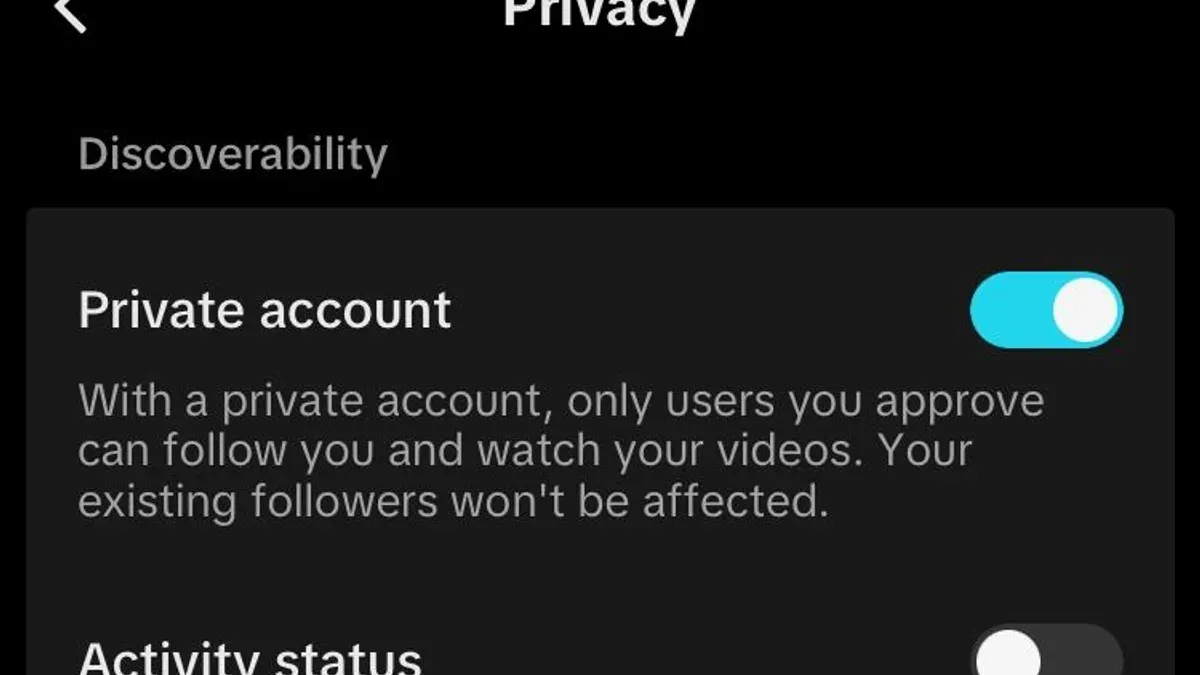
This article explains how TikTok privacy settings function and offers practical guidance to help users manage their personal data and control content visibility effectively.
TikTok privacy settings are designed to give users some control over who can view their videos, comment on their posts, or interact with them. However, the platform’s design sometimes limits how much control is possible, leading to confusion about what can be fully restricted and what cannot.
Understanding the specific privacy options—such as setting an account to Private, limiting comments under Settings > Privacy > Comments, or managing who can download videos—helps users make informed decisions. This article clarifies those options, common misunderstandings, and how to navigate the settings menu efficiently.
What TikTok Privacy Settings Are and Why They Matter
TikTok privacy settings are the controls within the app that allow users to manage who can see their content, interact with them, and access their personal information. These settings also influence how TikTok collects and uses data, which falls under the broader concept of data privacy in social media.
As a platform with hundreds of millions of active users, TikTok processes vast amounts of data daily, including profile information, video content, location data, device identifiers, and user interactions such as likes and comments. This data collection helps TikTok personalize content and advertisements but also raises concerns about personal security and information exposure.
For example, adjusting the “Who Can View My Videos” setting from “Everyone” to “Friends” limits content visibility to approved followers, reducing unwanted attention and potential misuse. This demonstrates how managing privacy settings directly affects control over personal content and the security of one’s digital presence on the platform.
What the TikTok Privacy Policy Covers
TikTok’s privacy policy outlines how the platform collects, uses, and shares user data to provide its services. Key elements include data types gathered—such as videos, messages, device information, and location—and their purposes, which range from content personalization to security measures and advertising.
The policy states that TikTok may share data with third parties, including service providers and business partners, under strict controls aimed at protecting user privacy. Users have rights to access, correct, and delete certain personal data, though some information may be retained for legitimate business and legal reasons.
Updates to the policy reflect evolving regulatory requirements and global scrutiny, especially following concerns raised about data handling practices. TikTok emphasizes compliance with laws like the General Data Protection Regulation (GDPR) and the California Consumer Privacy Act (CCPA), which influence how user data is managed and disclosed.
For example, when a user uploads a video, TikTok uses metadata and viewing habits to recommend content but also reserves the right to use this data for advertising and security checks. This balance illustrates the trade-off between personalized experience and data sharing inherent in the platform’s operations.
Why TikTok Sometimes Restricts Privacy Settings
TikTok limits certain privacy options due to a combination of regulatory requirements, algorithmic controls, and internal policies designed to protect users, especially minors. For instance, age restrictions influence features like "Direct Messages" and "Comment Filters," which are disabled or limited for users under 16 to comply with child protection laws.
Geographic laws also play a role: users in some countries may find that settings such as "Personalized Ads" or "Download Permissions" are unavailable or have different default values because of regional data privacy regulations like the GDPR in Europe or similar frameworks elsewhere.
TikTok’s content moderation efforts further impact privacy settings. The platform employs automated systems to detect potentially harmful content or behaviors, which can result in temporary restrictions on account features for users flagged by these systems. For example, users with a "Pro" account type may have access to additional analytics but might face stricter content visibility controls based on regional standards.
Example: A TikTok user in the European Union under 16 may find the option to switch their account to "Private" but will not be able to enable direct messaging or allow downloads of their videos, reflecting both age-related safeguards and compliance with European privacy laws.
How to Find and Navigate TikTok Privacy Settings in the App
To access privacy settings on the main TikTok app, start by tapping the profile icon at the bottom right of the screen. Then, press the three-line menu (also called the hamburger icon) in the top right corner to open the Settings and Privacy menu. From there, select "Privacy" to view the main privacy controls.
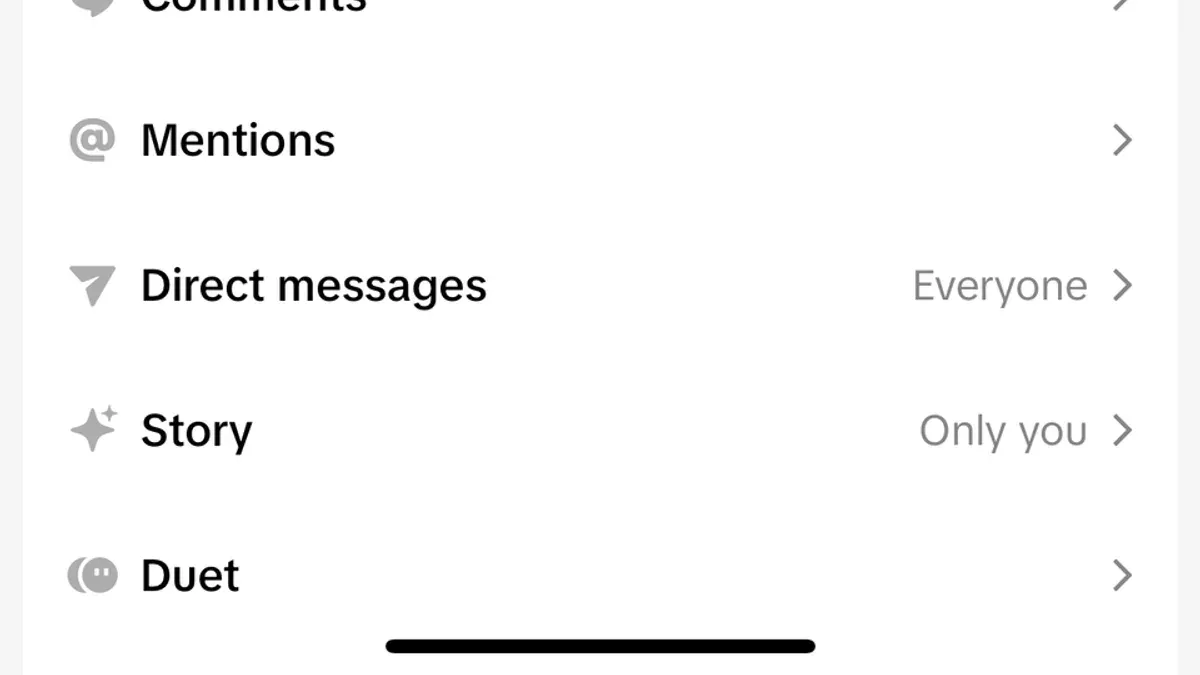
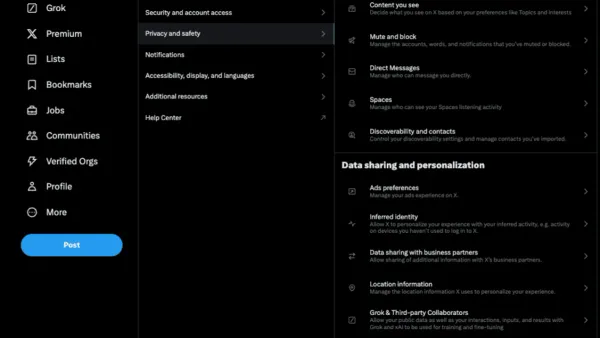
Within this Privacy menu, key settings include "Private Account," which controls account visibility; "Who Can Comment on Your Videos," allowing selection between everyone, friends, or no one; "Direct Messages," where users can filter or restrict who can send messages; and "Personalization and Data," where options to manage data sharing and ad preferences are found.
On TikTok Lite, the navigation is similar but the interface is simplified. The Privacy section is accessed via the profile tab and then the gear icon. Some advanced controls, like detailed message filters or data personalization options, may be limited or absent in TikTok Lite.
For example, enabling "Private Account" makes the profile and content visible only to approved followers, a setting easily toggled within the Privacy menu. However, this may restrict content reach, illustrating the balance between control and visibility.
Tip: Always review each privacy option carefully, as enabling some features can limit social interaction or content discoverability.
How to Change TikTok Privacy Settings Effectively
To adjust TikTok privacy settings, start by accessing the "Privacy" section under the app's "Settings and privacy" menu. Enabling the "Private Account" setting ensures that only approved followers can view content, significantly limiting public visibility.
For interactions, users can customize "Who Can Send Messages" by selecting options like "Friends" or "No one," controlling who can initiate direct communication. Similarly, comment controls allow choosing between "Everyone," "Friends," or "No one," which affects who can engage publicly on videos.
Managing video downloads is done in the "Allow your videos to be downloaded" toggle, where disabling this prevents others from saving posted content. For example, switching "Private Account" on, setting "Who Can Comment" to "Friends," and turning off video downloads creates a more controlled and less public profile.
Under "Personalization and data," users can adjust ad preferences and data sharing by toggling off options like "Personalized ads" and reviewing data permissions. This reduces targeted advertising and limits TikTok’s use of user data for personalization.
Tip: After changing settings, review profile visibility by logging out or using a different account to confirm how changes affect public access and interactions.
How to Remove or Disable TikTok Privacy Settings: What’s Possible and What’s Not
TikTok allows users to adjust many privacy settings, but not all can be fully disabled or removed. For example, the setting "Private Account" can be toggled off or on at any time, allowing users to switch between public and private content visibility. However, some features such as age-based restrictions or required consent for data processing are mandatory and cannot be turned off due to legal and platform policies.
Disabling key privacy features like "Personalization and Data" under the "Privacy" menu reduces data sharing but may limit the tailored experience TikTok offers. Users should consider the trade-off between control and functionality before turning off such settings.
Settings can sometimes appear stuck, especially if an account is under age restrictions or regional limitations. For instance, users under 16 cannot disable certain privacy protections. In such cases, TikTok’s official FAQ clarifies that these settings are enforced to comply with regulations and cannot be changed manually. If a setting seems unchangeable, reviewing account details or contacting TikTok support may help, but users should expect some restrictions to remain permanent.
Example: A user switching from a private to a public account might notice that the "Suggest your account to others" option remains enabled by default and cannot be fully disabled if the account does not meet certain criteria, reflecting TikTok’s balance between user control and platform rules.
Common Privacy Mistakes to Avoid on TikTok
One frequent error is leaving the account on the default public setting, which automatically exposes videos and profile information to everyone. This often results in unintended visibility, as users may not realize that "Who Can View My Videos" defaults to "Everyone." For example, a user sharing a casual video might unexpectedly reach a wide audience, including strangers.
Another common mistake is sharing sensitive personal information directly in videos or comments. Disclosing details like home addresses, phone numbers, or daily routines can lead to privacy breaches or unwanted contact. Experts advise avoiding such disclosures regardless of other privacy settings.
Many users also overlook app permissions and third-party integrations. TikTok requests access to contacts, camera, microphone, and sometimes links to other apps, which can increase exposure risks if permissions are not regularly reviewed and managed through device settings.
Finally, failing to update privacy settings after app updates can cause users to unknowingly revert to less secure defaults. TikTok occasionally changes default settings or adds new controls, so revisiting the "Privacy" menu after updates helps maintain desired levels of privacy.
Tip: Regularly review the "Privacy" section under "Settings and Privacy" to confirm that all preferences align with current comfort levels and app versions.
TikTok Child Privacy Settings and Protections
TikTok enforces specific privacy measures for users under 13 by restricting access to the app in many regions, aligning with legal frameworks like the Children’s Online Privacy Protection Act (COPPA). For teens aged 13 to 17, default privacy settings are more restrictive than for adults, including private accounts by default and limited direct messaging capabilities.
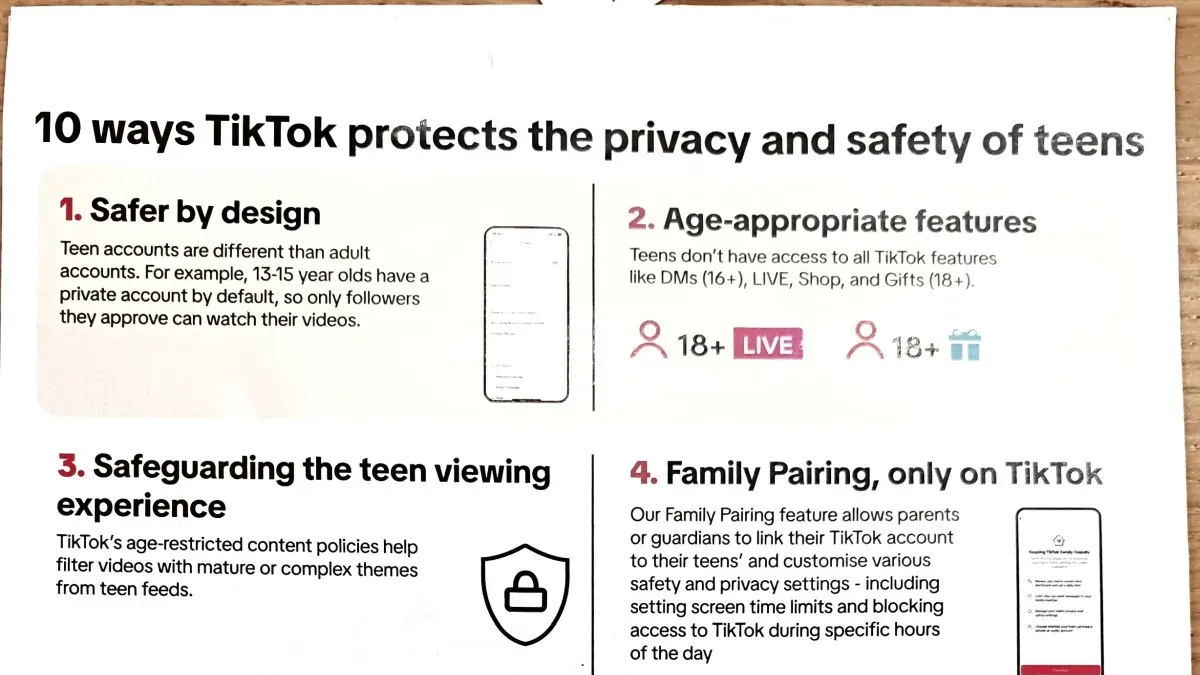
Parents and guardians can use TikTok’s Family Pairing feature to link their accounts with their child’s, allowing control over screen time limits, direct messages, and restricted content modes. For example, Family Pairing enables a parent to turn off direct messaging or filter content categories, helping tailor the experience to the child’s maturity level.
Despite these tools, TikTok emphasizes that parental oversight remains crucial. Parents should regularly review privacy settings and app activity, as some controls depend on user honesty and cannot fully prevent exposure to all content. The platform’s protections complement but do not replace active supervision and open communication about online safety.
Managing TikTok Privacy in the Context of Data Privacy Concerns
TikTok has faced scrutiny in media and research over its extensive data collection practices, including location tracking, device identifiers, and user interaction data. Credible reports highlight concerns about how this data is stored, shared, and potentially accessed beyond user consent. While TikTok privacy settings—such as controlling who can view videos, comment, or send messages—offer some level of control, they do not fully limit the platform’s backend data collection.
For example, a user may set their account to "Private" via Settings > Privacy > Private Account, restricting content visibility to approved followers. However, this does not prevent TikTok from collecting metadata or behavioral data in the background. Users often overlook that disabling features like "Personalized ads" under Privacy > Ad Settings can reduce targeted advertising but does not stop data collection entirely.
Tip: Complement TikTok’s internal privacy controls by reviewing device permissions, using VPNs, and regularly clearing app cache to minimize data exposure.
User testimonials commonly express frustration with the limits of privacy settings, emphasizing the need for broader digital hygiene beyond app controls. Understanding these boundaries helps in making informed decisions about content sharing and app usage.
Further reading
- How to Identify, Report, and Recover a Hacked TikTok Account
- How to Change Your TikTok Password on Any Device: A Complete Guide
- How to Block Someone on TikTok: A Clear Step-by-Step Guide
- Understanding and Managing Snapchat Privacy Settings Effectively
Frequently asked questions
Does tiktok have privacy settings?
Yes, TikTok offers a variety of privacy settings that allow users to control who can see their content, interact with them, and access their personal information. These settings include options like making an account private, restricting comments, controlling who can download videos, and managing direct messages. They are designed to give users some control over their visibility and interactions on the platform.
What is tiktok privacy policy?
TikTok's privacy policy outlines how the platform collects, uses, stores, and shares user data. It covers information such as account details, content interactions, device information, and location data. The policy also explains the purposes for data processing, including improving services, personalizing content, and complying with legal obligations.
Why is tiktok restricting my privacy settings?
TikTok may restrict certain privacy settings to comply with legal requirements, community guidelines, or to maintain platform integrity. Some settings are limited for users under specific ages, or when a user’s account type or content activity triggers platform rules. These restrictions ensure a balance between user control and the platform’s operational standards.
How to change privacy settings on tiktok?
To change privacy settings, open the TikTok app and go to Profile > Menu (three lines) > Settings and Privacy > Privacy. From there, users can adjust options such as account privacy (Private Account), who can comment, who can view liked videos, and direct message permissions. Changes take effect immediately but should be reviewed periodically as TikTok updates its features.
Where is the privacy setting in tiktok?
The privacy settings are located within the TikTok app under Profile > Menu (three lines at the top right) > Settings and Privacy > Privacy. This section groups all privacy-related controls, including account privacy, interactions, safety, and data permissions, in one place for easier management.
Limits of This Guide and When to Seek More Help
This guide does not cover TikTok’s backend data practices beyond user-facing settings and cannot guarantee protection from all data collection or third-party tracking. Some privacy controls are constrained by the platform’s architecture and legal requirements, which users cannot override.
Additionally, users under certain ages or in some regions might have limited control over privacy settings due to local laws designed to protect minors or comply with regional regulations. These restrictions mean some privacy features may be unavailable or automatically set for these accounts.
For users with heightened privacy concerns or those seeking comprehensive data management beyond the app’s interface, consulting privacy professionals or using additional tools such as VPNs, device-level restrictions, or third-party privacy software may be necessary.
The single most useful next step is to regularly review and update settings found under “Privacy” in the TikTok app’s “Settings and Privacy” menu, particularly options like “Who can view your videos,” “Who can comment,” and “Personalization and data.” Adjusting these controls thoughtfully balances content sharing preferences with enhanced personal privacy.