How to Block Someone on Reddit: Step-by-Step Guide
This guide explains how to block users and communities on Reddit to manage unwanted interactions effectively.

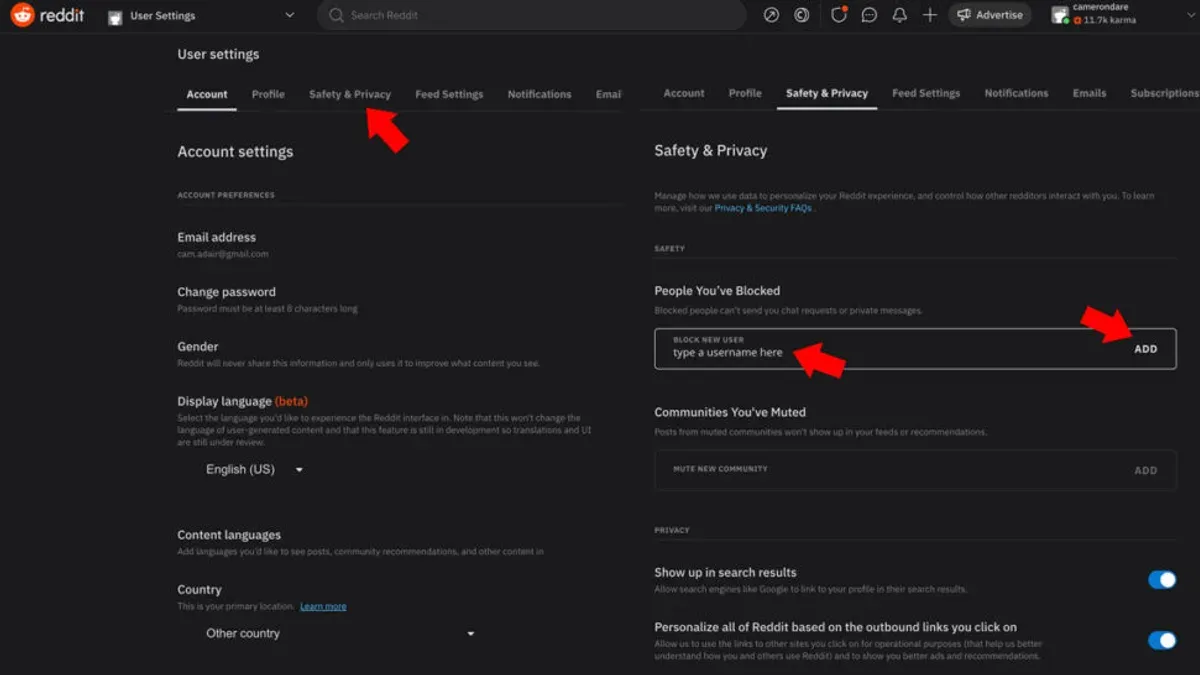
This guide explains how to block someone on Reddit, covering both individual users and entire communities to help manage unwanted interactions effectively.
Blocking on Reddit is accessible through user profiles and community pages, allowing users to stop seeing posts and messages from targeted accounts or subreddits. The process involves selecting the block option from the user’s profile menu or using the community settings for subreddit blocking. While blocking limits direct communication and visibility, it does not remove content already posted in shared spaces, which is a common misunderstanding.
Understanding the scope and limitations of blocking, along with troubleshooting common issues such as when the block option is unavailable or appears ineffective, ensures better control over the Reddit experience.
Before you start: What is needed to block someone on Reddit
Blocking on Reddit requires a registered account and being logged into it. Without an account, blocking options are unavailable. Users should be familiar with the distinction between blocking individual users and blocking entire communities (subreddits), as these are separate actions with different effects.
It is also necessary to identify which platform is being used—desktop or mobile app—since the interfaces differ and steps vary slightly. On desktop, blocking a user is commonly accessed via the user profile menu or comment context menus, while the mobile app provides blocking options through profile settings or message threads.
Awareness of Reddit’s blocking limitations is crucial. Blocking a user prevents them from interacting directly, such as commenting or messaging, but does not hide their posts site-wide or block them from all subreddit activities. Similarly, blocking a subreddit removes it from feed and recommendations but does not block users within that community.
- Log into a registered Reddit account. Once logged in, the top navigation bar should display the username or profile icon.
- Decide whether to block a user or a subreddit. Note that blocking users and communities use separate tools and menus.
- Confirm the platform in use (desktop web browser or Reddit mobile app). The location of blocking options varies accordingly.
- Review Reddit’s blocking policies to set realistic expectations about what blocking achieves and does not achieve.
Tip: Use the desktop site for more detailed blocking controls, as some mobile app versions offer limited functionality.
How to block a user on Reddit
- Locate the user profile by clicking their username in a comment or post, or by searching their username directly using the Reddit search bar. The profile page will display their posts, comments, and overview.
- On desktop, click the three-dot menu button located near the top right of the user’s profile header. On mobile, tap the three-dot icon in the upper right corner of the profile screen to open additional options.
- Select the Block User option from the dropdown menu that appears. This triggers a confirmation prompt to prevent accidental blocking.
- Confirm the block by clicking or tapping Block in the prompt. Once confirmed, the user is blocked immediately.
- After blocking, the user’s comments and posts will be hidden from view, and the blocked user will no longer be able to send direct messages or chat requests. Notifications from the blocked user also cease.
Tip: On desktop, the block option may be overlooked because it is grouped with other profile tools under the three-dot menu rather than directly on the page.
How to block a Reddit community
Blocking or muting an entire subreddit prevents posts from that community from appearing in the feed, helping users avoid unwanted content without leaving Reddit altogether. Reddit refers to this as muting a subreddit rather than blocking, and it can be done through user settings or directly from subreddit pages.
- Navigate to the subreddit to be muted (for example, r/politics).Once on the subreddit page, locate the three-dot menu icon near the "Join" or "Joined" button.
- Click the three-dot menu and select "Mute subreddit".This action adds the subreddit to the muted list, and posts from it will no longer appear in the home feed or r/all.
- To confirm the subreddit is muted, visit your Reddit settings under "Feed Settings" and check the "Muted Subreddits" list.The muted subreddit should be listed; users can unmute it here if desired.
For example, muting r/politics effectively removes its posts from the feed, though the subreddit remains searchable and accessible via direct links. This limitation means that while the content won't appear unsolicited, it is not fully blocked from view.
Tip: Muting a subreddit does not prevent comments or posts from that community appearing if they are cross-posted or shared in other subreddits.
What happens when you block someone on Reddit
Blocking a user on Reddit restricts direct interactions to reduce unwanted contact. Blocked users cannot send private messages or chat requests to the blocker, effectively cutting off personal communication. Additionally, the blocker will no longer see comments or posts made by the blocked user in feeds or threads.
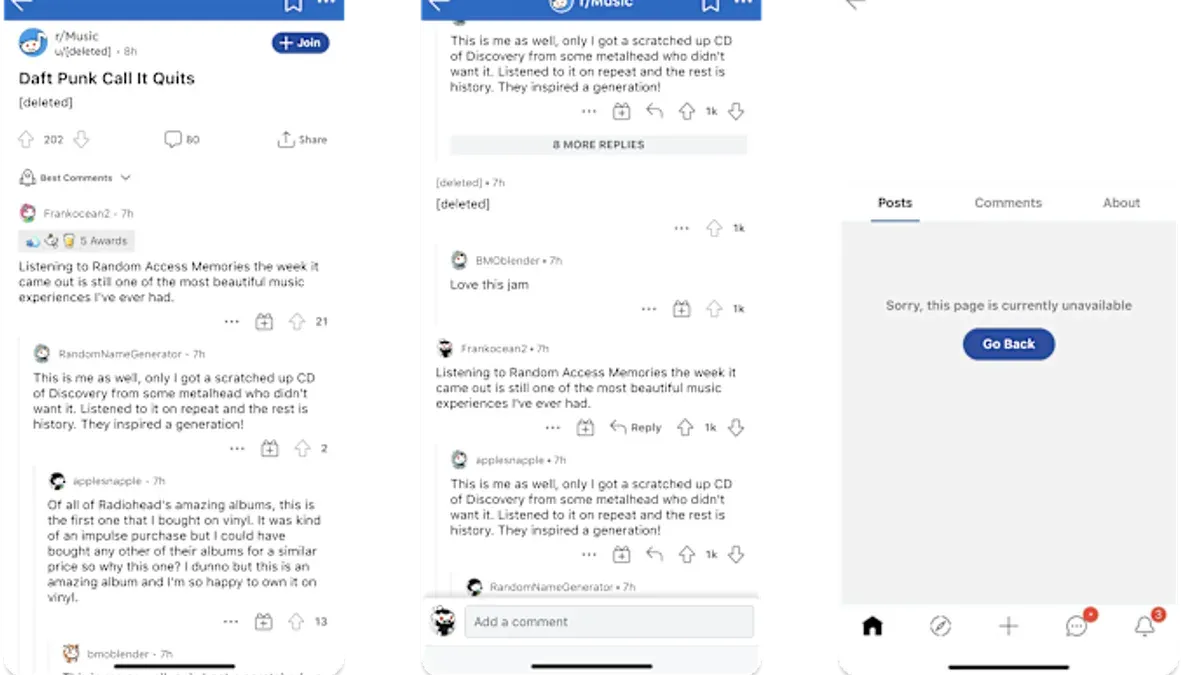
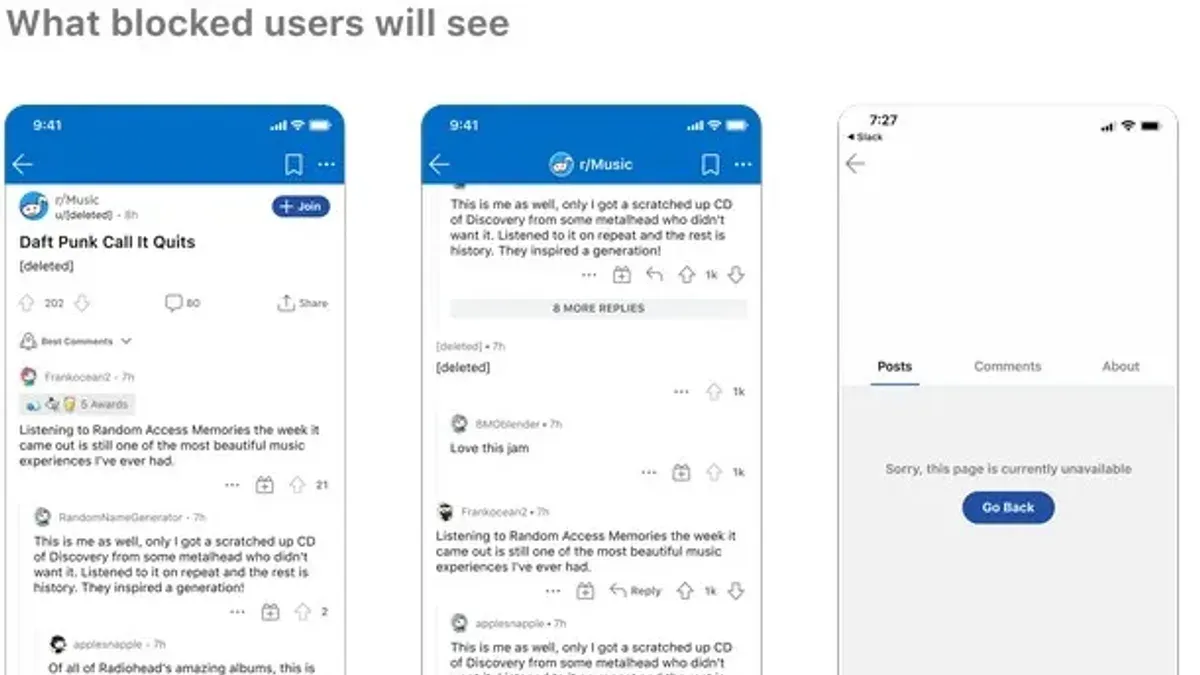
However, blocked users can still view the blocker's public posts and comments. They are not prevented from seeing content visible to all Reddit users, but they cannot interact directly through messaging or reply to the blocker’s posts.
Unlike some social platforms that notify users when they are blocked, Reddit does not send any notification, keeping the block discreet. This approach aims to minimize confrontation or escalation.
Compared to other social media, Reddit’s blocking focuses heavily on communication barriers rather than hiding all traces of the blocked user. For instance, on platforms like Facebook, blocking often removes visibility on both sides, while Reddit maintains public content accessibility.
How to unblock someone on Reddit
Unblocking a user on Reddit restores the ability to see their content and interact with them. This process is straightforward and involves accessing the blocked users list within Reddit's settings.
- Open Reddit and log into the account.
- Click on the profile icon in the top-right corner to open the account menu.
- Select User Settings from the dropdown.
- Navigate to the Privacy & Security tab.
- Scroll down to the Blocked Accounts section, where all currently blocked users are listed.
- Find the username to unblock and click the Unblock button next to it. The user will immediately be removed from the blocked list.
Once unblocked, the user’s posts and comments will become visible again according to Reddit’s usual visibility rules. Direct messages and replies can be received from that user once more.
Tip: If the user does not reappear in feeds or messages after unblocking, refreshing the page or restarting the app can help update the changes.
Why can’t I block someone on Reddit? Troubleshooting common issues
Several factors can prevent blocking a user on Reddit. One common issue is that the user is already blocked or their username was entered incorrectly, resulting in a "user not found" message. Double-check the spelling and confirm the account status.
Reddit platform limitations can also affect blocking. Users with deleted or suspended accounts cannot be blocked because their profiles are inactive. Additionally, official Reddit support notes that temporary bugs or server issues occasionally disrupt blocking functionality.
Security and privacy settings on the user’s device or Reddit app may interfere. For example, browser extensions or network restrictions might block some actions on the site, including blocking users.
Community discussions highlight that refreshing the page, logging out and back in, or using a different device or browser often resolves blocking failures. If persistent, contacting Reddit support is recommended.
- Verify the username is correct and the account is active; if the profile is unavailable, blocking is not possible.
- Refresh the page or restart the Reddit app to rule out temporary glitches.
- Clear browser cache or disable interfering extensions that might block site features.
- Try blocking the user from a different device or browser to see if the issue persists.
- If none of these steps work, submit a help request via Reddit’s Help Center describing the problem.
Can you get blocked on Reddit? Understanding mutual blocking
Blocking on Reddit is a one-sided action. When a user blocks another, the blocker controls the interaction and visibility between the two accounts. The blocked user does not receive a notification and can still view public posts and comments by the blocker, but cannot send direct messages or comment on the blocker's posts.
If a user is blocked by others, they may notice that their messages or comments do not appear to the blocker, but this is due to the blocker's settings, not a site-wide restriction on the blocked user. This experience differs significantly from being shadowbanned or banned by Reddit itself.
Shadowbanning is an automated or manual site action where a user's posts become invisible or limited to others without notification, often due to rule violations. Banning is a more direct removal or suspension from a subreddit or Reddit entirely, which restricts all interactions.
In contrast, being blocked is a personal user choice and affects only interactions with the specific blocker, not the whole platform.
How to block reddit.com or manage site-wide content filtering
Blocking Reddit entirely or filtering its content across the web requires tools beyond Reddit's own user or community blocking features. Browser extensions and parental control software offer effective ways to block access to reddit.com at the device or network level.
- Install a reputable browser extension like "BlockSite" or "StayFocusd".
When configured, attempts to visit reddit.com will be blocked or redirected. - Configure the extension to block reddit.com by adding it to the block list.
The browser will prevent loading Reddit pages after saving these settings. - Use built-in parental controls on the operating system, such as Windows Family Safety or macOS Screen Time.
Adding reddit.com to restricted sites will block access for selected user accounts. - Adjust Reddit’s internal content filters by navigating to User Settings > Feed Settings, enabling NSFW filters, or muting unwanted subreddits.
This reduces exposure to certain content but does not block Reddit entirely.
Tip: Site-wide blocking stops all Reddit access but prevents any engagement with content, whereas Reddit’s filters allow selective control without full restriction.
Limitations include inability to block Reddit selectively within apps or other browsers without separate setups, and some content may still appear through external embeds or third-party apps.
What to do if Reddit won’t let me block someone
When Reddit’s blocking feature is unresponsive or restricted, several practical steps can resolve the issue. Start by clearing the app cache or updating the Reddit app to the latest version, as outdated or corrupted data often disrupts blocking functions.
- Clear cache or update the Reddit app: On mobile devices, navigate to Settings > Apps > Reddit > Storage, then select Clear Cache. Alternatively, update the app via the App Store or Google Play. Success is indicated by restored blocking functionality.
- Check for account restrictions: Visit the Reddit User Settings > Privacy & Security to verify if temporary bans or account limitations are active. Such restrictions can disable blocking features temporarily.
- Contact Reddit support or report the issue: Use the Reddit Help Center or the “Report a Problem” option within the app to notify Reddit about persistent blocking failures. Official advice from Reddit often recommends this for unresolved cases.
- Use alternative methods to reduce unwanted interactions: If blocking remains unavailable, muting the user or subreddit and reporting problematic content can mitigate exposure to unwanted posts or messages.
Tip: Restarting the device after clearing cache or updating the app can improve the chances of successful blocking.
Further reading
- How to Block Someone on Discord: Step-by-Step Guide
- How to Block Someone on Messenger: Step-by-Step Guide
- How to Block Someone on LinkedIn: Step-by-Step Privacy Control
Frequently asked questions
How to block user on reddit?
To block a user on Reddit, visit their profile page, click the three-dot menu located near the top-right, and select "Block User." Confirm the action to prevent the user from interacting with your posts and messages. Blocking affects private messages, chat, and comments visibility.
Why can't i block someone on reddit?
Blocking may fail if the user has deleted their account or if there is a temporary platform issue. Additionally, some older Reddit apps or third-party clients might not support the blocking feature fully. Ensure the Reddit app or website is updated and try again.
Can you block someone on reddit?
Yes, Reddit allows blocking individual users to limit unwanted interactions. However, blocking does not prevent seeing posts in public feeds or subreddits unless those communities are also blocked or filtered separately.
What happens if you block someone on reddit?
When a user is blocked, they cannot send private messages or chat requests, and their comments on your posts become hidden from your view. The blocked user also cannot see when you are online or interact with your content directly. However, blocking does not remove their posts from public subreddits or the site overall.
How to block a subreddit on reddit?
To block a subreddit, open the subreddit page, click the three-dot menu next to the "Join" or "Joined" button, and select "Block Subreddit." This action hides posts from that community in your feed and recommendations. Note that subreddit blocking works independently from user blocking.
Limits to blocking on Reddit
Blocking on Reddit does not prevent users from viewing public posts or comments outside the blocker’s view; it mainly restricts direct interactions and visibility of blocked users’ content to the blocker. It does not stop blocked users from seeing posts in public subreddits or from interacting through third-party apps or external links. Users seeking comprehensive content control should consider additional moderation tools, subreddit-specific filters, or Reddit’s site-wide content preferences.
For harassment or severe abuse, reporting to Reddit’s Trust & Safety team is necessary, as blocking alone may not resolve such issues.
The most effective next step after blocking is to review and adjust the subreddit notification and content settings to further tailor the Reddit experience and avoid unwanted content.