Mastering Reddit Privacy Settings: A Clear Guide to Control Your Data
This guide helps you navigate Reddit privacy settings to control data sharing and protect your account visibility effectively.

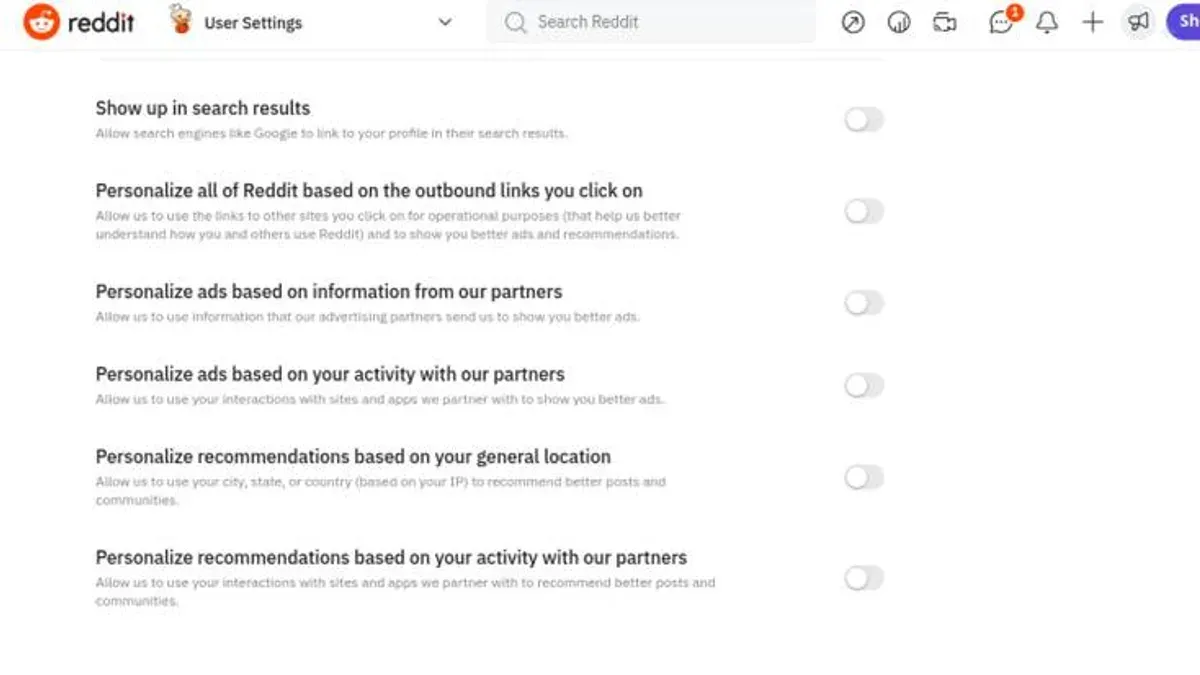
This article provides a clear, step-by-step guide to navigating Reddit privacy settings, helping users make informed choices about their data and account visibility.
Understanding Reddit privacy settings is essential because the platform collects various types of user data, from posts and comments to browsing habits and device information. Managing these settings allows users to control who can see their activity and how much personal information is shared, striking a balance between engagement and privacy.
Reddit's privacy options are not always straightforward, and users often overlook critical features like controlling post visibility or opting out of personalized ads. Comparing these settings to browser and operating system privacy controls reveals how different layers work together to protect user data across platforms.
Why privacy settings on Reddit are important
Reddit functions as a vast community platform where content is predominantly public by default. With hundreds of millions of active users, posts and comments are accessible to anyone, increasing the risk of personal data exposure. Typical shared information includes usernames, posting history, and sometimes location or personal opinions that can be traced back to individuals.
If privacy settings are not adjusted, users may face unintended consequences such as unwanted contact from strangers, exposure to targeted advertisements based on activity, or misuse of publicly shared content. For example, a user sharing details about their workplace in a subreddit could inadvertently reveal sensitive information to competitors or malicious actors.
Privacy settings on Reddit enable users to control who can see their activity and profile details. Options such as disabling public visibility of online status, controlling who can send direct messages, or opting out of data sharing for personalized ads help mitigate these risks. Effectively managing these settings empowers users to tailor their online presence, balancing community engagement with data protection.
What is Reddit's privacy policy and how it impacts users
Reddit's privacy policy outlines the scope of data collected, how it is utilized, and the circumstances under which it may be shared. The platform gathers information such as account details, content users post or interact with, device identifiers, IP addresses, and usage data. This data helps Reddit personalize content, improve services, and provide targeted advertising.
Data sharing occurs primarily with third-party service providers who support Reddit's operations, including analytics and advertising partners. Reddit specifies that it may also share data to comply with legal requests or to protect its rights. Users should recognize that while personal identifiers may be anonymized, some data sharing extends beyond the immediate Reddit ecosystem.
Historically, Reddit updated its privacy policy notably in 2018 to clarify data use related to third-party advertising and again in 2021 to address enhanced transparency around data retention and user controls. These changes often reflect broader regulatory shifts, such as the introduction of GDPR.
Users should monitor policy updates, typically announced on Reddit’s official site, to understand new data handling practices. For example, if Reddit introduces a new feature that collects biometric or location data, the policy update will specify how this data is processed and any new user controls available.
Concrete example: When a user posts in a subreddit, Reddit collects the content and metadata, which may then be used to tailor ads shown to that user across the platform and potentially on third-party sites through advertising networks.
How to get to privacy settings on Reddit
Accessing privacy settings on Reddit varies slightly depending on the platform and interface version used. On the Reddit website, start by logging into the account, then click the profile icon in the top-right corner. From the dropdown menu, select Settings. This leads to a page with several tabs; click on the Privacy & Security tab to find all privacy-related options.
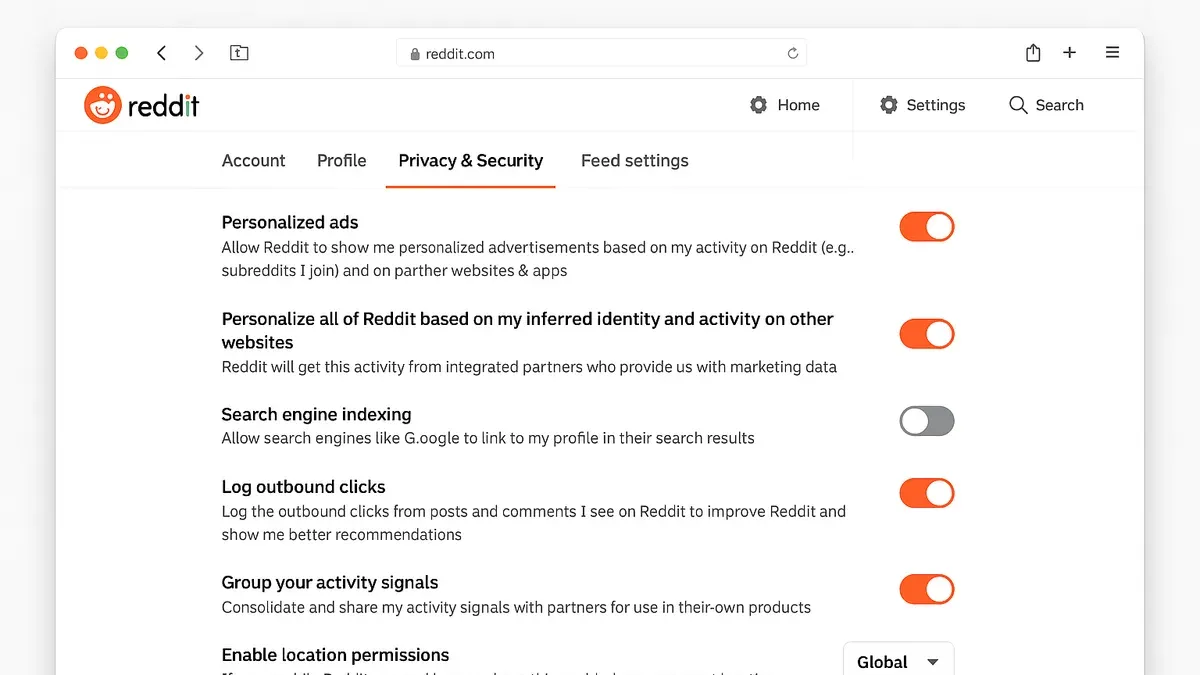
For example, a user on the new Reddit interface will see a clean sidebar within Settings where Privacy & Security is clearly listed. In contrast, the old Reddit interface requires clicking the username in the top-right, choosing User Settings, then navigating to Privacy & Security.
On the Reddit mobile app, tap the profile icon at the top-left (Android) or bottom-right (iOS), then tap the gear icon to open Settings. Scroll down to the Privacy & Security section. Mobile users may find fewer options here compared to the desktop site, but key privacy controls like data sharing and activity visibility are present.
Note: Reddit occasionally updates its user interface, so some menu labels or locations may change. If the Privacy & Security tab is not immediately visible, look under general settings or account settings.
Tip: Bookmarking the direct URL for privacy settings (https://www.reddit.com/settings/privacy) can save time navigating through menus, especially if the interface updates.
Can you set your Reddit account to private?
Reddit does not offer a fully private account setting similar to platforms that restrict all profile visibility by default. Instead, privacy on Reddit operates on a combination of account-level controls and subreddit-specific settings.
At the account level, users can limit visibility by adjusting certain settings. For example, the "Hide my online status" option in the User Settings under the "Privacy & Security" tab prevents others from seeing when the user is active on Reddit. Additionally, post and comment history remain publicly accessible unless deleted; there is no built-in option to make a user’s entire posting history private.
On the other hand, subreddit privacy is handled through community settings. Private subreddits require users to be approved before joining, and content within these communities is only visible to members. This creates a layer of privacy for posts and comments within those spaces but does not affect the overall profile visibility or content posted elsewhere.
For instance, a user participating in a private subreddit about a sensitive topic can ensure that only approved members see their contributions there, even though their general profile and public posts remain visible to all. This distinction highlights that privacy controls on Reddit focus more on community-level access rather than comprehensive account concealment.
Tip: Review both account privacy options and membership settings in private subreddits to balance visibility and participation effectively.
Is there a private mode on Reddit?
Reddit does not offer a dedicated private or incognito mode similar to those found in web browsers. Unlike browsers such as Chrome or Firefox, which provide incognito windows that do not save browsing history or cookies, Reddit’s platform operates with persistent user sessions and activity tracking. This means that all logged-in activity, including posts, comments, and votes, is linked to the user’s account and visible according to the privacy settings applied.
Tip: When seeking anonymity on Reddit, consider combining Reddit’s privacy controls with browser-based privacy tools.
To enhance privacy beyond Reddit’s native features, many users turn to browser privacy modes or third-party tools. For example, using a browser’s incognito mode or privacy-focused browsers like DuckDuckGo can limit tracking cookies and browsing history on the device, but these do not hide user activity from Reddit itself once logged in. Similarly, virtual private networks (VPNs) can obscure IP addresses, adding a layer of anonymity not provided by Reddit’s settings.
However, even with these external tools, Reddit’s internal data collection and visibility rules still apply. For instance, a user browsing Reddit in a browser’s private mode while logged into their account will remain identifiable to Reddit. The platform’s privacy features mainly allow control over profile visibility and content sharing rather than complete anonymity.
In summary, while Reddit lacks a built-in private mode, combining browser and network privacy tools with careful account settings is the best approach to enhancing privacy on the platform.
Settings to get better privacy on Reddit
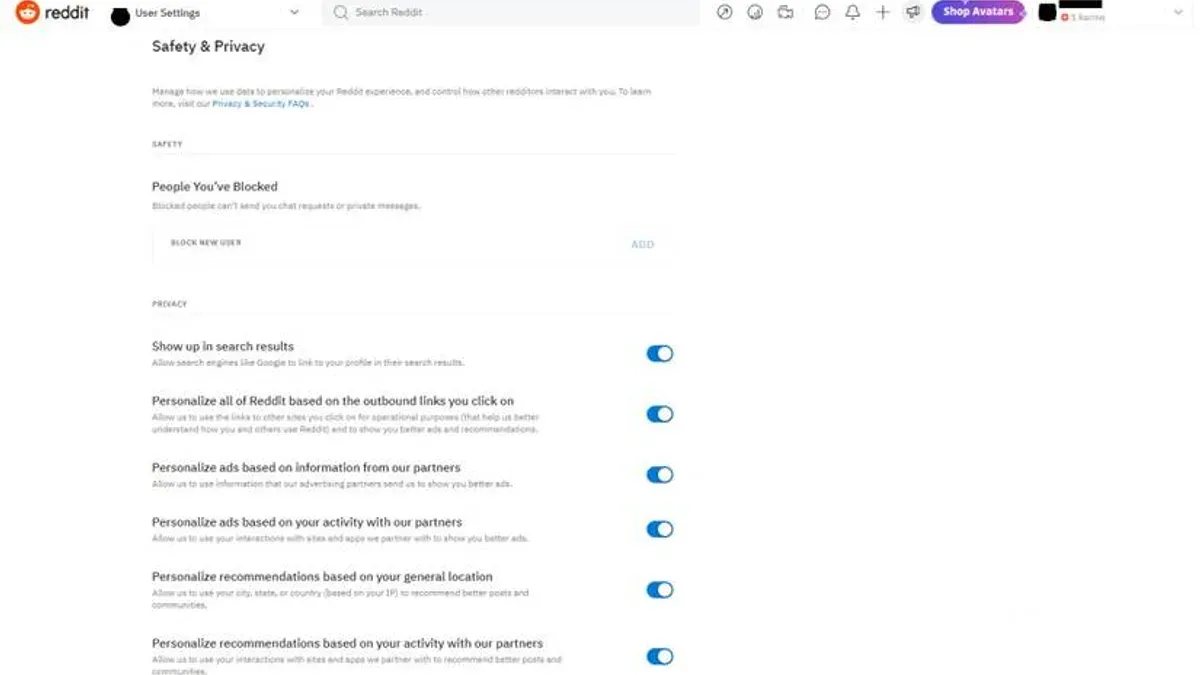
Improving privacy on Reddit involves adjusting several key settings that control data sharing, communication permissions, and profile visibility. One important setting is Personalized Ads, found under Settings & Privacy > Privacy & Security. Disabling this toggle stops Reddit from using browsing and interaction data to target advertisements, reducing personalized tracking.
Controlling who can interact directly is another crucial step. In the Privacy & Security section, users can limit Who Can Send You Private Messages to only People You Follow or No One. Similarly, the Friend Requests setting can be restricted to Only People You Follow, which helps minimize unsolicited contact.
Adjusting profile visibility also enhances privacy. Under Profile Settings, toggling off Show Active Status hides online presence from others, while disabling Display My Profile in Public Searches limits exposure to search engines and external sites.
Reddit allows users to manage their data through the Data Download and Account Deletion options in the Settings & Privacy > User Data menu. Downloading a copy of personal data lets users review what Reddit holds, and account deletion removes all associated data permanently.
For example, disabling personalized ads and limiting messages to followers reduces external tracking and unwanted communication, though it may decrease social engagement and personalized content relevance. Users must balance privacy preferences with the desired level of interaction on the platform.
Common mistakes to avoid when managing Reddit privacy
One frequent error is assuming Reddit accounts can be fully private without making specific adjustments. For example, many users believe their profiles are hidden by default, but profile visibility must be manually restricted under Profile Settings > Privacy Options. Without this, personal activity remains publicly accessible.
Ignoring updates to Reddit’s privacy policy or default settings can also reduce privacy unintentionally. Reddit occasionally modifies default permissions, such as enabling personalized ads or data sharing, which users might overlook if they do not periodically review User Settings > Privacy & Security. This oversight has led to complaints where users found unexpected data usage or targeted content.
Sharing identifiable information in posts or comments is another common pitfall. Even if privacy settings are tight, posting details like full names, locations, or workplaces can expose users. A typical scenario is a user discussing local events with enough specifics to be traced back, despite controlling account visibility.
Relying solely on Reddit’s privacy settings without leveraging browser or operating system protections is insufficient. Browsers like Firefox and Edge offer features such as enhanced tracking protection and cookie controls that complement Reddit's settings. For instance, while Reddit does not offer a private mode, using browser private windows or disabling third-party cookies helps limit data collection beyond Reddit’s scope.
Tip: Regularly review both Reddit’s settings and browser privacy controls to maintain comprehensive protection.
How browser and OS privacy settings interact with Reddit
Browser privacy controls play a crucial role in managing data shared with Reddit by blocking trackers and cookies that enable extensive user profiling. For instance, Firefox’s Enhanced Tracking Protection can be set to "Strict" mode via Settings > Privacy & Security, which blocks known third-party trackers and cookies, reducing ad targeting and data collection on Reddit. However, this may occasionally disrupt site functionality, such as loading personalized content or login sessions.
Windows 11 includes privacy settings that affect Reddit usage, especially through the Reddit app or browsers. In Settings > Privacy & Security > App permissions, users can control access to location, camera, and microphone. Disabling these for Reddit limits data shared through the app but does not affect browser-based activity. Additionally, Windows 11’s "Send diagnostic data" setting, found under Settings > Privacy & Security > Diagnostics & Feedback, can be minimized to reduce telemetry that might indirectly impact personalized ads on Reddit.
Privacy-focused browsers such as DuckDuckGo or Brave offer built-in tracker blocking and cookie management tailored to limit data leakage while browsing Reddit. For example, DuckDuckGo blocks hidden trackers by default without complex configuration, improving anonymity. Using these browsers alongside adjusting Windows privacy settings creates a layered defense, balancing convenience and privacy. A common overlooked step is ensuring these browsers are set as default and regularly updated to maintain effective protection.
Further reading
- Complete Guide to Instagram Privacy Settings for Account Control
- Complete Guide to Discord Privacy Settings and Controls
- Facebook Privacy Settings Explained: How to Control Your Account Security
Frequently asked questions
How to access settings on reddit?
To access settings on Reddit, click on the profile icon at the top right corner of the homepage, then select "User Settings" from the dropdown menu. This opens the settings page where various account and privacy options are available.
Is privacy com safe reddit?
Privacy.com is a third-party service that offers virtual payment cards to help protect financial information online. While it is unrelated to Reddit’s own privacy features, users can safely use Privacy.com when making purchases connected to their Reddit account, but it does not influence Reddit’s internal privacy controls.
How to get to settings on reddit?
Getting to settings on Reddit involves clicking the profile icon in the upper right corner, then choosing "User Settings." From there, different tabs such as "Privacy & Security" are accessible to manage account preferences.
How to check privacy settings?
Privacy settings on Reddit can be reviewed by navigating to "User Settings" and then selecting the "Privacy & Security" tab. Here, options like controlling post visibility, managing data sharing, and adjusting ad personalization are available to review and modify.
Why are privacy settings important?
Privacy settings are important because they allow users to control who can see their posts, comments, and personal information, reducing unwanted exposure. They also help limit data sharing with third parties and customize how Reddit handles user information, contributing to a safer and more personalized experience.
Limits of this advice and when to seek more
This article does not cover advanced security measures such as two-factor authentication or account recovery, which are crucial but distinct from privacy settings. Users concerned about protecting account access or recovering lost credentials should consult Reddit’s dedicated security resources or use specialized security guides.
For users seeking comprehensive protection beyond basic privacy controls, including encryption or anonymity tools, additional research and tools outside Reddit’s native settings are necessary.
The most practical next step after adjusting privacy settings within Reddit is to regularly review the "Data Settings" section under "User Settings" to manage personal data sharing and ad preferences. This area allows users to limit data collection and personalize ad tracking, which directly impacts privacy without affecting content engagement. Checking this periodically ensures privacy choices remain aligned with evolving platform features and personal comfort levels.