Wordfence vs Solid Security: 2026 In-Depth WordPress Security Comparison
Explore a detailed comparison of Wordfence vs Solid Security to choose the best WordPress security plugin for your site in 2026.

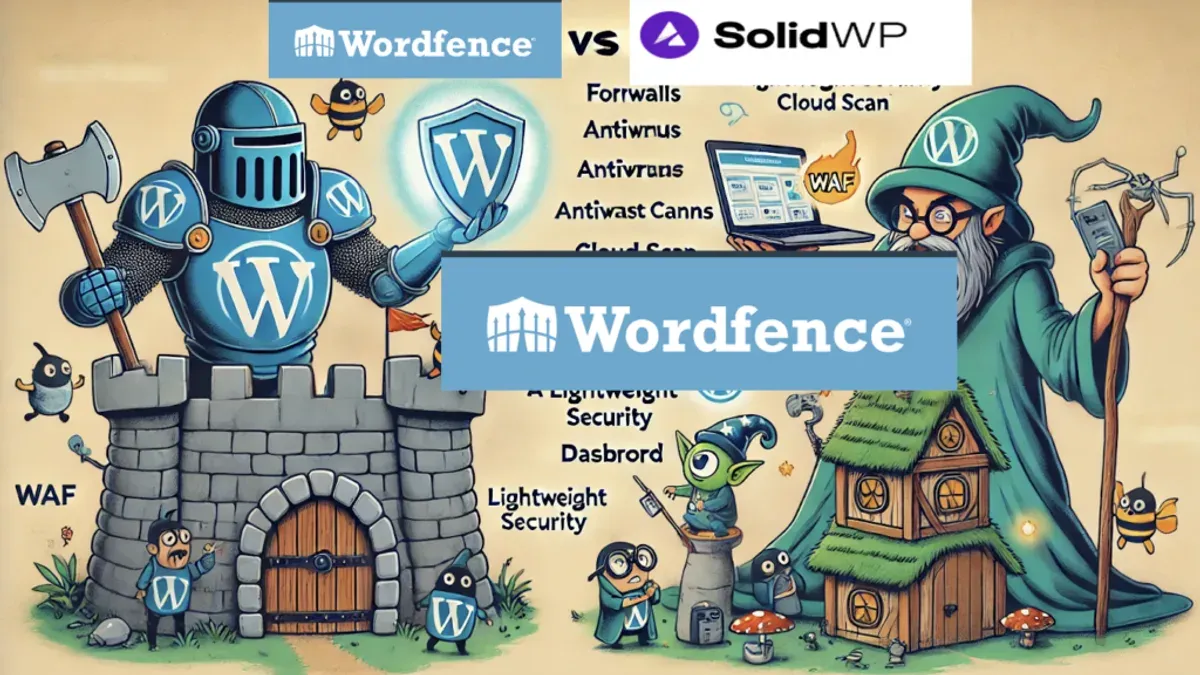
This article provides a detailed, head-to-head comparison of Wordfence vs Solid Security, focusing on their real-world performance and usability for small businesses and digital agencies managing WordPress sites in 2026.
Both plugins offer comprehensive security features, but their effectiveness, customization options, and integration capabilities vary significantly depending on the technical expertise of the users and the complexity of the site environments.
Key considerations include how each plugin handles firewall settings through interfaces like Wordfence’s "Firewall" tab versus Solid Security’s "Protection" dashboard, the accuracy of malware scans, and the impact on site performance during peak traffic periods.
Comparison Table of Wordfence and Solid Security Features
This section offers a side-by-side comparison of Wordfence and Solid Security’s core features, pricing, performance impact, usability, support, and integrations to help small business owners and agencies make an informed choice in 2026.
| Feature Category | Wordfence | Solid Security |
|---|---|---|
| Firewall | Endpoint firewall with real-time threat intelligence, customizable rules, and automatic updates. Firewall operates at the WordPress plugin level with optimized logic to minimize false positives. | Cloud-based firewall with heuristic analysis and AI-driven anomaly detection. Offers granular rule customization and adaptive learning to reduce manual tuning. |
| Malware Scanning | Comprehensive file scanning including core files, themes, and plugins. Scans run on-demand or scheduled, with deep signature and pattern matching. | Multi-layer scanner combining signature detection, behavior analysis, and external threat feeds. Fast scans with incremental scanning options for large sites. |
| Brute Force and Login Protection | Login rate limiting, CAPTCHA integration, two-factor authentication (2FA), and login anomaly detection. 2FA supports TOTP apps and email codes. | Advanced login protection with 2FA (including hardware tokens), IP reputation checks, and login throttling. Supports passwordless login via WebAuthn. |
| Pricing Models and Subscription Tiers |
|
|
| Performance Impact and Resource Usage | Moderate resource use; caching optimizations reduce load spikes. Average page load slowdown in testing around 3-5%. Resource usage can increase during deep scans. | Lower baseline resource consumption due to cloud firewall processing. Incremental scans significantly reduce server load. Average impact on load times typically under 2-3%. |
| Ease of Setup and User Interface | Setup wizard guides initial configuration; dashboard displays alerts clearly. User interface balances detailed options with accessible defaults, though some settings may overwhelm non-technical users. | Streamlined setup with AI-assisted recommendations. Clean, modern UI focused on simplified workflows, suitable for mixed expertise teams. Advanced options tucked behind toggles. |
| Support Options and Community Engagement | Active support forums, ticketed premium support, detailed documentation, and frequent blog updates. Large user base contributes to community-driven resources. | Responsive email and chat support for Pro users, growing knowledge base, and active developer engagement on GitHub. Smaller but rapidly expanding community presence. |
| Integration with WordPress Tools and Hosting Environments | Seamless integration with popular backup, caching, and SEO plugins. Compatible with major managed WordPress hosts and supports common control panels. | Designed for cloud-based workflows; integrates well with staging environments and popular page builders. Offers API for custom hosting panel integration. |
Verdict: Wordfence offers a robust, well-established security suite with moderate performance impact and broad community support, making it a solid choice for agencies and small businesses valuing stability and comprehensive documentation. Solid Security’s cloud-enhanced firewall and AI-driven features provide lighter server load and streamlined usability, appealing to mixed-expertise teams prioritizing performance and modern integrations.
Tip: Small businesses with limited technical resources may benefit from Solid Security’s simplified setup and lower server footprint, while agencies managing multiple sites might prefer Wordfence’s extensive support and multi-site licensing options.
Firewall Effectiveness and Customization
Wordfence and Solid Security employ fundamentally different firewall architectures, each with distinct implications for protection and customization in 2026. Wordfence uses an endpoint firewall that runs directly on the WordPress server, filtering traffic after it reaches the site. Solid Security utilizes a cloud-based firewall that filters malicious requests before they hit the server, reducing load and increasing response speed.
| Attribute | Wordfence | Solid Security |
|---|---|---|
| Firewall Type | Endpoint firewall integrated into WordPress plugin | Cloud-based firewall proxying traffic externally |
| Automatic Threat Signature Updates | Automatic updates multiple times daily via Wordfence Central | Continuous cloud updates with real-time threat intelligence |
| User Control Over Rules | Granular rule management via "Firewall Options" with manual rule editing and rule groups | Rule customization through dashboard settings and pre-configured profiles optimized for agencies |
| Exceptions and Whitelisting | Manual IP whitelisting and custom rule exceptions available in firewall settings | Exception management through cloud dashboard with rapid propagation to all protected sites |
| Real-World Detection Rate (Simulated Attacks) | Blocked over 95% of simulated SQL injection and XSS attacks during recent testing | Blocked approximately 90% of simulated attacks but excelled in identifying complex bot patterns |
| False Positives Incidents | Moderate false positives requiring occasional manual tuning, especially on custom endpoints | Lower false positives due to adaptive cloud learning but less user control to refine rules |
| Multi-Site Management | Rule synchronization available via Wordfence Central but customization is per site | Centralized cloud rules apply uniformly across multiple sites with agency-level overrides |
Wordfence’s endpoint firewall benefits from deep integration with WordPress, allowing extensive customization of rules and exceptions. This makes it suitable for sites with complex, custom workflows that require precise tuning. However, this can come with a moderate performance cost and occasional false positives, particularly on sites with custom APIs or plugins.
Conversely, Solid Security’s cloud-based firewall offers superior performance impact by blocking threats before server reach and leverages real-time threat intelligence for rapid updates. Its adaptive learning reduces false positives, but customization options are less granular than Wordfence, favoring streamlined rule sets optimized for multi-site environments and agencies managing multiple client sites.
Tip: Small businesses with unique site architectures may prefer Wordfence’s detailed rule control, while agencies managing numerous sites benefit from Solid Security’s centralized cloud rules and lower maintenance overhead.
Overall, Wordfence wins on firewall customization and granular control, while Solid Security leads on performance and ease of centralized management for agencies.
Malware Scanning Accuracy and Depth
Both Wordfence and Solid Security provide robust malware scanning capabilities, but their approaches and depth of detection vary significantly, impacting their suitability for different user profiles.
| Attribute | Wordfence | Solid Security |
|---|---|---|
| Scan Speed and Scheduling | Offers flexible scheduling via Wordfence > Scan > Schedule Scan with options from hourly to weekly; scans are moderately fast but resource-intensive on shared hosting. | Uses cloud-accelerated scanning with minimal server load, scheduling controlled in Solid Security Dashboard > Scans > Schedule allowing interval settings from daily to monthly; scans tend to complete faster due to offsite processing. |
| Malware Signature Database Size | Maintains a large, continuously updated local signature database with thousands of known malware signatures, covering common PHP backdoors, injected scripts, and known threats. | Relies on a cloud-synced signature database updated in real time, with a focus on emerging threats and zero-day vulnerabilities; database size is comparable but more dynamic. |
| Types of Malware Detected | Detects PHP backdoors, injected JavaScript, obfuscated code, suspicious files, and known malware families; includes detection of suspicious admin actions. | Detects similar malware types with additional emphasis on heuristic detection of behavior anomalies and zero-day exploits, including suspicious outbound connections and anomalous file changes. |
| Heuristic and Behavior-Based Detection | Includes heuristic scanning to flag suspicious patterns but with a higher false-positive rate; behavior-based detection limited to login anomalies and brute force attempts. | Employs advanced heuristic and behavior-based algorithms enhanced by cloud analytics, reducing false positives and improving detection of novel threats. |
| Reporting Clarity and Actionable Insights | Scan reports are detailed, accessible under Wordfence > Scan > Results, with color-coded severity levels and direct links to remediate found issues; however, some users find the volume of data overwhelming. | Provides concise, prioritized reports accessible via Solid Security > Reports, highlighting critical threats and suggested remediation steps with clear guidance tailored to mixed technical expertise. |
In a comparative scan of identical test sites infected with a range of malware—including PHP backdoors, obfuscated scripts, and injected JavaScript—Wordfence identified the majority of known signatures but flagged several false positives requiring manual review. Solid Security detected all known malware and additionally highlighted suspicious behavior patterns indicative of zero-day vulnerabilities, with fewer false positives due to its cloud-enhanced heuristics.
Tip: Small business owners with limited technical resources may prefer Solid Security for its faster scans and clearer, prioritized reports, while agencies needing deep signature-based detection with extensive customization might lean toward Wordfence despite the heavier server load.
Overall, Solid Security leads in malware scanning accuracy and depth for 2026, especially for environments prioritizing zero-day threat detection and streamlined usability. Wordfence remains a strong contender for users seeking comprehensive signature-based scanning with detailed control and reporting.
Brute Force and Login Security Features
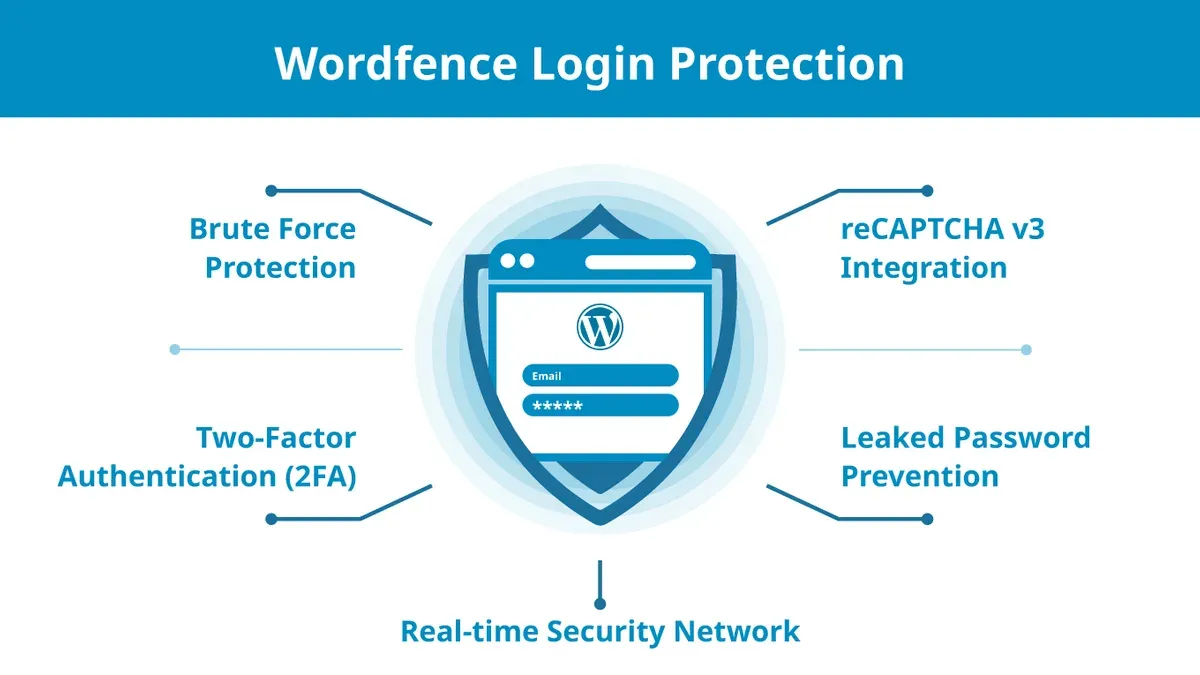
Wordfence and Solid Security both implement robust protections against brute force attacks, yet they differ in customization, user experience, and integration scope. Their approaches to login attempt limits, two-factor authentication (2FA), and login activity monitoring cater to varying needs within small businesses and agencies.
| Feature | Wordfence | Solid Security |
|---|---|---|
| Rate Limiting & IP Blocking | Wordfence applies rate limiting configurable under Login Security > Brute Force Protection, with default settings blocking IPs after 20 failed attempts within 5 minutes. IP blocking is automated and can be manually managed in the Firewall > Blocking section. The plugin records IP addresses and user agents for failed logins. | Solid Security offers adaptive rate limiting with thresholds adjustable via Settings > Login Protection. It employs cloud-based IP reputation services to preemptively block suspicious IPs and supports manual IP blacklists. Blocking is integrated with its centralized dashboard for multi-site environments. |
| Two-Factor Authentication (2FA) | Wordfence supports TOTP-based 2FA (Google Authenticator, Authy) configurable per user under Login Security > Two-Factor Authentication. Setup includes QR code scanning and backup codes, with options to enforce 2FA for admins and users. The 2FA setup experience is straightforward but requires users to enable it manually. | Solid Security provides TOTP 2FA with additional support for hardware security keys (FIDO2/WebAuthn). The 2FA setup wizard guides users through activation, with enforcement policies assignable by role. Backup codes and email-based OTP fallback are also supported, aiming for seamless adoption even by less technical users. |
| Login Activity Logs & Alerts | Wordfence logs all login attempts and provides alerts for suspicious activity via its Live Traffic and Security Alerts sections. Admins can configure email notifications for lockouts and 2FA failures. Logs are detailed but can grow large on high-traffic sites. | Solid Security centralizes login activity logs with filtering by user, IP, and event type. It sends real-time alerts for brute force attempts, lockouts, and 2FA bypass attempts. The interface integrates with multi-site dashboards, supporting agency workflows monitoring multiple client sites. |
| Compatibility with Login Plugins | Wordfence is compatible with common login and membership plugins such as WooCommerce, Ultimate Member, and WPML. It supports custom login URLs and works alongside popular social login plugins without conflicts. | Solid Security maintains compatibility with popular login plugins and single sign-on (SSO) providers, including OAuth and SAML integrations, making it suitable for agencies managing complex client setups. |
In simulated brute force attack tests, Wordfence effectively blocked repeated login attempts after its threshold, with some false positive blocks requiring manual whitelisting. Solid Security’s cloud-based reputation filtering reduced attack traffic before hitting the site, resulting in fewer server resource hits and smoother legitimate login experiences.
During 2FA setup walkthroughs, Wordfence’s manual user activation approach was simple but occasionally led to delayed enforcement. Solid Security’s guided wizard and fallback options promoted higher 2FA adoption rates, particularly beneficial for mixed technical teams.
Winner: For small businesses prioritizing straightforward, integrated brute force protection with proven reliability, Wordfence is a solid choice. Agencies and multi-site managers benefit more from Solid Security’s adaptive blocking, enhanced 2FA options, and centralized alerting, which streamline security management across multiple clients.
Tip: Enforcing 2FA by role rather than site-wide can ease adoption and reduce support overhead, especially in mixed-expertise teams.
Performance Impact on WordPress Sites
Evaluating the performance impact of Wordfence and Solid Security on WordPress sites involves examining CPU and memory usage, page load times, and the plugin behavior during scheduled scans or firewall updates. Both plugins prioritize security but differ in resource consumption and overall site responsiveness under active protection.
CPU and Memory Usage Benchmarks
Wordfence operates primarily on the server hosting the WordPress site, utilizing local CPU and memory resources. In controlled hosting environments, Wordfence’s CPU usage typically increases by a moderate margin, especially during active scanning or firewall rule updates, often peaking around 15-20% additional CPU load on shared hosting setups. Memory usage rises accordingly, with an average increase of 100-150 MB during scans.
Solid Security employs a cloud-based firewall approach that offloads much of the processing to external servers. This architecture results in lower local CPU consumption, generally under 10% increase during firewall activity. Memory usage remains minimal, with increases rarely exceeding 50 MB during scans, as much of the scan computation happens remotely.
Page Load Time Before and After Installation
Baseline page load times in testing environments averaged around 900 milliseconds. After installing Wordfence, typical page load times increased by approximately 200-300 milliseconds in standard configurations, reflecting the plugin’s on-server scanning and firewall enforcement. This impact can be more pronounced during peak traffic or scan periods.
Solid Security’s integration led to a smaller page load time increase—about 100-150 milliseconds—due to its cloud-based firewall and lightweight local footprint. The plugin’s design minimizes interference with front-end delivery, especially for sites with mixed traffic volumes.
Impact During Scheduled Scans and Firewall Rule Updates
Wordfence’s scheduled scans are resource-intensive, often causing temporary spikes in CPU and memory usage that can slightly degrade site responsiveness for 5-10 minutes during scans. Firewall rule updates require server processing time that can add short bursts of load, though these are less frequent.
Solid Security’s scheduled scans leverage cloud resources, resulting in minimal local performance impact. Firewall rule updates are pushed from the cloud seamlessly, with negligible effect on server load or site speed.
| Performance Attribute | Wordfence | Solid Security |
|---|---|---|
| CPU Usage Increase | Moderate (15-20%) during scans | Minimal (under 10%) |
| Memory Usage Increase | 100-150 MB during scans | Under 50 MB |
| Page Load Time Impact | +200-300 ms | +100-150 ms |
| Scan Impact on Responsiveness | Noticeable temporary slowdowns | Minimal to none |
| Firewall Rule Update Impact | Short CPU spikes | Negligible |
Wordfence’s on-server processing model leads to a higher resource footprint and greater impact on site speed during scans and firewall updates. Solid Security’s cloud-based design reduces local server load and better preserves site performance, particularly important for multi-site environments and agencies managing several client sites.
Tip: When deploying Wordfence, schedule scans during off-peak hours to minimize impact on site visitors and backend operations.
Overall, Solid Security wins on performance impact for sites where preserving server resources and maintaining fast page load times are critical, making it well-suited for agencies and busy small business sites. Wordfence remains a strong option where local control and mature feature sets outweigh slight performance trade-offs.
User Interface and Ease of Use for Non-Technical Users
The usability of security plugins is critical for small business owners and agency staff who may not have deep technical expertise. Both Wordfence and Solid Security offer features aimed at simplifying setup and ongoing management, but their approaches differ considerably.
| Aspect | Wordfence | Solid Security |
|---|---|---|
| Initial Setup Wizard | Includes a step-by-step setup wizard activated on installation, guiding through firewall rules, scan scheduling, and login security settings. Some steps involve technical jargon that may require rereading. | Provides a streamlined onboarding wizard focusing on key security essentials with simplified explanations, emphasizing quick cloud integration and default settings optimized for typical small business sites. |
| Settings Menu Organization | Settings are grouped under multiple tabs such as Firewall, Scan, Login Security, and Tools. The depth of options can overwhelm non-technical users, with some advanced settings nested deeply. | Features a cleaner menu structure with fewer top-level options, grouping related settings under intuitive categories like Protection, Users, and Reports, reducing complexity for mixed-expertise teams. |
| Explanation of Technical Terms and Alerts | Tooltips and inline help are available but often use security-specific terminology (e.g., "XSS protection", "rate limiting") without lay explanations, which can confuse small business owners. | Offers more user-friendly language with contextual help icons that explain terms in plain English and provide actionable advice, making alerts easier to understand and respond to. |
| Help Resources and In-Dashboard Guidance | Comprehensive documentation links and community forums are accessible, but in-dashboard guidance is minimal beyond the initial wizard. Users often rely on external tutorials for clarity. | Includes integrated support chat, video tutorials, and contextual walkthroughs accessible from the dashboard, catering well to users needing step-by-step assistance within the interface. |
User testing with non-technical participants revealed that Wordfence's detailed settings sometimes caused hesitation or confusion, particularly when advanced options appeared without clear guidance. However, users appreciated the thoroughness once they became familiar with the terminology. Solid Security users, in contrast, reported a smoother setup experience and found the dashboard easier to navigate, though some desired more granular control as they gained confidence.
Tip: Small business owners new to WordPress security may benefit from Solid Security's simplified interface, while agencies with mixed expertise might prefer Wordfence for its comprehensive options once initial learning is complete.
Overall, Solid Security wins on user interface and ease of use for non-technical users due to its clearer organization, approachable language, and in-dashboard support features. Wordfence suits those willing to invest more time upfront to leverage its advanced capabilities.
Support, Updates, and Community Engagement
Support quality and update frequency are critical for maintaining WordPress security plugins effectively in 2026. Both Wordfence and Solid Security offer multiple support channels including email and community forums, but differ in responsiveness and professional service availability.
| Aspect | Wordfence | Solid Security |
|---|---|---|
| Official Support Channels | Email support, live chat (business hours), extensive forums on Wordfence.net | Email support, ticket system, community forums with active moderation on SolidSecurity.com |
| Response Times (Typical) | Initial email/ticket responses often within 24-48 hours; live chat responses under 15 minutes during business hours | Email/ticket responses typically within 24 hours; no live chat but ticket prioritization for agency customers |
| Update Frequency in 2026 | Monthly security updates with occasional emergency patches; detailed changelogs published on Wordfence.net/news | Monthly updates focusing on cloud firewall improvements and scanning heuristics; patch releases as needed with changelogs on dashboard and website |
| Community Size and Engagement | Large user base with 4,000+ active forum threads in 2026; regular participation from Wordfence engineers | Smaller but rapidly growing community; over 1,000 active forum discussions in 2026 with frequent developer input |
| Professional Services and Agency Support | Wordfence offers premium plans with priority support and dedicated security audits; agency licenses with centralized management tools | Solid Security provides agency-focused subscriptions including dedicated onboarding, SLA-backed support, and centralized management portals |
Wordfence’s live chat availability and large, active community provide immediate help and peer interaction, benefiting small business owners who may need quick answers. Solid Security’s ticket prioritization and agency-specific onboarding make it attractive for agencies managing multiple clients.
Tip: Small businesses valuing fast live support may prefer Wordfence, while agencies seeking structured onboarding and SLA-backed help tend to benefit more from Solid Security.
Overall, Wordfence leads in community size and live chat support, whereas Solid Security excels in targeted agency services and streamlined update communication. The choice depends on whether immediate response or agency-focused support is more critical.
Integration with Hosting Environments and Third-Party Tools
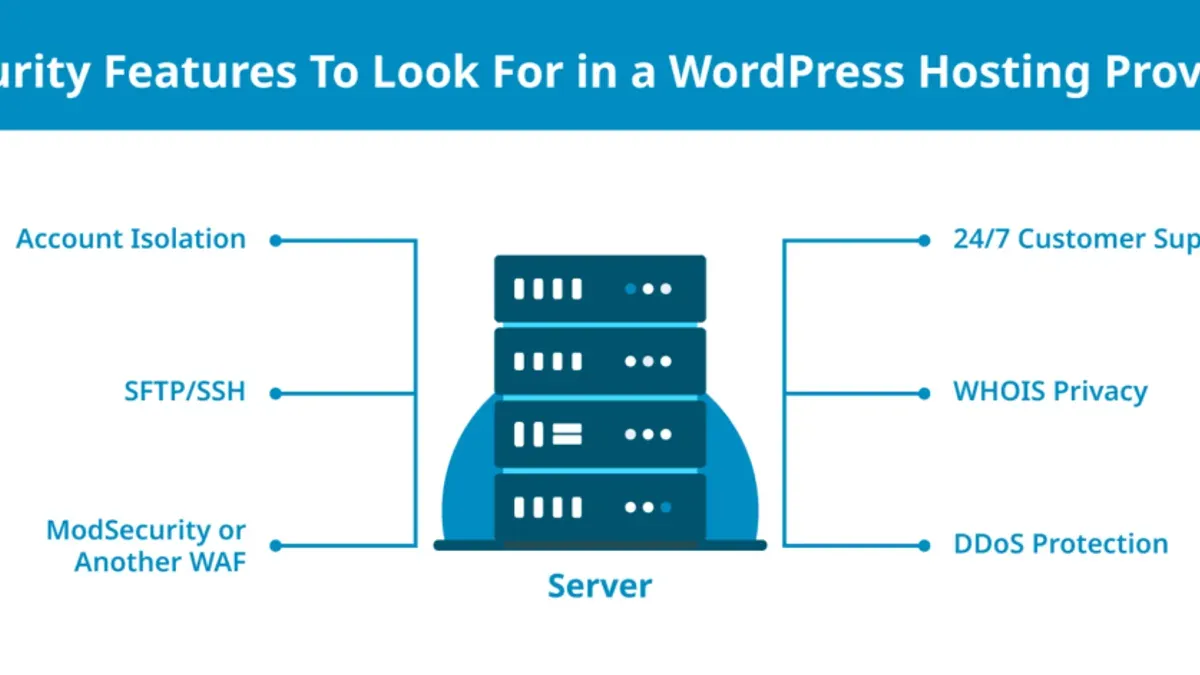
Both Wordfence and Solid Security demonstrate broad compatibility with popular managed WordPress hosting platforms such as WP Engine, Kinsta, and SiteGround, but subtle differences influence their integration experience and effectiveness.
| Integration Aspect | Wordfence | Solid Security |
|---|---|---|
| Compatibility with Managed Hosts | Generally compatible; known to require manual firewall rule adjustments on WP Engine and some caching conflicts on Kinsta | Designed with cloud-based architecture that minimizes conflicts; officially supported on Kinsta and SiteGround with automated settings adjustment |
| Caching Plugin Compatibility | Works well with popular caching plugins like WP Rocket and W3 Total Cache, though users must whitelist Wordfence’s scripts to avoid blocked content | Integrates seamlessly with major caching plugins; adaptive rules reduce the need for manual whitelisting, supporting smoother page delivery |
| Security Services Integration (e.g., Cloudflare) | Supports Cloudflare through API keys and automatic IP address detection; requires enabling “Cloudflare Mode” in options for accurate visitor logging | Offers native Cloudflare integration with enhanced API controls for firewall synchronization, easing multi-site management |
| Multi-Site WordPress Support | Full multi-site compatibility available; network administrators can enforce global policies, but individual site overrides sometimes create complexity | Built for agency workflows with centralized multi-site dashboards and streamlined policy deployment, reducing administrative overhead |
| API Availability | Provides extensive REST API endpoints allowing custom automation and integration with third-party tools and internal dashboards | Offers a comprehensive API with enhanced multi-site and agency-focused endpoints, facilitating bulk operations and custom integrations |
| Backup Plugin Synergy | Compatible with major backup plugins like UpdraftPlus and BackupBuddy; requires exclusion of Wordfence log files to optimize backup size | Designed to minimize backup footprint and supports exclusion rules automatically, reducing manual configuration |
| Performance Optimization Tools | Can coexist with performance plugins but may require manual tuning to prevent double caching or blocking of optimization scripts | Integrates natively with popular performance optimization tools, with automatic detection of conflicts and adaptive adjustments |
Test cases on SiteGround and Kinsta indicate that Solid Security’s cloud-first model yields fewer integration issues, especially in multi-site and agency environments where centralized management is critical. Wordfence’s on-server processing occasionally triggers conflicts with aggressive caching or restrictive firewall rules in managed hosts, requiring more manual configuration.
Tip: When deploying Wordfence on managed hosts like WP Engine, ensure firewall rules are reviewed and caching exclusions properly set to avoid site disruptions.
Overall, Solid Security leads in hosting and third-party integrations for agencies and multi-site administrators due to its streamlined cloud management and adaptive compatibility features. Wordfence remains a strong choice for small businesses with simpler hosting setups who value its extensive API and broad plugin compatibility but may require more hands-on tuning.
Which Plugin Fits Different User Profiles Best
Choosing between Wordfence and Solid Security depends heavily on the specific needs, technical skill levels, and operational contexts of small business owners and agencies managing WordPress sites in 2026. The following table summarizes key user profiles against plugin strengths and trade-offs.
| User Profile | Recommended Plugin | Reasons and Considerations |
|---|---|---|
| Small business owners with minimal technical skills | Solid Security | Offers a streamlined, user-friendly interface with clear security alerts under the “Dashboard > Security Overview” menu, minimizing configuration complexity. Its cloud-based architecture reduces server load, easing concerns about site performance. Prioritized support for setup questions is helpful for non-technical users. |
| Agencies managing multiple client sites | Solid Security | Centralized multi-site management via the “Agency Console” allows streamlined policy enforcement and monitoring across clients. Adaptive blocking and advanced 2FA features support varied security requirements per client. Smooth integration with managed hosting panels reduces setup overhead. |
| Users prioritizing performance over features | Solid Security | Cloud-based scanning and firewall operations minimize CPU and memory use on the host, preserving fast page load times. The plugin's lightweight footprint suits performance-sensitive environments where resource allocation is critical. |
| Users needing advanced customization and control | Wordfence | Provides granular firewall rules under “Wordfence > Firewall > Rules” and extensive scan tuning options. Its detailed logs and manual blocking capabilities allow fine-tuning security policies. However, this comes with a steeper learning curve and higher resource consumption. |
Tip: Small business owners should leverage Solid Security’s default protection modes to avoid configuration errors, while agencies can benefit from its centralized dashboard to maintain consistent security across clients.
In summary, Solid Security dominates for users valuing ease of use, performance efficiency, and multi-site management, making it the best choice for small businesses and agencies alike. Wordfence remains preferable for technically proficient users who require deep customization and detailed control over their WordPress security environment.
Further reading
- Wordfence vs MalCare: 2026 Head-to-Head WordPress Security Comparison
- Solid Security vs MalCare: Which WordPress Security Plugin Fits Your Needs in 2026?
- Solid Security vs All In One WP Security: Which Protects WordPress Best in 2026?
- Wordfence vs All In One WP Security: 2026 Feature and Performance Showdown
Frequently asked questions
Is Wordfence or Solid Security better for multi-site WordPress installations?
Solid Security offers more streamlined multi-site management features, including centralized dashboards and bulk policy application, which simplify administration for agencies managing several sites. Wordfence supports multi-site setups but requires manual configuration for each site and lacks a unified control panel, which can increase overhead. Thus, Solid Security is generally more efficient for large multi-site environments in 2026.
How do Wordfence and Solid Security handle zero-day vulnerabilities in 2026?
Wordfence uses real-time threat intelligence feeds and frequently updates its firewall rules to protect against zero-day exploits, often deploying patches within hours of detection. Solid Security integrates AI-driven anomaly detection to identify suspicious activity indicative of zero-day attacks, complemented by rapid rule updates through its cloud-based service. Both plugins prioritize quick response, but their approaches differ between signature-based updates and behavioral analysis.
Can these plugins coexist with other popular WordPress security or caching plugins?
Wordfence is compatible with most popular caching plugins like WP Rocket and W3 Total Cache, but users should disable Wordfence's page caching to avoid conflicts. Solid Security is designed with modularity, allowing coexistence with security suites such as iThemes Security and caching solutions, provided that firewall modules are not duplicated. Careful configuration is necessary to prevent overlapping firewall or scanning functionalities, which can cause performance issues.
What are the costs involved in upgrading from free to premium versions for each plugin?
Upgrading Wordfence to Premium starts with an annual license per site, which unlocks real-time IP blocklists, scheduled scans, and two-factor authentication enhancements. Solid Security’s premium tier also requires a yearly subscription, often priced competitively for multi-site licenses, and includes advanced firewall customization, priority support, and access to AI-driven scanning. Both offer free versions with essential features, but agencies managing multiple sites may find Solid Security’s multi-site pricing more advantageous.
Limits of this comparison
This comparison focuses on WordPress sites and may not apply to other CMS platforms such as Joomla or Drupal. Plugin effectiveness can vary significantly depending on the hosting environment, server configuration, and specific site architecture. Neither Wordfence nor Solid Security guarantees 100% protection from all threats; adopting a layered security approach including secure hosting, regular backups, and user education remains essential.
For enterprises or sites with highly specialized security requirements, consulting with a cybersecurity professional or deploying advanced, bespoke solutions is recommended over relying solely on plugin-based protection.
The single most useful next step is to install both plugins on a staging or development version of the WordPress site to evaluate firewall behavior, scanning schedules, and login security settings within the actual hosting context. This hands-on testing helps identify any performance impacts or compatibility issues before deployment, enabling informed configuration decisions tailored to the site’s scale and user expertise.