How to Create a Successful Rollout Plan for a New LMS
Discover how to sequence phases and set clear metrics for a successful rollout plan for a new LMS to boost adoption and engagement.

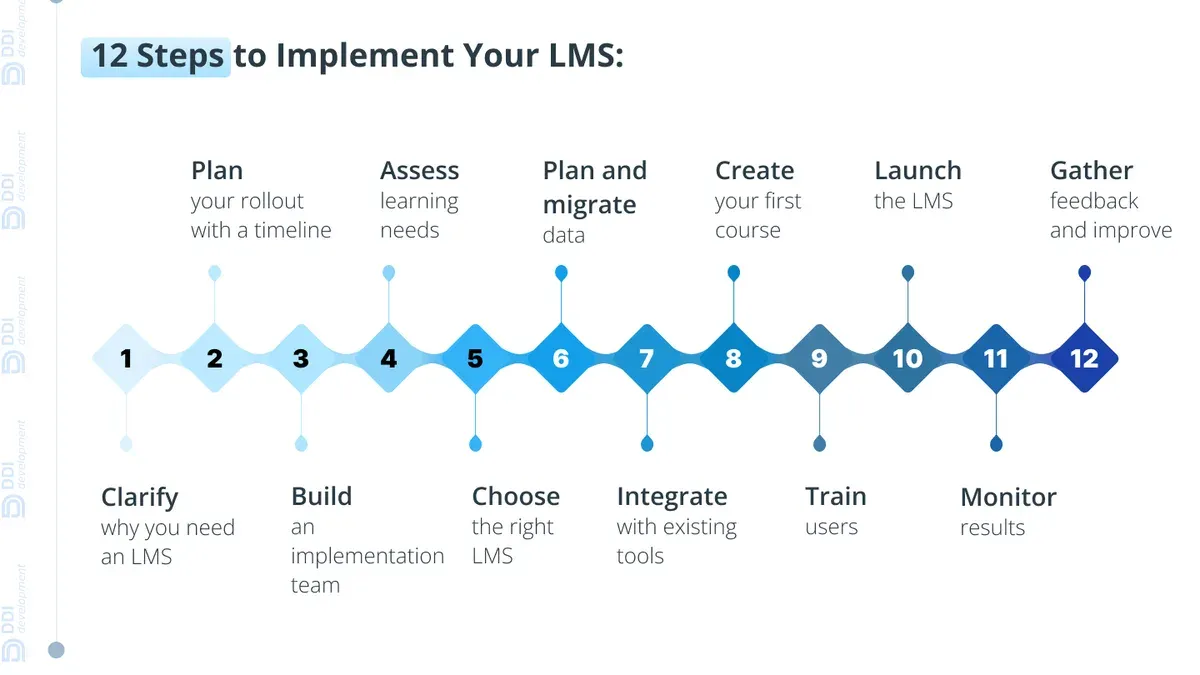
Unlike simpler software launches, LMS rollouts demand careful sequencing of phases including discovery, configuration, content migration, pilot testing, and full deployment.
Without clear success metrics, cross-functional collaboration, and a phased approach starting with a pilot group, you risk incomplete content, missed timelines, and poor user engagement.
Every limit and setting name below comes from AllenComm, TalentLMS Blog, Learnep LMS (full list at the end), as of November 2026.
Choose the right LMS type and rollout timeline for your organization
Deciding between a cloud-based and a self-hosted LMS is your first critical step.
Smaller organizations with limited content and minimal integrations benefit most from cloud LMS options with a standard rollout. For example, a small company adopting a cloud LMS can expect to go live in a few weeks, avoiding complex IT involvement. Conversely, large organizations with intricate HRIS integrations and substantial content libraries must plan for extended timelines—often between 16 and 24 weeks—incorporating phased rollouts and pilot testing to manage complexity and risk effectively.
| Organization Size & Complexity | Cloud LMS Implementation | Enterprise Cloud LMS Implementation | Self-hosted LMS Implementation |
|---|---|---|---|
| Small, limited content & integrations | Days to a few weeks | Not typical | 3-6+ months |
| Large, complex HRIS & extensive content | Not typical | 1-3 months | 3-6+ months or more |
For instance, a mid-size enterprise integrating multiple HR systems and custom content should allocate several months upfront for configuration and testing rather than rushing to meet arbitrary deadlines. Align your rollout plan with the LMS type and organizational complexity to set achievable milestones and maintain steady progress.
Define measurable success metrics before launch
These indicators provide objective benchmarks to track adoption, engagement, and overall effectiveness. Without them, progress remains invisible and proving the LMS’s value becomes difficult.
Common metrics include training completion rates, which show how many learners finish assigned courses on time. Tracking ramp time reduction helps measure how quickly employees gain required skills, shortening the learning curve. Compliance audit readiness gauges whether your LMS supports regulatory obligations by maintaining accurate records and timely training delivery.
Setting these metrics focuses rollout efforts on concrete outcomes. For example, aiming for an 80% course completion rate within the first quarter post-launch directs resources toward course quality and learner support. It also signals to stakeholders when rollout adjustments are necessary.
To select your metrics, consider your organization’s highest priorities. If compliance is critical, audit readiness should be a top metric. If onboarding speed matters, measure ramp time reduction. Avoid vague goals like “increase engagement” without measurable targets.
Use the LMS reporting tools to automate tracking these metrics from day one. This enables real-time monitoring and clear communication of progress to all involved. Start with these focused measures to ensure your rollout delivers measurable business impact.
- Identify 3-5 key success metrics aligned with organizational goals
- Use quantifiable targets like completion rates or ramp time reduction
- Leverage LMS reporting features to track metrics continuously
- Adjust rollout strategies based on metric trends and feedback
Build a cross-functional rollout team and assign clear roles
It requires coordinated effort from IT, HR, Learning and Development, and management to cover all implementation and adoption aspects effectively. Without this collaboration, critical tasks risk being overlooked, reducing the chance of successful adoption.
Start by appointing a project leader who oversees the entire rollout timeline and ensures alignment between departments. IT specialists handle configuration and technical support, resolving integration issues and managing user access settings. Content managers focus on migrating and organizing learning materials, prioritizing based on the defined success metrics. A communication lead crafts and schedules messaging to keep stakeholders informed and engaged throughout the process.
For example, if content migration begins before IT completes system configuration, data loss or format errors may occur. Likewise, launching training without adequately preparing administrators and managers can stall user adoption. A typical role assignment matrix might look like this:
| Role | Responsibility | Department |
|---|---|---|
| Project Leader | Overall coordination, timeline management | Management |
| IT Support | System setup, integration, user access | IT |
| Content Manager | Content migration, organization, prioritization | L&D |
| Communication Lead | Stakeholder messaging, change communication | HR |
Imagine a mid-sized company preparing to launch a new LMS. The project leader schedules weekly cross-functional meetings to keep everyone aligned. IT configures the LMS platform first, then content managers upload prioritized courses. Meanwhile, HR’s communication lead sends regular updates and training invites. This structured collaboration prevents last-minute surprises, supports change adoption, and ensures each team member knows their part.
This also helps onboard new team members if the timeline extends. Clear accountability at every step is essential to avoid confusion and keep momentum.
For LMS platforms with limited user role customization, ensure the assigned team members have appropriate access permissions to perform their tasks efficiently.
Follow a phased rollout sequence to reduce risk and improve adoption
Implementing a new LMS requires a carefully ordered sequence of phases to avoid costly delays and poor user experience. The process begins with discovery, lasting 2 to 4 weeks, to gather requirements and understand organizational needs.
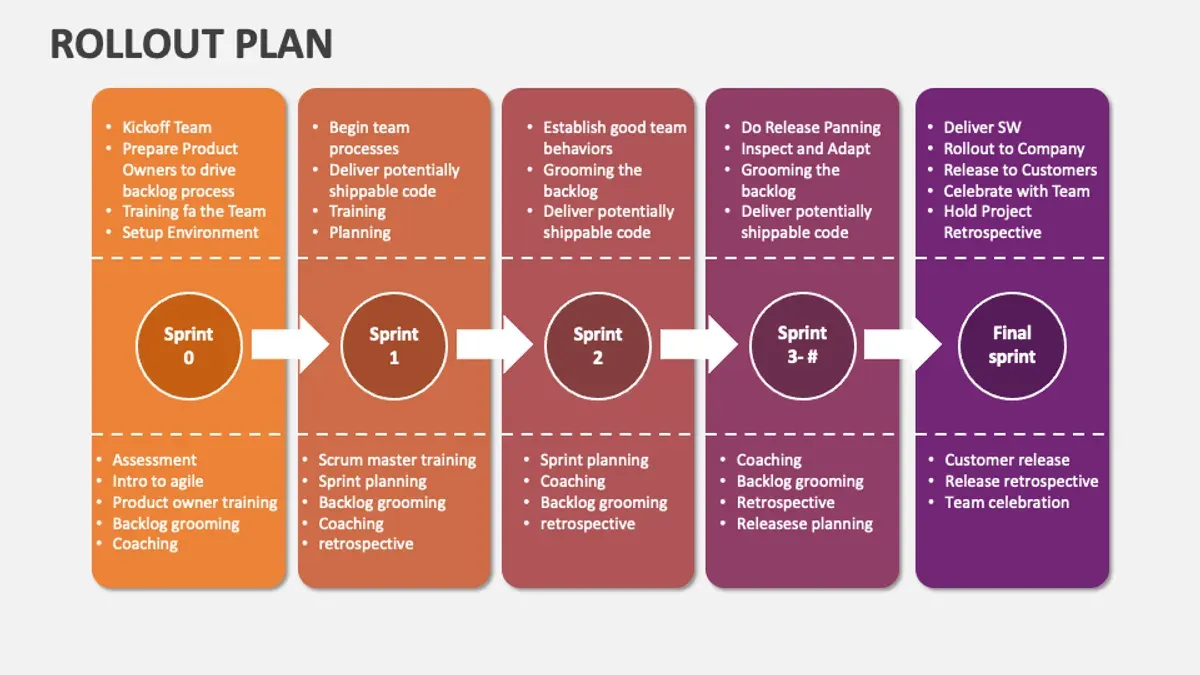
Next comes configuration over 3 to 6 weeks, where system settings, integrations, and security controls are established. Running this phase too quickly often leads to missing critical configurations that disrupt later stages.
Content migration follows, typically taking 2 to 4 weeks. This step involves transferring existing course materials and user data into the new LMS. Allow buffer time here, as data migration issues frequently cause timeline slippage.
Before launching organization-wide, conduct pilot testing with a small group for 2 to 3 weeks. This phase is vital to identify technical glitches and user challenges early, increasing adoption success during full launch. Skipping pilot testing risks releasing an unstable platform to all users, causing frustration and low engagement.
The full launch then proceeds over 2 to 4 weeks, rolling out the LMS to the entire organization. Finally, maintain a post-launch review phase to monitor performance and gather feedback for ongoing improvements.
For example, rushing content migration before configuration can cause broken links or missing permissions. Launching before pilot testing means unresolved issues affect thousands instead of a few users.
Building a timeline with clear durations and dependencies—discovery → configuration → content migration → pilot testing → full launch → post-launch review—helps keep the project on track. Include extra time for user acceptance testing (UAT) and data migration buffers to absorb unexpected delays. This phased approach is essential to reduce risk and improve LMS adoption across your organization.Learn more.
- Plan discovery for 2–4 weeks.
- Schedule configuration for 3–6 weeks.
- Allot 2–4 weeks for content migration with buffer time.
- Conduct pilot testing for 2–3 weeks with a small user group.
- Roll out full launch over 2–4 weeks.
- Continue post-launch reviews and adjustments.
Prepare and train administrators, managers, and content creators before learners enroll
Before learners access the LMS, ensure that administrators and managers are fully trained in platform configuration, user management, and reporting tools. This enables smooth daily operations and timely issue resolution. For example, admins should master the user roles and permissions menu to manage access correctly and avoid delays during rollout.
Content creators need hands-on training to upload courses and assign them accurately based on roles. Role-based content assignment ensures learners see only relevant materials, which improves engagement and adoption. Equipping creators with these skills before launch prevents bottlenecks in content delivery.
Schedule this training during the final phase of your rollout sequence, ideally two to three weeks before learner enrollment begins. This timing allows administrators and content creators to practice tasks and fix configuration errors before the system goes live.
For instance, if admins are trained late or not at all, user management errors may cause delays and frustration. Likewise, underprepared content creators might upload irrelevant or incomplete materials, undermining learner trust. Proper pre-launch training aligns your team with the LMS’s workflows, supporting reliability and encouraging learner adoption.
Pre-launch training for admins and managers is critical for effective LMS management and adoption.
Plan how learners will enroll in the LMS and access relevant training
Common enrollment methods include self-enrollment, administrator-assigned enrollment, and automated enrollment through HRIS integration. Each approach has trade-offs related to control, scalability, and user experience.
Self-enrollment lets learners choose courses themselves, which works well for optional or elective content but may lead to inconsistent training. Administrator-assigned enrollment ensures users receive required courses relevant to their roles but demands more management overhead.
Automated enrollment via HRIS integration is often the most efficient for large organizations. When your LMS connects with existing HR systems, learner accounts and role information sync automatically. This enables dynamic enrollment based on job titles or departments, reducing manual errors and delays.
Role-based content assignment is key to relevance. Assign training according to user roles, departments, or teams so learners see only applicable courses. This relevance drives engagement and reduces confusion. For example, sales staff might automatically enroll in product training, while managers receive leadership development modules.
Single Sign-On (SSO) integration further simplifies access. By linking your LMS to corporate identity providers, learners use one set of credentials to log in. This eliminates password fatigue and lowers barriers to entry. Check your LMS settings under Authentication to enable SSO with your identity management system.
Not all LMS platforms support every enrollment method or integration level. Confirm capabilities before rollout. For instance, some systems limit automated enrollment to certain account tiers.
Consider this workflow: When a new employee joins, HR updates their profile in the HRIS. The LMS syncs overnight, creating the learner account and assigning courses based on their role. The employee logs in on day one using SSO, immediately accessing tailored training without additional steps.
- Evaluate your LMS’s enrollment options: self-service, admin-assigned, or automated via HRIS.
- Configure role-based content assignment to target relevant courses.
- Integrate SSO for seamless learner access.
- Verify platform limits to avoid surprises.
This combination streamlines enrollment, ensures training relevance, and reduces friction, setting up your LMS for successful adoption.
Avoid common LMS rollout pitfalls that undermine adoption
This oversight leads to poor user engagement and low adoption rates. For instance, launching with incomplete or generic content—often created last minute—erodes learner trust and interest.
Assuming users will automatically adopt the LMS without active promotion and clear manager involvement results in low login and course completion rates. Skipping pilot testing or rushing through rollout phases causes unresolved technical and usability issues, which frustrate users and delay progress.
Not defining measurable success metrics before launch leaves the rollout without direction, making it impossible to track adoption or demonstrate value. Each failure mode has a clear cause and fix, as shown in the table below.
| Symptom | Cause | Fix |
|---|---|---|
| Low user engagement and platform logins | Treating rollout like a typical software launch, ignoring change management | Implement change management strategies including ongoing communication and leadership modeling usage |
| Users complain content is irrelevant or incomplete | Launching with generic or last-minute content | Prepare tailored, role-specific content well before launch |
| Low course completion and LMS usage rates | Lack of active promotion and manager involvement | Engage managers to champion the LMS and promote usage to their teams |
| Unexpected technical issues and rollout delays | Skipping pilot testing or rushing rollout phases | Conduct pilot tests and allow buffer time for fixes before full launch |
| Inability to measure progress or demonstrate value | No success metrics defined before rollout | Set clear, quantifiable success criteria prior to launch |
Imagine launching your LMS without a pilot phase. Users encounter bugs and unclear navigation, which frustrates them immediately. Without manager encouragement, few log in regularly. Content feels generic, so motivation drops. You cannot tell if adoption improves over time because no metrics are tracked. All these symptoms tie directly to avoidable causes and fixes.
Addressing these pitfalls systematically transforms LMS rollout from a risky software push into a strategic change initiative with measurable success. This source highlights how these failures repeatedly undermine LMS projects.
Communicate clearly and sustain momentum after launch
Schedule launch announcements that highlight the new system’s benefits and provide clear instructions on accessing it. Follow these with regular updates addressing common questions, sharing success stories, and reminding users about available training resources.
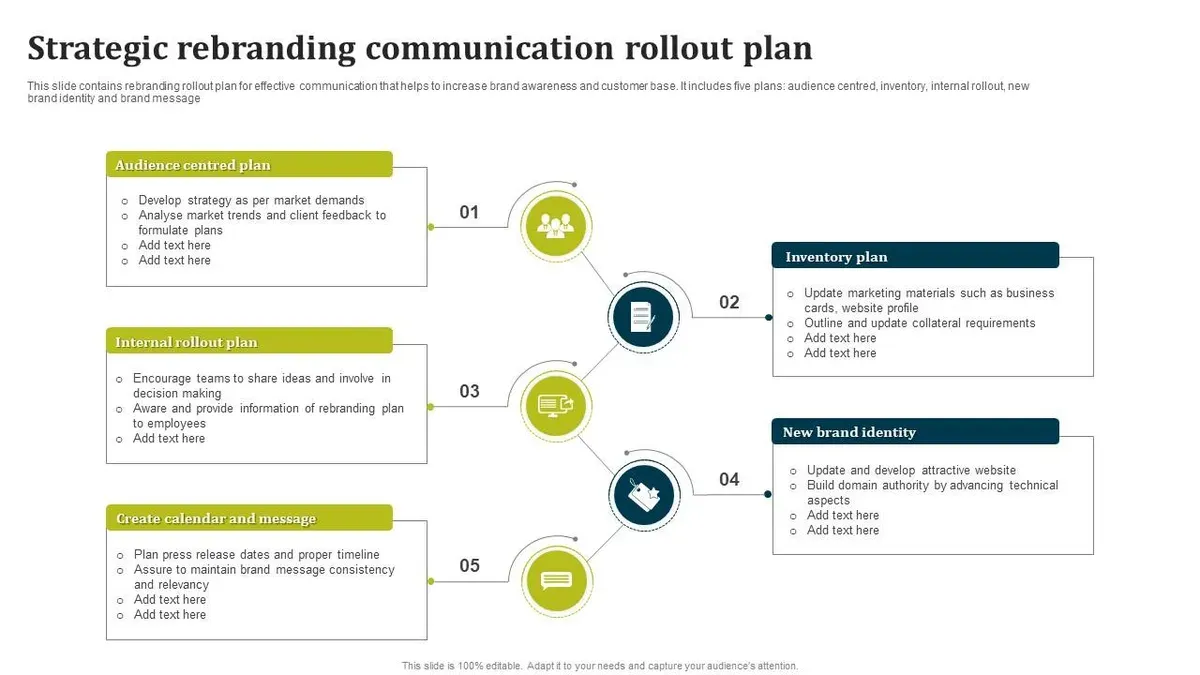
Assign an LMS champion to serve as the ongoing point of contact. This person monitors adoption, answers queries, resolves issues promptly, and fosters engagement by liaising between learners, managers, and administrators.
Use reporting and analytics dashboards to track key metrics such as course completion rates and user activity. Review these metrics regularly and act on the insights to identify gaps or barriers in adoption early.
Plan periodic post-launch reviews, ideally within the first 90 days, to refine training materials, update content, and adjust processes. For example, after a pilot launch phase and initial feedback collection, a full launch communication can boost awareness while targeted fixes improve user experience.
Here is a sample communication timeline and checklist to maintain momentum:
- Day 1: Launch announcement with access details and support contacts.
- Day 15: Reminder messages highlighting key features and benefits.
- Day 30: Share early adoption statistics and success stories.
- Day 60: Collect user feedback via surveys or focus groups.
- Day 75: Implement fixes and communicate updates.
- Day 90: Conduct a formal post-launch review and plan ongoing support.
This ongoing cycle of communication, measurement, and adjustment ensures the LMS remains a valuable and well-used resource. Assigning a dedicated champion and using data-driven reviews help sustain engagement long after the initial rollout. Learn more about post-launch steps.
- How to Create and Use a Rollback Plan if New Software Fails
- How to Build and Use an Effective Rollout Feedback Loop
- Canvas Rollout Plan for After-School Programs: Enrollment and Unenrollment Explained
Frequently asked questions
How to enroll in lms?
You can set up automatic enrollment via user directory integration or manual registration through the LMS admin panel. Ensuring the enrollment method aligns with your organization’s size and structure is crucial for smooth access to relevant training.