How to Secure Your Webull Account After a Hack
Take immediate steps to secure your Webull account after a hack by resetting passwords, verifying 2FA, and contacting support.

Webull requires a distinct trading password to approve transactions, so resetting both stops further unauthorized trades.
Failing to follow this sequence risks giving hackers continued access, even after a password reset. Taking these precise steps ensures you regain control and safeguard your Webull account from further compromise.
At a glance
- Immediately notify Webull via +31 203233707, in-app Help Center, or [email protected] if you detect suspicious activity.
- Change both login and trading passwords without delay to block unauthorized transactions.
- Reset your Pattern Lock and confirm Two-Factor Authentication settings through the mobile app’s security menu.
- Review and manage trusted devices linked to your account to identify and remove unknown access points.
Settings, menu paths and limits here were checked against Webull in November 2026.
You suspect your Webull account was hacked — what to do first
The first step is to contact Webull without delay via their EU support line at +31 203233707, the in-app Help Center, or by emailing [email protected]. Prompt communication can help limit unauthorized transactions and secure your assets.
Next, change both your login and trading passwords. Webull requires a separate trading password to authorize transactions, so securing both is crucial. If you use the Pattern Lock to access your app, reset it right away to block any ongoing unauthorized access.
Check your Two-Factor Authentication settings in the mobile app under Menu → Settings → Account and Security. Confirm that the 2FA method is active and linked only to your trusted device. Disabling or changing these settings without caution can increase vulnerability.
Delaying these steps risks additional unauthorized trades or data breaches.
| Symptom | Cause | Fix |
|---|---|---|
| Unexpected trade executed | Account accessed using valid credentials or session | Contact support immediately; change login and trading passwords; reset Pattern Lock; verify 2FA |
| Unable to log in with known password | Login credentials compromised and changed by hacker | Contact Webull support to recover account access; reset passwords as instructed |
| Unrecognized device or login notification | Unauthorized access attempt or breach | Change passwords; reset Pattern Lock; confirm or update 2FA settings; alert support |
How to use Webull’s security features to prevent future hacks
Webull offers multiple security layers that work together to protect your account from unauthorized access and transactions. Start by setting a strong login password to secure your initial access. Then create a separate, robust trading password to specifically block unauthorized trades even if your login details are compromised.
Activate Two-Factor Authentication (2FA) to add an essential verification step. This requires a code sent to a trusted device whenever a new device attempts to sign in, making it harder for intruders to get in unnoticed.
Use the Pattern Lock as an extra login barrier. This feature demands a unique pattern to access your account, adding a layer beyond the password.
Regularly review and manage your trusted devices through Webull’s settings. If you spot any unfamiliar devices, remove them immediately to block possible unauthorized access.
When you log in from a new tablet, 2FA prompts you for a verification code on your phone. Simultaneously, you must enter your trading password before any transaction. If someone steals your login password, they still can’t trade without the separate trading password, and the pattern lock prevents casual access on your mobile app.
Managing trusted devices ties the system together by limiting which hardware can connect to your account.
Access these settings via Menu → Settings → Account and Security in the Webull mobile app to ensure all layers are active and up to date. Learn more about Webull’s security features.
How to find your Webull account number and why it matters
Your Webull account number is a unique identifier linked to your trading activities. To find it, open the Webull mobile app and navigate to Menu → Settings → Account and Security. Within this section, you will see your account number clearly displayed.
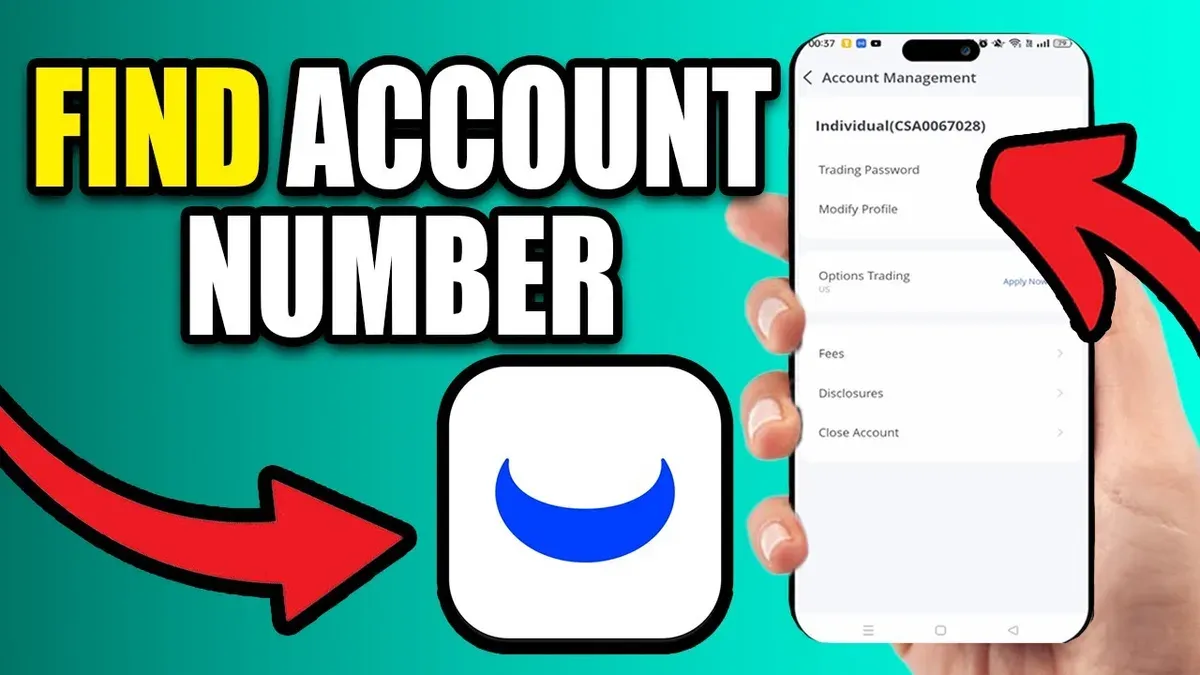
Never share it publicly, such as in forums, social media, or unsecured messages. Disclosing it can expose you to identity theft or unauthorized trading attempts.
A malicious actor could use that information combined with other leaked details to attempt unauthorized access or fraudulent transactions.
Protect your account number as you would your login credentials. Only share it with trusted parties when absolutely necessary and ensure you use secure communication channels. This cautious approach prevents exposing your personal and financial information to increased risk.
For further details on protecting your account information, see Webull’s account security guidelines.
How to delete your Webull account on PC and what to consider
To delete your Webull account using a PC, you must first access the Webull platform and navigate to the Help Center within the app or website. From there, locate the section for account security or account management.
Before proceeding, ensure you have withdrawn all assets and resolved any pending transactions.
If you have questions or concerns about the process or its consequences, contact Webull support directly through the in-app Help Center for guidance and assistance.
Webull will provide instructions and confirm the deletion. This step ensures your request is handled securely and properly.
Remember, once deleted, your account cannot be reactivated or recovered. Take time to back up any necessary information before finalizing the deletion.
For detailed assistance, visit the Help Center to manage your account securely.
How to create and fund your Webull account safely
Use a strong, complex password for your login to protect your account from unauthorized access. This password should combine letters, numbers, and symbols, and differ from other passwords you use. Remember, Webull requires a separate trading password; set this with equal care to safeguard transaction authorizations.
During sign-up, provide accurate personal information but avoid sharing sensitive data like your passwords or trading PIN with anyone. Keep your device secure and avoid using public Wi-Fi to prevent interception of your details.
To fund your account, navigate to the funding section in the app. The most common method is a bank transfer from an account registered in your name. Webull also supports other funding options depending on your region, but always verify the source beforehand. Do not share your login or banking credentials with third parties or through unsecured channels.
You confirm the details carefully, avoiding shortcuts like saving credentials in browsers or sharing payment confirmations publicly. This approach minimizes risk and ensures your account is ready for trading without unnecessary exposure.
Following these steps, you create a robust foundation for your Webull account security. Always keep your passwords confidential and your funding methods secure to prevent common pitfalls during account setup and funding. For additional guidance on creating strong passwords, see Webull’s account security recommendations.
Is Webull a scam? Understanding the platform’s legitimacy and risks
Its legitimacy is supported by robust authentication methods, including Two-Factor Authentication (2FA), which requires both a password and a verification code sent to a trusted device when signing in from a new device. This dual-layer protection significantly reduces the risk of unauthorized access.
If you detect suspicious activity or fraud, you can contact Webull immediately via their dedicated EU support line at +31 203233707, the in-app Help Center, or by email at [email protected]. These direct contacts ensure swift action to address security concerns.
Thanks to 2FA, access is blocked without the verification code sent to your trusted phone. You then reach out to Webull through the in-app Help Center to report the incident and receive guidance on next steps. This combination of technology and support confirms Webull’s commitment to user security.
Following Webull’s security advice—such as setting strong, separate passwords for login and trading, managing trusted devices, and promptly reporting anomalies—prevents scams targeting account holders. Webull’s security framework is effective, but it relies on your proactive participation to maintain account safety.
Learn more about Webull’s security approach and official contact channels here.
What you should avoid to keep your Webull account secure
If you notice unusual activity or receive unexpected security alerts, immediately update your login and trading passwords via Menu → Settings → Account and Security in the app.
Never share your Webull trading account number, email address, or phone number in public forums or social media. Such exposure gives fraudsters the personal details they need to attempt unauthorized entry to your account.
Ignoring unknown devices connected to your Webull account is another serious risk. Regularly check your account’s trusted device list in the security settings. Removing devices you do not recognize prevents ongoing unauthorized access.
A fraudster notes this and tries to reset your passwords through phishing. Because you delayed changing your credentials after the attempted breach, they gain access and execute unauthorized trades, causing financial loss.
Avoid these pitfalls by acting swiftly on suspicious signs and keeping your contact and account details private. Taking these precautions can stop intruders before they cause damage. Learn more about immediate password changes and account safety here.
Order of operations that matter when securing a hacked Webull account
Look for unusual trades, unexpected balance changes, or login alerts. Confirming these signs prevents unnecessary lockouts or overlooking real breaches.

Next, immediately change both your login and trading passwords. These separate credentials control access and transaction authorization, so updating both stops intruders from continuing unauthorized actions. Delaying this step risks further compromise and potential asset loss.
Then, reset your Pattern Lock and review Two-Factor Authentication settings. Adjusting these adds another layer of security and blocks attackers who might have bypassed password protections. This is done via the Webull mobile app under Menu → Settings → Account and Security.
After securing passwords and authentication, manage your trusted devices list. Review all devices linked to your account and block any unknown ones immediately. This prevents the hacker from maintaining access through previously authorized devices.
Finally, contact Webull support without delay by calling the EU service line at +31 203233707, using the in-app Help Center, or emailing [email protected]. Reporting the issue helps get professional assistance and may trigger additional protective measures.
For example, if you notice an unauthorized trade, first change your passwords so the attacker cannot place further orders. Then reset your Pattern Lock and check Two-Factor Authentication to block other access routes. Next, remove unknown devices to cut off ongoing connections. Contact support last to report the incident and start recovery processes. Changing these steps’ order can leave gaps that hackers exploit, such as keeping old passwords active or ignoring device access.
Following this exact sequence maximizes your chances of swift recovery and prevents further damage source.
How to confirm your Webull account is secure after recovery
After taking steps to regain control of your Webull account, verifying its security is crucial. Start by reviewing the list of trusted devices linked to your account through the Manage Trusted Devices feature. Remove any devices you do not recognize to ensure no unauthorized access remains.
Next, confirm that Two-Factor Authentication (2FA) is active and functioning properly. This extra layer requires you to verify your identity during login or transactions, significantly reducing the risk of future breaches.
Check that both your trading and login passwords have been changed to strong, unique values. Webull requires a separate trading password, so securing both is essential to prevent unauthorized trades even if login credentials are compromised.
Imagine you find an unknown device listed in your trusted devices after your password change. Leaving it there allows continued access despite new credentials. Removing it immediately blocks that access and prevents further suspicious activity.
If you notice any ongoing suspicious activity or unfamiliar transactions after these checks, contact Webull support immediately using their EU service line at +31 203233707, the in-app Help Center, or email at [email protected]. Prompt communication is essential to stop further damage.
Regularly revisiting these checks—especially device management and authentication settings—helps maintain your account's security over time. If you need to reverse any security changes, do so cautiously, ensuring you do not reintroduce vulnerabilities.
Following this checklist ensures your account remains under your control and protected against future unauthorized access. Learn more.
- How to Recover and Secure Your Temu Account After a Hack
- How to Recover and Secure Your Target Account After a Hack
Frequently asked questions
How to create a webull account?
To create a Webull account, download the Webull mobile app or visit their website, then follow the sign-up prompts providing your personal information and verifying your identity. After registration, set a login password and a separate trading password required for transactions. Funding your account securely involves linking a bank account and transferring funds through the app or website.
What is webull account?
A Webull account is an online brokerage account that allows you to trade stocks, options, ETFs, and other securities via the Webull platform. It includes login credentials and a separate trading password for authorizing transactions, with access to various security features to protect your assets and personal data.
How to delete webull account on pc?
Instructions for deleting a Webull account on PC are covered in the article section titled "How to delete your Webull account on PC and what to consider." It explains the necessary steps and important considerations before deletion.
After securing your Webull account, verify that all login credentials and the trading password have been changed and that no unauthorized devices remain linked in Menu → Settings → Account and Security. Monitor your account activity daily for unusual trades or withdrawals. If suspicious activity continues or you cannot regain full control, contact Webull immediately via their EU support line at +31 203233707 or email [email protected] for further assistance and potential account suspension.