How to Build and Use an Effective Rollout Feedback Loop
Discover how to build and use an effective rollout feedback loop to detect issues early and adjust deployments for better results.

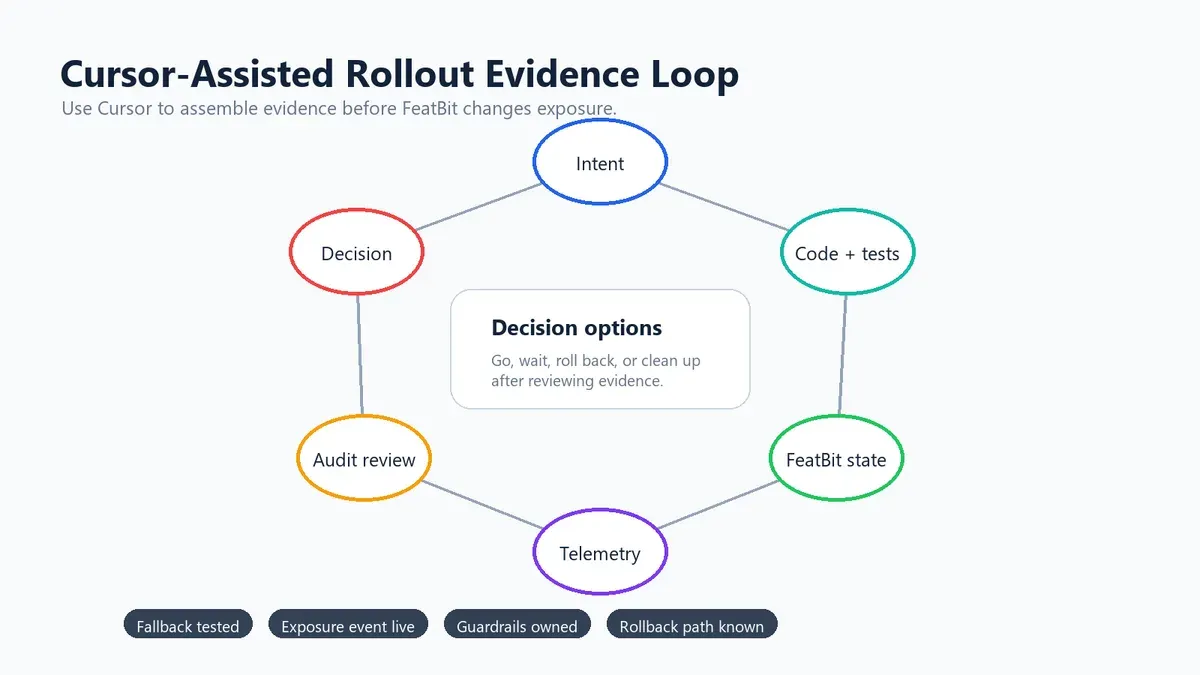
Many rollouts fail because signals are unclear, delayed, or irrelevant, causing slow response or misguided actions. Effective feedback loops ensure signals are timely and actionable, enabling you to detect issues early and adjust deployments before problems escalate.
Rollouts often start small, such as routing 1% or 5% of traffic to a new version, then increasing to 5%, 25%, 50%, and finally 100% if key metrics remain stable. Monitoring error rates, latency percentiles, resource usage, business metrics, and service level objectives during these steps is essential to minimize risk and improve outcomes.
Settings, menu paths and limits here were checked against Datadog, Dotwork, LaunchDarkly (full list at the end) in November 2026.
What is a feedback loop and how does it work during rollouts
A feedback loop in software rollouts follows a clear pattern: signal → decision → action → new signal. Signals are measurable indicators such as error rates, latency, throughput, and user metrics that reflect the state of the rollout. These signals trigger decisions about whether to proceed, pause, or adjust the rollout strategy.
Signals that are unclear or delayed reduce your ability to manage risk effectively.
For example, if error rates spike after deploying a new version, that signal triggers a decision to investigate or roll back.
Without this loop, rollouts become guesswork, increasing the risk of widespread failures.
Visualizing this, the loop starts with collecting signals like response times and crash reports, leading to decisions such as throttling rollout speed, followed by actions like deploying patches, which generate new signals to evaluate the impact.
How to implement feedback loops that capture both technical and user experience signals
Behavior signals include measurable events such as workflow drop-offs, retries, and errors within the system. Experience signals reflect users’ feelings and blockers, like frustration or confusion, which may not show up in raw data but critically impact adoption and satisfaction.
In-app micro-surveys provide direct user input immediately after an interaction. Self-help interactions reveal where users struggle by analyzing patterns in knowledge base searches or help center contacts. IT service management (ITSM) tickets highlight technical issues or user complaints that require resolution. Workflow and training analytics deliver quantitative data on how users navigate or learn new features. Post-release communications offer additional context and follow-up insights.
For example, if analytics show a spike in retries on a new feature, cross-reference with in-app survey responses or ITSM tickets to understand if it stems from a usability flaw or a backend error. This layered approach ensures you identify root causes rather than just symptoms, enabling targeted decisions and actions.
Imagine you roll out a new login flow. Workflow analytics reveal a 15% drop-off at the password reset step (behavior signal). In-app micro-surveys collected at that point report user frustration with unclear instructions (experience signal). Meanwhile, ITSM tickets confirm several users reporting reset failures. Combining these insights lets you prioritize fixing the instructions and backend issues together, reducing risk and improving outcomes.
Not all platforms or account types support every feedback channel equally. Tailor your channels accordingly, prioritizing those with the richest data and highest user engagement.
Learn more about capturing both behavior and experience signals.
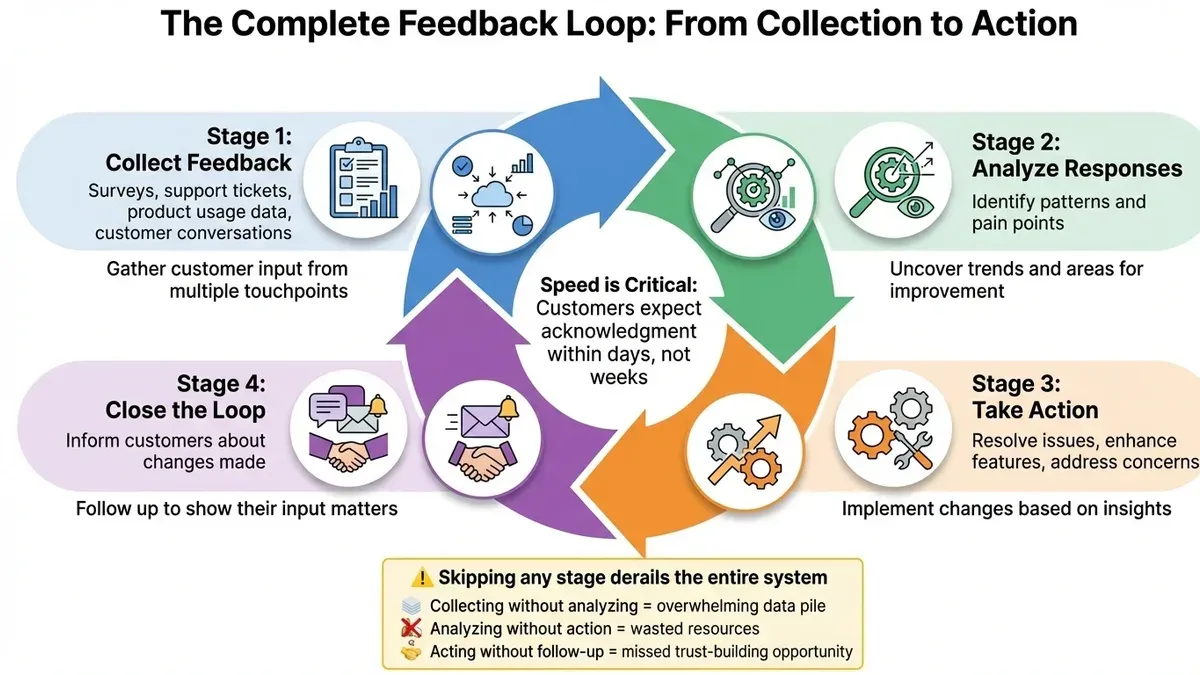
Steps in a feedback loop: from signal collection to follow-up
This collection must be timely and precise to ensure the next steps address real issues.
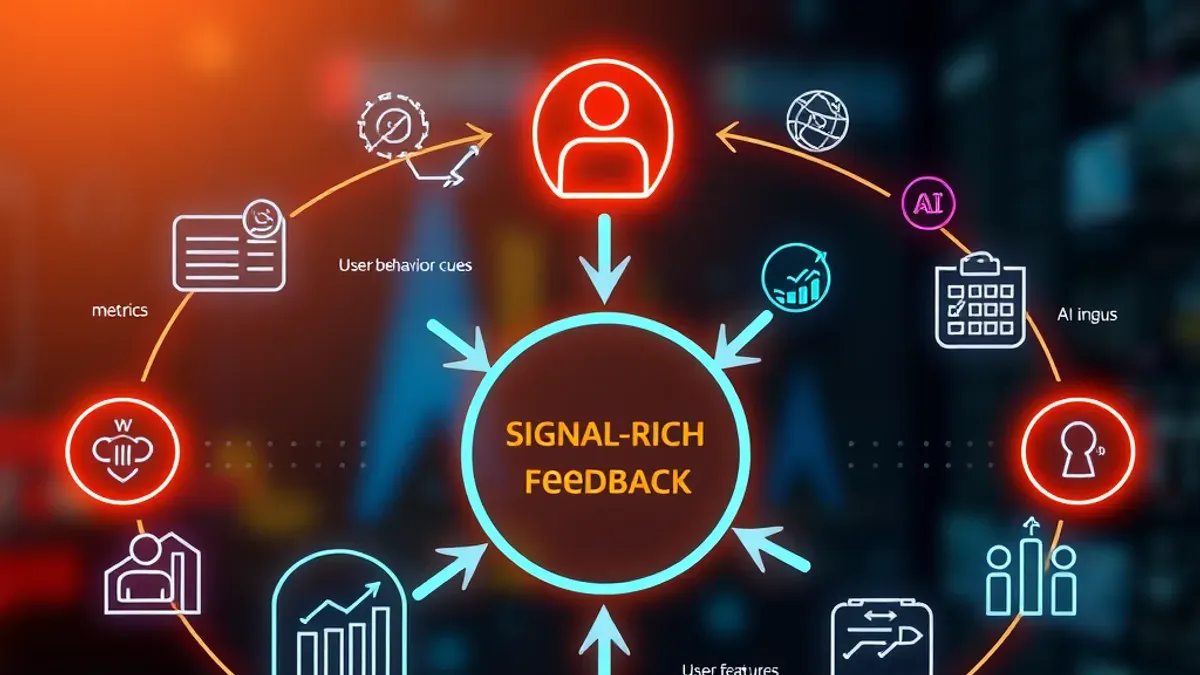
Skipping or rushing this stage leads to misguided actions that do not resolve underlying issues.
Then implement fixes or adjustments based on the analysis. Changes should be targeted and measurable, designed to address the prioritized concerns directly. Implementing without a clear analysis can waste resources or introduce new problems.
Finally, conduct follow-up to validate whether the implemented changes have resolved the issues and to confirm the feedback loop remains effective. This stage prevents regression and ensures continuous improvement.
For example, if error rates spike after a new feature rollout, you first collect detailed error logs and user reports. Then analyze them to pinpoint a faulty API call causing failures. Next, deploy a patch to fix the API. Lastly, monitor error rates post-patch to verify the issue is resolved and continue tracking for new signals.
This ordered process avoids common pitfalls such as acting on incomplete data or failing to confirm changes worked. Maintaining this strict order of operations is essential for successful rollout management and ongoing product improvement. Learn more.
How to start a positional feedback loop for software rollouts
Begin your rollout with a canary deployment routing 1% or 5% of traffic to the new version. Increase traffic in deliberate steps: 5%, then 25%, 50%, and finally 100%, provided key metrics remain stable. This gradual escalation limits risk and isolates issues early.
At each stage, monitor critical metrics: error rates reveal immediate faults, latency at high percentiles signals performance degradation, resource usage tracks memory and CPU impact, while business metrics like sign-ups or checkouts gauge user-facing effects. Service level objectives (SLOs) provide thresholds to decide if the rollout should advance or roll back.
Set clear thresholds before starting. For instance, if error rates exceed a preset limit or latency worsens beyond SLO targets, pause or revert the rollout. These decision points keep the feedback loop responsive and risk-aware.
| Traffic Percentage | Typical Metrics Monitored |
|---|---|
| 1% or 5% | Error rates, latency at slower percentiles, resource use |
| 5% | Error rates, latency, resource use, initial business metrics |
| 25% | Error rates, latency, resource use, business metrics, SLOs |
| 50% | All prior metrics, with emphasis on business metrics and SLO adherence |
| 100% | Full production monitoring across all metrics |
Imagine releasing a new checkout feature. Start by routing 1% of users through it. Watch for spikes in error rates or latency. If these stay within limits, increase to 5%, then 25%, observing business metrics like conversion rates closely. If performance or user experience degrades, rollback before impacting more users. This stepwise feedback loop ensures you catch problems early and maintain control throughout rollout.More on phased rollout steps.
Common pitfalls that prevent feedback loops from working effectively
Collecting irrelevant or insufficient feedback is a primary failure point in rollout feedback loops. When the signals you gather don't align with your rollout goals, you risk optimizing in the wrong direction or making poor decisions. Imagine monitoring only server CPU usage while ignoring user complaints about app crashes—this mismatch leaves issues undetected and unresolved.
Using too small a canary group or running tests for too short a period can also undermine your feedback loop. If only 1% of users see a new feature for a day, rare but critical problems might not surface. This false sense of security leads to broader rollouts with hidden risks.
Focusing exclusively on technical metrics while neglecting business impact is another common misstep. For instance, tracking error rates without looking at conversion rates or user engagement can cause you to miss disruptions that damage customer satisfaction and revenue.
Delayed or disconnected feedback hampers timely intervention. If feedback arrives long after rollout steps or is too generic to act on, your team can’t fix problems before they escalate, resulting in support spikes and lost productivity.
| Symptom | Cause | Fix |
|---|---|---|
| Poor decision-making despite feedback | Irrelevant or insufficient feedback | Align feedback signals precisely with rollout objectives and user experience |
| Missed rare issues | Canary group too small or test duration too short | Increase test group size and lengthen monitoring periods to capture edge cases |
| Unnoticed business impact problems | Focusing only on technical metrics | Incorporate business KPIs like conversion and engagement into monitoring |
| Slow response to issues | Late or disconnected feedback | Integrate feedback into workflows for immediate, actionable insights |
How to construct an effective feedback loop based on your rollout goals
Choosing the right feedback loop depends on what you want to achieve with your rollout. If your priority is a safe release with minimal risk, adopt progressive delivery techniques such as feature flags and canary deployments. These enable controlled exposure and immediate rollback if issues arise, while feedback loops monitor performance and stability throughout the process.
When your goal is to detect and address user friction during rollout, implement feedback loops that systematically capture both behavior and experience signals tied to specific workflows and user roles. This approach helps pinpoint where users struggle and guides targeted fixes.
If prioritizing product improvements based on user feedback is your main objective, use a structured feedback loop with defined stages: collection, analysis, implementation, and follow-up. Leveraging feature flags allows you to safely iterate and validate changes before full release.
| Your Goal | Recommended Feedback Loop Setup | Deciding Factor |
|---|---|---|
| Safe release with minimal risk | Progressive delivery with feature flags and canary deployments combined with continuous feedback loops | Need to monitor and control rollout exposure to minimize risk |
| Identify and fix user friction | Structured feedback loops capturing behavior and experience signals linked to workflows and roles | Focus on specific user workflows to detect friction points |
| Prioritize product improvements | Systematic stages of feedback collection, analysis, implementation, and follow-up using feature flags | Require iterative validation and prioritization based on user input |
For example, if you manage a rollout aiming to reduce risk, you might start with a small percentage of users exposed through feature flags. You watch for technical errors and user experience signals before increasing exposure. If you instead want to find where users hesitate or abandon a feature, your feedback loop will emphasize collecting detailed workflow data and direct user feedback, guiding targeted improvements.
Not all methods suit every platform or account type; some advanced progressive delivery options may be unavailable on basic plans. Ensure your tools support the feedback loop style aligned with your rollout goals to avoid gaps in monitoring or control. Progressive delivery combined with feedback loops provides a strong foundation for minimizing rollout risk.
Tools that support rollout feedback loops and their roles
Feature flags let you control who sees new features during progressive rollouts. You can expose a feature to a small user segment, then scale exposure as signals confirm stability. If metrics worsen, feature flags enable near-instant rollback without deploying new code, reducing risk significantly.
Observability stacks provide real-time performance data through metrics, traces, and logs. These tools detect anomalies during rollouts by monitoring latency, error rates, and resource usage. They offer immediate insight into technical health and user impact, guiding timely decisions in the feedback loop.
In-app feedback tools capture user input at the moment of experience. Platforms like Intercom, FullStory, LogRocket, and Hotjar collect qualitative data directly from users, revealing friction points and satisfaction levels that metrics alone cannot show. Integrating these tools helps you balance technical signals with customer sentiment.
| Tool Type | Function | Typical Use Case in Feedback Loop |
|---|---|---|
| Feature Flags | Control feature exposure and enable immediate rollback | Gradual rollout with safety net for quick reversion |
| Observability Stack | Collect metrics, traces, logs for real-time performance signals | Monitor system health and detect issues early |
| In-app Feedback Tools | Capture user feedback during actual usage | Gather qualitative insights to complement quantitative data |
Picture this: you release a new search feature behind a feature flag set to 10% of users. Your observability stack shows stable latency and error rates. Meanwhile, in-app feedback tools record several user comments about confusing interface wording. You decide to pause further rollout and fix UI text before expanding exposure. This coordinated use of tools ensures you act on both technical and user signals promptly.
What to do after feedback loops are in place: maintenance and validation
Once your rollout feedback loop is active, regular review of its outputs is essential. Monitor the signals continuously to catch emerging issues early before they escalate. Without this, latent problems can go unnoticed, undermining rollout stability.
After deploying fixes, validate their effectiveness within 14 days. This timeframe ensures problems are resolved promptly and prevents recurring failures. Delaying validation risks prolonging user impact and complicates troubleshooting.
Maintain your feedback channels and observability tools rigorously. Data gaps caused by broken telemetry or inactive user input paths weaken your feedback loop’s accuracy and responsiveness. Ensure all integrations remain operational and data flows uninterrupted.
Understand rollback procedures and what changes can be undone safely. If feedback signals indicate a critical failure, swift rollback limits damage and restores service quality. Planning rollback steps in advance reduces decision time under pressure.
For example, suppose you detect a spike in error rates after a feature flag rollout. You prioritize the issue, ship a fix, then monitor observability dashboards and user reports closely. If errors persist beyond two weeks, you revisit the fix or consider rolling back the change entirely. This cycle of capture, prioritize, fix, and validate keeps your rollout controlled and reliable.
A structured timeline for follow-up actions after rollout adjustments can help formalize these steps into your workflow.
- How to Create and Use a Rollback Plan if New Software Fails
- How to Complete a Readiness Check Before Launching New Software
- Canvas Rollout Plan for After-School Programs: Enrollment and Unenrollment Explained
- How to Create and Use a Timeline in Canva: Complete Implementation Guide
Frequently asked questions
How does a feedback loop work?
A feedback loop operates by continuously cycling through signal collection, decision-making, action implementation, and new signal generation. This sequence ensures that each step informs the next, allowing you to adjust rollouts based on real-time data and outcomes.
What is the function of feedback loops?
Feedback loops serve to minimize risk and improve rollout outcomes by providing timely information that guides decisions. They help you detect issues early, understand user experience impacts, and make informed adjustments before full deployment.
Why are feedback loops important?
They are critical for managing uncertainty during rollouts, enabling you to respond promptly to technical or user experience signals. Without effective feedback loops, you risk prolonged exposure to defects or negative impacts that could have been mitigated.
Why is there no feedback loop?
The absence of a feedback loop often stems from missing or improperly sequenced steps—such as failing to collect relevant signals before acting, or omitting follow-up validation. Ensuring each phase occurs in order and that signals represent both technical and user experience data can resolve this issue.
Maintaining a rollout feedback loop demands ongoing attention to signal quality and decision criteria. Validate feedback regularly to ensure it reflects real user impact and technical stability, adjusting data collection and thresholds when necessary. Keep the loop agile to respond promptly to emerging issues or changing rollout objectives.
Choosing the right feedback loop depends on your rollout’s scale, risk tolerance, and complexity. For high-risk launches with diverse user segments, a multi-channel loop combining technical metrics and user sentiment offers robust insights. Smaller or incremental rollouts may benefit from streamlined loops focused on key performance indicators and automated alerts. Align your feedback strategy with these factors to optimize safety and effectiveness.
Sources checked
- How a Feedback Loop Improves the Software Development Life Cycle | Datadog — Datadog
- Canary Deployment: Definition, Examples & Uses — Dotwork
- What is a product feedback loop (and how do I implement it)? | LaunchDarkly — LaunchDarkly
- Feedback Loop Explained | Davies Meyer — Davies Meyer
- Feedback Loops During Change: How to Identify, Triage, and Fix Friction - Whatfix — The Whatfix Blog