How to Spot, Prevent, and Recover from an Airbnb Account Hacked
This article explains how to identify, prevent, and recover from an Airbnb account hacked scenario, protecting guests and hosts from unauthorized access.

This article explains how to identify, prevent, and recover from an Airbnb account hacked scenario, addressing concerns from both guests and hosts. An Airbnb account hacked can lead to unauthorized bookings, lost access to listings, and financial or personal information compromise. Recognizing signs like unexpected password changes, unknown bookings, or suspicious messages is essential for quick response. Both guests and hosts face specific risks and scam tactics that exploit account vulnerabilities. Clear steps for securing accounts, spotting scams, and recovering control are outlined to safeguard Airbnb experiences.
Can Airbnb account be hacked and what does it mean?
Airbnb accounts can be compromised primarily through phishing attacks, credential stuffing, and weak passwords. Phishing involves fake emails or messages that trick users into revealing login details. Credential stuffing uses leaked usernames and passwords from other sites to gain access if the same credentials are reused. Weak or common passwords make accounts easy targets for automated attacks.
Once hackers gain access, they can make fraudulent bookings using stored payment methods, cancel existing reservations, or change contact information to intercept communications. Hosts may find their listings altered or removed, leading to lost income and damaged reputations. Guests might face unexpected charges or lose access to confirmed stays.
Account hacking differs from common login issues like forgotten passwords or temporary lockouts caused by multiple failed attempts. Hacking involves unauthorized access with malicious intent, often followed by suspicious activity such as bookings that the legitimate user did not make.
For example, a guest might receive an email confirming a reservation they never made, with payment charged to their saved card. Meanwhile, the hacker could be using the account to book multiple stays or resell the access. This scenario illustrates how quickly unauthorized access can disrupt both guests and hosts.
Reports indicate that Airbnb-related phishing scams remain a frequent threat, with many users targeted by emails mimicking official Airbnb communications. Unauthorized activity often involves sudden changes in booking details or unexpected payment notifications, key signs that an account may be compromised.
How to spot a scam on Airbnb?
Fake listings often have too-good-to-be-true prices or lack detailed descriptions and authentic photos. Profiles with limited reviews, newly created accounts, or inconsistent information should raise suspicion. Legitimate hosts and guests typically have a history of verified reviews and complete profiles.
Red flags in communication include requests to pay outside Airbnb’s secure platform, such as via direct bank transfers or third-party payment apps. Scam messages might pressure for quick payment or claim urgent booking needs. For example, a scam message might say, “Please send $200 deposit to my PayPal now to hold the reservation,” which Airbnb never requires.
Common scams include the “$1 charge fraud,” where scammers test stolen credit cards with a small charge before larger fraud, and fake damage claims by hosts demanding additional payment after a stay. Guests should carefully review charges and dispute suspicious claims through Airbnb’s Resolution Center.
Airbnb’s official platform design helps detect scams by centralizing all payments and communications. The “Message” tab within a reservation shows all correspondence, and the “Transactions” section lists all payments. Staying within these boundaries reduces scam risk and provides Airbnb with evidence if fraud occurs.
Tip: Always verify a host’s or guest’s profile and communicate exclusively through Airbnb’s messaging system to avoid scams.
Are there scams in Airbnb and how widespread are they?
Scams on Airbnb remain a persistent issue, with various types reported by users globally. Common frauds involve fake listings that lure guests into paying outside the platform, phishing attempts targeting login credentials, and hosts or guests manipulating damage claims. These scams exploit the trust users place in Airbnb’s review system and messaging platform, often preying on guests unfamiliar with platform policies or hosts seeking quick responses.
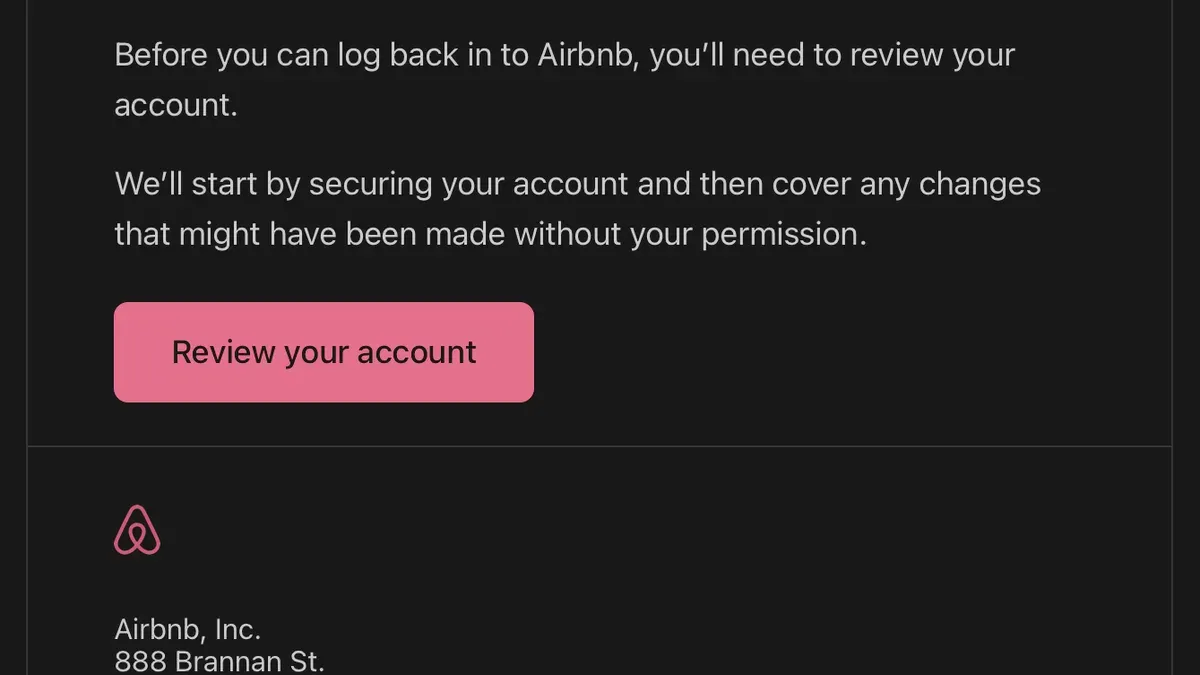
Scammers commonly set up convincing fake profiles and listings that mimic legitimate ones, sometimes using stolen photos and detailed descriptions. For example, a guest might book a property only to find the host unresponsive and the listing removed shortly after payment. This scenario illustrates how scammers exploit Airbnb’s reliance on user-generated content and the delay between booking and platform verification.
Airbnb has increased efforts to combat scams through identity verification, machine learning fraud detection, and a dedicated Trust and Safety team. However, the platform’s sheer size and the decentralized nature of listings create challenges. Consumer protection reports acknowledge ongoing scam incidents, though exact numbers fluctuate and are rarely fully disclosed. Users are advised to stay vigilant and use Airbnb’s official channels exclusively for communication and payments.
Tip: Regularly check the “Verified ID” badge on profiles and confirm listings have recent guest reviews to reduce exposure to scams.
Why Airbnb is bad: common complaints and security concerns
Many Airbnb users report frustration with account lockouts and login issues, often triggered by security alerts or multiple failed access attempts. These lockouts can last days, during which users cannot manage bookings or communicate with hosts or guests, exacerbating stress especially close to travel dates. One user review noted being locked out for nearly a week without clear guidance from Airbnb support, causing a missed reservation and financial loss.
Response times to security breaches or scam reports vary widely, with some users experiencing delays of several days before any substantive reply. This lag hinders prompt resolution and allows fraudulent activity to continue unchecked. For example, a host documented a case where unauthorized bookings were made through their account, but Airbnb’s investigation and rollback took more than a week, during which the host faced negative reviews and financial penalties.
Airbnb’s verification and fraud detection systems, while robust in many cases, still have limitations. The platform relies heavily on automated checks and user reports, which can miss sophisticated scams or allow fake profiles to persist. Users have pointed out that identity verification methods, such as photo ID uploads, do not always prevent fake accounts, and the absence of stronger multi-factor authentication options contributes to security vulnerabilities.
How to delete an Airbnb account securely
Deleting an Airbnb account permanently removes access to all bookings, reviews, and profile information. Before starting, ensure there are no upcoming or pending reservations, as active bookings must be canceled or completed to avoid complications. Airbnb will not allow account deletion if there are unresolved transactions or disputes.
To delete the account, log in and navigate to the profile icon in the top-right corner. Select “Account” from the dropdown, then go to the “Privacy & sharing” tab. Scroll down to find the “Delete your account” option and click “Get started.” Airbnb prompts to confirm identity, often by re-entering the password, then asks to verify the reason for deletion.
Once confirmed, Airbnb removes most personal data including name, email, phone number, payment information, and profile details. However, Airbnb retains certain records as required by law or for legitimate business purposes, such as transaction history and communications related to past bookings. For example, if a host deletes their account after renting a property, Airbnb keeps booking records to comply with tax and regulatory obligations.
Tip: Download any important travel or transaction history before deleting the account, as this data becomes inaccessible afterward.
How to recover an Airbnb account hacked or locked
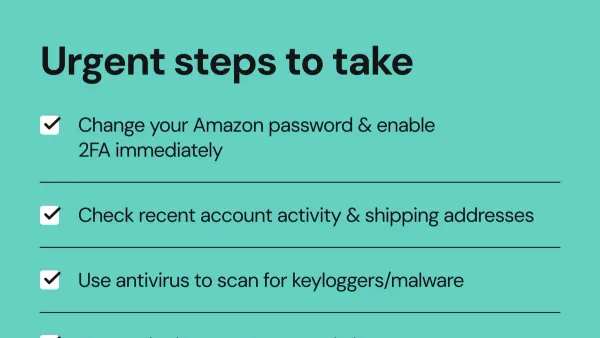
When suspicious activity appears—such as unexpected bookings, password changes, or lockouts—immediate action is crucial. Start by attempting a password reset via the Airbnb login page under “Forgot password?” Use the email address or phone number linked to the account. If the reset link is not received or access remains blocked, contact Airbnb Support directly through the Help Center or the official app’s “Contact Us” section.
Effective communication with Airbnb Support requires clear, concise information: state the unauthorized activity, provide account details, and include any relevant transaction IDs or screenshots. For example, a message can be: "My account was accessed without my consent; unauthorized bookings appeared on [dates]; I have reset my password but remain locked out. Please assist with restoring access and securing my account." Recovery timelines vary but expect a response within a few days depending on case complexity.
Enable two-factor authentication (2FA) once access is regained by navigating to Account Settings > Security > Two-Factor Authentication. This adds an extra verification step, reducing future risks. Verify identity promptly if Airbnb requests documents or selfies to confirm ownership, especially when disputing unauthorized cancellations or damage claims. These disputes require detailed records and timely replies to Airbnb’s communications.
Tip: Keep a log of all correspondence with Airbnb Support and note any reference numbers to track progress efficiently.
How to log into my Airbnb account securely and manage security settings
Secure login starts with a strong, unique password that combines uppercase and lowercase letters, numbers, and symbols. Avoid passwords used on other sites. A password manager simplifies generating and storing complex passwords, reducing the risk of reuse or forgetting credentials. Airbnb’s password reset process is straightforward but should only be initiated from official Airbnb pages to avoid phishing.
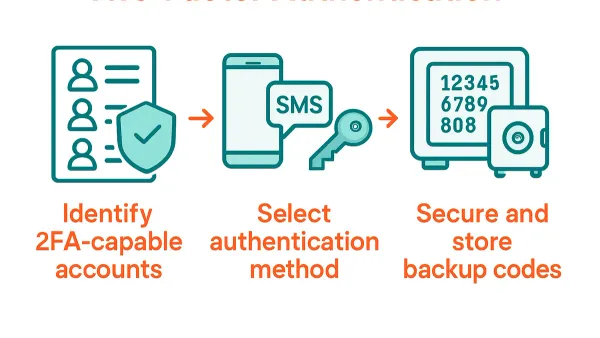
Enabling two-factor authentication (2FA) is a critical next step. Airbnb supports 2FA via authentication apps like Google Authenticator or SMS codes. To enable 2FA, navigate to Account Settings > Security > Two-Factor Authentication, then follow prompts to scan a QR code or enter a phone number. Once active, login requires the password plus a time-sensitive code. This extra layer blocks unauthorized access even if the password is compromised.
Users should monitor login alerts in the Security section, where Airbnb lists recent login activity and devices. Suspicious logins from unfamiliar locations or devices should prompt immediate password changes and contacting Airbnb Support. Regularly reviewing linked payment methods and saved cards can detect unauthorized changes early. For example, spotting an unknown credit card added under Payments > Payment Methods signals a potential breach.
Tip: Periodically logging out from all devices via Account Settings > Security helps ensure no lingering unauthorized sessions remain active.
Can people scam you on Airbnb and what scams to watch out for hosts and guests
Both hosts and guests face specific scams on Airbnb that exploit trust and platform gaps. Guests may encounter fake bookings where scammers reserve a property without intending to stay, then dispute the charge with their bank, leaving hosts unpaid. Another common guest scam is false damage claims after a legitimate stay, where guests allege property damage to pressure hosts for refunds.
Hosts also risk scams involving fake guest profiles created to appear trustworthy. These profiles often include stolen photos and fabricated reviews. Phishing attempts targeting hosts involve messages that mimic Airbnb communication, asking for login details or payment outside the platform. Additionally, fake refund requests sometimes come after a stay, with guests demanding money back citing fabricated issues.
Verifying identities through Airbnb’s verified ID feature and restricting all communication and payments to Airbnb’s official platform reduces risk. For example, a host reported a guest who booked and asked to pay outside Airbnb citing “payment issues,” then vanished. The host avoided loss by refusing and reporting the case to Airbnb Support, which upheld the host’s account.
Airbnb’s dispute resolution policy favors evidence-based claims, requiring documented communication and photos. Both guests and hosts should keep detailed records and report suspicious activity immediately.
Tip: Always use Airbnb’s messaging and payment systems exclusively to ensure protection under Airbnb policies.
Frequently asked questions
What is wrong with airbnb website?
Users sometimes report issues with slow loading times, bugs in the booking process, or difficulties updating account settings. Occasionally, security vulnerabilities have been exploited by scammers targeting user accounts. Airbnb regularly updates its platform to address technical problems and improve security, but temporary glitches can still occur.
What's wrong with airbnb?
Common complaints include account hacking, phishing scams, and unauthorized reservations. Both guests and hosts face risks from fraudulent messages or fake listings. Customer support can be slow to respond in complex cases, which frustrates users trying to resolve security or booking issues.
Are there scams on airbnb?
Yes, scams on Airbnb exist and can affect both guests and hosts. Typical scams include fake listings, phishing emails requesting personal information, and attempts to divert payments outside the platform. Staying vigilant and using Airbnb’s official communication and payment channels reduces these risks.
How to delete a airbnb account?
To delete an Airbnb account, sign in and go to Account Settings > Privacy > Delete Your Account. Follow the prompts to confirm the action. Note that deleting an account is permanent and removes all booking history and reviews linked to that account.
How to get an airbnb account?
Create an account by visiting Airbnb’s homepage and clicking Sign Up. Provide a valid email address, phone number, or use a Google or Facebook login. After verifying contact details, the account is ready to use for booking or hosting.
What this guide does not cover and when to seek professional help
This guide does not cover legal actions or guarantees of financial reimbursement following Airbnb account hacks or scams. Users suffering significant financial losses or identity theft should seek advice from legal professionals or financial institutions promptly. Scam detection depends heavily on user vigilance; Airbnb’s security measures, while robust, cannot guarantee complete prevention of scams or unauthorized access.
Tip: Keep detailed records of all suspicious activity and communications to assist any formal investigations or claims.
For most users, the single most effective next step after identifying a security issue is to immediately change the Airbnb account password and enable two-factor authentication via the Security settings menu. This action helps block further unauthorized access and secures bookings and listings quickly. Regularly reviewing payment methods and connected email addresses under Account Settings also helps maintain control over the account.
See also: How to Recover and Secure an Afterpay Account Hacked or Locked · What to Do If Your Capital One Account Is Hacked: A Clear Recovery Guide · What to Do If Your Wells Fargo Account Is Hacked: Clear Recovery Steps · How to Recover and Secure a Steam Account Hacked