How to Delete an Etsy Account Permanently: Step-by-Step Guide
This guide explains how to delete your Etsy account permanently, covering the full process and key details for sellers and buyers.

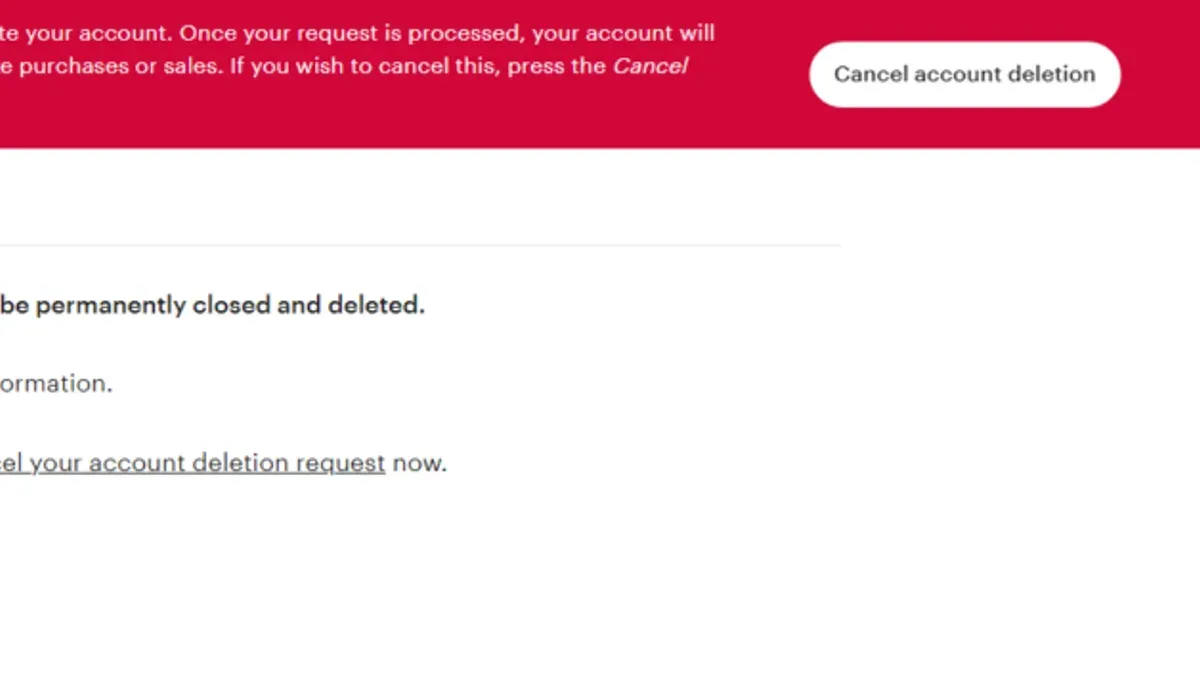
This article explains how to delete Etsy account permanently, providing clear instructions and highlighting key distinctions between removing an Etsy shop and closing an Etsy account. Deleting an Etsy account is irreversible and removes access to all buying and selling features, including active listings and purchase history. Sellers should understand that closing a shop does not automatically close the account, and vice versa. The process involves navigating specific settings in the Etsy account menu, verifying identity, and confirming the decision through email.
Before proceeding, gather necessary information such as login credentials, bank details linked to payments, and any pending orders or disputes. This guide breaks down the exact steps to delete a seller account, close the whole Etsy account permanently, and deactivate or cancel accounts if preferred. It also covers common issues encountered during the process and the consequences after account deletion.
Before you start: What is needed to delete an Etsy account
Deleting an Etsy account is a permanent action that cannot be undone. Confirm first whether the account includes an active seller shop or is buyer-only, as the presence of a shop introduces additional requirements. All orders must be completed, and no open cases or disputes should remain, since pending payouts or unresolved issues will block account deletion.
Backing up important data is essential before proceeding. This includes exporting listings, sales records, transaction history, and any reviews or messages that may be needed later. Once the account is deleted, this information cannot be recovered.
Have login credentials ready, including any two-factor authentication methods linked to the account. Without proper access, the deletion process cannot be completed. Preparing these elements ahead of time ensures a smooth and successful account closure.
- Log into the Etsy account with the correct username, password, and complete any two-factor authentication prompts. Successful login grants access to account settings.
- Review the "Shop Manager" (if a seller) to confirm all orders are marked as complete and no open cases exist. Presence of pending payouts or unresolved disputes will prevent deletion.
- Download or save any necessary data such as product listings, sales reports, and messages from the "Shop Manager" or "Account Settings" areas. Once deletion occurs, this data is lost.
- Verify that all financial matters, including outstanding balances or pending deposits, are settled through the "Payments" section. Accounts with unresolved payments cannot be deleted.
- Ensure access to the email address linked to the account for confirmation or final steps during deletion.
How to delete Etsy seller account
- Close the Etsy shop by logging into the Shop Manager. Select Settings from the left menu, then choose Options. Under the Shop status tab, click Close shop. The shop is closed when the status updates to "Closed" and no longer appears as active to buyers.
- Remove all active listings by navigating to Listings within Shop Manager. Select each active listing and click Deactivate or Delete. Also, pause or cancel any advertising campaigns via Marketing > Advertising. Confirm that no listings remain visible publicly.
- Resolve all pending orders and clear outstanding balances. Check Orders & Shipping for open transactions and fulfill or cancel them as required. Visit Shop Manager > Finances > Payment account to ensure no balance is owed or awaiting deposit.
- Initiate account deletion by clicking the profile icon at the top right, then selecting Account settings. Scroll down to the bottom of the Settings page and click Close your account. This will open the account closure process.
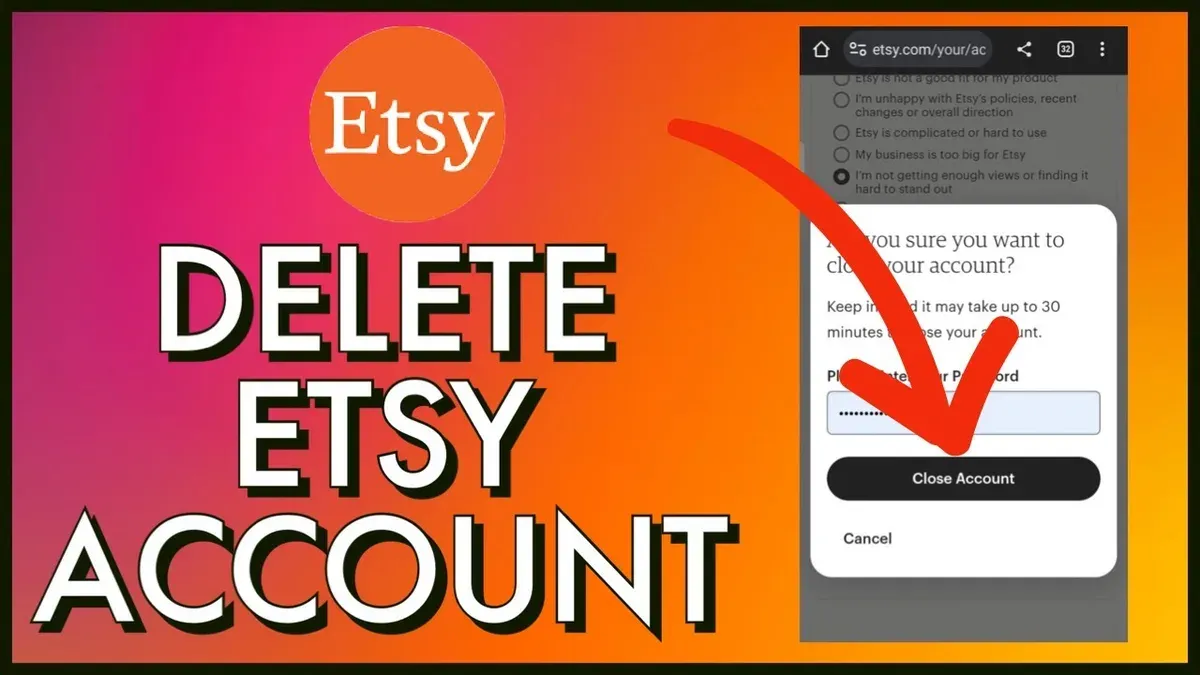
- Follow Etsy's confirmation prompts carefully. Etsy may request identity verification through email or phone. Confirm the deletion by entering the account password and acknowledging the irreversible nature of this action. Once confirmed, the account will be scheduled for permanent deletion.
Tip: Closing the shop first is essential; deleting the account without closing the shop leaves listings active and may cause transaction issues.
How to close Etsy account permanently
- Log in to the Etsy account and click on the profile icon at the top right of the homepage to access the dropdown menu.
- Select Account settings from the dropdown to open the account management page.
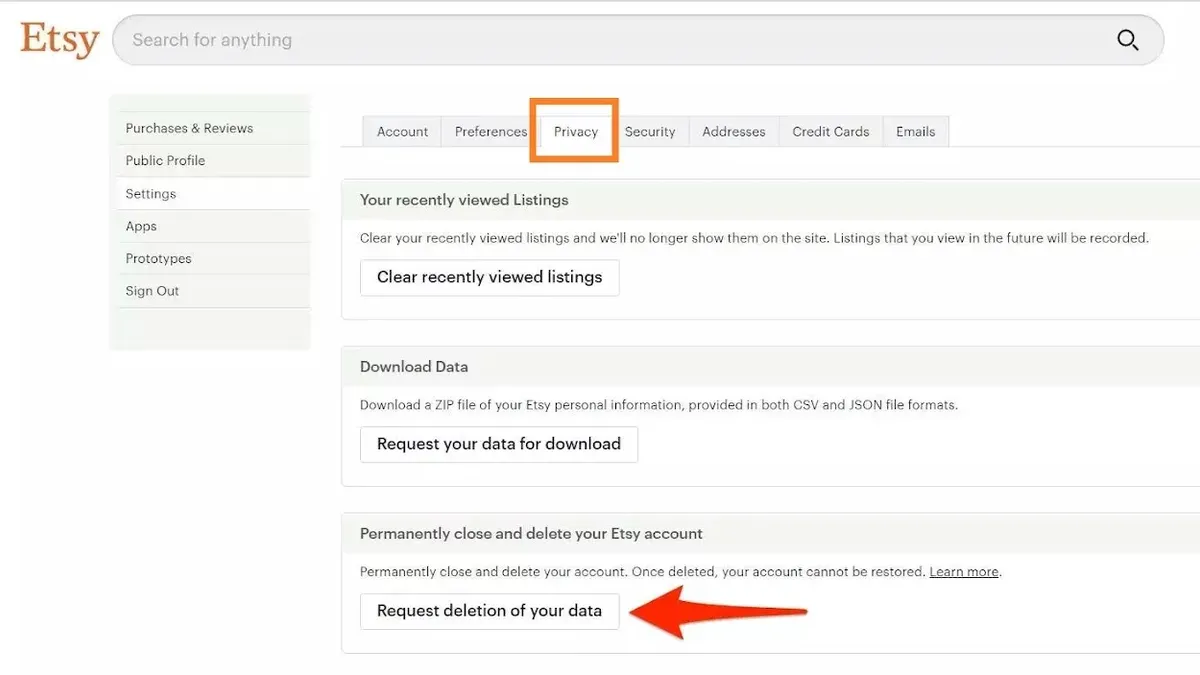
- Navigate to the Privacy tab within the settings menu. Scroll down to find the Close Your Etsy Account option.
- Click on Close Your Etsy Account. A page will appear outlining the consequences, including loss of access to purchase history, reviews, and any saved information.
- Confirm the decision by entering the account password and completing any additional security verification, such as two-factor authentication, if enabled.
- Submit the closure request. A confirmation notice will appear on screen indicating that the request has been received.
- Check the registered email for Etsy’s confirmation message. Etsy typically processes account closure requests within a few days, officially closing the account upon confirmation.
Tip: Save any important transaction records or messages before closing the account, as all data will become inaccessible after closure.
How to deactivate Etsy account
Etsy does not provide a direct option to deactivate an account temporarily. The platform only allows users to close their account permanently, which deletes all access and data. For those seeking a pause without full deletion, alternative approaches exist depending on the user's role as a buyer or seller.
Sellers can place their shops into vacation mode, which temporarily hides listings and suspends new orders while keeping the shop intact. This mode retains shop data and allows reopening at any time. Buyers and sellers who want to stop selling but continue browsing or purchasing can close their shop without deleting the entire account.
Account suspension is not available as a standalone feature on Etsy. Closing an account is irreversible and removes all user data and access. Vacation mode or closing the shop provides temporary or partial pauses without losing account history or needing to create a new account later.
| Option | Effect | Reversibility | Data Retention |
|---|---|---|---|
| Close Etsy Account | Permanent deletion of account and data | No | No |
| Vacation Mode (Shop) | Pause shop activity, hide listings | Yes | Yes |
| Close Shop Only | Stop selling but keep account active | Yes | Yes |
Steps to pause selling temporarily via vacation mode:
- Sign in to Etsy and go to Shop Manager. The Shop Manager dashboard should appear.
- Click on Settings and select Options from the dropdown menu. The Options page will load.
- Navigate to the Vacation Mode tab. Vacation Mode settings will be visible.
- Toggle Vacation Mode on and set a custom message if desired. The shop will enter vacation mode and listings will be hidden.
- Confirm the update and check that the shop status shows as "On vacation" in Shop Manager.
Tip: Vacation mode is ideal for sellers who want to pause their shop without losing customer messages or shop reviews.
How to cancel Etsy account
The term 'cancel account' on Etsy is frequently misunderstood. It does not refer to canceling individual orders but to permanently deleting the entire user profile. This action removes access to all Etsy services tied to that account and cannot be undone.
Canceling orders is a separate process and must be done before account deletion if there are unresolved transactions. Canceling orders does not affect the account status; the profile remains active until the full deletion procedure is completed.
Many users on forums and support communities report confusion between these terms, often attempting to "cancel" their account by simply canceling orders or vice versa. This misunderstanding can delay the intended outcome of account closure.
- Log into Etsy and navigate to Your Account > Purchases and Reviews. This page lists all orders.
- Find the order to cancel and select Cancel Order. Follow prompts to complete the cancellation. The order status will update to "Canceled." Repeat as needed.
- Once all orders are canceled or resolved, go to Your Account > Account Settings > Privacy.
- Scroll to the bottom and click Close Your Account. This initiates the permanent deletion process.
- Confirm the action as prompted. Etsy will send a confirmation email to finalize account cancellation.
Tip: Cancel orders separately before closing the account to avoid pending transactions blocking deletion.
Troubleshooting common issues when deleting Etsy account
Attempting to delete an Etsy account often encounters roadblocks, primarily due to unresolved orders or disputes. Etsy requires all transactions to be fully settled before allowing account deletion. Check the "Purchases and Reviews" and "Shop Manager" sections for any pending actions. If any disputes are open, resolve them through the Resolution Center.
Two-factor authentication (2FA) can interfere with confirming account deletion. If the authentication app or SMS code is inaccessible, reset 2FA via the "Security" tab under account settings. Without 2FA access, Etsy will not process the deletion.
Failure to receive confirmation or closure emails is a common complaint. Inspect spam or junk folders and whitelist Etsy’s email addresses. If emails still do not arrive within 24 hours, verify that the registered email address is current and active.
When Etsy support is slow to respond, escalate the issue by submitting a new help request through the Help Center, selecting "Account" then "Closing Account." Document all previous attempts to aid response prioritization. Community forums also offer peer advice on specific issues.
Linked payment methods and active subscriptions can prevent account closure. Remove all payment methods in "Payment Settings" and cancel any active Etsy Plus or subscription plans before retrying deletion. Etsy’s system will block deletion if financial ties remain.
- Review "Purchases and Reviews" and "Shop Manager" for unresolved orders or disputes; ensure all are complete and closed. Confirmation: no pending transactions visible.
- Access "Account Settings" > "Security" to verify or reset two-factor authentication; regain access to 2FA codes. Confirmation: ability to log in without 2FA issues.
- Check spam/junk folders for Etsy emails; confirm registered email is correct. Confirmation: receipt of deletion confirmation email.
- If no response from support after 48 hours, submit a new Help Center request under "Account" > "Closing Account" and note prior attempts. Confirmation: ticket acknowledged by Etsy.
- In "Payment Settings," remove all payment methods and cancel subscriptions; confirm no active payments linked. Confirmation: payment methods list is empty and no active subscriptions.
What happens after deleting an Etsy account
Once an Etsy account is deleted, all access to the account’s purchase history, saved favorites, and reviews is permanently lost. This means no ability to retrieve past orders, revisit saved items, or view previous feedback left on products or shops.
For former sellers, the deletion impacts shop visibility and reputation. The associated shop and its listings are removed from Etsy’s marketplace, which eliminates any seller ratings or reviews linked to that account. This action is irreversible and can affect brand continuity if the seller intended to return later.
According to Etsy’s privacy policy, some user data remains stored for legal, security, and operational reasons even after account deletion, but personal information is removed from public view and is no longer accessible through the account. This helps Etsy comply with data protection regulations while maintaining system integrity.
It is possible to create a new Etsy account using the same email address previously linked to a deleted account. However, the new account will not retain any prior history, purchases, favorites, or reviews. The deletion process does not allow recovery or restoration of the original account.
- Attempt to log in to the deleted account. The system should deny access, indicating the account no longer exists.
- Try retrieving purchase history or saved items. These should no longer be available within the account or through Etsy customer service.
- Search for the former shop or seller profile on Etsy. It should be absent, confirming removal from the marketplace.
- Create a new account with the same email address. The new account will start with no history, favorites, or reviews.
Tip: Before deleting an Etsy account, download all important data and records, as there is no way to recover them afterward.
Frequently asked questions
How to delete an etsy shop account?
To delete an Etsy shop account, navigate to Shop Manager > Settings > Close Your Shop. Follow the prompts to confirm the closure. This action closes the shop but does not delete the entire Etsy account.
How to delete etsy shop permanently?
Permanently deleting an Etsy shop means closing it through Shop Manager. After closing, the shop’s listings become inactive and the shop is no longer visible. The shop data remains on Etsy servers in case of future reopening, but it is not accessible to the public.
Can i delete my etsy account?
Yes, an Etsy account can be deleted permanently. This is done via Account Settings > Privacy > Close Your Account. Deleting the account removes access to both buyer and seller features and cannot be undone.
How to delete etsy shop account?
Deleting an Etsy shop account typically refers to closing the shop itself, which is done through the Shop Manager under Settings. This stops all sales and hides listings but does not delete the whole Etsy account associated with it.
Can I delete my Etsy account without closing my shop?
No, deleting the entire Etsy account also deletes access to the shop. To keep the shop active, the Etsy account must remain open. Closing the shop is separate from deleting the account.
What this advice does not cover
This guide does not cover reopening or recovering deleted Etsy accounts, as deletion is permanent and irreversible. Once an account is deleted, all associated data, including purchase history and shop information, is lost without the possibility of restoration. Users with complex seller accounts involving multiple shops, third-party integrations, or linked payment services should contact Etsy support for tailored assistance before proceeding with account deletion.
Tip: Carefully review all linked services and pending transactions to avoid unexpected disruptions.
The single most useful next step is to ensure all outstanding orders, payments, and customer communications are fully resolved before initiating account closure. This prevents potential complications and protects buyer and seller interests throughout the deletion process.
See also: How to Delete an Amazon Account Permanently: Step-by-Step Guide · How to Delete an Airbnb Account Permanently: A Step-by-Step Guide · How to Change Your Etsy Password: Complete Step-by-Step Guide