How to Change Your Etsy Password: Complete Step-by-Step Guide
This guide explains how to change your Etsy password securely on all devices with clear, easy-to-follow steps.

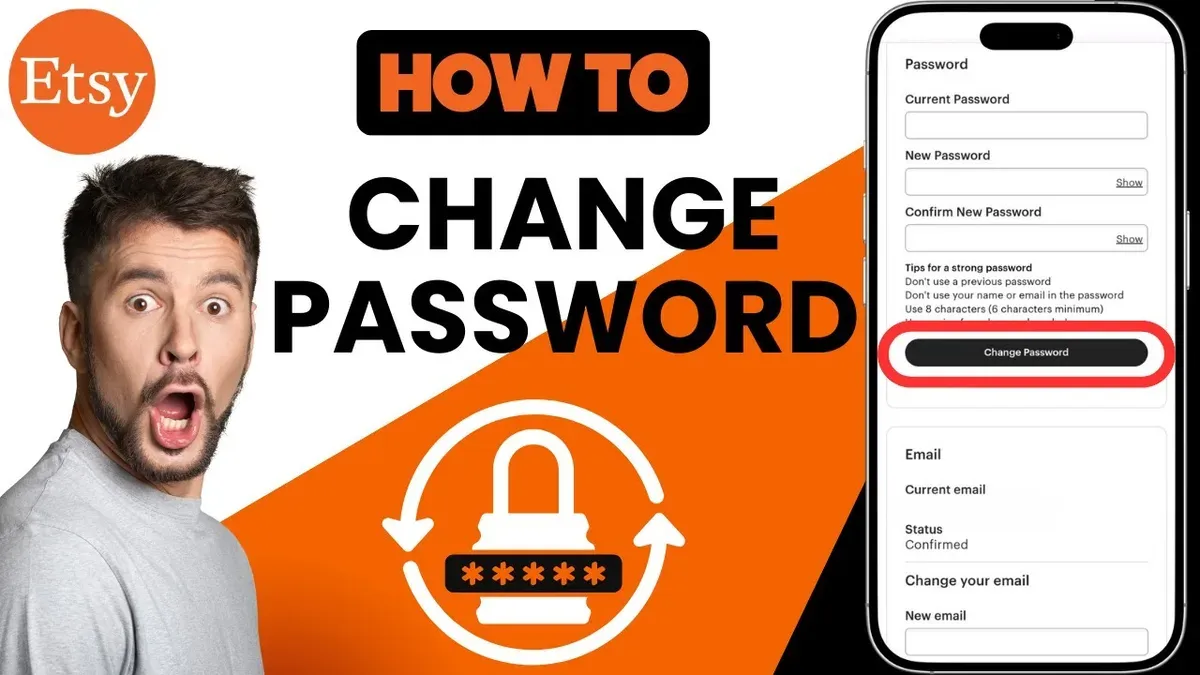
This article explains how to change Etsy password and update account email securely across all devices, including the Etsy app. Changing login credentials is essential to maintain control and protect personal information. The process involves accessing the Account Settings menu, verifying identity, and entering new details precisely.
For web users, the password change happens under Account Settings > Security. On mobile apps, the path differs slightly but covers the same essential steps. Users locked out can reset passwords via the registered email, but this article also covers troubleshooting common issues.
Additionally, changing the email address tied to the account affects login and notifications, so understanding the implications is crucial. This guide covers these procedures step-by-step with clear instructions and tips for smooth user security management on Etsy.
Before you start: What is needed to change an Etsy password or email
Changing an Etsy password or email requires having certain information and access ready. Without these, the process can be delayed or impossible to complete securely. Preparing in advance streamlines the update and avoids account lockouts.
- Access to the current Etsy account login credentials (username and password). This is necessary to enter the account settings for password or email updates. If the password is forgotten, recovery options must be in reach and functional.
- Access to the email address linked to the Etsy account. Etsy sends verification, confirmation, and reset emails to this address. Without access, one cannot verify changes or receive reset links.
- Device details: Determine whether the password or email will be changed using a desktop or mobile device. Know if the Etsy app is used and whether it is on Android or iOS (iPhone). The steps and interface vary slightly between platforms.
- Understand what changing the email means. Updating the email affects where Etsy sends all communications and where login verification emails will be sent. The new email must be active and monitored to avoid missing critical messages.
Checklist before starting:
- Current Etsy login credentials or recovery method ready
- Access to the current registered email inbox
- Device prepared: web browser on desktop or Etsy app on mobile (Android/iOS)
- New email address ready if changing email
Having these items ready ensures a smooth, secure update of Etsy login credentials and contact information.
How to change my Etsy password using a web browser
- Log in to the Etsy website using current account credentials. Once logged in, click on the profile icon at the top right corner of the homepage to open the account menu.
- Select Account settings from the dropdown menu. This opens the settings page with multiple tabs for managing account details.
- Go to the Security tab within Account settings. Here, locate the Change password section.
- Enter the current password in the first field to verify identity. Then, input the new password into the next field and retype it in the confirmation field below.
- Ensure the new password meets Etsy’s requirements: at least 8 characters, includes uppercase and lowercase letters, numbers, and symbols. Avoid common phrases or simple sequences.
- Click the Save changes button. A confirmation message appears stating the password was updated successfully.
- Log out and log back in using the new password to confirm it works. The account dashboard should load without issues, confirming the update.
Tip: Use a password manager to generate and store complex passwords, reducing the risk of forgetting them.
Commonly, users miss entering their current password correctly, which blocks the update process. Double-check this step to avoid errors.
How to change password on Etsy app, including on iPhone
The Etsy mobile app provides a straightforward way to update the account password, though the interface differs slightly between Android and iPhone devices. Both platforms require accessing the account settings, but the navigation paths and button placements vary. The app may lack some advanced options available on the desktop, but the core password change function is fully supported.
- Open the Etsy app on the mobile device. On iPhone, the app icon is green with an Etsy logo; on Android, it appears similarly in the app drawer.
- Tap the profile icon located at the bottom right of the screen. This opens the account overview page.
- On iPhone, tap the gear icon at the top right to access Settings. On Android, tap the three-dot menu in the upper right corner, then select "Settings".
- Within Settings, select "Account settings." This section holds personal information and security options.
- Tap "Change password." If this option is not immediately visible, it may be under a "Security" or "Login & security" submenu.
- Enter the current password, followed by the new password twice to confirm. Password requirements appear below the input fields.
- Tap "Save" or "Update password." A confirmation message will display if the change was successful.
- If an error appears, verify the current password is correct and that the new password meets complexity rules (usually minimum length and character variety). If problems persist, try updating the app or switching to a web browser for the password change.
Tip: iPhone users sometimes miss the gear icon for Settings, as it is less prominent than Android’s menu dots.
How to change Etsy password if you forgot it
When the current password is forgotten and login is not possible, Etsy offers a password reset process accessible via the official website or app. This method sends a secure reset link to the registered email, allowing password update without knowing the previous one. The reset email usually arrives within a few minutes but can sometimes take up to 15 minutes depending on email provider delays.
- Open Etsy’s login page and select Forgot your password?. This leads to the password reset request form.
- Enter the email address associated with the Etsy account and submit the request. A confirmation message indicates that a reset email has been sent if the address matches an account.
- Check the inbox of the provided email address, including spam or junk folders, for an email from Etsy with the subject line “Reset your Etsy password”. The email contains a secure link to reset the password.
- Click the reset link within the email. This opens a page to enter a new password. The link typically expires after one hour for security reasons.
- Set a new password following Etsy’s password rules, then confirm the change. A confirmation message should appear, and the user can now log in with the new password.
Tip: If the reset email does not arrive after 15 minutes, verify the email address entered is correct or try requesting the reset again. Avoid multiple simultaneous requests which can delay delivery.
Users should ensure the reset email is legitimately from Etsy by checking the sender’s address and avoiding clicking links in suspicious emails. Etsy’s official emails come from addresses ending with @etsy.com. Beware of phishing attempts impersonating Etsy.
How to change my Etsy email and what it means for account access
Updating the registered email address on Etsy requires accessing Account Settings. Navigate to Your Account > Account Settings > Login & Security. Locate the Email field and select Edit. Enter the new email address and save the changes. A confirmation prompt will appear, indicating that a verification email has been sent to the new address.
Check the new email inbox for a message from Etsy titled "Confirm your new email address". This email contains a link to verify ownership of the address. Clicking this link completes the update process, enabling the new email to receive all future Etsy notifications and password reset requests. Until verification, Etsy will continue using the old email for account communications.
Changing the email impacts login recovery and notifications. Password reset emails will be sent only to the verified new address, so ensure access to it before proceeding. Notifications about orders, messages, and account activity will also shift to the updated email. If the current email has been compromised or is no longer accessible, updating it promptly is critical for account security.
Example verification email content: "Hi, please confirm your new email address for your Etsy account by clicking the link below. If you did not request this change, contact Etsy Support immediately." This step prevents unauthorized email changes.
Consider changing the registered email when switching to a more secure or frequently used address, or if the old email is linked to other compromised accounts. After the update, the new email becomes the primary contact point, reducing risks related to unauthorized access through outdated or vulnerable email accounts.
How to change Etsy username or modify user details
Etsy does not allow users to change their username once it is set. The username is a permanent identifier used for login and URLs. Instead, users can update their display name, which appears on their profile and shop pages, allowing for branding flexibility without affecting account access.
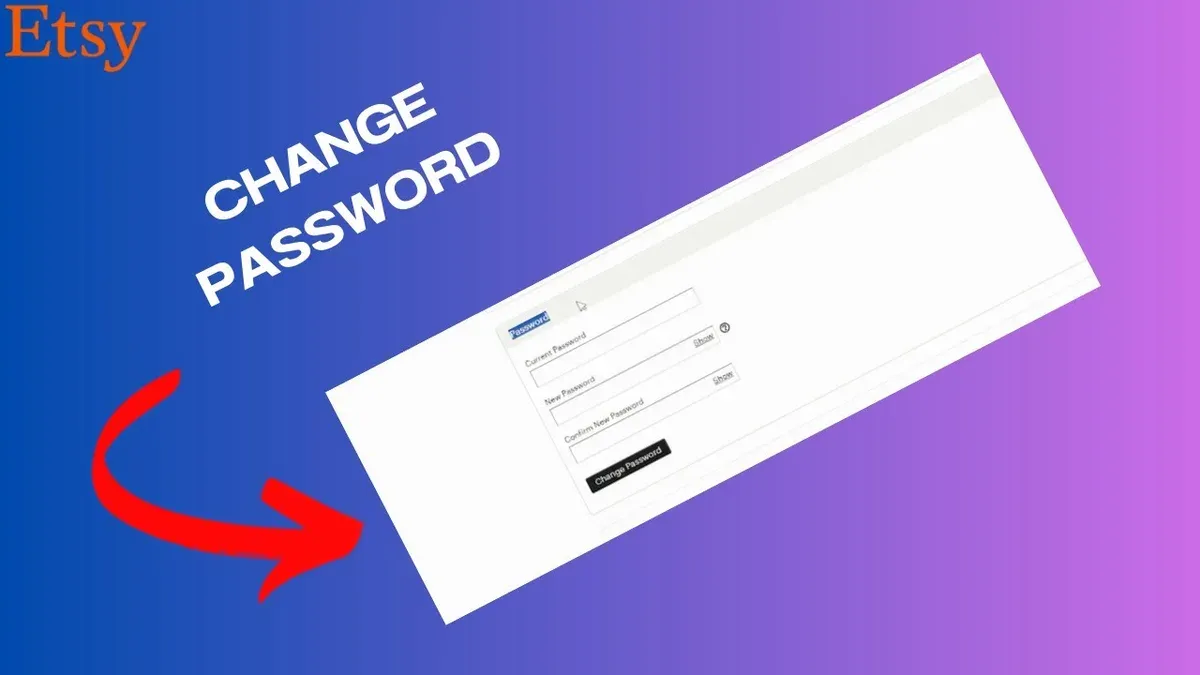
To update the display name or other personal details, navigate to Account settings under the profile icon. In the Public profile section, edit the display name field. This name is visible to customers and can be changed as often as needed to reflect branding or personal preferences.
Shop owners should also update their shop name and details to maintain consistency with branding. Go to Shop Manager > Settings > Info & Appearance to edit the shop display name, announcement, and policies. These changes impact customer recognition and searchability but do not affect the Etsy username or login credentials.
- Log in to Etsy and click the profile icon in the top-right corner.
- Select Account settings from the dropdown menu.
- In the Public profile tab, locate the display name field and enter the new name.
- Click Save to confirm the update; the new display name will appear on the profile immediately.
- To update shop details, go to Shop Manager, then Settings, and select Info & Appearance.
- Edit the shop name and other fields as needed, then click Save.
Tip: Since usernames cannot be changed, choose a username carefully during account creation to avoid future branding conflicts.
Troubleshooting common problems with Etsy password and email changes
Reset password email not sending or delayed
If the password reset email does not arrive within a few minutes, check the spam or junk folder. Confirm that the email address entered matches the one linked to the Etsy account. Some email providers may delay delivery; wait up to 15 minutes before retrying. If the email still does not arrive, verify internet connectivity and try resending the reset link from the Etsy login page.
Problems logging in with username versus email
Etsy login requires the registered email address, not the username. Attempting to log in with a username will result in errors. Use the email associated with the account for login and password reset requests. If unsure of the registered email, check saved browser passwords or email inboxes for Etsy correspondence.
Handling Etsy official site login reset password errors
When password reset attempts fail on the Etsy site with error messages, ensure the reset link is current and not expired—reset emails expire after a short period. Clear browser cache and cookies or try a different browser to rule out temporary issues. If errors persist, contact Etsy Support directly through their help center for account-specific assistance.
What to do if account appears compromised or locked
If suspicious activity is noticed or access is denied, immediately initiate a password reset via the official Etsy page. Check for any security alerts sent to the registered email. If locked out, submit a support request with Etsy, providing identification proof if requested. Avoid using third-party recovery services as Etsy support is the only official channel for account recovery.
Frequently asked questions
How to find my etsy password?
Etsy does not display saved passwords for security reasons. If the password is forgotten, reset it through the "Forgot your password?" link on the login page by entering the registered email address. Password managers or browser autofill tools may store the password if previously saved.
How to change your email on etsy?
To change the email address, log into the Etsy account via a web browser, go to "Account settings," then select the "Email" tab. Enter the new email address and confirm it by following the verification link sent to that address. Changing the email updates where Etsy sends notifications and is essential for account recovery.
How to change etsy password on app?
Open the Etsy app and tap on the profile icon, then access "Account settings." Select "Password & Security," then choose "Change Password." Enter the current password followed by the new one and save the changes. The process applies to both Android and iOS versions of the app.
How to change etsy password on iphone?
On an iPhone, launch the Etsy app, tap the profile icon at the bottom, then navigate to "Settings" > "Account settings" > "Password & Security." Select "Change Password," enter the existing password and the new password, then confirm. Ensure the app is updated to the latest version for smooth access to these options.
How to modify my user in etsy?
User details like display name and profile information can be modified by logging into the Etsy account on a web browser, then selecting "You" > "Account settings" > "Public profile." Changes here affect how the user appears to others. Username changes are not supported, but shop names and profile details can be updated separately.
What this guide does not cover and when to seek further help
This guide does not cover recovering Etsy accounts without access to the registered email or phone number. Such recovery requires contacting Etsy support directly and providing proof of ownership, such as past order details or payment methods. Changing the Etsy username is generally not permitted; instead, users should update their display name or shop name to reflect any desired changes. For issues beyond password and email changes, including account suspensions or security breaches, professional support from Etsy is necessary.
The most useful next step is to ensure that the new password is strong and unique, combining uppercase and lowercase letters, numbers, and symbols. Enabling two-factor authentication (2FA) on Etsy can significantly enhance account security and prevent unauthorized access even if the password is compromised.
See also: How to Change Your eBay Password: Step-by-Step Instructions · How to Change Your DoorDash Password: Complete Step-by-Step Guide · How to Change Your Amazon Password: Clear Step-by-Step Guide · How to Change Your ChatGPT Password: Step-by-Step Guide