How to Use a Software Evaluation Rubric for Objective Assessment
A software evaluation rubric breaks down assessment into clear criteria and performance levels, ensuring objective and consistent software comparisons.

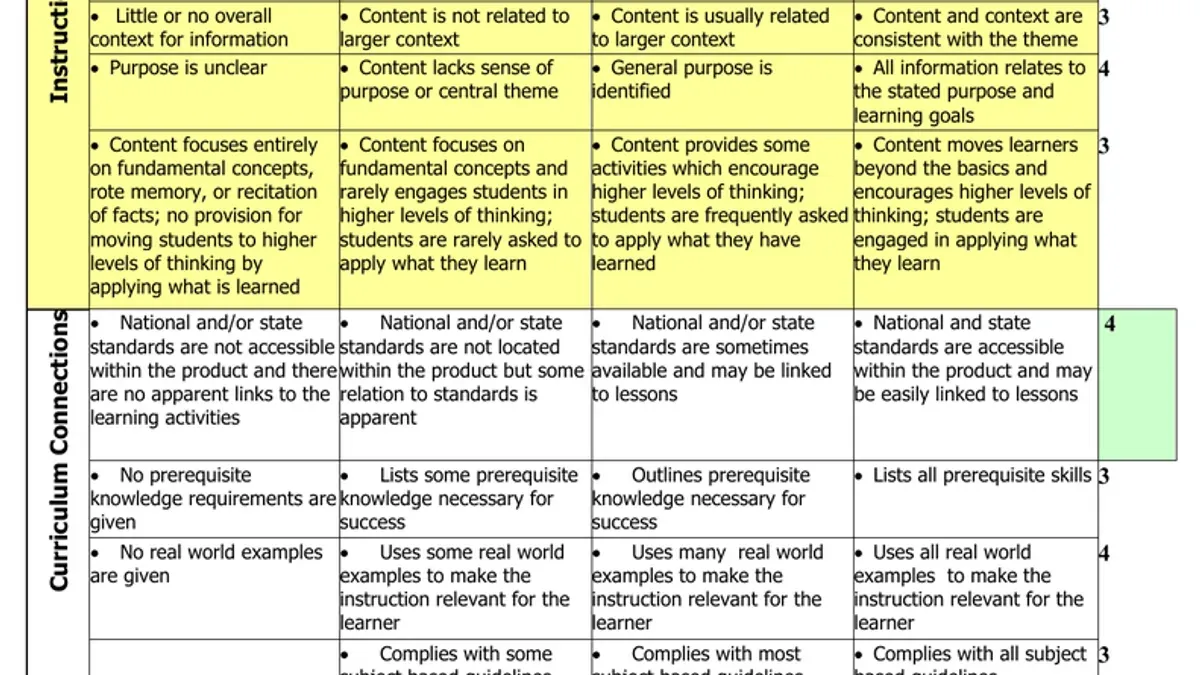
A software evaluation rubric breaks down your assessment into clear criteria and performance levels, removing guesswork and bias from the process. Without a defined rubric, evaluations tend to be subjective and inconsistent, making it hard to compare software fairly.
With this approach, you can make informed decisions based on consistent scoring rather than impressions or incomplete comparisons.
Checked in November 2026 against Lake.com; details like these change, so the date matters.
What is rubric evaluation and why does it matter for software
By assigning scores according to how well software meets these criteria, you create a systematic and repeatable method of assessment.
Instead of relying on vague impressions, rubric-based evaluation forces you to examine each software against the same detailed standards, enabling an objective comparison.
A rubric might include criteria like user interface clarity, integration options, response speed, and customer support quality. Each criterion has performance levels, for example, “excellent,” “good,” “fair,” and “poor,” with descriptions for what qualifies. You then score each tool by matching its features to these levels, creating a consistent rating that highlights strengths and weaknesses transparently.
Using this tool ensures that every aspect is considered equally and that the evaluation process is repeatable and defensible.
What is a rubric assessment tool and how does it work
This process ensures that evaluations remain consistent and objective, reducing subjective interpretation. For example, a criterion might be "User Interface Usability," with levels ranging from "Intuitive navigation with no training needed" to "Confusing layout requiring extensive training." You score the software based on how closely it matches these descriptions.
By breaking down the evaluation into these components and performance levels, you create a repeatable, transparent scoring mechanism that can be applied across different software options. This method avoids vague or inconsistent judgments and supports clear decision-making.
Imagine you are assessing project management software. Your rubric might include criteria like "Feature Completeness," "Integration Capability," and "Customer Support Responsiveness," each with detailed performance levels. You score each category, then aggregate these scores to rank the software objectively.
Using a rubric assessment tool transforms your evaluation from an impression-based activity into a precise scoring exercise based on agreed standards source.
How to create a rubric for assessment evaluation that fits your software needs
These might include usability, feature completeness, performance, security, and support. Tailor these criteria specifically to your context to avoid irrelevant factors.
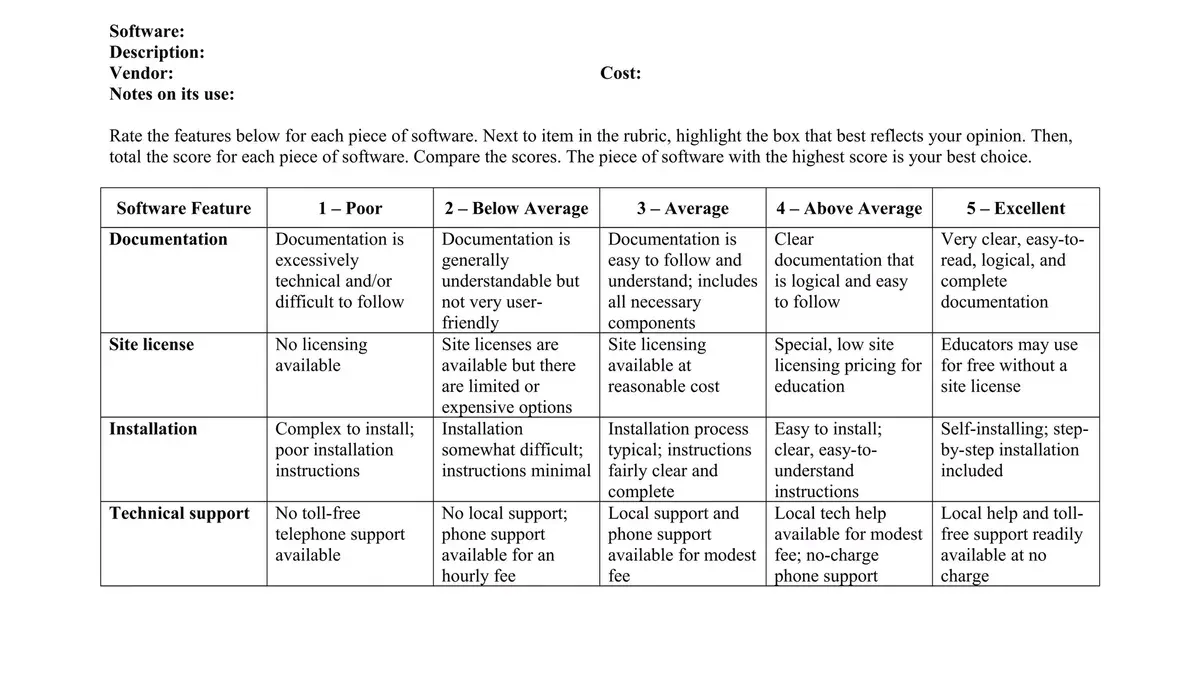
For example, usability could be rated as Poor, Fair, Good, and Excellent, with precise descriptions such as "confusing navigation" for Poor or "intuitive and efficient workflow" for Excellent. These descriptions prevent subjective interpretation during scoring.
The rubric should be detailed enough to guide evaluators consistently but remain simple enough for practical use. Avoid excessive criteria or overly granular performance levels that may overwhelm the assessment process.
If multiple stakeholders are involved, include them in selecting criteria and refining performance descriptions. This ensures the rubric captures diverse perspectives and increases acceptance of results.
Here is a checklist to create your rubric:
- Identify evaluation criteria relevant to your software goals.
- Develop 3–5 distinct performance levels per criterion with clear descriptions.
- Balance detail and usability to maintain objectivity without complexity.
- Engage stakeholders to validate and adjust criteria and levels.
For instance, if evaluating a project management tool, you might include criteria like task tracking, integration capabilities, and user interface clarity. Each criterion would have defined levels, such as "limited integration options" to "connects seamlessly with major platforms," helping you assign scores systematically. This approach structures your assessment as a scoring guide listing criteria and performance standards, enabling objective software evaluation using a rubric assessment tool.
Common pitfalls when using rubrics for software evaluation and how to avoid them
One major pitfall is failing to define clear criteria and performance levels. Without precise definitions, evaluators may interpret scoring differently, leading to subjective and inconsistent results that defeat the purpose of a rubric’s objectivity. For instance, if "usability" is a criterion without specifying what constitutes “excellent” versus “adequate,” each evaluator might apply their own standards, skewing outcomes.
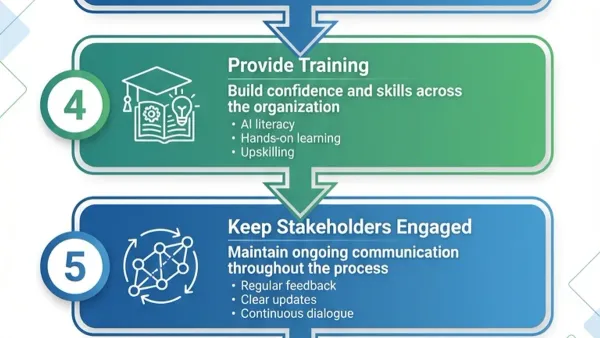
Another frequent mistake is deploying rubrics without training evaluators. Without guidance on how to interpret criteria and apply scoring consistently, evaluators may misunderstand the rubric’s intent. This misinterpretation produces unreliable assessments that vary widely across reviewers.
Overly complex rubrics are also problematic. When a rubric has too many criteria or too detailed performance levels, it slows down the evaluation process. Evaluators may skip thorough assessments or become overwhelmed, reducing the quality and consistency of scoring.
To avoid these issues, provide proper training before full evaluation begins. Walk evaluators through the rubric, clarify ambiguous criteria, and run test evaluations to identify confusing areas. Simplify rubrics to focus on critical factors, balancing thoroughness with usability.
- Define each criterion with specific, observable performance levels.
- Train all evaluators on rubric use to ensure consistent interpretation.
- Test the rubric on sample software to spot ambiguities or complexity.
- Streamline criteria to essential factors to maintain evaluator focus.
Following these steps ensures rubrics deliver objective, reliable software evaluations rather than inconsistent or incomplete judgments.
When to use a rubric-based evaluation tool versus simpler methods
You should choose a rubric-based evaluation tool when your software assessment involves multiple stakeholders and demands objective, repeatable results. Detailed rubrics with clearly defined criteria and performance levels ensure consistent scoring across different evaluators, reducing subjective bias and improving transparency.
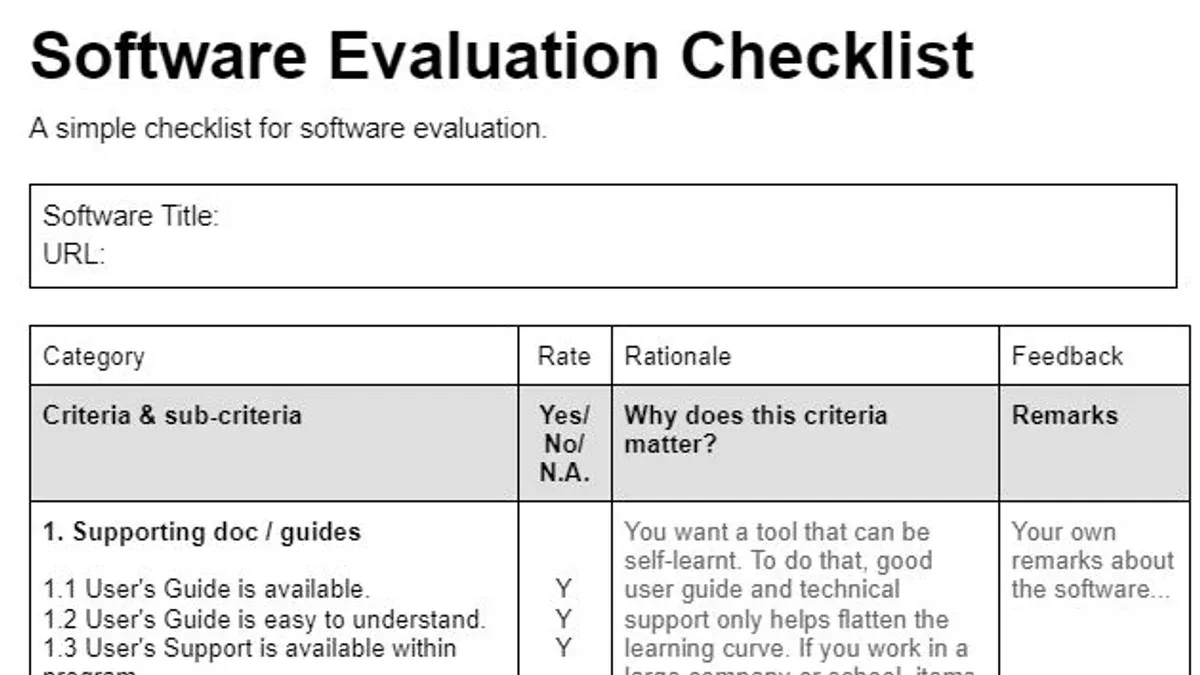
On the other hand, if your goal is a quick, informal check without the need for detailed scoring, a rubric can be unnecessarily complex and time-consuming. Simpler evaluation methods like checklists or informal discussions might save time and still provide enough insight for low-stakes decisions.
Consider the trade-off between thoroughness and resources. For instance, a school district choosing a new learning management system across several departments benefits from a rubric to capture diverse priorities and maintain fairness. In contrast, an individual educator selecting a tool for personal use might prioritize speed and ease over detailed scoring.
Use this decision matrix to guide your choice:
| Evaluation Situation | Recommended Method | Key Reason |
|---|---|---|
| Multiple stakeholders need objective, repeatable results | Detailed rubric-based evaluation tool | Ensures consistent scoring with defined criteria and performance levels |
| Single user or informal, quick assessment | Simpler evaluation methods | Avoids unnecessary complexity and saves time |
How to apply a software evaluation rubric: a step-by-step example
Imagine evaluating a project management tool using a rubric assessment tool. First, define clear criteria such as Usability, Features, Support, and Cost. Each criterion has performance levels, for example, Usability might range from 1 (difficult interface) to 5 (intuitive and efficient).
Next, score the software against each criterion by matching its attributes to these levels. Suppose the tool scores 4 for Usability, 3 for Features, 5 for Support, and 2 for Cost.
Calculate the total by adding these scores: 4 + 3 + 5 + 2 equals 14. If the rubric’s maximum possible score is 20 (5 points per criterion), then this software achieves 70% of the total score.
This numeric result allows you to compare objectively against other options scored the same way. The rubric’s structured criteria and performance levels ensure consistent scoring regardless of who evaluates.
By breaking down assessment into defined components with explicit standards, the rubric eliminates guesswork and subjective bias. This approach simplifies complex decisions and supports transparent justification of your software choice. For more on rubric assessment tools, see this resource.
Checklist for effective software evaluation using a rubric