How to Secure Your SoFi Account and Protect Your Finances
This guide shows how to secure your SoFi account using biometric authentication and identity verification to protect your finances.

SoFi integrates multi-layered authentication methods, including biometric options, to keep your account protected against unauthorized access. Opening a SoFi account requires identity verification, which is a critical step to ensure only you can create and use the account. Without following the proper security setup, your account may remain vulnerable despite these features.
This guide walks you through the precise order to enable security measures, highlights common errors people make when securing their account, and outlines ongoing steps after setup to maintain strong protection.
Facts and figures here were checked against Cambridge University Press, F-Secure in November 2026.
What makes SoFi accounts secure
When you log in, you must prove you are the account holder, which prevents unauthorized entry even if someone obtains your password.
One key feature is biometric authentication, available as an optional but recommended method. This uses your fingerprint or face recognition to verify your identity quickly and securely, adding a layer beyond traditional passwords. For example, using fingerprint authentication on your smartphone means only your unique biometric data unlocks your account.
Imagine logging in on a new device: SoFi would require identity verification, then let you activate biometric login for future ease. This combination of identity checks, biometric safeguards, encryption, and monitoring forms the foundation that keeps your SoFi account secure and your finances protected.
Learn more about these security features here.
How to open a SoFi account securely
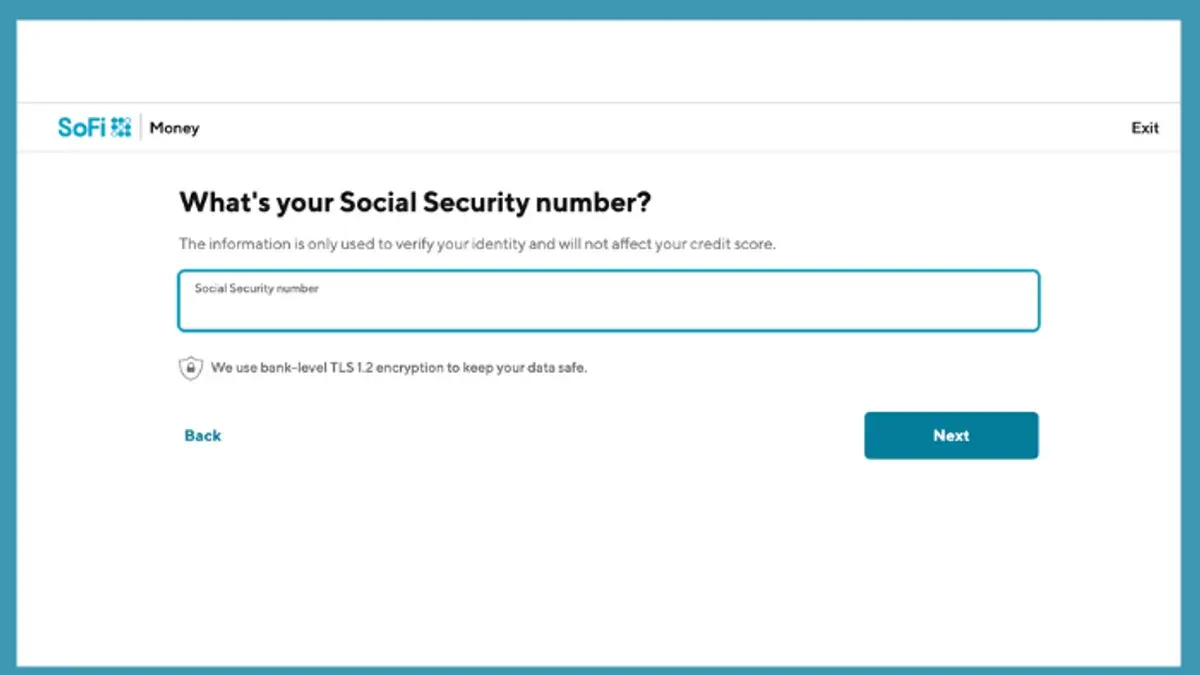
To open a SoFi account, you must first provide key personal information including your full name, date of birth, Social Security number, and contact details. This information forms the basis for identity verification, a mandatory step to prevent fraud and ensure only you can access your account.
The identity verification process involves submitting this personal data through SoFi’s secure onboarding system. You may be asked to upload a government-issued ID and complete additional checks to confirm your identity. This step is essential; skipping or failing verification will block access to account features and limit your ability to manage finances.
For example, when you enter your Social Security number during registration, SoFi cross-references it with public and private databases to confirm your identity. If the information does not match, you will receive a prompt to correct it, delaying account opening. Completing this verification thoroughly and accurately ensures your account starts with a strong security foundation.
After verification, you can proceed to set up optional security measures like biometric authentication. These enhance access protection beyond the initial identity check. This sequence guarantees that your SoFi account is both secure and fully functional from the start.
Note that these steps apply uniformly across SoFi’s account types and platforms.
The correct order to set up your SoFi account security
Begin by completing the mandatory identity verification during account opening. Without this step, your account remains vulnerable to unauthorized access and you may face restrictions in using SoFi’s full features.
Next, enable biometric authentication and create a strong, unique password. Biometric options, like fingerprint or face recognition, add a strong layer of protection and help prevent unauthorized logins, while a strong password guards against password guessing or reuse attacks.
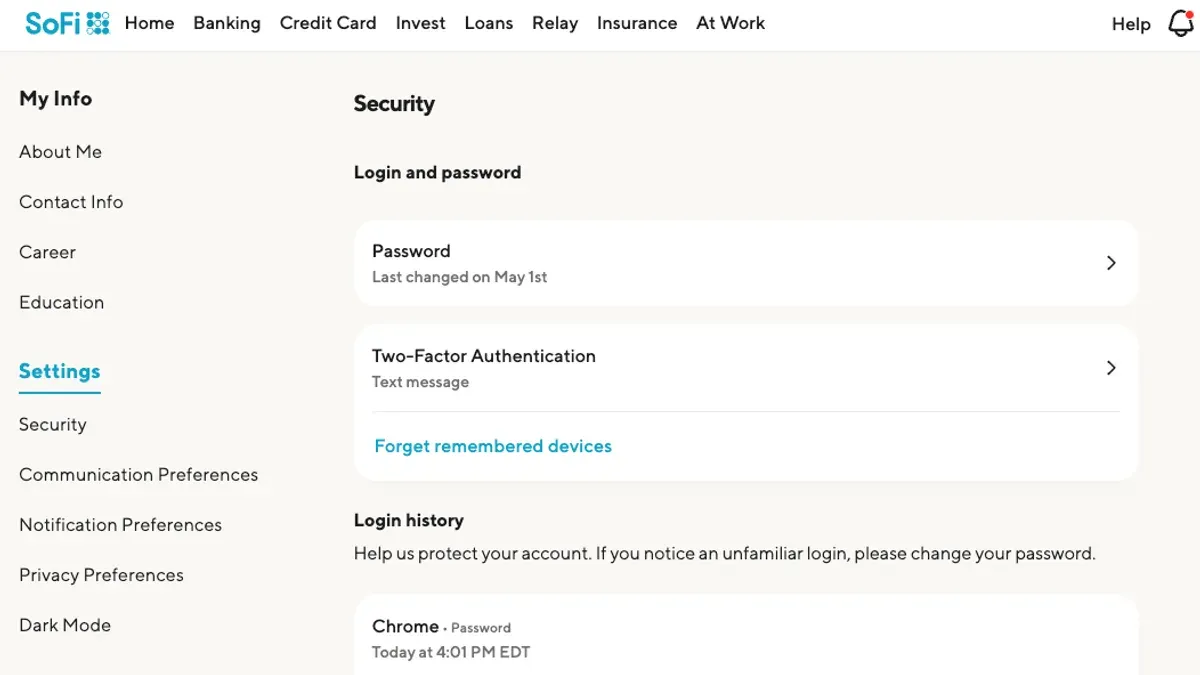
After securing access credentials, set up account notifications and review your security settings in the SoFi app or website. Notifications alert you immediately to suspicious activity or login attempts, while reviewing settings ensures your preferences, such as contact details for alerts, are correct and up to date.
If you skip identity verification, you may see error messages blocking access or transaction attempts. Similarly, delaying biometric setup leaves your account relying solely on passwords, increasing risk. For example, if you try to enable biometric authentication before completing verification, the system may prevent the setup until verification clears.
Following this order—verification first, then authentication setup, then notifications—ensures each layer builds on a verified foundation, minimizing security gaps and reducing the chance of lockouts or missed alerts. This sequence aligns with SoFi’s authentication and biometric protection mechanisms designed to keep your account safe source.
How to log into your SoFi account safely every time
Always choose biometric authentication, such as fingerprint or face recognition, when available; this method offers a reliable layer of protection beyond just passwords. If biometrics are not an option, enable two-factor authentication (2FA) to add an extra security step during sign-in.
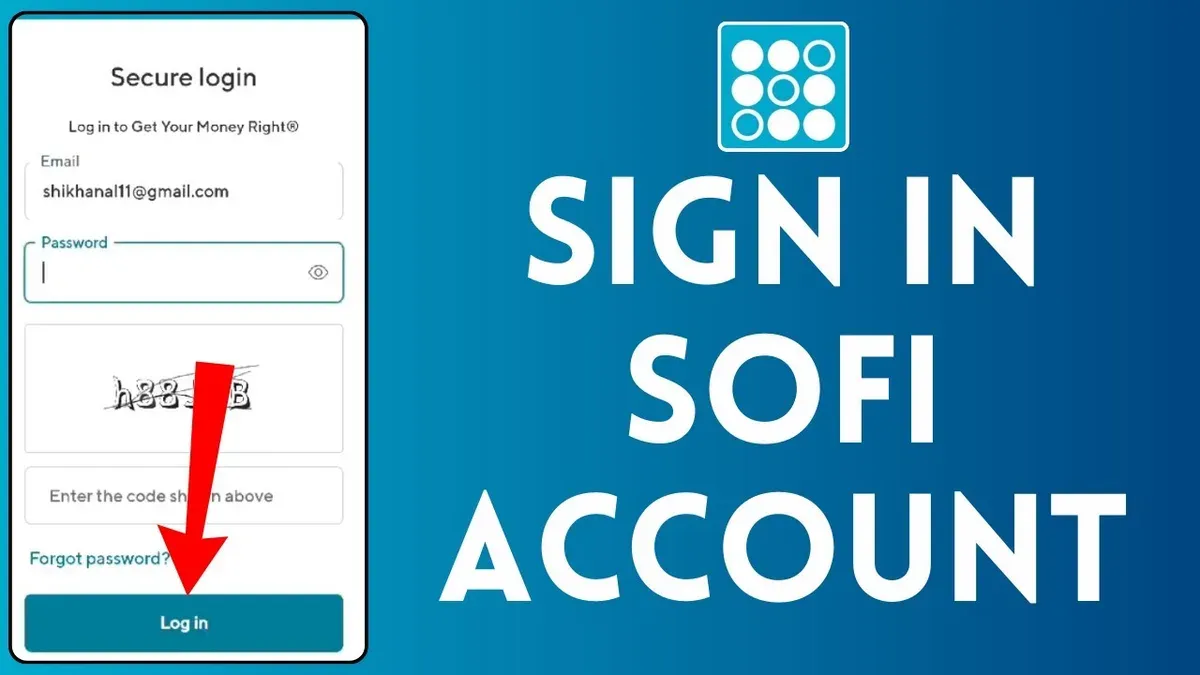
Check the URL carefully for misspellings or unusual characters, and never click login links sent unsolicited via email or text. For example, if an email urges you to log in immediately and the link looks suspicious, do not follow it. Instead, open a new browser window and type the official SoFi URL directly.
Log out completely if you share your device or use public Wi-Fi, and avoid saving passwords on shared or public computers. If you notice unexpected login attempts or alerts, review your account’s security settings immediately and change your password if necessary.
By combining biometric authentication, two-factor verification, and cautious browsing habits, you maintain strong defenses against unauthorized access and phishing risks, ensuring your SoFi account stays protected every time you log in. Authentication and biometric authentication are critical tools in this process.
Common pitfalls when securing your SoFi account and how to avoid them
Without completing this mandatory process, you cannot fully activate your account or access its protections.
In this case, the automatic renewal after the trial period fails, leaving your access interrupted or limited until you supply valid payment information.
This happens because the system cannot process the subscription without payment details. To fix it, enter your payment method before the trial expires.
Cancel subscriptions early in the settings menu under "Manage Subscriptions" to avoid this.
What to do after securing your SoFi account
Check the security section in your SoFi app or website at least once a week to spot any unfamiliar devices or sessions. If you see an unrecognized login, immediately change your password and review your account permissions.
Update your biometric data periodically to ensure accurate recognition. For example, if you change your appearance significantly, re-register your fingerprint or face recognition under the biometric authentication settings. This keeps your account accessible only to you while maintaining strong protection.
Passwords should also be refreshed regularly. SoFi's security setup allows you to change your password in the account settings menu. Using a strong, unique password combined with biometric authentication creates a layered defense.
Monitor your account notifications closely. SoFi sends alerts for suspicious activity or changes to key settings. Treat these notifications seriously and respond quickly to any irregularities. This ongoing monitoring helps catch threats early and prevents unauthorized access.
By following these routines—reviewing security settings, updating biometrics and passwords, and monitoring alerts—you ensure your SoFi account remains protected beyond the initial setup. These steps harness the authentication and biometric authentication features designed to keep your account secure.
Should you get a SoFi account: a decision guide
If you want integrated financial services combined with strong security features and ease of use, SoFi is a solid choice. Its design suits personal finance management well, offering a straightforward platform to handle investments, loans, and savings securely.
However, if your focus is advanced subscription management or business banking, you need to verify if SoFi’s features meet those specific needs, as its offerings lean more toward personal accounts rather than business solutions. For example, a freelancer seeking to separate personal and business finances might find SoFi’s personal account features useful but should confirm if it supports their invoicing or tax tracking requirements.
Your comfort with digital-only banking is crucial. SoFi requires you to manage identity verification and security settings digitally, including enabling biometric authentication and setting strong passwords. If you prefer in-person banking or have limited experience with digital security steps, this might require an adjustment.
| Your situation | Recommended SoFi option | Reason |
|---|---|---|
| Need integrated financial services with strong security | Open a SoFi personal account | SoFi is designed for integrated finance with robust security and ease of use |
| Require advanced subscription or business account features | Review SoFi’s specific limits and features before deciding | SoFi focuses on personal finance, business options may be limited |
| Prefer in-person banking or minimal digital setup | Consider other providers with physical branches | SoFi operates as a digital-only platform requiring online security setups |
For instance, if you want a single platform that securely handles your investments, refinancing, and saving goals with a straightforward login secured by biometrics, SoFi fits well. But if you handle complex subscriptions or business payments needing specialized features, you should carefully check SoFi’s current capabilities before committing. SoFi accounts are known for integrated financial services with security features, making them ideal for many personal finance users.
- How to Secure Your Skype Account and Protect Your Microsoft Identity
- What to Do If Your SoFi Account Is Hacked: Clear Steps and Recovery
- How to Recover and Secure Your Wise Account After a Hack
- How to Secure Your Webull Account After a Hack
Frequently asked questions
How secure is sofi?
SoFi secures accounts through mandatory identity verification during sign-up and offers biometric authentication as an optional but recommended feature. These measures reduce unauthorized access risks but depend on you enabling and properly using the available security tools.
How secure is sofi bank?
SoFi Bank incorporates standard banking security features including encryption and identity checks. It also encourages setting up biometric authentication to enhance login security, making unauthorized access more difficult.
Should i get a sofi account?
Refer to the decision guide section for a matrix matching your financial situation with SoFi account suitability. This guide helps you decide based on your specific needs rather than general pros and cons.
How to get a sofi account?
Opening a SoFi account requires completing identity verification as a key step. Start by visiting the SoFi website or app, providing your personal information, and following the prompts to verify your identity before proceeding with other account setups.
How to open an account with sofi?
This is addressed in the section on opening a SoFi account securely, which explains that identity verification is mandatory and outlines the recommended order of security steps immediately after account creation.
Final steps for your SoFi account security
After securing your SoFi account, regularly review your security settings and recent account activity to detect unauthorized access early. Keep your biometric authentication enabled for convenient and robust protection but remember to update your contact information in case recovery is needed. If you ever change devices or plan to uninstall the app, disable biometric login first to avoid lockouts.
Set a reminder to revisit your security preferences periodically, ensuring your methods align with any new features SoFi may introduce. Stay vigilant about phishing attempts by verifying any communication that asks for your login details or personal information.
Next step
Open the SoFi app or website and navigate to Settings > Security Center to enable two-factor authentication and biometric login in that order, as skipping or reversing these steps can cause access issues later.
Pages this guide relies on
- secure | Cambridge Dictionary — Cambridge University Press
- Log in to My F‑Secure | F‑Secure — F-Secure