How to Recover and Protect a Hacked iCloud Account
This guide helps you confirm, recover, and protect your iCloud account after a hacking incident to prevent data loss and unauthorized access.

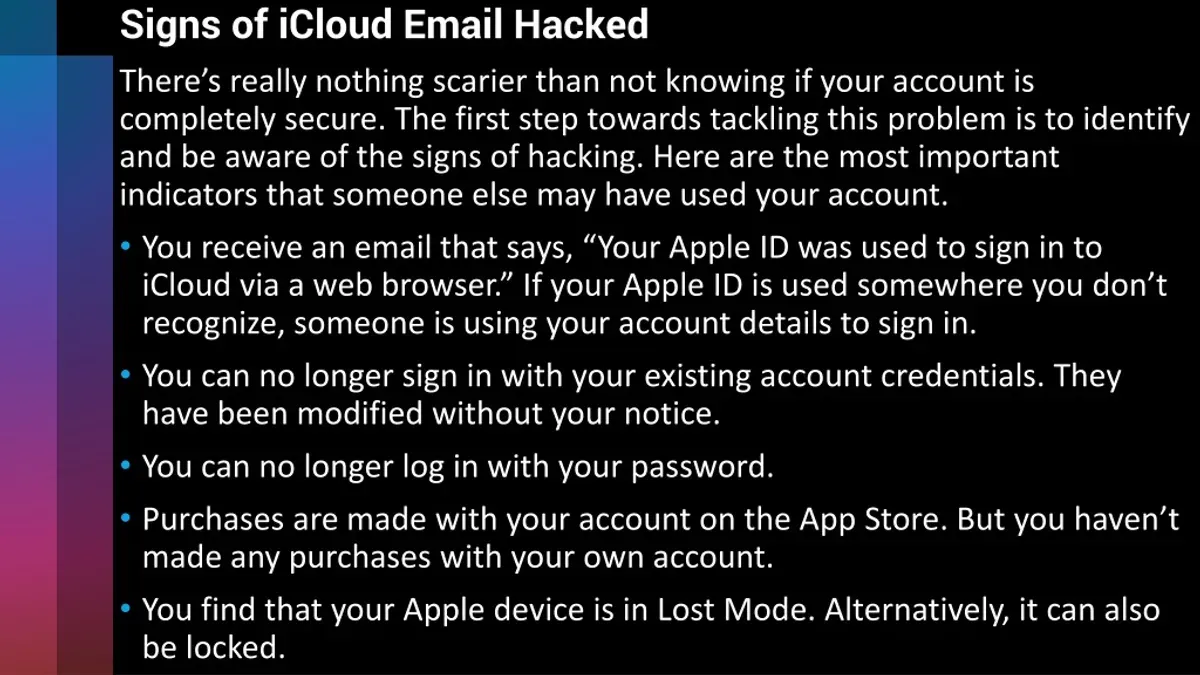
This guide explains how to confirm if an iCloud account hacked incident has occurred, recover access, and secure the account against future breaches. Apple device users often face locked or compromised iCloud accounts without clear instructions on what to do next. Identifying suspicious activity early is critical to preventing data loss or unauthorized purchases linked to Apple ID.
Signs of a hacked iCloud account include unexpected password changes, unfamiliar devices listed under the Apple ID settings, or alerts from Apple about suspicious logins. Verifying these indicators involves checking the Apple ID page at appleid.apple.com and reviewing the devices and security settings associated with the account. Prompt recovery actions can restore control and reduce risk.
This guide covers specific steps to regain access, such as using account recovery tools, resetting passwords via trusted devices, and enabling two-factor authentication. It also highlights common pitfalls, like ignoring security alerts or reusing weak passwords, which can prolong exposure after an attack.
Can iCloud be hacked?
Apple employs robust security features to protect iCloud accounts, including end-to-end encryption for iCloud Keychain data, two-factor authentication (2FA), and continuous monitoring for suspicious activity. The Find My iPhone feature and secure tokens for app access add layers to this defense. Despite these measures, no system is completely immune to breaches.
Common attack methods bypassing Apple's protections often exploit human factors rather than technical flaws. Phishing remains the leading cause, where attackers send fake emails or messages mimicking Apple to trick users into revealing their Apple ID credentials. Password reuse across multiple sites is another frequent vulnerability; if one site is compromised, attackers may try those credentials on iCloud.
Social engineering, such as convincing Apple Support representatives to reset passwords without proper verification, has resulted in high-profile iCloud breaches. For example, some celebrity account hacks involved attackers obtaining personal information from social media to impersonate the owner.
While Apple’s infrastructure is secure, realistic compromise scenarios typically start with stolen passwords or intercepted verification codes. Attackers then gain access to iCloud data, including photos, emails, and backups. Awareness of these vectors and enabling all available security settings is essential to minimize risk.
How to know if iCloud account is hacked
Apple sends alerts when unusual activity is detected on an iCloud account. These include notifications about sign-ins from new devices or locations, or attempts to change the password or security settings. For example, an alert might say, “Your Apple ID was used to sign in to iCloud on a Windows PC in a city you don’t recognize.” Such messages are a clear warning to check the account immediately.
Users should review the list of devices linked to their iCloud account by going to Settings > [user name] > Devices on an iPhone or iPad, or System Preferences > Apple ID > Overview > Devices on a Mac. Any unfamiliar device or location listed is a strong sign of compromise. This is often overlooked but critical to verify regularly.
Another sign is missing content like photos, contacts, or documents, or unexpected changes to notes, calendar events, or email rules. Attackers may delete or alter data to cover their tracks or cause disruption.
Unexpected password reset emails or security notifications from Apple, especially if not initiated by the user, also indicate suspicious activity. These emails typically instruct to review account security settings immediately.
Example: Receiving a notification that the Apple ID password was changed, while the user did not initiate this, combined with the appearance of an unknown device in the device list, confirms the account has likely been hacked.
How to check if my iCloud account is hacked
To verify if an iCloud account has been accessed without permission, start by visiting the Apple ID website at appleid.apple.com. Log in using the Apple ID credentials, then navigate to the Devices section. This lists all devices currently signed in with the Apple ID. Look closely for any devices that are unfamiliar or no longer in use. Removing unknown devices immediately helps prevent further unauthorized access.
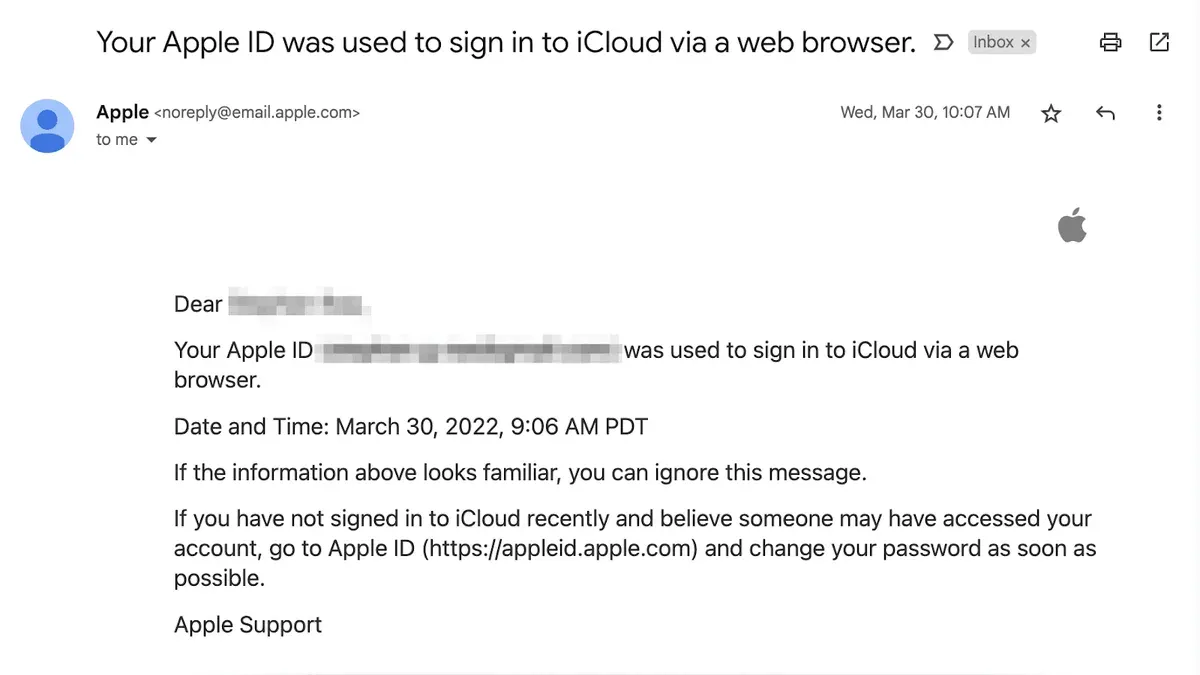
Next, access the Security section on the same site. Review recent account activity by checking the Account Security notifications and any recent password changes or sign-in requests. Apple also displays trusted phone numbers and email addresses associated with the account here. Verify that these contact points are current and controlled by the account holder.
For example, if a phone number appears that was never added or an email address unfamiliar to the user, this strongly indicates compromise. Confirm that two-factor authentication (2FA) is enabled to add an extra security layer. If 2FA is off, enable it immediately.
Tip: Regularly review devices and trusted contacts in the Apple ID settings to detect unauthorized access early.
How to recover a hacked iCloud account
Once suspicious activity is detected, immediately change the Apple ID password via Settings > [user name] > Password & Security > Change Password on a trusted device. If access is still available, revoke all app-specific passwords from the Apple ID website under Security > App-Specific Passwords to prevent unauthorized app access.
If locked out, begin Apple's account recovery by visiting the iForgot page. Enter the Apple ID and follow prompts to verify identity using trusted phone numbers, recovery keys, or email. This process can take several days depending on verification speed and previously set recovery options.
After regaining access, enable two-factor authentication (2FA) in Settings > [user name] > Password & Security > Two-Factor Authentication if it was not active. This adds a required verification step for future sign-ins and greatly reduces the risk of repeat breaches.
For cases where recovery options fail or suspicious activity continues, contact Apple Support directly through support.apple.com/contact. Provide proof of identity and detailed incident information to expedite account restoration.
For example, a user who noticed unauthorized purchases quickly changed their password, revoked app passwords, started recovery on iForgot, and regained control within three days by confirming phone number codes. Enabling 2FA afterward stopped further unauthorized attempts.
Why my iCloud account is locked
iCloud accounts lock automatically after multiple failed sign-in attempts to protect user data. This security measure activates when the system detects repeated incorrect password entries, typically five or more within a short period. The lockout usually lasts for several hours but can extend if suspicious activity continues.
Suspicious activity triggering an automatic lock includes sign-ins from new locations or devices, rapid password reset requests, or attempts to bypass two-factor authentication. These triggers differ from an actual hack, which implies unauthorized access has already occurred. Lockouts are preventive, whereas hacks indicate a breach.
For example, entering the wrong password five times on the iCloud sign-in screen leads to a temporary lock with a message like "Your Apple ID has been locked for security reasons." During this time, Apple blocks further sign-in attempts to prevent brute-force attacks. Users must wait or follow account recovery steps to regain access.
To safely unlock the account, visit the Apple ID account page at appleid.apple.com and use the "Forgot Password" option. Completing identity verification through email, trusted phone numbers, or security questions restores access without compromising security. Avoid repeated sign-in attempts, as they can extend the lockout duration.
What happens if your iCloud account is hacked
When an iCloud account is compromised, the attacker gains access to a wide range of personal data stored in Apple’s cloud ecosystem. This includes photos, documents, contacts, calendars, and backups of iOS devices. Losing control over these files can lead to permanent data loss if the hacker deletes or corrupts backups and synced data.
Beyond stored files, linked Apple services and devices become vulnerable. The attacker can manipulate Find My iPhone to track or remotely erase devices, access iMessage and FaceTime conversations, and potentially use saved payment information in Apple Pay. This broad access creates opportunities for identity theft and financial fraud.
One anonymized case involved a user whose iCloud was hacked through a phishing email. The attacker downloaded private photos, changed the account password to lock the user out, and used the linked Apple ID to make unauthorized purchases. The incident resulted in a lengthy recovery process and significant privacy invasion.
In summary, a hacked iCloud account threatens personal data integrity, device security, and financial safety. It can also expose sensitive information to malicious actors, making rapid detection and recovery critical.
How to report hacked iCloud
To report a hacked iCloud account, start by contacting Apple through their official channels. Visit Apple ID Support and select the option for security issues. Apple provides phone and chat support tailored for compromised accounts. Prepare to verify identity by providing account details such as the Apple ID email, trusted phone numbers, and recent device activity.
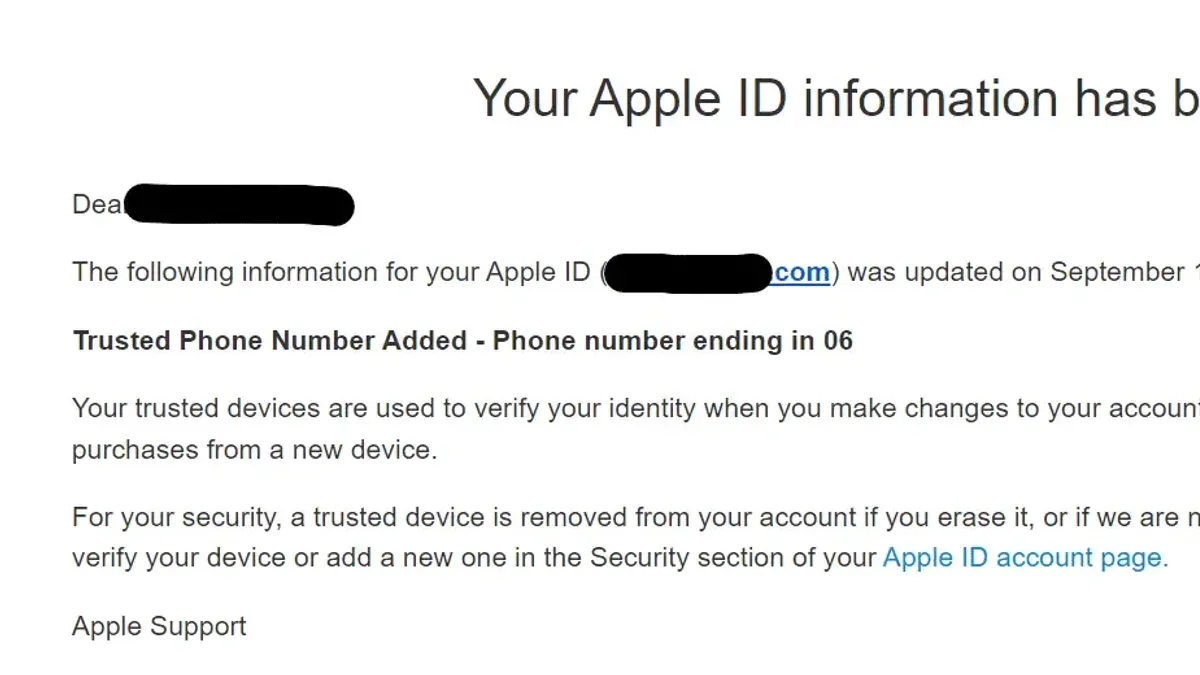
If the hack involves fraud or identity theft, file a report with local law enforcement and relevant government agencies like the Federal Trade Commission (FTC) in the US or equivalent bodies elsewhere. Document the incident thoroughly, including dates, suspicious emails or messages, and screenshots of unauthorized activity.
Example: When reporting to Apple, clearly state the issue, e.g., "Unauthorized access detected on my iCloud account with unrecognized device logins on 15 October." Include your Apple ID, last known password change date, and any recovery attempts. This reduces back-and-forth and accelerates support.
Tip: Keep a dedicated folder with all correspondence, screenshots, and report numbers to track recovery progress and assist authorities if needed.
Common mistakes to avoid when dealing with a hacked iCloud account
Ignoring early warning signs and delaying action can significantly increase the risk of data loss and further account compromise. Many users overlook suspicious Apple ID notifications or unusual activity, allowing hackers more time to access sensitive information. Prompt response is crucial once signs of hacking appear.
Using weak or reused passwords remains a major vulnerability. Passwords recycled from other breached sites are easily exploited by attackers using credential stuffing techniques. Creating a strong, unique password in Settings under Passwords & Security is essential to strengthen account security.
Falling for phishing scams during account recovery is a common pitfall. Scammers often send fake Apple support emails or SMS messages asking for verification codes or passwords. For example, a user trying to recover their account might receive a convincing message prompting them to enter their Apple ID credentials on a fraudulent website, inadvertently handing control to attackers.
Sharing account information with unofficial parties or third-party services promising quick recovery can worsen the situation. Apple’s official support channels are the only safe route. Providing sensitive data to unverified sources increases the risk of identity theft and prolonged unauthorized access.
Tip: Always verify URLs and sender details before responding to any Apple ID-related communication to avoid phishing traps.
Frequently asked questions
What happened to my icloud account?
The account may have been accessed without permission, leading to unauthorized changes such as password resets, unfamiliar devices linked, or suspicious activity in email or app data. It could also be locked temporarily by Apple as a security precaution after suspicious login attempts. Identifying these signs helps determine if the account is compromised or simply experiencing a service issue.
How to check if icloud account is hacked?
Check for unexpected emails from Apple about password changes or login alerts. Review devices signed in by going to Settings > [user name] on an iPhone or iPad, or System Preferences > Apple ID on a Mac. Suspicious devices or unfamiliar locations in the account’s security settings are strong indicators of compromise.
Why my account is hacked?
Accounts are commonly hacked due to weak passwords, password reuse across sites, or falling for phishing scams that steal login credentials. Lack of two-factor authentication (2FA) increases vulnerability. Attackers often exploit these weaknesses to gain access to personal data and linked services.
How to recover a hacked iCloud account?
Start by immediately changing the Apple ID password on the official Apple ID website. Use the account recovery process if unable to sign in, which may require answering security questions or verifying identity via trusted devices. After regaining access, review and remove unknown devices and reset security settings, including enabling two-factor authentication.
How to check if my iCloud account is hacked?
Besides checking for unauthorized devices in Settings or System Preferences, inspect recent activity in the Mail app and iCloud Drive for unknown deletions or additions. Use the Apple ID account page to view and manage devices and security settings. Unexpected password reset emails or alerts about sign-in attempts from unrecognized locations also confirm a breach.
What this advice does not cover
This guide focuses on user-level recovery and security steps for compromised iCloud accounts. It does not cover advanced forensic analysis or law enforcement interventions necessary in severe cases such as identity theft, financial fraud, or criminal hacking. Individuals facing these serious issues should contact Apple Support directly and consider involving local authorities or cybersecurity professionals specialized in digital investigations.
For most users, the key next step after confirming suspicious activity is to immediately change the Apple ID password via appleid.apple.com and enable two-factor authentication if it is not already active. This action halts unauthorized access while allowing control over connected devices and account settings. Regularly reviewing trusted phone numbers and devices linked to the account ensures no lingering breaches remain undetected.
See also: How to Turn On Two-Factor Authentication on Discord: A Step-by-Step Guide · How to Turn On Two-Factor Authentication on Facebook: Step-by-Step Guide