Is conhost.exe a Virus? Identifying Legitimate vs Malicious Windows Processes
Learn how to distinguish legitimate conhost.exe processes from malicious ones to keep your Windows PC safe.

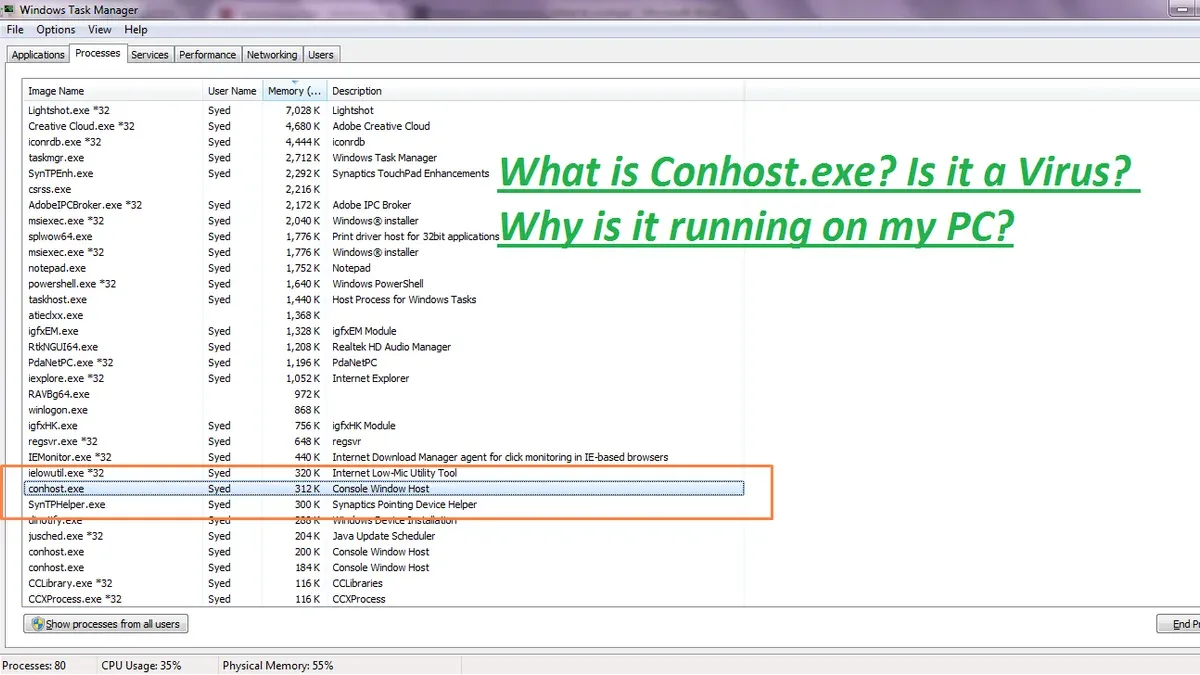
If you see conhost.exe running on your Windows PC, you might wonder: is conhost.exe a virus? Understanding its legitimate role in Windows 11 and 12 helps avoid unnecessary alarm or missing real threats. This article explains how conhost.exe functions, how attackers mimic it, and how to verify its authenticity with practical steps.
What is conhost.exe and Why Does Windows Use It?
Conhost.exe stands for Console Window Host. It facilitates command-line interfaces like Command Prompt and PowerShell by acting as a bridge between the Windows graphical shell and the console subsystem. This design provides a modern and secure environment for console windows.
Introduced in Windows 7 to fix security and usability flaws, conhost.exe has evolved through Windows 11 and 12. Microsoft redesigned it to enable smoother console rendering, support features like drag and drop, and protect against UI spoofing. By isolating console rendering from the core system, it reduces the attack surface and improves user experience.
Microsoft documentation identifies conhost.exe as a trusted system process. Windows architecture diagrams show it as an essential intermediary between user inputs and command-line applications. Updates across versions include incremental security enhancements and performance optimizations.
Common Signs and Behaviors of Legitimate conhost.exe Processes
Recognizing normal conhost.exe behavior helps distinguish it from malicious imposters.
- CPU and Memory Usage: Legitimate conhost.exe processes typically use minimal CPU and memory. Brief spikes can occur during active command-line sessions, but sustained high usage is uncommon and may indicate issues.
- File Location and Digital Signature: The genuine conhost.exe file resides in
C:\Windows\System32\. Its digital signature, verifiable under the file's Properties > Digital Signatures tab, should be from Microsoft Windows. - Parent Process Relationships: Conhost.exe usually runs as a child process of console applications like
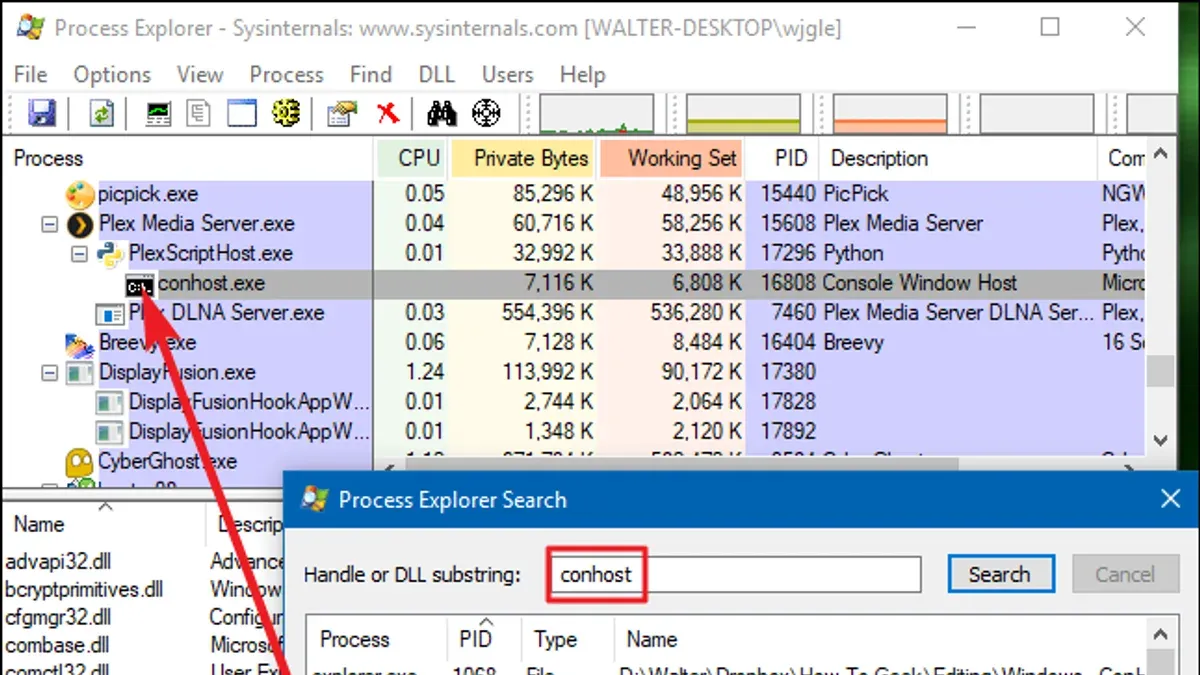
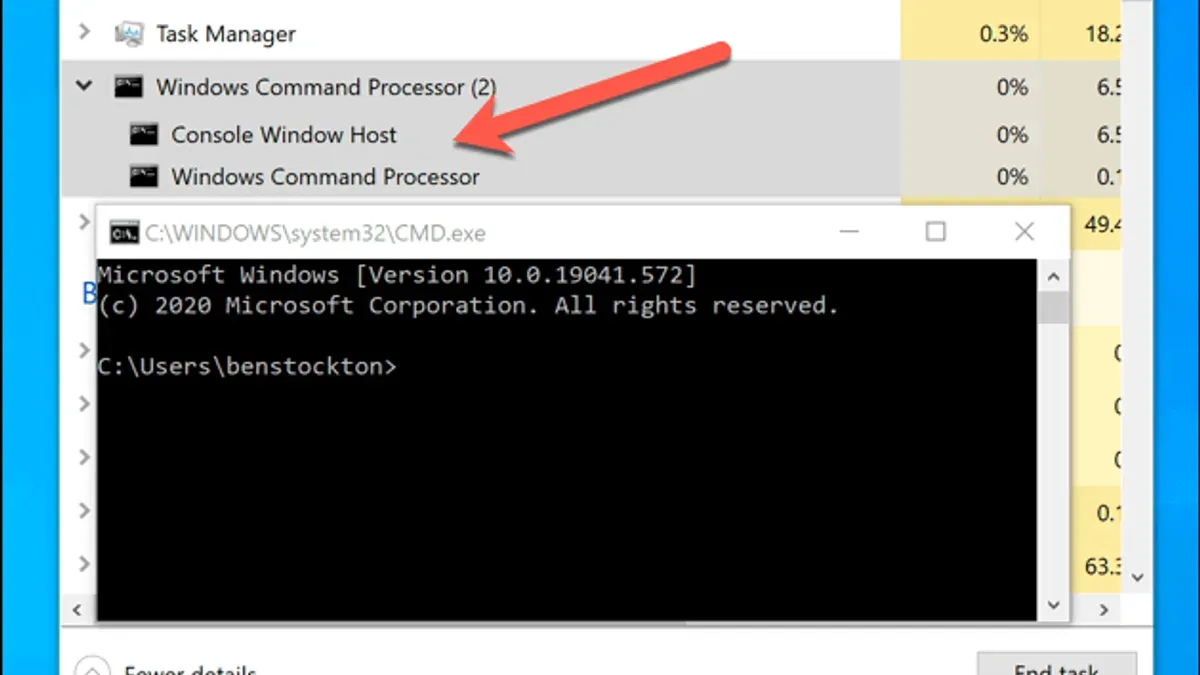
cmd.exeorpowershell.exe. This can be confirmed using Task Manager or Process Explorer, where the parent process is visible in the process tree.
For example, when using Process Explorer, a legitimate conhost.exe will have a parent process of cmd.exe or powershell.exe. Checking the file's digital signature and location adds assurance of authenticity.
How Malware Imitates conhost.exe: Red Flags and Detection Tips
Malware authors often disguise malicious processes by mimicking conhost.exe to evade detection.
- File Path Deviations and Naming Tricks: Fake processes may use similar but altered names such as
conhost1.exeorconh0st.exe. They are often located outsideSystem32, for example in user directories or temporary folders. - Unusual Network Activity and File Changes: Malicious versions may initiate unexpected network connections or modify system files, behaviors atypical for legitimate conhost.exe.
- Advanced Persistent Threats (APT) Usage: Some sophisticated malware families exploit conhost.exe mimicry as part of multi-stage attacks, hiding among normal system processes.
Comparing file hashes between authentic and suspicious conhost.exe files can reveal discrepancies. Monitoring network traffic for unusual outbound connections linked to conhost.exe processes can also help detect imposters.
Step-by-Step Guide: Verifying conhost.exe Authenticity on Your PC
Follow these steps to verify if conhost.exe on your system is legitimate or potentially harmful:
- Check File Location and Digital Signature:
- Open File Explorer and navigate to
C:\Windows\System32\. - Locate
conhost.exe, right-click and select Properties. - Go to the Digital Signatures tab and confirm the signer is Microsoft Windows.
- Open File Explorer and navigate to
- Inspect Parent-Child Process Relationships:
- Download and run Process Explorer from Microsoft Sysinternals.
- Find
conhost.exein the process tree. - Verify its parent process is a known console application such as
cmd.exeorpowershell.exe. A common mistake is overlooking background processes that spawn conhost.exe, so ensure the parent process is legitimate.
- Run Targeted Virus Scans:
- Use your antivirus software to scan
conhost.exespecifically. - Interpret scan results carefully; a clean report generally indicates safety, but some malware may evade detection.
- If suspicious, upload the file to online services like VirusTotal for additional analysis.
- Use your antivirus software to scan
These steps provide a reliable method to confirm conhost.exe’s authenticity and reduce false alarms or overlooked infections.
When to Seek Professional Help and What This Advice Does Not Cover
This article focuses on conhost.exe-related concerns but cannot address every malware scenario.
- Complex Infections: Some malware mimics multiple system processes simultaneously, making manual detection difficult.
- False Positives: Antivirus software may occasionally flag legitimate files mistakenly, requiring expert interpretation.
- Forensic-Level Analysis: Advanced infections might require specialized tools and expertise beyond typical user capabilities.
If you suspect a sophisticated compromise or persistent issues, consulting cybersecurity professionals is advisable.
Important Caveats
This article does not cover malware that does not mimic conhost.exe but targets other system components. It also does not replace professional malware removal services when needed.
Frequently Asked Questions
Can conhost.exe itself ever be infected or compromised?
While the legitimate conhost.exe is a trusted system file, attackers could theoretically replace or corrupt it. Such cases are rare but possible, which is why verifying file location and digital signatures is important.
Why does conhost.exe sometimes use high CPU or memory?
High resource usage usually occurs temporarily during active command-line operations or when console applications run intensive tasks. Persistent high usage might indicate issues such as malware or software bugs and warrants further inspection.
Is it safe to delete or disable conhost.exe if I suspect a virus?
Deleting or disabling conhost.exe is not recommended because it is essential for Windows console functionality. Instead, verify its legitimacy and scan your system with trusted security tools.
How often does Microsoft update conhost.exe to patch vulnerabilities?
Microsoft updates conhost.exe through regular Windows updates, which include security improvements and bug fixes. Keeping Windows up to date helps maintain conhost.exe security.
Related reading
- Can You Get a Virus from a ZIP File? Understanding the RisksLearn how viruses can hide inside ZIP files and how to protect yourself from infection when handling compressed archives.
- Can You Get a Virus from a Word Document? What You Should KnowLearn how Word documents can carry viruses and how modern security features protect you when opening them.
- Can You Get a Virus Just by Visiting a Website? Facts for 2026Discover if you can get a virus just by visiting a website and how 2026 browser security features keep you protected.