How to Change the SSH Port on Linux for Better Security
This guide explains how to change the SSH port on Linux to improve security and reduce automated attack attempts.

Changing the SSH port on Linux is a common security practice to reduce automated attack attempts and improve server security. This guide covers the rationale, port selection considerations, detailed implementation steps, and how to update monitoring tools accordingly.
Why Change the Default SSH Port?
SSH servers listen on port 22 by default, making it a frequent target for automated brute-force attacks. Attackers use scripts that scan port 22 continuously, increasing noise and risk.
Changing the SSH port reduces exposure to these automated scans because many tools only check default or commonly used alternate ports. However, this is not a standalone security measure.
This change is one layer in a defense-in-depth approach, lowering the attack surface visible to opportunistic attackers and bots, and complementing strong authentication and monitoring.
Choosing the Right Port Number: Best Practices and Pitfalls
Selecting an SSH port requires balancing obscurity with operational needs.
- Avoid well-known ports and common alternates attackers often scan (e.g., 2222, 2200, 22222). These can attract more attention than truly obscure ports.
- Do not select ports below 1024, as these are reserved for system services and require root privileges to bind. Ports between 1024 and 65535 are preferred.
- Check firewall and corporate policies to ensure the chosen port is allowed and does not conflict with other services.
| Port Number | Comments | Pros | Cons |
|---|---|---|---|
| 22 | Default SSH port | Universal compatibility | High attack volume |
| 2222 | Common alternate port | Easy to remember | Frequently scanned by attackers |
| 22000 | High number, less common | Less likely scanned | May require firewall updates |
| 49152 | Dynamic/private port range | Obscure and flexible | Potential conflicts with ephemeral services |
Example firewall rules:
# Allow SSH on port 22000 (iptables)
iptables -A INPUT -p tcp --dport 22000 -j ACCEPT

# Allow SSH on port 22000 (ufw)
ufw allow 22000/tcp

# Allow SSH on port 22000 (firewalld)
firewall-cmd --permanent --add-port=22000/tcp
firewall-cmd --reload
Step-by-Step: How to Change the SSH Port on Popular Linux Distributions
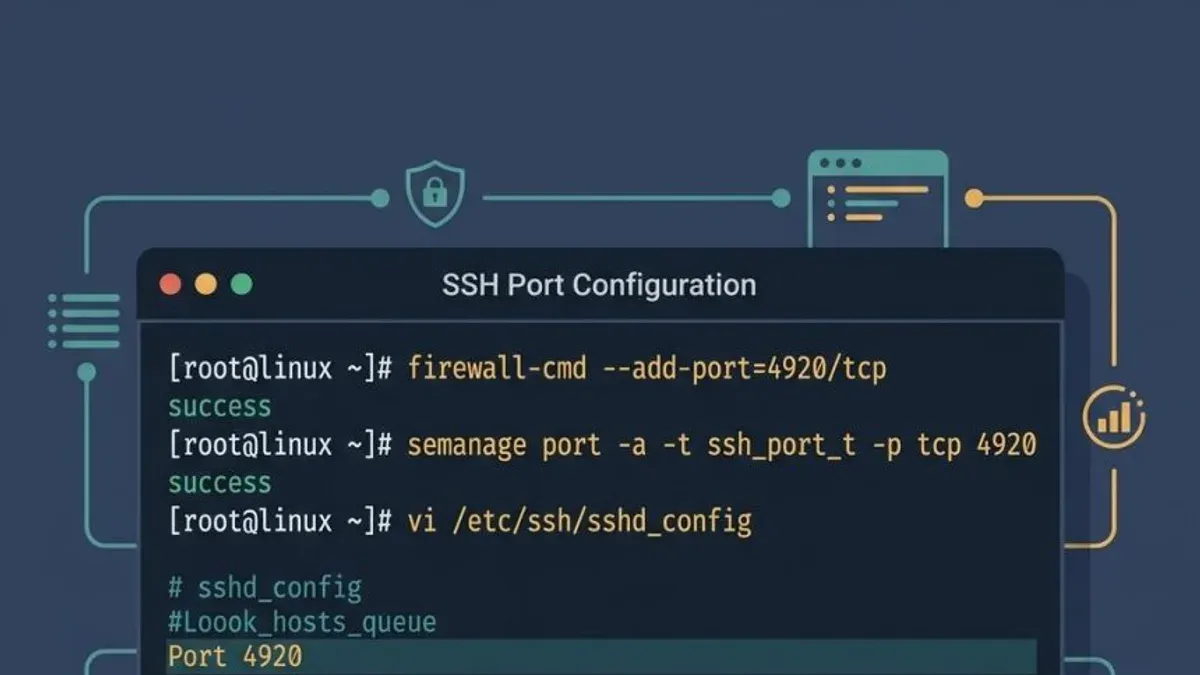
- Adjust firewall rules: Open the new port and close the old one.
- For Ubuntu 22.04 using
ufw: - For CentOS 8 using
firewalld: - Restart the SSH daemon safely: Before closing existing sessions, restart SSH and test connectivity on the new port to avoid lockout.
sudo systemctl restart sshdsudo firewall-cmd --permanent --add-port=22000/tcp
sudo firewall-cmd --permanent --remove-port=22/tcp
sudo firewall-cmd --reloadsudo ufw allow 22000/tcp
sudo ufw delete allow 22/tcpTest SSH connectivity on the new port:
ssh -p 22000 user@your-server-ipConfirm successful login before ending existing sessions on port 22.
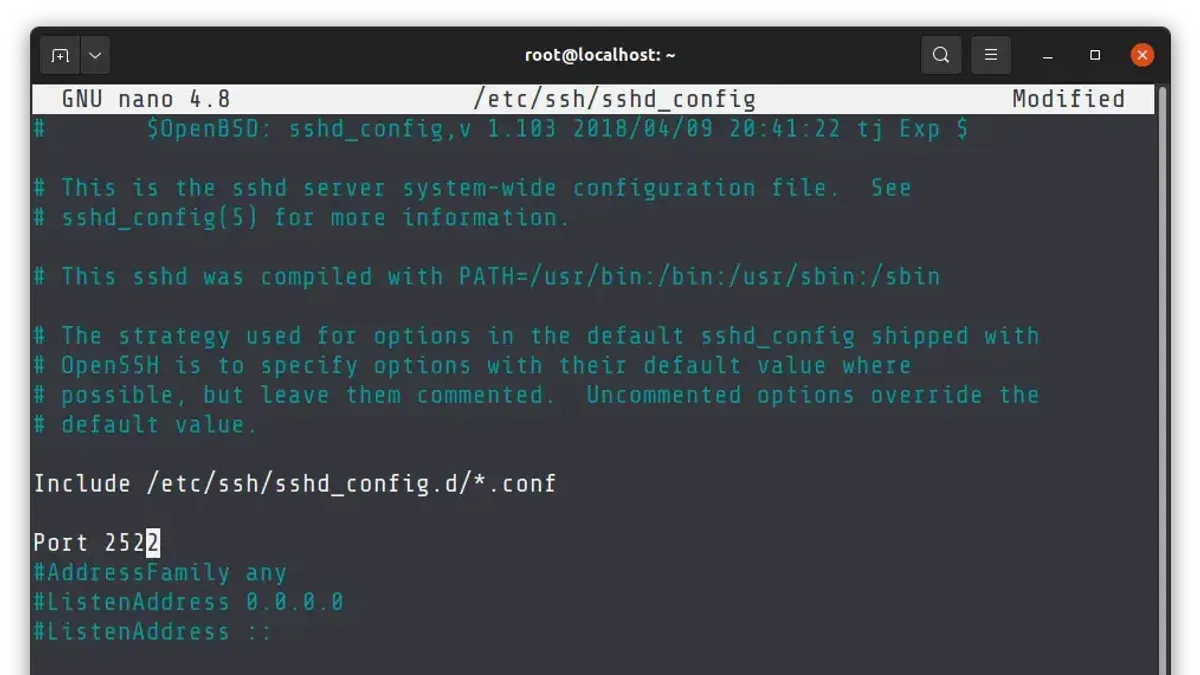
Edit the SSH configuration file:
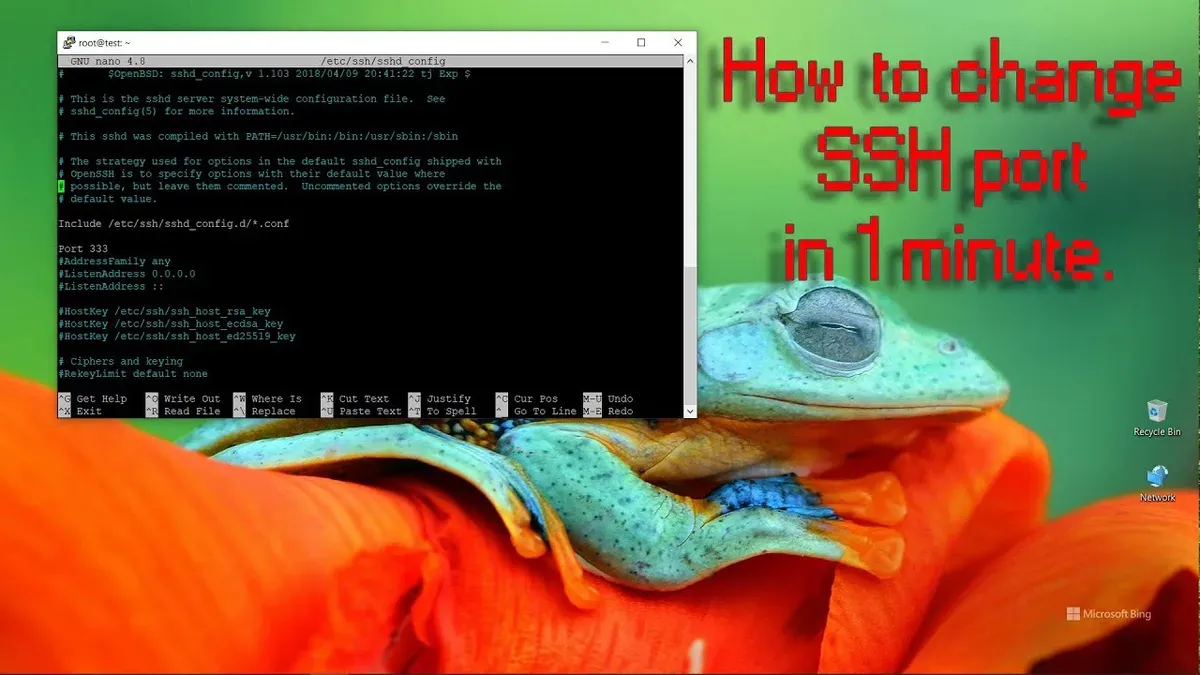
sudo nano /etc/ssh/sshd_configFind the Port directive. It is often commented out as #Port 22. Uncomment it and set your desired port, for example:
Port 22000Note: Changing the port here is necessary but not sufficient; firewall and monitoring configurations must also be updated.
Back up the SSH configuration:
sudo cp /etc/ssh/sshd_config /etc/ssh/sshd_config.bakIntegrating Port Changes with Monitoring and Security Tools
After changing the SSH port, update security tools to maintain effective protection.
- Fail2ban: Edit
/etc/fail2ban/jail.localto specify the new port under the[sshd]section:
[sshd]
enabled = true
port = 22000
filter = sshd
logpath = /var/log/auth.log
maxretry = 5
- Monitoring dashboards and alert rules: Update any port references to avoid missing SSH-related events.
- Logging: SSH logs remain unchanged by port, but verify logs are generated for connections on the new port.
Fail2ban and similar tools rely on correct port configuration; otherwise, they may miss repeated unauthorized attempts.
When Changing SSH Port Is Not Enough: Complementary Security Measures
Changing the SSH port mainly deters automated scans and opportunistic attacks. It does not prevent targeted attacks or exploitation of SSH vulnerabilities.
- Use strong authentication methods such as public key authentication combined with multi-factor authentication.
- Disable root login and password authentication over SSH to reduce attack vectors.
- Consider advanced protections like SSH certificates and restricting SSH access through VPNs for sensitive systems.
Systems relying solely on port changes remain more vulnerable than those implementing layered security, including key-based authentication and intrusion prevention.
Limitations of Changing the SSH Port
This measure primarily reduces exposure to automated scans and opportunistic attackers. It does not block targeted attacks or vulnerabilities in SSH itself.
Changing the port should be part of a comprehensive security strategy combining strong authentication, monitoring, and network controls.
Frequently asked questions
Will changing the SSH port stop all unauthorized access attempts?
No. Changing the port reduces automated attacks on the default port but does not prevent targeted or credential-based intrusions.
How do I choose a secure but accessible port number for SSH?
Choose a port above 1024 that is not commonly used by other services or frequently scanned by attackers. Verify firewall and policy compatibility.
What should I do if I lose SSH access after changing the port?
Access the server via console or out-of-band management to revert changes or check firewall and SSH daemon settings.
Can changing the SSH port interfere with automated deployment or backup scripts?
Yes. Update scripts and configurations to specify the new port explicitly to avoid connection failures.