Understanding the LinkedIn Data Breach: Causes, Impact, and Protection
This article explains the LinkedIn data breach causes, impact, and key protection measures to keep your professional data secure.

This article explains the LinkedIn data breach by examining its causes, consequences, and the evolving security measures implemented by LinkedIn. Understanding the nature of these breaches is crucial for professionals and LinkedIn users who rely on the platform for networking and career development.
The LinkedIn data breach involves unauthorized access to user information, which can compromise personal and professional data. Such incidents highlight vulnerabilities in large social networks and the importance of robust security protocols. This guide also outlines practical steps for safeguarding accounts and data, based on lessons learned from past breaches and LinkedIn's ongoing security enhancements.
What the LinkedIn data breach is and why it matters
A LinkedIn data breach occurs when unauthorized parties gain access to user information stored on the platform. This can include names, email addresses, phone numbers, employment history, and sometimes passwords. Given LinkedIn’s role as a professional networking site, the data it holds is especially valuable to hackers seeking to exploit professional relationships or personal identities.
Past breaches have affected millions of accounts, exposing sensitive professional details that can be misused. For example, compromised data has been leveraged in phishing attacks where users receive convincing fraudulent messages appearing to come from colleagues or recruiters, increasing the risk of credential theft or financial scams.
Unlike breaches on casual social networks, LinkedIn breaches pose unique challenges because the data often reflects current employment, business contacts, and career progression. This information can be weaponized for targeted social engineering attacks or identity theft that undermines both personal and corporate security.
Consider a scenario where a hacker uses stolen LinkedIn data to impersonate a company executive via email, requesting sensitive information from employees. Such misuse illustrates the tangible consequences of these breaches beyond just stolen data.
Tip: Monitoring account activity and being cautious of unexpected messages helps mitigate risks stemming from data breaches.
How did the LinkedIn data breach happen
LinkedIn’s data breaches have historically resulted from a combination of technical vulnerabilities and human factors that allowed hackers to access large amounts of user data. The 2012 breach involved attackers exploiting weaknesses in password storage. At that time, LinkedIn used unsalted SHA-1 hashing for passwords, which lacked the complexity needed to prevent attackers from cracking them once the hashed data was stolen.
In this breach, hackers gained access to approximately 6.5 million hashed passwords by infiltrating LinkedIn’s servers, then used offline cracking tools to reveal plain-text passwords. The absence of salting—a random data added to hashes—made it easier for attackers to reverse-engineer the passwords, highlighting a critical technical oversight.
The 2016 incident exposed an even larger dataset, reportedly including email addresses and other profile information. This breach stemmed partly from social engineering tactics combined with vulnerabilities in LinkedIn’s security infrastructure. Attackers leveraged phishing and credential stuffing methods to compromise accounts and extract data.
More recent breaches have seen LinkedIn respond by strengthening encryption protocols, implementing multi-factor authentication, and enhancing anomaly detection systems to catch suspicious activities early. For example, LinkedIn now uses bcrypt hashing with salts for password storage, which significantly improves resistance to cracking attempts.
Consider a scenario where an attacker obtains a hashed password database without salts; they can use precomputed tables known as rainbow tables to quickly find matching passwords. LinkedIn’s move to salted bcrypt hashes effectively prevents this attack vector.
Tip: Using strong, unique passwords and enabling multi-factor authentication can reduce the risk even if breaches occur.
How LinkedIn’s security has evolved after breaches
Following its past breaches, LinkedIn significantly strengthened its security framework to safeguard user data and rebuild trust. The company replaced weaker password hashing algorithms like SHA-1 with more robust methods such as bcrypt, which slows down brute-force attacks by increasing computational difficulty.
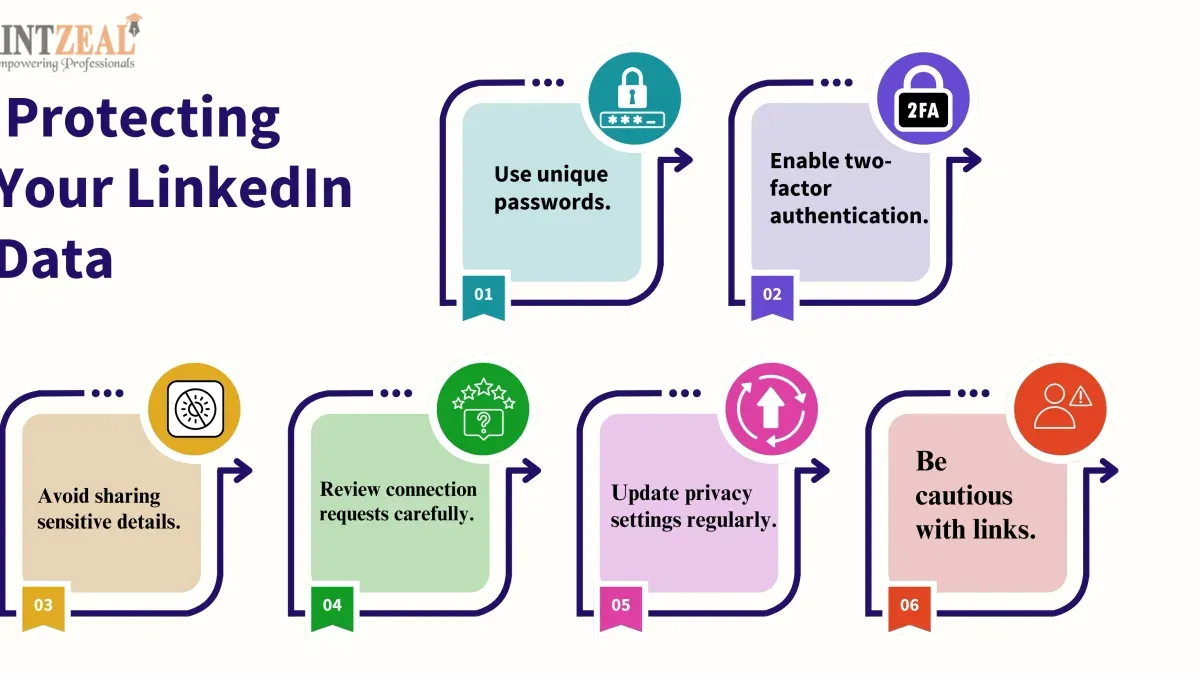
LinkedIn also introduced mandatory multi-factor authentication (MFA) for employees and encouraged users to enable MFA on their accounts through settings under "Account > Login and security > Two-step verification." This extra verification layer helps prevent unauthorized access even if passwords are compromised.
In terms of data management, LinkedIn revised its storage policies to limit the exposure of sensitive information. The platform implemented continuous monitoring systems that detect unusual login patterns and potential data exfiltration attempts in real time. These proactive measures help identify and respond to threats before they escalate.
User education became a cornerstone of LinkedIn’s approach. The company launched targeted campaigns via email and in-app notifications to inform users about phishing risks, password hygiene, and the benefits of MFA. Additionally, LinkedIn improved its breach response protocols by accelerating notification times and providing clear guidance on securing accounts.
For example, after a breach attempt, LinkedIn’s security team can quickly flag suspicious IP addresses and prompt affected users to reset passwords while reviewing login history available in the "Settings & Privacy > Security > Where you're signed in" menu. This hands-on approach illustrates LinkedIn’s commitment to both technological defenses and empowering users.
How to protect your LinkedIn account and data effectively
To safeguard a LinkedIn account, start by creating a strong, unique password that combines uppercase and lowercase letters, numbers, and symbols. Avoid reusing passwords from other services. Enabling two-factor authentication (2FA) adds a critical layer of security; LinkedIn offers 2FA via authenticator apps or SMS under Settings > Account > Two-step verification. Accounts with 2FA enabled have a significantly lower risk of unauthorized access, as attackers must bypass both the password and the second verification step.
Recognizing phishing attempts is crucial. LinkedIn users often receive fake messages or connection requests that mimic official communications, aiming to steal login credentials. Always verify the sender's profile and avoid clicking on suspicious links. Legitimate LinkedIn emails can be verified through the LinkedIn Help Center's guidance on spotting authentic notifications.
Regularly reviewing account activity helps detect unauthorized access early. Under Settings > Account > Where you’re signed in, users can monitor active sessions and sign out remotely if unfamiliar devices or locations appear. Privacy settings should also be checked periodically to control what information is visible to connections and the public.
For example, a professional noticed a login alert from an unknown device and immediately changed their password and revoked all active sessions. Because 2FA was enabled, the attacker could not complete the login process, preventing data exposure. This proactive approach exemplifies how these steps mitigate breach impact.
Tip: Enable two-step verification and regularly review your active sessions to quickly detect and stop unauthorized access.
Common mistakes to avoid that increase breach risk
One frequent error is reusing passwords across multiple platforms, including LinkedIn. If a password is compromised on another site, attackers often try the same combination on LinkedIn accounts. For example, a breach on a less secure site can lead to unauthorized LinkedIn access if the same password is used, exposing professional information.
Ignoring suspicious messages and connection requests also raises risk. Attackers commonly send phishing messages disguised as job offers or network opportunities to lure users into revealing credentials or clicking malicious links. A typical scenario involves receiving a message from an unknown contact with a link promising exclusive career advice, which instead installs malware or captures login details.
Neglecting software updates and security alerts undermines account protection. Outdated browsers or LinkedIn apps may lack critical security patches, making it easier for attackers to exploit vulnerabilities. Users may overlook notification prompts for updating LinkedIn or their devices, leaving their accounts exposed to avoidable risks.
Tip: Avoid password reuse by using unique, strong passwords for LinkedIn and enable automatic updates for apps and browsers to maintain security defenses.
Further reading
- Equifax Data Breach Explained: Causes, Impact, and Settlement Facts
- Change Healthcare Data Breach Explained: What Happened and What It Means
- What Happened in the 23andMe Data Breach and How It Affects Your Genetic Privacy
- Types of Cyber Attacks: A Comprehensive Explainer Guide
Frequently asked questions
What happened in the LinkedIn 2016 data breach?
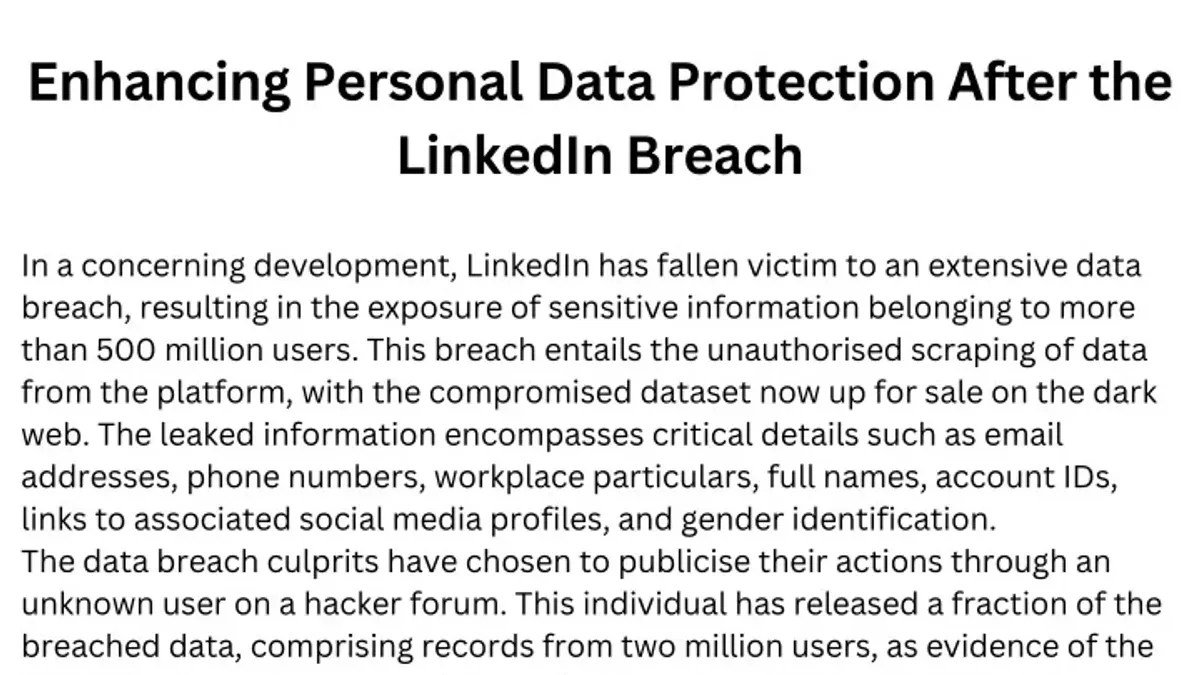
In the 2016 LinkedIn data breach, over 100 million user email addresses and hashed passwords were stolen and later leaked online. The breach exposed users to potential credential stuffing attacks, as many reused passwords across multiple sites. LinkedIn responded by prompting password resets and urging users to enable stronger security measures.
Was there a LinkedIn data breach in 2021 or 2024?
No confirmed LinkedIn data breaches of a similar scale were publicly reported in 2021 or 2024. Some smaller incidents and phishing attempts have targeted LinkedIn users, but no major breach involving user data leaks has been verified during those years.
What impact did the LinkedIn 2012 data breach have on users?
The 2012 breach resulted in the exposure of approximately 6.5 million user passwords, which were initially weakly hashed. This led to increased risk of account compromises and identity theft. LinkedIn later improved its password hashing methods and urged users to update their credentials to strengthen security.
How does LinkedIn respond to data breach incidents?
LinkedIn typically responds by investigating the breach, notifying affected users promptly, and requiring password resets to secure accounts. The platform also enhances its security infrastructure, such as improving encryption and monitoring suspicious activity. Users are encouraged to enable two-factor authentication and review their account settings regularly.
Limits of this guidance and when to seek expert help
This article does not cover detailed forensic procedures or legal remedies following a data breach. Users dealing with compromised accounts involving sensitive or financial information, or those facing potential identity theft, should consult cybersecurity professionals or legal advisors for tailored support.
The single most practical next step for LinkedIn users aiming to enhance account security is to enable two-step verification via Settings > Sign in > Two-step verification. This adds a crucial layer of protection beyond passwords, significantly reducing the risk of unauthorized access even if login credentials are exposed.