How to Identify, Recover, and Protect a Hacked Yahoo Mail Account
This guide explains how to identify, recover, and protect a Yahoo Mail account hacked by unauthorized users to regain control quickly.


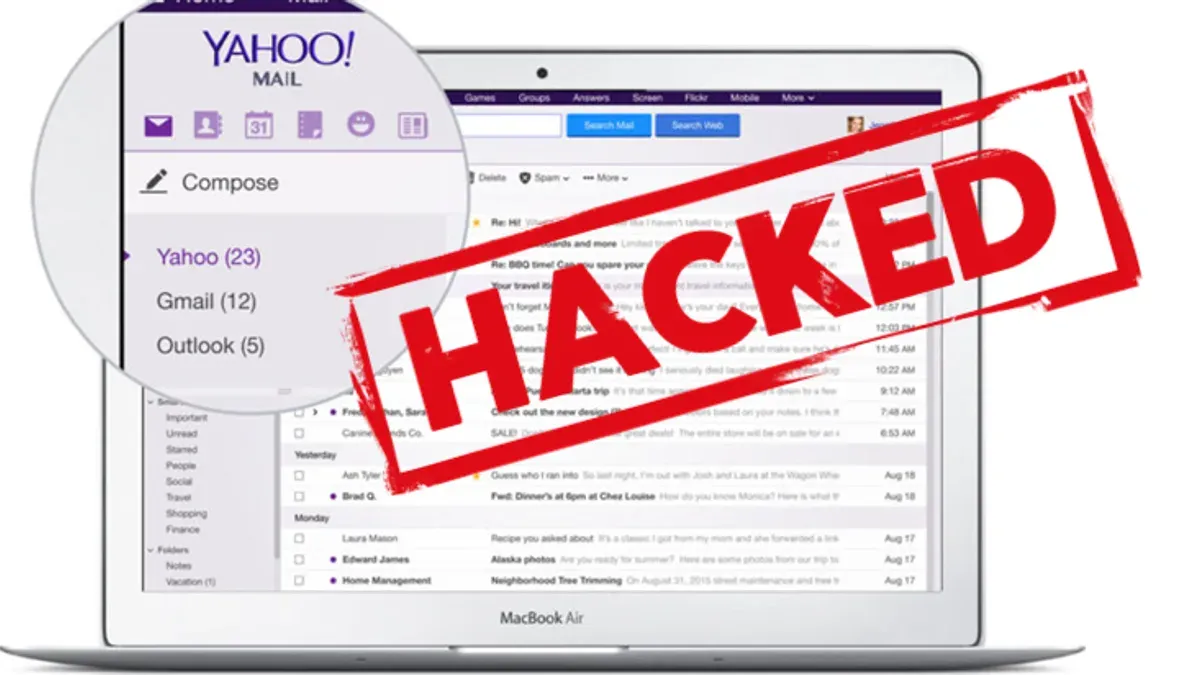
This guide explains how to identify, recover, and protect a Yahoo Mail account hacked by unauthorized users. Recognizing the signs of a compromised account is critical to limiting damage and regaining control quickly. Common indicators include unexpected password changes, unfamiliar sent messages, and login alerts from unknown devices or locations. Immediate action can prevent further unauthorized access and data loss.
Yahoo Mail’s security environment includes specific recovery tools such as the Account Key feature and the Yahoo Help Central recovery flow. Following precise steps tailored to these tools ensures efficient account restoration. This article avoids generic advice and focuses on what works within Yahoo’s system.
How to know if my Yahoo Mail account is hacked
Recognizing a hacked Yahoo Mail account early requires vigilance for specific warning signs. One clear indicator is receiving unusual login alerts from Yahoo, often sent via email or as a notification within the account. These alerts specify IP addresses, device types, or geographic locations unfamiliar to the account owner. For example, a login alert showing access from a different country or a device never used before should raise immediate concern.
Another signal is unexpected changes to account settings. Check the Account Security section under Yahoo settings for modifications to the recovery email address or phone number. Attackers often alter these to maintain access. Missing emails or unexpected sent messages in the inbox or sent folder also indicate compromise. For instance, if emails previously stored disappear or contacts report receiving suspicious messages, the account may be hacked.
Difficulty logging in can result from password changes made without authorization. Receiving password reset emails without initiating them is a strong sign of intrusion. An example is getting multiple password reset requests within a short period from Yahoo, which the user did not trigger. These signs collectively help identify a compromised Yahoo Mail account promptly so recovery steps can begin without delay.
How many times has Yahoo been hacked
Yahoo experienced multiple major security breaches, with the most significant incidents occurring in 2013 and 2014. These breaches collectively compromised over 3 billion user accounts, making them among the largest data breaches in internet history. Hackers accessed sensitive information including names, email addresses, phone numbers, birthdates, hashed passwords, and in some cases, security questions and answers. For example, a breach revealed in 2016 exposed data from 500 million accounts stolen in 2014, illustrating the scale and delayed discovery of these attacks.
The impact on Yahoo users was severe, as stolen credentials increased risks of unauthorized access not only to Yahoo Mail but also to linked services. The breaches highlighted vulnerabilities in Yahoo's security infrastructure at the time. In response, Yahoo implemented stronger encryption methods, mandated password resets, and introduced additional security layers such as two-step verification to protect accounts. These measures have since been integrated into Yahoo Mail’s security protocols to reduce the risk of future compromises.
While these breaches occurred years ago, they serve as a reminder of the importance of vigilant account monitoring and prompt action if suspicious activity arises. Yahoo’s ongoing security improvements aim to prevent repetitions of such large-scale compromises, but users should remain alert and use all available protective tools.
How to recover a hacked Yahoo Mail account
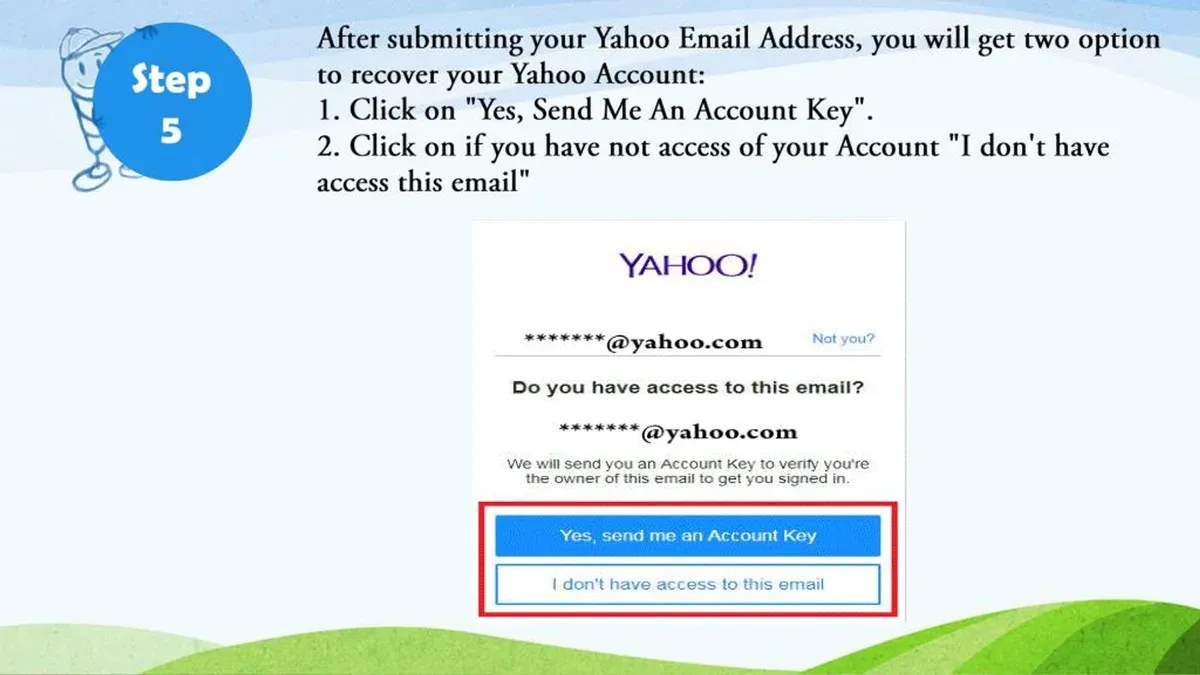
Begin recovery by visiting the Yahoo Sign-in Helper page at login.yahoo.com/forgot. Enter the affected email address or linked phone number to start identity verification. Yahoo prompts verification via recovery email or phone; responding promptly improves success rates. If these options are outdated, answering security questions may be necessary.
Once identity is confirmed, reset the password using a strong, unique combination. Access the Account Security page via Settings > Account Info > Account Security to update recovery methods. Replace or add a current phone number and secondary email to regain control and receive future alerts.
Enable two-step verification from the Account Security tab to add a second authentication layer. This reduces the chance of repeated unauthorized access. Accounts with two-step verification enabled show higher recovery success and lower re-hack rates.
Review connected apps and devices under Settings > Account Security > Manage App Passwords or Manage Devices. Revoke access for any unfamiliar or unused apps. This step often gets overlooked but is critical to prevent continued data leaks.
If automated recovery fails, contact Yahoo customer support through their help center. Provide as much account information as possible, including last successful login details, to assist manual verification. This process can take several days but remains the final recourse for regaining access.
Example: A user who lost access after noticing suspicious emails successfully regained control by verifying via their recovery phone number, resetting their password, enabling two-step verification, and removing an unknown app listed under their account permissions.
What happens if your Yahoo email gets hacked
When a Yahoo Mail account is compromised, personal and sensitive information stored within the inbox and linked services can be exposed or stolen. This includes contacts, financial statements, and private communications, which attackers can exploit for identity theft or fraud. For example, hackers may access saved passwords or reset linked accounts through email password recovery, gaining control of social media, banking, or shopping profiles.
Beyond direct data loss, a hacked Yahoo Mail account often becomes a launchpad for phishing attacks. Cybercriminals use the trusted email address to send malicious links or malware to contacts, increasing the chance of further breaches. One common scenario involves the attacker sending emails that appear to come from the user, requesting sensitive information or money transfers, which victims may believe are legitimate.
Another frequent consequence is unauthorized access to accounts connected to Yahoo Mail for authentication or password resets. Since many online services rely on email verification, a compromised Yahoo account can lead to a cascade of security breaches. Users often overlook updating recovery information and linked apps after regaining access, leaving vulnerabilities open.
Tip: After recovery, review all account permissions under Account Security settings and remove any unfamiliar third-party app access to prevent ongoing risks.
Is Yahoo Mail hacked right now and how to stay protected
Yahoo regularly posts security updates and advisories on its official Yahoo Help site under the "Security" section and the Yahoo Security Blog. Users concerned about current breaches or vulnerabilities should check these resources frequently for verified information rather than relying on unverified social media or news reports. For instance, visiting help.yahoo.com and navigating to Account Security offers alerts on recent issues and recommended actions.
Consistently changing the account password every few months reduces exposure to compromised credentials. In Yahoo Mail settings, under "Account Security," enabling notifications for unusual sign-in activity ensures immediate alerts if an unknown device accesses the account. This alert system is often overlooked but essential to early threat detection.
Tip: Use the "Manage app passwords" feature within Account Security to revoke access tokens for apps no longer in use, closing a common vulnerability.
Phishing remains a prevalent threat targeting Yahoo users. Avoid clicking on links in suspicious emails or messages claiming to be from Yahoo, especially those requesting login details or personal information. Instead, manually open the browser and navigate to the official Yahoo website to verify any claims. A typical phishing tactic involves emails mimicking Yahoo branding with urgent messages about account suspension, tricking users into entering credentials on fake sites.
Frequently asked questions
Is my yahoo mail account hacked?
Signs that a Yahoo Mail account is hacked include unexpected password changes, unfamiliar login activity visible in the account’s recent activity section, and sent emails that the user did not compose. Additionally, contacts receiving strange messages or password reset emails not initiated by the user are strong indicators. Checking the account’s login history under Account Security helps confirm suspicious access.
How to recover hacked yahoo mail account?
Start recovery by visiting the Yahoo Sign-in Helper and entering the affected email address. Follow prompts to verify identity using recovery phone numbers or email addresses linked to the account. If these options are unavailable, submitting a Yahoo Help form with as much account detail as possible increases chances of regaining access.
Is my Yahoo Mail account hacked if I see suspicious emails?
Receiving suspicious emails does not always mean the account itself is hacked; it may indicate spam or phishing attempts targeting the user. However, if suspicious emails appear in the Sent folder or there is unauthorized access to account settings, it confirms a breach. Immediate password change and security review are necessary in such cases.
Yahoo mail hacked account recovery: what are the fastest methods?
The quickest recovery method uses the Yahoo Sign-in Helper with current recovery email or phone number on file. This process typically involves receiving a verification code via SMS or email. Ensuring recovery information is up to date before any incident significantly speeds up account restoration.
Has Yahoo mail been hacked today or recently?
There have been no confirmed recent widespread Yahoo Mail hacks reported publicly. Yahoo’s last major breach was disclosed years ago, and since then, the company has implemented stronger security measures. Users should still remain vigilant by monitoring account activity and applying recommended security settings.
What this advice does not cover and when to seek specialized help
This guide focuses specifically on recovering and securing a Yahoo Mail account after suspected unauthorized access. It does not cover situations where the device itself is infected with malware or keyloggers, which can capture passwords and other sensitive data regardless of account security measures. In those cases, running thorough antivirus and anti-malware scans, or consulting cybersecurity professionals, is essential before or alongside account recovery steps. Additionally, users facing persistent unauthorized activity despite following these steps should consider contacting Yahoo customer support or a cybersecurity expert for personalized assistance.
Tip: After regaining control of the account, review all connected devices and app permissions through Yahoo Mail’s Account Info > Recent Activity and Manage Apps to spot any unauthorized access points.
The single most effective next step after suspecting a Yahoo Mail hack is to immediately change the account password using the Password Security settings, then enable two-step verification under Account Security. This combination blocks further unauthorized access while alerting the user to suspicious login attempts, providing a critical layer of ongoing protection tailored to Yahoo Mail’s platform.
See also: How to Recover and Secure a Hacked Outlook Account · How to Understand, Protect, and Recover a Proton Mail Account · How to Set Up Wells Fargo Two-Factor Authentication Securely · What to Do If Your Wells Fargo Account Is Hacked: Clear Recovery Steps