How to Fix Nintendo Privacy Settings and Manage Data Sharing
Learn how to properly configure Nintendo privacy settings to stop unwanted data sharing and manage your account preferences effectively.

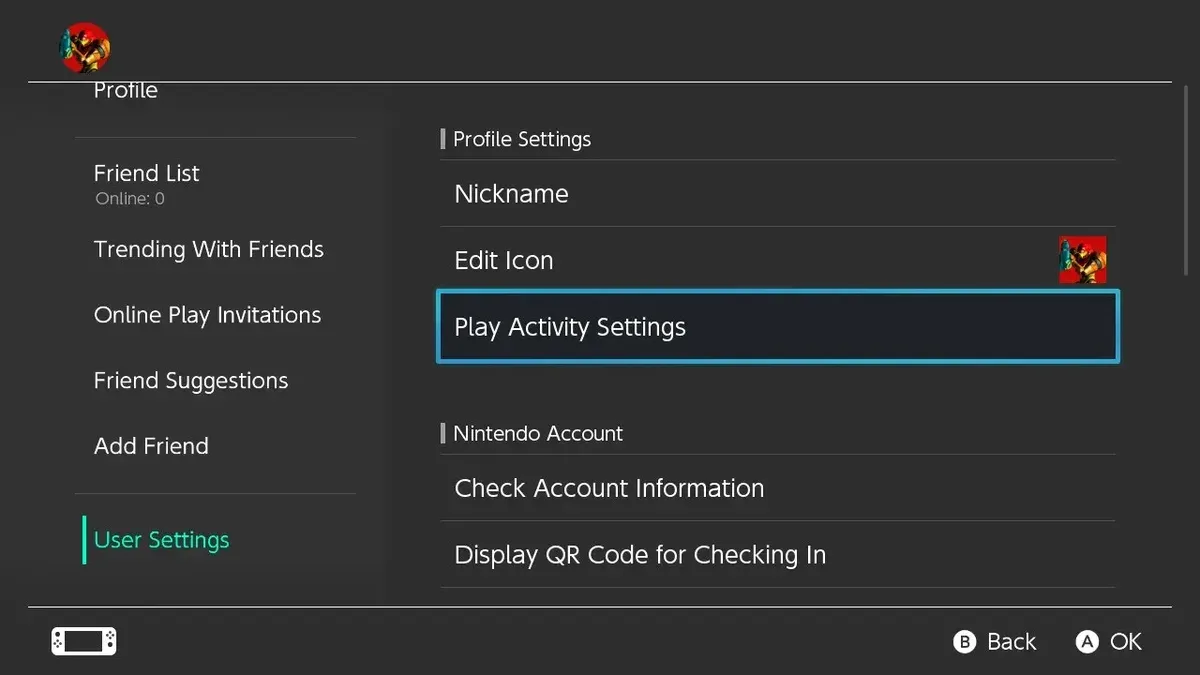
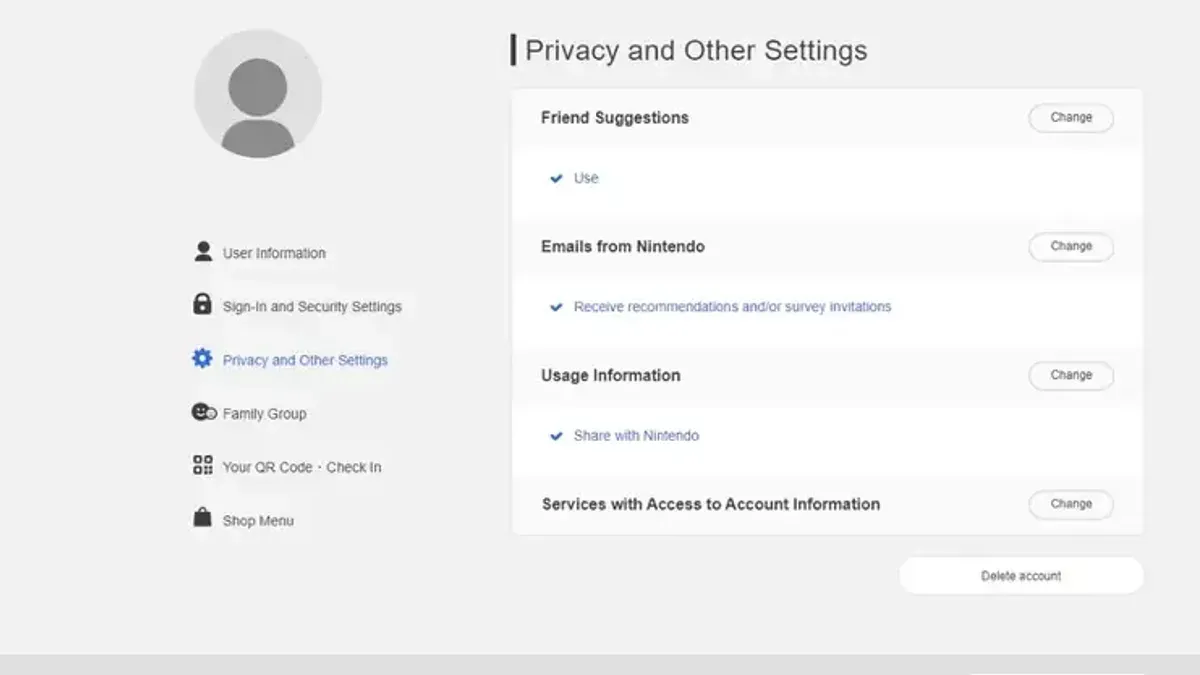
Nintendo privacy settings control what personal, device, and gameplay data Nintendo collects and shares, including location and purchase details when consented. Managing these settings requires navigating the Nintendo Account website, where toggles under Privacy and Other Settings → Data Usage - Opt-Out Preferences determine data sharing for analytics and personalized offers.
Failure to properly configure these settings often leads to unwanted data sharing or settings not applying correctly on the Switch console.
Every limit and setting name below comes from Nintendo, 任天堂サポート, Nintendo Support (full list at the end), as of November 2026.
Why is my Nintendo not keeping internet or privacy settings?
Nintendo consoles do not automatically disable data sharing or privacy settings. Users must actively opt out by signing into their Nintendo Account on a desktop or mobile browser. The path to adjust these preferences is Privacy and Other Settings → Data Usage - Opt-Out Preferences. Failing to toggle these options properly means the system continues sharing data for analytics and personalized advertising.
Privacy preferences are not fully managed on the console itself. Many critical settings reside on the Nintendo Account website, causing confusion when changes made on the console do not persist. For example, switching off data sharing on the console alone will not override the default account-level permissions.
Nintendo uses cookies and similar technologies to maintain user sessions and settings. Some cookies are essential for service operation, while others track analytics and personalize content. These optional cookies require user consent and can last up to two years. If cookies expire or are cleared, users will need to reapply privacy preferences, as these settings rely on cookie persistence.
Consider a user who toggles data sharing off on the Nintendo Account website but clears cookies regularly or uses private browsing. Their preferences will reset, causing unexpected data sharing to resume. Proper privacy control requires both opting out on the account website and maintaining cookie integrity on the devices used.
In summary, the key reason Nintendo consoles appear not to keep privacy or internet settings is the separation of control between console and account, combined with the need for explicit user action to disable data sharing. These factors often lead to mistaken assumptions that privacy options are defaulted to off or saved locally on the console.
How to change Nintendo Switch privacy settings through the Nintendo Account website
Access the Nintendo Account website using a desktop or mobile browser and sign in with the account credentials. Once logged in, navigate to Privacy and Other Settings, then select Data Usage - Opt-Out Preferences. This section allows toggling options to permit or prevent Nintendo from using usage data for product improvement and personalized offers.
For example, a user can disable the sharing of usage information that Nintendo uses to tailor advertising, ensuring no personalized offers are sent. This choice only affects data sharing permissions tied to the Nintendo Account and does not alter all privacy settings on the Switch console itself.
Family group administrators managing child accounts access a separate path: from the Nintendo Account website, enter the Family group section, select the child account, then proceed to Manage Child Accounts and Data Usage - Opt-Out Preferences. Here, similar toggles control data sharing for child accounts, enabling administrators to restrict usage data sharing on behalf of minors.
Changes made through these menus control whether Nintendo collects and uses account data for analytics and advertising but do not override console settings related to connectivity, friend lists, or gameplay data. Keeping this distinction clear helps prevent confusion about which privacy controls are effective where.
In practice, a family group admin wanting to protect a child's privacy would disable data sharing under the child account’s Data Usage - Opt-Out Preferences before adjusting parental controls on the console. This ensures data sharing restrictions are applied at the account level and maintained independently from device-level settings.
Learn more about managing Nintendo Account data usage settings.
What does Nintendo’s privacy policy say about data collection and sharing?
Cookies and similar technologies play a critical role. Optional cookies require user permission and can remain active for up to two years.
However, data is shared with authorized service providers for legitimate business activities such as advertising, analytics, and improving user experience.
Settings under the "Privacy and Other Settings" menu allow opting out of analytics and personalized offers. For example, disabling data sharing stops gameplay data from being used in targeted advertising, reducing personalized content delivery but enhancing privacy.
How to manage parental control settings to protect child privacy on Nintendo devices
Family group administrators control child account privacy through the Nintendo Account website. The path starts by signing in, then navigating to Family group, selecting the child account, and choosing Manage Child Accounts. Within that section, the Data Usage - Opt-Out Preferences menu enables toggling data sharing options specifically for children. This control directly affects whether Nintendo can collect and use the child's data for product improvement or advertising.
For example, a parent can block access to certain games on the Switch while still needing to adjust data sharing settings through the online account. This distinction ensures that privacy settings related to data use are managed separately from content restrictions.
Consider a family where the administrator wants to prevent data sharing for a child without limiting game access. They must use the Nintendo Account website's Manage Child Accounts section to disable data usage sharing. Relying solely on console parental controls will not stop data collection or sharing preferences. Properly navigating the account website ensures control over privacy and data sharing without affecting gameplay restrictions.
These settings are essential for protecting child privacy and require active management by family group admins. The exact menu path is Sign in → Family group → Select child account → Manage Child Accounts → Data Usage - Opt-Out Preferences → Toggle sharing options. This approach keeps data sharing preferences distinct from parental content controls and offers precise management of child account privacy.Learn more here.
What to do if privacy settings don’t seem to apply or persist on the Nintendo Switch
These settings must be updated through the Nintendo Account website by navigating to Privacy and Other Settings → Data Usage - Opt-Out Preferences and toggling sharing options there. Failure to do this leads to unwanted data collection despite console changes.
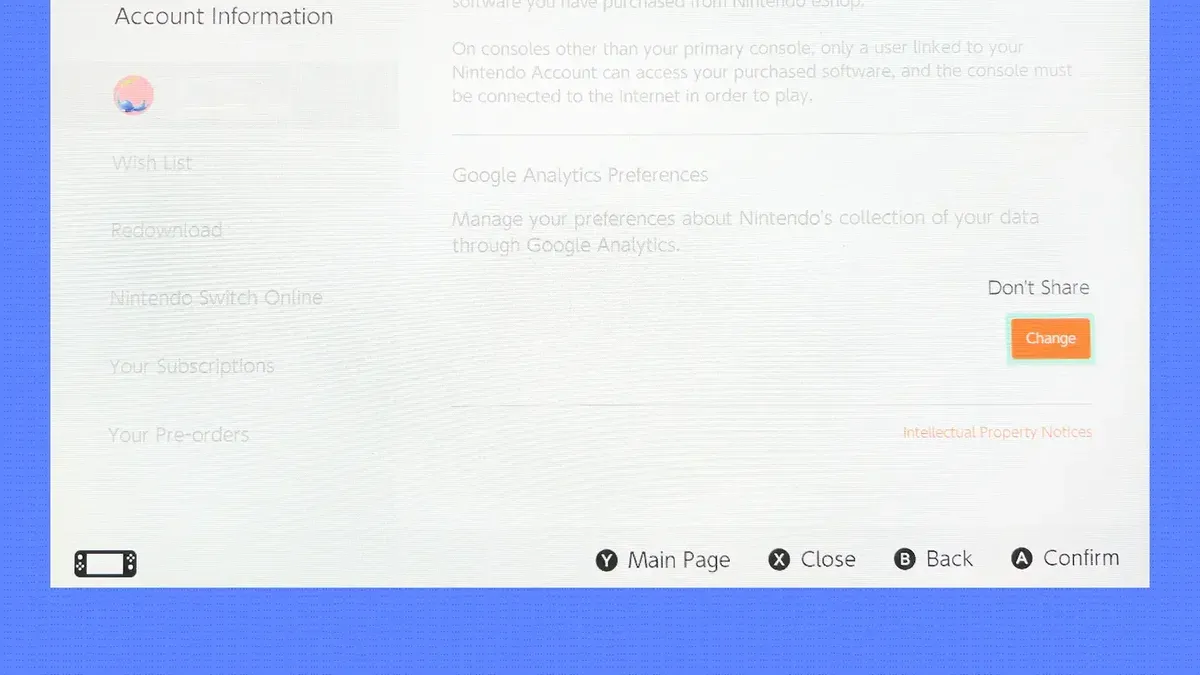
Clearing browser cookies or console cache resets the session, requiring a fresh login and reapplication of privacy settings. If settings revert or personalized ads appear despite opting out, this is a common symptom of session resets or incomplete updates.
Checking settings again after 24 hours confirms whether changes have taken effect.
| Symptom | Cause | Fix |
|---|---|---|
| Settings revert to defaults after logout | Session cleared by cookie/cache deletion | Log in again and reapply settings on Nintendo Account website |
| Personalized ads despite opting out | Data Usage toggles not properly set online | Use exact menu path to toggle off in account settings |
| Settings changes do not save on console | Firmware or network issues | Restart devices, update firmware, then retry |
Skipping or altering this sequence can cause settings to fail silently.
The account website controls actual data permissions. Verifying settings a day later ensures persistence and proper application.
These steps and sequence ensure Nintendo privacy settings apply as intended and avoid unwanted data sharing or misleading console behavior. For detailed steps, consult Nintendo’s privacy management guide.
How to decide which Nintendo privacy settings to enable or disable
The Nintendo Account website provides two independent toggles under Privacy and Other Settings > Data Usage - Opt-Out Preferences: one for sharing usage data to improve products and services, and another for receiving personalized offers based on usage data.
Enabling the usage data sharing toggle allows Nintendo to collect information aimed at enhancing product quality and service. This is suitable for users who want to contribute to Nintendo’s development efforts. Disabling the personalized offers toggle prevents Nintendo from using data for targeted advertising or recommendations, which benefits users focused on privacy and avoiding such marketing.
| User Goal | Share Usage Data for Analytics | Share Usage Data for Personalized Offers | Key Fact Supporting Choice |
|---|---|---|---|
| Help improve Nintendo products and services | Enable | Optional | Allow sharing for analytics to aid product improvement |
| Maintain strict privacy and avoid personalized ads | Disable or enable depending on preference | Disable | Disable personalized offers to block targeted advertising |
| Balance product improvement with minimal marketing | Enable | Disable | Separate toggles allow mixed configurations |
For example, a user who wants Nintendo to gather usage data to refine gameplay experience but does not want ads tailored to them should enable sharing for analytics while disabling sharing for personalized offers. These settings can be adjusted at any time through the Nintendo Account website, allowing users to adapt their privacy preferences as needed.
This approach ensures control over what data Nintendo collects and how it is used, matching privacy controls to individual user goals without forcing an all-or-nothing choice.
Frequently asked questions
How do I change Nintendo Switch privacy settings directly on the console?
Most privacy configuration, including data sharing preferences, requires access to the Nintendo Account website. The console allows only limited control over friend requests and communication, but key privacy options reside online.
Why does Nintendo ask for location information and can it be disabled?
This information is collected through the Nintendo Account settings and can be restricted by adjusting data sharing preferences under Privacy and Other Settings → Data Usage - Opt-Out Preferences. Disabling location data may limit access to some localized features or offers.
Sources
- Nintendo Privacy Policy - Official Site — Nintendo
- Digital Product Privacy Policy (Nintendo Store) — 任天堂サポート
- How to Manage Nintendo Account Data Usage Settings | Nintendo Support — Nintendo Support
- Nintendo Privacy Policy - Official site — Nintendo
See also: How to Manage Nextdoor Privacy Settings and Protect Your Local Presence · How to Identify, Recover, and Secure a Hacked Netflix Account