How to Delete Plenty of Fish Account Permanently: Step-by-Step Guide
This guide explains how to delete your Plenty of Fish account permanently with step-by-step instructions to ensure full removal.

This article explains how to delete Plenty of Fish account permanently with clear, step-by-step instructions. The process involves navigating specific account settings to ensure complete removal rather than just uninstalling the app. Understanding the difference between deleting the account and removing the app is essential to avoid leaving personal data accessible.
How to delete Plenty of Fish account permanently requires logging into the website or app, accessing the profile settings, and confirming the deletion through the correct menu path. This guide highlights common errors, such as missing the final confirmation step, and outlines what happens to user data after the account is deleted. Follow the steps precisely to avoid lingering account information or unintended reactivation.
Before you start: What is needed to delete a Plenty of Fish account
Deleting a Plenty of Fish (POF) account requires valid login credentials for the specific account targeted for deletion. Confirm the correct username and password before proceeding, as failure to log in will prevent access to the account settings needed for deletion. Common errors include mistyping the password or attempting deletion for an account that isn’t currently accessible due to forgotten credentials.
Understand that deleting the account is irreversible. All profile information, messages, matches, and other data will be permanently removed and cannot be restored. It is advisable to back up any valuable conversations or data before starting the deletion process.
Note that uninstalling or deleting the Plenty of Fish app from a device does not affect the account itself. The account remains active on POF servers and will continue to be visible to other users unless deleted through the official account settings.
- Verify the username and password by logging into the Plenty of Fish account on the website or app. Successful login shows the user dashboard or profile page.
- Review and save any important messages or data by copying text or taking screenshots, as these will be lost upon deletion.
- Ensure the Plenty of Fish app remains installed or access the website, since deletion must be performed through account settings, not by removing the app.
How to permanently delete plenty of fish account
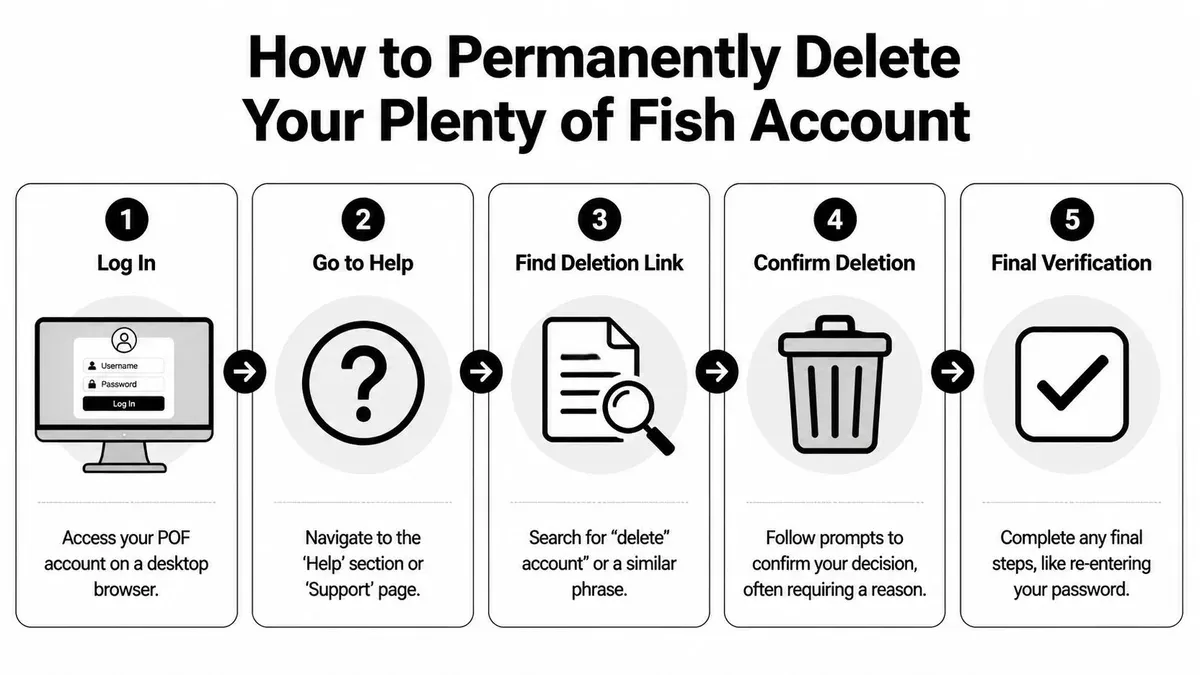
- Open a web browser and go to the Plenty of Fish website. Log in with valid credentials; the deletion option is unavailable in the mobile app. Successful login leads to the homepage displaying the user’s profile icon or name in the top-right corner.
- Click the profile icon or user name to open a dropdown menu. Select Account Settings from this menu. The Account Settings page will load, showing several tabs or options related to profile management.
- Within the Account Settings, locate and click the Delete Account or Close Account link, usually found in the Privacy or Account section. This opens the account deletion interface with instructions and warnings about permanent removal.
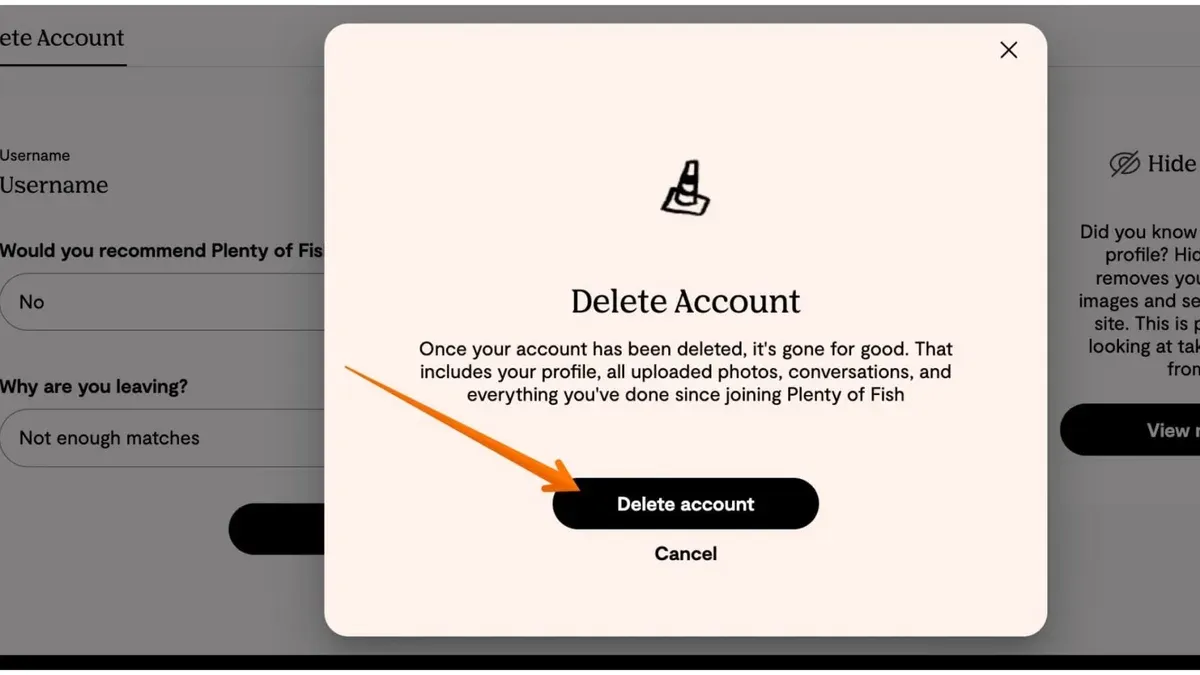
- Follow the on-screen prompts: enter the account password for verification and select a reason for leaving if requested. This step confirms identity and collects feedback. A confirmation prompt will appear, summarizing the consequences of deleting the account.
- Confirm deletion by clicking the final confirmation button, often labeled Delete Now or Confirm. Upon completion, the user is logged out, and the account is scheduled for permanent removal from the platform.
Tip: Double-check for any active subscriptions or pending transactions before deleting, as these may not automatically cancel.
Why deleting the Plenty of Fish app does not delete the account
Uninstalling the Plenty of Fish (POF) app from a device removes only the application software and its local data. This action does not affect the actual Plenty of Fish user account stored on the platform's servers. The account remains active and accessible through other devices or the website until it is explicitly deleted via the account settings.
Plenty of Fish’s terms of service and support documentation clarify that account deletion requires a deliberate process within the platform interface. Simply removing the app does not erase the profile, messages, matches, or personal information associated with the account. The account data persists on Plenty of Fish servers, meaning the user profile remains visible to others and vulnerable to unauthorized access if the credentials are compromised.
Failing to properly delete the account can lead to privacy and security risks, such as continued visibility of profile information and potential data exposure. Users who want to stop using Plenty of Fish must complete the official deletion steps to ensure all personal data is removed from the service.
What happens after deleting a Plenty of Fish account permanently
Once the deletion process is completed, the Plenty of Fish profile and all associated personal data become permanently removed from public view. This includes photos, profile details, and any visible activity. The profile will no longer appear in search results or be accessible to other users.
Access to messages, matches, and account details ceases immediately upon deletion. The user cannot retrieve any past conversations or connection data. Any attempt to log in with the deleted account credentials will fail, as the account is fully deactivated.
Re-registering on Plenty of Fish requires creating a new account from scratch. There is no option to restore or recover deleted data, messages, or match history. This ensures the deletion is final and irreversible.
Regarding data removal timelines, Plenty of Fish’s privacy policy indicates that some user data may remain on backup servers for a limited period to comply with legal obligations and internal policies. Typically, complete removal from all servers can take several weeks. For example, after submitting a deletion request, public profile removal is immediate, but backend data may persist for up to 30 days before full erasure.
Troubleshooting common issues when deleting a Plenty of Fish account
Many users face obstacles when attempting to delete their Plenty of Fish account. A frequent issue is not finding the deletion option in settings. This often happens when using the mobile app, which does not provide the account deletion feature. Switching to the desktop website is necessary to access the full account settings menu where deletion is available.
For those who have forgotten their password, deletion cannot proceed without logging in. The solution is to use the “Forgot Password” link on the login page to reset the password first. Once access is restored, the deletion process can continue.
Sometimes the deletion button or link does not respond. This can be caused by browser compatibility or cached data. Trying a different browser such as Chrome, Firefox, or Edge often resolves the issue. Clearing the browser cache and cookies before retrying can also help ensure the latest page version is loaded.
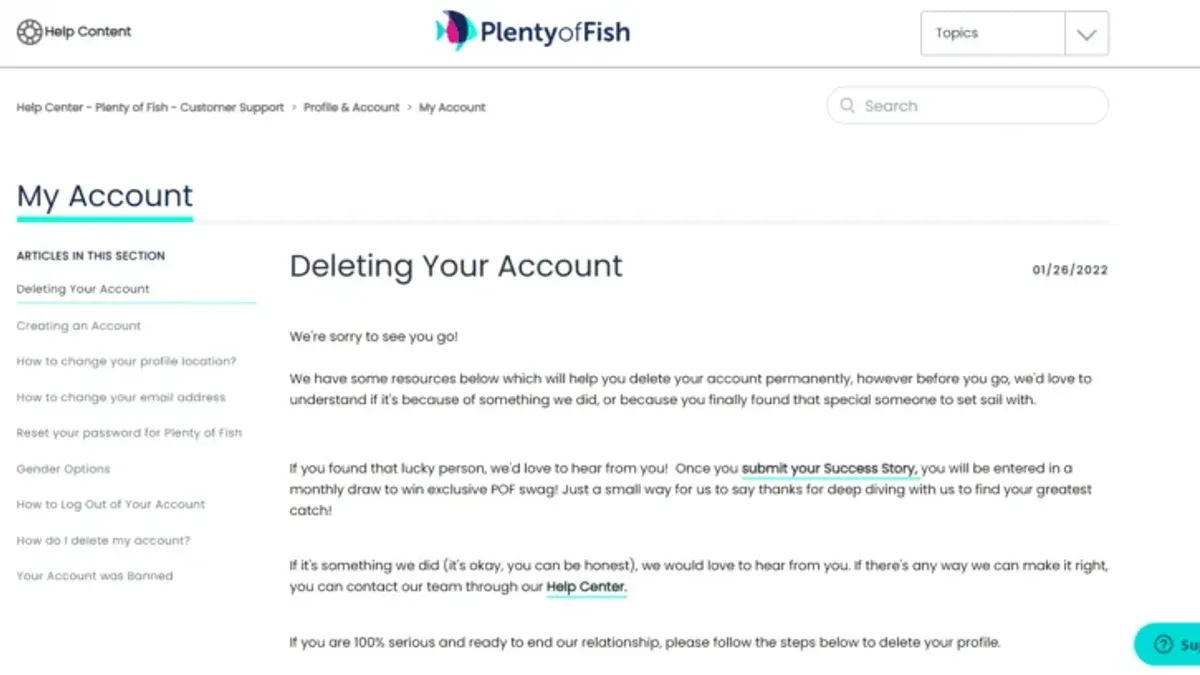
After initiating deletion, some users report seeing their account still active. Account removal is not always instant; profile data disappears from public view immediately, but backend deletion can take days or weeks. If the account appears active beyond this period, contacting Plenty of Fish support via https://www.pof.com/help/ is recommended.
Tip: Use the desktop website for deletion and ensure login credentials are current before starting the process.
Frequently asked questions
How to delete plenty of fish account?
Log in to the Plenty of Fish website, go to the Settings menu, then select "Delete Account." Follow the prompts and confirm the deletion by entering the account password. The process cannot be completed through the app alone.
how to delete plenty of fish account
Access the Plenty of Fish account on a desktop or mobile browser, navigate to the Settings tab, and select "Delete Account." Confirm the decision by providing the password and completing any verification steps.
how to permanently delete plenty of fish account
Permanent deletion requires confirming the request on the Plenty of Fish website via the Settings page. After submitting the deletion form with the correct password, the account and all associated data are removed without the option to recover.
plenty of fish delete account permanently
To permanently delete, use the "Delete Account" option within Settings on the website, not the app. Confirm identity when prompted. Once deleted, the account cannot be restored or accessed again.
can i reactivate my plenty of fish account after deleting it
No. Once an account is permanently deleted, it cannot be reactivated. Users must create a new account if they wish to use Plenty of Fish again.
What this guide does not cover
This guide does not cover deleting Plenty of Fish accounts linked via social media platforms such as Facebook or Google. Users with such connections might need to disconnect their third-party accounts separately through the respective social media settings before proceeding with deletion on Plenty of Fish.
The process described applies exclusively to the official Plenty of Fish website. Account deletion is not possible through the mobile app alone, as the app lacks the necessary account management features to complete permanent deletion.
Tip: Verify account login credentials before attempting deletion to avoid lockouts or incomplete removal.
Next step to permanently delete a Plenty of Fish account
Access the Plenty of Fish website and log in to the account intended for deletion. Navigate to the account settings section, locate the “Delete Account” option, and follow the prompts carefully. Confirm the deletion request, ensuring that all instructions are completed without interruption. This direct approach finalizes the account’s permanent removal from the platform.
See also: How to Delete Your Match.com Account Permanently: Clear Steps · Comprehensive Guide to Hinge Privacy Settings and Profile Control · Mastering Grindr Privacy Settings and Access Across Devices