Understanding and Resolving WeChat Account Hacking Risks
This article explains how to recover and protect your WeChat account from hacking risks with practical security steps.


This article explains how WeChat’s security system functions and provides clear steps for recovering and protecting accounts, addressing concerns related to a WeChat account hacked scenario.
WeChat, a widely used messaging app owned by Tencent, integrates multiple verification layers including phone number confirmation, QR code scanning, and two-factor authentication to protect user accounts. Despite these measures, hacking risks exist, often stemming from phishing attempts, weak passwords, or unauthorized access through linked devices.
Understanding how to verify the authenticity of a WeChat account and safely create one, whether on mobile or PC, is essential. This guide also covers what to do if an account is blocked or compromised, how to securely delete an account, and best practices to maintain account security over time.
What is WeChat and who owns the app
WeChat is a multi-purpose messaging and social media platform widely used for instant communication, social networking, mobile payments, and more. It integrates text messaging, voice and video calls, group chats, moments sharing, and mini-programs that offer diverse services within the app.
The platform is owned by Tencent, one of China’s largest and most influential technology companies. Tencent’s position as a market leader in digital services gives WeChat access to a broad ecosystem, but also places it under scrutiny regarding data privacy and security policies.
Tencent publicly states that it implements strict data protection measures and complies with relevant Chinese regulations. However, the company’s ownership by a Chinese firm means user data is subject to local laws that may differ from Western standards, affecting how data is stored, accessed, and shared.
For example, a user messaging a friend through WeChat benefits from real-time encryption and Tencent’s infrastructure, but the data may be processed or retained according to Chinese government policies. This ownership context is crucial when considering security risks and privacy expectations on WeChat.
Can WeChat be hacked and how account hacking typically happens
While no platform is entirely immune to security threats, WeChat accounts can be hacked under certain conditions. Common vulnerabilities arise when users fall victim to phishing scams, employ weak passwords, or inadvertently disclose verification codes through social engineering tactics. Malware infections on devices can also facilitate unauthorized access, as can the use of third-party services that violate WeChat's terms and compromise account security.
Phishing attacks targeting WeChat often involve fraudulent messages pretending to be official notifications about account issues or friend requests. For example, a user might receive a message prompting them to enter login credentials on a fake website resembling WeChat’s login page, leading to credential theft. Such scams exploit users’ trust and urgency to regain access, making vigilance essential.
It is important to distinguish between genuine hacking incidents and app malfunctions or login problems caused by network errors or server outages. Account compromise involves unauthorized access by a third party, whereas login issues may stem from technical glitches without security breaches.
In a typical scenario, a user might download a third-party app claiming to enhance WeChat’s functionality. This app could contain malware that captures login information and transmits it to attackers. Once the account is accessed, hackers might send spam messages or attempt to defraud the user’s contacts.
Tip: Avoid clicking on links from unknown senders and never share verification codes with anyone.
How to verify a WeChat account for authenticity and security
WeChat offers multiple verification methods to confirm account authenticity and enhance security. Users can verify their account by linking a valid phone number or submitting government-issued ID documents through the app's settings under Me > Settings > Account Security > Real-name Verification. This process helps prevent impersonation and restricts unauthorized access.
Recognizing suspicious activity is crucial. Signs of compromise include unexpected password change notifications, login alerts from unrecognized devices, sudden contacts or group additions, and verification code requests without initiating login. Such indicators may suggest phishing attempts or account breaches.
Enabling two-step verification adds a vital security layer. This feature can be activated by navigating to Me > Settings > Account Security > Two-step Verification, requiring both password and a dynamically generated code from a linked device or phone number during login attempts.
For example, a user verifying their account by linking their mobile number will receive SMS codes during login, reducing the risk of unauthorized access. If the user notices login alerts from unfamiliar locations, they should immediately change passwords and review connected devices.
Tip: Regularly review the Login Devices section in Account Security to identify and remove any unrecognized devices, maintaining control over account access.
How to create a WeChat account safely, including on PC
Creating a WeChat account begins with downloading the official app from a trusted source, such as the Apple App Store, Google Play Store, or the official WeChat website for PC users. On mobile, open the app and select "Sign Up" to start the process. On PC, launch the WeChat desktop client and click "Sign Up" to proceed similarly.
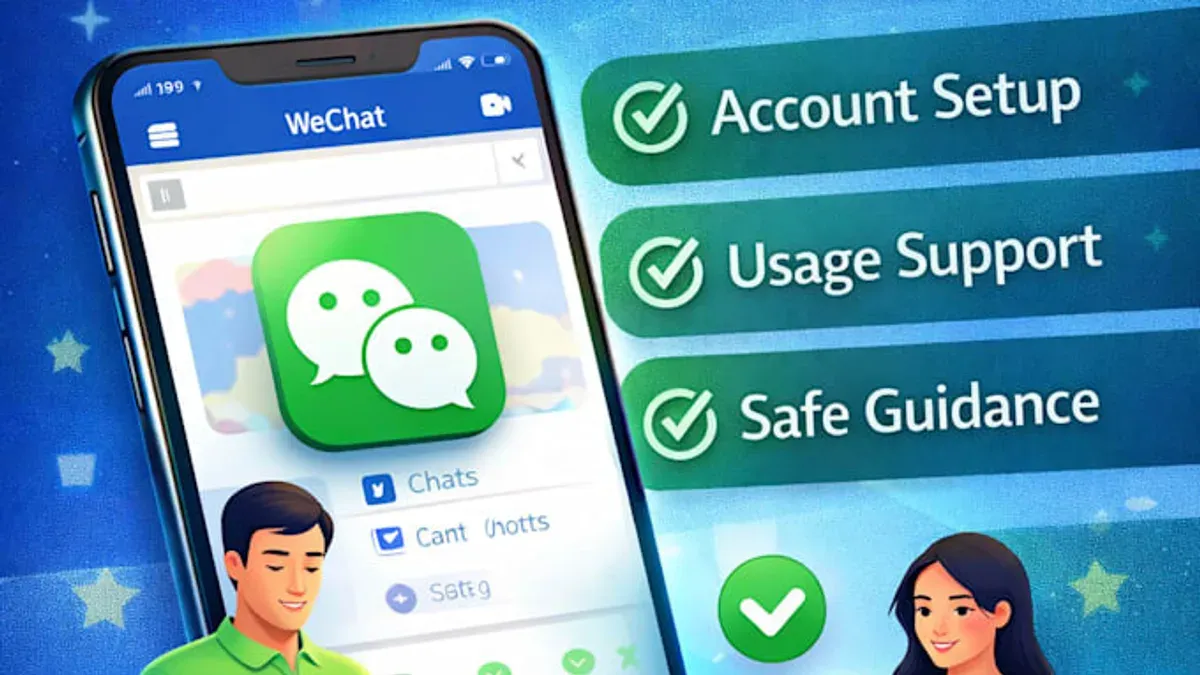
The registration requires entering a valid phone number for verification. After submitting the number, a verification code is sent via SMS, which must be entered to confirm the account. This step is mandatory to prevent fraudulent registrations and to link the account to a verified contact method.
During registration, choosing a strong password is crucial. A secure password typically contains at least eight characters, mixing uppercase and lowercase letters, numbers, and symbols. Avoid common or easily guessable passwords. WeChat does not allow account creation without phone verification, which helps maintain user security but can limit those without accessible phone numbers.
For example, a new user on mobile downloads the app, taps "Sign Up," enters their phone number, receives a code, and sets a password like "Myp@ssw0rd123". On PC, the process parallels this but uses the desktop interface. The PC registration may prompt scanning a QR code with an existing mobile WeChat account for additional verification, which can be a hurdle for first-time users.
Tip: Avoid clicking on suspicious links or downloading unofficial versions of WeChat during registration to reduce the risk of malware or phishing attempts.
Why WeChat is not working: troubleshooting login and app issues
WeChat login failures or app malfunctions often stem from technical issues rather than security breaches. Common causes include server outages, poor internet connectivity, or outdated app versions. For example, users may encounter error messages like "Network error, please try again later" or "Login failed: server busy," which indicate server or connection problems rather than account compromise.
It is important to distinguish these technical glitches from account blocks or suspensions. An account block typically results in a distinct message such as "Your account is locked due to suspicious activity" or "Account suspended for violating WeChat policies." These notifications clearly indicate an enforced restriction rather than a connectivity issue.
To resolve common problems, users should first check their internet connection and try switching between Wi-Fi and mobile data. Updating WeChat to the latest version via official app stores often resolves compatibility issues. Clearing the app cache or reinstalling the app can also help fix persistent errors. If the app still fails, visiting WeChat’s official support site or contacting customer service through the app can provide tailored assistance.
For instance, a user experiencing repeated login failures with the "server busy" error might find the issue resolves after switching to a stable Wi-Fi network and updating the app, confirming the problem was technical rather than an account hack.
Tip: Regularly updating WeChat and verifying network stability can prevent many common login and app issues.
How to unblock a WeChat account blocked for violation or risk
WeChat accounts may be blocked due to violations such as sending spam, engaging in suspicious activities, or breaching platform policies. When an account is flagged, users often see alerts indicating "the account is at risk," which implies temporary restrictions to prevent further unauthorized use.
To regain access, the first step is to open the WeChat app and navigate to Settings > Account Security > Account Status. Here, the app typically displays the reason for the block and provides an option to Submit Appeal or Verify Identity. Users must follow the on-screen prompts to complete verification, which may include phone number confirmation, facial recognition, or answering security questions.
For example, if an account was blocked for suspected spam, the user submits an appeal with a brief explanation and completes identity verification. After submission, response times can vary from a few hours to several days, depending on the volume of requests and the complexity of the case.
Tip: Ensure all submitted information matches the original account details to avoid delays or denial in the appeal process.
If the appeal is successful, the account restriction is lifted, and normal functionality returns. However, repeated violations may lead to permanent suspension.
How to delete a WeChat account securely and what happens afterward
Deleting a WeChat account is a permanent action that differs significantly from simply logging out. Logging out retains all data and account settings, allowing users to return at any time, whereas deletion removes the account and associated data from WeChat’s servers following a specified retention period.
To delete a WeChat account via the app, navigate to Me > Settings > Account Security > WeChat Security Center > Delete Account. Users must verify their identity, confirm understanding of the consequences, and complete any additional verification steps. On PC, deletion is initiated through the WeChat desktop client by accessing Settings > Account > Delete Account and following similar identity verification prompts.
Official policy states that once deletion is confirmed, WeChat begins a 60-day retention period during which the account is deactivated but can be recovered by logging back in. After this period, the account and all data are permanently erased and cannot be restored.
For example, a user who deletes their account and waits beyond the 60-day grace period will lose all contacts, chat histories, and payment information linked to the account. Users should back up important data before deletion.
Tip: Carefully review all warnings during the deletion process to avoid unintended loss of data and access.
Best practices to protect a WeChat account from hacking and compromise
To minimize the risk of WeChat account hacking, users should adopt a multi-layered security approach. First, setting a strong, unique password that combines uppercase and lowercase letters, numbers, and symbols significantly reduces vulnerability. Enabling two-factor authentication (2FA) via WeChat's "Account Security" settings adds an important verification step, making unauthorized access considerably harder.

Avoid interacting with suspicious links or downloading third-party applications claiming to enhance WeChat features, as these often serve as vectors for malware or phishing attacks. Additionally, using public Wi-Fi to log into WeChat can expose credentials to network sniffing; a safer practice is to connect through trusted networks or use a virtual private network (VPN).
Regularly monitoring account activity by navigating to "Me" > "Settings" > "Account Security" > "Login Devices" helps identify unfamiliar devices or locations promptly. For example, noticing a login from an unknown city should trigger an immediate password change and account review.
Security experts emphasize that such vigilance and layered protections have prevented many cases of account compromise. Users who implement these steps are far less likely to face unauthorized access, demonstrating that practical precautions effectively safeguard WeChat accounts.
Further reading
- How to Identify, Report, and Recover a Hacked TikTok Account
- Signal Account Hacked: How It Happens and What to Do Next
- How to Identify, Respond to, and Recover from a LinkedIn Account Hacked
- How to Secure, Recover, and Manage a Twitch Account After Hacking
Frequently asked questions
How to verify wechat account?
To verify a WeChat account, users typically need to complete identity verification via the app’s security settings. This may involve linking a mobile phone number, verifying through a trusted contact, or submitting official identification for certain regions. Verification helps confirm the account's authenticity and enables access to full features.
How to create wechat account?
Creating a WeChat account starts by downloading the app from an official app store. Launch the app, select "Sign Up", then enter a valid phone number to receive a verification code. After entering the code, users set a password and complete a captcha to finalize account creation.
How to make wechat account?
Making a WeChat account involves registering with a phone number or, in some cases, linking an existing QQ account. After providing the phone number and verifying it via SMS, users set up a profile by adding a display name and optional profile photo. The process is accessible on both mobile and PC versions of WeChat.
How to get a wechat account?
To get a WeChat account, download the WeChat app and follow the registration steps, which include phone number verification and setting a password. New users might also need to complete a captcha or friend verification depending on geographic region or app updates. This ensures the account’s security from the start.
How to deleted my wechat acc?
Deleting a WeChat account requires navigating to the "Settings" menu, then selecting "Account Security" and choosing "Delete Account." Users must verify their identity and understand that deletion is permanent, removing all data, contacts, and chat history from WeChat servers. It may take some time for the deletion to complete fully.
Limits of this guidance and when to seek professional help
This article does not cover advanced forensic recovery for severely compromised accounts that may require professional cybersecurity assistance. Users facing persistent unauthorized access, complex phishing attacks, or suspected malware infections on their devices should consult cybersecurity experts or contact official WeChat support through verified channels for specialized help.
The single most effective next step for users concerned about their account security is to immediately enable two-factor authentication (2FA) within the WeChat app settings under Me > Settings > Account Security > Two-Step Verification. This adds a critical layer of protection by requiring a secondary verification code when logging in from new devices, significantly reducing the risk of unauthorized access.