Understanding Your Technology Rollout Timeline for Smooth Implementation
Learn how to plan your tech rollout timeline to prioritize critical workflows and ensure smooth, phased deployment with minimal disruptions.

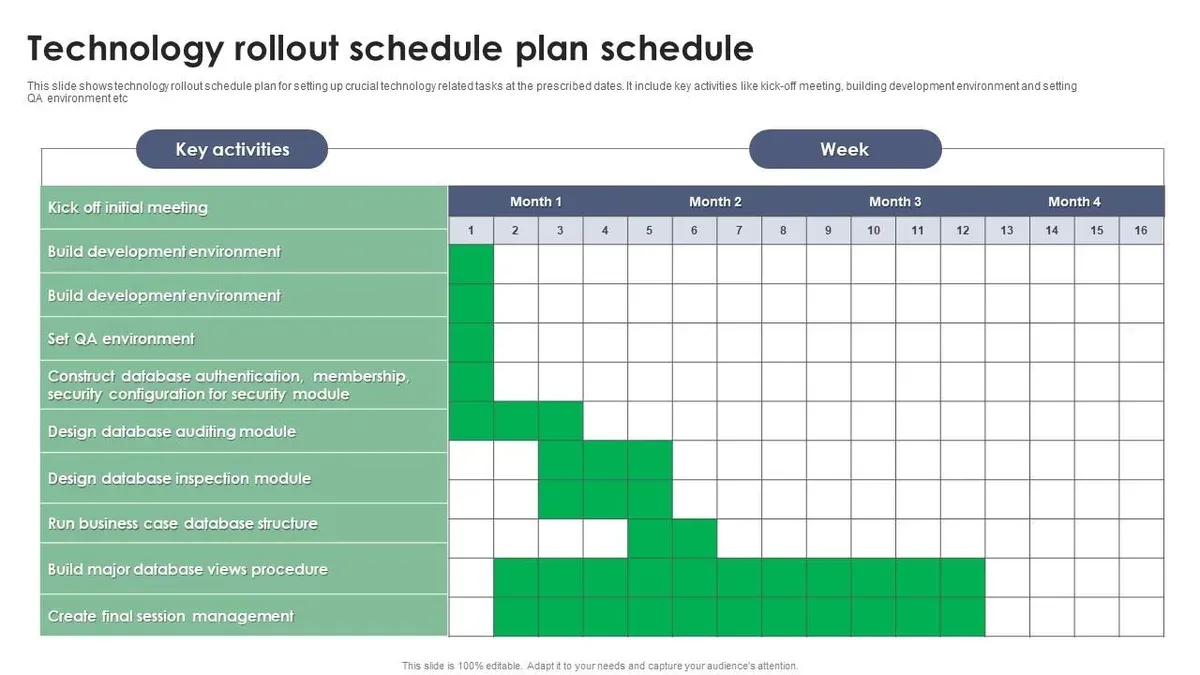
It begins with preparing critical workflows before less urgent areas, ensuring compatibility, data migration, and user access controls are ready. Misordering these steps often causes delays and technical failures that derail the entire process.
Checked in November 2026 against Techstack company, ITChronicles, Strategy Capstone (full list at the end); details like these change, so the date matters.
When the rollout will be launched and initiated
Starting your rollout at the right moment hinges on thorough readiness and clear stakeholder alignment. Begin by using a rollout readiness checklist to confirm all technical setups, training, and resources are in place. This tool ensures critical steps aren’t overlooked before launch.
Next, appoint a rollout director to coordinate the multiple teams involved. This role schedules regular alignment meetings to verify that all parties remain on track and ready.
For example, if you launch before completing user training or before backend systems are fully integrated, you risk technical failures and poor adoption. A premature rollout often results in emergency fixes that could have been prevented by waiting for full readiness.
Picture a software deployment where device configuration is incomplete but the rollout proceeds. Users then encounter errors that frustrate them, lowering confidence and adoption rates.
This disciplined preparation minimizes risks and helps ensure your rollout unfolds smoothly.
How to plan the rollout timeline milestones for a phased deployment
Begin your timeline by identifying the most critical workflows that impact your organization’s daily operations. These workflows must be prioritized in milestone planning to minimize disruption during peak usage periods.
Set clear milestones starting with these critical areas, then move progressively to less critical workflows. Each milestone should include a buffer period to accommodate unforeseen issues, such as unexpected technical challenges or user training delays.
For instance, if you are rolling out a new device platform, schedule initial deployment to core teams relying heavily on the technology, followed by broader teams in subsequent phases. Allocate extra days before peak usage to handle any troubleshooting without affecting productivity.
A sample timeline might start with testing critical workflows over two weeks, followed by a one-week buffer. Next, expand deployment to secondary workflows with another two-week phase and buffer, allowing for staged adoption and risk reduction. This structure balances speed and reliability, helping you avoid common pitfalls in phased rollouts. source
When the rollout will be operational and implemented
The rollout becomes operational once the software is fully deployed, compatible with existing systems, and all critical data has migrated accurately. Managing user access controls is essential to ensure that permissions align with roles and security policies during implementation.
Monitoring software performance metrics such as response times and error rates helps identify stability issues early. Tracking user adoption rates reveals how well teams are integrating the new tools into their workflows.
For example, scheduling weekly Q&A sessions and maintaining a dedicated helpdesk ensures users receive timely assistance. This ongoing engagement also supports troubleshooting and encourages adoption.
The rollout team first verifies that all customer data has migrated correctly and that sales team members can access the new interface without permission errors. They then monitor system logs for performance degradation and survey users to measure adoption. Support staff remain available to address questions, smoothing the transition from old software to the new.
This phase’s success is defined by stable operation, high user engagement, and the absence of significant technical problems, marking the software as truly implemented and operational.a few words
When the rollout will be completed and finished
The completion of your rollout is defined by the full deployment of the new software or update across all planned areas and workflows. This means every user in your organization must have access to the software, with all necessary training sessions concluded to ensure proficiency.
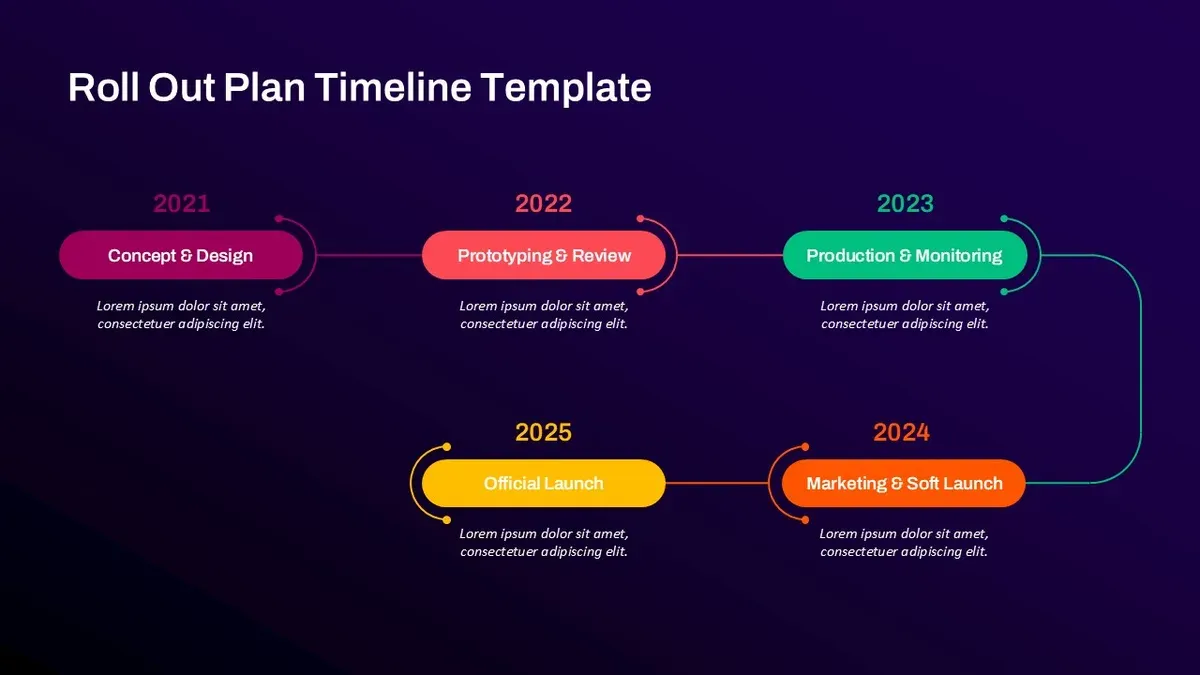
For example, after rolling out an updated CRM platform, you verify that all sales and support teams can access the system and complete their tasks without technical interruptions. Then, track adoption metrics and monitor for any significant issues reported in the first week. Resolving any remaining glitches promptly ensures the rollout truly finishes on a positive note.
Confirming these factors signals the official end of your rollout, allowing you to transition from deployment activities to ongoing maintenance and user support.source
Who to involve: assembling your cross-functional rollout team
To ensure a smooth technology rollout, include stakeholders from IT leadership, curriculum experts, family engagement representatives, school administration, and students when applicable. This diversity covers all critical perspectives, reducing the risk of blind spots that delay or disrupt the process.
Assign clear roles early to prevent accountability gaps that often stall progress. For example, IT leaders handle infrastructure readiness, curriculum experts ensure content alignment, family engagement reps communicate changes to families, administrators oversee logistics, and student representatives provide user feedback and adoption insights.
This oversight keeps the team synchronized on objectives, timelines, and readiness checkpoints.
| Stakeholder | Primary Responsibilities | Role in Rollout |
|---|---|---|
| IT Leaders | Infrastructure setup, software deployment, technical support | Ensure technology readiness and troubleshoot technical issues |
| Curriculum Experts | Content integration, training materials, pedagogical alignment | Adapt technology to educational goals and train educators |
| Family Engagement Representatives | Communication with families, managing expectations, feedback collection | Bridge communication between school and families for smoother adoption |
| School Administration | Scheduling, resource allocation, policy enforcement | Manage logistics and support compliance with rollout policies |
| Students | User experience feedback, peer support | Provide real-world insights and promote user adoption |
Imagine launching a device rollout without student input; unexpected usability problems could arise, causing delays. Including student voices early avoids this and ensures smoother user acceptance. The rollout director’s role is critical to keep these diverse contributors aligned and accountable, scheduling recurring meetings to review progress and address issues promptly.
More on assembling a cross-functional team
Communication strategies that keep your timeline on track
You must provide clear, ongoing updates tailored to the concerns of different stakeholder groups at every phase. This keeps everyone aligned on progress, expectations, and responsibilities.
For instance, if IT staff receive late updates about configuration changes, they may implement outdated settings, causing errors that require rework and delay the rollout. Similarly, if end users aren’t informed about training schedules, adoption slows, and productivity suffers.
Develop a communication plan that matches the needs of teams, executives, and users separately. Use regular status meetings, targeted emails, and dashboards to keep messaging relevant and timely. Avoid vague announcements that leave stakeholders uncertain about what to do next.
Remember, poor communication leads directly to errors, lost productivity, and timeline slips. A disciplined approach to sharing precise information keeps your rollout on track and prevents millions in avoidable costs across the organization. Effective communication is critical.
Common pitfalls that delay or derail your rollout timeline
For example, launching software without confirming user training completion can cause widespread confusion and increased support requests, delaying progress.
When responsibilities are vague, critical tasks such as data migration or user access setup can be overlooked, causing bottlenecks and missed deadlines.
If updates on progress or issues are not shared regularly and clearly, teams may work at cross purposes, resulting in duplicated efforts or missed steps that reduce productivity.
Prevent these pitfalls by enforcing readiness checks, defining precise roles with assigned owners, and establishing consistent communication channels tailored to stakeholder needs.
Addressing these issues early avoids stress and setbacks, keeping your rollout on schedule and improving adoption rates. Read more.
What to do after the rollout ends: confirming success and next steps
Track key success metrics: system stability, adoption rates, and absence of significant technical issues. A sudden spike in error reports or user complaints signals urgent intervention.
Promptly address any technical problems by engaging support teams to minimize disruption. Maintain training resources and keep communication channels open for ongoing user assistance. This continuous support helps users adapt fully and prevents issues from escalating.
Plan follow-up checks a week after rollout to confirm sustained performance and adoption. Use a post-rollout checklist to ensure all critical functions operate as expected and training gaps are closed. For example, if a new device management platform shows inconsistent user logins after deployment, schedule targeted refresher sessions and technical reviews.
Prepare for a potential rollback if critical failures emerge that could impact operations. This means having clear rollback procedures ready, including data restoration and access reversions. Maintaining this readiness ensures you can quickly revert changes to protect your organization.
Success metrics for software rollout guide these steps and emphasize the importance of ongoing monitoring and support.
Comparing rollout approaches: phased deployment versus big bang
You must choose a rollout approach that matches your organization's complexity and risk tolerance. Phased deployment spreads the rollout across prioritized workflows with buffer periods, allowing you to gather stakeholder feedback and address issues gradually. This reduces disruption but extends the timeline.
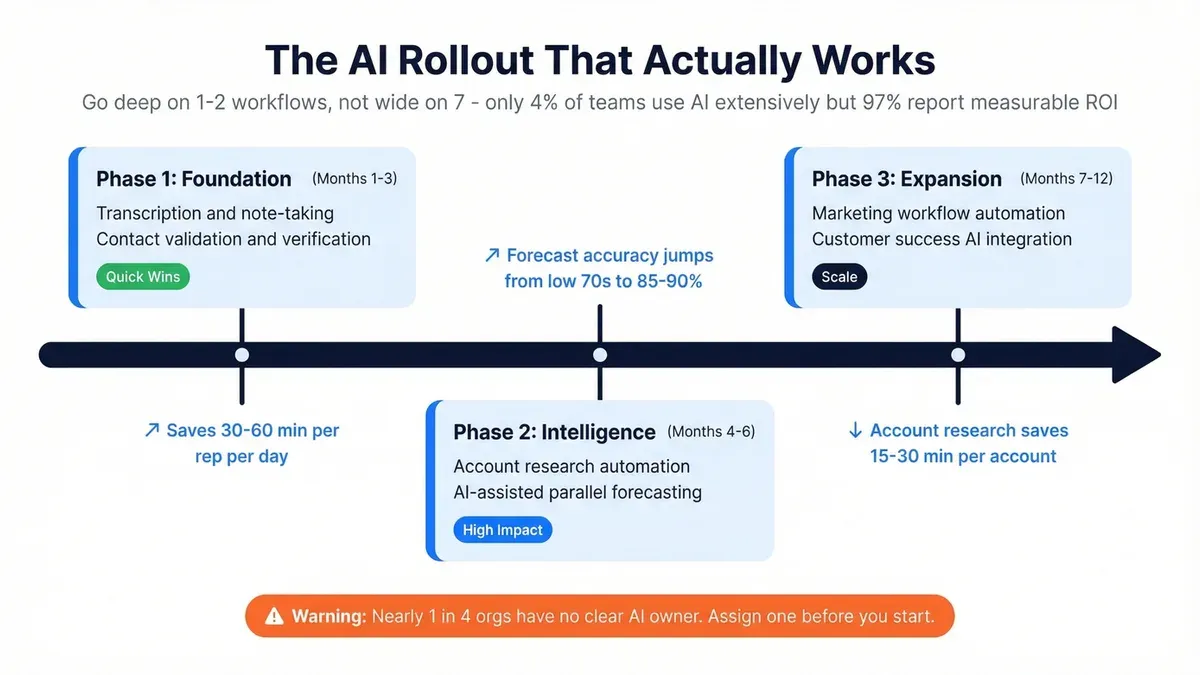
In contrast, a big bang launch deploys all components simultaneously, which can speed up completion but risks widespread impact if problems arise. This approach suits simpler environments with fewer dependencies.
Complex infrastructures benefit from phased rollouts coordinated by cross-functional teams including IT, curriculum, family engagement, and student leaders. This ensures all perspectives guide smooth implementation.
| Aspect | Phased Deployment | Big Bang |
|---|---|---|
| Implementation | Gradual, by prioritized workflows | All at once |
| Timeline | Longer, with buffer time | Shorter, fixed date |
| Risk | Lower, contained issues | Higher, widespread impact |
| Team Coordination | Cross-functional, ongoing alignment | Intense, focused pre-launch effort |
| Suitability | Complex infrastructures with multiple stakeholders | Simpler setups with fewer dependencies |
For example, an education district introducing new software across schools benefits from phased deployment. Starting with critical classrooms allows time to troubleshoot data migration and ensure user access controls before expanding. This contrasts with a single-day big bang rollout that risks disrupting all users simultaneously if unexpected glitches occur.
Choosing between these approaches depends on your organizational needs, infrastructure complexity, and the resources available to coordinate and support the rollout.[1]
- How to Set Up a Summer Technology Schedule That Works in 2026
- How to Plan and Run a Pilot Program for New Technology
- How to Build an Effective Rollout Plan for a New Communication App
- How to Build and Use an Effective Rollout Feedback Loop
Frequently asked questions
When the rollout will start?
The rollout start depends on completing the rollout readiness checklist and scheduling regular alignment meetings led by a rollout director. This ensures all cross-functional teams are synchronized before initiation, preventing missteps that occur if steps happen out of sequence.
When will the rollout be completed?
The rollout is considered complete after all phases finish according to the planned milestones, with verification that the deployment is operational and all teams have confirmed success. Follow-up checks a day or a week later confirm stability, and any temporary changes can be reversed as appropriate.
When to seek specialized technical support
To confirm your rollout succeeded, review the rollout readiness checklist post-implementation to ensure all milestones were met and no critical tasks were skipped. Verify system logs for errors, user feedback for adoption issues, and performance metrics against your initial goals. Schedule a follow-up alignment meeting with your rollout director and key team members within the first week to discuss status and any adjustments needed.
If problems persist, identify whether symptoms match known failure causes such as misordered launch steps or inadequate communication. Address these promptly by revisiting the rollout timeline and enhancing cross-team coordination. Maintaining frequent status updates and revising your communication plan can help bring the rollout back on track or prepare for a controlled rollback if necessary.
Pages this guide relies on
- Software Rollout Plan: A Step-by-Step Implementation Guide — Techstack company
- 7 Steps for a Successful Technology Rollout — ITChronicles
- Rollout Plan: A Step-by-Step Guide - Strategy Capstone — Strategy Capstone
- Developing Your Timeline and Assembling Your Team - Digital Promise — Digital Promise