How to Manage Your Reddit Privacy Settings to Control What Others See

Worried about how much of your Reddit activity is visible to others? By default, your posts, comments, and profile details are mostly public, but Reddit provides privacy settings that let you control who can see your information and interact with you. You can adjust who views your profile, manage your activity status, limit data sharing with third parties, and control who contacts you. Taking the time to review these settings helps you share only what you want and keeps your Reddit presence more private.
Can I stop strangers from seeing what I post and comment?
Reddit doesn’t let you make individual posts or comments completely private—your posts and comments are generally visible to anyone browsing the subreddit or your profile. But you can limit who sees your overall profile by adjusting profile visibility settings. For example, you can restrict your profile to be visible only to logged-in users, and hide specific profile details like your trophy case or awards. If you want to reduce what people see, you can delete or edit your past posts and comments. Another option is to use separate Reddit accounts for different types of activity, which helps keep your interests or identities separate. Keep in mind that posts and comments still appear in subreddit feeds and search results unless you delete them, so be cautious about sharing sensitive information.
What privacy controls does Reddit offer beyond basic visibility?
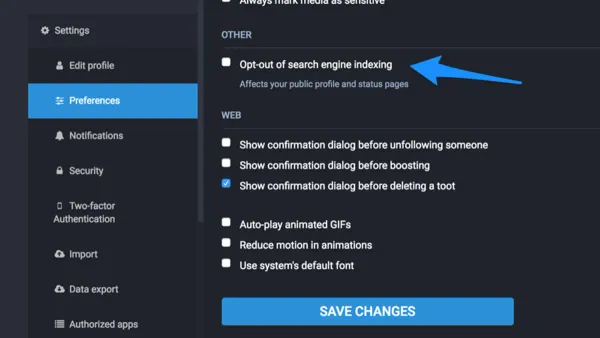
Beyond profile visibility, Reddit offers settings for your activity status, searchability, and data sharing. Activity status shows others when you were last active; you can turn this off to prevent followers or other users from seeing your online times. Searchability controls whether your Reddit profile appears in external search engines like Google; disabling this makes your profile harder to find outside Reddit. Reddit also lets you limit data sharing with third parties by opting out of interest-based advertising and controlling how your data is shared with business partners. These options are found under Privacy & Security in your account preferences and help manage how your data and presence extend beyond Reddit itself.
How do I control who can contact me or follow me on Reddit?
You can manage who contacts you by restricting direct messages to only people you follow, which blocks messages from strangers. In your privacy settings, you can also disable follower requests or set who’s allowed to follow you. Blocking users is an effective way to prevent harassment or unwanted contact; when you block someone, they can’t message you, follow you, or see your posts and comments while logged in. Blocking is silent and doesn’t notify the other user. These controls help you maintain a safer, quieter Reddit experience.
What does Reddit do with my data and how can I limit third-party sharing?
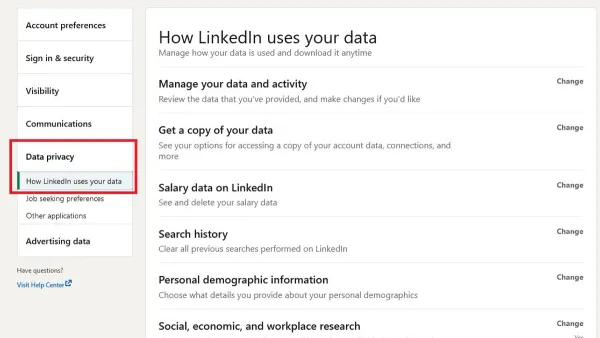
Reddit collects data on your activity, device, and interactions to improve its service and deliver relevant ads. It shares some of this data with third-party partners for analytics, advertising, and platform integration. You can limit this by opting out of personalized ads and disabling data sharing with business partners in your privacy settings. Opting out reduces how Reddit uses your data for targeted advertising but does not stop all data collection. Regularly reviewing Reddit’s privacy policy keeps you informed about what data is collected and how you can control it.
What practical steps should I take right now to improve my Reddit privacy?
Start by going to your Reddit account’s Privacy & Security settings. Turn off your activity status to hide when you’re online. Set your profile visibility so only logged-in users can view your profile, and consider disabling follower requests for more control. Opt out of personalized ads and third-party data sharing to limit how Reddit uses your information. Review your past posts and comments, deleting anything you wouldn’t want public. Use the block feature against users who harass or annoy you. For extra privacy, browse Reddit anonymously or log out when you don’t want your activity linked to your account. These steps will reduce your exposure and give you better control over your Reddit presence.
Conclusion
Focus on the settings that control who can see your profile and activity. You don’t need to hide everything—just adjust the options that matter most to you, whether that’s limiting direct messages, removing old posts, or opting out of personalized ads. With these tools, you can feel confident that your Reddit activity isn’t exposing more than you want and that you have ways to block or limit unwanted contact. You can update these settings anytime as your privacy preferences or Reddit’s options change.
Frequently Asked Questions
Can I make my Reddit profile completely private?
No, Reddit does not allow making your entire profile private. Your posts and comments stay visible, but you can limit profile visibility to logged-in users and hide some profile details.
How do I stop people from sending me unwanted messages on Reddit?
You can restrict direct messages to only people you follow and block specific users to prevent them from contacting you. Both options are available in your privacy settings and on user profiles.
Does turning off activity status hide all my online activity?
Turning off activity status only stops others from seeing when you were last active. Your posts, comments, and other activity remain visible according to your other privacy settings.
Can I prevent Reddit from sharing my data with advertisers?
You can opt out of personalized ads and limit data sharing with third-party partners in your privacy settings. This reduces how Reddit uses your data for advertising but doesn’t stop all data collection.
Is it a good idea to use multiple Reddit accounts for privacy?
Using separate accounts can help keep different activities separate if you want to avoid linking posts or interactions to your main profile. Just remember to manage privacy settings on each account carefully.