How to Recognize, Respond to, and Recover from a WhatsApp Account Hack
This guide explains how to identify, respond to, and recover from a WhatsApp account hacked to protect your privacy and contacts.

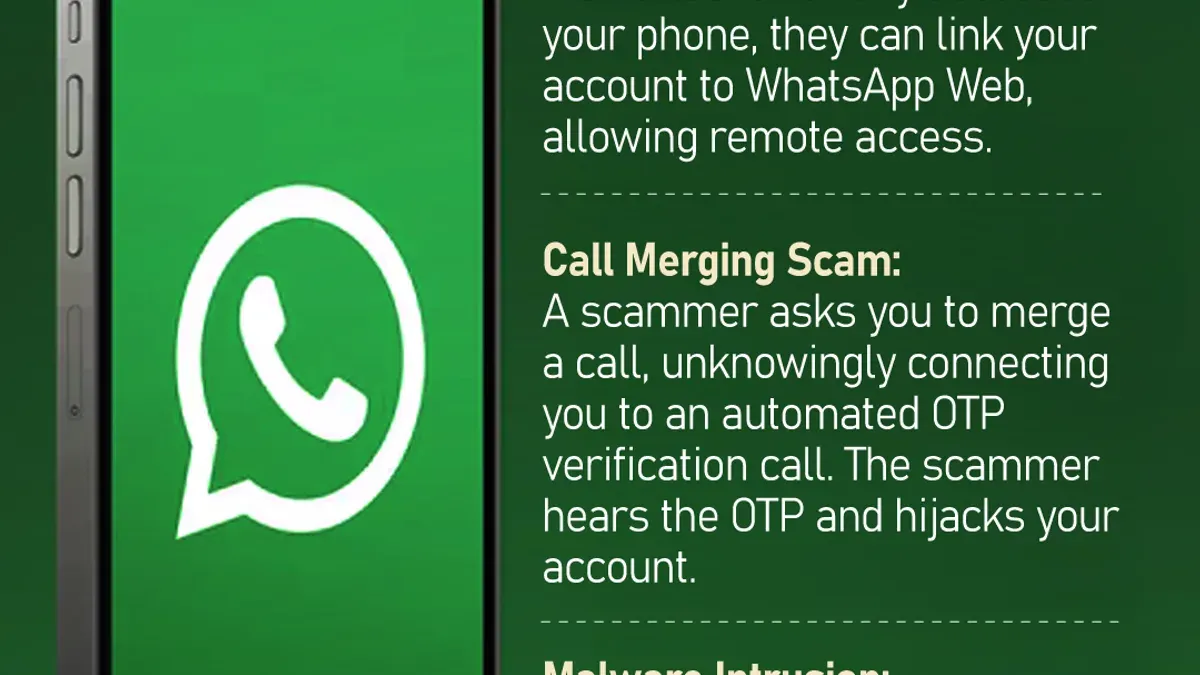
This article explains how to recognize, respond to, and recover from a WhatsApp account hacked situation. When a WhatsApp account is compromised, unauthorized access can lead to privacy breaches, message interception, and misuse of the account for scams or misinformation.
Understanding the practical signs of hacking, such as unexpected logouts or unknown devices appearing in active sessions, is crucial. This guide covers specific WhatsApp settings and recovery steps, including verifying the registered phone number, using two-step verification, and contacting WhatsApp support if necessary.
Tip: Regularly check WhatsApp's "Linked Devices" section under settings to spot unfamiliar connections early.
What it means if a WhatsApp account is hacked
A WhatsApp account hack occurs when an unauthorized person gains access to the account without the owner's consent. This breach of security can lead to significant privacy concerns, including exposure of personal chats, misuse of identity, and unauthorized actions carried out on the account.
While WhatsApp uses end-to-end encryption, which protects the content of messages from interception during transmission, hacking the account itself bypasses this protection by gaining direct access to the device or session. This means that although hackers cannot decrypt messages sent between users, they can still read conversations already accessible through the compromised account, send messages posing as the owner, or access shared media and contacts.
Reported cases of messaging app hacks indicate that WhatsApp accounts are often targeted through methods such as SIM swapping, where attackers take control of the phone number, or by intercepting verification codes sent via SMS. For example, a common scenario involves a hacker convincing a mobile carrier to transfer the victim’s phone number to a new SIM card, allowing them to register WhatsApp on a different device and lock out the original user.
Once hacked, the attacker may impersonate the user to scam contacts or spread misinformation, creating not only privacy risks but also potential reputational damage. Understanding these risks highlights why immediate action is necessary if unauthorized access is suspected.
What can hackers do with your WhatsApp account
When a WhatsApp account is compromised, hackers primarily gain the ability to send messages and make calls impersonating the user. This can lead to scams targeting the user’s contacts, spreading misinformation, or requesting money under false pretenses. For example, a hacker might message a close contact pretending to be the user, asking for urgent financial help.
Hackers can also view the profile information visible to contacts, such as the profile photo, status updates, and about info. However, they cannot directly access messages stored on the user’s locked device because WhatsApp messages are end-to-end encrypted and tied to the device.
Access to chat backups depends on how they are stored. If backups are saved insecurely on cloud services like Google Drive or iCloud without strong protection, hackers might retrieve them. Conversely, if two-step verification is enabled, it adds a crucial layer of security by requiring a PIN when registering the phone number on a new device, significantly limiting hacker access.
In real-world cases, hackers were able to send fraudulent messages to contacts when two-step verification was not active, but accounts with two-step verification required additional verification steps that prevented immediate takeover. This demonstrates the importance of enabling this feature to restrict hacker capabilities.
How to know if someone has hacked your WhatsApp account
One clear sign of a compromised WhatsApp account is an unexpected logout or sudden request to verify the phone number. For example, if WhatsApp prompts for re-verification despite no intentional logout, it may indicate unauthorized access attempts.
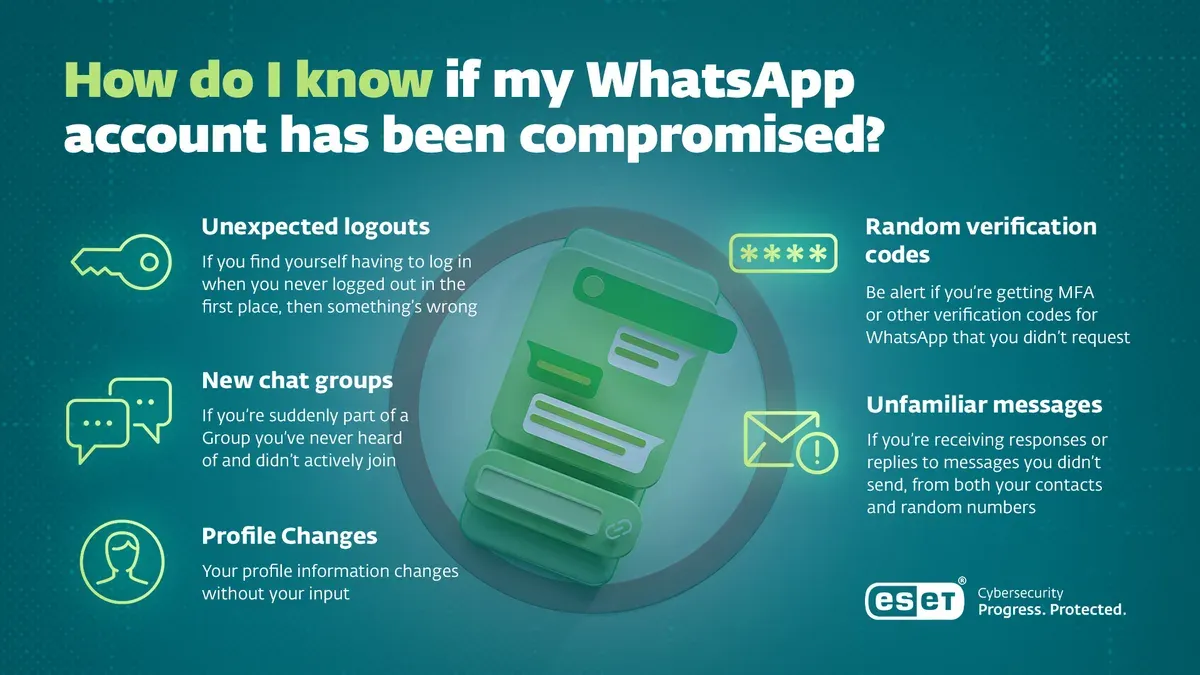
Checking active sessions in WhatsApp Web or Desktop is another effective method. Navigate to WhatsApp’s Settings > Linked Devices to review all devices currently connected. If there are unfamiliar locations or devices listed, it signals possible intrusion.
Contacts receiving strange or suspicious messages that the user did not send is often the first alert from friends or family. Messages containing links, requests for money, or unusual language suggest the account is being exploited.
Users also receive notifications when a contact’s security code changes. If a user notices that their own security code has changed and WhatsApp notifies contacts, it can mean the account is being accessed on a new device.
Example: Imagine someone’s WhatsApp suddenly logs out, then the user receives a text from a close contact asking why they sent a strange payment request. Upon checking Linked Devices, the user finds a session logged in from a city they have never visited.
Tip: Regularly review the Linked Devices section to quickly spot unauthorized access before it escalates.
How to fix a hacked WhatsApp account
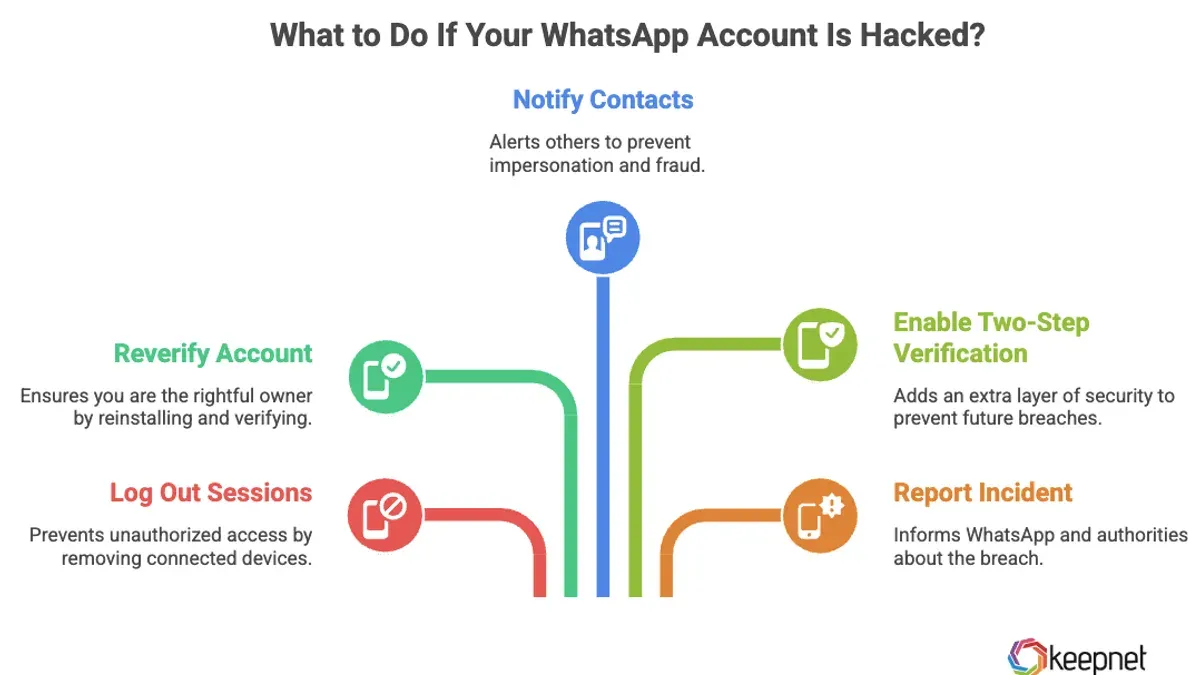
Regaining control of a hacked WhatsApp account involves a series of deliberate steps to secure the account and prevent further unauthorized access. Start by logging out of all active sessions on other devices. This can be done by opening WhatsApp, navigating to Settings > Linked Devices, and selecting Log out from all devices. This immediate action disconnects any unauthorized users currently accessing the account.
Next, re-verify the phone number by opening WhatsApp and entering the SMS verification code sent by WhatsApp. This ensures that the rightful owner regains access. After verification, enable Two-step Verification by going to Settings > Account > Two-step Verification, and setting up a 6-digit PIN. This additional layer of security requires the PIN for future verification attempts, reducing the risk of repeated hacks.
It is also crucial to change passwords and review settings for any cloud backups linked to WhatsApp, such as Google Drive or iCloud. Hackers may attempt to access message backups if these accounts remain vulnerable. Updating these passwords and enabling two-factor authentication where available helps secure backup data.
Finally, notify contacts about the hack to disregard any suspicious messages they may have received during the breach. This step helps prevent scams or misinformation spreading through the compromised account.
Example: If a user notices unfamiliar active sessions, they should immediately log out all linked devices, then re-enter their phone number to receive a verification code. After confirming their identity, setting up two-step verification requires entering a PIN during future logins, significantly raising security. Changing their Google Drive password where WhatsApp backups are stored protects past chats. Alerting friends and family to ignore strange messages can prevent further harm.
How to deactivate a WhatsApp account if hacked
If a WhatsApp account is compromised and immediate recovery is not possible, temporarily deactivating the account can prevent further misuse. WhatsApp does not offer an in-app deactivation feature, so users must contact WhatsApp support via email to request account deactivation.
To initiate this, send an email to [email protected] with the subject line "Lost/Stolen: Please deactivate my account". The message should include the phone number in international format (e.g., +1234567890) and a clear statement that the account has been hacked and needs to be deactivated to avoid abuse.
During deactivation, the account becomes inaccessible, and messages sent to it will not be delivered. The account remains deactivated for 30 days, during which the user can reactivate by verifying the phone number through WhatsApp. If no reactivation occurs within this period, the account and its data are deleted permanently.
Example: Jane's WhatsApp was hacked, and she could not regain access immediately. She emailed WhatsApp support requesting deactivation, providing her phone number and explaining the situation. Her account was deactivated, preventing hackers from sending messages under her name. When Jane recovered her phone, she simply re-verified her number to regain control.
Permanent deletion of the account is appropriate if the user decides to stop using WhatsApp altogether or suspects extensive damage from the hack. This process requires the user to send a separate request or use the app's settings under Account > Delete My Account. The trade-off is losing all chat history, groups, and backups.
Tip: Clearly state "Please deactivate my account" in the email subject to ensure faster processing by WhatsApp support.
Preventing WhatsApp account hacking in the future
Strong phone security forms the first line of defense against WhatsApp hacking. Users should set a robust PIN or password and activate biometric locks like fingerprint or facial recognition under the phone’s security settings. This prevents unauthorized physical access to the device and the WhatsApp app.
Enabling WhatsApp’s two-step verification adds a critical security layer. Found under WhatsApp Settings > Account > Two-step verification, this feature requires a user-defined PIN each time the phone number is re-registered on a device. This reduces the risk of account takeover even if the SIM card or verification code is compromised.
Tip: Choose a PIN that is memorable but not easily guessable, and avoid reusing PINs from other services.
Users should never share WhatsApp verification codes received via SMS or phone calls. Phishing scams often trick users into revealing these codes by posing as WhatsApp support or trusted contacts. For example, a scam message might claim the account is at risk and request the code “to secure it,” but sharing this code grants hackers account access.
Regularly reviewing active sessions through WhatsApp Settings > Linked Devices helps spot unauthorized logins. Disconnecting any unfamiliar sessions immediately restricts hacker access.
Understanding common phishing tactics is vital. Scammers may send links that mimic WhatsApp notifications or ask for personal information. Users should verify URLs carefully and avoid clicking links from unknown or suspicious sources.
Common mistakes to avoid after a WhatsApp hack
Delaying action when suspicious activity appears can worsen the impact of a WhatsApp hack. For example, a user who noticed unfamiliar messages sent to contacts but waited days before changing their settings allowed the hacker to further exploit the account, causing confusion and potential scams among their friends.
Sharing verification codes or passwords with others, even if asked by someone claiming to be WhatsApp support or a trusted contact, can immediately compromise recovery efforts. Hackers often impersonate support agents to trick victims into handing over these sensitive details.
Reinstalling WhatsApp without first securing the account, such as enabling two-step verification or logging out all active sessions, can result in repeated unauthorized access. One case involved a person who reinstalled the app hoping to fix issues but neglected to verify their number securely, allowing the hacker to regain control swiftly.
Failing to inform contacts or report the hack to WhatsApp support can prolong the damage. Without notifying contacts, friends may unknowingly interact with the hacker, and WhatsApp support remains unaware of the ongoing breach, delaying potential interventions.
Tip: Act promptly, keep verification codes private, secure the account before reinstalling, and notify both contacts and support to minimize harm after a hack.
Further reading
- How to Identify, Report, and Recover a Hacked TikTok Account
- Signal Account Hacked: How It Happens and What to Do Next
- How to Identify, Respond to, and Recover from a LinkedIn Account Hacked
Frequently asked questions
What if your whatsapp is hacked?
If a WhatsApp account is hacked, the attacker may access private chats, impersonate the user, or send messages to contacts. Immediate action is necessary to regain control and protect personal information. It is important to verify account activity and update security settings promptly.
How can i know if someone has hacked my whatsapp account?
Signs of a hacked WhatsApp account include unexpected logouts, messages or calls not made by the user, and notifications about new device logins. Checking the “Linked Devices” section within WhatsApp settings can reveal any unauthorized active sessions. Suspicious activity or messages from contacts about unusual behavior also indicate possible hacking.
How to fix hacked whatsapp account?
To fix a hacked WhatsApp account, first log out from all devices via “Linked Devices” then change the two-step verification PIN under Settings > Account > Two-step verification. Reinstalling the app and verifying the phone number can help regain control. Contacting WhatsApp support is advised if access remains compromised.
Is whatsapp hacking possible?
WhatsApp hacking is possible but difficult due to end-to-end encryption and security features like two-step verification. However, social engineering, SIM swapping, or malware can allow attackers to bypass protections. Users should remain vigilant and maintain strong security practices.
How to deactivate whatsapp account if hacked?
To deactivate a hacked WhatsApp account, send an email to WhatsApp’s support at [email protected] with the phrase “Lost/Stolen: Please deactivate my account” and include the phone number in full international format. This temporarily disables the account to prevent misuse while the user regains access. Reactivation requires verifying the phone number again.
Limits of this advice and when to seek further help
This guidance focuses on recognizing unauthorized access to WhatsApp and steps to recover or deactivate the account through the app’s built-in features. It does not address hacks involving SIM swapping or physical device theft, which require contacting the mobile carrier and possibly law enforcement. Users facing these more complex situations should prioritize securing their phone number and device before attempting WhatsApp recovery.
For ongoing account security, the single most effective next step after recovery or deactivation is to enable two-step verification in WhatsApp’s Settings under Account > Two-step verification. This adds a PIN that must be entered periodically and when registering the phone number on a new device, significantly reducing the risk of future unauthorized access.