How to Manage and Recover from a Quora Account Hacked
This guide helps users recover a Quora account hacked, manage settings, and understand security measures to protect their profile and data.

This article provides a detailed guide for users concerned about a Quora account hacked incident, outlining immediate recovery steps, account management options, and an objective look at the platform's security and legitimacy. Quora is a popular question-and-answer website where users create profiles to ask, answer, and interact with content. When a Quora account is hacked, unauthorized access can lead to changes in profile information, posting inappropriate content, or exposure of personal data.
Understanding how to quickly respond, including resetting passwords and reviewing login activity, is crucial. This article also explains how to delete or temporarily deactivate an account and reviews common security pitfalls to avoid. Finally, it addresses whether Quora’s safety measures and data practices provide a trustworthy environment for users.
What is Quora and how does its account system work
Quora is a popular question-and-answer platform where users can ask questions, provide answers, and engage in discussions across a wide range of topics. Available as both a website and a mobile app, Quora connects millions of users globally who seek knowledge or share expertise.
To access Quora’s features, users must create an account. Account creation can be done through multiple methods: by registering with an email address and creating a password, or by signing in via social logins such as Google or Facebook. These options offer flexibility and convenience, allowing users to choose their preferred authentication method.
Once registered, users sign in using their chosen credentials. For email accounts, this involves entering the email address and password on the Quora login page. For social logins, authentication is handled through the respective third-party provider, simplifying the process but also linking Quora access to the security of those external accounts.
Quora includes basic account settings accessible via the profile menu under “Settings.” These settings allow users to manage personal information, notification preferences, and security features such as two-factor authentication (2FA). Enabling 2FA adds an extra layer of protection by requiring a verification code in addition to the password during sign-in.
For example, a user signing in with an email account might navigate to the login page, enter their email and password, and then, if 2FA is enabled, input a code sent to their phone. This multi-step process helps secure the account against unauthorized access.
Quora's widespread use and varied sign-in options make understanding the account system essential for managing security effectively.
What happens if a Quora account is hacked
When a Quora account is hacked, unauthorized access can take several forms. Common methods include phishing attacks targeting login credentials, password reuse vulnerabilities, and exploitation of weak or compromised two-factor authentication. Once inside, hackers may post misleading or inappropriate content, which can damage the account owner's reputation.
Beyond content misuse, personal information stored on the account, such as email addresses, profile details, and question history, may be stolen or exposed. If the Quora account is linked to social login providers like Google or Facebook, a breach could potentially jeopardize access to those linked accounts as well, escalating the risk.
Signs of suspicious activity include unexpected password changes, emails about account logins from unfamiliar devices or locations, sudden post or comment activity not initiated by the user, and altered profile information. For instance, a user reported that after falling victim to a phishing attempt, their account began posting spam links promoting unrelated products, which led to temporary suspension by Quora.
While Quora itself has not been widely reported as a frequent target of large-scale breaches, similar Q&A platforms and social sites have experienced account takeovers affecting sizable user groups. Such incidents highlight the importance of vigilance and prompt response when unusual activity is detected.
How to respond immediately if a Quora account has been hacked
Upon detecting unauthorized access, the first step is to change the account password promptly. Navigate to Settings > Account > Password and enter a new, strong password that is unique and not used on other sites. For example, if the original password was compromised, resetting it immediately blocks further unauthorized entry.
Tip: Use a password manager to generate and store complex passwords safely.
Next, enable two-factor authentication (2FA) under Settings > Privacy & Security > Two-Factor Authentication. Activating 2FA adds a second verification step, such as a code sent via SMS or an authenticator app, which significantly reduces the chance of re-hacking.
After securing login credentials, review all active sessions and connected third-party apps. Access Settings > Privacy & Security > Sessions to see devices currently logged in. Revoke any unfamiliar sessions by selecting Log Out next to suspicious entries. Similarly, check Settings > Apps & Devices to remove unauthorized app permissions that might provide backdoor access.
Contacting Quora support is essential if account activity appears malicious or sensitive information may have been stolen. Reports can be submitted via the Help Center > Contact Us page. Official response times vary but typically occur within several business days.
Finally, check if linked social media accounts (such as Facebook or Google) show signs of compromise. Since these accounts may grant access to Quora, securing or temporarily disabling them helps prevent further breaches.
How to delete a Quora account permanently
Permanent deletion of a Quora account removes the user's presence from the platform entirely, unlike deactivation which temporarily disables the account without erasing data. To start this process, navigate to Settings & Privacy by clicking on the profile icon at the top right, then select Privacy from the sidebar.
Within the Privacy section, scroll to the Delete Account option. Clicking this initiates the deletion request, prompting users to confirm their decision by entering their password and acknowledging that this action is irreversible.
For example, after confirming deletion, Quora schedules the account for permanent removal, which typically completes within a few days. During this waiting period, the account remains inactive but may still be recoverable by logging in and canceling the deletion.
Once deletion is finalized, most user-generated content such as questions, answers, and profile information is removed. However, some data—such as anonymized contributions or logs retained for legal compliance—may persist internally, as outlined in Quora's privacy policy.
| Aspect | Deactivation | Deletion |
|---|---|---|
| Account visibility | Hidden but recoverable | Removed permanently |
| Data retention | Data saved | Most data erased, some retained per policy |
| Recovery option | Available anytime | Not available after deletion |
| Process | Simple toggle in settings | Requires confirmation and password |
Tip: Before deleting, consider downloading any valuable content as deletion is irreversible after completion.
How to deactivate a Quora account temporarily
Account deactivation on Quora allows users to take a break from the platform without permanently deleting their data. This option hides the profile and content from other users but preserves all information for potential future reactivation.
To deactivate a Quora account, navigate to the Settings menu via your profile icon. Select Privacy and then find the Account Deactivation option. Follow the on-screen instructions, which typically include confirming the decision and providing a reason if prompted. Quora may ask for your password to verify identity before completing the process.
For example, a user overwhelmed by notifications might deactivate their account for a few months to reduce digital distraction, knowing their answers and questions remain stored but hidden.
Reactivating the account is straightforward: simply log in with your credentials, and the profile along with all associated content will become visible again. However, some user feedback notes a slight delay in content reappearance after reactivation.
It is important to understand that while deactivated, the account is invisible to others but not deleted. Quora's documentation clarifies that deactivation does not erase messages sent to other users or remove data from Quora servers.
Tip: Before deactivating, review your notifications and linked accounts to avoid missing important updates during your break.
Is Quora a safe and legitimate site
Quora is owned by Quora, Inc., a well-established company headquartered in Mountain View, California, with a significant user base worldwide. The platform operates under standard industry practices for online communities and maintains a detailed Privacy Policy that outlines how user data is collected, used, and shared.
According to Quora's privacy policy, the platform collects information to improve services and personalize content but explicitly states it does not sell personal data to third parties. Data sharing typically occurs with trusted partners under strict agreements or when legally required. For example, Quora uses data to serve relevant ads but offers users controls in their Settings > Privacy > Ad Preferences to manage these.
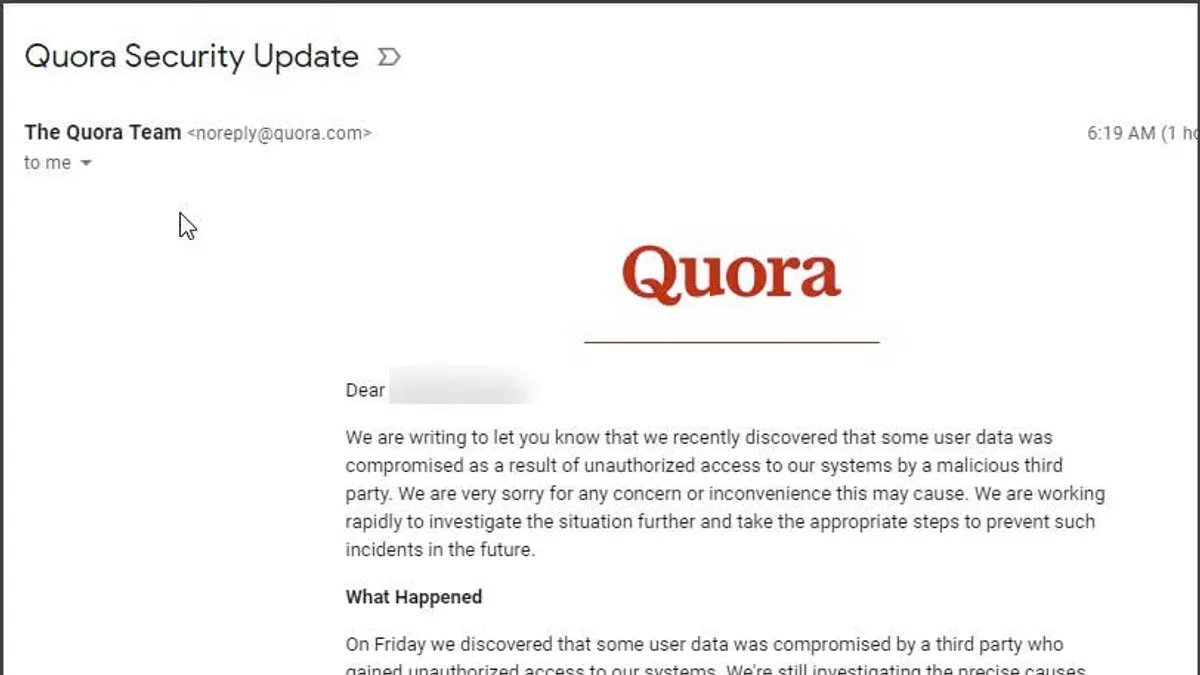
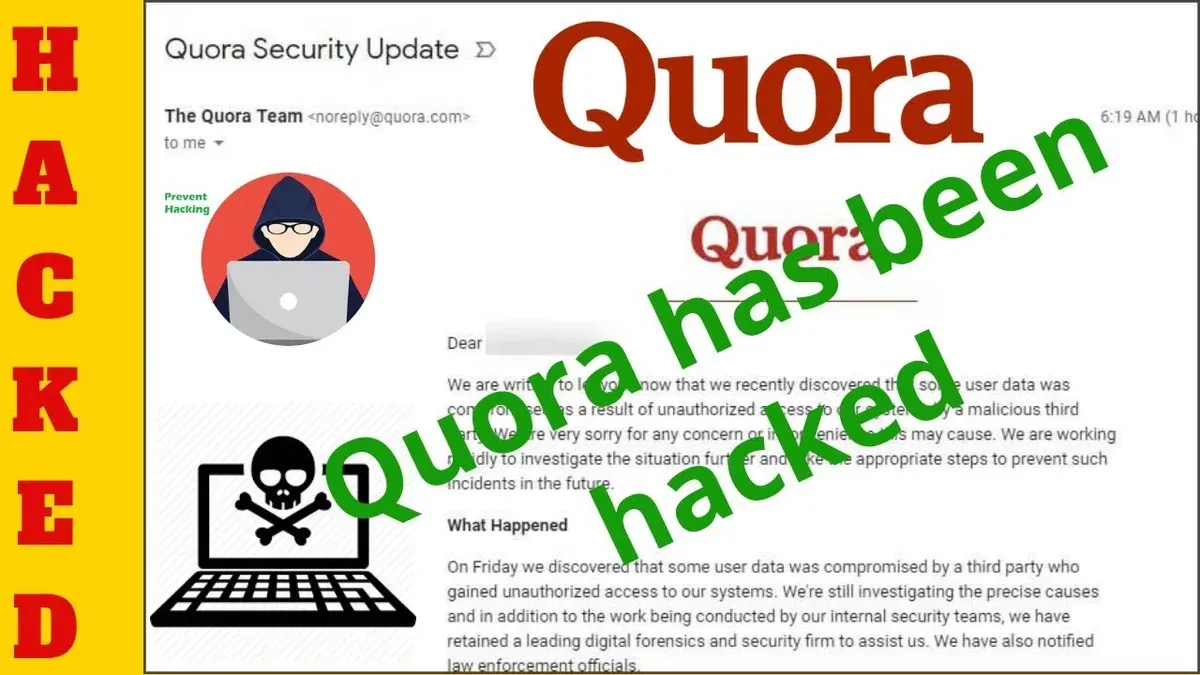
User safety features include community moderation with reporting tools and AI-driven content filtering to reduce spam and harmful content. Quora also encourages transparent profiles and enforces policies against harassment and misinformation. Despite these measures, there have been past security incidents, such as the 2018 data breach affecting approximately 100 million users. Quora responded by notifying affected users, resetting passwords, and enhancing security protocols.
Third-party cybersecurity analyses generally rate Quora as a platform with reasonable security measures comparable to other major social platforms. However, the trade-off for using Quora involves sharing personal information that, while protected under their policy, remains vulnerable to potential breaches, as with any online service.
Example: A user concerned about privacy might review their Settings > Privacy to disable personalization features and enable two-factor authentication, balancing usability with enhanced security.
Common mistakes to avoid when managing a Quora account
One frequent error is using weak or reused passwords across multiple platforms, including Quora. Password reuse significantly increases the risk of account breaches, as attackers often leverage credentials leaked from other sites. For example, if a user employs the same password for Quora and an unrelated service that experienced a data breach, hackers can easily access the Quora account through credential stuffing.
Another common mistake is ignoring security notifications or suspicious emails. Quora sends alerts for unusual login attempts or password changes; overlooking these warnings can delay the user’s response to potential hacks. Phishing attempts targeting Quora users, such as fake password reset emails, can trick users into revealing their login details if not carefully scrutinized.
Linking multiple accounts without caution also poses risks. Connecting Quora to social media or Google accounts may simplify login but can expose all linked accounts if one is compromised. Users should evaluate the trustworthiness of each linked service and periodically review connected apps via Quora’s Settings > Apps and Websites.
Neglecting to log out on public or shared devices is another vulnerability. Remaining signed in on such devices can allow unauthorized access if the device falls into the wrong hands. Quora’s active sessions can be reviewed and terminated under Settings > Account > Security > Manage Devices.
Finally, not regularly reviewing account activity is a missed opportunity to detect unauthorized actions early. Checking the Login History and Recent Activity sections helps identify suspicious behavior promptly, enabling faster response.
Tip: Regularly updating passwords, scrutinizing emails from Quora, and managing account connections and sessions reduce the risk of future hacks.
How to create a new Quora account safely after a hack
After a Quora account has been compromised, creating a new account requires careful steps to ensure security and avoid repeating vulnerabilities. Start by signing up with a secure email address not previously linked to the hacked account. Alternatively, use a social login from a trusted platform, but only if those accounts have been secured separately.
When setting up the new account, choose a strong, unique password combining letters, numbers, and symbols. Use Quora's “Forgot Password” recovery options to add a verified phone number or secondary email for account recovery. Avoid linking any accounts that may have been compromised or used on the hacked profile to prevent cascading access.
For example, if the previous account was connected to a Facebook login, secure that Facebook account first by changing its password and enabling two-factor authentication before linking it to the new Quora profile. This reduces the risk of repeated unauthorized access.
Transferring content or followers from the old account is limited, as Quora does not provide a direct migration tool. Users can manually repost valuable content and notify followers about the new account through external channels if possible.
Tip: Use a reputable password manager to generate and store complex passwords for the new account, minimizing reuse and human error.
Further reading
- How to Identify, Respond to, and Recover from an Instagram Account Hack
- Understanding and Responding to a Mastodon Account Hacked
- How to Protect and Recover from a Kik Account Hack
Frequently asked questions
How to deactivate quora account?
To deactivate a Quora account temporarily, navigate to Settings > Privacy > Deactivate Account. This option disables the account without deleting any data, allowing reactivation by logging back in. Deactivation hides the profile and content from other users during the inactive period.
How to delete quora account permanently?
Permanently deleting a Quora account requires going to Settings > Privacy > Delete Account and following the confirmation steps. Once deleted, all content and data are removed and cannot be recovered. Quora typically waits a short period before final deletion to allow cancellation.
Does quora sell user data?
Quora states that it does not sell personal user data to third parties. However, it may share information with partners or advertisers under strict privacy policies. Users should review Quora’s privacy policy for detailed data handling practices.
Is quora a safe site?
Quora implements standard security measures such as HTTPS encryption and account verification options. While generally safe, users should remain vigilant for phishing attempts and ensure strong passwords to protect their accounts. No platform can guarantee complete immunity from hacking.
Is quora an app?
Quora is available both as a website and as mobile apps for iOS and Android devices. The apps offer a streamlined experience for reading, asking, and answering questions on the go. Users can access all main features through either platform.
Limits of this advice and when to seek professional help
This article does not cover advanced forensic recovery or legal actions following a Quora account hack. Users facing severe breaches, such as identity theft or data compromise beyond their account, should consult cybersecurity professionals. Additionally, the guidance here focuses on individual account management and does not extend to organizational or business accounts on Quora, which may require specialized administrative support.
The most effective next step after suspecting a Quora account hack is to immediately secure the account by changing the password through the 'Settings & Privacy' menu under 'Account' and enabling two-factor authentication. Prompt action limits unauthorized access and protects personal data.