Understanding and Managing AT&T Port Out Protection
This article explains how AT&T port out protection secures mobile numbers from unauthorized transfers and guides on managing this feature effectively.

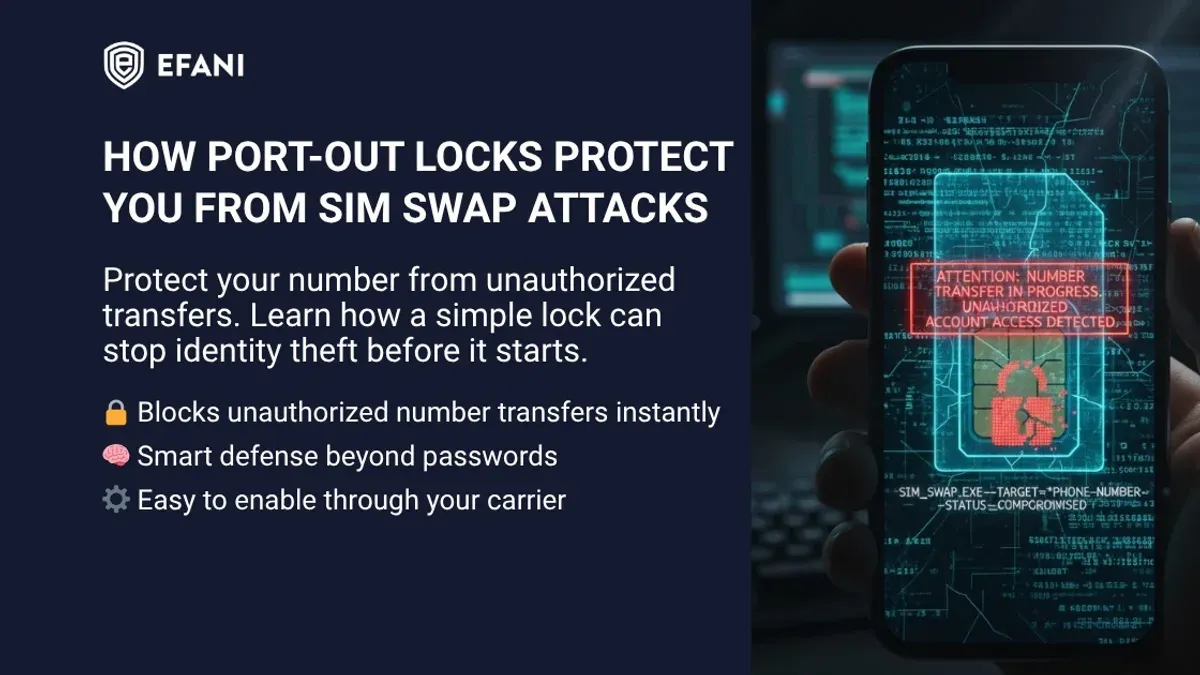
This article explains how AT&T port out protection helps secure mobile phone numbers from unauthorized transfers and outlines how to manage this feature effectively. Port out protection is a security measure designed to prevent criminals from moving a phone number to another carrier without the owner's consent, a tactic often used in identity theft and fraud.
AT&T’s port out protection adds an extra layer of verification before a number can be transferred, but understanding the specific settings and how they compare to competitors like T-Mobile can help users decide whether to enable or disable it. This guide covers how the feature works, the steps to activate or deactivate it, and common mistakes users make when managing this protection.
What is port out protection and why it matters
Port out protection is a security feature designed to prevent unauthorized transfers of a mobile phone number from one carrier to another, commonly known as "porting out." Without such protection, malicious actors can exploit the porting process to perform SIM swapping or number porting fraud, effectively taking control of a victim’s phone number.
SIM swapping is a growing concern in telecommunications security, where fraudsters impersonate a mobile user to convince the carrier to transfer the number to a new SIM card. This enables them to intercept calls and text messages, including two-factor authentication codes, putting personal accounts at risk of unauthorized access and identity theft.
Port out protection helps reduce these risks by requiring additional verification steps or by temporarily locking the ability to port the number without explicit user approval. For example, a user may need to enter a PIN or passcode before their number can be transferred, or the carrier may send alerts when porting requests are made.
Consider a scenario where a fraudster attempts to port a user’s number to a new carrier without consent. With port out protection enabled, this attempt is blocked or flagged, preventing loss of service and exposure of sensitive information. Without it, the victim could lose access to their phone number for hours or days, disrupting communication and potentially leading to financial loss.
Reported incidents of SIM swap scams have increased over recent years, highlighting the importance of safeguards like port out protection. Although exact figures vary, industry sources confirm that such fraud remains a significant threat to mobile users’ security and privacy.
Tip: Activating port out protection adds a critical layer of defense against unauthorized number transfers and is especially recommended for those who rely on their phone number for account security.
How AT&T’s port out protection works
AT&T implements port out protection through a series of authentication and verification steps that add layers of security before approving number transfer requests. When a customer initiates a port out, AT&T requires confirmation of the account holder’s identity via an account PIN or password, which serves as the primary barrier against unauthorized transfers.
By default, AT&T accounts have port out protection enabled as part of their security features. Customers must set up an account PIN, typically a four-digit number, which is required for any port out request. This PIN is distinct from the device unlock code or voicemail password and can be managed via the AT&T website under the “Profile” section or by calling customer service.
In addition to the PIN, AT&T may require answering security questions or verifying additional account details if the request appears suspicious or originates from an unfamiliar source. This multi-factor approach ensures that even if a bad actor obtains basic account information, they are unlikely to complete the port out without passing these hurdles.
For example, if a customer tries to move their number to another carrier, the new provider sends a port request to AT&T. AT&T then checks the request against the account’s PIN and security settings. If the PIN matches and no red flags arise, the request proceeds. If not, AT&T contacts the account holder to verify the request directly before approval.
Tip: Regularly updating the account PIN and reviewing account security settings can help maintain the effectiveness of port out protection.
How to turn port out protection on or off for AT&T
To enable or disable port out protection with AT&T, customers can use several methods including contacting customer service, managing their account online, or using the myAT&T mobile app.
Using Customer Service
Calling AT&T’s customer service at 1-800-331-0500 is a straightforward way to request changes to port out protection. After verifying account ownership through personal information and the account PIN, the representative will process the request. Typically, the change takes effect within a few hours, but it can sometimes take up to 24 hours.
Online Account Management
Customers can log in to their AT&T account at att.com and navigate to the “Profile” or “Security Settings” section. Here, the option to enable or disable port out protection may be listed under “Number Transfer Protection” or similar. Changing this setting requires entering the account password and may prompt additional identity verification steps, such as a security code sent via SMS or email.
Using the myAT&T App
In the myAT&T app, users select their wireless account, then tap “Account Settings,” followed by “Security” or “Port Out Protection.” Toggling the protection on or off will trigger verification prompts, often requiring the account PIN and a one-time code. After confirmation, a notification appears to verify the change was successful.
Worked example: A customer calls customer service to disable port out protection. After confirming their identity with the account PIN and answering security questions, the representative confirms the protection is turned off. The customer receives an email confirmation and notices the change reflected in the online account within a few hours.
Tip: Keep the account PIN and verification methods updated to avoid delays when changing port out protection settings.
Comparing AT&T and T-Mobile port out protection features
Both AT&T and T-Mobile offer port out protection designed to prevent unauthorized number transfers, but their approaches differ in user control, security layers, and ease of management.
| Feature | AT&T | T-Mobile |
|---|---|---|
| Activation and Control | Enabled or disabled via customer service, online account, or myAT&T app; changes require verification and take a few hours to apply. | Direct control through the T-Mobile app under "Port Validation" settings; users can toggle protection on or off instantly. |
| Security Layers | Relies on account PIN plus additional verification steps during port requests. | Uses multi-factor authentication, including app-based verification and optional passcodes for port validation. |
| Handling Unauthorized Attempts | AT&T flags suspicious port-out requests and may require identity verification before approving. | T-Mobile immediately blocks port requests if port validation is enabled and not properly authorized, providing real-time alerts via the app. |
| User Experience | Some users report delays when disabling protection and occasional confusion over required verification. | App interface allows quick toggling and instant notifications, offering more transparency and convenience. |
For example, an AT&T customer wanting to disable port out protection must contact support or use the app and wait for processing, which can take hours. In contrast, a T-Mobile user can open the app, navigate to "Profile" > "Security" > "Port Validation," and toggle the feature off immediately. If a suspicious port attempt happens, T-Mobile's real-time alerts give users a chance to react faster, while AT&T's process can involve additional verification steps that may delay response.
Tip: Mobile users valuing quick control and instant alerts may prefer T-Mobile's app-based port out protection, while those prioritizing layered verification might find AT&T's approach more reassuring.
Common mistakes and pitfalls when managing port out protection
One frequent error is disabling port out protection without fully understanding the security implications. For instance, some users turn off this feature to expedite number transfers, only to expose their accounts to unauthorized porting. In one reported case, a customer disabled port out protection and subsequently experienced a fraudulent number transfer within days, leading to temporary loss of access and identity theft risks.
Another common pitfall is neglecting to update account PINs or passwords after disabling port out protection. Since the protection relies heavily on these credentials for verification, outdated or weak security details can allow fraudsters to bypass protections more easily. Users often forget to strengthen their account security once the layered safeguards are removed.
It is also a mistake to assume that port out protection alone guards against all forms of mobile fraud. While it adds a significant barrier against unauthorized number transfers, it does not prevent other threats like phishing, malware, or social engineering attacks targeting account credentials. Relying solely on port out protection can create a false sense of security.
Tip: After any change to port out protection settings, review and update account PINs and passwords to maintain strong overall security.
When and why to consider removing AT&T port out protection
Disabling AT&T port out protection may be necessary primarily during carrier switching or to resolve specific porting issues. For instance, when transferring a number to a new provider, the added verification steps imposed by port out protection can sometimes cause delays or errors in the porting process. Temporarily disabling the feature can help expedite the transfer and prevent repeated rejections caused by mismatched account information or PIN verification failures.
However, removing port out protection carries risks. Without this layer of security, the phone number becomes more vulnerable to unauthorized porting attempts, which can lead to SIM swapping or identity theft. These risks increase if the protection is disabled permanently or for an extended period, especially if account credentials are weak or compromised.
To mitigate risks when disabling port out protection, it is recommended to limit the duration of the disablement to the shortest time necessary for the port or troubleshooting. Customers should strengthen their account security by updating their PINs and passwords immediately after re-enabling the feature. For example, a user facing repeated porting failures might disable protection via the myAT&T app, complete the port, then promptly reactivate it and change their security information to safeguard their account.
In summary, removing AT&T port out protection is a trade-off between smoother porting processes and increased exposure to unauthorized transfers, requiring careful timing and reinforced security measures to minimize vulnerabilities.
How to respond if you suspect unauthorized port out attempts
Detecting suspicious activity related to number porting often begins with unexpected service interruptions or receiving alerts about porting requests not initiated by the account holder. For example, if calls and texts suddenly stop working and a confirmation text about a porting request is received from an unknown source, this signals a potential unauthorized port out attempt.
Once suspicious activity is noticed, immediate contact with AT&T is crucial. Customers should call AT&T’s dedicated fraud support line at 1-800-331-0500 or use the live chat option on the official AT&T website to report the issue. Prompt reporting enables AT&T to place a temporary freeze on the account and initiate an investigation following their fraud response protocols, which prioritize account recovery and protection.
After reporting, implementing additional security measures is advised. This includes changing the account PIN, enabling two-factor authentication on the online account, and reviewing all account details for unauthorized changes. Restoring service can take several hours to a few days depending on the case complexity, but AT&T typically works to resolve incidents swiftly to minimize disruption.
Example: A user notices their phone losing service and receives a text about a port request they did not authorize. They immediately call AT&T fraud support, which suspends the port and secures the account. The user then resets their account PIN and activates extra verification steps, preventing further unauthorized attempts.
Further reading
- How to Understand, Protect, and Recover an AOL Mail Account After Hacking
- How to Recognize, Respond to, and Recover from a WhatsApp Account Hack
- How to Identify, Respond to, and Recover from a LinkedIn Account Hacked
- How to Stop Spam Texts on Android: Effective Step-by-Step Solutions
Frequently asked questions
How to turn off port protection att?
To turn off port protection with AT&T, customers must contact AT&T customer service directly, either by phone or through their online account. The representative will guide the user through the process of disabling the port block, which may require identity verification to ensure account security.
How to turn off port protection at&t?
Disabling AT&T's port out protection involves logging into the AT&T online account or app, navigating to the section for security or account settings, and selecting the option to disable port blocking. If this option is not visible, contacting AT&T support is necessary to request the removal of port protection.
How to remove port protection in at&t?
Removing port protection on AT&T requires either using the online account management tools or calling customer service. The process includes confirming the account holder’s identity and explicitly requesting the removal of the port block to allow number transfers.
Does at&t have port out protection?
Yes, AT&T offers port out protection, a security feature designed to prevent unauthorized transfer of phone numbers to other carriers. This feature blocks porting requests unless proper verification is completed, reducing risks of SIM swapping and number theft.
How to remove port protection att?
To remove port protection from an AT&T account, users must contact AT&T customer support or manage settings via their online account. Verification steps are required to ensure the request is legitimate before the port block is lifted.
Limits of port out protection advice
This advice does not cover specialized business or enterprise AT&T accounts that may have different porting policies. Port out protection does not guarantee immunity from all forms of number theft or fraud; it is one layer of security among several recommended safeguards, such as strong account passwords and monitoring account activity.
For most individual consumers, the most useful next step is to review the current port out protection setting on their AT&T account by logging into the AT&T online account portal or using the myAT&T app. Confirming whether port out protection is enabled or disabled allows users to make an informed decision based on their personal security needs and convenience preferences.