How to Change WeChat Password: Complete Step-by-Step Instructions
This guide explains how to change your WeChat password for login and payment securely with clear, step-by-step instructions.

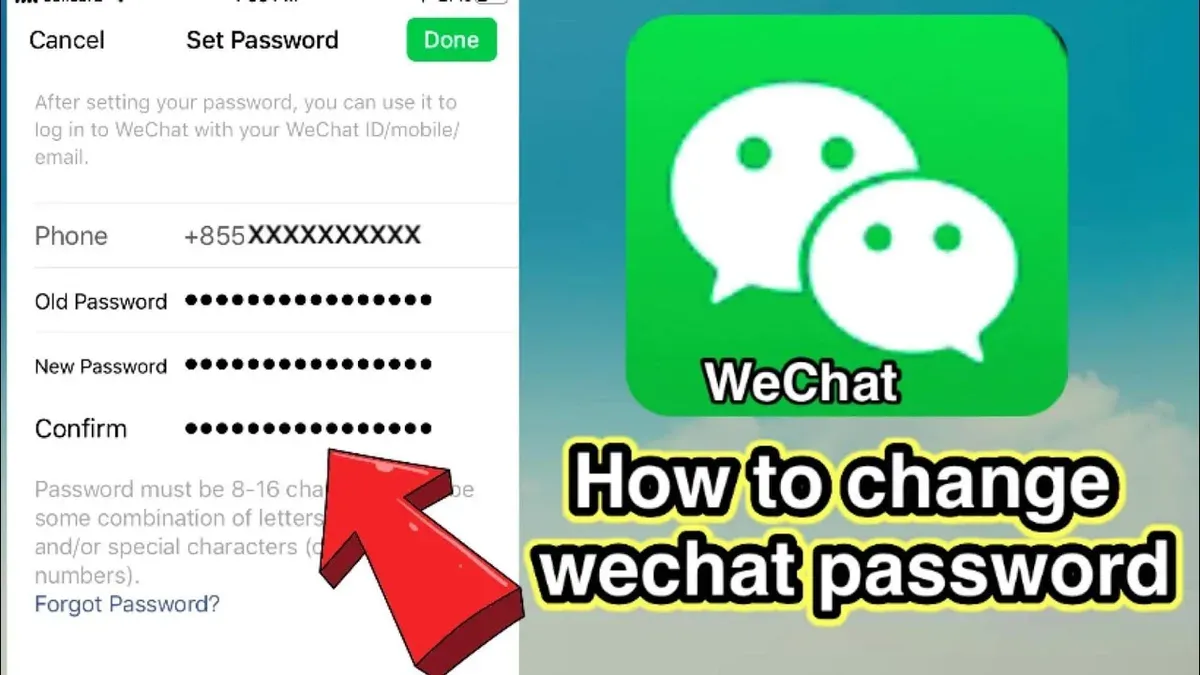
This article explains how to change WeChat password effectively, distinguishing between login and payment passwords while addressing common issues users face. Understanding the difference between these two password types is crucial for maintaining account security and seamless access.
Changing the login password involves navigating to specific settings within the WeChat app, whereas altering the payment password requires additional verification steps due to its financial implications. Many users confuse resetting with retrieving passwords, but WeChat does not allow direct password recovery; instead, it offers reset procedures that rely on linked phone numbers or email addresses.
By following clear, step-by-step instructions, WeChat users can update their credentials securely and regain access if they have forgotten passwords, avoiding potential lockouts or security risks.
Before you start: What is needed to change or reset a WeChat password
Changing or resetting a WeChat password requires specific account credentials and device readiness. It is important to distinguish between the login password and the payment password, as each has separate security measures and recovery options.
The login password is linked primarily to the WeChat ID, phone number, and any associated email address. Access to the linked phone number or email improves recovery success significantly. The payment password is tied to the WeChat Wallet and requires knowledge of the current payment password or verification through linked bank information or phone number.
A smartphone with an active internet connection is necessary to proceed. The WeChat app should be updated to the latest version available in the relevant app store to ensure compatibility with password management features.
- Confirm the WeChat ID or registered phone number by opening the app and checking the profile section; the ID or number should be visible and accurate.
- Verify the linked email address by navigating to Settings > Account Security > Email; an email should be listed if linked.
- Ensure the WeChat app is updated by visiting the device’s app store and checking for available updates; the app will show the latest version number.
- Check the device’s internet connection by opening a web page or another app requiring internet; a stable connection is indicated by successful loading.
Without a linked phone number or email, recovery options become limited and may require additional verification steps. Most users who have linked contact information find recovery or password changes straightforward within the app.
Tip: Keeping the WeChat app updated and maintaining current contact information linked to the account greatly improves the chances of smooth password management.
How to change WeChat password when logged in
Users who remember their current WeChat password can update it directly through the app's settings. This process applies to changing both the login password and the payment password, which are managed separately for enhanced security.
- Open the WeChat app and tap on the Me tab at the bottom right of the screen. This opens the profile and settings area.
- Tap Settings, then select Account Security. The account security page lists options related to password management.
- To change the login password, tap Password. Enter the current password when prompted, then input the new password twice to confirm. The new password must be at least 8 characters long and include a combination of letters, numbers, and symbols to meet complexity requirements.
- After submitting, a confirmation message will display if the password was successfully changed.
- To change the payment password, return to the Account Security page and tap Payment Password. Users must enter the current payment password, then set a new 6-digit numeric code. The payment password is strictly numeric and used for transaction authorization.
- Confirm the new payment password by re-entering it. A success notification will appear upon completion.
Tip: Choose a login password distinct from the payment password to enhance account security and reduce risk if one password is compromised.
How to reset password on WeChat if forgotten
- Open the WeChat app and tap "Log In" on the welcome screen. Then select "Forgot Password?". A screen offering phone number or email recovery options appears.
- Choose "Via Phone" if the phone number is linked to the account. Enter the phone number and tap "Next". A verification code is sent via SMS. Upon entering the correct code, proceed to the reset password screen.
- Alternatively, select "Via Email" if an email address is linked. Enter the email and tap "Next". A verification code is sent to the email inbox. Inputting this code correctly allows access to set a new password.
- Set a new login password following WeChat’s complexity rules (6-20 characters, letters, numbers, and symbols). Confirm the new password and submit. A confirmation message indicates the password change was successful.
- If neither phone nor email is linked, the user cannot reset the password via these methods. WeChat then recommends account recovery through friend verification or customer support, which can be time-consuming and less likely to succeed.
Tip: Resetting via phone number verification tends to have a higher success rate and faster completion compared to email due to immediate SMS delivery and prompt code entry.
How to change WeChat payment password
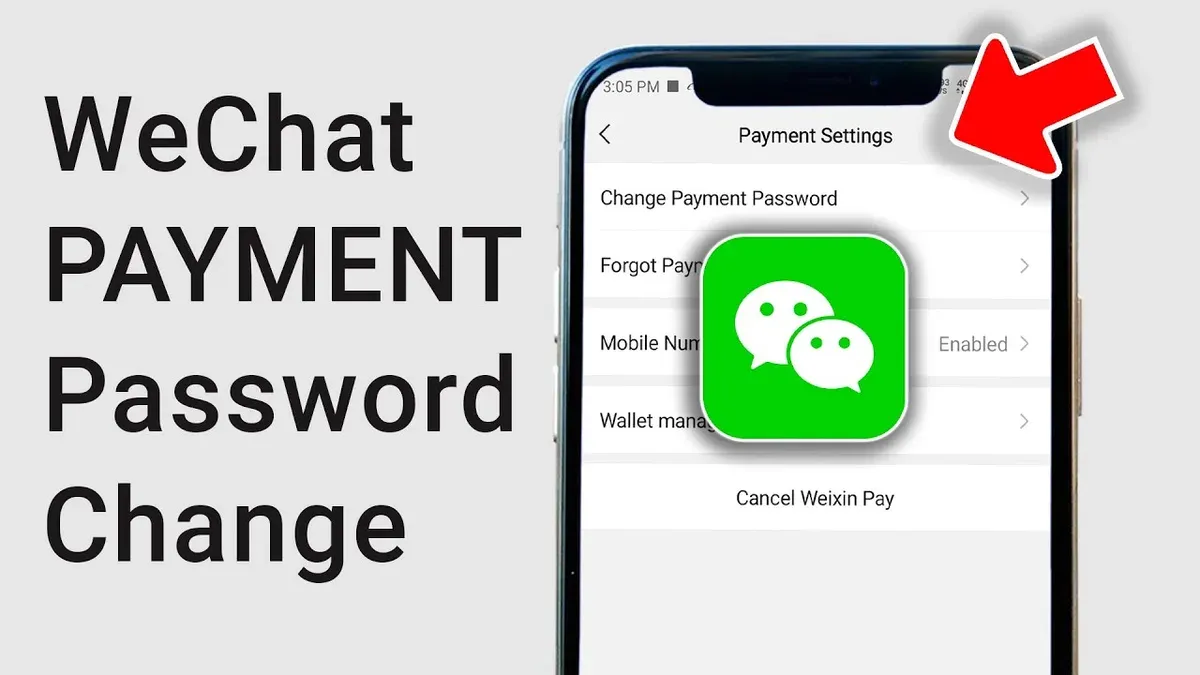
WeChat uses separate passwords for login and payment to enhance security. The login password grants access to the account, while the payment password protects financial transactions, requiring a distinct verification process.
| Password Type | Purpose | Security Level | Change Method |
|---|---|---|---|
| Login Password | Account access | Basic security | Changed under Account Security settings |
| Payment Password | Authorize payments | Higher security with verification | Changed in Wallet > Payment Settings |
- Open the WeChat app and tap the “Me” tab; the personal profile screen appears.
- Select “Wallet” from the menu; this opens payment-related options.
- Tap the three-dot icon or “...” at the top right to access “Payment Settings.”
- Choose “Change Payment Password”; a verification prompt appears.
- Verify identity by entering the current payment password or via SMS code sent to the linked phone number; successful verification leads to password input.
- Enter the new payment password twice to confirm; a confirmation message indicates the change was successful.
Tip: Avoid changing the payment password over public Wi-Fi and never share verification codes to prevent fraud.
Example verification prompt: “Please enter your current payment password or request a verification code sent to your linked phone number.”
How to login to WeChat and create a new account if needed
WeChat offers multiple login methods to accommodate different user preferences. The primary options include logging in with a password, scanning a QR code via another device, or using a phone number with verification.
- Open the WeChat app on the device. The login screen will display options including password login, QR code scan, and phone number login.
- To login with password, enter the registered WeChat ID or linked phone number and the password. Successful login directs to the home screen.
- To login via QR code, open WeChat on a second device, navigate to “Discover” > “Scan,” and scan the QR code shown on the first device’s login screen. Confirm login on the second device to proceed.
- To login using phone number, select the phone login option, enter the number, and input the verification code sent via SMS. Upon verification, access is granted.
When to create a new account: If password recovery is impossible due to missing linked contact information or if the account is permanently locked, creating a new account may be the practical choice. This allows fresh setup of login and payment credentials.
- To create a new account, tap “Sign Up” on the login screen.
- Enter a valid phone number and receive a verification code via SMS.
- Set a strong password following WeChat’s complexity requirements.
- Complete profile setup by adding a username and optional profile picture.
- Agree to the terms and conditions to finalize account creation and access the main interface.
Difference between WeChat and WeChat Work login: WeChat Work (now called WeCom) is designed for enterprise communication with distinct login credentials and does not share accounts with regular WeChat. Users must use separate login details for each app. WeChat Work supports QR code login and phone number login but is tailored for organizational accounts and internal tools.
| Feature | WeChat Work (WeCom) | |
|---|---|---|
| Account type | Personal | Enterprise |
| Login methods | Password, QR code, phone number | Password, QR code, phone number |
| Account sharing | Single account per user | Separate from WeChat account |
| Purpose | Social and payment | Business communication, management tools |
Tip: Using QR code login can speed up access when the password is forgotten but another trusted device is available.
How to recover WeChat password when traditional methods fail
When usual recovery options such as linked phone numbers or emails are unavailable, WeChat offers alternative methods to regain account access. One such method is using trusted contacts, a feature allowing designated friends to help verify the account owner’s identity.
- Open WeChat and go to the login screen, then select "Forgot Password?" and choose "Recover via Trusted Contacts." A list of previously designated trusted contacts will appear.
- Contact the trusted friends and ask them to visit their WeChat "Account Security" settings to approve the recovery request or provide a verification code.
- Enter the collected verification codes from trusted contacts into the recovery interface. Successful verification will allow password reset and account access.
Many users report successful recovery through trusted contacts, especially when traditional methods fail due to lost phone access or unlinked emails. However, this requires prior setup of trusted contacts within the account.
If trusted contacts are not set or the method fails, contacting WeChat support is the next step. Users can submit a detailed recovery request via the official WeChat Help Center or in-app support. Expect a process that may require uploading identity documents and waiting several days for review.
Precaution: Avoid third-party recovery services, which often pose security risks and violate WeChat’s terms of service, potentially leading to permanent account suspension.
In some cases, permanent account loss may occur if no verification options are linked, trusted contacts are unavailable, and identity cannot be verified through support. Creating a new account might then be the only solution.
Troubleshooting common issues when changing or resetting WeChat passwords
Users frequently encounter challenges during password updates or recovery, such as not receiving SMS verification codes, error messages, account lockouts, or problems related to app versions and device compatibility.
Problems receiving SMS verification codes
SMS delays or failures often result from network issues, carrier restrictions, or phone settings blocking messages. Ensuring a stable cellular connection and verifying that the phone number is correctly linked to the account can help. Temporarily disabling SMS blocking apps or filters may also resolve the problem.
Error messages during password reset
Common error messages include "Verification code expired," "Incorrect verification code," or "Password does not meet requirements." Verification codes typically expire after a few minutes, so requesting a new code promptly is essential. Passwords must meet WeChat’s complexity rules, such as a minimum length and combination of characters. Carefully reviewing error prompts helps identify the specific issue.
Handling account lockouts after multiple failed attempts
Repeated incorrect password or code entries can temporarily lock an account to protect security. Lockouts usually last from a few minutes to several hours. Waiting before retrying, clearing app cache, or restarting the device can assist. If lockout persists, contacting WeChat support may be necessary.
Dealing with outdated app versions or device compatibility
Using an outdated WeChat app can cause unexpected errors or prevent password changes. Confirming that the app is updated to the latest version through the official app store is advised. Additionally, some older devices may have compatibility issues; switching to a supported device can resolve this.
How to change WeChat ID and why it matters
The WeChat ID is a unique identifier used to log in and for others to find the account. It is distinct from the login password and cannot be used interchangeably. Changing the WeChat ID can improve personalization or privacy but is subject to strict rules.
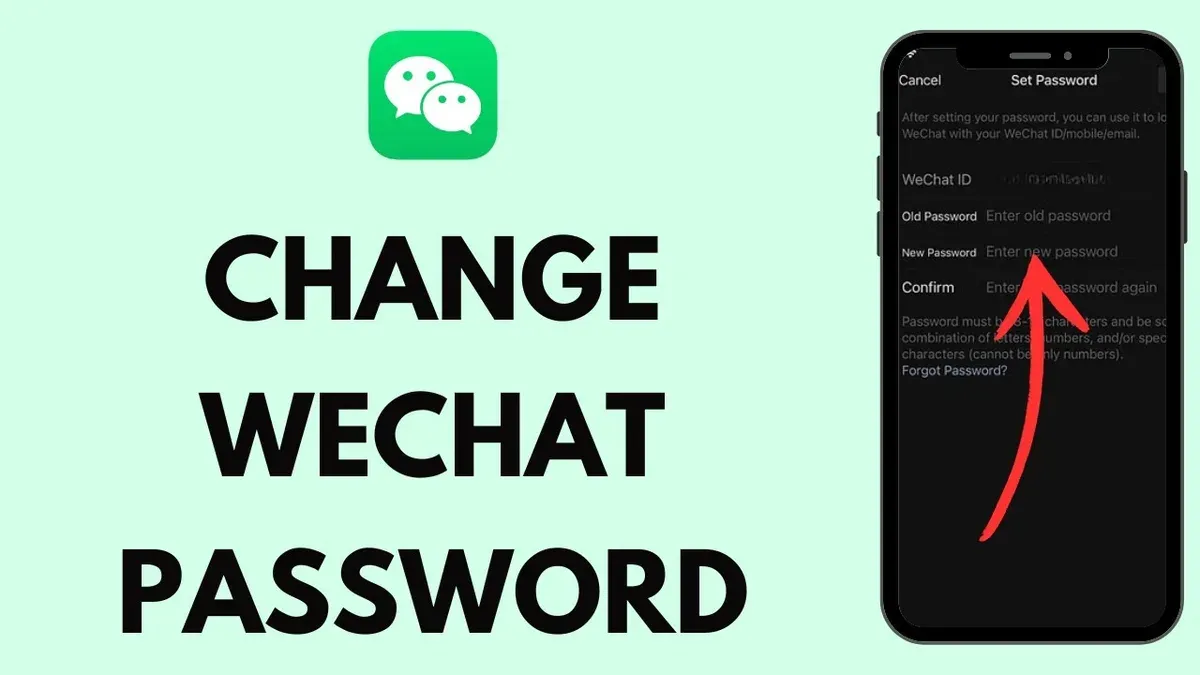
WeChat allows users to change their ID only once, making it essential to choose carefully. The ID must be 6 to 20 characters, starting with a letter and containing only letters, digits, underscores, or hyphens. Special characters and spaces are not allowed.
- Open WeChat and tap “Me” in the bottom menu.
- Select “Settings” and then “Account Security.”
- Tap “WeChat ID.” The current ID will be displayed, and if eligible, an option to change it will appear.
- Enter the desired new ID following the format rules and tap “Save.”
- Upon success, a confirmation message appears, and the new ID is immediately active for login and sharing.
Tip: If the option to change WeChat ID is not visible, it may mean the ID has already been changed once or the account is too new. In this case, creating a new account is the only alternative.
Changing the WeChat ID does not affect the login or payment passwords or other security settings. It solely changes the identifier used to locate the account. Users should keep their passwords secure regardless of any ID changes.
Official WeChat policy emphasizes the non-transferability and uniqueness of IDs, limiting changes to prevent abuse and impersonation. This policy helps maintain account authenticity but restricts flexibility.
Further reading
- How to Change Your Viber Password and Manage Accounts on Any Device
- How to Change Your TikTok Password on Any Device: A Complete Guide
- How to Change Your Snapchat Password: Complete Steps and Troubleshooting
- How to Change Signal Password: Step-by-Step Guide for Secure Messaging
Frequently asked questions
How to get wechat password?
WeChat passwords cannot be directly retrieved for security reasons. Users must set or reset their password through the app's account security settings or password recovery process. It is advisable to create a strong, memorable password and store it securely.
How to login wechat if forgot password?
If the WeChat login password is forgotten, users can reset it by selecting the "Forgot Password" option on the login screen. The app will guide through identity verification methods such as linked phone number, email, or trusted contacts to regain access.
How to find my wechat password?
The actual password is not visible within WeChat or any app interface for security protection. If the password is forgotten, the recommended approach is to reset it using the account recovery options available in the app.
How to retrieve wechat password?
Retrieving a WeChat password involves using the password reset feature rather than recovering the existing password. Verification may include SMS codes, email confirmation, or assistance from trusted contacts linked to the account.
How to get WeChat password if forgotten?
To get a WeChat password after forgetting it, initiate the password reset process from the login page. Follow the step-by-step prompts to verify identity and create a new password, ensuring continued account security.
Limits of this advice and when to seek additional help
This guide does not cover password recovery for WeChat accounts that lack linked phone numbers or email addresses, as these cases often require direct intervention from WeChat’s support team and may not be successful. Additionally, this advice is not a substitute for professional cybersecurity assistance if an account is suspected to be compromised or hacked, where specialized expertise is necessary to address the issue effectively.
For most users, the single most useful next step is to ensure that both the login and payment passwords are regularly updated through the official WeChat app’s settings under “Me” > “Settings” > “Account Security.” Keeping these credentials current and secure helps prevent unauthorized access and supports smooth account management.