Step-by-Step Guide for What to Do When a WooCommerce Site Is Hacked
This guide helps WooCommerce store owners quickly identify hacks and follow effective recovery steps to secure their site and protect customer data.

This article provides a clear, practical guide for WooCommerce store owners and site managers facing the urgent question: WooCommerce site hacked what to do. It outlines how to identify signs of compromise, understand the typical hacking methods targeting WooCommerce, and implement effective recovery steps tailored to e-commerce operations.
Unlike generic WordPress security advice, this guide focuses on the unique risks and recovery challenges of WooCommerce, where customer data and sales continuity are critical. Immediate actions after discovering a breach can limit damage, while realistic assessment helps prioritize response efforts.
From cleaning the site to strengthening defenses and communicating transparently with customers, this explainer walks through each stage of incident response to restore trust and operational stability.
Understanding the Unique Risks Facing WooCommerce Stores
WooCommerce is a widely used e-commerce platform built on WordPress, enabling businesses to sell products and services online. Its extensive plugin ecosystem allows for customization but also introduces multiple points of vulnerability. Unlike generic WordPress sites, WooCommerce stores handle sensitive data such as payment information, customer details, and product inventories, making them high-value targets for cybercriminals.
Payment gateways integrated with WooCommerce, such as Stripe, PayPal, or various local processors, often involve complex API connections and token exchanges. Misconfigurations or outdated plugins in these payment systems can create exploitable entry points. Additionally, product data including pricing, descriptions, and stock levels are vulnerable to tampering, which can affect sales and inventory management.
Customer information stored in WooCommerce databases—names, addresses, emails, and purchase histories—can be extracted during breaches. This not only compromises privacy but also damages customer trust, potentially leading to loss of repeat business and negative brand perception. The financial impact extends beyond immediate theft, as businesses may face regulatory penalties and costs associated with remediation.
Statistics show e-commerce sites frequently experience targeted attacks, with a notable percentage involving attacks on payment processing systems or data theft from customer accounts. For example, a mid-sized online retailer experienced a breach where hackers exploited an outdated WooCommerce plugin to access credit card tokens and customer emails. This incident led to a temporary shutdown, loss of sales during peak season, and a costly customer notification process.
Because WooCommerce stores operate as both content management systems and transactional platforms, the risks are twofold: attacks can disrupt online sales functionality and expose sensitive data. Unlike general WordPress hacks focused mostly on defacement or spam, WooCommerce breaches often have immediate financial consequences and long-term reputational damage.
Tip: Regularly audit all active WooCommerce extensions and payment gateway settings under WooCommerce > Settings > Payments to identify outdated or unused components that could increase risk.
Signs and Symptoms Indicating a WooCommerce Site Has Been Compromised
Recognizing that a WooCommerce site has been hacked can be challenging without clear indicators. However, certain signs often point to a breach and warrant immediate attention. These include unusual order patterns, unexpected changes to product listings or pricing, user complaints about suspicious activity, and alerts from security tools or hosting providers.
One common symptom is the appearance of unusual orders or transactions. For example, an influx of orders with invalid payment details or multiple purchases from the same account within a short span can suggest fraudulent activity. In some reported cases, store owners noticed orders for high-value items shipped to unfamiliar addresses or sudden spikes in order volume that did not correlate with marketing efforts.
Unexpected modifications to product listings or prices often indicate unauthorized access. Hackers may alter prices to very low amounts to facilitate fraudulent purchases or add unauthorized products to the catalog. A real case involved a WooCommerce store where the price of a premium product dropped from $299 to $0.01, leading to a flood of exploitative purchases before the breach was detected.
User complaints provide another critical source of clues. Site users may report login difficulties or notice suspicious account activity such as password resets they did not initiate or unfamiliar payment methods linked to their profiles. These issues often surface through customer support channels and should be tracked closely for potential security incidents.
Security plugins like Wordfence or Sucuri and hosting providers often generate alerts about suspicious behavior. These can include repeated login failures, detection of malware signatures, or unusual file changes in the WooCommerce directory structure. Ignoring such alerts can delay breach detection and worsen the impact.
Worked example: A WooCommerce store owner observed several customers reporting that their accounts were accessed without permission. Simultaneously, the site’s security plugin flagged multiple failed login attempts from foreign IP addresses. The store also received orders for expensive electronics that were never paid for, and some product prices appeared altered in the backend WooCommerce menu under Products → All Products. These converging signs confirmed a compromise, prompting immediate response actions.
Store managers should regularly review WooCommerce's Orders menu and Products listings for anomalies, monitor customer feedback for unusual complaints, and maintain active monitoring tools to detect suspicious activities promptly.
Tip: Set up email notifications for unusual order activity and login attempts within WooCommerce settings and your security plugin to catch early warning signs.
How Hackers Typically Breach WooCommerce Sites
WooCommerce sites face a diverse range of attack vectors that exploit specific weaknesses in their platform and ecosystem. A common entry point is the exploitation of outdated WooCommerce core files or extensions. Many site managers delay updates, creating vulnerabilities that attackers quickly identify and target. For example, an old version of a popular WooCommerce payment gateway plugin might contain a known flaw allowing unauthorized users to execute arbitrary code.
Another frequent attack method involves weak administrative credentials combined with brute force attacks. Attackers use automated scripts to repeatedly guess usernames and passwords, especially when default or simple credentials remain unchanged. WooCommerce stores that do not enforce strong password policies or two-factor authentication are particularly vulnerable to such credential-based breaches.
Cross-site scripting (XSS) and SQL injection attacks also pose significant threats to WooCommerce endpoints. These attacks exploit insufficient input sanitization in areas like product reviews, search bars, and checkout forms. For instance, an attacker may inject malicious scripts via a product review that executes in the administrator’s browser, enabling session hijacking or privilege escalation. SQL injection can allow direct access to the underlying database, potentially exposing sensitive customer and order information.
Third-party payment plugins are another critical vulnerability source. These plugins often integrate with external payment processors but may not follow consistent security standards. A flaw in a less reputable payment plugin can serve as a backdoor, permitting attackers to intercept payment details or manipulate transaction data. Because these plugins operate at a high privilege level, their compromise has especially severe consequences.
Cybersecurity reports covering e-commerce platforms generally confirm that exploitation of outdated software and credential attacks are among the most frequent breach methods, followed by injection-based attacks and third-party plugin vulnerabilities. For example, a WooCommerce site running an unpatched version of a widely used shipping extension once allowed attackers to upload malicious files, gaining full server access.
Tip: Regularly auditing installed plugins and themes for updates and known vulnerabilities, combined with enforcing strong admin credentials, significantly reduces common breach risks.
Initial Actions to Take Immediately After Discovering a Hack
Once a WooCommerce site hack is detected, immediate containment steps are critical to limit damage and preserve evidence for investigation. The first action is to take the site offline or activate maintenance mode. This prevents further unauthorized transactions or data changes while signaling to visitors that the site is temporarily unavailable. Most WooCommerce setups have a maintenance mode option accessible via plugins such as "WP Maintenance Mode" or through hosting control panels like cPanel or Plesk. Activating maintenance mode usually results in visitors seeing a clear message like "Site undergoing maintenance, please check back later," preventing confusion or lost trust.
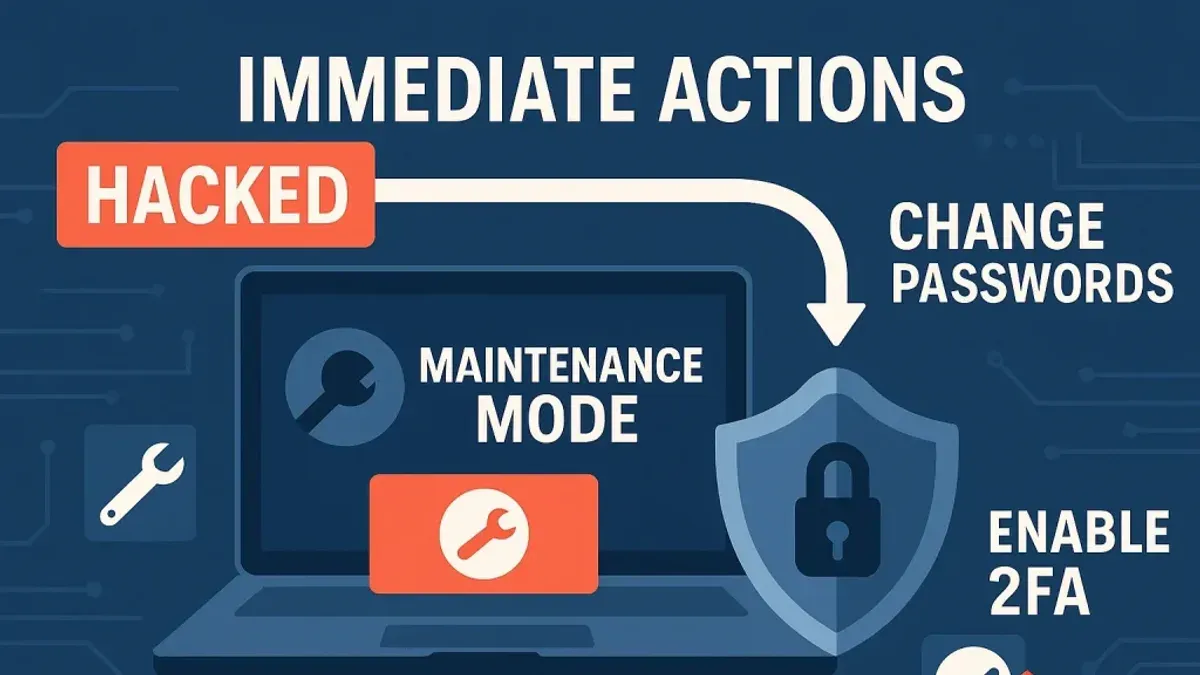
Next, all administrative and database passwords must be changed without delay. This includes WordPress admin accounts, FTP/SFTP, hosting control panel credentials, and any database user passwords. Using complex, unique passwords reduces the risk of continued access by attackers. For example, updating the database password in the wp-config.php file must be done carefully to maintain site functionality once restored.
Contacting the hosting provider is essential to alert them of the breach. Hosting companies can assist by reviewing server logs for suspicious activity such as unusual IP addresses, file modifications, or unexpected cron jobs. These logs may reveal the point of entry or malware persistence. Hosting support can also temporarily suspend accounts if malicious activity is ongoing, further protecting other hosted sites.
Creating a full backup of the compromised site in its current state is a crucial step for forensic analysis. This backup should include all files, databases, and server configurations. It acts as a snapshot of the breach, allowing security professionals to analyze malware, backdoors, or unauthorized changes without risking further damage. The backup can be made using plugins like "UpdraftPlus" or through the hosting control panel's backup tools.
For example, a WooCommerce store owner notices unusual order emails with random product quantities. They immediately enable maintenance mode via the WP dashboard plugin settings, change all passwords through WordPress and the hosting dashboard, notify the hosting provider who identifies an unknown IP repeatedly accessing the admin area, and take a full backup using the hosting backup utility. The site now displays a maintenance message, preventing new orders, while the owner has secured access and gathered data for cleanup.
Tip: Before changing passwords, ensure all devices used for administration are secure to prevent attackers from capturing new credentials.
Assessing the Extent of Damage and Data Breach
After containing a WooCommerce site hack, assessing the full extent of damage is critical to understand what data or functionality has been compromised. This evaluation shapes the recovery plan and informs any necessary customer notifications.
Checking Customer Data and Payment Records
Start by reviewing customer information stored in WooCommerce. Navigate to WooCommerce > Customers and verify the integrity of customer profiles, addresses, and order histories. Look for unexpected changes such as new users with administrator roles or altered customer emails.
Payment records require special attention. Confirm that transaction logs and payment gateway records match up, ensuring no unauthorized refunds or adjustments have been made. If your store retains any payment data locally (which should be minimal due to PCI compliance), verify it has not been accessed or extracted.
Identifying Malicious Code and Backdoors
Malicious actors often inject hidden code or backdoors to maintain access after initial removal. Use security plugins like Wordfence or Sucuri to scan for modified files, suspicious PHP scripts, or unknown scheduled tasks. Focus on directories such as wp-content/plugins and wp-content/themes where code injection is common.
Manually check the wp-config.php file and .htaccess for unusual entries or redirects. Backdoors may be disguised as innocuous files with recent modification dates.
Evaluating Exposure of Sensitive Data
Determine if customer payment information or personal data has been exposed by analyzing server logs for unusual data exports or downloads. Check access logs for IP addresses with abnormal activity.
If personal identifiable information (PII) has been compromised, compliance with data protection regulations requires timely disclosure to affected customers and authorities.
Assessing SEO and Content Manipulation
Hackers sometimes alter website content or inject spam links to exploit SEO value. Review product pages, blog posts, and the homepage for unauthorized content changes or hidden links leading to suspicious sites.
Use Google Search Console to check for manual action notifications or sudden drops in traffic that may indicate SEO damage.
Example Audit Checklist for WooCommerce Data Integrity
| Check | Location/Tool | Purpose |
|---|---|---|
| Customer account roles and details | WooCommerce > Customers | Detect unauthorized account changes |
| Order and payment history consistency | WooCommerce > Orders + Payment gateway dashboard | Identify fraudulent transactions or refunds |
| File integrity scans | Security plugin scan reports | Find injected malicious code or backdoors |
| Suspicious files and recent modifications | FTP or file manager, check wp-config.php and.htaccess | Locate hidden backdoors or redirects |
| Server access logs | Hosting control panel or server logs | Spot unusual data access or exfiltration |
| Content and SEO audit | Website frontend and Google Search Console | Discover unauthorized content changes or SEO penalties |
Tip: Prioritize restoring from a clean backup only after confirming the backup is free from injected malware or compromised data.
Cleaning and Restoring the WooCommerce Site Securely
After identifying the scope of a hack, the next critical phase involves removing malicious code and restoring the WooCommerce site to a secure, functional state. This process should begin with scanning the entire site for malware and unauthorized files using tools such as Wordfence or Sucuri Security. Focus on directories like wp-content/plugins, wp-content/themes, and the root WordPress installation where hackers often inject backdoors or altered scripts.
Removing malware manually requires careful file-by-file inspection to avoid deleting essential WooCommerce or WordPress files. Automated tools can assist, but they may also flag false positives. When in doubt, compare files against a clean version from the official WordPress repository or plugin sources.
If a clean backup exists—ideally one created before the breach—restoring it is often the fastest and safest recovery method. Sites restored from a verified clean backup typically experience fewer lingering issues and reduced downtime compared to those cleaned without backups. For example, a store restoring from a backup made just days before the breach can focus on updating and hardening security rather than extensive malware removal.
After cleanup or restoration, immediately update WooCommerce, all active plugins, and the WordPress core to their latest stable releases via the WordPress admin dashboard under Dashboard > Updates. This step closes vulnerabilities that hackers exploited initially.
Once updates are applied, perform thorough testing of critical e-commerce functions. Check the full checkout process, including product selection, cart updates, payment gateway transactions, and order confirmation emails. Testing on a staging site before pushing changes live is recommended to avoid disrupting customers.
Tip: Use a payment gateway sandbox mode (e.g., PayPal Sandbox or Stripe Test Mode) to verify transaction flows without affecting real accounts or funds.
One common oversight during recovery is neglecting to check customized payment plugins or third-party integrations, which can harbor hidden malicious code or vulnerabilities. Confirm these components are clean and up to date.
Finally, reset all API keys and payment gateway credentials, as attackers may have copied or altered them during the breach. This step helps prevent unauthorized transactions after restoration.
By following these targeted recovery steps, WooCommerce site owners can minimize disruption, restore customer trust, and reduce the risk of repeat attacks.
Hardening WooCommerce for Future Protection
Protecting a WooCommerce store from future attacks requires targeted security measures that address the platform's specific vulnerabilities. Employing security plugins designed for e-commerce environments can significantly reduce risks. For example, plugins like Wordfence or iThemes Security offer features such as real-time threat detection, firewall rules tailored to WooCommerce endpoints, and login attempt restrictions that help block common attack vectors.
Tip: Choose plugins that explicitly mention WooCommerce compatibility to ensure coverage of payment and customer data pathways.
Implementing two-factor authentication (2FA) for all administrator accounts is another crucial step. Activating 2FA via plugins like Google Authenticator or Authy adds an extra layer of identity verification beyond passwords, which are often targeted by brute-force attacks. Enforcing 2FA on accounts with access to the WooCommerce dashboard, especially under the "Users" menu by enabling two-factor options under each admin user profile, has been shown to reduce unauthorized access attempts by a significant margin in many e-commerce setups.
Regularly reviewing and updating payment gateway plugins is essential since these plugins handle sensitive transaction data and are frequent targets for exploitation. Navigating to WooCommerce » Settings » Payments allows store managers to identify installed gateways and verify their update status. Delaying updates can leave known vulnerabilities unpatched, increasing breach likelihood. A concrete example is the common delay in updating outdated PayPal or Stripe extensions, which hackers exploit through injection or cross-site scripting attacks.
Limiting admin user permissions by following the principle of least privilege minimizes internal risk and potential damage if an account is compromised. WooCommerce roles such as Shop Manager, Editor, and Administrator should be assigned carefully, ensuring users have only the permissions necessary for their tasks. This can be managed under Users » All Users, editing roles and capabilities, or by using role management plugins like User Role Editor. For instance, a customer service representative can be assigned the Shop Manager role, which restricts access to core site settings and code, reducing exposure to critical configurations.
Stores that implement these combined measures—security plugins with WooCommerce-specific defenses, universal 2FA for admins, prompt payment plugin updates, and strict permission controls—often see a clear decline in breach attempts and successful intrusions. While exact numbers vary by store size and traffic, security professionals note these steps collectively contribute to a much stronger defense posture and quicker incident response capability.
Communicating the Breach to Customers and Stakeholders
After a WooCommerce site hack, timely and transparent communication with customers and stakeholders is crucial to maintaining trust and complying with legal obligations. Notification should occur as soon as the extent of the breach and affected data is reasonably determined, without unnecessary delay. This allows customers to take protective actions, such as monitoring accounts or changing passwords.
Legal requirements for breach disclosure vary by region and often depend on the type and sensitivity of data exposed. For example, the European Union's General Data Protection Regulation (GDPR) mandates notification to affected individuals and data protection authorities within 72 hours of discovering a breach involving personal data. In contrast, US regulations can differ by state and sector, with some requiring immediate notification and others allowing a grace period. Understanding the specific regulatory framework applicable to the WooCommerce store’s customer base is essential to avoid penalties and ensure compliance.
Maintaining customer trust hinges on clear messaging that explains the breach's nature, what data was affected, and the steps taken to secure the site and prevent future incidents. This communication should come from a trusted source within the company and be delivered through multiple channels, such as email, website banners, and social media. Outlining concrete measures—like password resets, increased monitoring, or enhanced security protocols—helps reassure customers that their protection is a priority.
Tip: Preparing pre-drafted templates for breach notifications and FAQs can streamline communication when time is critical.
Customer support teams should be equipped with detailed information and training to respond effectively to inquiries. Anticipating common questions about the breach’s impact, data safety, and next steps enables a consistent and empathetic response. Providing dedicated support channels, such as a hotline or live chat, can help manage the volume of concerns and demonstrate commitment to customer care.
Research indicates that companies that disclose breaches promptly and transparently tend to retain a higher percentage of customers compared to those that delay or minimize communication. For instance, a retail WooCommerce store that openly communicated a payment data exposure, detailed remedial actions taken, and offered credit monitoring services observed a smaller drop in repeat purchases than a competitor who initially withheld information and only disclosed after media pressure.
In practice, a WooCommerce store manager might send an email to affected customers explaining that the breach was detected on a specific date, identifying the compromised information such as names and payment details, and describing the immediate shutdown of the payment system to prevent further risk. The message would also provide clear instructions on what customers should do next and contact details for support.
Common Mistakes to Avoid During WooCommerce Incident Response
Failing to preserve forensic data immediately after discovering a hack is a critical error that can hinder investigation and recovery. For example, a WooCommerce store owner who deleted server logs before consulting a security expert lost vital information about the attack vector and timeline, prolonging downtime and complicating legal reporting requirements.
Another frequent misstep is rushing to restore the site from backups without ensuring complete malware removal. In one case, a store restored a backup that contained a hidden backdoor, leading to repeated reinfections and ongoing unauthorized access despite multiple cleanings.
Neglecting to update all software components post-breach also exposes the site to repeated exploitation. Attackers often exploit outdated WooCommerce core files, themes, or plugins. A notable incident involved a store that updated only its payment gateway plugin but left the WooCommerce core and other extensions outdated, allowing hackers to regain control through known vulnerabilities.
Finally, failing to review and adjust user roles and permissions after a hack can leave dangerous access open. A store administrator who did not revoke compromised credentials or audit user capabilities found that unauthorized users retained admin rights, enabling further malicious activities even after site restoration.
Tip: After a breach, systematically document all findings, perform comprehensive malware scans, update every component from WooCommerce core to plugins, and audit user accounts via WooCommerce > Users and WordPress > Users to revoke or tighten permissions as needed.
When to Seek Professional Help for WooCommerce Security Incidents
Not every WooCommerce security incident can be resolved through internal efforts. Complex malware infections or persistent backdoors often require specialized knowledge beyond routine cleanup. For example, a store owner might repeatedly remove suspicious files only to find them reappearing, indicating a hidden backdoor that automated scanners miss. In such cases, professionals with advanced forensic tools and malware analysis skills can identify and eliminate threats more thoroughly.
Legal compliance can also necessitate external assistance. If customer payment data or personally identifiable information (PII) has been compromised, store managers must navigate data breach notification laws and industry standards such as PCI DSS. Professional security consultants and legal advisors help ensure that breach disclosures meet regulatory requirements and avoid costly penalties.
Lack of internal security expertise is a practical reason to seek help. WooCommerce managers or small teams without dedicated security personnel may overlook critical signs or misconfigure recovery steps, prolonging downtime. Experts bring experience in securing e-commerce environments, including configuring server firewalls, implementing robust monitoring, and validating payment gateway integrity.
Ongoing suspicious activity despite initial cleanup efforts signals that the incident is not fully resolved. If unusual login attempts, unauthorized transactions, or unexpected system behavior continue after a cleanup, professional intervention is advisable to perform a comprehensive audit and strengthen defenses.
Comparison of outcomes shows that self-managed recoveries may restore site functionality faster initially but risk incomplete removal of threats, leading to repeated incidents. Professional remediation typically involves a longer initial timeline but reduces the likelihood of reinfection and associated losses.
Example: A WooCommerce store experienced a hack resulting in malware injection that redirected customers to phishing sites. The owner attempted manual removal using file scanning plugins but noticed redirections persisted days later. Hiring a security firm enabled a deep code audit, removal of hidden backdoors, reconfiguration of payment plugins, and implementation of enhanced monitoring. This approach restored customer trust and prevented revenue loss from continued fraud.
Tip: When unsure about the completeness of a WooCommerce hack cleanup or the legal implications, engaging professionals can save time, money, and reputation in the long run.
Further reading
- How to Secure a WooCommerce Website: A Step-by-Step Guide
- Shield Security Review 2026: Real-World Protection for WordPress Sites
- MalCare Review 2026: In-Depth Security Performance and Alternatives
Frequently asked questions
How can one tell if a WooCommerce site is hacked without technical expertise?
Indicators accessible to non-technical users include unexpected changes to the site’s homepage, unusual error messages, slow loading times, or unfamiliar admin users listed under WooCommerce > Users. Customers reporting strange emails or payment issues can also signal compromise. Checking for alerts from security plugins like Wordfence or Sucuri can provide additional clues without deep technical knowledge.
What are the most critical steps to secure payment information after a breach?
Immediately notify the payment gateway provider to suspend transactions and review recent activity. Change all API keys and credentials related to payment processing. Ensure SSL certificates are active and valid, and consider temporarily disabling payment options until the site is fully cleaned and secured to prevent further data exposure.
Is it safe to continue processing orders immediately after discovering a hack?
Continuing to process orders without confirming the site's integrity risks further data compromise and financial loss. It is advisable to pause order processing until a thorough security assessment and cleanup are completed. Resuming transactions prematurely can undermine customer trust and complicate incident response efforts.
Which WooCommerce plugins are known to introduce security vulnerabilities?
Plugins that are outdated, poorly maintained, or sourced from unofficial repositories often pose security risks. Examples commonly reported include outdated versions of payment gateway add-ons or third-party extensions with limited support. Regularly reviewing plugin updates and removing unused or unsupported plugins reduces vulnerability exposure.
Limits of This Guide and When to Seek Specialized Support
This guide does not cover recovery of WooCommerce sites with highly customized or legacy code requiring developer expertise. If access to the WordPress admin dashboard or hosting control panel is lost, professional incident response specialists may be needed to regain control and prevent further damage. The advice assumes basic access to update plugins, themes, and settings.
Tip: Maintaining regular backups stored off-site is critical to enable recovery regardless of the attack complexity.
The most practical next step after identifying a compromise is to immediately reset all admin and user passwords via WooCommerce > Users and your hosting control panel, followed by updating all plugins, themes, and WordPress core to their latest versions. This reduces ongoing risk while preparing for a thorough cleanup and review of security measures.