Signal Account Hacked: How It Happens and What to Do Next
This guide explains how Signal accounts can be compromised and offers practical advice to secure your account and recover access safely.

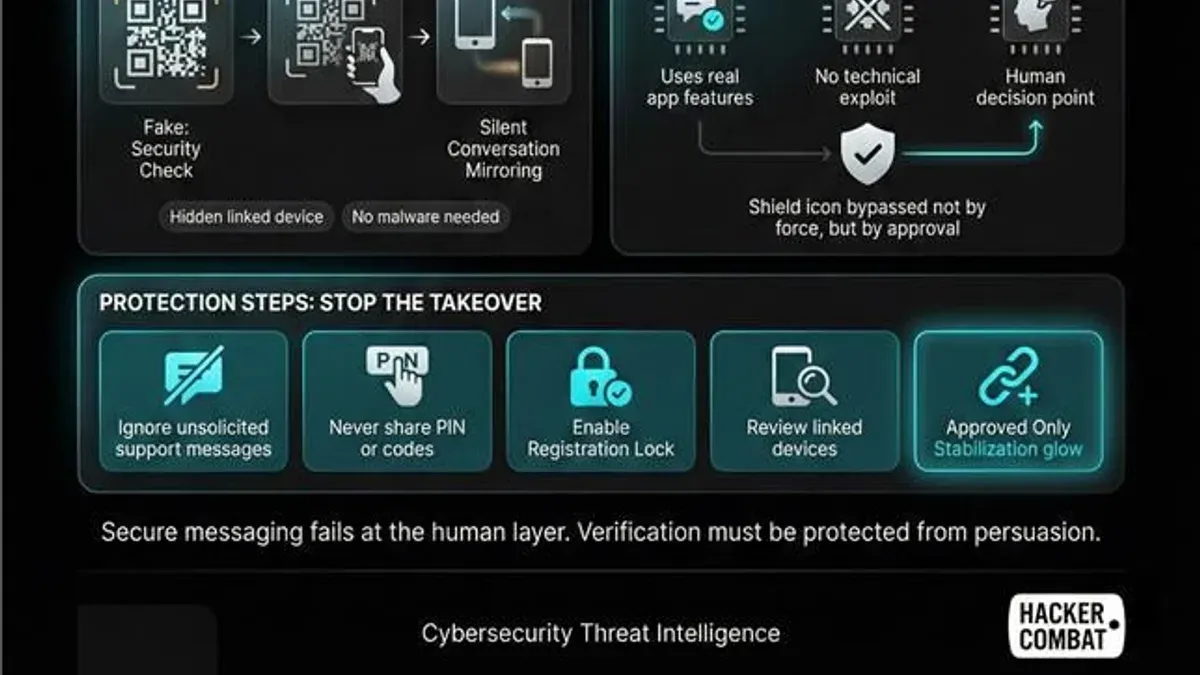
This article explains how a Signal account hacked scenario can occur, clarifies common misunderstandings about Signal's security, and offers practical advice for users worried about their account's safety.
Signal uses end-to-end encryption and device-based registration to protect user messages and data, making traditional account hacking more challenging than on many other platforms. However, no system is immune to risks related to lost devices, SIM swapping, or social engineering attacks targeting account access.
Understanding how Signal works, recognizing signs that an account or phone might be compromised, and knowing the correct steps to report and recover access are crucial for maintaining security. This guide addresses these points and provides actionable tips to help users protect their Signal accounts from unauthorized access and minimize potential damage.
What is a Signal account and how does it work
A Signal account is uniquely tied to a user’s phone number rather than a traditional username or email. When setting up Signal, the app verifies the phone number through a one-time code sent via SMS, linking the account to that device. Unlike many messaging apps, Signal does not use passwords or centralized credentials stored on servers; instead, the security model revolves around device registration and cryptographic keys.
During registration, Signal generates a pair of cryptographic keys on the device. These keys enable end-to-end encryption, meaning messages are encrypted on the sender’s device and decrypted only on the recipient’s device. Signal uses open-source protocols, including the Signal Protocol, which is widely regarded for its strong security and privacy protections. All message content, attachments, and calls are encrypted in transit and cannot be accessed by Signal’s servers.
For example, when a Signal user sends a message to a contact, the message is encrypted with the recipient’s public key and can only be decrypted by their private key stored securely on their device. This process ensures that even if intercepted, the message remains unreadable to anyone else, including Signal itself.
This approach differs from typical app accounts, which often rely on server-stored passwords and centralized message storage. Signal’s model emphasizes device control and cryptographic verification, reducing risks associated with traditional account breaches.
Can a Signal account be hacked and what does that mean
Signal’s architecture minimizes the risk of traditional account hacking by eliminating password use and storing no centralized credentials. Instead, Signal accounts rely on a phone number and device-generated cryptographic keys, making credential theft less relevant. However, this does not make Signal accounts immune to compromise.
Most breaches happen at the device level or through social engineering methods. For example, attackers may use phishing to trick users into revealing verification codes or employ SIM swapping—a technique where a phone number is transferred to a new SIM card controlled by the attacker—to gain access to the Signal account on another device. With physical access to the phone, an attacker could also read messages directly or install malicious software.
Signal has not experienced any known large-scale server breaches or leaks of user messages, thanks to its end-to-end encryption and minimal data retention. Nevertheless, isolated incidents of user account compromise have been reported, often linked to vulnerabilities in the broader mobile ecosystem rather than Signal itself.
Consider a scenario where an attacker convinces a mobile carrier to port a user’s number to a new SIM card. The attacker then installs Signal on their device using that number, receives the verification code via SMS, and gains control of the Signal account. This illustrates that while Signal’s design protects against many hacking vectors, account takeover remains possible through external weaknesses.
Signs your Signal account or phone might be hacked
Spotting a hacked Signal account or compromised phone often starts with noticing unusual activity within the app or device. One common sign is unexpected message behavior, such as messages sent or received that the user did not initiate. Checking Signal’s linked devices can reveal unknown sessions; this is found under Signal settings by navigating to Settings > Linked Devices. If an unfamiliar device appears here, it could indicate unauthorized access.
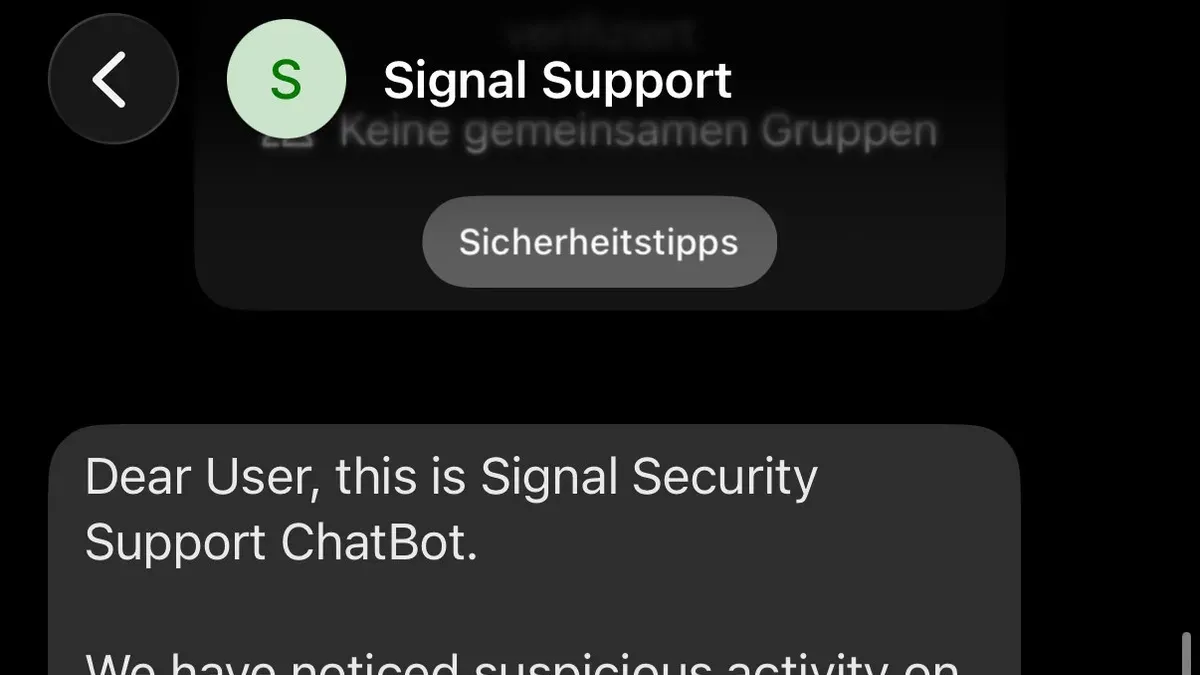
Another warning is receiving verification codes for Signal without requesting them. These codes typically arrive via SMS or in-app prompts when someone tries to register the account on a new device. Unsolicited codes may suggest attempts at SIM swapping or account takeover.
Sudden loss of access to Signal, including unexpected logouts or error messages when signing in, can be a sign of account hijacking. Users have reported instances where they were locked out after attackers registered the same phone number on a different device.
Beyond the app, suspicious phone behavior may accompany hacking attempts. This includes rapid battery drain, unusual app crashes, or strange phone operations like random restarts or unknown background activity. Such symptoms might indicate malware or spyware installed to capture Signal data indirectly.
For example, a user might notice their battery percentage dropping rapidly while Signal remains active, coupled with random logouts from the app and messages visible in the linked devices list that they did not send. These combined signs strongly suggest a breach requiring immediate attention.
How to report and recover a hacked Signal account
If a Signal account is suspected to be compromised, the first step is to immediately unregister the account from all lost or potentially hacked devices. This can be done by installing Signal on a new, secure device and registering the phone number again; this action automatically deregisters the old device.
Next, contact Signal Support through their official help center or email ([email protected]) to report the compromise. Provide clear details such as the phone number linked to the account, the nature of the suspected breach, and any unusual activity observed. Signal’s support team can offer guidance and monitor for suspicious activity.
Tip: Enable the Registration Lock PIN in Signal’s settings under Privacy > Registration Lock to prevent unauthorized re-registration of the phone number on new devices.
If the device itself is compromised, it is advisable to perform a full factory reset to remove any malware or spying software. After the reset, reinstall Signal from an official app store and register again with the phone number and Registration Lock PIN.
For example, if a user notices messages they did not send and suspects account takeover via SIM swapping, they should first register Signal on a new device, activate the Registration Lock, and then inform their contacts about the breach to warn them against potential message interception or phishing attempts.
Why do Signal accounts get hacked and why do hackers do it
Signal accounts are often targeted because they are linked to phone numbers, making them vulnerable to SIM swapping attacks. In these cases, hackers persuade mobile carriers to transfer a victim's phone number to a new SIM card, allowing interception of SMS verification codes and access to the Signal account. For example, a hacker might impersonate a user to convince customer support to activate a new SIM, gaining control over messaging apps tied to that number.
Social engineering is another common tactic, where attackers trick victims into revealing verification codes or installing malware to access device information. This method can be highly effective when users are unaware of phishing attempts or deceptive messages.
Some hackers specifically target certain user groups, such as gamers or professionals, aiming to steal personal data, disrupt communication, or facilitate harassment. Others engage in opportunistic attacks, taking advantage of weak security practices to gain quick access for scams, identity theft, or espionage. Campaigns against messaging apps have shown that while Signal's encryption is robust, the peripheral vulnerabilities around phone numbers and device security remain exploitable.
Tip: Users should be cautious with unsolicited requests for verification codes and regularly review linked devices to detect unauthorized access early.
How to protect your Signal account and phone from hacking
Enabling Signal’s Registration Lock PIN is a vital first step. Found under Settings > Privacy > Registration Lock, this feature requires a PIN to register the phone number on a new device, blocking unauthorized SIM swaps. Without this, attackers who control the phone number could take over the Signal account.
Using strong phone lock methods significantly reduces the risk of physical access attacks. Modern biometrics like fingerprint or facial recognition, combined with a robust alphanumeric passcode, offer more security than simple PINs or patterns. For example, a six-digit PIN combined with fingerprint unlock balances convenience and security, making it harder for someone with temporary access to the phone to open Signal.
Phishing and unsolicited verification requests remain common traps. Users should never enter verification codes received unexpectedly or share these codes. Attackers often impersonate Signal support or contacts to trick users into handing over codes, enabling account takeover.
Regularly reviewing linked devices via Signal’s Settings > Linked Devices helps detect unauthorized access early. Removing unfamiliar sessions ensures attackers lose access quickly.
Finally, keeping both the phone’s operating system and the Signal app updated is essential. Updates patch known vulnerabilities and improve defenses. Ignoring updates can leave devices exposed to exploits that bypass even strong app-level protections.
Tip: Activating Registration Lock and combining it with biometric phone security creates layered protection that significantly reduces hacking risk.
Common mistakes that increase the risk of Signal account hacking
One frequent error is sharing Signal verification codes or PINs with others, often unintentionally during phishing attempts or social engineering. For example, a user might receive a text claiming to be from Signal support asking for their verification code to "secure" the account. Providing this code grants an attacker control over the Signal account.
Weak or absent phone lock security also leaves the device vulnerable. Without a strong PIN, password, or biometric lock set under Settings > Security > Screen lock, anyone with physical access can open Signal and potentially link the account to another device.
Users sometimes ignore suspicious messages or unexpected logouts, which can be early signs of compromise. Overlooking these signs delays response, allowing hackers more time to exploit the account.
Reusing phone numbers without enabling Registration Lock is another common pitfall. When a phone number is recycled by a carrier, a new user might unknowingly gain access to the previous owner’s Signal account if Registration Lock was not activated via Signal Settings > Privacy > Registration Lock.
Failing to update the Signal app and phone system software regularly leaves known vulnerabilities unpatched. Attackers can exploit outdated versions to bypass security measures.
Experts highlight that breaches often stem from a combination of these user errors rather than technical flaws in Signal itself. For instance, a case involved a user who shared their verification code after receiving a convincing fake message, then failed to notice an unexpected logout and did not enable Registration Lock, enabling the attacker to take over the account.
What to do when you suspect your Signal account has been compromised suddenly
When sudden suspicious activity occurs on a Signal account, immediate action is crucial. First, do not ignore any alerts, verification requests, or unexpected messages appearing on the device. These can be early indicators of unauthorized access.
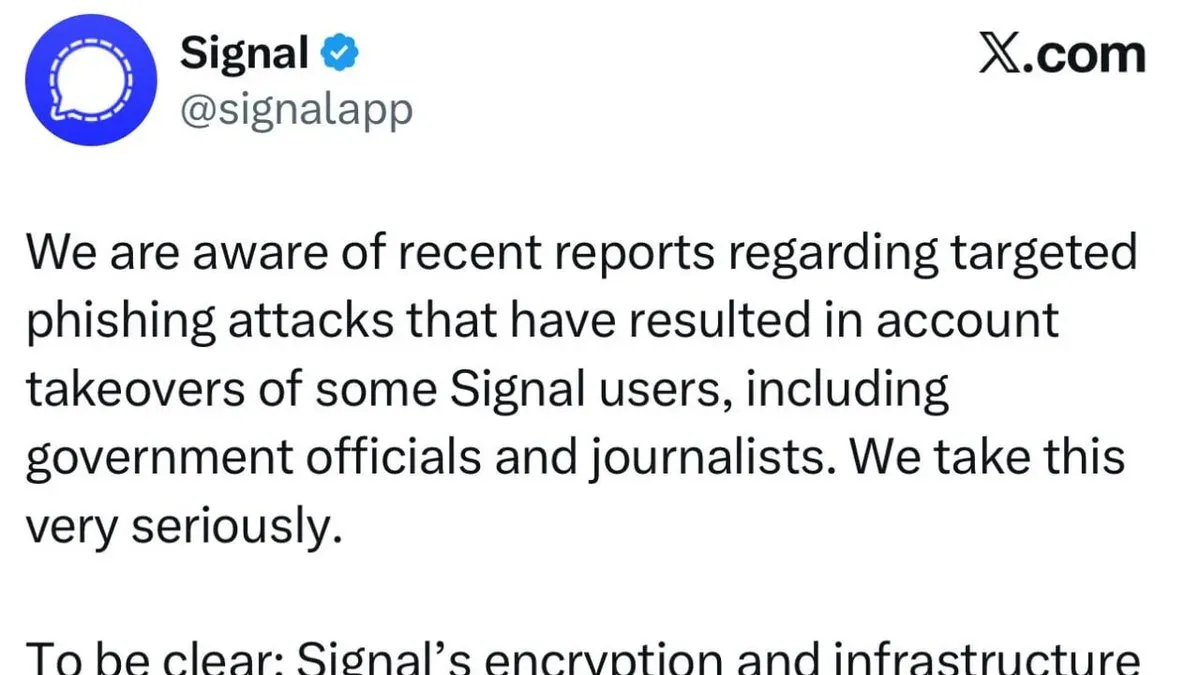
Next, log out of all active Signal sessions and unregister any linked devices. This can be done within Signal by navigating to Settings > Linked Devices and removing unknown or all devices if needed. For example, if a user notices messages they never sent, removing linked devices can quickly cut off unauthorized access.
Changing the device’s lock credentials—such as the PIN, password, or biometric settings—adds another layer of defense. Attackers often exploit weak or unchanged device locks to maintain access.
It is also essential to report the incident promptly to Signal support through their official contact channels and inform the mobile carrier, especially if SIM swapping is suspected. Timely reporting can help block further unauthorized attempts and recover the account faster.
Finally, consider performing a full security audit of the device, including scanning for malware or suspicious apps. If the breach seems severe, a factory reset may be the safest option to fully remove any hidden threats.
Example: A user received an unexpected verification code while using Signal and noticed unknown linked devices listed. By immediately removing those devices, changing their phone’s PIN, and contacting both Signal support and their carrier, the user stopped further unauthorized access within hours and restored normal control of their account.
Tip: Act swiftly on any unusual Signal activity; delays can increase the risk of data loss or further compromise.
Further reading
- How Reddit Accounts Get Hacked and How to Protect Yourself
- How to Identify, Respond to, and Recover from an Instagram Account Hack
- How to Identify, Respond to, and Recover from a LinkedIn Account Hacked
- Understanding and Responding to a Mastodon Account Hacked
Frequently asked questions
What is signal account?
A Signal account is linked to a phone number and allows users to send encrypted messages and make calls through the Signal app. It does not require a traditional username or password but relies on the phone number verification and device registration process to authenticate users.
Can signal account be hacked?
While Signal’s end-to-end encryption protects message content, a Signal account can be compromised if someone gains access to the device or phone number. This might allow an attacker to register the account on a new device and intercept messages, but they cannot decrypt past messages without the original device.
Can signal be hacked?
Signal’s design and encryption protocols make hacking the app itself extremely difficult. However, vulnerabilities may arise from user devices, SIM swapping, or social engineering attacks that bypass Signal’s security rather than breaking its encryption.
Can someone hack my signal app?
Directly hacking the Signal app is unlikely due to its security features, but unauthorized access to the phone or SIM card can allow an attacker to register your Signal account on another device. Protecting the phone with strong lock screens and monitoring for unusual activity helps reduce this risk.
How to report a hacked account?
If a Signal account is suspected to be hacked, users should immediately unlink the account from unauthorized devices by re-registering the phone number on the official app. Additionally, contact Signal support through their official website or app settings to report the issue and follow recommended recovery steps.
Limits of this advice and when to seek expert help
This guide does not cover advanced state-level attacks, zero-day vulnerabilities, or highly sophisticated breaches that may require professional cybersecurity intervention. Users facing targeted or persistent threats, or those handling sensitive information at risk of nation-state espionage, should consult specialized security experts or digital forensics professionals. Additionally, this advice assumes the device itself is largely secure and does not address deep system compromises beyond typical app-level concerns.
The most practical next step for anyone suspecting their Signal account has been compromised is to immediately enable Signal’s registration lock feature. This setting prevents unauthorized re-registration of the phone number on another device, adding a crucial layer of defense against account takeover attempts.