Can You Get a Virus from a PDF? What You Need to Know
Learn how viruses can hide in PDFs and what steps you can take to protect your device from infection in 2026.

Can you get a virus from a PDF? Many wonder if simply opening a PDF file could infect their device. While PDFs are generally safe, they can contain hidden malware exploiting vulnerabilities in PDF readers. Understanding how this happens and how to protect yourself is essential.
How Viruses Can Be Embedded in PDFs
PDFs are versatile documents that can include text, images, and interactive elements. Their complex structure allows embedded scripts and objects, which attackers can exploit to hide malicious code.
- PDF File Structure: PDFs can contain JavaScript code, embedded multimedia, and file attachments. Attackers embed malicious scripts that execute when opened in vulnerable readers.
- Common Malware Delivery Methods: JavaScript exploits within PDFs can trigger buffer overflows or memory corruption in outdated PDF software. PDFs may also carry embedded executable files disguised as attachments that, if launched, install malware.
For example, a typical exploit chain might start with malicious JavaScript triggering a memory corruption flaw in a PDF reader, which then executes code to download and run malware.
Can Your Device Actually Get Infected Just by Opening a PDF?
Opening a PDF does not always lead to infection. The risk depends heavily on the software and its security settings.
- Safe Viewing vs. Vulnerable Applications: Modern, well-maintained readers or browsers usually isolate harmful content. Older or unsupported PDF readers with known vulnerabilities can be exploited just by opening a file.
- Security Features: Many PDF readers offer sandboxing, options to disable or restrict JavaScript, and automatic updates. For example, in Adobe Acrobat Reader, disabling JavaScript requires navigating to Edit > Preferences > JavaScript and unchecking Enable Acrobat JavaScript. Users often miss this step, leaving scripts enabled by default, which increases risk.
- System and Software Updates: Regularly updating your PDF reader and operating system patches vulnerabilities that malware might exploit. Outdated software increases risk even from basic PDF exploits.
Sandboxed PDF readers can block exploit attempts that succeed on outdated software, highlighting the importance of using secure, updated applications.
How to Safely Handle PDFs to Avoid Viruses
Minimize risk by applying these practical precautions:
- Choose Trusted PDF Readers: Use well-known applications that receive regular security updates. Disable JavaScript execution unless absolutely necessary.
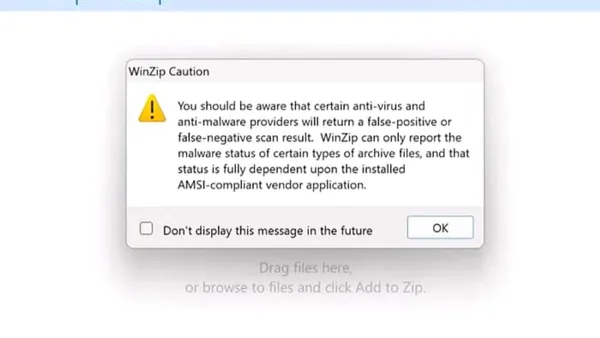
- Scan PDFs Before Opening: Use antivirus software capable of scanning documents for malware signatures and suspicious code.
- Practice Safe Habits: Avoid opening PDFs from unknown or unsolicited sources. When necessary, open suspicious files in sandboxed environments or on isolated devices.
Checklist for safe PDF handling:
- Verify sender identity before opening attachments.
- Keep your PDF reader and antivirus software updated.
- Disable JavaScript in your PDF reader settings.
- Scan all PDFs with antivirus software before opening.
- Consider opening suspicious PDFs on virtual machines or isolated devices.
When to Be Extra Cautious: High-Risk Scenarios
Certain situations increase the risk of malicious PDFs:
- Unsolicited Emails: Attachments from unknown senders often carry phishing attempts with malicious PDFs.
- Phishing and Spear-Phishing: Targeted attacks may use crafted PDFs to exploit specific vulnerabilities or trick users into enabling harmful content.
- Public or Shared Computers: Devices used by multiple people may have outdated software or weakened security, increasing attack chances.
Recognizing these contexts helps minimize exposure.
What This Advice Does Not Cover
This article addresses typical consumer and office environments and does not cover highly sophisticated threats such as advanced persistent threats (APTs) using custom-crafted PDF malware against high-value targets. It is not a substitute for professional cybersecurity services in enterprise or critical infrastructure settings. Users with outdated or unsupported devices may face different risks requiring specialized attention.
Frequently asked questions
Can a PDF infect my phone or tablet as easily as a computer?
Mobile devices use different PDF readers and operating systems. While risks exist, mobile OS sandboxing and app store controls generally reduce infection chances compared to some desktop environments. Nonetheless, caution is necessary, especially with PDFs from unknown sources.
Is it safer to view PDFs in a web browser than in a dedicated PDF reader?
Modern browsers include sandboxing and security features that can make viewing PDFs safer. However, this depends on the browser and its version. Dedicated PDF readers may offer more features but require proper configuration and updates to remain secure.
What are the signs that a PDF file might be malicious?
Suspicious signs include unexpected attachments, unusual file sizes, odd file names, or prompts to enable macros or JavaScript. If a PDF triggers security warnings or behaves oddly, avoid interacting with it and scan it with antivirus software.
Can antivirus software always detect malicious PDFs?
No antivirus solution guarantees 100% detection, especially against new or obfuscated threats. Antivirus software reduces risk by identifying known malware and suspicious behavior, but safe handling practices remain essential.
Important Caveats
This article focuses on typical consumer and office use and does not cover highly targeted attacks or zero-day exploits that require specialized expertise.
Related reading
- Can You Get a Virus from a Text Message? What You Should KnowDiscover whether you can get a virus from a text message and how to protect your device from SMS-based malware and scams.