How to Identify, Unlock, and Recover a Hacked Viber Account
This guide helps users identify, unlock, and recover a hacked Viber account with practical steps to regain control and secure communications.

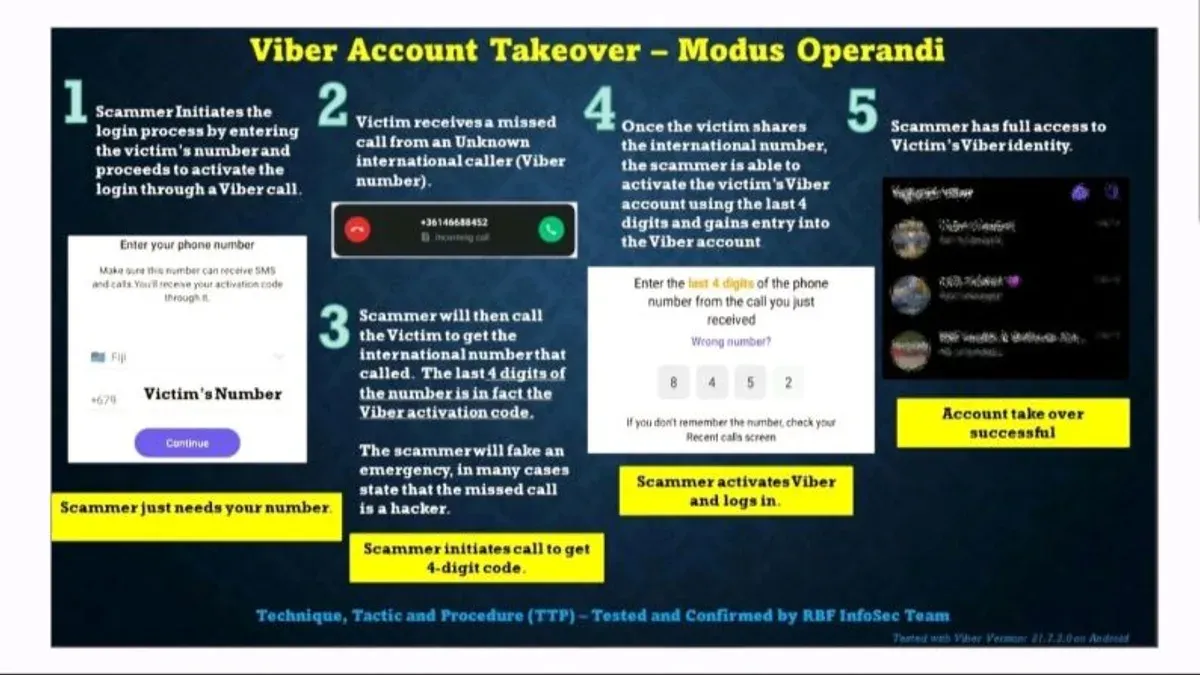
This article provides clear guidance to users who find their Viber account hacked or blocked, outlining practical steps to regain control and secure the account.
A Viber account hacked situation often leads to unauthorized access, compromised messages, or unexpected account activity. Distinguishing between a hacked and a blocked account is essential since each requires different actions. For example, a blocked account might result from violating Viber’s terms, while a hacked account involves security breaches.
Understanding the signs of a compromised Viber account—such as unfamiliar messages, contacts, or login alerts—can help users respond promptly. This guide covers how to check account status, recover access, manage devices linked to the account, and implement safeguards on both mobile and desktop platforms.
Tip: Regularly review linked devices under the Viber settings menu to spot unauthorized access early.
What happens when a Viber account is hacked or blocked
A hacked Viber account is one where an unauthorized person gains access, often evidenced by unexpected message activity, such as messages sent without the user’s knowledge or login alerts from unfamiliar devices. This unauthorized access compromises communication privacy and may lead to contacts receiving suspicious messages.
In contrast, a blocked Viber account results from the platform’s automated or manual enforcement actions, usually triggered by policy violations like spam, abusive content, or suspicious behavior flagged by Viber’s security systems. Blocking restricts access to Viber services temporarily or permanently, depending on the severity.
For example, a user might notice messages sent to their contacts that they did not write, signaling a hack, whereas a block might display a notification preventing login or use due to terms of service breaches. While hacking poses a direct threat to user data and privacy, blocking is a protective measure by Viber to maintain platform integrity.
Both situations interrupt normal communication: a hacked account risks data exposure and trust damage, whereas a blocked account halts messaging and calls until resolved. Contacts and chat history typically remain intact unless the hacker deletes data or the user reinstalls the app after blocking.
How to know if a Viber account has been hacked
Signs of a hacked Viber account often appear as unusual activity or unexpected notifications. One common indicator is seeing messages in the chat history that were neither sent nor received by the user. These unrecognized messages may include strange links or requests for money.
Another clear sign is receiving login alerts for devices that the user does not recognize. Viber sends notifications when the account is accessed from a new device, often including the device type and approximate location. If such alerts appear without the user’s action, it strongly suggests unauthorized access.
Unexpected logouts can also point to hacking. If the account logs out without the user initiating it, especially repeatedly, an intruder may be trying to gain control. Additionally, notifications about changes to the account settings—such as phone number, profile name, or privacy options—that were not made by the user can indicate compromise.
Receiving the Viber verification code unexpectedly, without attempting to log in, is another warning. Hackers often trigger code requests to bypass security, and these unsolicited codes should never be shared.
For example, a user might notice a message from a friend asking about a suspicious link they supposedly sent. Checking the chat reveals messages they never typed. Shortly after, a notification appears stating the account was logged in from a device in a different city. This combination of signs confirms the account has likely been hacked and immediate action is needed.
How to unblock a Viber account and what to expect
When a Viber account is blocked, it is typically due to violations of Viber's Terms of Service or suspicious activity detected by the platform. Unlike hacked accounts, blocked accounts restrict access entirely until the issue is resolved through Viber's support system.
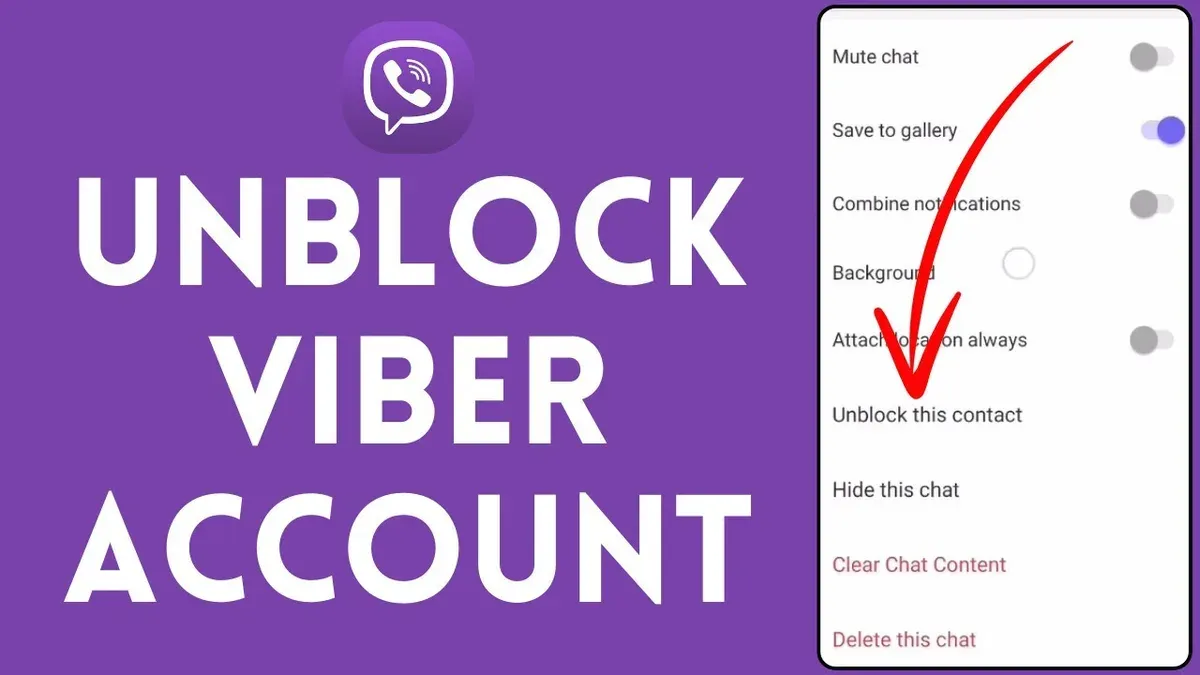
To request unblocking, users must contact Viber support via the in-app Help section or through Viber’s official website contact form. It is essential to provide the phone number linked to the account and details about the situation. Response times may vary, often taking a few days depending on the case complexity.
Common causes of blocking include sending spam messages, using unauthorized third-party apps, or repeated login attempts from multiple devices. Users should review Viber’s guidelines to avoid these triggers.
| Aspect | Blocked Account Recovery | Hacked Account Recovery |
|---|---|---|
| Access status | Access denied until unblock | Access compromised but still possible |
| Recovery method | Appeal to Viber support | Reset credentials and secure account |
| Typical response time | Several days | Immediate to few hours |
| Precautions | Follow usage policies | Change password, enable 2FA |
For example, if an account is blocked after sending bulk unsolicited messages, the user should file an appeal explaining the context, wait for Viber’s reply, and avoid mass messaging practices in the future to prevent re-blocking.
Tip: Keep communications with Viber support clear and provide all requested information promptly to speed up the unblocking process.
How to recover a hacked Viber account
Recovering a hacked Viber account primarily involves phone number verification and updating security settings. Start by uninstalling and reinstalling the Viber app to prompt a fresh login. Upon opening the app, enter the registered phone number to receive a verification code via SMS or call. Entering this code correctly restores access, confirming ownership.
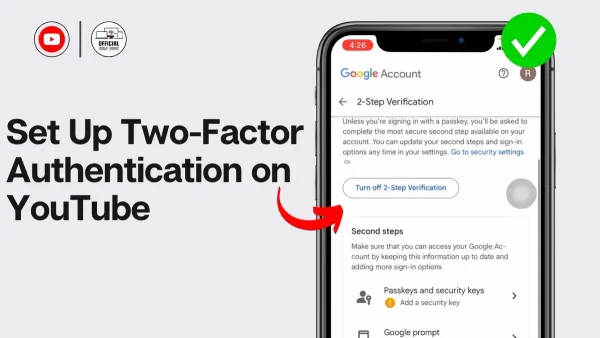
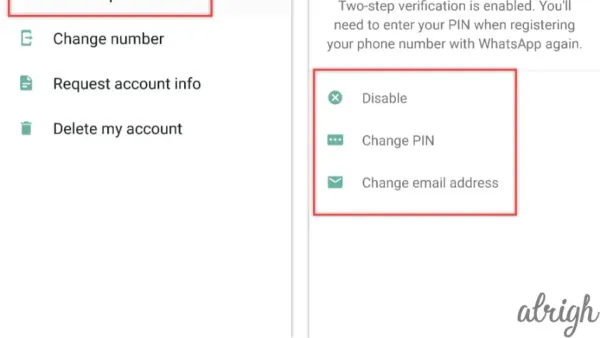
Tip: Enable two-step authentication in Viber’s Settings under Privacy to add an extra layer of protection after regaining access.
If a PIN was set before the hack, Viber will ask for it during reactivation. Resetting this PIN requires access to the linked phone number and email for verification.
Contacting Viber support becomes necessary if the hacker changes the phone number associated with the account. Proof of ownership, such as screenshots of past conversations, payment receipts for Viber Out credit, or linked email details, can support the recovery request. However, success rates drop significantly if the registered number is no longer accessible.
For example, a user who lost access due to hacking regained control by reinstalling Viber, verifying their original number promptly, and resetting their PIN. Users who delay or cannot verify the number often face permanent loss of the account.
Recovery success varies; users with immediate access to their phone number and two-step authentication enabled have the highest chance of reclaiming their accounts without long delays.
How to create or make a Viber account safely
Begin by registering with a verified phone number, as Viber uses this to authenticate identity and sync contacts. During the setup process, enter the phone number carefully to avoid errors that could lead to unauthorized access or account confusion.
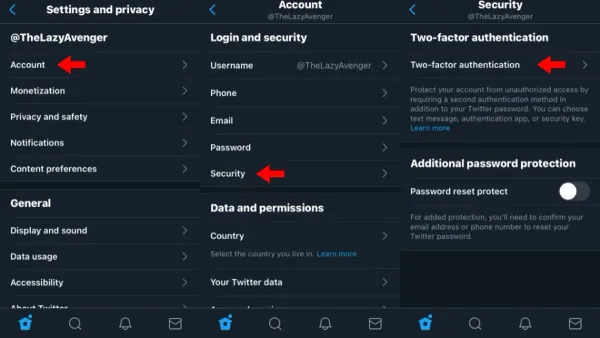
Once the account is created, immediately set a secure PIN by navigating to More > Settings > Privacy > PIN Code. Choose a PIN that combines numbers not easily guessed, avoiding birthdays or repetitive digits. Enabling two-factor authentication (2FA) adds an essential security layer; this can be found under Settings > Privacy > Two-step verification. Activating 2FA requires entering a code from a linked device or authentication app whenever signing in.
When linking devices, such as the desktop app or additional phones, confirm each device manually through the Viber app on the main phone. Avoid linking devices on shared or public computers to reduce exposure risk. Disable automatic device linking if the option appears during setup.
For example, a secure setup workflow might be: install Viber on a personal phone, verify the phone number, create a strong PIN, enable two-step verification, then add a desktop device by scanning the QR code shown within the phone app. This sequence ensures controlled access and reduces chances of unauthorized entry.
Tip: Regularly review linked devices under Settings > Devices and remove any unfamiliar ones to maintain account security.
How to remove a Viber account from desktop and mobile devices
Removing a Viber account from desktop or mobile devices is a crucial step when security is a concern or when switching devices permanently. On the Viber desktop app, users can unlink their account by opening the app, clicking on the "More" menu (three horizontal lines) in the top left corner, selecting "Settings," then "Account," and finally clicking "Deactivate This Account." This action removes the account from the desktop app but does not delete the account itself. It also deletes all local chat history on that desktop device.
On mobile devices, account removal involves a more thorough process. Open Viber, tap "More" (the three-dot icon on Android or "More" tab on iOS), then go to "Settings," "Account," and choose "Deactivate Account." Confirming this will delete all messages, groups, and Viber data from the device and unlink the phone number from the account. This step is irreversible and requires re-verification to use the account again.
Tip: Deactivating on mobile removes the account entirely from that device, whereas desktop deactivation unlinks it only from that app.
For example, if a user suspects unauthorized access on their desktop computer, deactivating the account there will stop Viber access on that machine without affecting mobile use. Conversely, if the phone is lost or compromised, deactivating on mobile is the safer choice to protect data and prevent misuse.
Account removal should be considered when recovery attempts fail or when an account is permanently abandoned. However, removing the account deletes local data and requires reinstallation and re-setup to regain access.
Common mistakes to avoid when managing a hacked or blocked Viber account
One frequent error is responding to phishing messages that impersonate Viber support. Scammers often send fake alerts requesting verification codes or PINs, leading to further unauthorized access. For example, a user received a message claiming to be from Viber asking for a six-digit code; sharing this code allowed hackers to take over the account completely.
Sharing verification codes or PINs, even with seemingly trustworthy contacts, exposes the account to risks. Viber's security relies on keeping these confidential. Disclosing them can nullify any recovery effort.
Using unofficial or modified Viber clients introduces vulnerabilities. These apps may lack proper encryption or inject malware, increasing the chance of account compromise. Sticking to official app stores and verified versions helps maintain security integrity.
Ignoring security updates is another common mistake. Viber regularly releases patches addressing known exploits and bugs. Delaying these updates can leave accounts exposed to threats already fixed in newer versions.
Overall, these missteps can worsen the situation by granting persistent unauthorized access or complicating recovery. Vigilance in verifying messages, safeguarding credentials, using official software, and promptly installing updates reduces these risks significantly.
Best practices to secure your Viber account going forward
Keeping a Viber account secure requires consistent attention to both app and device maintenance. Regularly updating the Viber app through official stores like Google Play or the Apple App Store and ensuring the device’s operating system is current reduces vulnerabilities that hackers often exploit.
Enabling two-step verification (2SV) adds a critical layer of protection. When 2SV is active, even if a password or PIN is compromised, unauthorized access is significantly less likely. Viber users who activate 2SV typically experience fewer account breaches compared to those who rely solely on passwords.
Monitoring authorized devices and active sessions is another essential practice. Within Viber’s settings under “Privacy” > “Devices,” users can review and revoke access from any unfamiliar devices, which helps detect and block unauthorized logins promptly.
Awareness of suspicious links, contacts, and unexpected messages is vital. For example, a user receiving an unsolicited message containing a link claiming to offer free credits should verify the sender’s legitimacy before clicking. Such vigilance prevents phishing attempts that can lead to account compromise.
Tip: Regularly check “Settings” > “Privacy” > “Two-step verification” to ensure 2SV remains enabled and update the PIN periodically for added security.
Further reading
- How to Recover and Protect a Hacked Snapchat Account
- Signal Account Hacked: How It Happens and What to Do Next
- How to Identify, Report, and Recover a Hacked TikTok Account
- How to Identify, Respond to, and Recover from a LinkedIn Account Hacked
Frequently asked questions
How to unblock viber account?
Unblocking a Viber account typically requires waiting for the block period to expire if the account is temporarily restricted due to suspicious activity or violations. Users should review any messages from Viber explaining the block reason and follow any provided steps. In some cases, contacting Viber support with relevant account details can help clarify the situation or expedite unblocking.
How to recover hacked viber account?
To recover a hacked Viber account, immediately log out of all devices from the Viber settings under Privacy > Logged in Devices. Then, reinstall Viber and verify the phone number again to regain control. Changing linked email accounts and enabling two-step verification enhances security after recovery.
How to make viber account?
Creating a Viber account involves downloading the Viber app on a mobile device and entering a valid phone number for verification. After receiving the SMS code, input it to activate the account. Adding a profile name and photo is optional but recommended for better contact identification.
How to create viber account?
To create a Viber account, install the app on a smartphone and provide a phone number when prompted. After verifying the number through the SMS code sent by Viber, the account is ready for use. Users can then customize settings and sync contacts as needed.
How to remove account in viber desktop?
Removing an account from Viber Desktop requires opening the desktop app and navigating to Tools > Options > Account. Selecting 'Deactivate Account' will log out and remove local data. Note that this does not delete the account entirely; the mobile app remains linked unless the account is deleted from there.
Limits of this guide and when to seek professional help
This guide does not cover legal action or device-level malware removal, which should be handled by cybersecurity professionals or law enforcement when necessary. Users who have lost access to their phone number may face significant challenges recovering their Viber account through standard procedures, as account verification depends heavily on that number.
For those dealing with persistent unauthorized access or complex security breaches, consulting with a cybersecurity expert or contacting Viber support directly is recommended to explore more advanced recovery options and device security measures.
Taking the initial step of securing the phone number linked to the Viber account—through carrier support or number recovery—is often the most critical factor in regaining control and preventing further unauthorized access. This foundational action enables other recovery and security procedures to be effective.