How to Identify, Recover, and Secure a Hacked DoorDash Account
This guide helps you identify, recover, and secure a hacked DoorDash account to regain control and prevent future attacks.

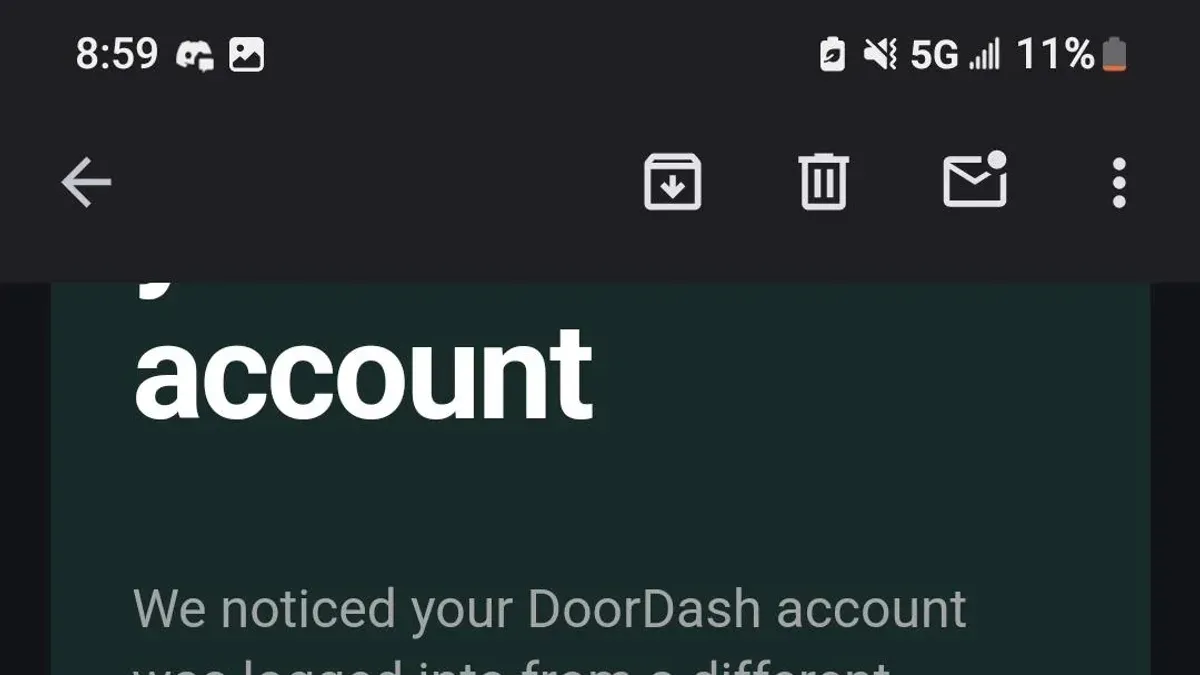
This article explains how to identify, recover, and secure a hacked DoorDash account. DoorDash account hacked incidents often result from phishing, credential stuffing, or data breaches that expose login details. Recognizing suspicious activity such as unauthorized orders, password change alerts, or unfamiliar devices logged in is critical for quick response. Immediate steps include resetting the password, reviewing recent orders, and checking account settings for unauthorized changes. This guide provides clear, actionable instructions tailored to DoorDash users to regain control and protect accounts from future attacks.
How did my DoorDash account get hacked?
DoorDash accounts are often targeted through phishing scams that imitate official login or support pages. Attackers send emails or texts that look like legitimate DoorDash communications, tricking users into entering their credentials on fake sites. These phishing attempts may include urgent messages about account issues or delivery problems.
Credential stuffing is another common attack vector. If a user reuses passwords from other breached sites, hackers use automated tools to try those stolen credentials on DoorDash accounts. Because many people recycle passwords, this method frequently yields unauthorized access.
Weak or reused passwords make accounts especially vulnerable. Simple passwords or those used across multiple platforms can be easily guessed or cracked, providing an easy entry point for hackers. Malware or keyloggers installed on a device can silently record every keystroke, capturing usernames and passwords without the user’s knowledge.
Social engineering attempts also play a role. Attackers may impersonate DoorDash support agents to coax users into revealing verification codes or resetting passwords. These tactics bypass technical security by exploiting human trust.
For example, a DoorDash user might receive an email that looks like a delivery confirmation but contains a link to a fake login page. Entering credentials there gives the attacker immediate access. This scenario is common because phishing emails often closely mimic DoorDash’s branding and language, making them hard to spot.
Tip: Never click links in unsolicited emails; instead, navigate directly to DoorDash’s official site to log in.
What to do if your DoorDash account gets hacked
Immediately change the DoorDash account password by navigating to Account Settings > Security > Password. Also, update the password for the email linked to the DoorDash account, as this is a common target for hackers. Use a strong, unique password that combines letters, numbers, and symbols. Failure to update both can allow persistent unauthorized access.
Next, review all payment methods and delivery addresses saved in the account under Account Settings > Payment and Account Settings > Addresses. Remove any unfamiliar cards or addresses to prevent further fraudulent orders. Check the recent order history for unauthorized transactions by going to Orders > Past Orders, noting any suspicious activity.
Contact DoorDash support immediately if the account is locked or unauthorized changes prevent access. Support can be reached via the app under Help > Account Issues or through their website’s support page. Response times vary but typically range from a few hours to one business day. Prompt contact improves chances of account recovery and limits damage.
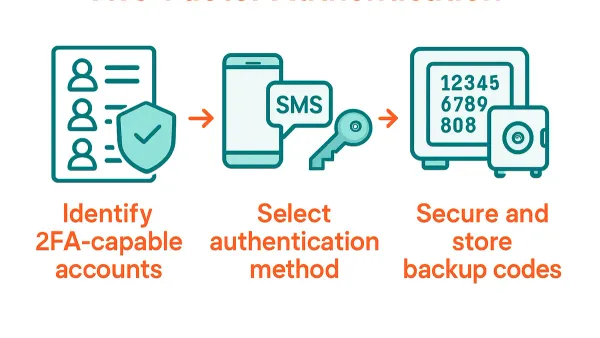
Enable two-factor authentication (2FA) under Account Settings > Security > Two-Factor Authentication to add a critical security layer. Accounts with 2FA enabled have a significantly higher success rate of stopping repeated hacks compared to those without. This step is often missed but crucial for long-term protection.
Example: A user noticed an unauthorized order and immediately changed both DoorDash and email passwords, removed a suspicious payment card, and contacted support within two hours. Support locked the account to prevent new orders and restored access within one business day. Enabling 2FA afterward prevented further breaches.
How to access my DoorDash account if locked or deactivated
DoorDash may lock or deactivate accounts when suspicious activity is detected, such as multiple failed login attempts, unusual order patterns, or potential payment issues. This security measure helps prevent unauthorized access but requires users to verify their identity before regaining access. Common reasons include suspected fraud, violation of terms, or flagged payment methods.
To regain access, first check the email associated with the DoorDash account for instructions or requests for verification. DoorDash typically asks for identity confirmation documents like a government-issued ID or proof of payment method ownership. Users must upload clear photos or scans through the DoorDash Help Center or respond directly to the support email.
Appealing a lock or deactivation involves contacting DoorDash support via the app's Help section or the website’s support page. Submitting a detailed explanation alongside requested documents can speed up the review. Resolution times vary but generally take a few business days. Persistence and clear communication improve chances of reactivation.
To avoid repeated lockouts, ensure all account information is accurate and up to date, use strong passwords, and enable two-factor authentication. Avoid using VPNs or proxy servers that can trigger security flags. Regularly reviewing account activity for unfamiliar orders helps catch problems early.
Example: A user locked out after multiple incorrect password attempts received an email asking for a photo ID and a recent payment receipt. After submitting both via the Help Center, their account was reactivated within three days.
How to delete your DoorDash account on computer
Begin by logging into the DoorDash website using a desktop browser. After signing in, click on the profile icon located at the top right corner of the screen to open the dropdown menu. From this menu, select Account Settings to navigate to the account management page.
Within the Account Settings page, scroll down to find the section labeled Account Preferences. Look for the option Delete Account or Close Account, typically positioned at the bottom of this section. Click this option to initiate the deletion process.
A confirmation prompt will appear, outlining the consequences of deleting the account. This usually includes permanent removal of personal data, order history, and payment information, with no ability to recover the account later. To proceed, enter the account password when requested and confirm the deletion.
As an alternative to permanent deletion, consider temporarily deactivating the account by adjusting notification settings or contacting DoorDash support. This option preserves data and allows reactivation without creating a new account.
For example, a user logged in on the DoorDash desktop site clicks their profile icon, chooses Account Settings, scrolls to the bottom, selects Delete Account, confirms by entering their password, and clicks the final confirmation to permanently remove their account and data.
Tip: Before deleting, download any needed receipts or order records, as these will be inaccessible after account removal.
How to create a DoorDash account safely
Start by choosing a strong, unique password that includes at least 12 characters, mixing uppercase and lowercase letters, numbers, and symbols. Avoid common words or predictable patterns, and do not reuse passwords from other services. For example, instead of 'DoorDash123', use a passphrase like 'Tiger$7Maple!Road'. This reduces the risk of credential stuffing attacks that exploit reused passwords.
During signup, verify both the email address and phone number. DoorDash sends a confirmation link to the email and a code via SMS to the phone number. Completing these verifications ensures account recovery options are valid and prevents unauthorized access through fake contact details.
Immediately enable two-factor authentication (2FA) after creating the account by navigating to Account Settings > Security > Two-Factor Authentication. 2FA adds a second layer of protection, typically via SMS or an authenticator app, making it significantly harder for hackers to access the account even if the password is compromised.
A common mistake is registering or placing orders over public or unsecured Wi-Fi networks. Such networks can be intercepted by attackers using man-in-the-middle techniques. Always use a trusted, private network or a VPN when handling DoorDash account activities to protect login credentials and personal data.
Tip: Use a reputable password manager to generate and store complex passwords safely, eliminating the need to remember them manually.
Can someone use your DoorDash account without permission?
Yes, unauthorized use of a DoorDash account can happen and carries significant risks. Intruders may place fraudulent orders, leading to unexpected charges on saved payment methods. This misuse can quickly escalate into substantial financial loss, especially if the account has multiple payment options or stored credits.
Beyond financial consequences, unauthorized access exposes sensitive personal information. Delivery addresses, contact details, and order history become visible to the intruder, raising privacy and security concerns. For example, if a hacker knows the delivery location, they might exploit that information for further social engineering attacks or identity theft.
Account misuse also affects user ratings and account standing. Unfamiliar orders or cancellations can lower ratings, which are critical for those who dash as drivers or rely on account history for promotions. Accounts flagged for suspicious activity may face temporary holds or restrictions, complicating legitimate use.
DoorDash employs fraud detection systems that monitor unusual behaviors such as multiple orders in quick succession or changes in delivery addresses. When suspicious activity is detected, the platform may temporarily block transactions and alert the account holder. However, swift user action is necessary to prevent ongoing misuse.
Consider a case where a user’s account was compromised, and the hacker placed several high-value orders to a new address. The user noticed unfamiliar charges, contacted support, and DoorDash froze the account to stop further orders. Without quick detection and intervention, the financial and reputational damage would have been worse.
How to get help on DoorDash account issues
DoorDash provides multiple official support channels to resolve account problems quickly. The most direct method is through the DoorDash app, by navigating to Account > Help > Contact Support. This option typically offers the fastest response, often within hours, as it routes requests to specialized teams. Alternatively, users can visit help.doordash.com for the Help Center, which hosts detailed articles and FAQs covering common issues and self-service steps.
Phone support is available but primarily for urgent or complex issues like billing disputes or account security breaches. The recommended number is 855-973-1040, though wait times can vary. For hacking or unauthorized activity, escalating through the app’s “Report a Problem” feature ensures the issue reaches the fraud team.
Community forums can provide peer advice but are unofficial and slower to yield verified solutions. It is best used as a supplementary resource rather than a primary channel.
Documenting all communications—screenshots of chats, copies of emails, and notes on call times—helps track progress and supports escalation if initial support is insufficient. For example, a user reporting unauthorized charges should keep all related correspondence to expedite resolution.
Tip: Start with the in-app support for the quickest, targeted assistance and escalate only if the problem remains unresolved after 24-48 hours.
Frequently asked questions
How to delete doordash account on computer?
To delete a DoorDash account on a computer, log in and go to the Account Settings page. Scroll down to find the "Delete Account" option, typically under the "Privacy" or "Security" section. Confirm the deletion by following the on-screen prompts, noting this action is irreversible and will remove order history and saved information.
Is doordash a scam?
DoorDash is a legitimate food delivery service operating in many regions. While some users may experience issues like late deliveries or customer service delays, these do not constitute a scam. Users should remain cautious of phishing attempts or fake offers pretending to be from DoorDash.
How to make doordash account?
Creating a DoorDash account requires visiting the DoorDash website or app and selecting "Sign Up." Enter a valid email address or phone number, set a strong password, and provide necessary personal information. Verifying the account via email or SMS completes the setup process.
How do i access my doordash account?
Access a DoorDash account by navigating to the login page on the app or website and entering the registered email or phone number and password. If the password is forgotten, use the "Forgot Password" link to reset it via email or SMS. Locked accounts may require contacting DoorDash support for assistance.
Is DoorDash a scam?
DoorDash is not a scam but a recognized food delivery platform. Users should guard against scams impersonating DoorDash, such as fraudulent emails or texts requesting personal information or payment details. Always confirm communications come from official DoorDash channels.
What this advice does not cover and when to seek other help
This advice does not cover recovery if the email address associated with the DoorDash account is also compromised; in such cases, email recovery must be prioritized first. Users in certain regions may experience different customer support options or account management features depending on local regulations and DoorDash policies. This guide does not replace professional cybersecurity consultation for repeated or sophisticated hacking attempts.
The single most effective next step after suspecting a DoorDash account compromise is to immediately change the account password using the DoorDash app or website, enabling two-factor authentication in the Security Settings to add an extra layer of protection. Acting promptly to secure login credentials and monitor account activity reduces the risk of unauthorized orders or financial loss.
See also: How to Spot, Prevent, and Recover from an Airbnb Account Hacked · How to Set Up Wells Fargo Two-Factor Authentication Securely · What to Do If Your Wells Fargo Account Is Hacked: Clear Recovery Steps