How to Recover and Secure a Hacked Ubisoft Connect Account
This guide explains how to recover and secure a hacked Ubisoft Connect account with clear, actionable steps to protect your digital assets and personal info.

This guide explains how to recover and secure a hacked Ubisoft Connect account with clear, actionable steps. When a Ubisoft Connect account hacked situation arises, regaining control quickly and understanding the platform’s account ecosystem are essential. Ubisoft Connect links game libraries, friends lists, and progress across devices, making account security critical.
Compromised accounts risk losing personal data, purchased games, and in-game assets. This article covers practical recovery methods, how to safely make and connect accounts, and how to prevent future breaches. It also addresses common platform issues and mistakes to avoid, ensuring users not only fix their accounts but maintain security long-term.
What is Ubisoft Connect and why does account security matter?
Ubisoft Connect is Ubisoft’s centralized platform for accessing games, tracking progression, and connecting with friends across multiple devices. It manages game libraries, stores in-game achievements, and integrates social features like friend lists and messaging. The platform also handles purchases and stores payment information, making the account a hub for both gaming and financial data.
Account security is crucial because a compromised Ubisoft Connect account can lead to significant losses. Unauthorized access may result in stolen games, reset progress, fraudulent purchases charged to saved payment methods, and exposure of personal details. For example, a hacker gaining control could buy in-game currency or DLCs, leaving the legitimate user responsible for unexpected charges.
Gaming accounts are frequent targets for cybercriminals due to their mix of valuable digital assets and payment information. Ubisoft’s account system links to multiple games and services, increasing the impact of any breach. Users often underestimate the risk until faced with the time-consuming process of recovery and potential financial damage.
Understanding the importance of securing the Ubisoft Connect account is the first step toward protecting digital assets and personal information from unauthorized access.
Why would someone hack or log into my Ubisoft account?
Hackers target Ubisoft accounts primarily for financial gain. Unauthorized purchases can be made using saved payment methods, or the compromised account itself can be sold on black markets to players seeking instant access to high-level profiles or rare in-game items. This creates a direct monetary incentive for attackers.
Access to personal data stored in the account is another key motive. Information such as email addresses, linked social accounts, and payment details can be harvested for identity theft or phishing campaigns. Cybercriminals may use this data to launch broader attacks beyond just the gaming environment.
Exploiting linked game progress and in-game assets is also common. For example, a player’s inventory of valuable skins or weapons can be transferred or sold, affecting the genuine user’s experience and investment. In multiplayer games, hacked accounts may be used to deploy bots or spam, disrupting community integrity and unfairly boosting rankings.
Consider a player who notices unauthorized purchases in the Ubisoft Store and simultaneous drops in their in-game currency. This scenario often reflects a hijacked account used for both spending and asset farming. Reports from cybersecurity firms highlight such patterns as typical motives behind gaming account breaches.
How to recover your hacked Ubisoft account
Recognize signs of hacking such as unexpected password changes, login alerts from unknown devices, or altered account email addresses. The first step is to attempt password reset through Ubisoft’s official recovery page at https://www.ubisoft.com/help/account-management/stolen-account. Enter the registered email to receive a reset link. If the email address has been changed, this method may not work and further steps are needed.
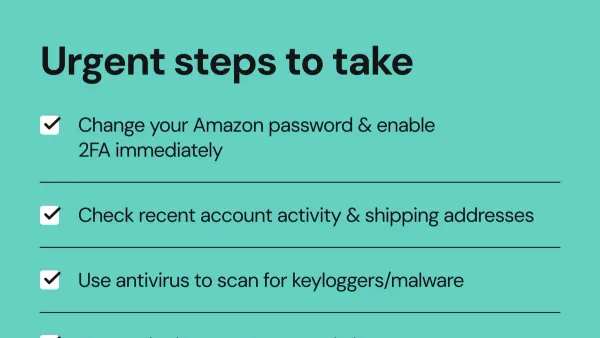
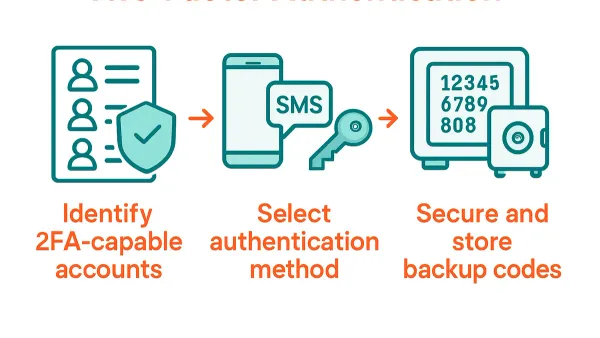
Next, secure the associated email account immediately by changing its password and enabling two-factor authentication (2FA) to prevent further unauthorized access. After regaining access to the Ubisoft account, enable 2FA via the Ubisoft Connect app settings under 'Security' to add an extra verification layer.
In cases where automated recovery fails—such as when emails or linked phone numbers have been changed—contact Ubisoft Support directly. Submit a ticket at https://www.ubisoft.com/help/contact with proof of ownership, including past purchase receipts or payment methods. Be prepared for possible delays due to verification steps.
For example, a user noticing a login email alert from an unknown location should first try password reset through Ubisoft’s recovery tool. If unsuccessful, securing the email account and submitting a detailed support ticket with transaction evidence can restore control. Consistently enabling 2FA after recovery reduces future risks.
Tip: Always check spam folders for Ubisoft recovery emails, as they can be misdirected, delaying account recovery.
How to make and connect Ubisoft accounts safely
Creating a Ubisoft Connect account starts at the official Ubisoft website. Select "Sign Up" and provide a valid email address, a strong password meeting Ubisoft’s criteria—at least 8 characters, including uppercase, lowercase, numbers, and symbols—and a unique username. Follow the on-screen prompts to verify the email through a confirmation link. Avoid using temporary or shared emails to ensure account recovery options remain secure.
Linking Ubisoft accounts across platforms such as PC, PlayStation, Xbox, or Stadia enhances the gaming experience by synchronizing game progress and unlocking cross-platform features. To link accounts, log into Ubisoft Connect, navigate to "Account Management," then "Linked Accounts." Choose the platform to connect and authorize access by signing into that platform’s account. This process does not combine account data but allows shared access under one Ubisoft Connect profile.
Linking differs from merging; Ubisoft does not support merging accounts. Each linked account remains separate, preserving individual purchase histories and progress. Attempting to create a new Ubisoft account with the same email or linking duplicate accounts may cause errors like "account creation not working" or "email already in use." If creating an account fails, clear browser cache, disable extensions, or try a different browser. For persistent issues, contact Ubisoft support with error details.
Example: A player with a PC Ubisoft account links their PlayStation Network profile through "Linked Accounts," enabling access to Ubisoft titles and rewards on both platforms without losing separate progress data.
What to do if Ubisoft account hacked email changed
When a hacker changes the registered email on a Ubisoft Connect account, recovery becomes more complex. The email is the primary identifier for password resets and notifications, so altered contact details block standard recovery methods. Immediate action involves secondary verification methods and direct Ubisoft support engagement.
Start by gathering all proof of account ownership: previous purchase receipts, linked platform IDs (like PlayStation Network or Xbox Live), and any original account creation details. These items are crucial when submitting a recovery request through Ubisoft’s official support channels. Navigate to the Ubisoft support site, select "Account Hacked," then "Email Changed," and fill out the recovery form with as much detail as possible.
Ubisoft’s policy requires manual verification for email changes made by unauthorized parties. This process may include identity verification and can take several days. Users should check their email inbox and spam folders regularly for communication from Ubisoft support. Meanwhile, securing the linked email account by changing its password, enabling two-factor authentication, and reviewing recovery options is essential to prevent further hijacking.
Tip: Keep backup contact methods updated in Ubisoft account settings to aid recovery if the primary email is compromised.
For example, a player whose email was changed without consent had to provide transaction IDs from recent game purchases and confirm linked console profiles before Ubisoft restored access. This demonstrates the importance of maintaining purchase records and linked accounts for recovery.
What is wrong with Ubisoft Connect and how to handle server or platform issues
Ubisoft Connect users frequently encounter technical problems such as server outages, login failures, or errors when creating accounts. These issues often stem from Ubisoft’s server maintenance or unexpected spikes in traffic. For example, during a major game launch or update, servers might slow down or temporarily block new account creation to manage load.
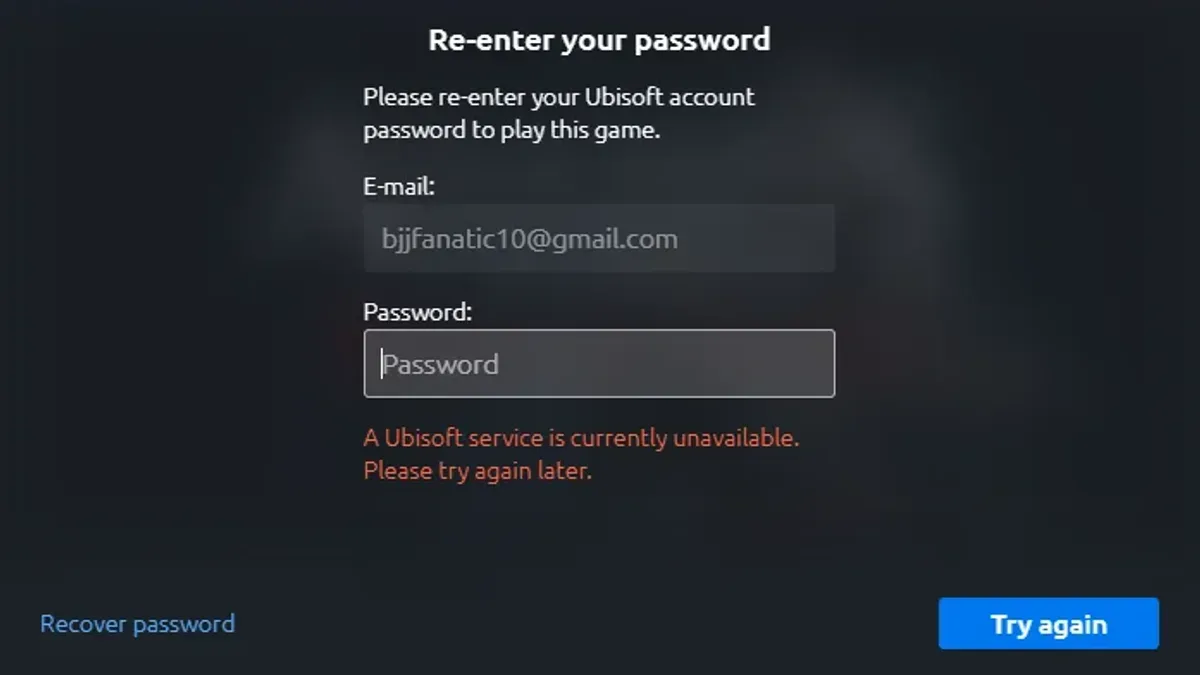
To verify if the problem is on Ubisoft’s end, checking the Ubisoft Server Status page at https://ubi.li/status provides real-time updates on platform availability. Official Ubisoft Twitter accounts and forums also share announcements about outages or scheduled maintenance. This helps distinguish between server problems and personal network or device issues.
Common error messages like "Unable to connect to Ubisoft services" or "Network error 1-0x0001000B" typically indicate server-side or connectivity problems. Workarounds include restarting the router, switching between Wi-Fi and mobile data, or temporarily disabling VPNs. Clearing the Ubisoft Connect cache or reinstalling the client can also resolve persistent errors.
Users often mistake server outages for account hacks, leading to unnecessary panic. Ubisoft explicitly states that server downtime does not mean accounts were compromised. An account hack involves unauthorized access to personal data, whereas server issues only affect access to Ubisoft services temporarily.
How to secure your Ubisoft Connect account to prevent future hacks
Start by creating a strong, unique password for the Ubisoft Connect account. Avoid common passwords or reusing ones from other services. Password managers like Bitwarden or LastPass generate and store complex passwords securely, reducing the risk of credential theft. This step alone significantly lowers vulnerability to brute-force or credential stuffing attacks.
Enable two-factor authentication (2FA) to add an extra security layer. Navigate to Ubisoft Connect’s account settings, then to the "Security" tab, and activate 2FA using an authenticator app such as Google Authenticator or Authy. Ubisoft reports that 2FA drastically reduces unauthorized logins by requiring a time-sensitive code beyond the password.
Be vigilant about phishing attempts. Ubisoft will never ask for passwords via email or direct messages. Suspicious emails prompting urgent action or linking to unofficial websites should be ignored and reported. For example, a fake email claiming a purchase problem but linking to a non-Ubisoft URL is a common phishing tactic.
Regularly review account activity and linked devices in the "Devices" section of Ubisoft Connect. Removing unfamiliar devices immediately cuts off unauthorized access. Avoid sharing account credentials or using third-party software that isn’t officially supported, as these increase exposure to breaches or malware.
Tip: Set a calendar reminder every three months to update the password and verify account settings for optimal security.
Common mistakes to avoid with Ubisoft Connect accounts
Reusing passwords across multiple sites is a critical security risk that often leads to account hacks. If one site suffers a data breach, hackers leverage those credentials to access Ubisoft accounts, bypassing basic password protections. For example, using the same password on a gaming forum and Ubisoft Connect can allow attackers to infiltrate the Ubisoft account once the forum is compromised.
Ignoring Ubisoft’s security notifications also contributes to prolonged unauthorized access. Users sometimes overlook alerts about suspicious logins or password changes, losing valuable time to respond. This delay often results in more extensive account damage, such as unauthorized purchases or altered account details.
Attempting to merge Ubisoft accounts despite official policies is another common error. Ubisoft does not support account merging, and trying to do so can cause confusion or accidental data loss. Users who link multiple platform profiles should manage them separately to avoid access issues.
Phishing scams disguised as Ubisoft support frequently trick users into revealing login credentials. These scams may arrive via email or messages mimicking official Ubisoft communication. Falling for such scams can immediately give hackers full control of the account.
Finally, delaying account recovery steps after noticing suspicious activity often worsens the situation. Immediate action—like resetting passwords and contacting Ubisoft support—is essential to prevent further unauthorized changes or data theft.
Frequently asked questions
How to connect ubisoft accounts?
To connect Ubisoft accounts, log into the Ubisoft Connect website, navigate to the "Account Information" section, and select "Linked Accounts." From there, choose the platform to link, such as PlayStation Network, Xbox Live, or Epic Games, and follow the prompts to authorize the connection. This allows cross-platform progression and shared game libraries where supported.
Why would someone hack my ubisoft account?
Hackers target Ubisoft accounts primarily to access valuable in-game content, steal personal information, or use the account for fraudulent purchases. Accounts with weak passwords or reused credentials from other breaches are particularly vulnerable. Sometimes, attackers exploit linked payment methods or use compromised emails to gain control.
Why would someone log into my ubisoft account?
Unauthorized logins often aim to exploit the account’s digital assets, such as rare items, game progress, or subscription benefits. In some cases, attackers seek to access stored payment information or use the account as a stepping stone for phishing or spamming other users. Monitoring login activity regularly can help detect suspicious access early.
How to make a ubisoft connect account?
Creating a Ubisoft Connect account requires visiting the Ubisoft website and selecting "Sign Up." Provide a valid email address, create a strong password following the security guidelines, and fill in required personal details. After verifying the email, users can log into the Ubisoft Connect client and start linking platforms or purchasing games.
Can you merge ubisoft accounts?
Ubisoft does not support merging multiple accounts. Each Ubisoft Connect account remains separate with its own progress and purchases. Users should choose one primary account to use moving forward and securely close or abandon any duplicates to avoid confusion or security risks.
What this guide does not cover and when to seek other help
This guide does not cover recovery if the user has lost access to the email address tied to their Ubisoft account and cannot verify ownership through Ubisoft support. In such cases, contacting Ubisoft customer service directly with any available proof of account ownership is necessary. Some advanced security breaches involving device-level hacks, keyloggers, or phishing attacks that extend beyond Ubisoft Connect’s platform require specialized cybersecurity assistance. Users facing persistent unauthorized access or suspicious device activity should consider professional help to secure their devices and personal data.
The single most effective next step after regaining control of a hacked Ubisoft Connect account is to immediately enable Two-Factor Authentication (2FA) via the Ubisoft account security settings. This adds a critical layer of protection by requiring a time-sensitive code from an authenticator app or SMS, significantly reducing the risk of future unauthorized access even if the password is compromised.
See also: How to Recover and Secure a Steam Account Hacked · How to Recover and Secure a Rockstar Games Account After a Hack · How to Recover and Protect a Riot Games Account After a Hack · How to Secure and Recover a Slack Account Hacked